All Activity
- Past hour
-
 dzj1991 joined the community
 -
 Joe Penderz joined the community
 -
 johnnypant joined the community
 -
 joahgormsen joined the community
 -

Advice please - getting the maximum from my EMBY Setup / Samsung HW-Q990C (Atmos and TrueHD)
FrostByte replied to Robnaeyaert's topic in Hardware
You can only get TrueHD Atmos if the client has the encoder/decoder which supports TrueHD Atmos and is connected directly connected to a device with a decoder/encoder which supports TrueHD Atmos. Or, all devices in-between can also passthrough TrueHD. Since you are currently playing movies from your TV client no you will never get TrueHD Atmos that way because it doesn't have the necessary decoder/encoder to send it to your soundbar. Now if you connect your Xbox to your soundbar and use the Emby Xbox app then yes, you can get TrueHD Atmos. You probably can also try to add a client on your NUC which then plays your movies. Then it will all depend on your NUC hardware and whether it can passthrough TrueHD since the client would then be on your NUC and connected to your soundbar. It all depends on the client hardware though, not the server (unless the server is also your client). So yes, you probably have options now which you can try. -
 Phillyman36 joined the community
 -
 WilliamNewman97 joined the community
 -
 waposky joined the community
 -
 Rober123 joined the community
 -
 Celsomorales494 joined the community
 -
 lxx11 joined the community
 -

Advice please - getting the maximum from my EMBY Setup / Samsung HW-Q990C (Atmos and TrueHD)
Robnaeyaert replied to Robnaeyaert's topic in Hardware
Sorry @FrostBytewhat I'm *really* asking is ---- Can I play TrueHD/Lossless Atmos media directly from my NUC PC (Emby Server) or my XBOX-X to avoid having to fork out for an nVidia Shield Pro? The only reason I'd entertain purchasing a nVidia Shield Pro is to get the most out of my HW-Q990C which you rightfully comment I paid lots of money for. I'm pulling my hair out trying to work out the best config given all the limitations of the TV being able to pass the signal to the soundbar and transcoding. I just want the best audio experience with what I have is possible. 1 x HW-Q990c + 1 x NUC PC running Emby Server + 1 x XBOX-X all connected to a 2022 Samsung Artframe TV Thanks again -

Samsung TV Emby app: 'Date Added' sort showing release date instead - works fine on web/Edge
rcsnoopdog posted a topic in Samsung Smart TV
Issue: When sorting movies by "Date Added," the app is actually sorting/displaying by the movie's release date, not the date it was added to the library. Comparison: This works correctly on the Emby web client via Edge browser — same server, same library, "Date Added" sorts and displays correctly there. It's only the Samsung Tizen TV app (v2.2.8) showing this behaviour. Steps to reproduce: Open Movies library on Samsung TV Emby app Sort by "Date Added" Result: movies appear ordered/labelled by release year, not by when they were actually added to the server Request: Please confirm if this is a known bug with Tizen client v2.2.8 specifically, or if there's a setting I'm missing that's separate from the "Date Added behavior for new content" server-side setting. - Today
-
Advice please - getting the maximum from my EMBY Setup / Samsung HW-Q990C (Atmos and TrueHD)
FrostByte replied to Robnaeyaert's topic in Hardware
If you connect your Xbox directly to your soundbar what you will gain is TrueHD Atmos/DTSHD playback because the TV won't pass those through. If you don't have any games with Atmos or use Emby on your Xbox then I can't think of any benefit to hooking it up like mine. You will probably lose the ability to place a shortcut on the Home which goes directly to the Xbox too. At least with my version of Tizen you can't have a different shortcut to each HDMI port on your soundbar. Just one and then you have to swap ports with your remote if needed. How you hook up your server doesn't have anything to do with the format of the sound file you're getting. A very slow connection can cause things to transcode and buffer but a file which is transcoded is going to be the same 384kbps AC3 format no matter how you have it set up. It's the client which determines the format by what it supports, not the server. Since the Samsung app is running on the TV itself the server knows what codecs your TV supports by what the client tells it. Those formats are indicated by the tables in your TV's user manual. If the client doesn't support or passthrough a certain codec then it will request a transcode from the server no matter how nice of an audio system or server that you have. Each codec costs Samsung money and your TV has just what's needed to stream movies from apps like Netflix online which is why it supports things DD+ Atmos. Soundbars support more formats because of things like UHD players which are meant to be directly connect to them. So, there's really no need for Samsung to pay for those decoders/encoders twice. The Shield and Xbox (at least newer versions of them) both can passthrough things like TrueHD Atmos if hooked up directly to an audio device which support them. There is a handshake between the two devices which the client device then acknowledges. That can't be done if hooking an Xbox or Shield directly to your TV so you don't gain much as far as audio goes doing it that way. If you are on the fence and think you may not need lossless audio then I would at least have an alternate audio file in my videos. Having a 640 kbps ACS track or an even better EAC3 track in your files will not only sound better than the transcoded one from the server but it will eliminate any on the fly transcoding which can slow down any streaming. All you need to do then is preselect the alternate track before clicking play. If you have the tools to make an EAC3 5.1 or 7.1 track (especially with Atmos) it can actually sound pretty good at higher bitrates when using a soundbar. I've got a lot of files with 1536kbps EAC3 7.1 Atmos tracks which are harder to tell the difference from TrueHD Atmos on my soundbar. If you have a nice expensive audio system, then you really should run Emby off something other than the TV. Why would you pay thousands of dollars and not listen to the best. Audio #2 ID : 3 Format : E-AC-3 JOC Format/Info : Enhanced AC-3 with Joint Object Coding Commercial name : Dolby Digital Plus with Dolby Atmos Format profile : Blu-ray Disc Codec ID : A_EAC3 Duration : 1 h 56 min Bit rate mode : Constant Bit rate : 1 536 kb/s Channel(s) : 8 channels Channel layout : L R C LFE Ls Rs Tfl Tfr Sampling rate : 48.0 kHz Frame rate : 31.250 FPS (1536 SPF) Compression mode : Lossy Stream size : 1.25 GiB (2%) Title : DDP Atmos 7.1 Language : English Service kind : Complete Main Default : No Forced : No Complexity index : 16 Number of dynamic objects : 15 Bed channel count : 1 channel Bed channel configuration : LFE Dialog Normalization : -27 dB compr : -0.28 dB Center mix level (cmixlev) : -3.0 dB Surround mix level (surmixlev) : -3 dB dmixmod : Lo/Ro ltrtcmixlev : -3.0 dB ltrtsurmixlev : -3.0 dB lorocmixlev : -3.0 dB lorosurmixlev : -3.0 dB Dialogue normalization, average : -27 dB Dialogue normalization, minimum : -27 dB Dialogue normalization, maximum : -27 dB -
Hast Du Emby auf Deutsch eingestellt? Falls ja, könntest Du mir sagen was bei der Option als Erklärung steht. Vlt. hättest Du auch eine Idee wie man es gleich besser machen kann, dann würde ich die Übersetzung nämlich gleich entsprechend korrigieren.
-
Many, many thanks!!! I will check the way!
-
I m pretty sure ebr will find a way to block 30-40 devices using third party app and not getting a penny for premiere. Just wait a bit....
-

Emby for Android on Shield TV no longer passing through dolby digital 5.1 or DTS
Henkmeister replied to Kramerika's topic in Android TV / Fire TV
I got this issue too. My (2.1) setup is: Nvidia Shield Pro -> MillSO USB To 3.5mm Audio Jack Adapter -> Genelec F One subwoofer. Is this too exotic un-hidef setup? This setup has been working for couple of years just fine. -
Installing an Emby plugin DLL manually on a Synology NAS (DSM 7) If you try to copy a plugin DLL over SFTP/WinSCP you'll get a permission denied error. That's expected: WinSCP logs in as your normal DSM user, but the plugin folder lives under @appdata and is owned by the package's own system user. SFTP can't elevate, so you need SSH + sudo. Upload the DLL somewhere you can write — for example your home folder or any shared folder: /volume1/homes/youruser/MyPlugin.dll Enable SSH — Control Panel > Terminal & SNMP > Enable SSH service. Connect with an account in the administrators group (PuTTY, or WinSCP's "Open session in PuTTY"). Note: DSM 7 blocks direct root login, so log in as the admin user and use sudo. Find the plugin folder — on DSM 7 it's usually: /var/packages/EmbyServer/var/plugins which is a symlink to /volume1/@appdata/EmbyServer/plugins. If that path doesn't exist, search for it: sudo find /volume1/@app* /var/packages -maxdepth 4 -type d -name plugins 2>/dev/null You can also check the program data path under Emby dashboard > Help > About. Copy the file in and fix ownership — ownership is the important part, a DLL with the wrong owner will silently fail to load. Check what's already in the folder and match it: cd /var/packages/EmbyServer/var/plugins sudo ls -l sudo cp /volume1/homes/youruser/MyPlugin.dll . sudo chown EmbyServer:EmbyServer MyPlugin.dll sudo chmod 644 MyPlugin.dll On DSM 6 the owner is typically emby:users instead. If unsure, copy it from an existing file: sudo chown --reference=<existing-file.dll> MyPlugin.dll Afterwards restart the package with sudo synopkg restart EmbyServer and the plugin should show up in the dashboard.
- 21 replies
-
- 1
-

-
- plugin
- theme song
- (and 6 more)
-
That would mean you also bought the plugins at some point too. If you pm me your email address I can confirm your purchase details. Themes are sporadic depending on sources although I notice you mentioned you're running beta, I don't support beta releases so it may be there is a breaking change that has currently stopped the plugins. You would need to check your logs to see and if that's the case, decide if you want to roll back to release of emby or wait for the beta to become a release then my plugins will support it
-
Give me a second, I will look up your permission error.
- 21 replies
-
- 1
-
-
- plugin
- theme song
- (and 6 more)
-

Movie Theme Songs Plugin Questions and Support Thread
TecEmbryo replied to radeon's topic in Plugins
When I access the plugin, I get the following message: "You are registered for this feature and can continue using it with an active Emby Premium subscription." I've been using it for about two years (or longer, since I got the Emby Premium subscription) – without any problems until about three weeks ago. Now I'm no longer getting themes for the newly added TV shows and movies. Hence my question. -

embyforkodi (next-gen) 12.X.X support
quickmic replied to quickmic's topic in Emby For Kodi Next Gen
I check in addon mode, and found no issues. Probably I need a kodi.log for review including the playback issue. -
He podido solucionar el problema, aunque no tenia el modo desarrollador activado hay que activar y modo desarrollador, reiniciar la tv tal como indica en la ventana emergente, volver a entrar y desactivar el modo desarrollador, volver a reiniciar la tv y con eso no me ha vuelto a salir el cartel de aviso. Muchas gracias a todos por la ayuda y la información ofrecida.
-
No, so my plugins come with a trial but beyond the trial they won't work without purchasing a one time licence from me via the catalog or my site www.ballingtons.com/products (works out a bit cheaper via my site as a bulk)
-
Movie Theme Songs Plugin Questions and Support Thread
TecEmbryo replied to radeon's topic in Plugins
Okay, now I'm confused, but that might be due to the translation. I have an Emby Premium subscription – can I use all your plugins with it without having to take out another subscription for the plugins from you? -
Sweet, and the Moonfin server folder?
-
Hello, you're really taking great care of your project. I'd love to use it and even donate something. But I can't copy the .dll file into the "Emby Plugin" directory – I get a "Permission Denied" error, which means I don't have the necessary permissions with the WinSCP transfer protocol "SCT". I'd probably have to modify a file with PuTTY, and that's too risky for me. No root privileges -> no copying. Just to answer your question, Emby isn't installed via Docker on my system. Perhaps @Luke will add this as a plugin sometime; until then, I'll have to manage without it, since the built-in tool doesn't offer anything more and the developer isn't responding.
-
There is no code that is linked to or interferes with the official emby app's premium limitations or device counting.
-
Great app ! It would be nice to explain how does app interfere with emby premium limitations and counting devices for premiere ? With details. We asked emby devs, but of course they needed 3 weeks to respond and after that nothing is clearer, we know even less.
-
I tried changing to 9011 external but get the same result. I tried adding a rule for https on 8092 but got the same again.
-

Suggestion Section with Continue Watching for Home Video Libraries
Roxics replied to Roxics's topic in Feature Requests
Just curious if there has been any thought put into this. It seems strange to me that a "Continue Watching" or "Latest (Added)" section is limited to movie and TV show library types and not all other library types like Home Videos and Music Videos and Mixed Content. Aside from those two, it would be great to also have a row of "Recently Watched" videos in case I wanted to watch them again (maybe it's been a while since I've looked in that library) and a row of randomly selected "Unwatched Videos" from that library suggested to me. -
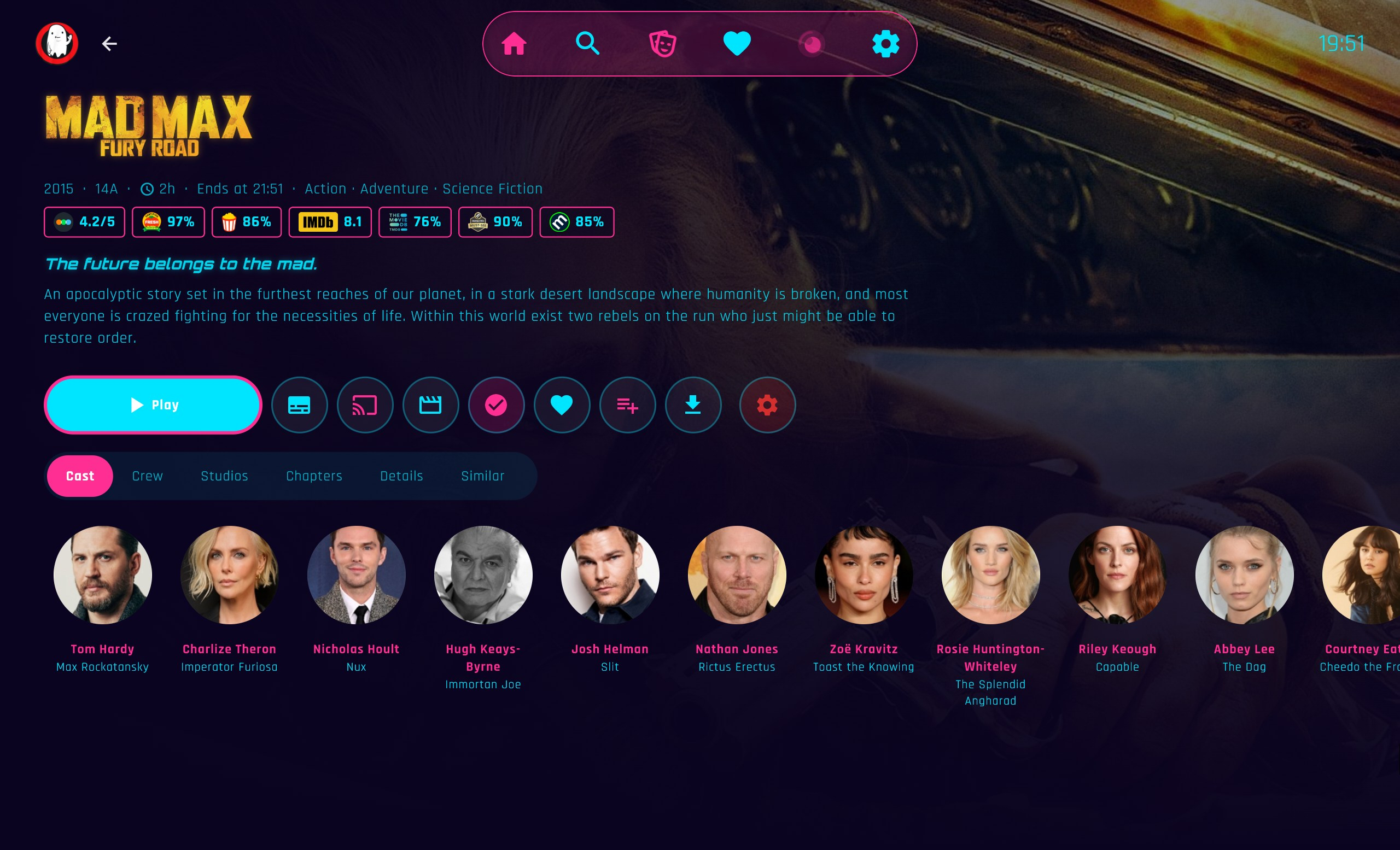
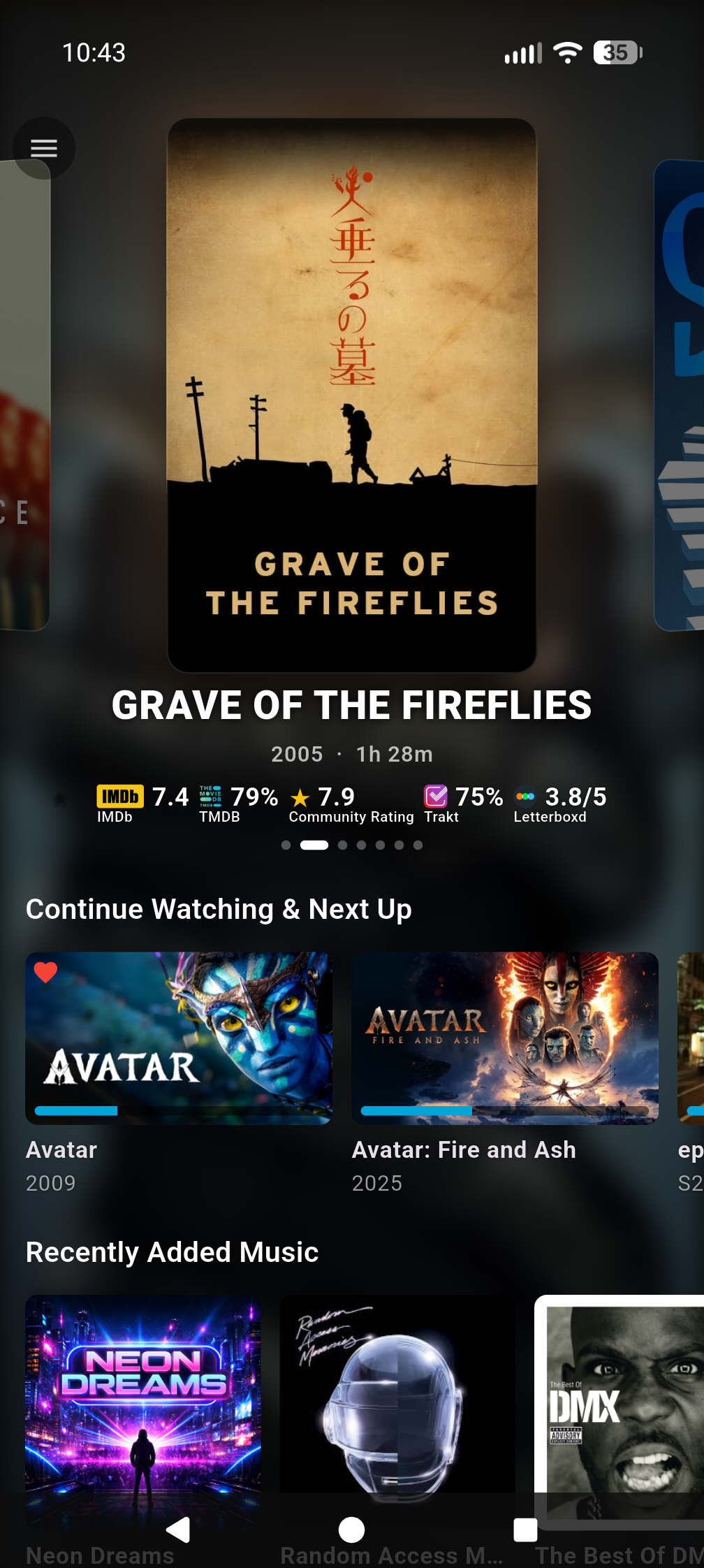
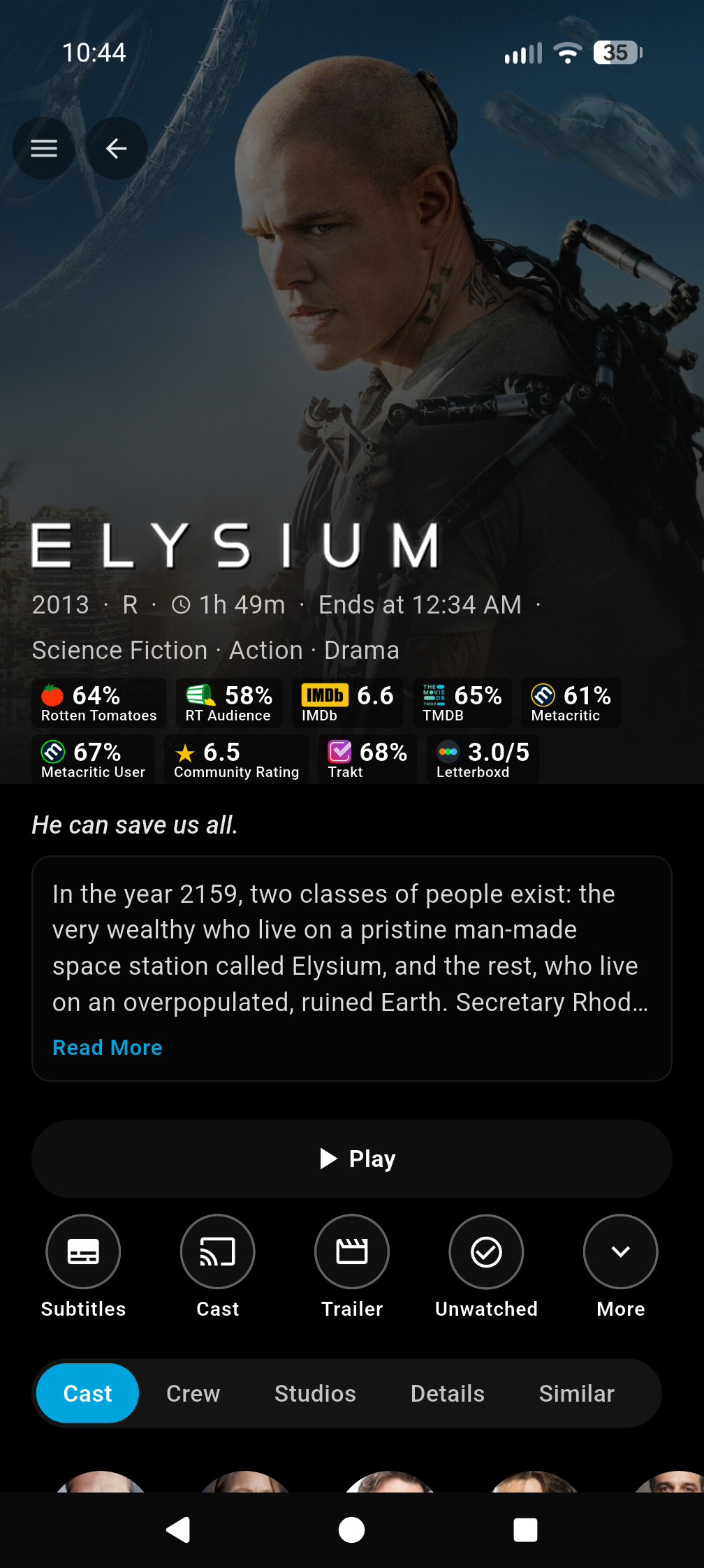
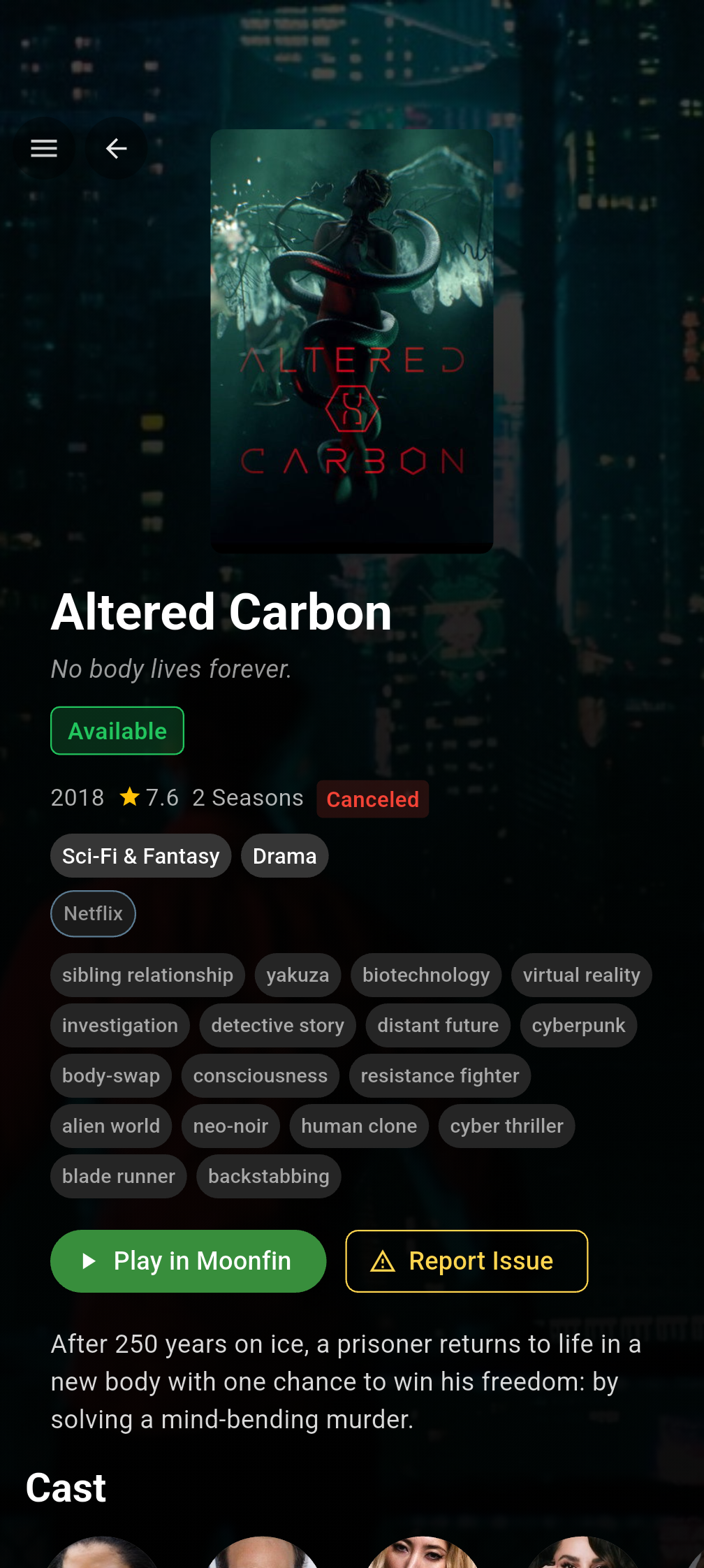
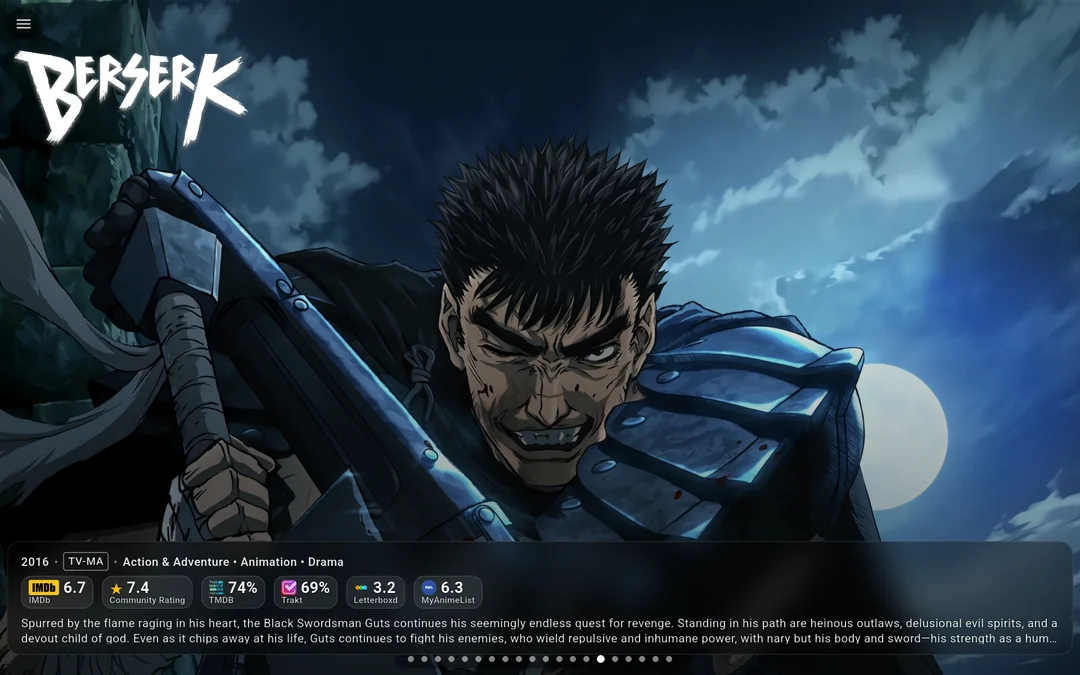
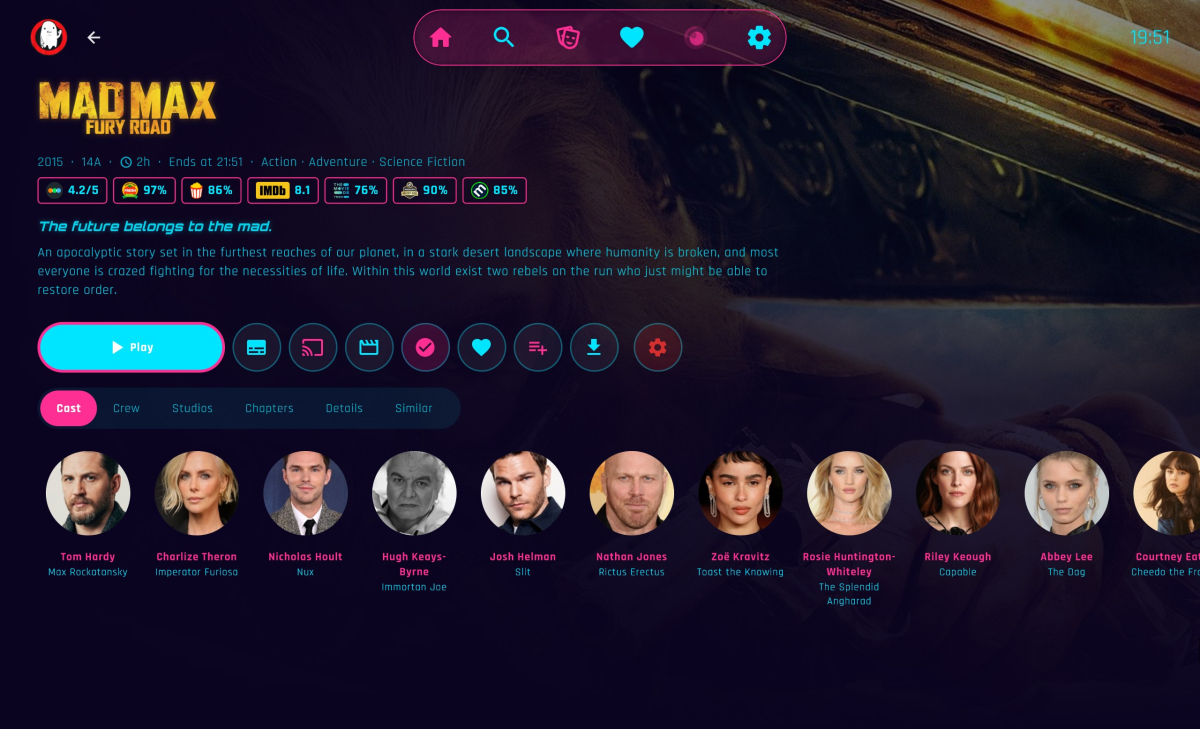
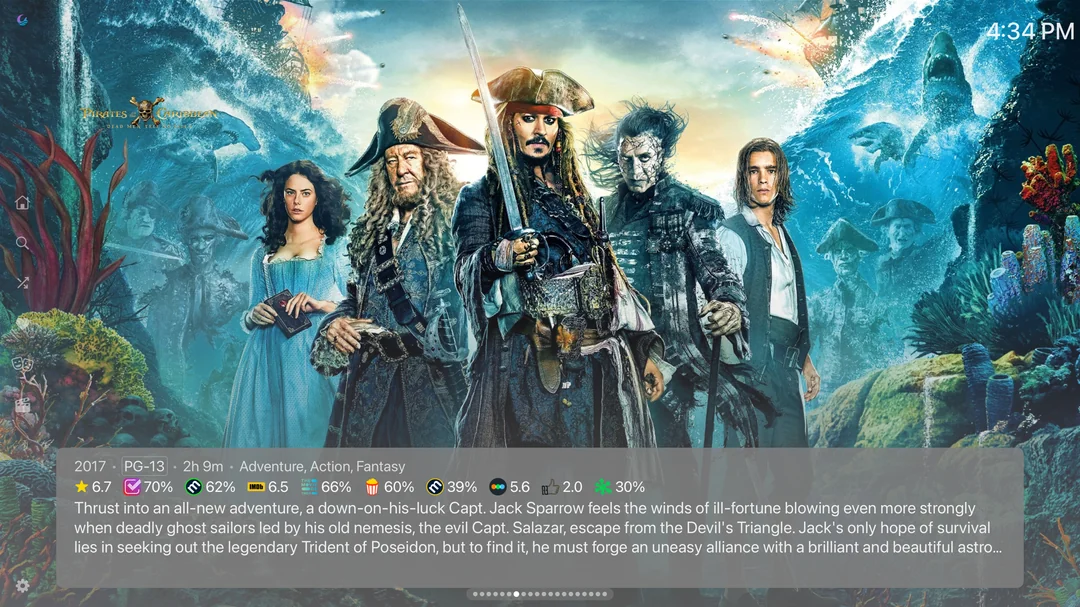
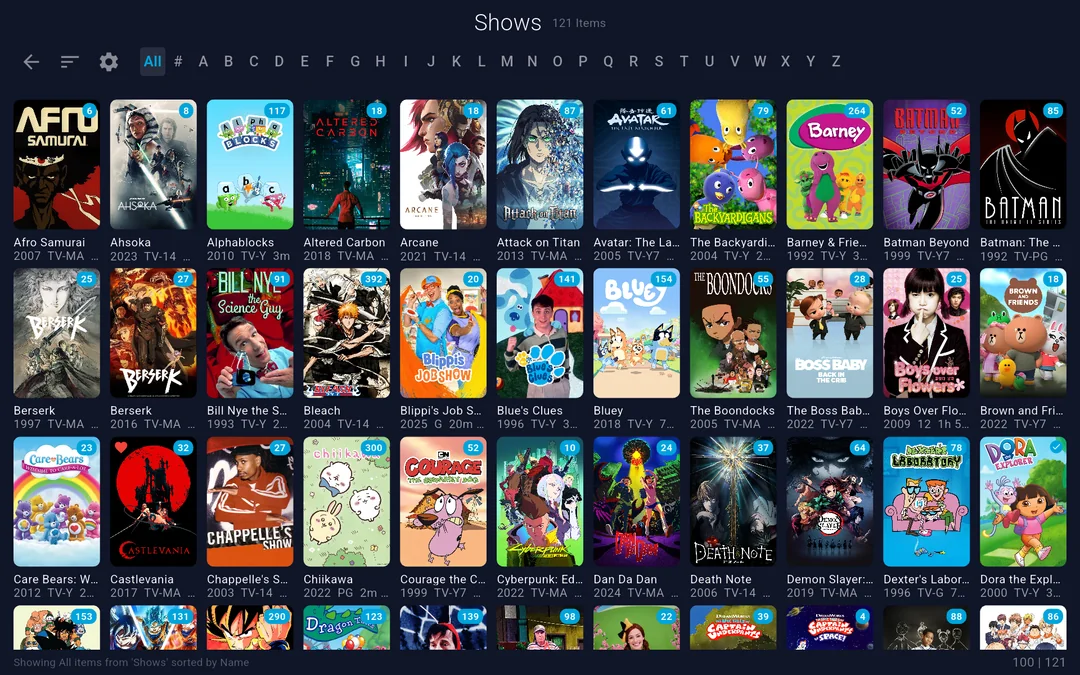
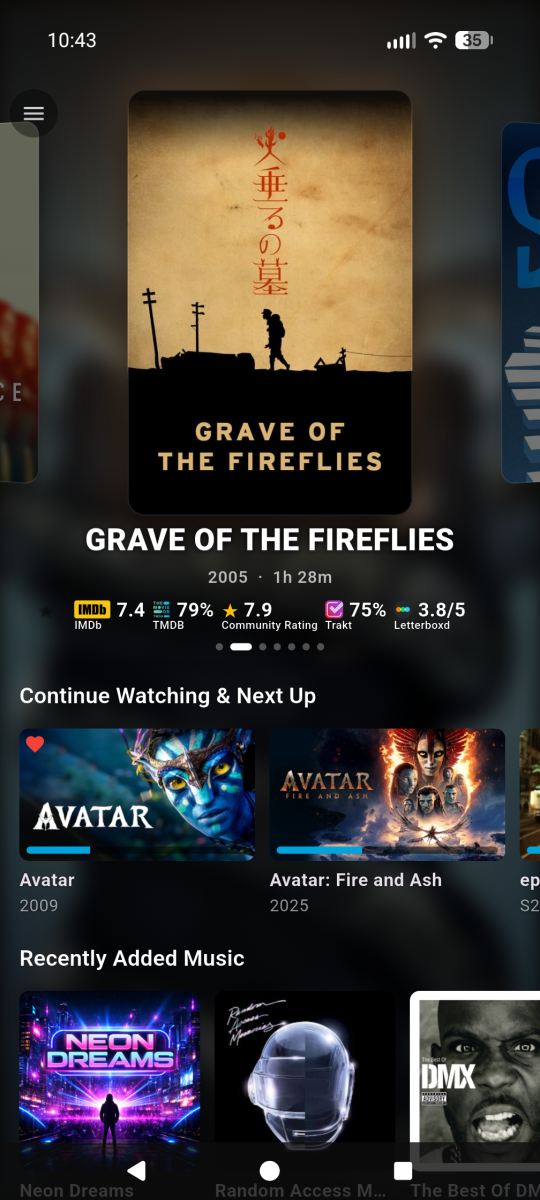
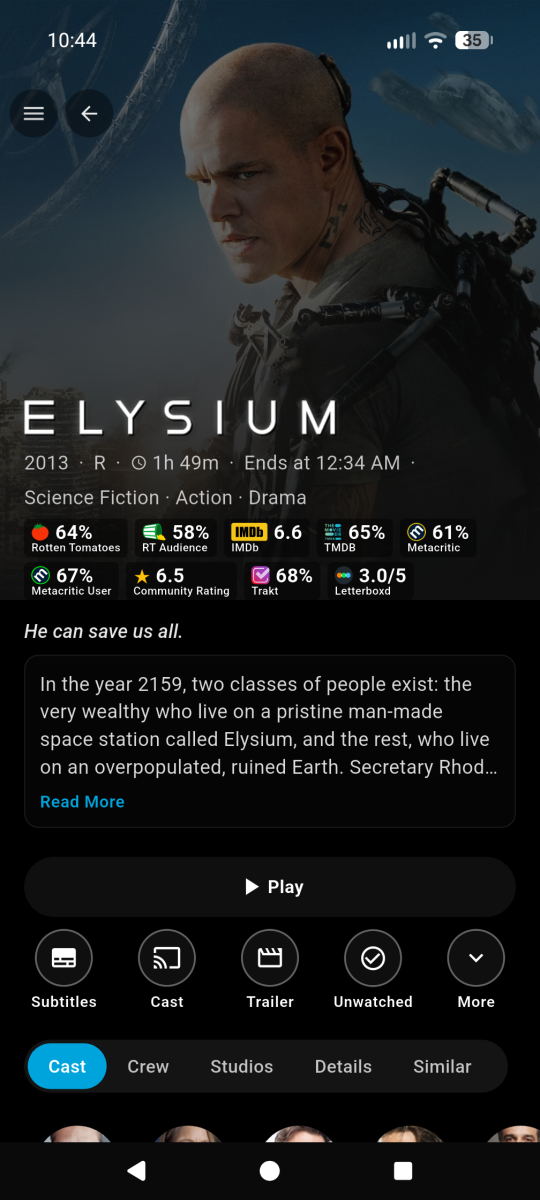
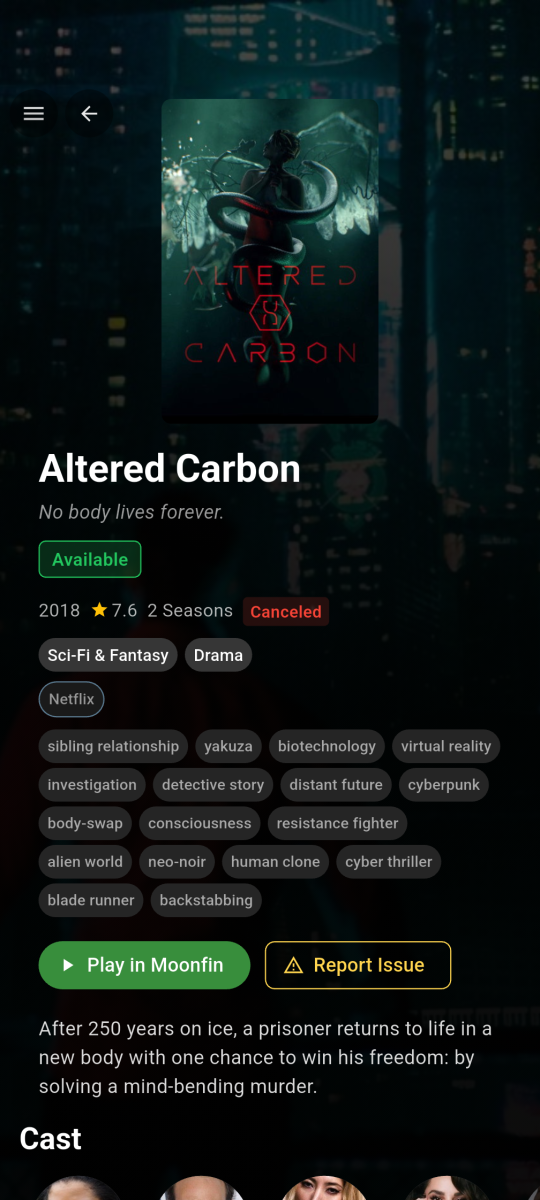
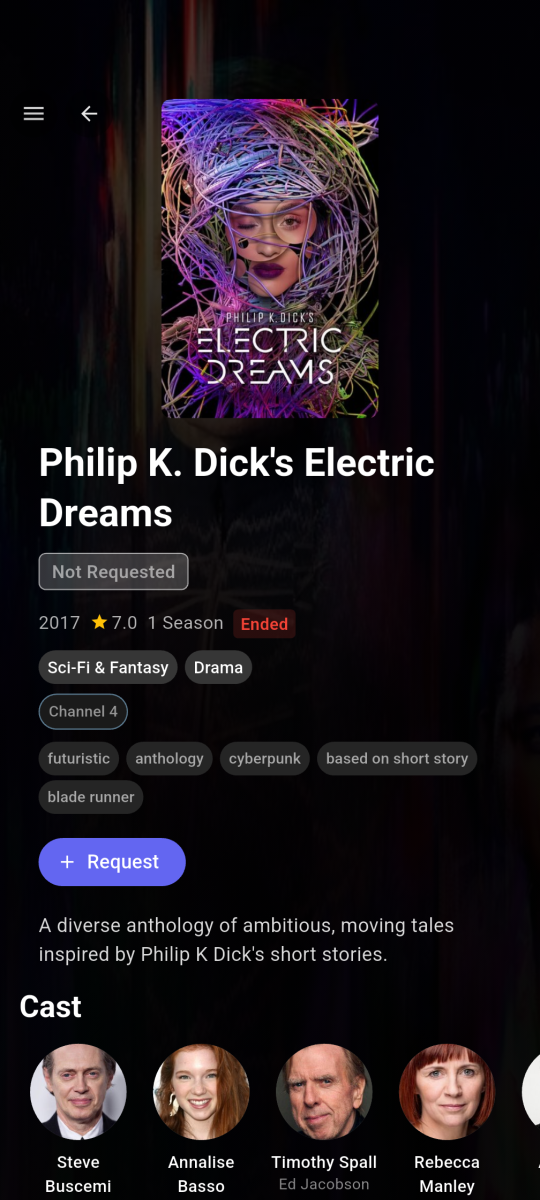
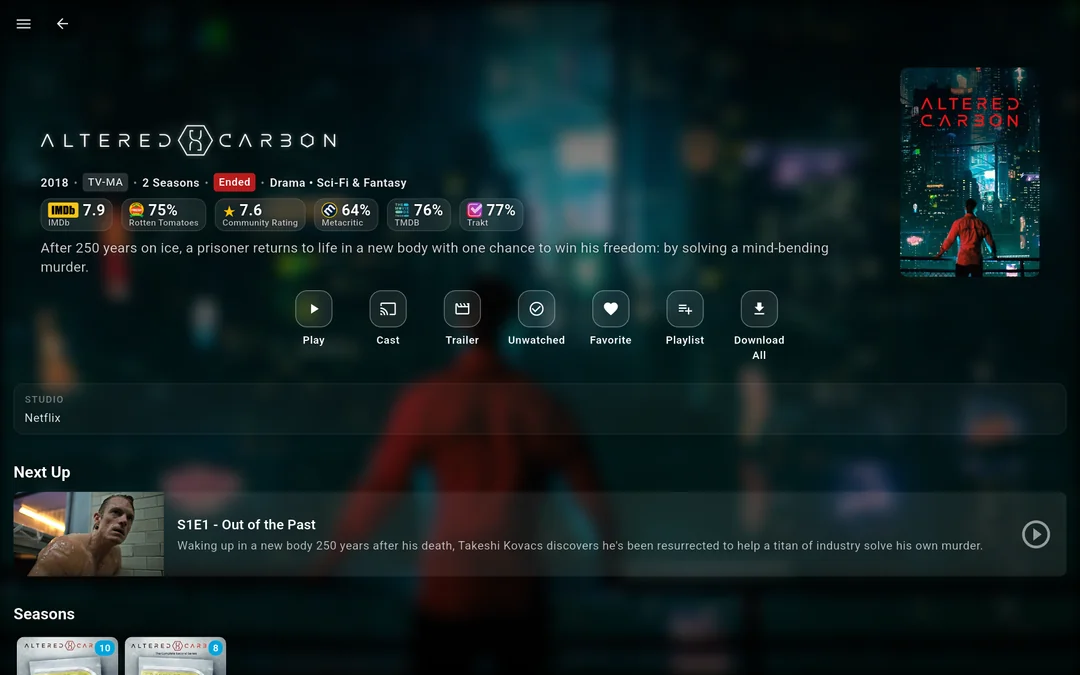
Hi everyone!!!! I'm the creator of Moonfin, a truly cross platform media client. If this is your first time hearing about the Moonfin project, welcome! Moonfin is a little shared ecosystem of third party clients that shares UI, functionality, and features across TV clients, Web, Mobile, and Desktop clients. It has been around since November 2025 and it is now on basically every platform you can think of. Up until now it was a Jellyfin only thing, but that's no longer the case. Moonfin Community Discord: here Moonfin website to test the web client and see more info here ────────────── How it works Everything is tied together by the Moonfin Server Plugin, which now installs on Emby seamlessly. The plugin is what powers the shared Moonfin experience across all of the Moonfin clients. It lets you log directly into Seerr, holds server wide MDBList and TMDB API keys, syncs your settings between Desktop (web gets counted as desktop if accessed through desktop or mobile if accessed via mobile browser. neat right?), Mobile, and TV, and handles the features and integrations that make the whole thing feel consistent no matter where you're using it. Install the plugin from here on your Emby server, point any Moonfin client at it, and you are good to go. ────────────── What the clients bring to the table NOTE: ALMOST everything here can be toggled on and off. No setting or UI is forced on you. It is YOUR media, YOUR way. Featured media bar slideshow with image preloading and content filtering, 5 different styles to chose from 4 Custom app themes and the ability to create your OWN custom themes as well Fully customizable home rows, including Seerr rows, TMDb rows, IMDb lists, and MDBList lists with proper posters Cross server playback, so multiple servers show up as one unified library Full Seerr integration with a dedicated requests screen, push notifications (as phone notifications and in-app banner for TV and desktop), download progress, and issue reporting MDBList ratings from IMDb, Rotten Tomatoes, Letterboxd, Metacritic, Trakt, AniList, and MyAnimeList Two different media detail screens with different styles and layouts to best suit your liking Live TV and DVR with an EPG refresh and lazy loaded programs In app YouTube trailer previews with SponsorBlock, theme music, and audio and subtitle delay adjustment Full playlist control with no item limit PIN protection per user and parental controls with content rating filtering Ebook, comic, and audiobook readers, plus a retro games library if you're into that (I know you are, dont lie) Offline mode with local first playback and original or transcoded downloads ────────────── All Moonfin Clients Platform Download Development Repository Android Mobile Google Play Store GitHub/Moonfin-Core Android TV Google Play Store GitHub/Moonfin-Core Fire TV Amazon Appstore GitHub/Moonfin-Core iOS Apple App Store GitHub/Moonfin-Core Linux Latest GitHub Release GitHub/Moonfin-Core macOS Apple App Store GitHub/Moonfin-Core Roku Roku Channel GitHub/Roku Tizen (Samsung TVs) Latest GitHub Release GitHub/Smart-TV tvOS (Apple TV) Apple App Store GitHub/tvOS webOS (LG TVs) Latest GitHub Release GitHub/Smart-TV Windows Latest GitHub Release GitHub/Moonfin-Core ────────────── Why so many clients? A lot of people ask how Moonfin ended up with separate clients across so many platforms. It honestly started pretty simply. The original goal was just to add the featured media bar to the Jellyfin Android TV client. Once that existed, people started saying it would be cool to have something similar on their platform. Then feature requests started coming in and it kind of took off from there. At the same time, platforms like webOS, Tizen, and Roku didn't really have alternative clients available like Android TV, Android mobile, iOS, and Apple TV have, so it felt like a good opportunity to create some. I enjoy building things and helping where I can, so I started working on ports. Having LLMs around for quick experiments, refactors, and figuring out unfamiliar platform quirks definitely helped along the way too. Why open source and why not charge for it? Honestly, I just enjoy building things and helping people. Open source lets others learn from the project, contribute if they want to, or adapt things for their own setups. I have no plans now, or in the future, to make any of these paid.
-
Yup, you're exactly right. Thank you, I'm happy you like it!
-
Hi there! I have used Moonfin for Jellyfin, good to see plugin support for Emby, do i drop both dll. and web folder in Embys programdata/plugin folder? Cheers!