All Activity
- Past hour
-
 mahfi joined the community
 -
 EvaRaed joined the community
 -
 movieboy19 joined the community
 -
 Mdjdkdn joined the community
 -
 bxllervroos joined the community
 -
 Xjidd joined the community
 -
 Schmungus joined the community
 -
 Yadav sanju joined the community
 -
 Napel joined the community
 - Today
-
Probably not needed, but here's my environment: Synology NAS running DSM 7.4.1 Emby server 4.10.0.22 nVidia Shield 2019 Pro and Shield experience 9.2.4, Projectivy loader AndroidTV app 2.1.51 happens with DTSHD, DTS, and TrueHD when I turn those codecs on it goes back to Direct both in SFN and OSD Shield --> HDMI --> Samsung Soundbar --> eARC --> Samsung TV
-
 am experiencing subtitle display issues on the latest version of the Emby app for LG webOS. The issue mainly affects Chinese subtitles, including both Simplified Chinese and Traditional Chinese subtitles. During playback, subtitles frequently fail to appear correctly. In some cases, subtitles are completely missing, while in other cases they only appear after the video has been playing for approximately 3–5 minutes. The problem occurs with different media files and subtitle tracks. English subtitles may also experience similar issues, but the problem is especially noticeable with Simplified Chinese and Traditional Chinese subtitles. The same video files and subtitle tracks work normally on other Emby clients, which suggests the issue may be related to the LG webOS Emby application, subtitle loading process, or subtitle rendering mechanism. Environment: Device: LG Smart TV Platform: LG webOS Emby App: Latest version available from LG Content Store Emby Server: Latest version Subtitle languages tested: Simplified Chinese, Traditional Chinese, English Steps to reproduce: Open a video with Chinese subtitle tracks in the Emby LG webOS app. Select Simplified Chinese or Traditional Chinese subtitles. Start playback. Observe subtitle behavior during playback. Expected behavior: Selected subtitles should load immediately and display correctly from the beginning of playback. Actual behavior: Simplified Chinese and Traditional Chinese subtitles often do not appear when playback starts. Sometimes subtitles only appear after 3–5 minutes of playback. In some cases, subtitles never appear. The issue happens repeatedly with different video files. Additional information: This issue seriously affects the viewing experience, especially for Chinese-speaking users. Since the same media files and subtitle tracks work correctly on other Emby clients, the problem appears to be specific to the LG webOS client. Please investigate the subtitle loading, character encoding support, and subtitle rendering process in the LG webOS Emby application, especially for Simplified Chinese and Traditional Chinese subtitles.
 -
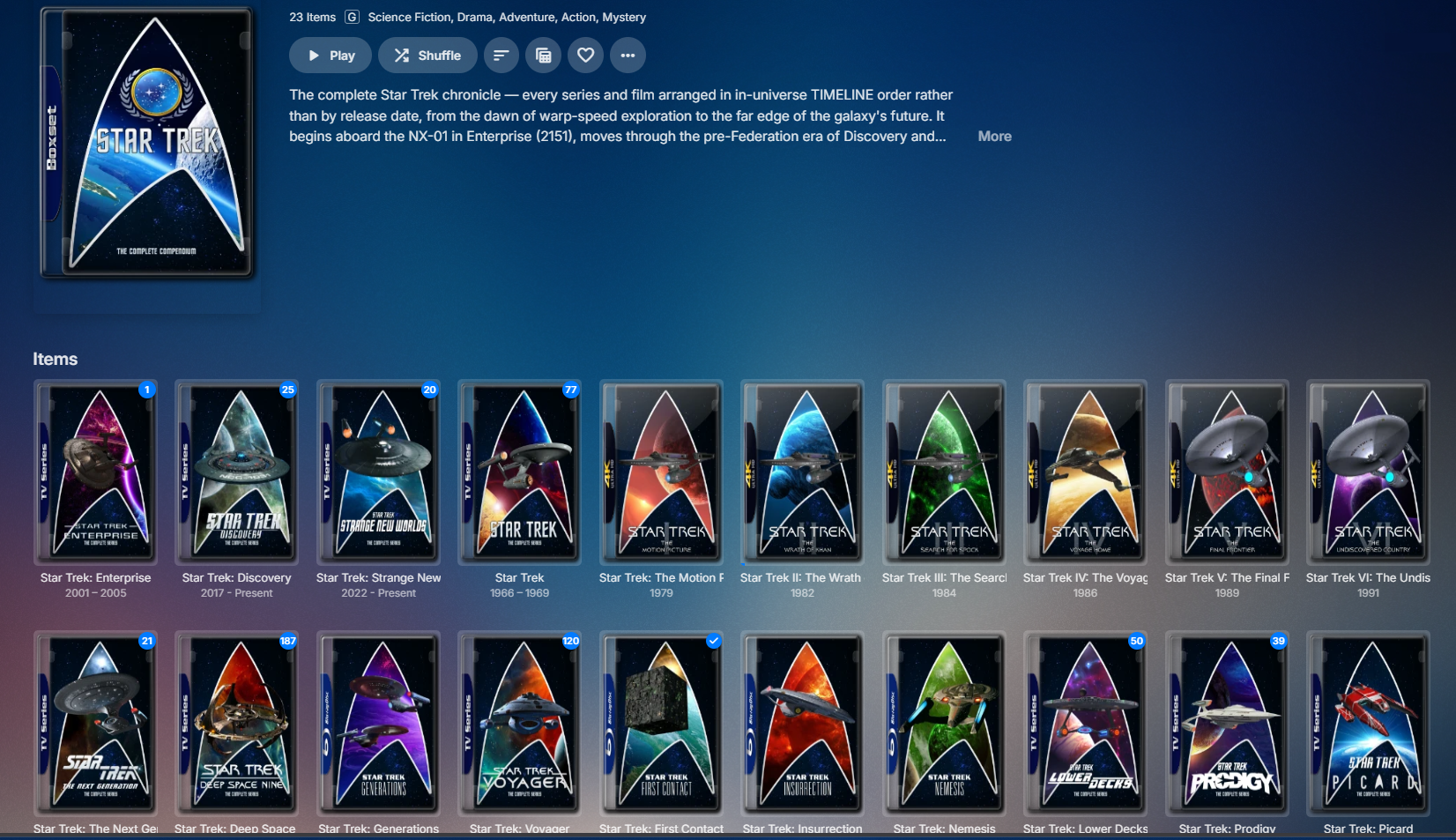
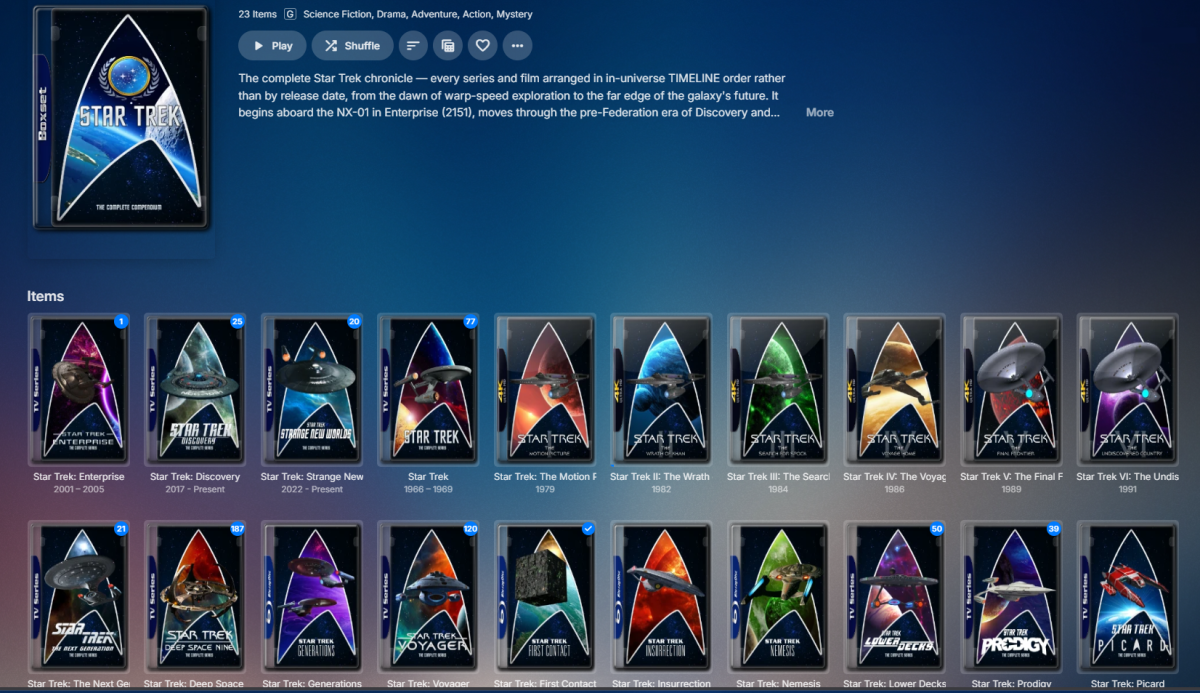
NOTE: Post in progress, posting web portion from computer, will edit with AppleTV photos on my phone momentarily and will remove this message. Here is the collection view via the web browser: That's what I am aiming for on all devices. On Apple TV it looks like this: <ATV Collection photo here> As far as collections in movies library, on Web they are just sorted by sort title and intermix in as expected. On AppleTV all collections are grouped at the top rather than where they should fall in the list of titles. <ATV Movies collections photo here>
-

Can’t see skip/back 10 sec. with carplay and on the start screen
Valako replied to Valako's topic in Apple iOS / macOS
Hi, thanks for the reply and understood. It would be great if you could add it to Carplay, in order to be able to use the car’s screen safely while driving (avoiding unlocking the phone), so I will patiently wait for it. - Yesterday
-
Hmm.. EmbyIcons doesn't change logos and fanart. Can i get you to temporarily uninstall EmbyIcons and see what happens? I have a suspicion that it's not EmbyIcons that is the cause of the problem.
-
You still have to import URLs to media files. It’s not going to scrape web pages.
-
Maybe Simkl?
-
It's not just posters. The issue also affects logos and fanart. The incorrect images aren't always the same, they seem to change over time. The original image files are all correct on disk, but Emby displays random artwork from other items.
-
The plugin does not cache any posters, it only caches the icons and aggregation data for TV series. Posters are handled by Emby it self, unless you have another plugin that changes the poster for you. Try what i wrote above and move an icon position. This will forcibly clear the cache and redraw everything.
-

Emby initial screen has no info only logo.
GlenManor replied to GlenManor's topic in General/Windows
OMG! That worked!!! Thank you! Thank you! (That solution sure wasn't obvious to me.) Let me say again what a fantastic product this is. -

Unable to play MP3 files / constant crashes during audio playback
twos50 replied to hallansen's topic in Android Server
embyserver-63921290350.txt -

Emby server is deleting downloaded files immediately after transferring them.
js28194 replied to mintman72's topic in General/Windows
Quick and Easy method would be uninstall the Emby App from phone, restart, redownload from Play and launch since you are on the local network this should be quick. It's gotta be something in your Galaxy phone doing something weird. My downloads end up in /storage/emulated/0/Android/data/com.mb.android/files/filename.mkv I suspect something is going on locally and not on your Emby Server as you have eliminated that vector through wifes iphone test. -
Also what happens if you download the poster manually in Emby?
-
Emby is written for people to self-host their own media (e.g. ripped from disks or recorded off air), and share it with family and friends. Note that Emby itself does not provide any access to other media. https://emby.media/support/articles/Quick-Start.html Paul
-
Try going into settings and change the position of one of the icons, like for example the HDR icon. This will force a clean of the cache and redraw everything.
-
I ended up installing the stable 4.9.50 version and searching works as expected now, no lockups at all so I'll be sticking to it for now Also my hardware is AMD ryzen 5 5600x with 16gb ram running windows 11 pro, and about 84tb of storage which most of the drives are full, I need more storage soon so expensive atm
-
Honestly I'm willing to take a chance that it doesn't record something b/c I told it not to. This tends to happen with older episodes that they deem worth re-airing, which are few and far between. I also don't see it changing episode number from one day to the next.
-

Seenr, a watch tracker that picks up your Emby plays over webhook
KevByUs replied to KevByUs's topic in Third Party Apps
@zebo51 No need to touch it. You can connect Trakt directly: you authorize Seenr on your Trakt account and we pull your history, ratings, watchlist, lists and favorites from the API, nothing to download. It is in Settings, Import, Trakt tab. Guide: https://seenr.app/en/integrations/trakt That is just one more authorized app on Trakt, it does not revoke Emby's, and the import only reads. We do have an outbound sync (Seenr writing back to Trakt) but it is opt-in and off by default, so leave it off and nothing changes on the Trakt side. The JSON import stays for people who already have an export. -

Home "Collections" row ignores Collections library sort order (Date Added)
dagTom replied to dagTom's topic in Feature Requests
Thank you. I'm looking forward to 4.10. -

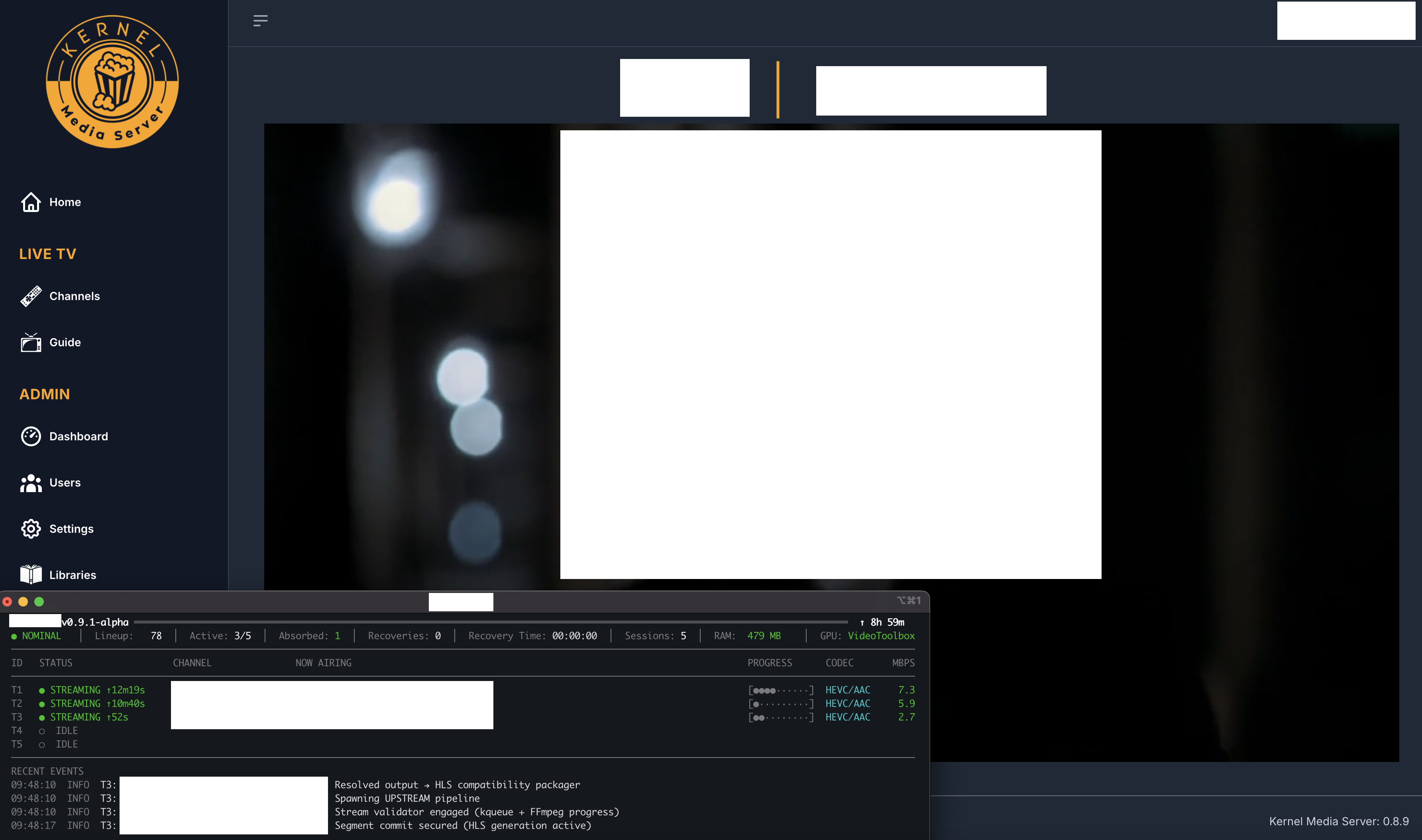
A new approach to making IPTV behave more like traditional tuners
EODCrafter replied to PowerCC's topic in Third Party Apps
Wow! -
Seenr, a watch tracker that picks up your Emby plays over webhook
KevByUs replied to KevByUs's topic in Third Party Apps
@sh0rty Thanks, and hi back. Enable both events. Playback Stop only counts once you are past ~90% of the runtime, so quitting 20 minutes in records nothing. Mark as played always counts, which is handy for something you watched elsewhere, or when a client dies before it sends the stop event. No risk of doubles, we collapse repeats of the same title within 30 minutes. Also, your question made us look at the logs, and Emby was actually broken on our end. Emby posts the webhook as a form with the JSON in a data field, we were only reading raw JSON, so every Emby event came in empty. Fixed and tested now, shipping shortly. Thanks for that. Setup steps here if useful: https://seenr.app/en/integrations/emby One limit: mark as unplayed is ignored, so unticking in Emby will not undo the watch. You can remove it in Seenr. -
Hello Vivilein, ** This is an auto reply ** Please wait for someone from staff support or our members to reply to you. It's recommended to provide more info, as it explain in this thread: Thank you. Emby Team
-
Hi everyone, I’m new to Emby and I’m still trying to understand how everything works. In the past I used Emby through someone else and really enjoyed it. Now I’d like to use Emby on my own, but I’m not sure how people usually get access to a server. Do most users host their own server, or is it common for friends or family to share access? I’d really appreciate any advice on how people typically get started. Thank you!
-

A new approach to making IPTV behave more like traditional tuners
PowerCC replied to PowerCC's topic in Third Party Apps
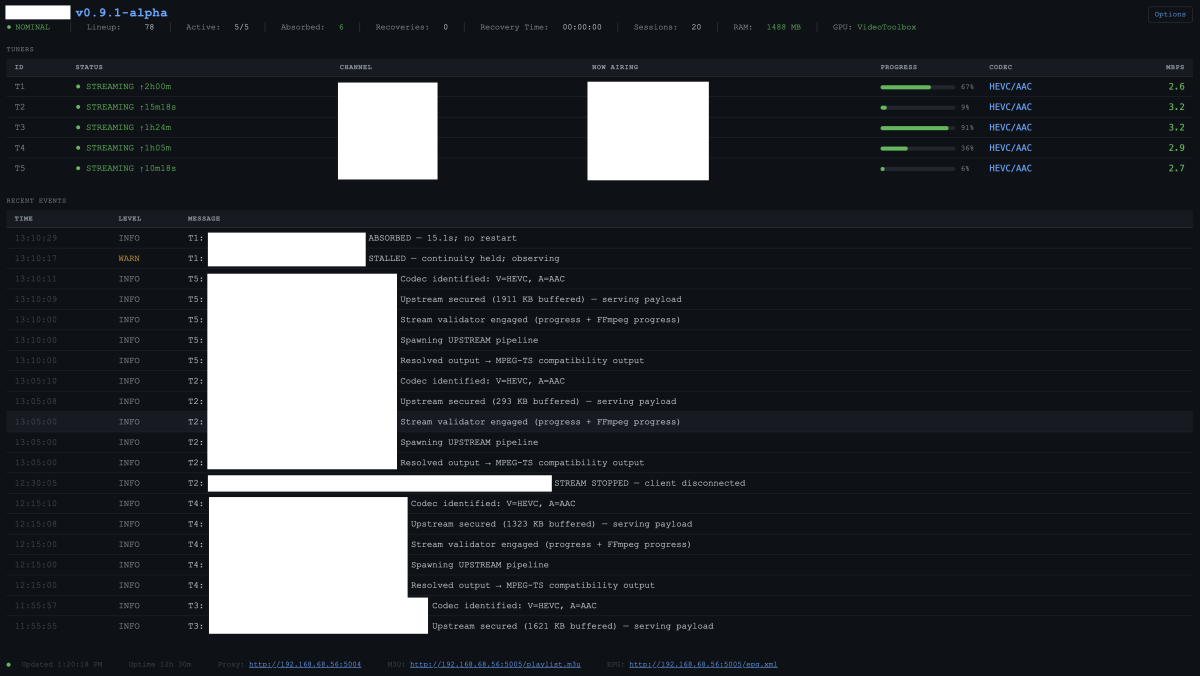
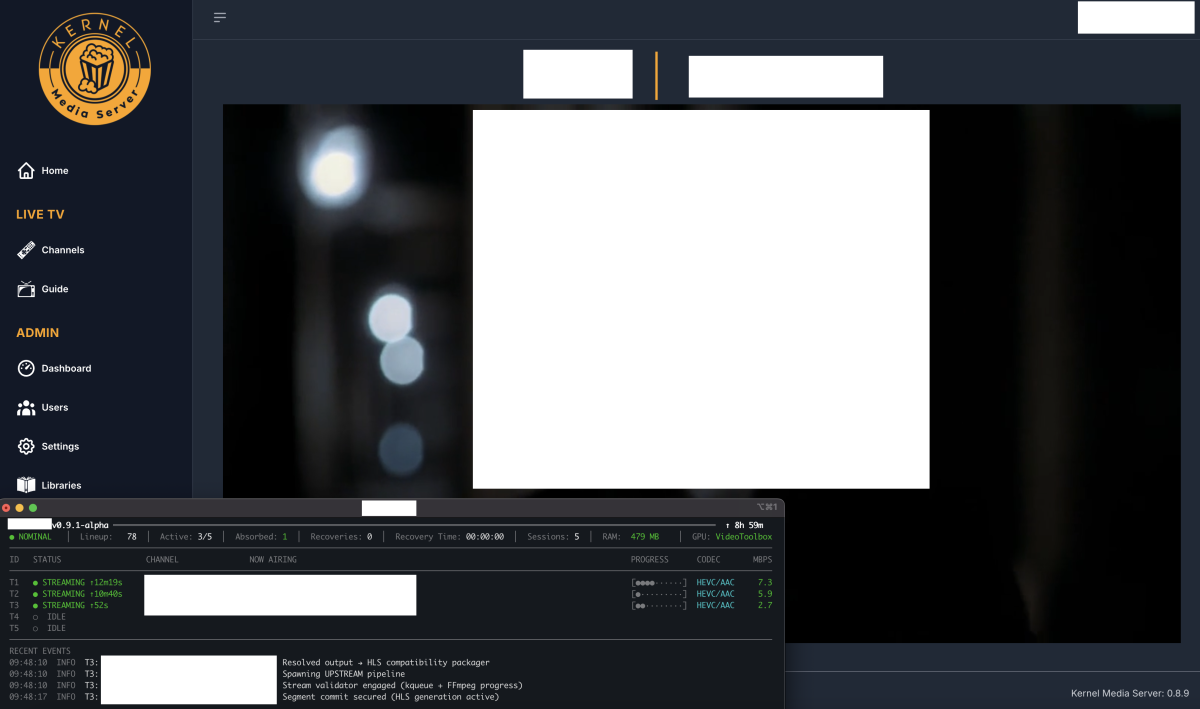
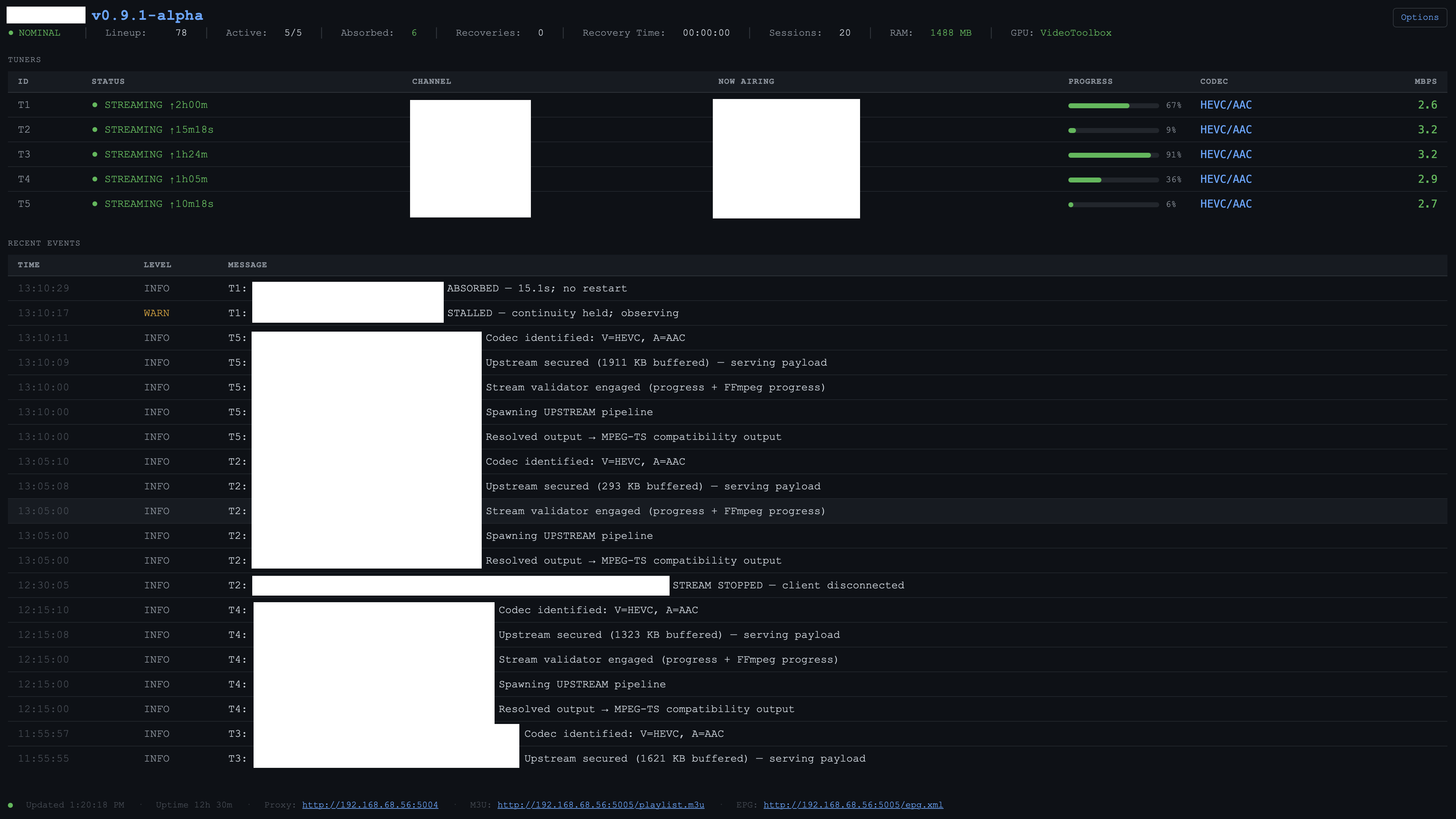
Thank you for your interest, @EODCrafter I'm making great progress on the integration. My goal is simple: eliminate the need for platform-specific plugins by providing a platform-agnostic stream validation and normalization layer that sits between upstream media sources and your media platform. The platform validates, stabilizes, and normalizes live streams, presenting them as reliable, consistent endpoints for the media players and DVR platforms of your choice. The architecture was designed from the ground up for any live media workflow where reliability matters.