All Activity
- Past hour
-
 erikson66 joined the community
 -
 Chookybum joined the community
 -
Hi, is it your Emby server or someone else’s server?
-
 8dyee joined the community
 -

library no longer appears in Continue Watching after upgrading to Emby 4.10.0.40
Luke replied to Deihmos's topic in General/Windows
HI there, can you please provide a specific example? How to Report a Problem Thanks ! -
@Luke @ebr After all these discussions, have we now reached the point where the strategy is simply to sit this out in silence and hope that the thread starter eventually “forgets” about it? Sorry, I have a bit of a hyperthymestic memory — I don’t forget!
-
 Aye.1990 joined the community
 -
 Meshall-1122 joined the community
 -
 Mashall-11 joined the community
 -
 Meshal-12 joined the community
 -
 lorenzobochicchio joined the community
 -
 Meshal-00 joined the community
 -
Using the the android app for tv. Have had the account for about a year. Have force closed and re started the app and same message
-
 1984289078 joined the community
 -
Using the the android app for tv. Have had the account for about a year. Have force closed and re started the app and same message
-
Connecting from what device? are you locally trying to connect or remotely? some more info would help us help you.
-
Looks very nice
- Today
-
Hey. Get a message that “we’re unable to connect to the selected server right now. Please ensure it is running and try again”
-
New Emby server Stable release v4.10.0.40.
-

library no longer appears in Continue Watching after upgrading to Emby 4.10.0.40
Deihmos replied to Deihmos's topic in General/Windows
They are set correctly. The reason they don't show up is that they are not in season folders. I tested this by placing one of the recordings in a season folder, and it then appeared in Continue Watching. -

UPNP setup of Emby Server has suddenly stopped working remotely
Abobader replied to Beta8088_Proto's topic in General/Windows
Hello Beta8088_Proto, ** This is an auto reply ** Please wait for someone from staff support or our members to reply to you. It's recommended to provide more info, as it explain in this thread: Thank you. Emby Team -

UPNP setup of Emby Server has suddenly stopped working remotely
Beta8088_Proto posted a topic in General/Windows
I can access Emby locally, but ONLY locally. I had a remote access solution through Emby Connect working, however, now Emby Connect continuously hallucinates a "wrong password" (which I know factually is the correct one, and yes, I have tried BOTH the Emby Connect and the local password, neither work, even after half a dozen password resets to make sure, deleting the account in question, and then recreating the account with another known password). Emby Connect is out of the question, and my Remote Access address has NEVER worked correctly (it's running HTTP, and yes, I have made sure it's not HTTPS), and I have UPnP enabled on BOTH my router AND server. I have tried manually port forwarding with no luck. What do I need to do to get Emby Connect working like it used to, so I can actually use this outside my own home? -

A request to Emby - please clarify the situation with the AndroidTv app
hudsonr92 replied to ecrispy's topic in Android TV / Fire TV
Must say that while I understand having a single app is easier to maintain and if it was actually good on TVs, I would certainly say its best to. However you can NOT tell me there is any dev that has an Android TV, had both apps installed and said "yes, the non-TV version is fine". No way in hell. I will see if I can make an more detailed list with gripes but just look at the steps you need to go through to change settings, add subtitles, go ahead a bit with chapters... with Android for TV all you have to do is just up arrow chapters, down arrow for everything else and youre done. You can reach everything with 2 button presses only using buttons close to eachother. The normal Emby app on Android TV literally feels like the mobile app stretched out.. made for me touching my television instead of using an remote. -
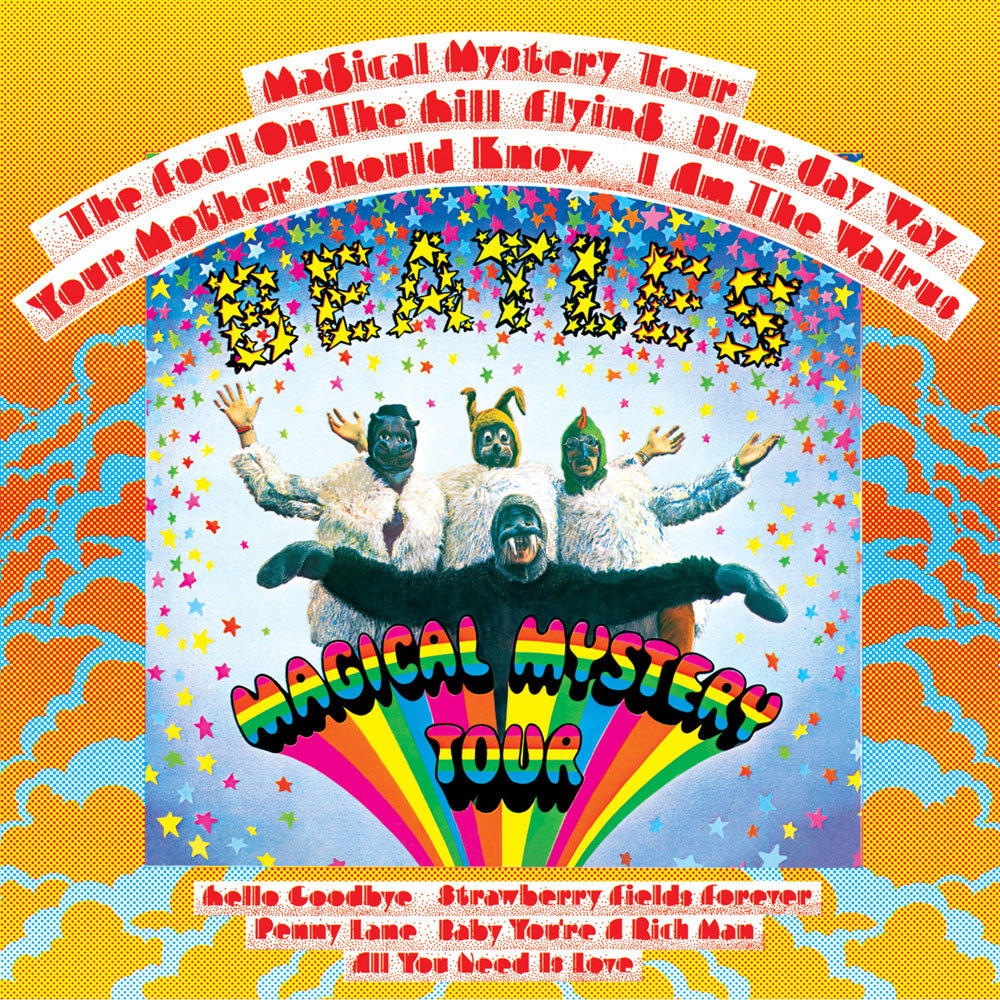
The scroll is nice, and the crashes are gone with this update. I also suspect that they are working on the navigation bar on top, with its limited entries. Now if I scroll over to the right, the menu will jump back as if they are trying to find a magical way to add more than 7 (or whatever it is limited to)... That's probably the biggest gripe I have left... The issue I explained before about losing my "Songs" tab if I create a playlist. The limited number of menu items bumps "Songs" when it adds "Playlists". So then I can't shuffle all my songs to add to the playlists anymore. HUGE for me.... The second biggest is still the image resolution shown on music. Here is the image on disk, versus the way it displays on the TV. Original.... And what I see in the interface.... So, yeah.... LOL But seriously, this update is a huge step. Thanks for giving the ATV some much needed attention! @SamES
-
FYI @Luke... I have been playing and shuffling for days since the latest Apple TV update to test it out, and the crashes are gone. Thank you!
-
library no longer appears in Continue Watching after upgrading to Emby 4.10.0.40
Luke replied to Deihmos's topic in General/Windows
HI, this wasn't intentional. can you check how your emby user home screen settings are set? -
library no longer appears in Continue Watching after upgrading to Emby 4.10.0.40
Deihmos posted a topic in General/Windows
I’m seeing a change in Continue Watching behavior after moving to Emby 4.10. I have a second TV Shows library named Recorded TV that no longer appears in Continue Watching. I tested this further with a completely fresh Emby install, and partially watched videos from that library still do not appear in Continue Watching. Was this behavior intentionally changed in 4.10? The library is selected from home screen continue watching library setting. -
4.10.0.40 is the same
-
Another courtesy reminder: As of September 8, 2026, the current Stable version is 4.10.0.40, and there is still no sign of a keepalive interval setting. Sharing this in case anyone is confused about which version we’re currently on. Thanks!
-
Ok, so there can be some variability. Makes sense. What about the "Playback Percentage" and location (I forget the exact wording of the fields. The same? As soon as the app sends back "stopped" ?
-

Local user without password can login even with connect account set
Neminem replied to Kryptonit3's topic in General/Windows
@DaninFuchsI guess all if they have not read the documentation. User Account Passwords Ensure all user accounts have passwords set on the server, including user accounts linked to an Emby Connect username. Secure Your Server | Emby Documentation -
I appreciate being able to cancel the connection attempt - I can think of a couple occasions when this would have been handy. I do echo others' sentiments that it would be much better to delay the popup, at least 2-4 seconds, as 99.9% of the time it connects and the popup is a bit unsightly. Feels less premium. Just my thoughts.
-
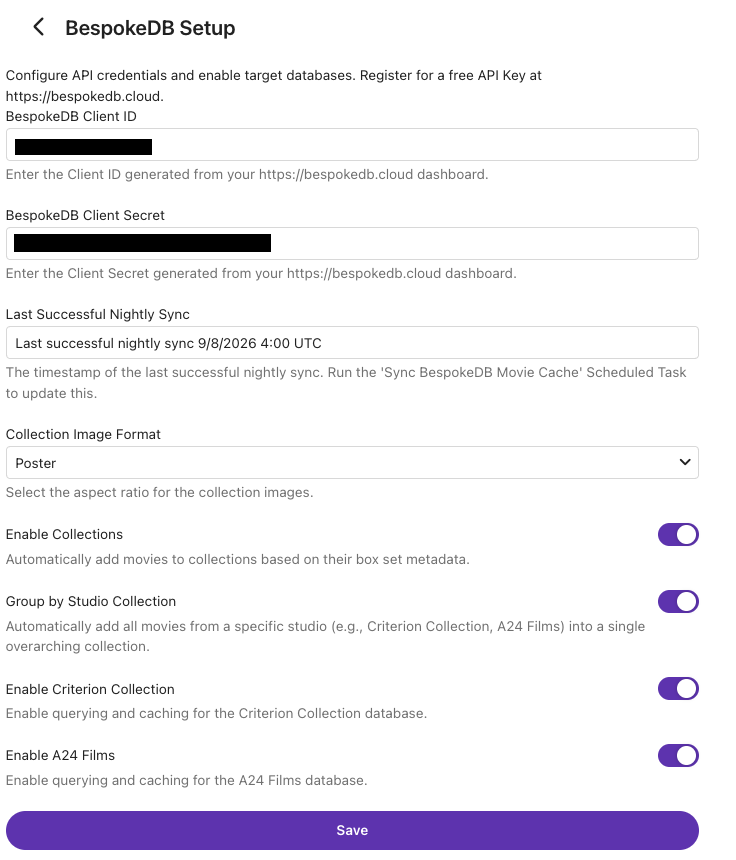
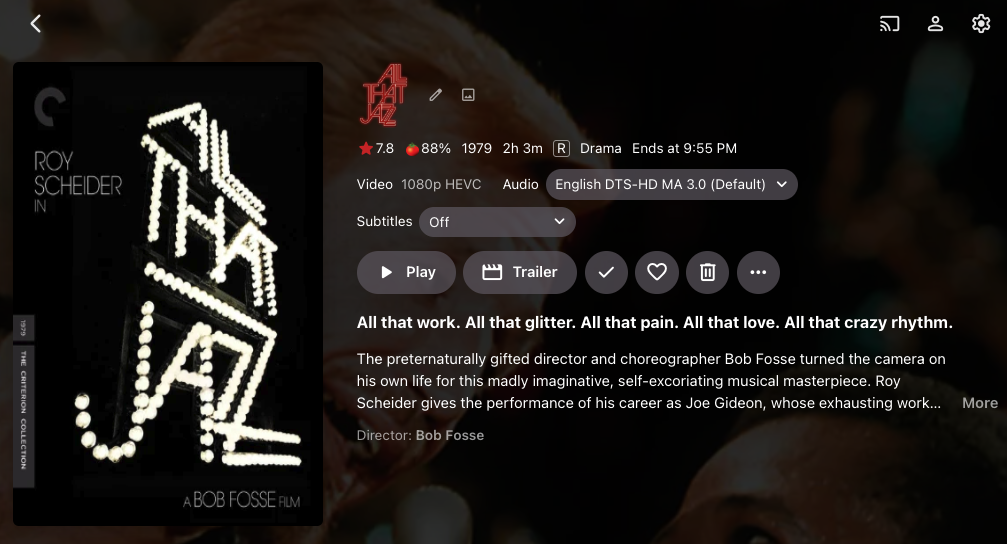
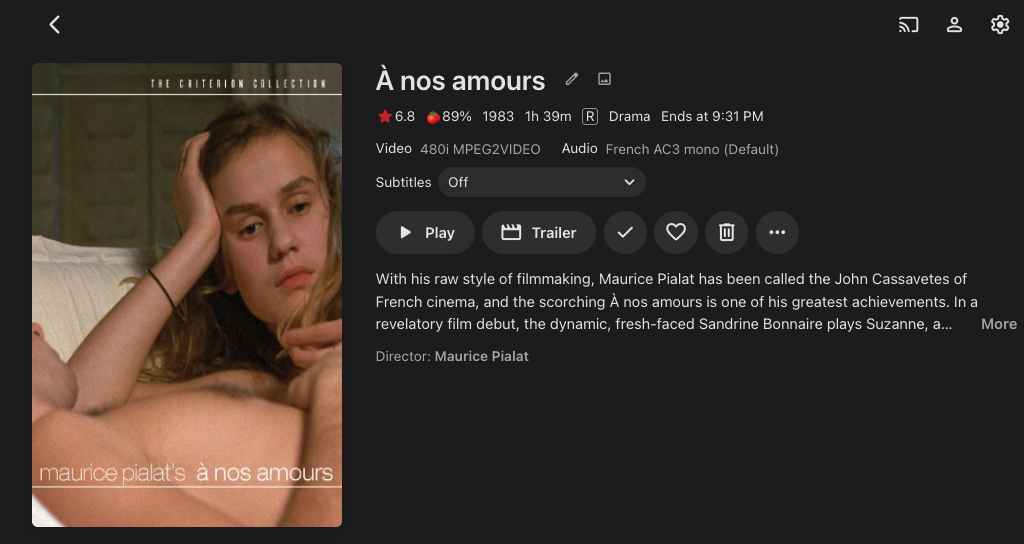
I am opening up the BespokeDB plugin for community review before its official catalog release. While catalog rules require this phase to carry a "Beta" tag, the plugin itself is pre-production ready, stable, and feature-complete. The focus now is fine-tuning: catching obscure edge cases across diverse setups, verifying match consistency on large libraries, and dialing in aesthetic polish. The Background Anyone curating prestige labels knows the frustration. You want a dedicated Criterion Collection or an A24 shelf, but standard scrapers pull mismatched theatrical posters, inconsistent aspect ratios, and generic plot summaries rather than the label's curated liner notes and release descriptions. Getting these collections to look intentional usually demands hours of manual asset hunting and hand-editing metadata. The Solution The BespokeDB Plugin bridges that gap by acting as a curated metadata and art layer built directly into Emby: Boutique Label Cohesion: Automatically matches iconic sets like The Criterion Collection and A24 with their official box art styling, uniform cover treatments, and intended release descriptions. Automated Curated Collections: Groups titles into editorial, franchise, and boutique collections without tedious manual tagging. Non-Destructive Integration: Operates cleanly within Emby’s native framework, respecting your existing library structure, locked fields, and custom edits. Installation & Configuration Install the Plugin: Drop the compiled BespokeDB.Plugin.dll into your Emby Server’s plugins folder and restart the server. Obtain Credentials: Generate your Client ID and Client Secret at https://bespokedb.cloud/. Configure Settings: Open your Emby Dashboard, navigate to Plugins -> BespokeDB, input your credentials, and select your target libraries. Drop your feedback, edge-case match quirks, and visual impressions right here in this thread. Repository: https://github.com/bespokedb/BespokeDB-Plugin BespokeDB.Plugin.dll
-
- 1
-

-

Custom Theme: State Street Theater (ver 1) Desktops, Notebooks, mobile
visproduction replied to visproduction's topic in Web App CSS
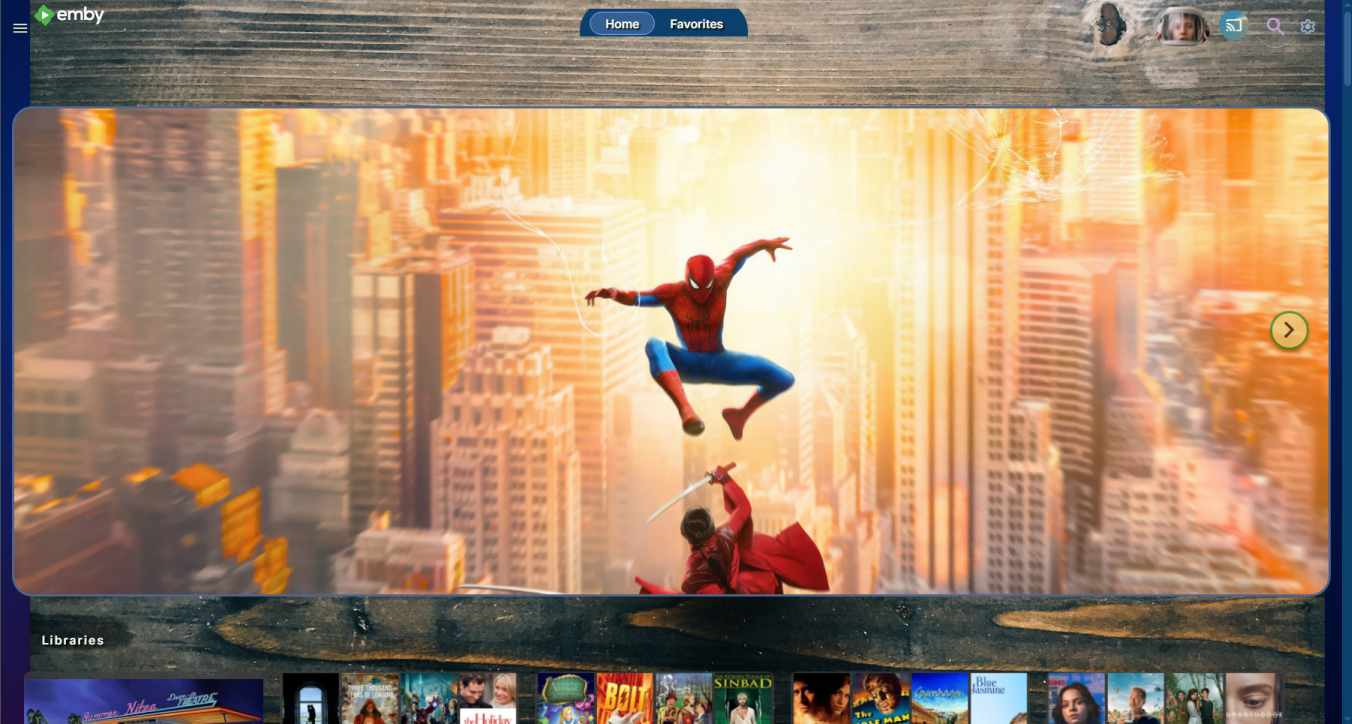
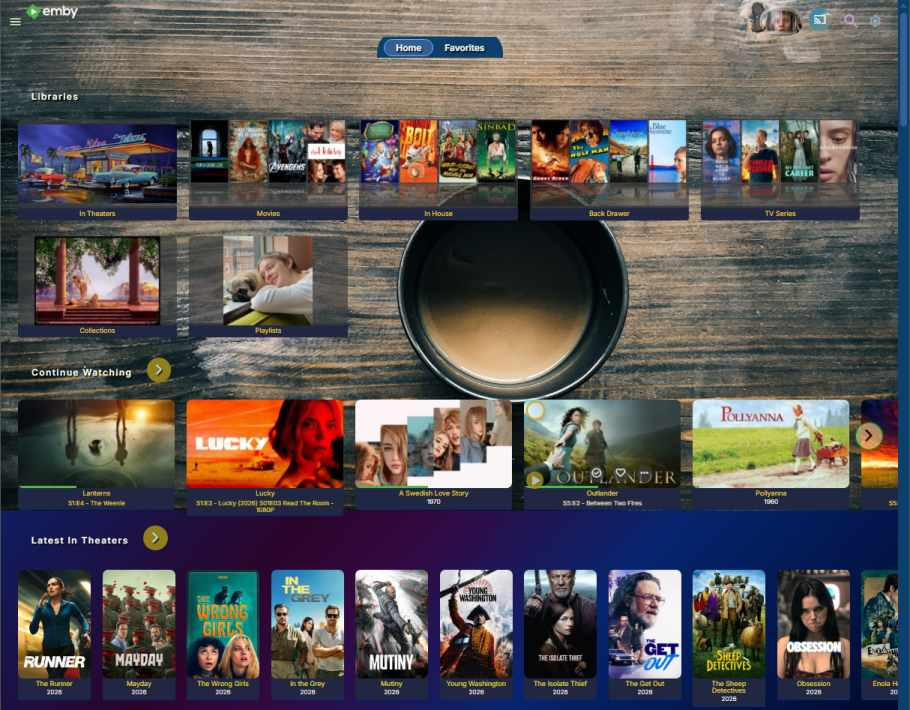
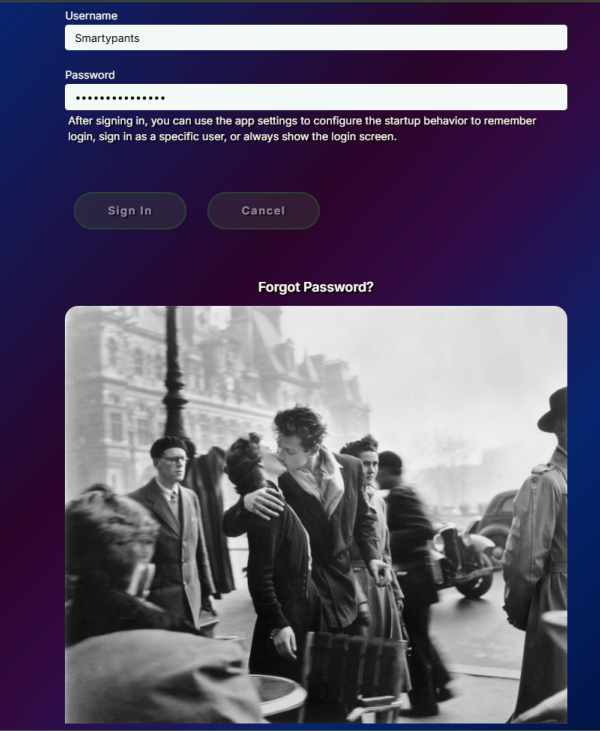
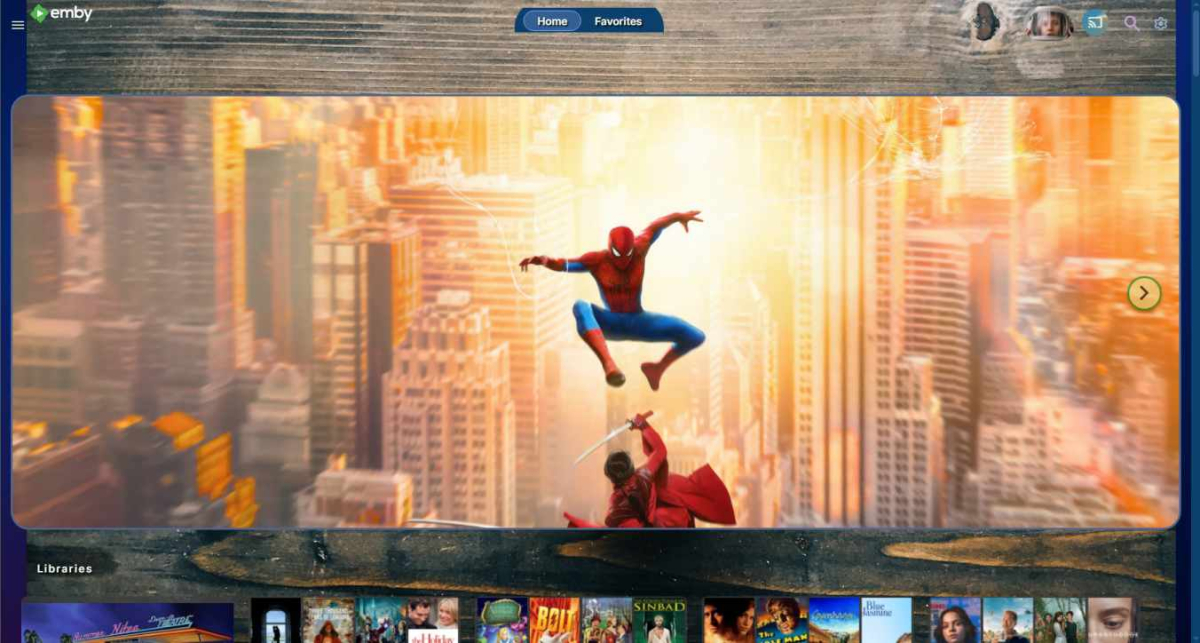
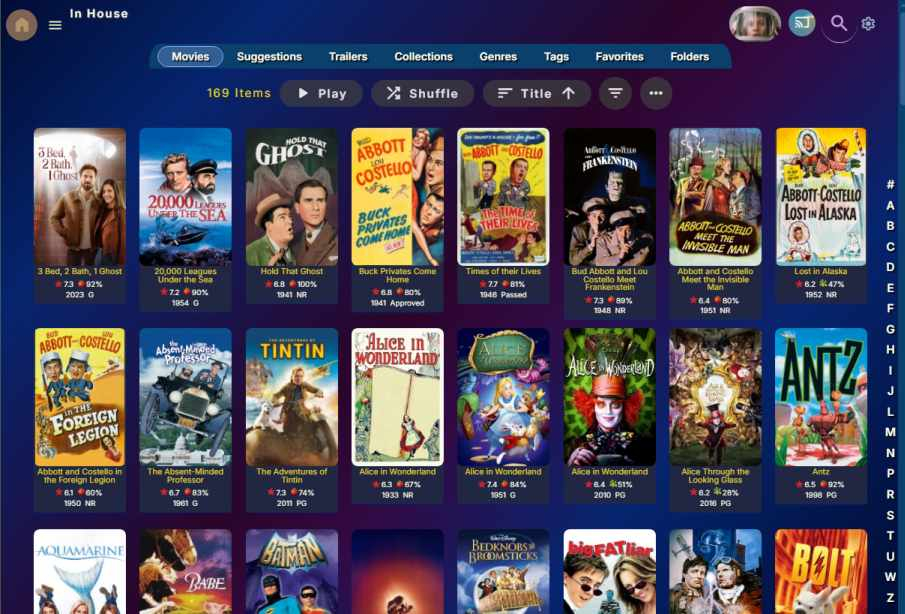
New version 1.07 with several new features Compatible with the new Custom Home page Emby update in Beta State Steet Theater update has a few new features and many small adjustments to match the latest version 4.10.0.31 beta. New Features adjustable by user in the top area of the CSS style file: Chapters for TV series episodes can now have even, odd rows color opacity changed by user. For web, mouse over hover changes opacity to no transparency. User can choose this effect turn it off. Transparency is already automatically off for TV monitor sizes and smaller. [Top area controls: /* TV series episodes background box full page listings and Playlist entries... ] Pull down active pop-up menu font size to be user adjustable. changed from extra large 22px to 16px. User can adjust for easy reading as needed. [ Top area controls: /* Action sheet pop-up list font size */ ] Home page titles under libraries and posters may have title background color changed and and the option to turn off the titles. [ Top area controls: /*** Home page Row area styling *] Change log with some tweaks: * Fixed Admin Scheduled tasks add pages where tab buttons came too far down ontop of the task list. ONly these tabs needed to be moved up and not the related tabs in the main libary pages. Created Exception css under Library tabs menu styles below. * Fixed text shadow behind Actor's Birthdate and location. * Made backgrund behiind actor's page bottom talent list a mid-dark green to allow the text to be seen better. * Removed Admin actor form area limit to 6px height because it caused overlapping in admin home page form controls * Fixed text shadow for actor's new list of media * Fixed right arrow spacing because actor's page had the arrow on screen edge * Made Subtitle selection pull down wider for media pages * Adjusted disabled text for Audio Video info on media page to not overlap with Audio / Video labels * Fixed Media play buttons fade in option, which broke after a beta update changed the class name of the play resume buttons. * Media page Play buttons also broke their position with a beta update. This was fixed with additional position styles for the media buttons. * .coveredImage-noScale moved left: -6px; to fix user's source image logo no longer getting cut in Admin Devices / list view. * Actor More pop-up - made actor thumbnail a better size, not cutoff and get z-index:2; so the text won't overlap the iamge when you scroll down. * checked admin dashboard area to be sure all text fonts and colors work with blue-violet background and spacing adjustments so there should be no ovelaps in the dashboard. * Noticed that selecting an area to edit in the dashboard makes the title text, just above go dark grey. This is a .js script control and appears not to be adjustable with css. This theme makes the title just disappear with the dark blue background. There appears to be no css style that can fix this. All the previous controls still work and many have been adjusted. See the comments and guide in the CSS file. Screenshoot examples. - The overall look is for a very bright background. I know that some may wish to have an option to dim the background again. But, well, no one has asked me to make that available. I like bright colors. The home page promo image for web has two large images. When a browser mouse hovers, the image changes. Please try to find your own images for your media site, to promote whatever you like. There are controls for the height of this image area. It can have just 250px height if you prefer. You also have controls to set the timer, when the promo image rolls up and disappears. The speed of the roll up, the time delay to start, the option to also fade out the promotional image as it goes up are all adjustable. You could choose to have a smaller header that stays for only 20 seconds or 2 minutes +. It's up to you. Please find your own images and not relay on the demo images which are pulled from online and therefore hit someone elses server. There are detailed instructions of how to use folder background images which do not get removed with a server update. Or if you have your own personal website, you can pull images from there. The best images to use are at least 1920 pixels wide and make any promo text to be in the top left because different users have smaller monitor sizes. Be sure to always look to the latest entries in this post for the newest update. Enjoy. Emby Theme State Street Theater Sept 2026 v1.07.css State Street Theme Change Log August 2026.txt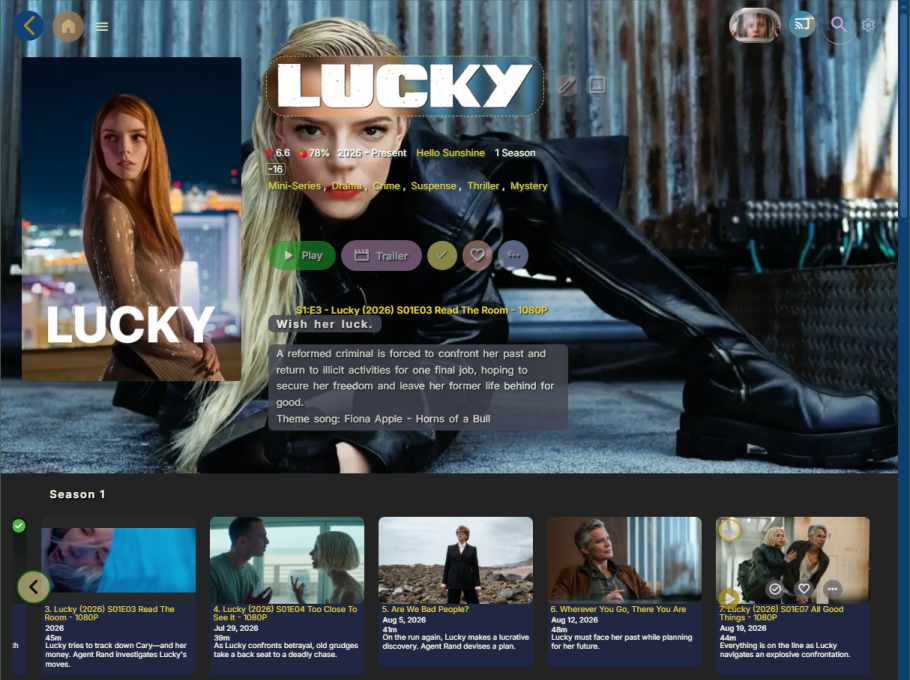
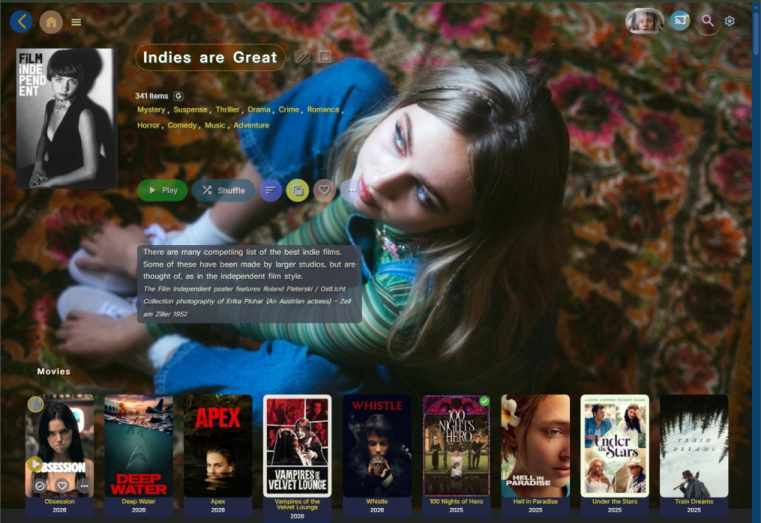
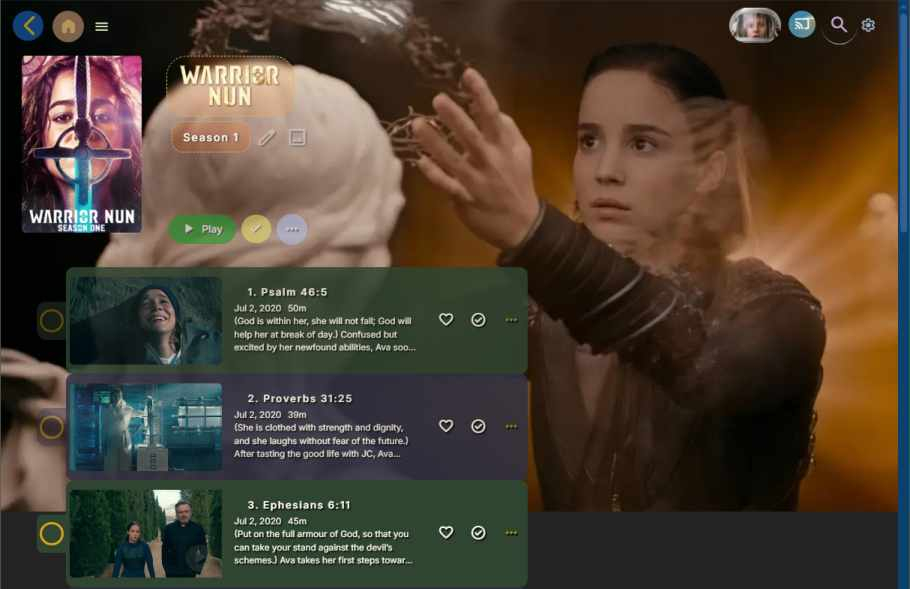
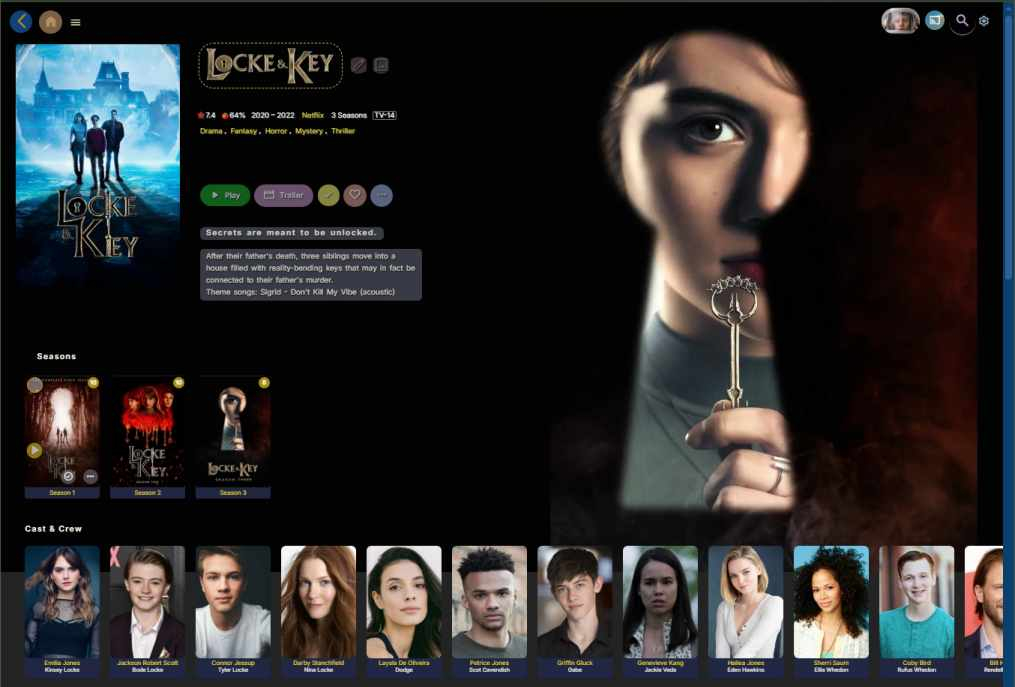
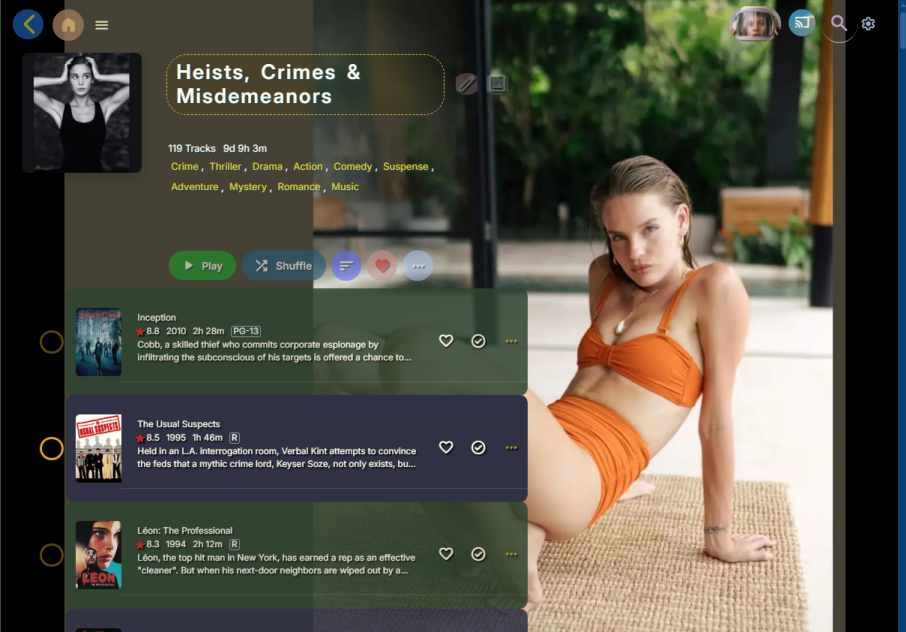
-
Some Movie Collection Posters I made. The first one is Star Trek: The Alternate Reality Collection, The Second one is Star Trek: The Next Generation Collection