All Activity
- Past hour
-

Issue with playing music with app when connected through Tailscale
MarkSM replied to Gjonesesq's topic in Apple iOS / macOS
I have this EXACT same issue. Everything streams fine on the lan, streams fine externally using router NAT port assignments. However, with Tailscale the movies stream fine, BUT the music / audio files streams with no sound. Really weird. Mark -
 Gerry481 joined the community
 -
 Sdennis00 joined the community
 -
 Felipe4200 joined the community
 -
 kauanfarias1107 joined the community
 -
Hi, yes we recognize that we need to add a solution for this. Thanks.
-
 Adelsul joined the community
 -
 3139941372 joined the community
 -
maximum pleasure guaranteed
-
 chaoceng joined the community
 -

Opening my emby server login page on fresh Windows 11 install in firefox immediately crashes firefox
Luke replied to rsvg's topic in General/Windows
Hi, we will disable this for firefox until such time when we are able to carve out settings space for this .Thanks. -
 Gaby Cunha 2 joined the community
 -
Right now we are still engaging in some back and forth with them.
-
 Juanrusso joined the community
 -
OK we are looking into it. Thanks.
-
 HuTangzhu joined the community
 -
I been watching this show & it's really good What's are you guys watching ?

- Today
-
Was before and after and activity logs shows nothing either is why I thought it was odd.
-
Hi, we’ll have to see what we can do with the guide data. For now I think you’re doing the right thing.
-
Add a buffer to the pixel dimensions of the "match video resolution" feature
Luke replied to rekit's topic in Feature Requests
-
Hi there, let's look at an example. Please attach the information requested in how to report a media playback issue. Thanks!
-
Can you please show screenshot example to demonstrate? Thanks.
-
Ok we’ll take a look at it. Thanks:
-

False "maximum streaming limit" on a single Apple TV device (limit = 1)
steve_tv replied to steve_tv's topic in Linux
Thanks — that clears it up, and re-checking my log you're right: on the Apple TV the play sessions do close before the next one opens (every "Removed" precedes the next "Adding" by ~1.7–2s, and that container never holds more than 1). So that wasn't the right case to lead with, sorry. Re-running concurrency per session container, though, I do have two cases where a container genuinely holds 2 open play sessions: 1) Emby for Android 3.5.36, single tablet, same title — the old play session is re-added 21 ms after the new one opens, and both stay open for ~61 s: 14:29:33.720 Removed playSession 9e8b4d46... from session 84659c77... 14:29:33.720 Adding playSession 25977433... to session 84659c77... <- new one opens 14:29:33.741 Adding playSession 9e8b4d46... to session 84659c77... <- OLD one re-added, +21ms 14:30:34.783 Playback stopped reported by app Emby for Android 3.5.36 14:30:34.786 Removed playSession 9e8b4d46... from session 84659c77... <- 2 open for ~61s 2) A play session added that never starts playback and is never removed, sitting alongside a real one: 16:14:33.362 Adding playSession 6c643c46... to session d2d1f2d0... <- no "Playback start", ever 16:14:33.895 Adding playSession a422bee1... to session d2d1f2d0... <- Emby for LG 1.0.50, real playback -> container now holds 2; 6c643c46 is never removed for the rest of the log Server-wide it's 53 "Adding playSession" vs 49 "Removed" over the day. So: In (1), if the client is meant to wait for the first to close, what would cause it to re-add the previous play session after the new one has already opened? In (2), if the first one never closes (app killed, network drop, or a session that never starts playing), does it keep counting against the limit? Is there a server-side timeout that reaps stale sessions, and how long is it? Note this log doesn't actually contain a "limit exceeded" event — I'll enable debug logging and post one that captures the moment the user hits the error. -
I don't think it is relevant. Both of the example songs have an artist of some sort per Emby's own terminology. Don't miss the point here: UI between songs has to be consistent.
-
My experience with Intel ARC A310 Sparkle and Windows Server 2025 (Proxmox VM)
Luke replied to kadargof's topic in General/Windows
Hi, thanks for sharing. We will have anew ffmpeg build on the server beta channel very soon. -
Hi, did you check what user24 mentioned?
-
The toggle has been added for the next app update.
-
False "maximum streaming limit" on a single Apple TV device (limit = 1)
Luke replied to steve_tv's topic in Linux
It’s actually intended to wait for the first one to close before attempting to open the second. -
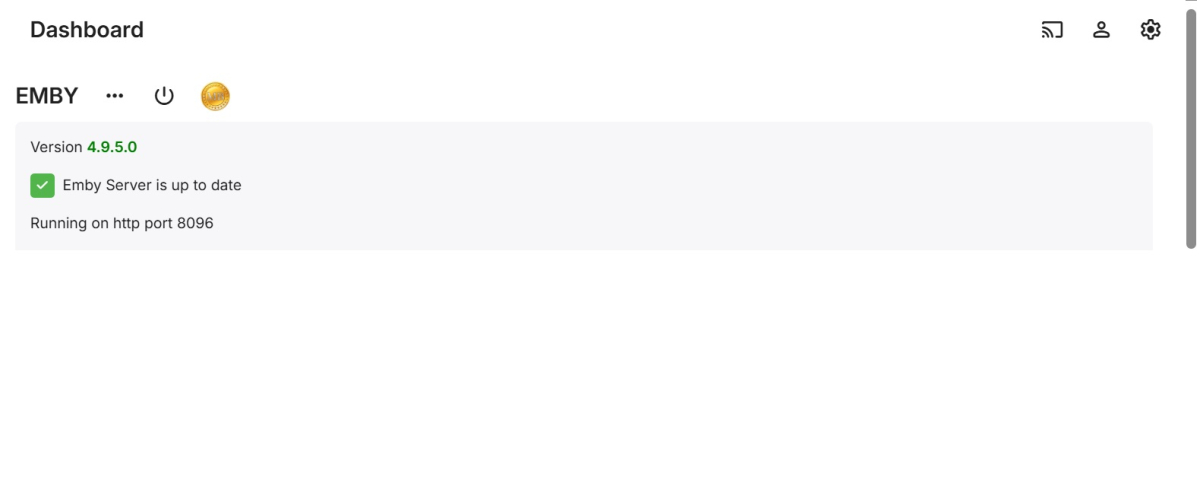
That’s afterwards though right. The activity log would say if a plugin was updated.
-
That's why I was asking it always shows before restarting what it's updating and after reboot it even shows but this time it never showed a thing lol.
-

False "maximum streaming limit" on a single Apple TV device (limit = 1)
yocker replied to steve_tv's topic in Linux
Yeah, that indicates that Emby is not closing the stream fast enough for some reason. -
@Natelanxon Thanks for the details - so what you are trying to do is Run an x64 application with heavy use of GPU features (by both, WebView2 and MPV player) - on Windows ARM64 OS With the Windows ARM64 OS running in a virtual VM on Apple Silicon hardware Even though translation layers exist for running x64 code on ARM64 (Windows Prism) and Windows GPU drivers for the virtual GPU provided by Parallels which translates to Apple GPU - this is not a path which makes much sense. To be honest, I'm surprised that our x64 app package is even offered to ARM64 systems, but they appear to be somewhat over-confident about the x64 emulation layer. The fact that you don't ´see any log at all, means that it drops out very early during load, but it still can be due to both, WebView2 or MPV player. We'll probably need to publish an ARM64 package with an ARM64 web view and without MPV player, to have a working version at least. Thanks
-
False "maximum streaming limit" on a single Apple TV device (limit = 1)
steve_tv replied to steve_tv's topic in Linux
As I could see, if I set the limit to 2, the problem dissapears and sometimes, shortly, there are two streams, but suddendly one dissapears. -
False "maximum streaming limit" on a single Apple TV device (limit = 1)
yocker replied to steve_tv's topic in Linux
What i meant was, if you remove the limit does the server dashboard show the same account have multiple streams running. While chances are low that it shows anything it is still an easy little troubleshooting step.