All Activity
- Past hour
-
 numpsi1@aol.com joined the community
 -
 Ab22x99 joined the community
 -
 nn5698 joined the community
 -
 Ejmsmith joined the community
 -
 Chumble joined the community
 -
 Im_a_potetooo joined the community
 -
 SergioRapita joined the community
 -
Android application cannot playback audiostream (DTS-HD MA Stereo in *.mkv)
voodoo5_6k replied to voodoo5_6k's topic in Android
Just updated and tested the newest of each... Android 3.5.51 fails Android TV 2.1.55g works -
 Juan123 j joined the community
 -
The best way for dealing with large playlists in the WebStreams plugin is to add the same M3U multiple times, each with a different set of filters.
-
 Juancarlos3220 joined the community
 -
How does it behave when you explicitly stop playback (by going back)? Do you have "Play video in background" enabled in playback settings?
- Today
-
In the mean time to how do I fix this? Do I need to remove all my media and readd it?
-
I sent you a message, please respond to the email in that message. Thank you, Marvin
-
This may be of some help my isp started to use cgnat and after asking for help they told me to use ipv6 and now I connect to emby using ipv6 address
-

TOS 7 Stable and Latest Emby Issue Upgrading
lunerorbit replied to Racerprose's topic in TerraMaster NAS
As of now, I have latest version of TOS 7 and the latest beta of Emby installed. I still cannot build any libraries in Emby as I get the following message when selecting the HDDs Access to the path '/Volume1/@disk/Externaldrive_sdb2' is denied. Any help would be appreciated. -
Hi, yes it's due to the older server version that you're not seeing the update.
-
I'm having a couple of problems playing back Music on my Sony TV with the Emby Android & Android TV apps. I've tried both apps and on each certain files won't play. Note: All files play in the browser. For years, I've been using what I just discovered is the old Emby App for Android TV, version 2.1.55g and was puzzled that it never seems to update! From reading posts in this Forum Category I today discovered there was a newer Emby App for Android, version 3.5.36 version as well. I put together a playlist consisting of 3 different file types. Here are the results Android TV 2.1.55g (Note: the old app never detected the new playlist, even after TV reboot) .aif - plays ok .m4a - Appears to play (bars animating, time advancing) but no audio. .mp3 - plays ok Android 3.5.36 .aif - won't play. It starts and immediately advances to the next song. I have a playlist with 3 tracks and it goes through each. .m4a - plays ok .mp3 - plays ok Is there some setting I can set either in the app or on the server to fix this? It's frustrating that I have a playlist that can't play on either client app! Log file attached. markand_20260828_embyserver.txt.zip
-

FR: Server: Auto Delete Watched after "N" Days
ginjaninja replied to trusselo's topic in Feature Requests
Ive been having good fun using paid ai credits to develop plugins recently, this one should be super deterministic and trivial (assumed not analysed). I'm considering putting up a paypal.me link to fund, interesting plugins i would use, with ai credits; as i am no longer able to fit into the free AI tiers. Perhaps a minimum target threshold to be reasonably confident that the plugin can be delivered without me carrying the costs. Once enough people have made a commitment i can greenlight, ask for donations, purchase the credits and then deliver. I would set the target as double the expected (This one i finger in air estimate would be £15-£30, and allow 2-4 weeks for beta/release) - a bit of 'margin' to meet expectations. And rely on ad hoc donations after the intiial seed to add wiggle room/ fund outlier projects which take a bit longer than expected. I would expect the Plugins to remain FOC/Donation based, in a public github repository so anyone can take over, as I couldnt be doing with complexity and potentially higher expectations of paid plugins. Donations would have to be reputation/trust based not a formal (contractural) agreement. Donations would have to infer zero expectation beyond trust in my best efforts. if the idea has legs (like the post), i will set up a topic to discuss design more formally and capture commiment. With 56 topic likes maybe a handful of people would be happy take a punt with £2 donation? Given this plugin involves filesystem deletes i guess (i dont know) we will be waiting a while for this to arrive in core if ever. I wouldnt want to step on toes maybe @Slugger has plans to make their script into a plugin? With the advent of AI ive turned all my scripts into plugins, i just feel they are more easy to deliver and run (eg with the plugin store) for users. -
Still in TestFlight version 2.2.57 Build 54 2.2.57 Build 54 Crash Report.txt
-
My Shield hasn't updated to the latest version as yet. I will download the APK and sideload later.
-
I could, but that's why I use Emby so I don't have to go to the trouble of manually adding the trailers.
-

Atrium — a native tvOS app for your Emby server
vdatanet replied to vdatanet's topic in Third Party Apps
Thank you — that’s very kind, and I’m glad it looks right on your TV. The badges: already done. The next version shows resolution and dynamic range on the details page (4K/1080p, HDR10, HDR10+, Dolby Vision), plus the audio layout. Your suggestion landed a few days after it was built, which I’ll take as a good sign about where it was needed. Dolby Vision: the honest answer is that the app doesn’t signal it yet, so it can’t trigger. Here’s what happens today. To play HDR properly, Atrium reads the original file from your server and prepares it on the Apple TV itself — the server just serves the bytes, no transcoding. That path is what gives you real HDR10 instead of a tone-mapped conversion. But when it re-packages a Dolby Vision file, it currently writes it as plain HEVC and drops the DV configuration, so tvOS sees HDR10 and plays the base layer. On profile 8.1 files that looks correct — it just never switches the TV into DV. Infuse triggers DV because it writes that signalling; Atrium doesn’t, yet. So: nothing you can change on your side, and nothing wrong with your files or your server. It is a bounded piece of work — copy the DV configuration alongside the video and declare it in the manifest — and it’s on the list. I’m not going to give you a date, and I’d rather tell you why: I don’t own a Dolby Vision TV, so I can’t verify it here. Shipping DV signalling I cannot test is how you end up with a red screen on someone else’s living room. When I can test it, it goes in. One thing that may help in the meantime: the next version has a Playback Information screen (Settings → Playback Information) that shows, over the video, what is playing, which path it took and — when it doesn’t take the on-device path — exactly why. On a DV file it will say in plain words that DV isn’t being signalled. If you ever hit something odd, a photo of that screen tells me more than any description. -

Upgraded 4.9.3 -> 4.9.5 (Artwork and data for movies disappearing on scheduled scans?)
Normanos replied to mike3821's topic in Linux
Let it finish, it will fetch artwork. If You cancel in middle, how you know that artwork is gone? Let it finish scan. -
Playlists are based on file paths, so if you add a movie to a playlist it only adds a specific version. When you click on the item in the playlist, though, you get the usual item details screen so you can pick any version you like. However, if you don't have access to the specific version that was added to the playlist, the playlist doesn't show that item at all, even if you have access to other versions. You also can't specify which version you want to add to the playlist. So as an admin, with access to everything, when I try creating playlists for users who don't have access to the 4K versions of movies for transcoding reasons can't see any movies on the playlist if those movies have a 4K version on the server, because that's the version my admin account defaults to and thus adds to the playlist. It needs to either be version-agnostic or ask which version I want to add.
-

Atrium — a native tvOS app for your Emby server
Grumpy1 replied to vdatanet's topic in Third Party Apps
Hi Let me first say how impressive this app is , it looks so good what is needed to trigger DV ? DV does not seem to trigger on anything even though it does on Infuse. if you are taking suggestions at all it would be nice to see on the details page if the film 1080p or 4k and has DV or HDR thanks -

4K HEVC shows as 1080p, think I can't find any setup to fix?
Teddyknuddel replied to PeteGul's topic in Android
@PeteGul I’ve breathed new life into the old Embuary skin and spruced it up a bit. It’s a bit closer to the app now. My wife and I both like it when everything looks the same everywhere. But what we don’t like is when it doesn’t work properly. The app itself may well be good, but as soon as HD sound and 4K are used together, the app fails completely. And I don’t see why I should have to watch in lower quality just because the programming lot can’t be bothered to sort it out. Too lazy to test their own work, which is why a new release is now being rolled out every single day. -
Emby.mp4
-
Thanks for the extra detail — and the Plex experiment is actually the most useful thing you've told us. It doesn't contradict the diagnosis, it confirms it. Plex works because it has a relay service. Your Plex server keeps an outbound connection open to plex.tv, and when a client can't reach you directly, the traffic is tunnelled through Plex's servers. Since your server initiates that connection outward, nothing ever has to come *in* to your network — so CGNAT doesn't matter. Worth noting that the relay is capped at around 1-2 Mbps, which is plenty for Plexamp (music) but would struggle badly with 1080p video. Emby Connect is not the same thing, and this trips up a lot of people. It only stores your server's public address and handles sign-in — it saves you typing an address into the client. The client then connects *directly* to your server. If there's no open port, there's no connection. There is no proxy in the middle. So: behind CGNAT, Plex works and Emby doesn't. That's not a misconfiguration on your end — you've done the steps correctly, the problem is structural. To confirm it: log into your router's admin page and look at the WAN IP, then compare it with what a "what is my IP" site reports. (192.168.0.103 is your server's LAN address — that's not the one to compare.) If they don't match, and especially if the WAN address starts with 100.64-100.127 or 10.x, that's carrier-grade NAT. Three's 5G home broadband is CGNAT across the board and they don't offer a public or static IP on those plans, so port forwarding will never work no matter what you configure. The fix I'd recommend is Tailscale: - Install it on your NAS (it's in the package centre on Synology/QNAP, or run it as a Docker container) and on your Android phone. - No ports, no router changes. - In the Emby app, connect to the server's Tailscale IP (100.x.y.z) on port 8096. - It punches through CGNAT, and unlike Plex's relay it usually establishes a direct connection, so you get full speed for video. ZeroTier works the same way if you prefer it. If you'd rather have a real public URL, a cheap VPS with WireGuard and a reverse proxy will do it for a few pounds a month. I'd avoid Cloudflare Tunnel — their terms prohibit video streaming on the free tier. One thing to be aware of: anyone you want to share the server with will also need Tailscale installed and an invite to your network. Fine for family, less convenient for wider sharing. Also worth checking whether Three gives your router an IPv6 address. If it does, and the network you're connecting from also has IPv6, you could open the port on the router's IPv6 firewall and reach the server directly. It depends on both ends supporting it, so it's not guaranteed, but it costs nothing to check.
-
Plex can get round some problems by routing all your traffic through their servers; Emby leaves you your privacy. It's not a level comparison. Can you confirm (the tests are in the documents you claim to have gone through) that you are not behind cgNAT? The situation with Three is that only some of their masts support turning it off - their older masts still require cgNAT even on fixed connections. Paul
-
IP addresses match the addresses shown in the Emby dashboard (192.168.0.103) I'm not sure what you expect me to say about which steps succeed and which do not. I've completed each step in the guidance / troubleshooting, and I still can't access Emby outside my home network. My ISP is Three, using a 5G Fixed Wireless Access router (no landline). As an experiment, I installed Plex Server on my NAS and Plexamp on my android phone, and it worked outside my home network without any additional configuration, so I don't understand why Emby won't work.
-

4K HEVC shows as 1080p, think I can't find any setup to fix?
PeteGul replied to PeteGul's topic in Android
Back to auto it goes, was just an test also. Normal is auto No transcode is happening. Never on local play anyhow. -
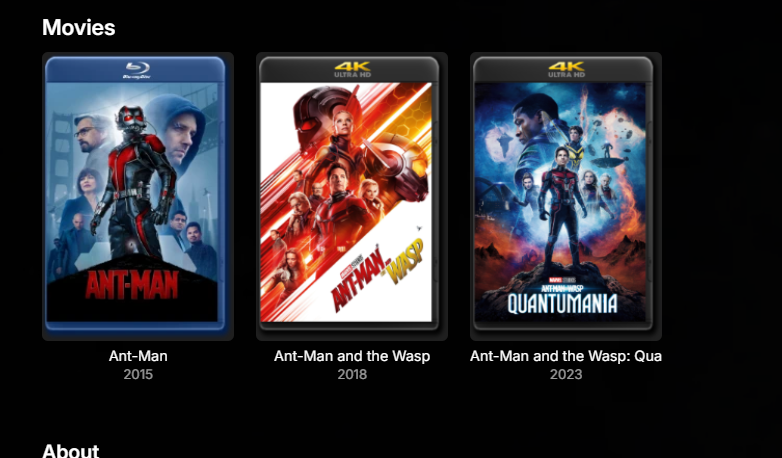
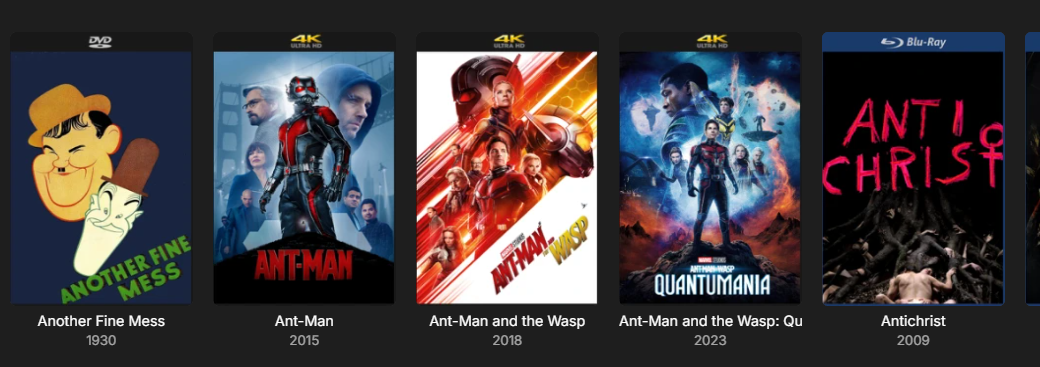
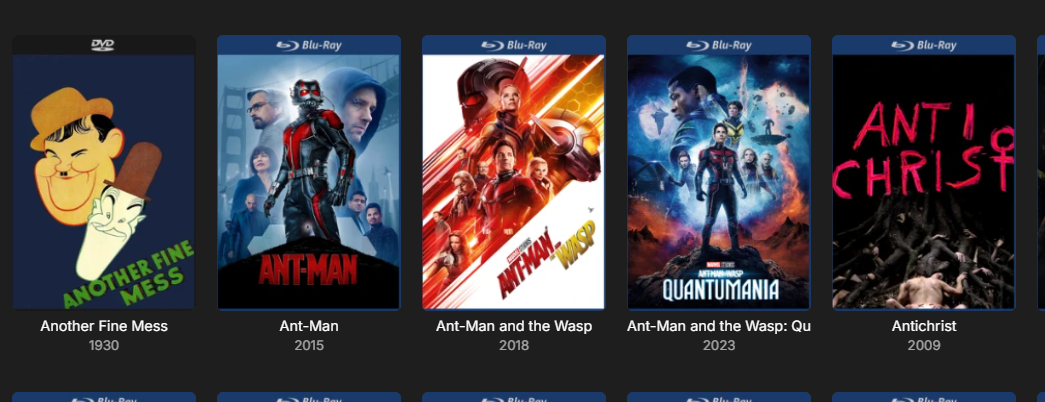
I have 4K and HD mixed library and revoke access to the 4K folder for HD only users. The issue is when merged I want the 4K version to be "on top" so to speak so it shows that one. However if the HD version is scanned into the library first, when merge it shows the HD (Bluray) - This is the same for without CoverArt too, if HD and 4K posters are different and HD version is scanned first, when merging the HD poster will be shown. Now once my new 4K version appears in the library, I run the script.. The rename to the HD file triggers a re-scan for Emby, which then means the 4K version was scanned in first, so then when merged the 4K treatment is shown. Image for example.. Because at some point I re-encoded Ant-Man 2+3 HD version, it meant the 4K was older so in turn the 4K was "primary" but for Ant-Man 1 I hadn't re-encoded so the HD was older and "primary" Second image after script run. 4K is primary and now CoverArt shows 4K as intended. Then on HD only users, they see the HD Bluray. So I know exactly which films I have in 4K and which are HD.
-
I am sorry for my late (again) reply. I attached the log file. Please note that I cut it down to the relevant parts and censored all IDs. I am happy to sent you the unedited log if needed per mail or DM, but I am not comfortable posting it publicly on a forum. embyserver.txt