All Activity
- Past hour
-
 Md Bulbul joined the community
 -
Ya, you're probably okay unless since Luke didn't say anything Edit: he can always split it too if he wants to
-
 Joel Diaz Reina joined the community
 -
 Hamad506 joined the community
 -
 Swaen joined the community
 -
 Joao1985 joined the community
 -
 霖霖 joined the community
 -
 LukeLinton joined the community
 -
 Rangs225 joined the community
 -
Can't we tag him here to see what he has to say? Creating a new thread seems redundant. I think this is the best thread for this discussion as the title already says which android app to use. I would therefore like to use this thread to highlight the pros and cons of both apps. Let me know what you think. Thank you for your effort and time in this. I really really really appreciate it!
-
Hi @CBersI think this is the whole point: I don't want the Emby server to transcode. If I can get this working properly on ATV, why can't the universal Android version can't? You can't convince me in this case that both apps do the same thing, because they are not as I have the evidence in the screenshots. So for now I will stick to ATV. Thank you for testing and explaining. I appreciate your time and effort here.
-

Alexa stop playing after the first song ends on multi echo devices (3rd generation).
hatharry replied to Goober77's topic in Amazon Alexa
Thank you for your patience, can you please try again? -
If ebr can make ATV play it DD 5.1 then why wouldn't Luke be able to. Especially if it sounds better when the hardware converts it vs when the server does it Edit: and those options turned off of course
-
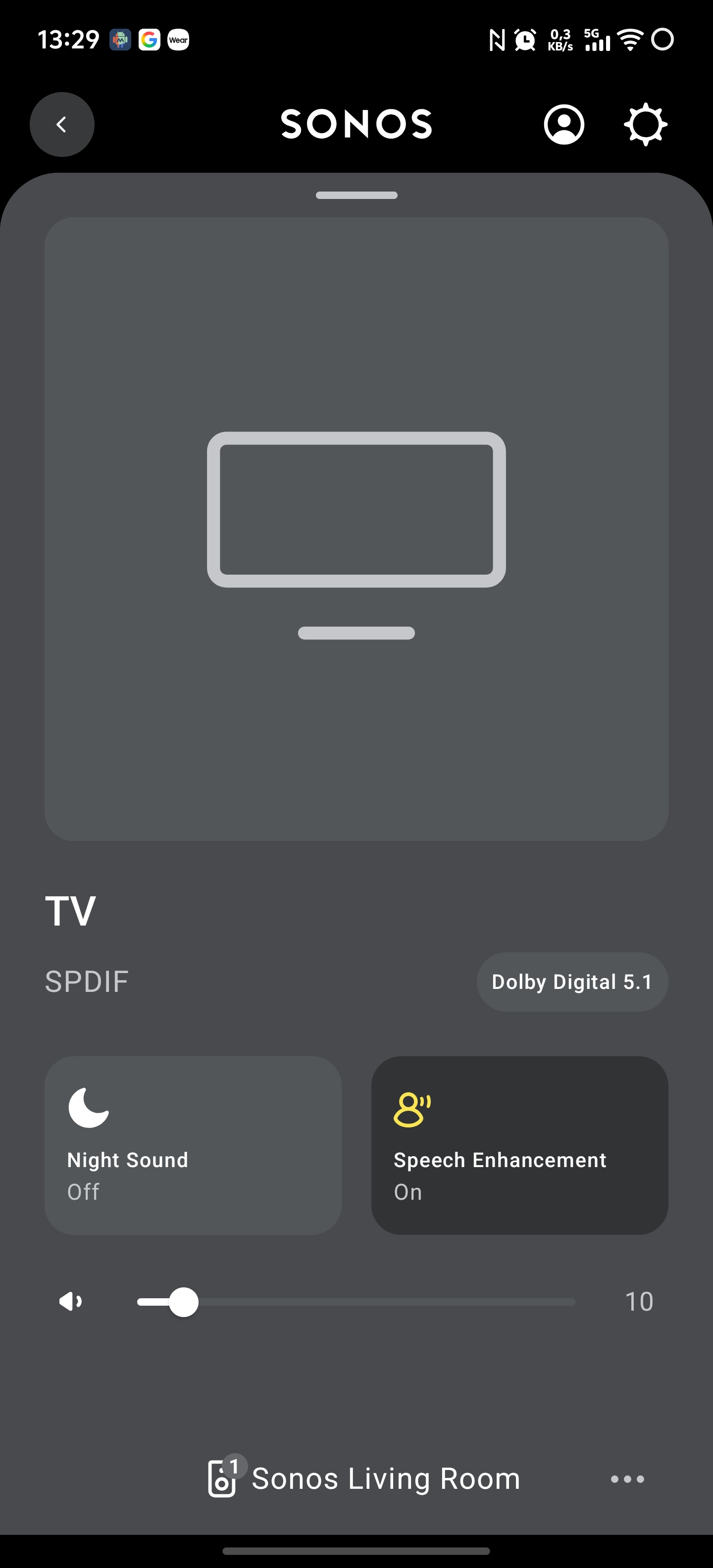
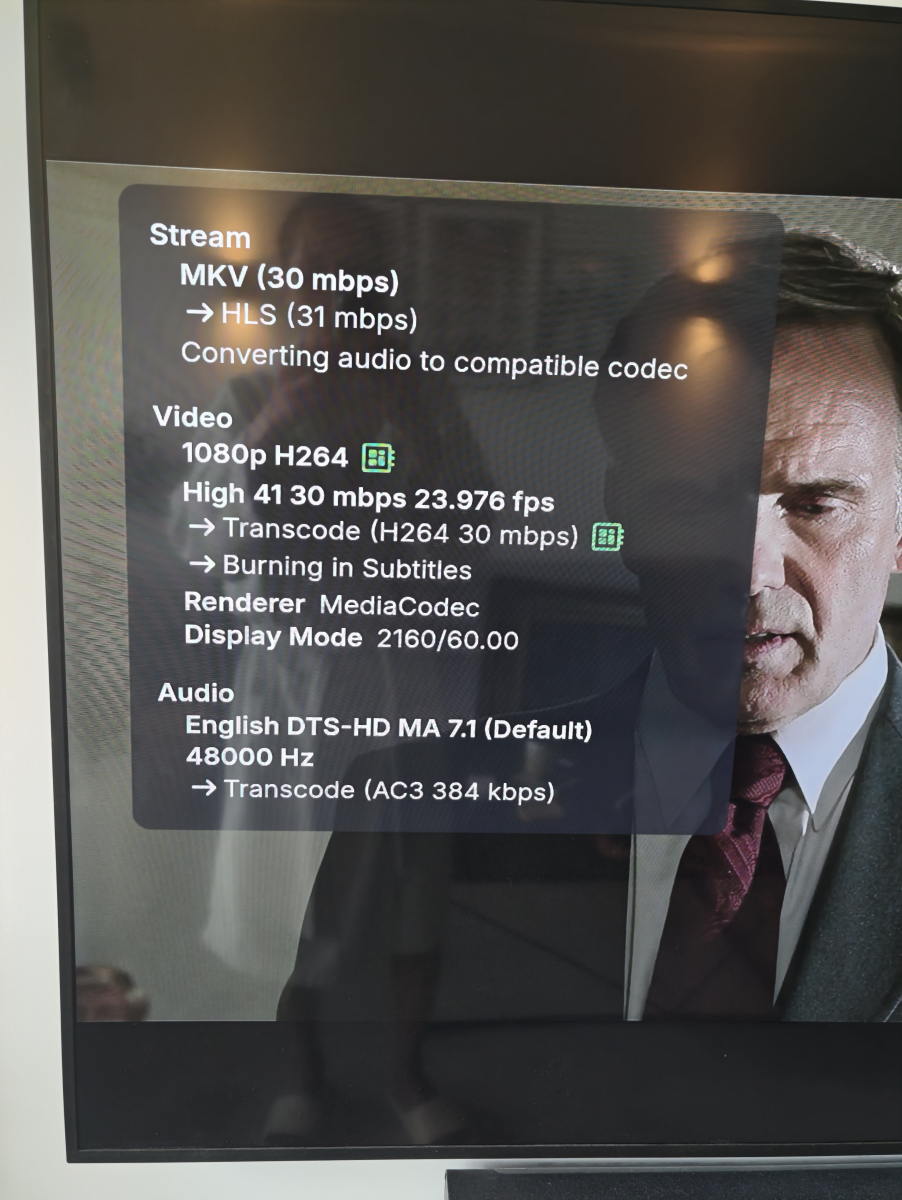
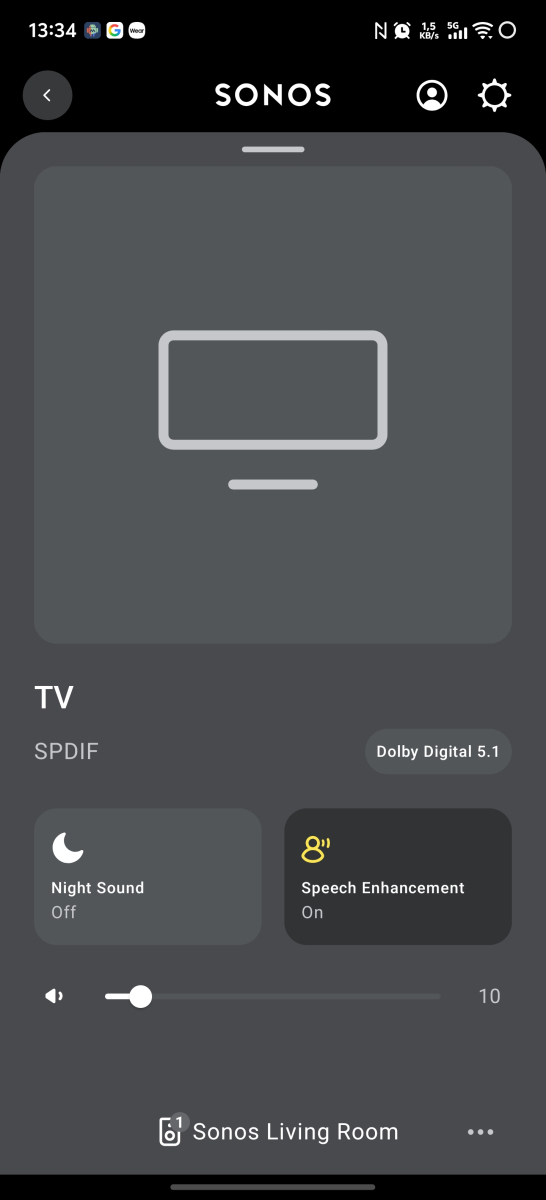
Both the ATV app and the Universal Android app remux the audio to present DD 5.1 to my Sonos Playbar with the option enabled, so not sure there's anything Luke needs to do.
-
@tattleronly thing I can suggest is opening your own thread and asking if Luke can make it happen with the new app just like ATV if you think it sounds better. Explaining everything and tag me and I'll mention I see the same the same. Otherwise do like CBers says and let the server do it if using the new app. Though I don't think ATV is going away any time soon if you don't want to. Or, get a new soundbar
-
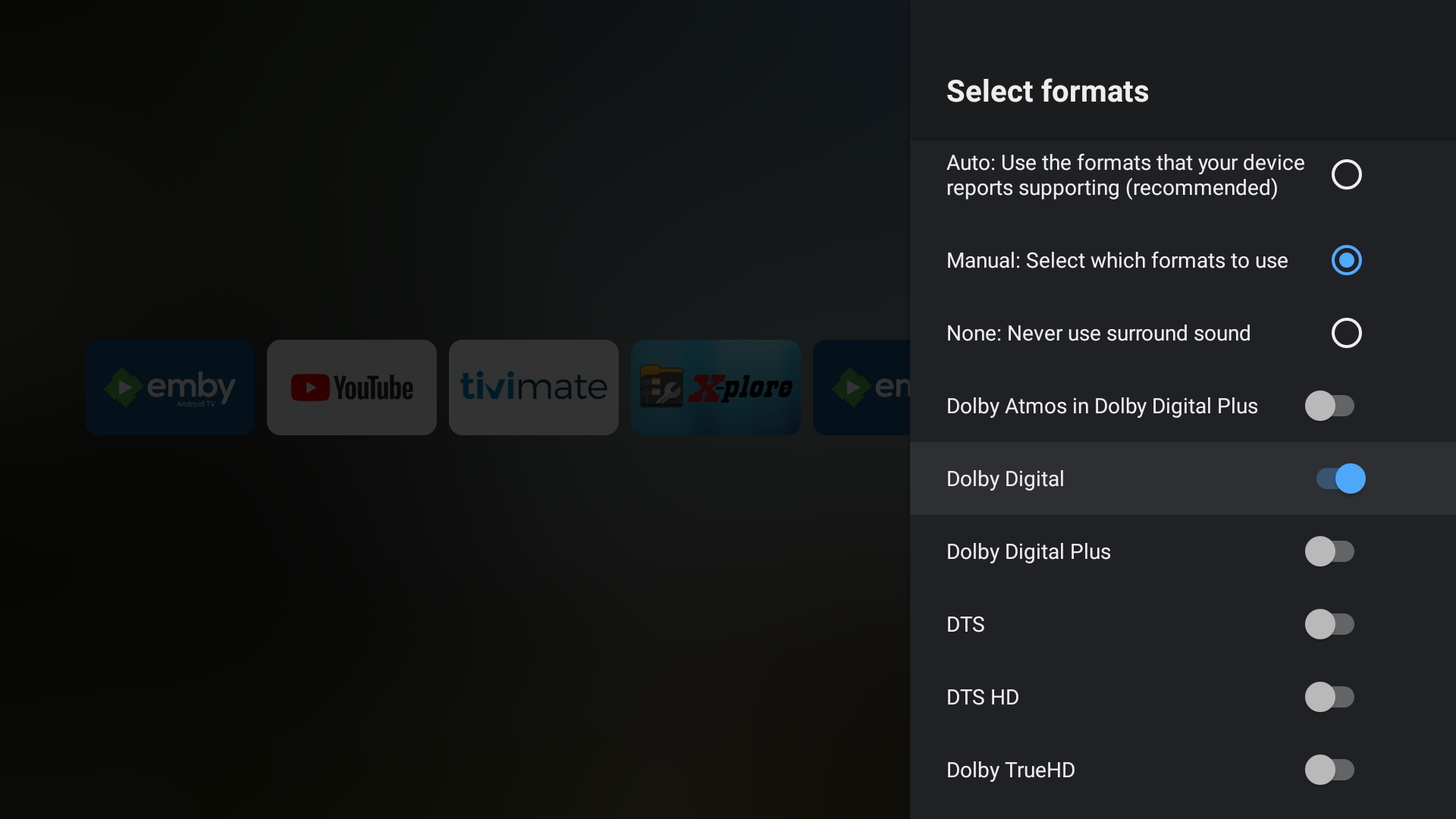
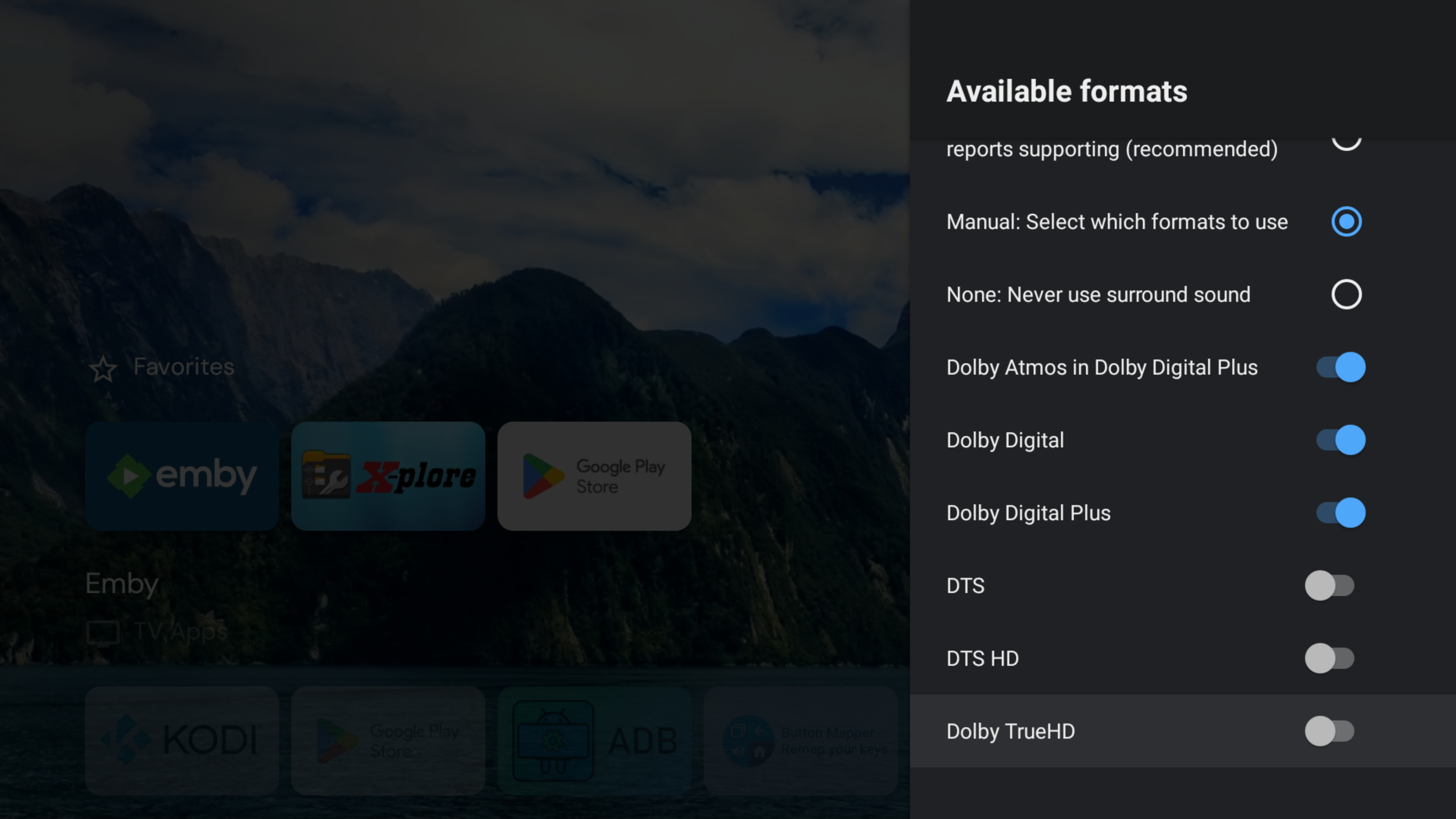
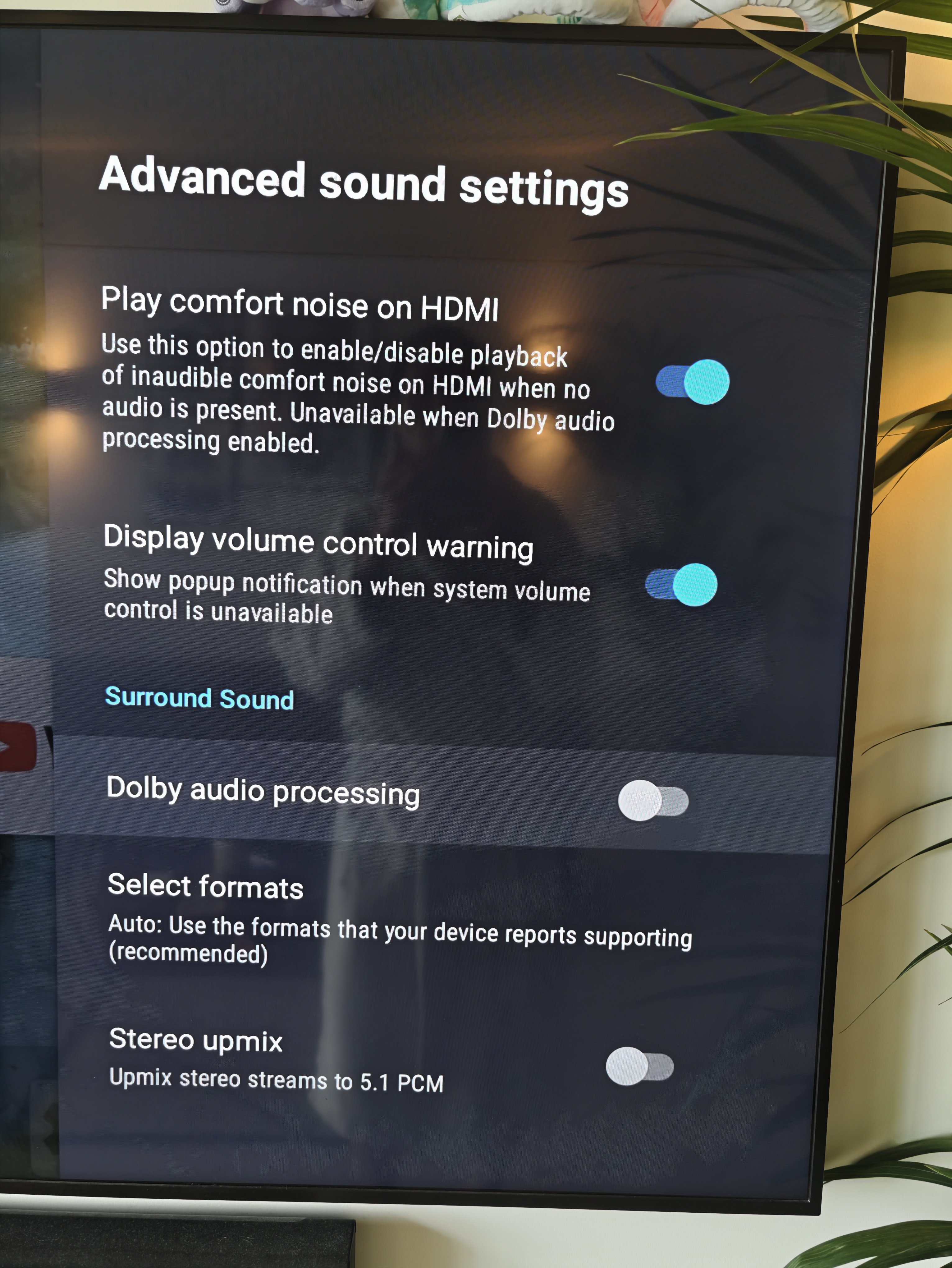
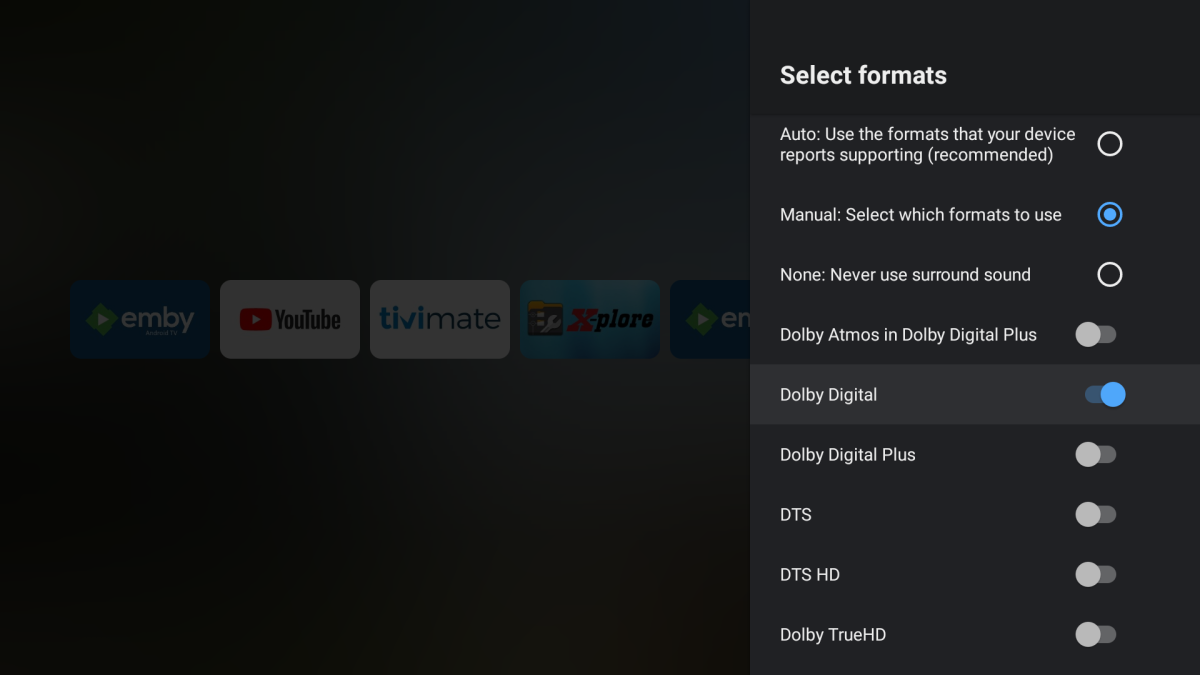
@tattlerSo you just need to have the "Convert unsupported audio to DD" option enabled in the Universal Android app and you will get DD 5.1 on your Sonos soundbar, remuxed by your server. The ATV app already does it all for you, hence no option. These are my audio settings on the 2015 Shield connected to my Sonos Playbar.
-
Beta for the Windows app. You can check here for onboarding updates: https://beta.emby.media/ It's currently invite only.
- Today
-

TOS 7 Stable and Latest Emby Issue Upgrading
Clanck replied to Racerprose's topic in TerraMaster NAS
So I made the unfortunate mistake of updating my TNAS-F4-424 Pro to TOS 7, I run Emby Server in Docker with container pulled from Linuxserver,io, Now Emby and access the folders with my media files. Emby can see the folders but wont point to them when I create a new library. I am reluctant to roll back to TOS 6. Please help, not very experienced with docker or CLI! -
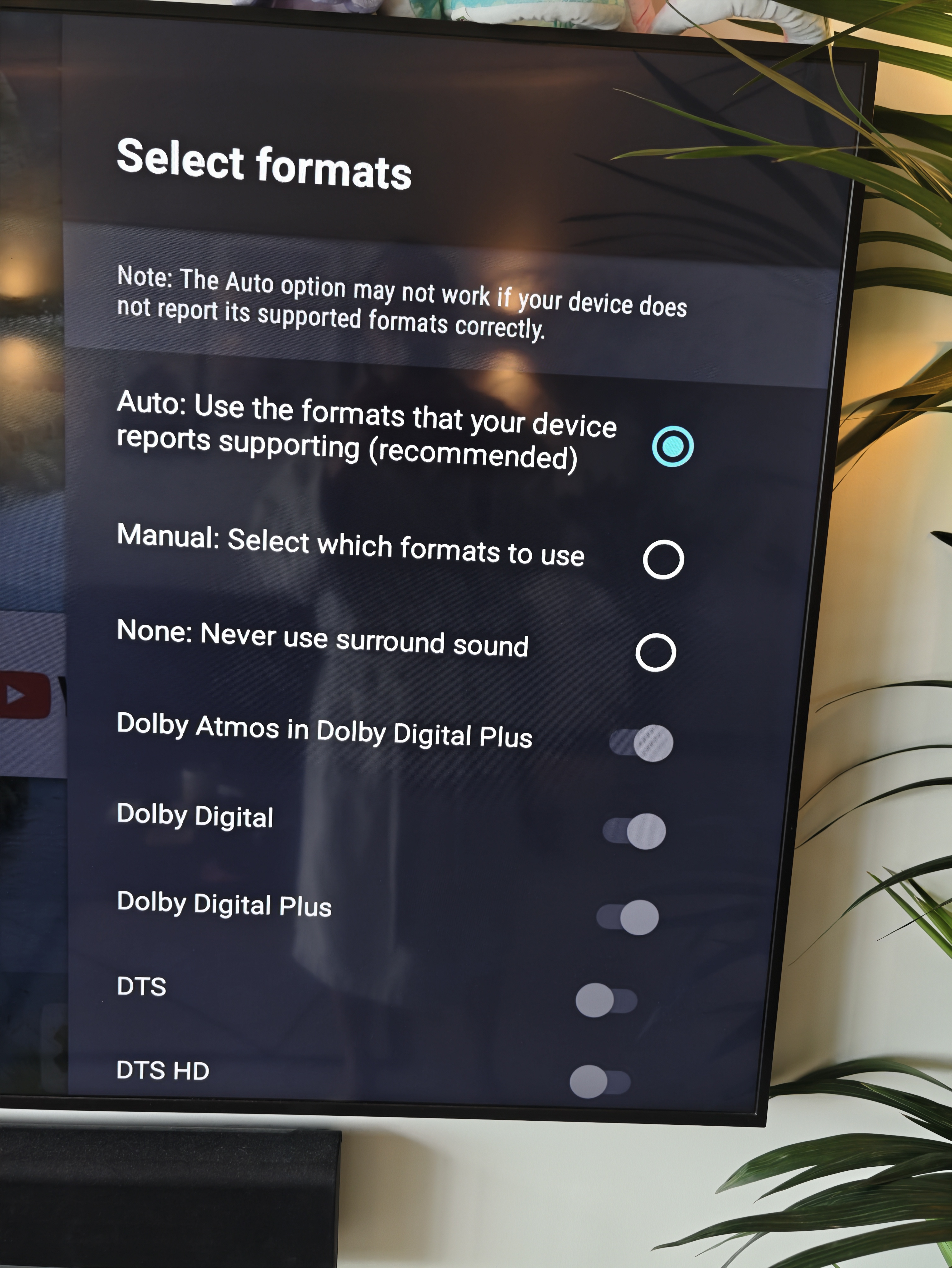
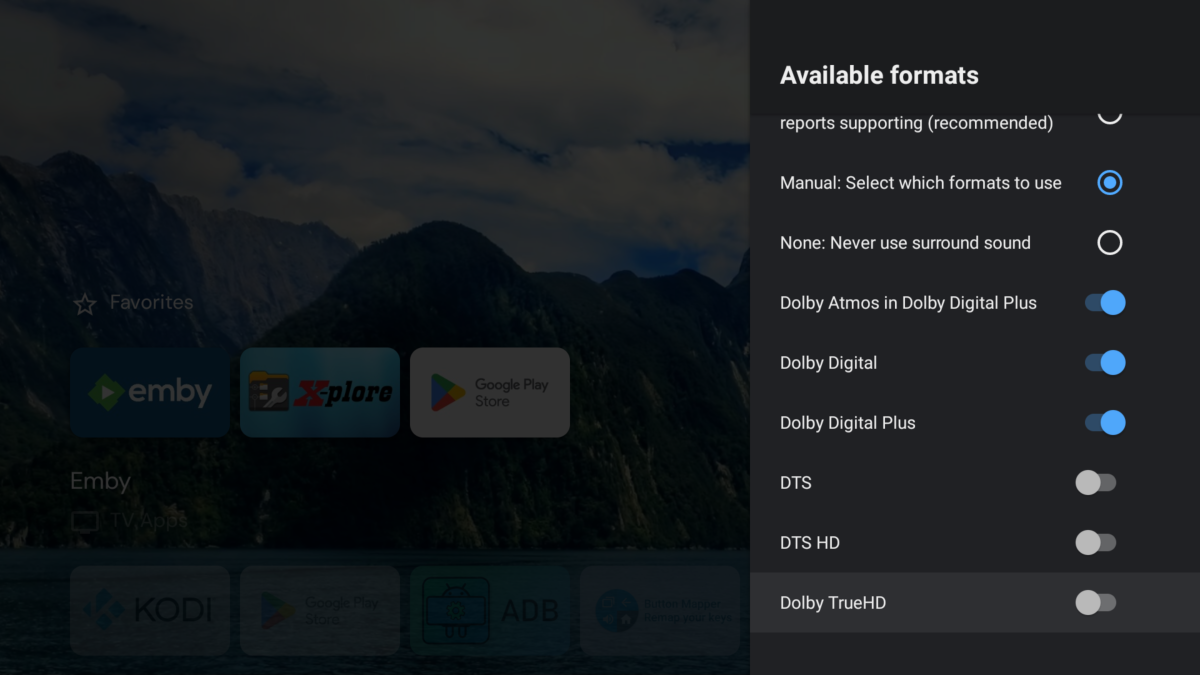
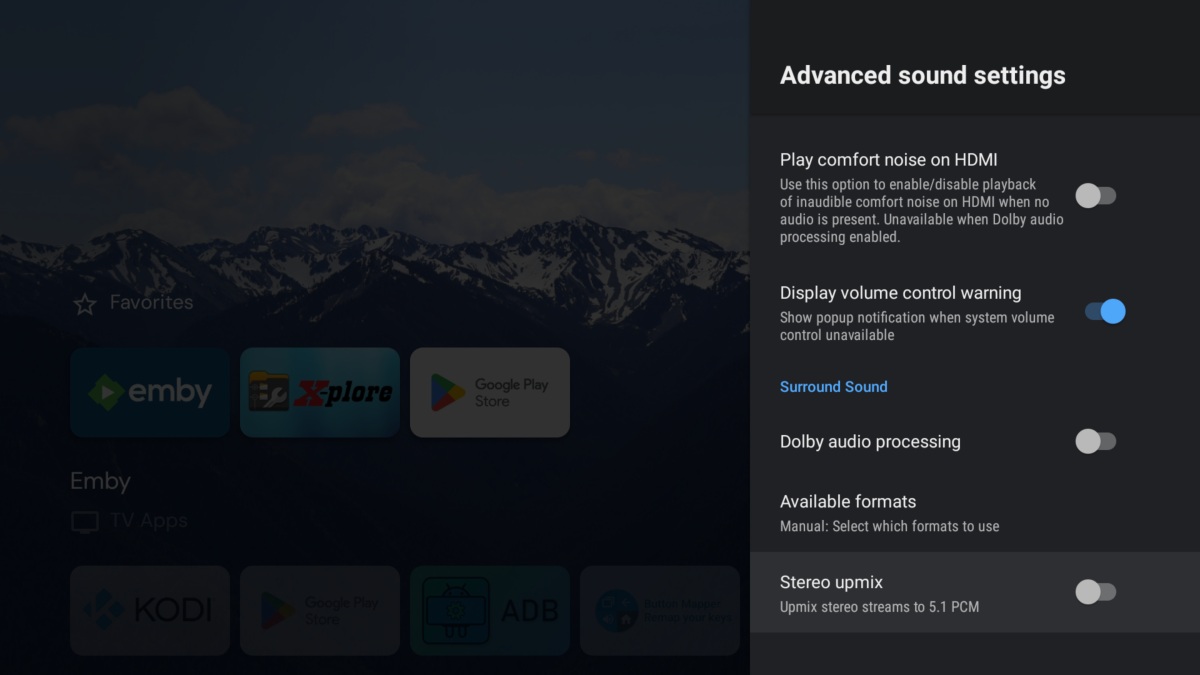
@CBersI agree with tattler that when having the Android settings like I/we posted and playing TrueHD Atmos I get 5.1 with the AndroidTV app and stereo with the Android app. Both apps say it's direct playing. I just can't confirm what the converted format is with my hardware, though I'm pretty sure the new app is getting converted to PCM 2.0. But, I'm not sure why I'm still getting surround with ATV. The conversion must be getting done at the hardware level. I know it's not TrueHD because Atmos is lost. @CBers If you wouldn't mind testing TrueHD Atmos with the following Android settings? I had to turn off DTS, DTSHD, and TrueHD manually, but that's probably your default on the Sonos Then within the two apps make sure you aren't allowing the server to transcode and it's direct playing in SFN. I get 5.1 with one and 2.0 with the other being converted assumingly at the hardware level by both.
-
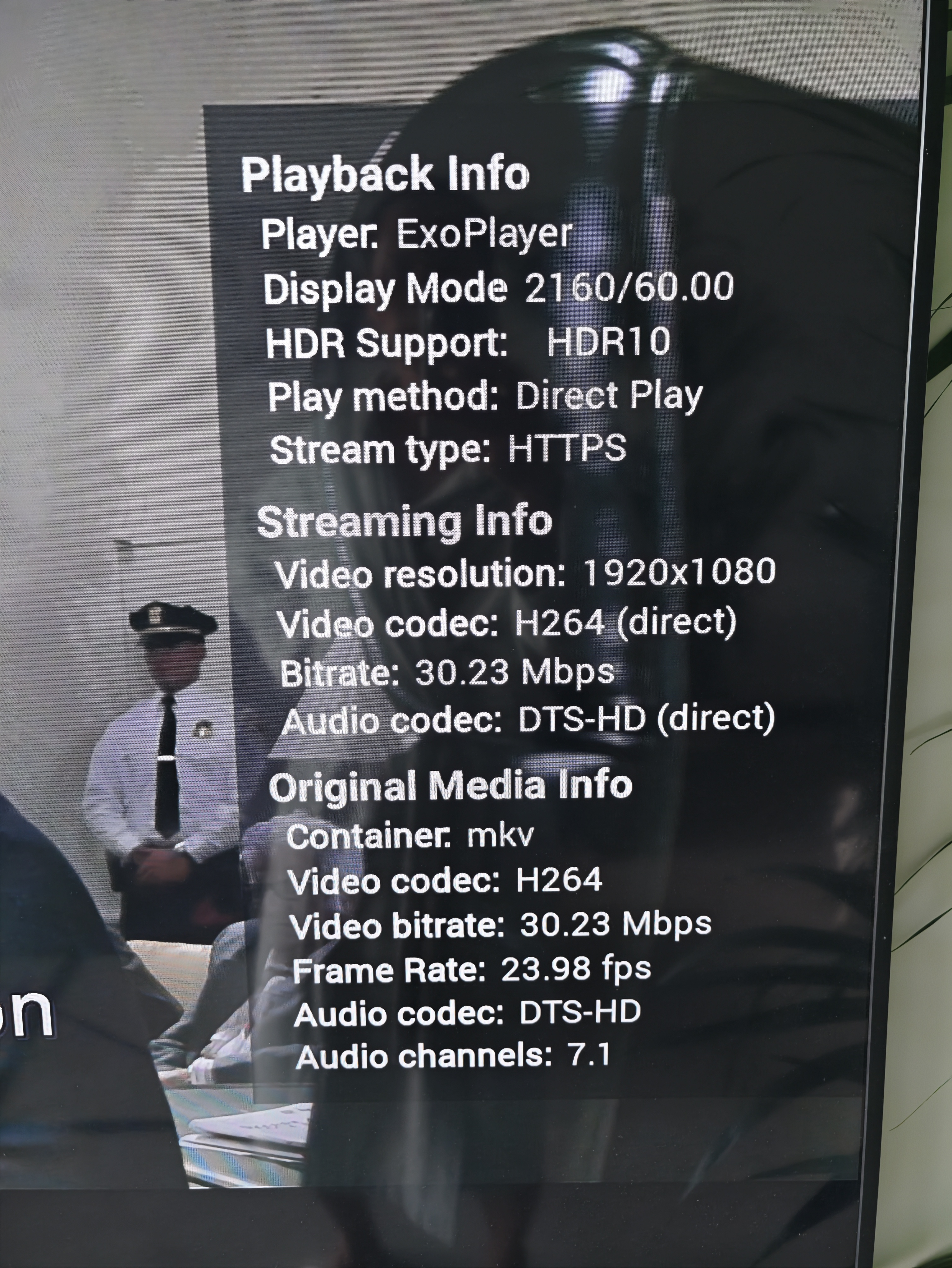
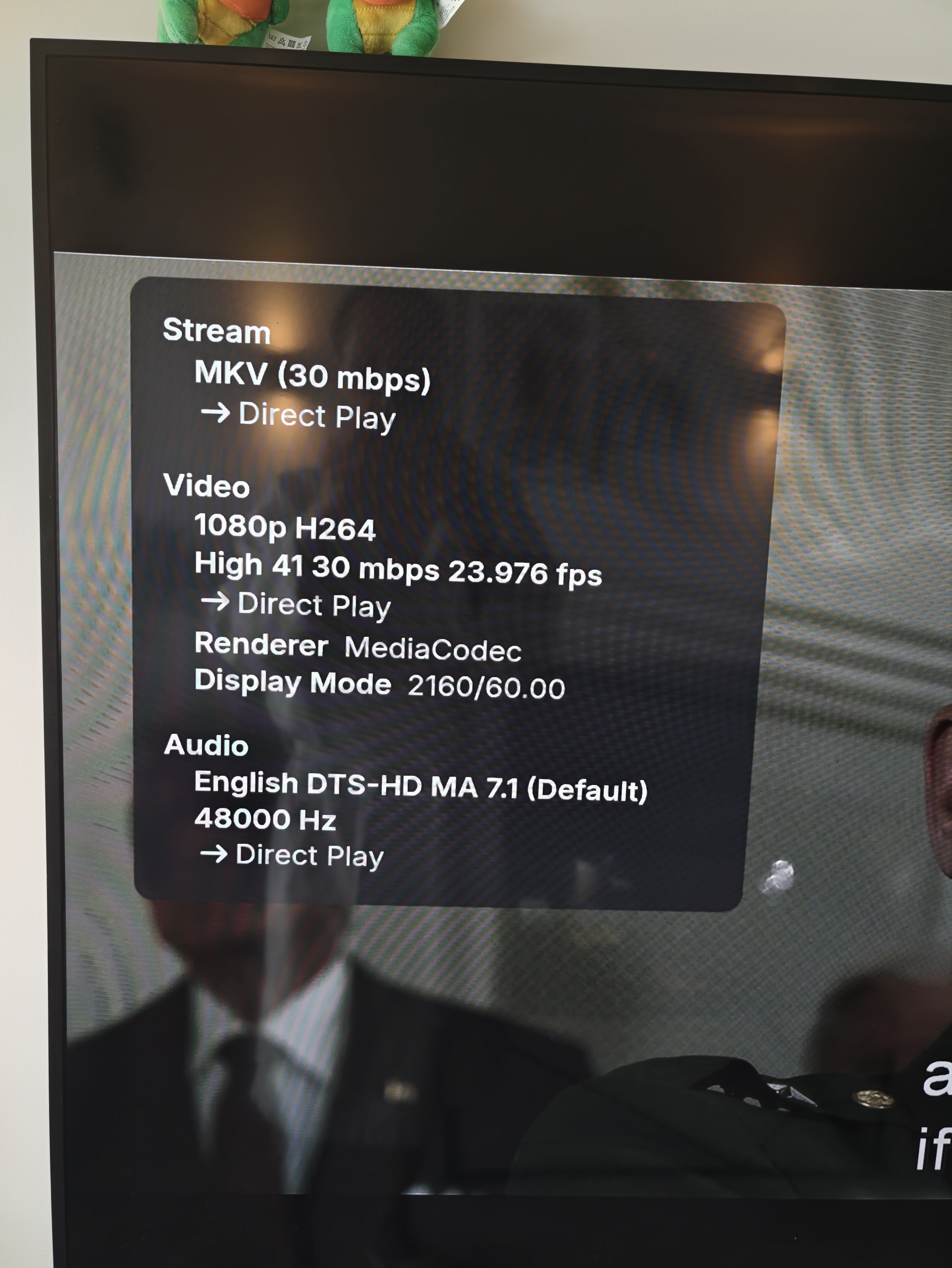
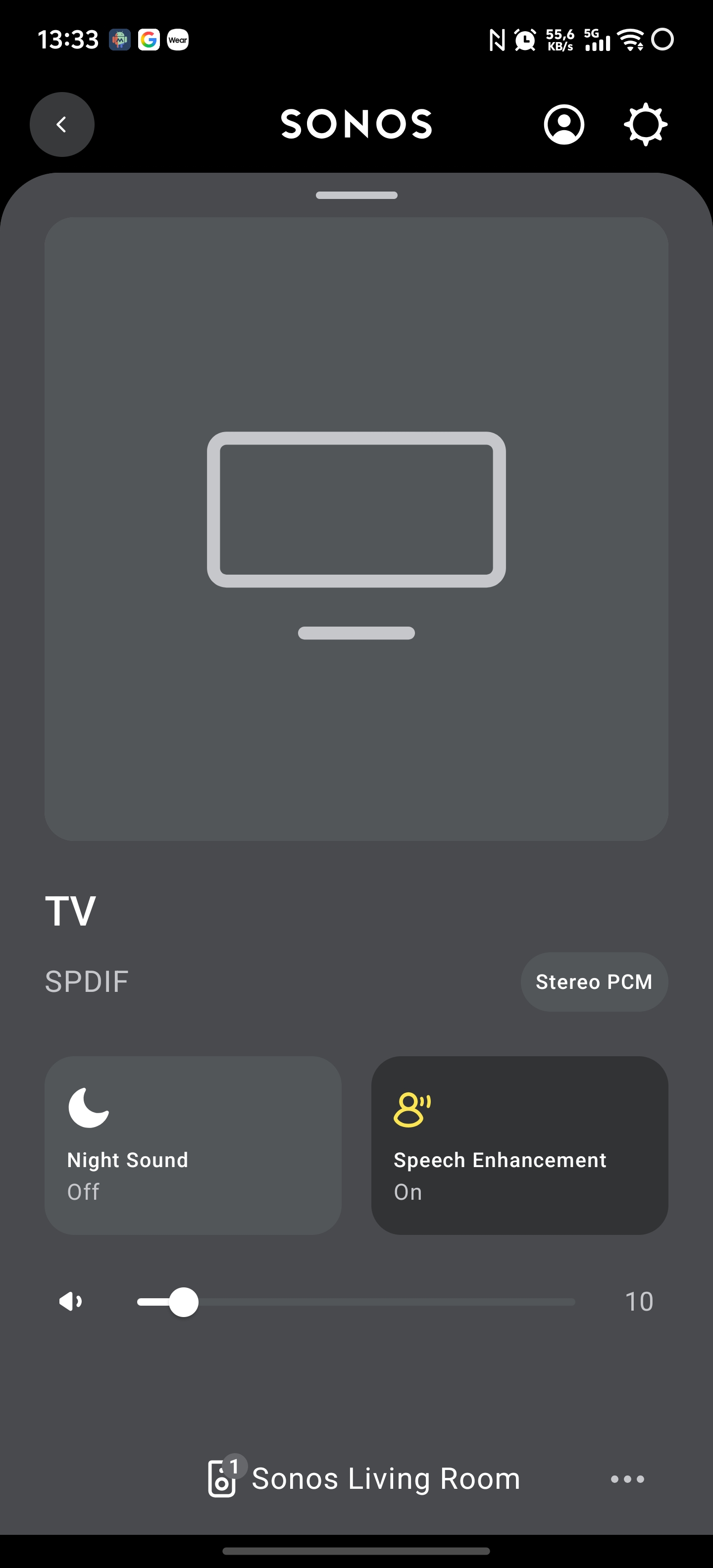
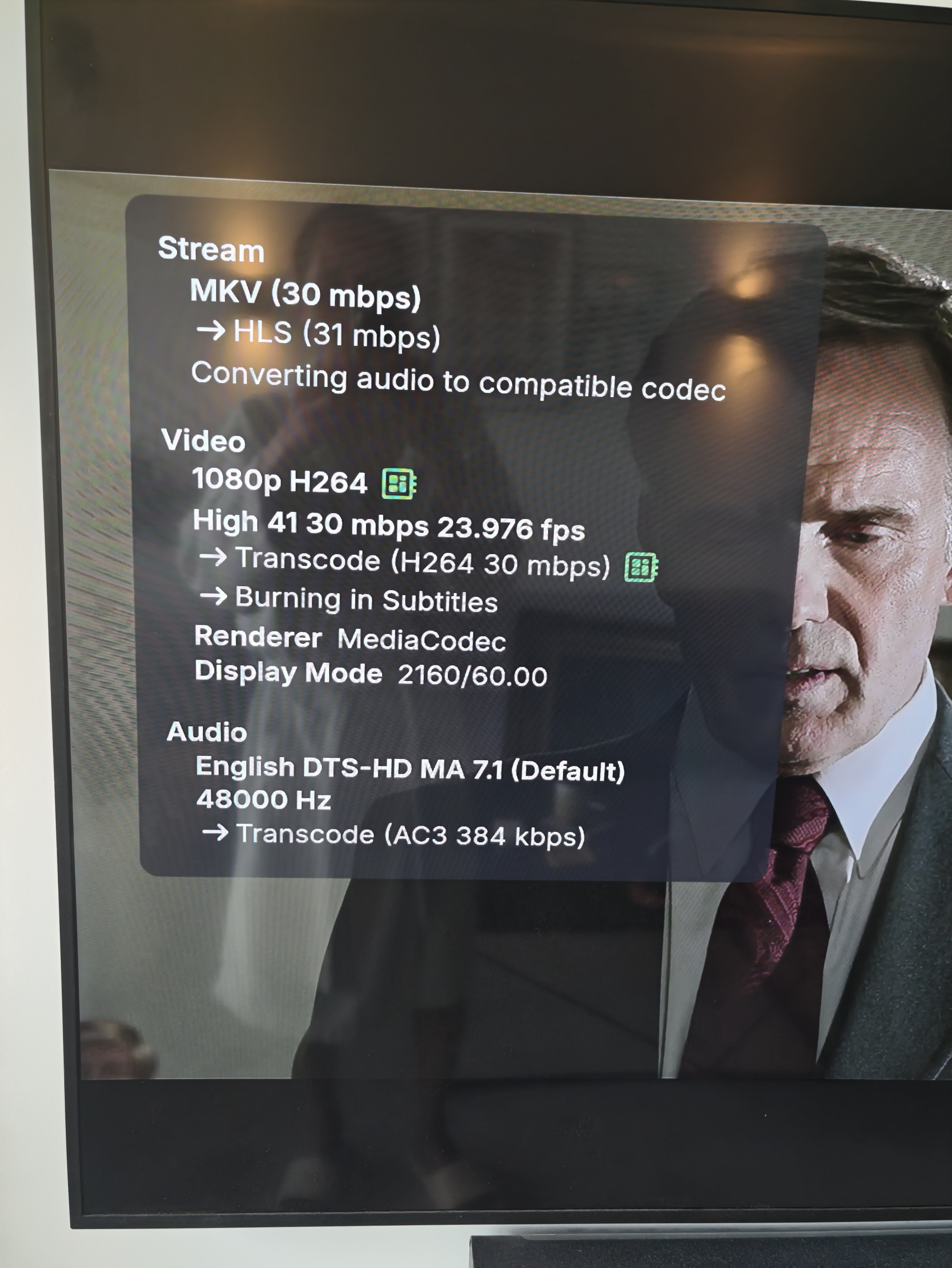
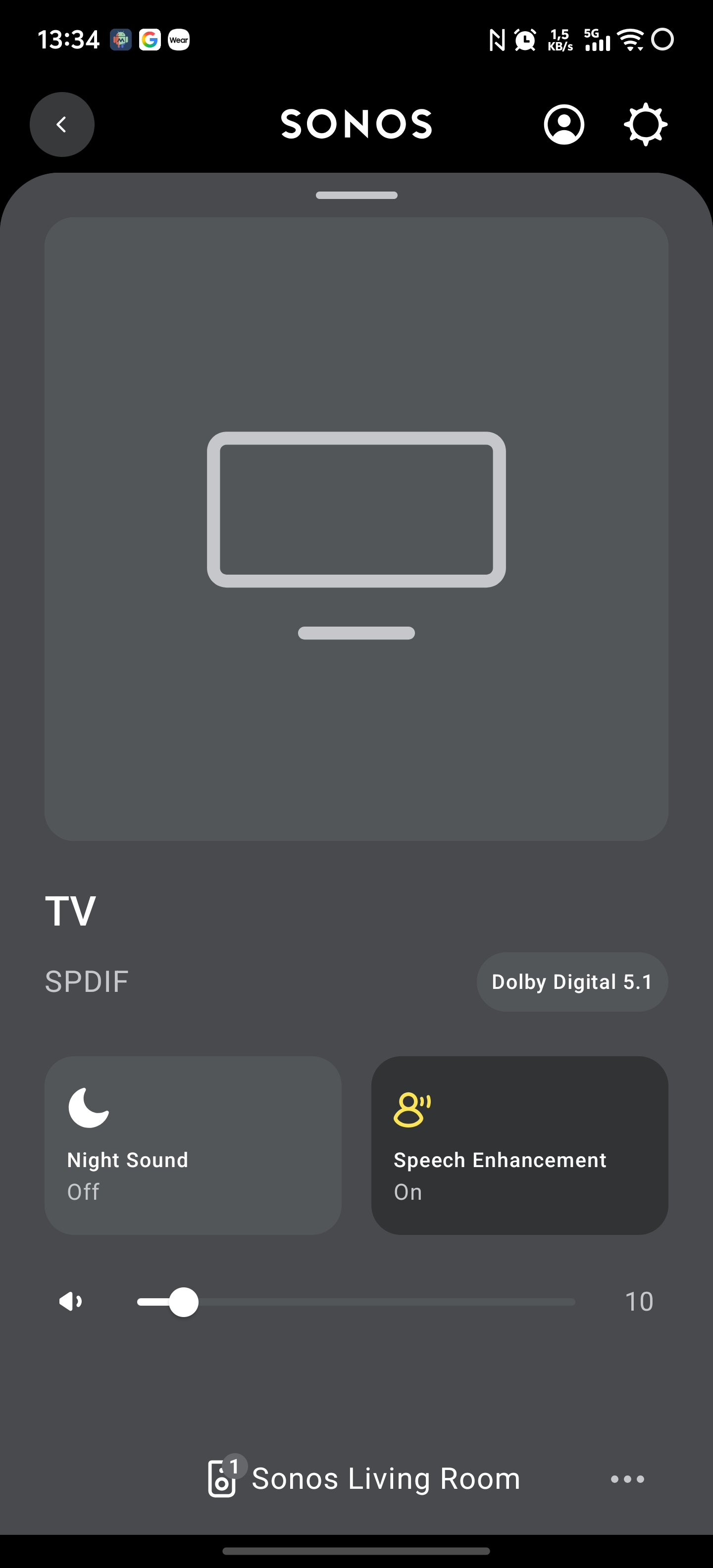
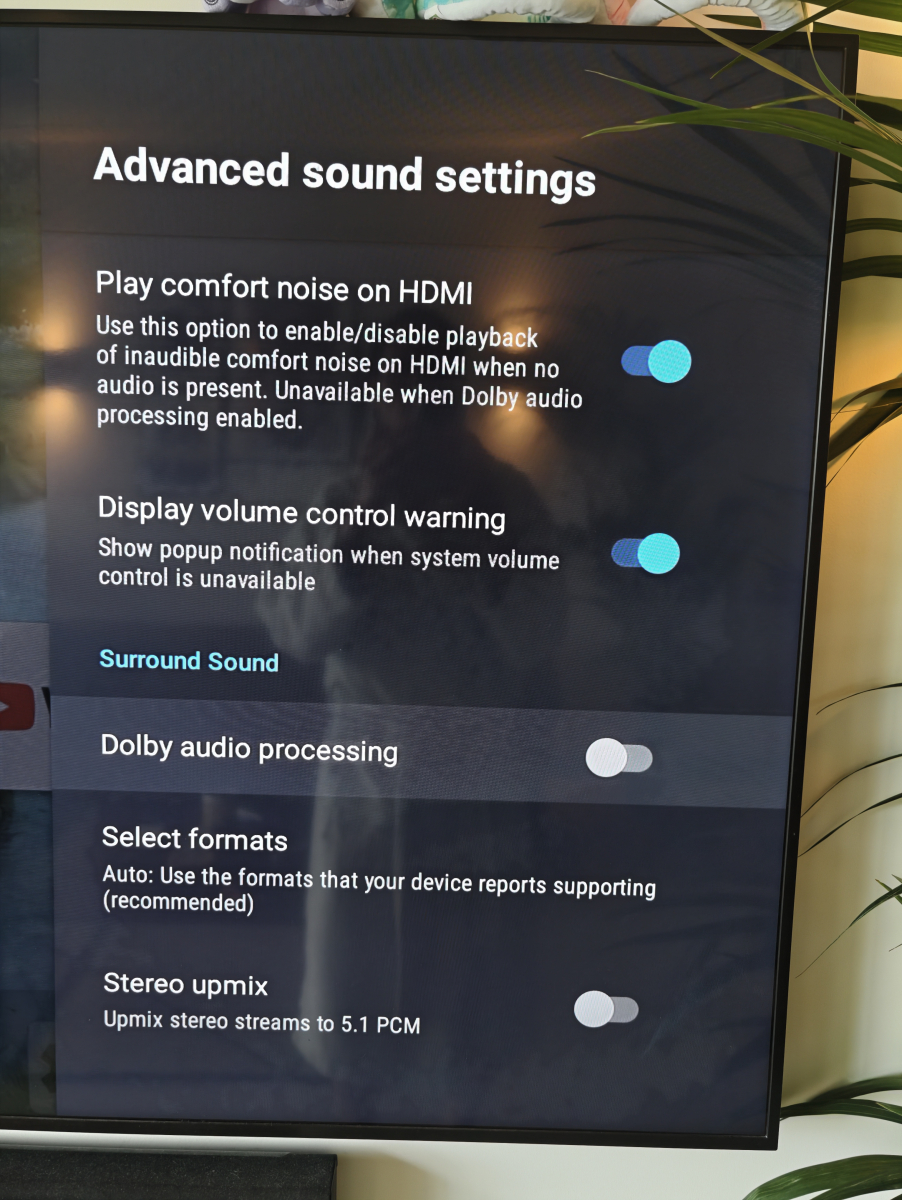
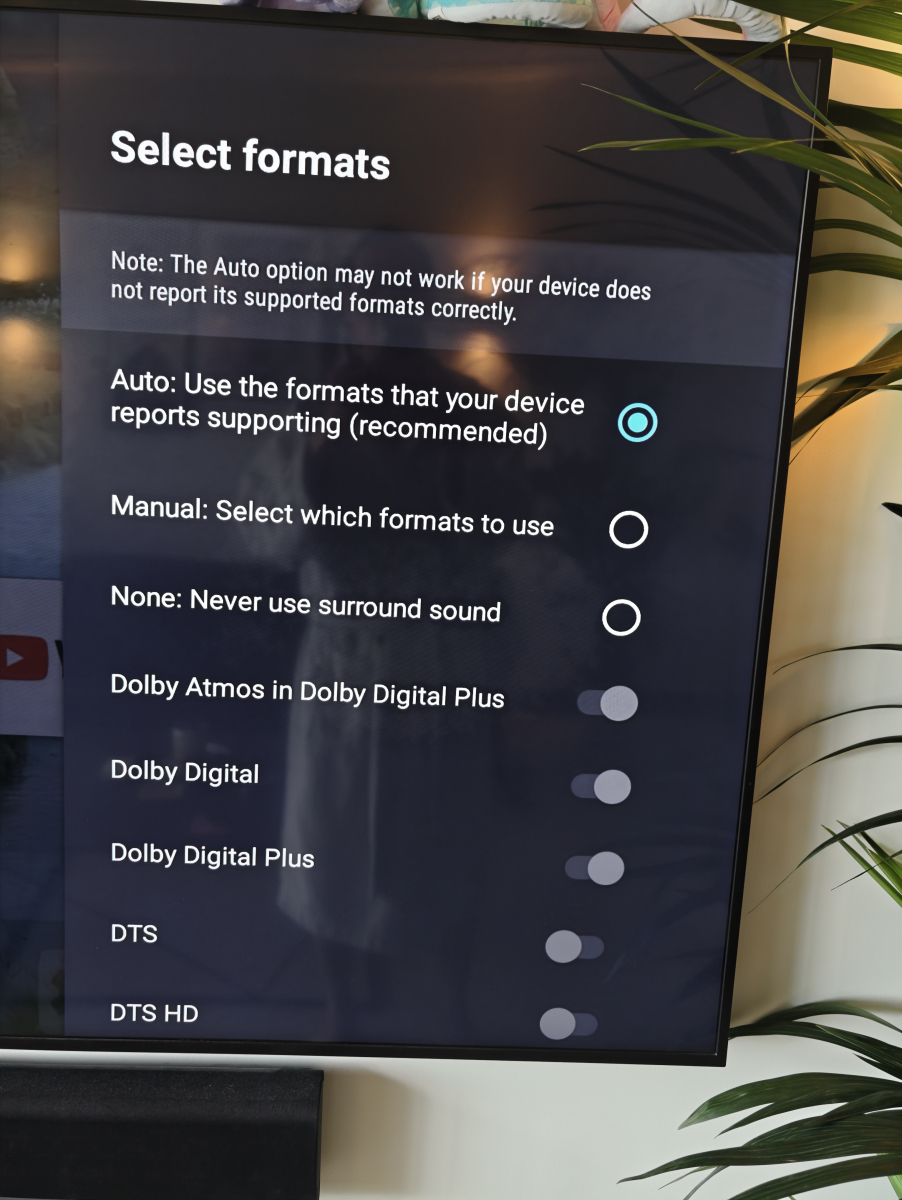
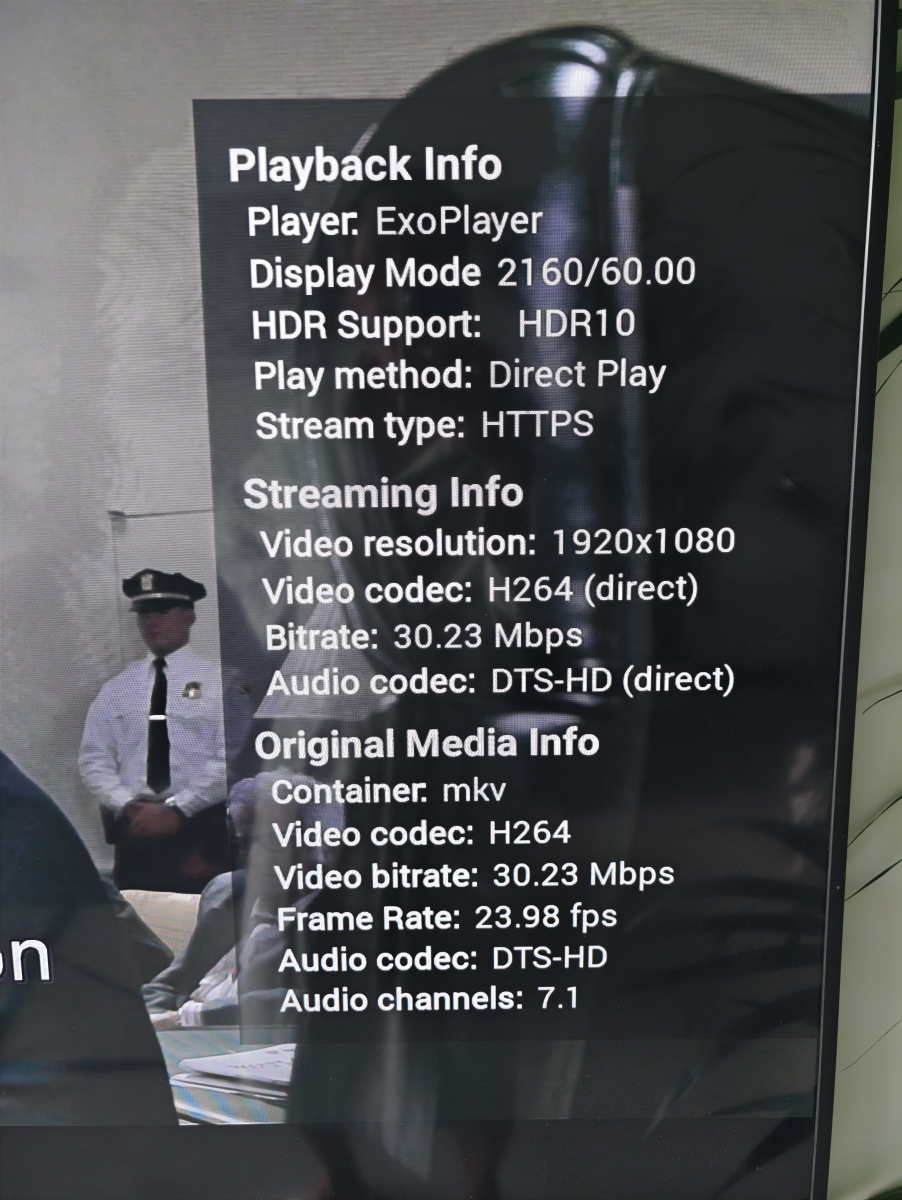
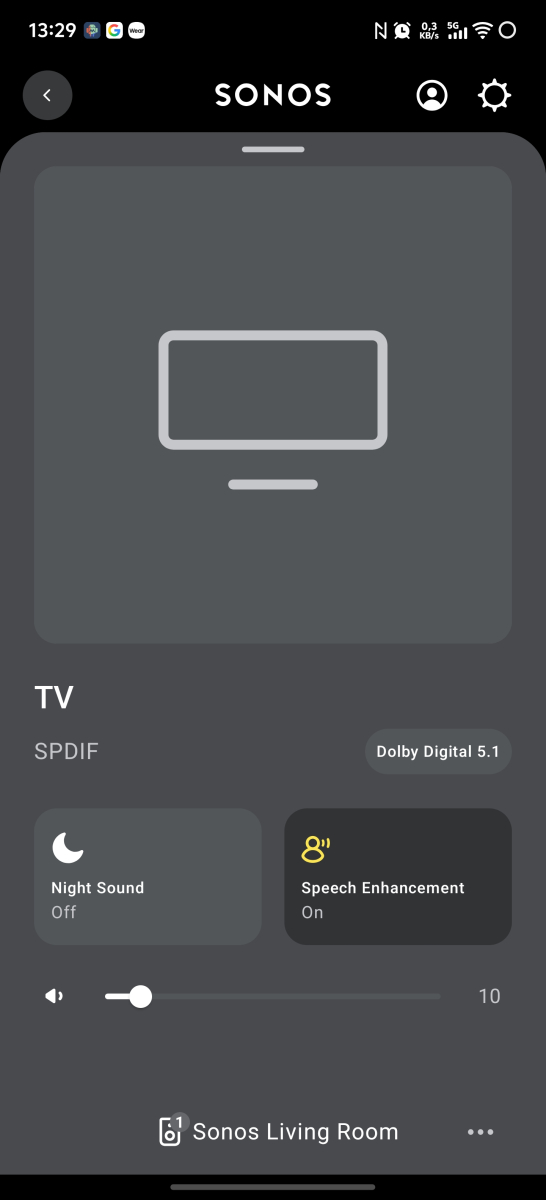
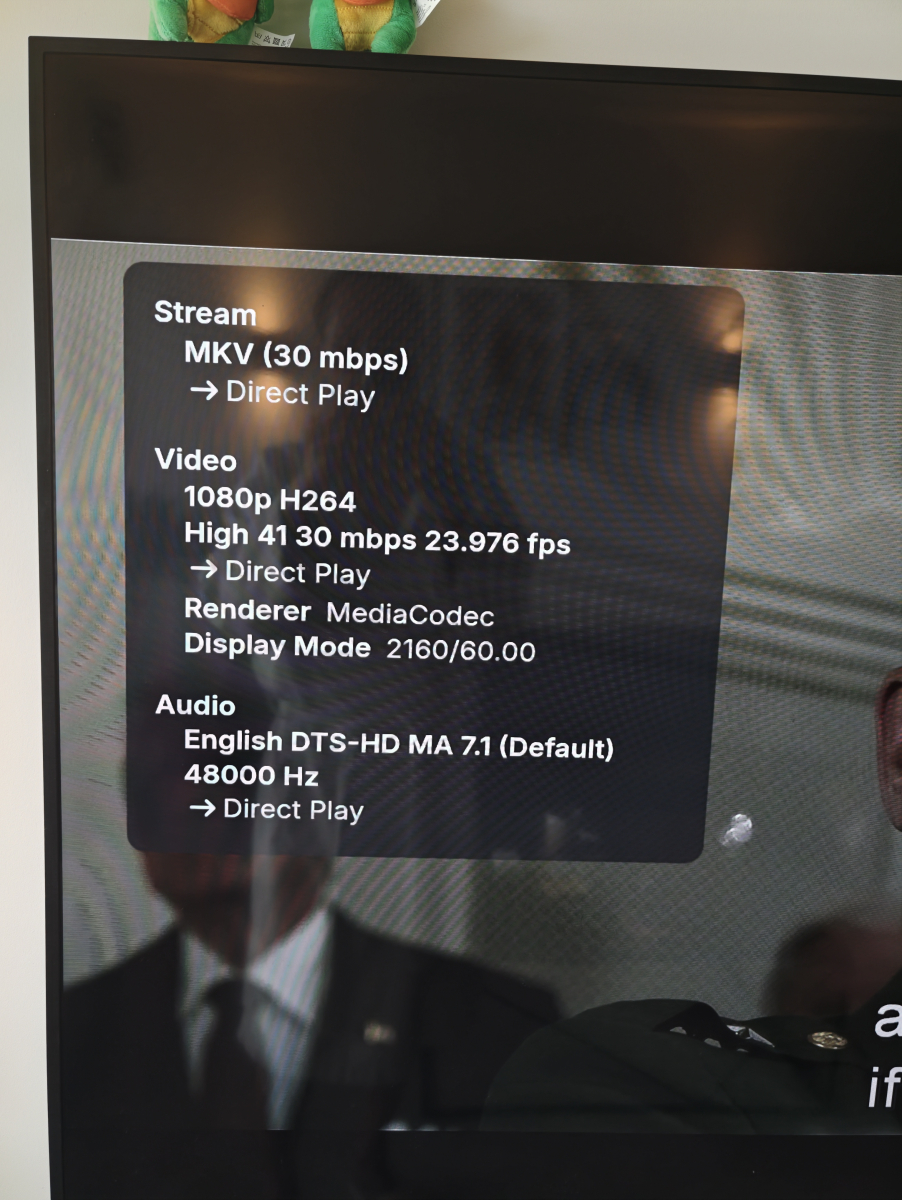
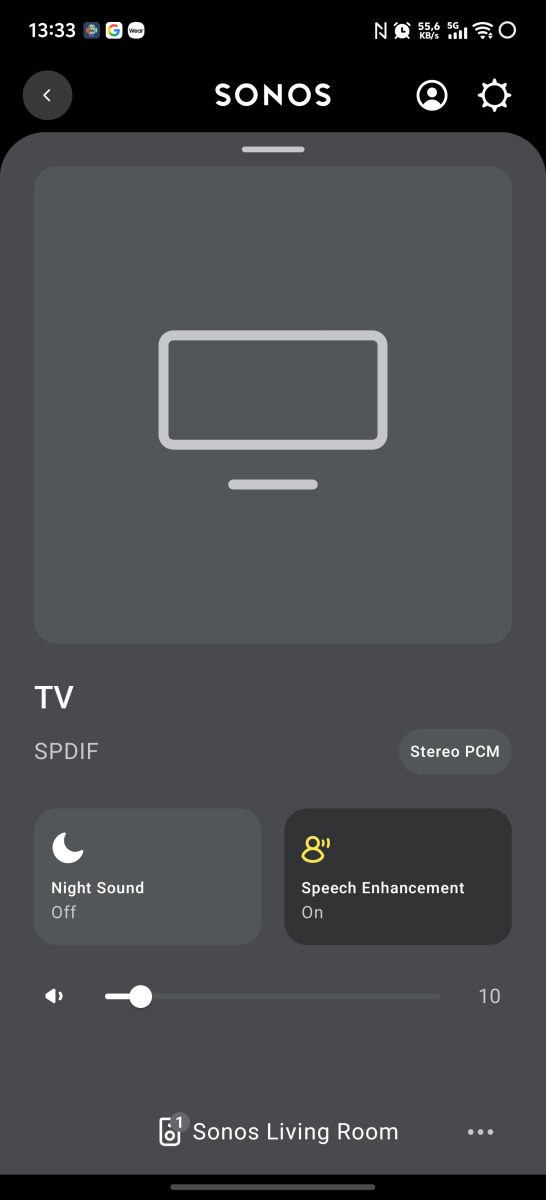
Hi @CBersand @FrostBytethanks for testing this functionality. I appreciate it. So I went on testing to compare the ATV version and the Android version. Shield TV Pro (2019) settings: Playing X-Men Days of Future Past with DTS-HD MA 7.1. The results are below. ATV version: SONOS app: Android version (option to convert to DD in the app setting is disabled): SONOS app: Android version (option to convert to DD in the app setting is enabled): SONOS app: One thing to note: please ignore the subtitle burn-in with hardware from the diagnostics plugin as it is not relevant. It has worked for me flawlessly so that is not the cause. I just want to focus on this comparison between the ATV and Android version. I hope this is more clear now what issue I am facing. If you need more details, please let me know.
-
Yes but people are paying for this product, so the money should fund more engineers if they have too much workload. waiting 6 years for basic features is not acceptable, as paying customers we have every right to expect better
-
Hello - any progress on this? Every day this week I've had to delete the American Experience documentary "The Vote" from my recording queue since I recorded it 6 years ago when it first aired, but which is apparently in heavy rotation this week. Maybe add an option for "I already have this."
-
I have this same issue.
-
any updates on this issue.
-
While I'd also like to see this feature added, Emby seems to have many more features than Jellyfin. Is anyone seeing that Jellyfin has caught up? They do have some different features like watch together, but they're still well short of what Emby has....I think.
-
I hinestly think emby don't have very many devs that build for it and fix things. That is why it takes so king for things to happen on emby but that is my opinion.
-
New Emby server beta release, v4.10.0.22. Release Notes
-

Introducing Traxx, an Android music app built for Emby music libraries
Hauzz replied to Hauzz's topic in Third Party Apps
Thanks for your reply, I'll check that behaviour -
Hi, I have read a lot of posts from various websites and forums on how to do this, but I cannot get it to work for me. - I have Emby running on a NAS (works perfectly internally) - I have setup Caddy in a docker container on a RPi - I have a domain with Namecheap I have forwarded emby.my_domain.tld to my IP from Namecheap's advanced DNS tab: Checking this is pointing correctly: curl -s "https://cloudflare-dns.com/dns-query?name=<mydomain>&type=A" -H "accept: application/dns-json" gives: `{"Status":0,"TC":false,"RD":true,"RA":true,"AD":false,"CD":false,"Question":[{"name":"<mydomain>","type":1}],"Answer":[{"name":"<mydomain>","type":1,"TTL":1472,"data":"<correctIP>"}]}` My docker compose for caddy: services: caddy: image: caddy:2-alpine container_name: caddy ports: - "80:80" - "443:443" volumes: - ./caddy/caddyfile.json:/etc/caddy/Caddyfile - ./caddy/data:/data - ./caddy/config:/config environment: - TZ=Europe/London restart: unless-stopped volumes: caddy_data: caddy_config: My Caddyfile (IP is my NAS): { <myemail> } <mydomain> { reverse_proxy 192.168.1.64:8096 } I have port-forwarded :443 to :443 on my Pi. My Caddy logs have two warnings 2026-08-01T07:55:31.141155000Z [caddy] {"level":"warn","ts":1785570931.1406991,"logger":"http","msg":"HTTP/2 skipped because it requires TLS","network":"tcp","addr":":80"} 2026-08-01T07:55:31.141758000Z [caddy] {"level":"warn","ts":1785570931.1407423,"logger":"http","msg":"HTTP/3 skipped because it requires TLS","network":"tcp","addr":":80"} ...complete logs: 2026-08-01T07:55:31.114360000Z [caddy] {"level":"info","ts":1785570931.113894,"msg":"maxprocs: Leaving GOMAXPROCS=4: CPU quota undefined"} 2026-08-01T07:55:31.115133000Z [caddy] {"level":"info","ts":1785570931.1139398,"msg":"GOMEMLIMIT is updated","GOMEMLIMIT":1787977728,"previous":9223372036854775807} 2026-08-01T07:55:31.115279000Z [caddy] {"level":"info","ts":1785570931.1139512,"msg":"using config from file","file":"/etc/caddy/Caddyfile"} 2026-08-01T07:55:31.115380000Z [caddy] {"level":"info","ts":1785570931.113958,"msg":"adapted config to JSON","adapter":"caddyfile"} 2026-08-01T07:55:31.116229000Z [caddy] {"level":"info","ts":1785570931.1158042,"logger":"admin","msg":"admin endpoint started","address":"localhost:2019","enforce_origin":false,"origins":["//localhost:2019","//[::1]:2019","//127.0.0.1:2019"]} 2026-08-01T07:55:31.116563000Z [caddy] {"level":"info","ts":1785570931.1162255,"logger":"http.auto_https","msg":"server is listening only on the HTTPS port but has no TLS connection policies; adding one to enable TLS","server_name":"srv0","https_port":443} 2026-08-01T07:55:31.116812000Z [caddy] {"level":"info","ts":1785570931.116303,"logger":"http.auto_https","msg":"enabling automatic HTTP->HTTPS redirects","server_name":"srv0"} 2026-08-01T07:55:31.116971000Z [caddy] {"level":"info","ts":1785570931.116306,"logger":"tls.cache.maintenance","msg":"started background certificate maintenance","cache":"0x7f71341600"} 2026-08-01T07:55:31.128901000Z [caddy] {"level":"info","ts":1785570931.1284323,"logger":"http","msg":"enabling HTTP/3 listener","addr":":443"} 2026-08-01T07:55:31.129253000Z [caddy] {"level":"info","ts":1785570931.1289337,"logger":"http.log","msg":"server running","name":"srv0","protocols":["h1","h2","h3"]} 2026-08-01T07:55:31.141155000Z [caddy] {"level":"warn","ts":1785570931.1406991,"logger":"http","msg":"HTTP/2 skipped because it requires TLS","network":"tcp","addr":":80"} 2026-08-01T07:55:31.141758000Z [caddy] {"level":"warn","ts":1785570931.1407423,"logger":"http","msg":"HTTP/3 skipped because it requires TLS","network":"tcp","addr":":80"} 2026-08-01T07:55:31.142140000Z [caddy] {"level":"info","ts":1785570931.1407516,"logger":"http.log","msg":"server running","name":"remaining_auto_https_redirects","protocols":["h1","h2","h3"]} 2026-08-01T07:55:31.142695000Z [caddy] {"level":"info","ts":1785570931.1407676,"logger":"http","msg":"enabling automatic TLS certificate management","domains":["emby.jchh.uk"]} 2026-08-01T07:55:31.142914000Z [caddy] {"level":"info","ts":1785570931.1416066,"msg":"autosaved config (load with --resume flag)","file":"/config/caddy/autosave.json"} 2026-08-01T07:55:31.143196000Z [caddy] {"level":"info","ts":1785570931.142191,"msg":"serving initial configuration"} 2026-08-01T07:55:31.145257000Z [caddy] {"level":"info","ts":1785570931.1448421,"logger":"tls","msg":"storage cleaning happened too recently; skipping for now","storage":"FileStorage:/data/caddy","instance":"4a0eecea-9c66-4011-bcd9-6bd73acd8cc2","try_again":1785657331.1448386,"try_again_in":86399.999998667} 2026-08-01T07:55:31.145491000Z [caddy] {"level":"info","ts":1785570931.145117,"logger":"tls","msg":"finished cleaning storage units"} Can someone please advise me?

-
 KARL_AGATHON changed their profile photo
 -

Introducing Traxx, an Android music app built for Emby music libraries
GrimEvil replied to Hauzz's topic in Third Party Apps
Everything works fine so far.Rhat maybe why no feedback so far. Only issue I have is say I am scrolling my library and are at say albums start with the letter L and switch to the map I android auto and than move back to the app it does not remember the position it goes back to the first album, so I than have to scroll again to find what I want. Same if I back out of an album to the library it resets to the first item and not the album I was playing if that makes sense -
?????
-
Maybe this part won't work? Was it a link before?
-
Hi, there currently isn't an option for this. What's the reason to want to limit them?