All Activity
- Past hour
-

Pixelsmash Vulnerability in ffmpeg (CVE-2026-8461) - Is Emby vulnerable?
ike301 replied to CHBMB's topic in General/Windows
So, do we get an update today? -
 Zyad1101 joined the community
 -
I've uploaded Dev version 2.1.8.2 to the plugin catalog. Just for testing i've modified the playback setting "Playlist Intro Delay" so that it will also be used for "Native (Live)" playback. Please give me a specific example with screenshots of your channel rules and the preview result. If you like, you can pm me in German.
-
 Salutation joined the community
 -
 123zz joined the community
 -
 oskar20 joined the community
 -
 penguinllll joined the community
 -
 RIHABSADOON joined the community
 -
 Pipe97 joined the community
 -
 fox4679 joined the community
 -
 Linoy Rahmani joined the community
 -
 8DURNW3U joined the community
 - Today
-
Hola buenas! Tengo unas metaquest 3 y quería poner emby pero me está resultando muy difícil, en descarga directa no esta y por otras vias conseguí instalarlo pero me pide pagar pero no salen las opciones y tampoco puedo comprar la key ya que. No aparece en emby para introducirlo.
-

Audio volume appears to be much lower in the 2.234 version
snowypete replied to apichler's topic in Windows & Xbox
To boost the volume in the Emby app -

Plugin: Assrt Subtitles — Chinese subtitles, with Simplified ⇄ Traditional conversion
balance3272 posted a topic in Plugins
A quiet little subtitle provider for Emby, built around the assrt.net (射手网/伪) OSS API. It does one thing: find and fetch Chinese subtitles, cleanly, from inside Emby's normal Subtitle Downloads flow. What it does • Search and download for movies and TV episodes — season packs are matched to the right episode. • Simplified ⇄ Traditional conversion on the fly (OpenCC): s2t · s2tw · s2hk · t2s. Conversion, not translation. Each Chinese result is also offered untouched. • Variant-aware: ask for Traditional, get Traditional. • English / Japanese / Korean come along when the upload provides them. Setup 1. Download the DLL from the release link below. 2. Stop Emby, drop it into …\Emby-Server\programdata\plugins\ , start Emby. 3. Plugins → Assrt Subtitles → paste your free assrt token → Save. Get a token: https://assrt.net/user/register.xml 4. Enable Assrt in a library's Subtitle Downloads. Built and tested on Emby Server 4.9.x (.NET 8). Open source, GPL-3.0. Subtitle content belongs to its authors — please respect assrt's terms. Links Source & docs: https://github.com/guerman5/Emby.Plugins.Assrt Latest release: https://github.com/guerman5/Emby.Plugins.Assrt/releases/latest Direct download: https://github.com/guerman5/Emby.Plugins.Assrt/releases/latest/download/Emby.Plugins.Assrt.dll Feedback and issues welcome on GitHub. -

Sky UK (London Area) EPG Showing Wrong info
sa2000 replied to Nanganator's topic in Emby Provided Guide Data
@LidGracenote have now got all duplicates removed from the Sky Q GBR-1000197-DEFAULT lineup. Can you please refresh with the latest data and check for me channel 323 - i want to know if they have it linked to the right callsign According to https://rxtvinfo.com/sky-satellite-channel-list-uk/ it should be "Great! Romance+1" -
A few updates.
-
Thanks you are very welcome. Yes i had something around this in my mind but never even half formulated (I am not familiar with the tools in this regard). Now ive got an example of how to reach out to Emby and TMDB apis, maybe the next learning point is how to provide a (webhooks?) interface which Radarr/Sonarr could consume and in return consume their interface. I think the job of the plugin would need to be lightweight without too much functionality doing 'just enough' to link something to something else; where these somethings are doing the real work (not least because im learning). If you were interested to formulate an idea id be interested to (learn to) implement it.
-
Please correct me if I'm wrong or if I've overlooked something; playing games in the Game Browser is only possible with: EmbyTheater on Windows and Mac not on the new Linux app not on an LG TV with the Emby app Although for me, it would only be relevant on the LG TV anyway. Thank you.
-
Thanks for your plugin. It would be really useful imo, when the plugin could be connected to Radarr/Sonarr and setup the monitored and not available items as coming soon items in Emby.
-
@CasperfanIt's right there in the nfo: <actor> <name>Jason</name> <role>1</role> <type>Actor</type> </actor> So that's where the 1 is coming from. If you can get MetaX to stop doing that, then you won't see that anymore. Looking back at your original question, is your goal to merge the Tony entries? Then you could do something like this: <actor> <name>Tony</name> <role>Role 1, Role 2</role> <type>Actor</type> </actor>
-

Now Playing Album Artwork Missing After Browsing
Luke replied to HouseOfCards's topic in General/Windows
@SamES -
After another 1000~ song import, I do not see any TooManyRequests logs (also verified Discogs was enabled in the settings for my library).
-
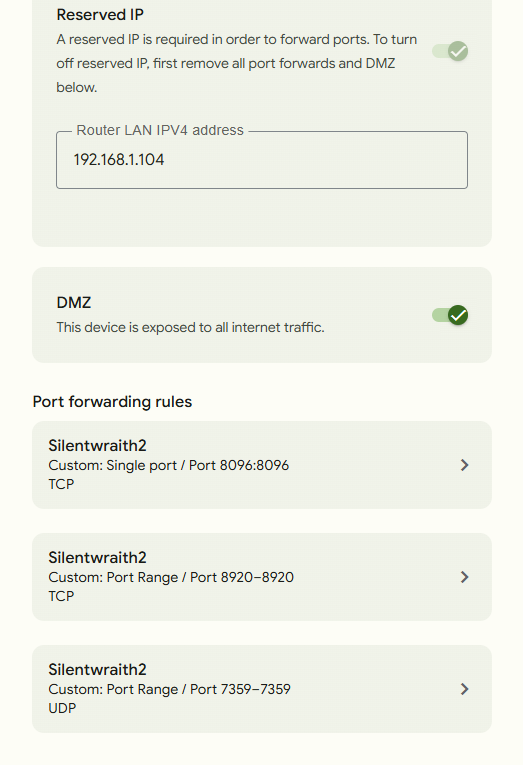
@LukeSorry for the delay. It's been a crazy few weeks. So somehow I was able to get the port open and have verified it using canyouseeme.org. I have no idea how. I did try using bridge mode on the router that google fiber provided. I connected it to my Netgear R9000 that I used previously. When I did that, I was able to connect remotely. And I don't even have port forwarding set up on the old router. The only issue is that the r9000 is a 1g speed router, and my google fiber plan is the 3g so I'm losing a lot of what I'm paying for. So I disabled bridge mode and went back to just my google fiber router. I also purchased a 2.5g network switch to see if I could run both routers from the connection coming from my modem, but neither would work at that point. So I went back to just the google router again. After all that I finally was able verify the port was open. But I was still unable to connect remotely. I've attached screenshots of my port forwarding on my router and my firewall settings.

-
literally just found this out. I thought i was logged in as admin.........im such an idiot. Thanks for hte quick reply.
-
Only Admins can see this information, i.e. those users who have this option enabled on their user profile: Have you confirmed this for the user you are using?

-
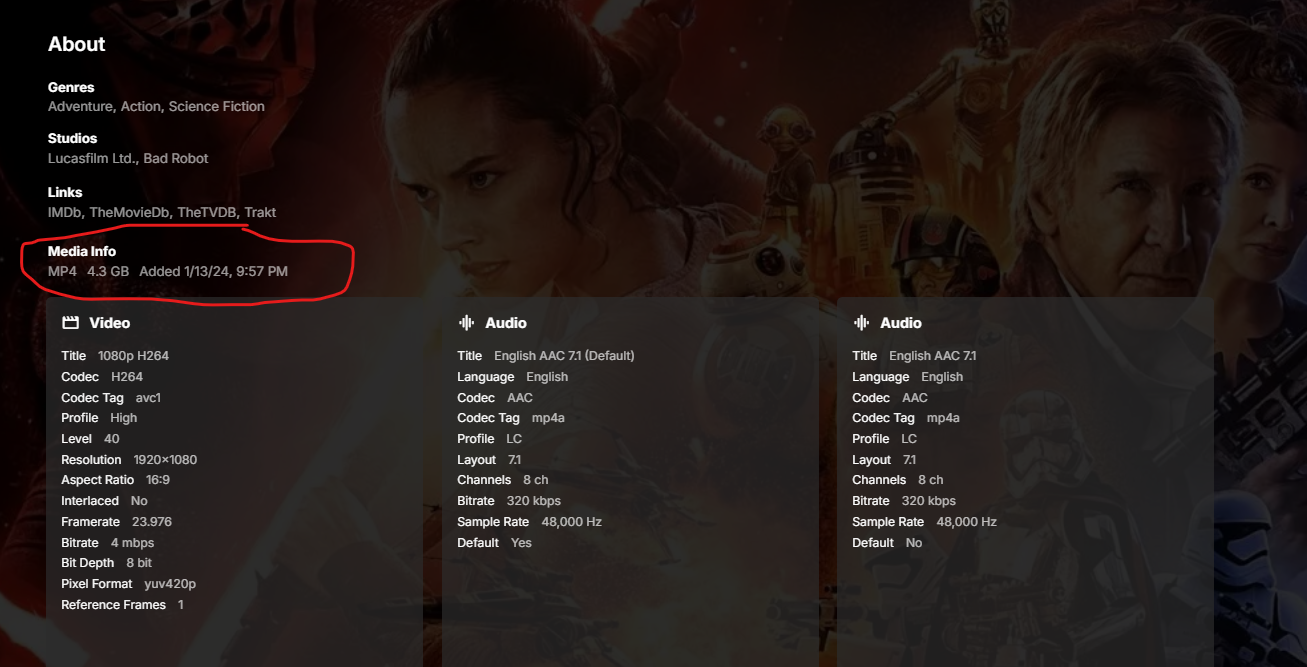
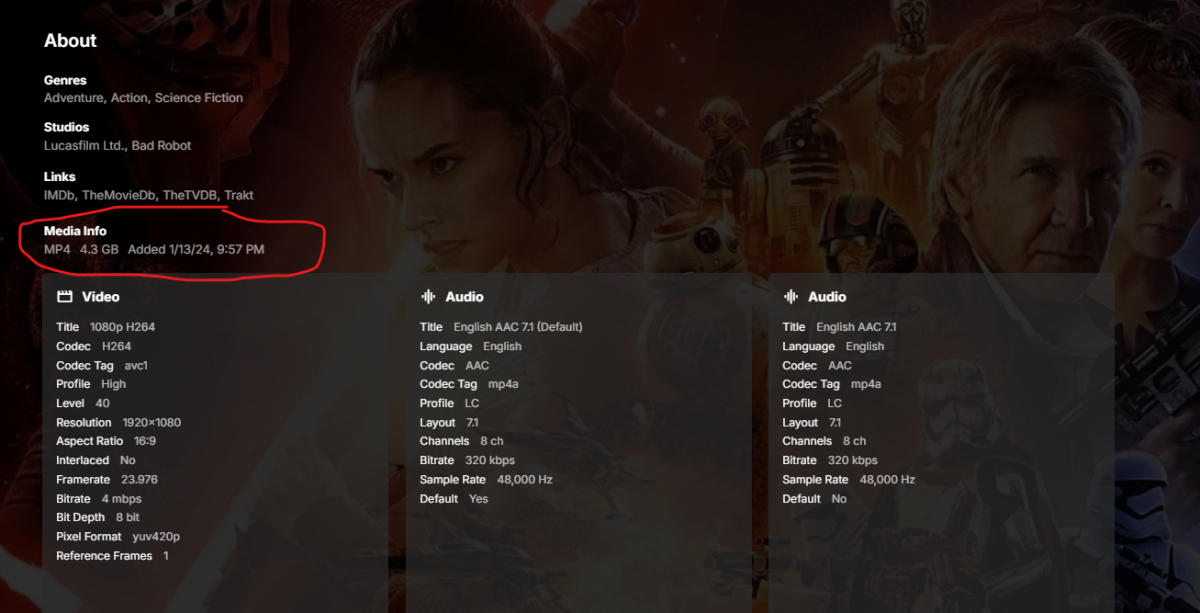
I recently upgraded to 4.10.0.12. The file name for each file no longer exists in the info area for hte movie. see below. is this by design or a mistake? i really liked having that there. sorry if this is posted elsewhere, i couldnt find this in any other topic.
-
Interactive streaming Beyond traditional media servers ?
Luke replied to abhaydevsupport's topic in Live TV
@Spaceboy may have some tips. -
OK we’ll have to look at this with strm. Thanks.
-
Would be nice to have in Roku like it is Google. It essentially brings you right to the guide by opening the last channel used automatically. A click up shows the guide from there.
-
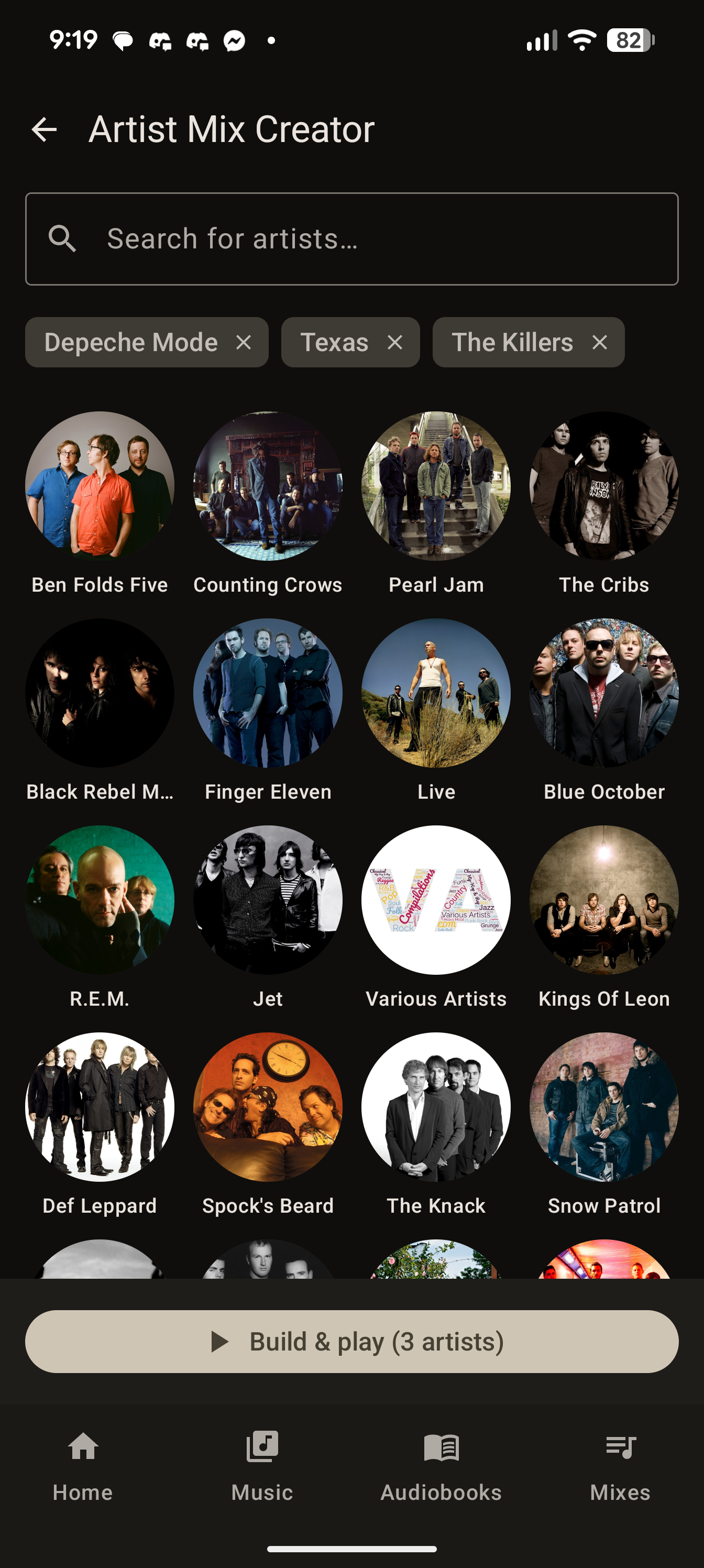
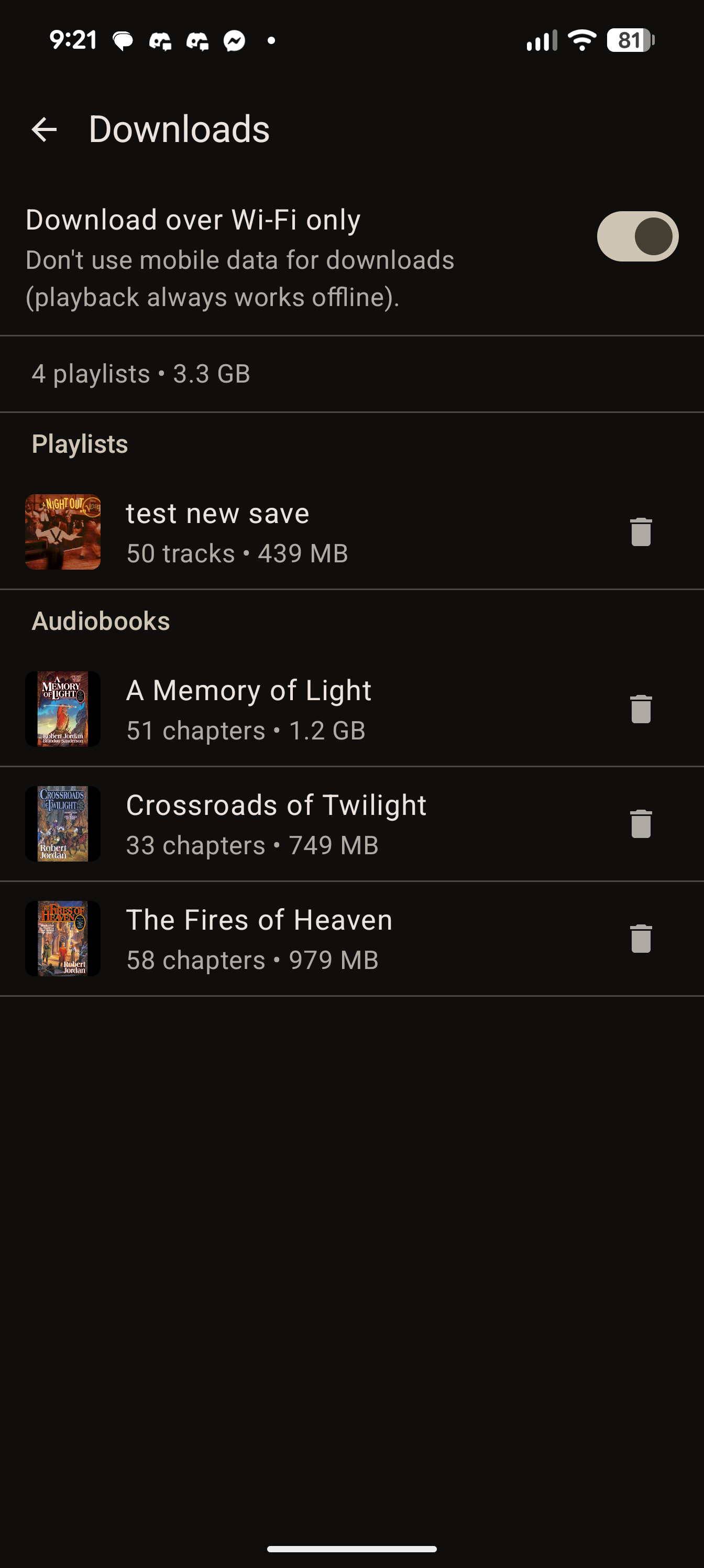
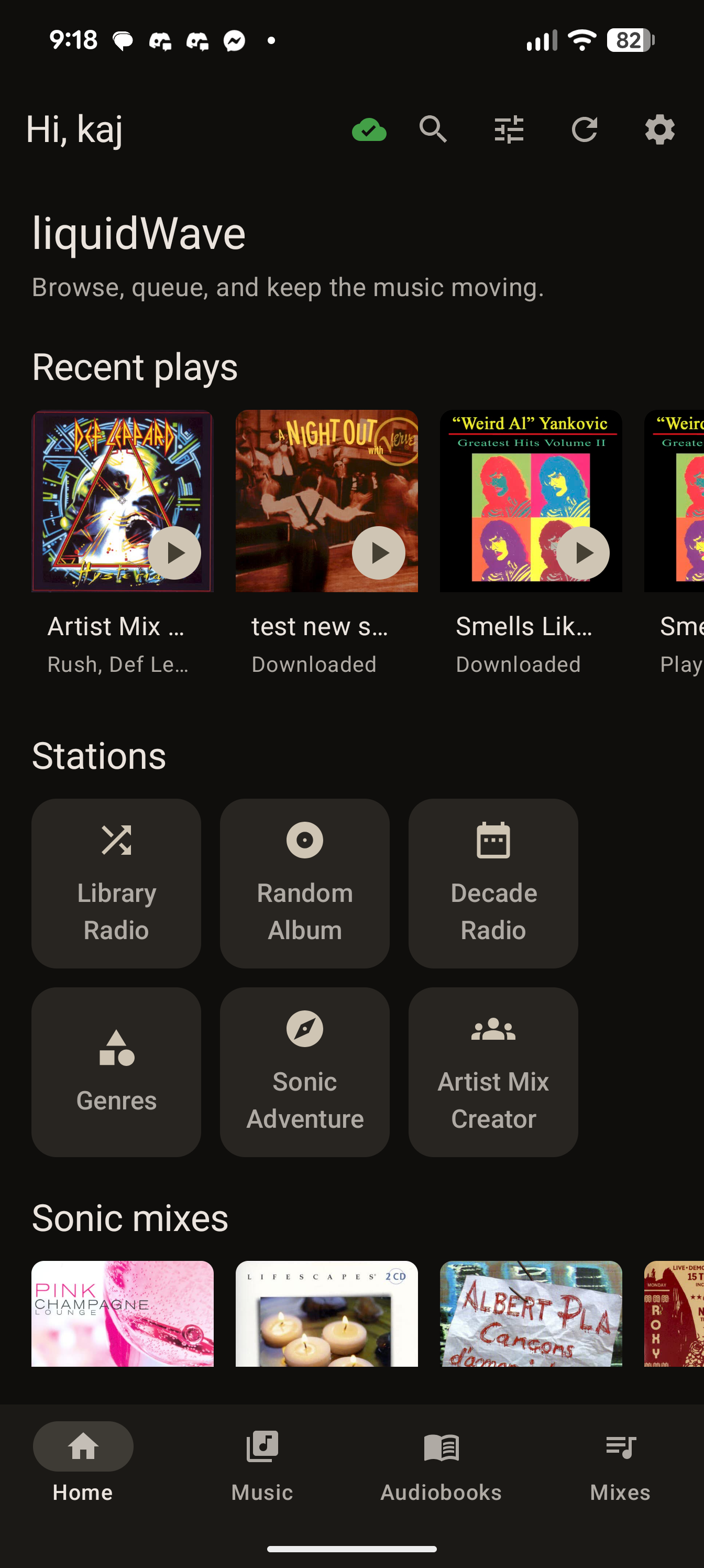
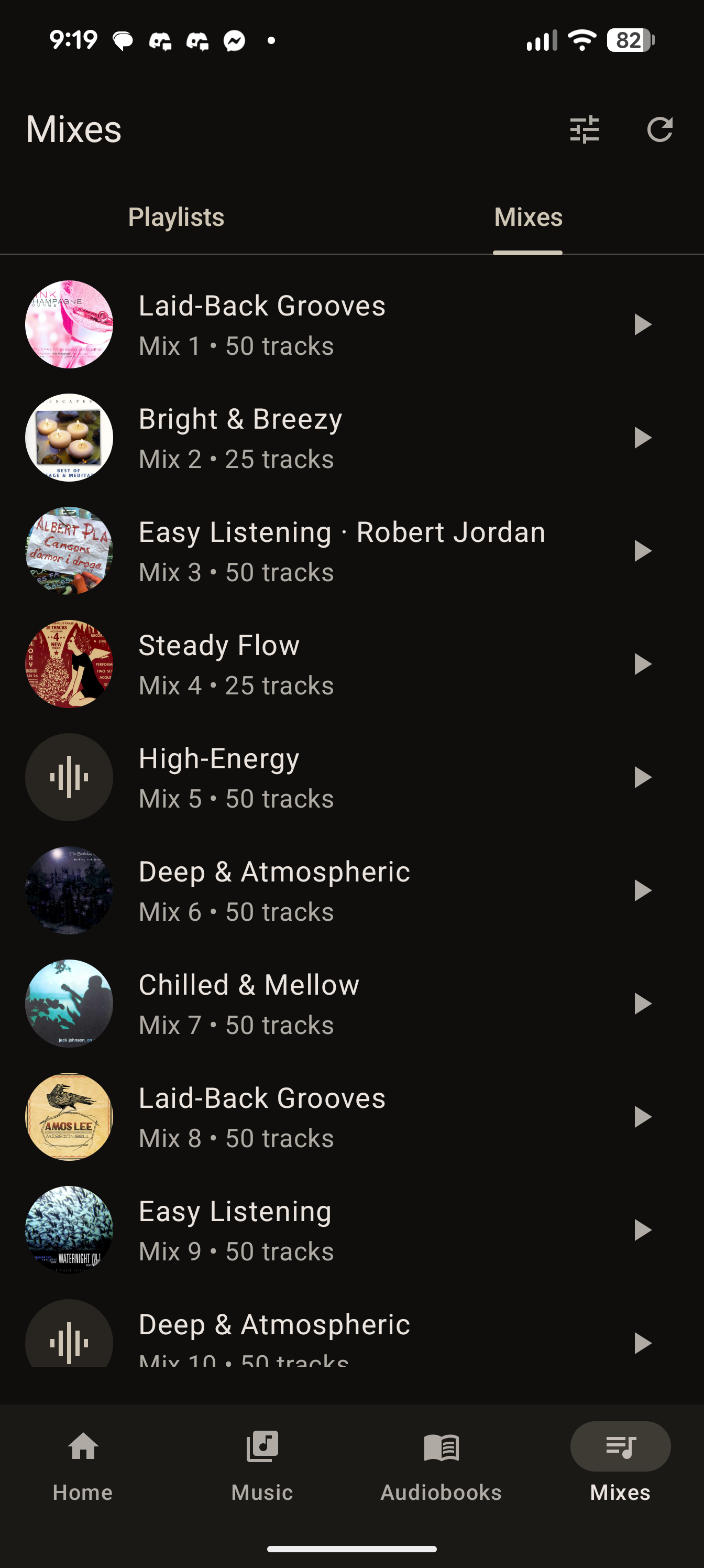
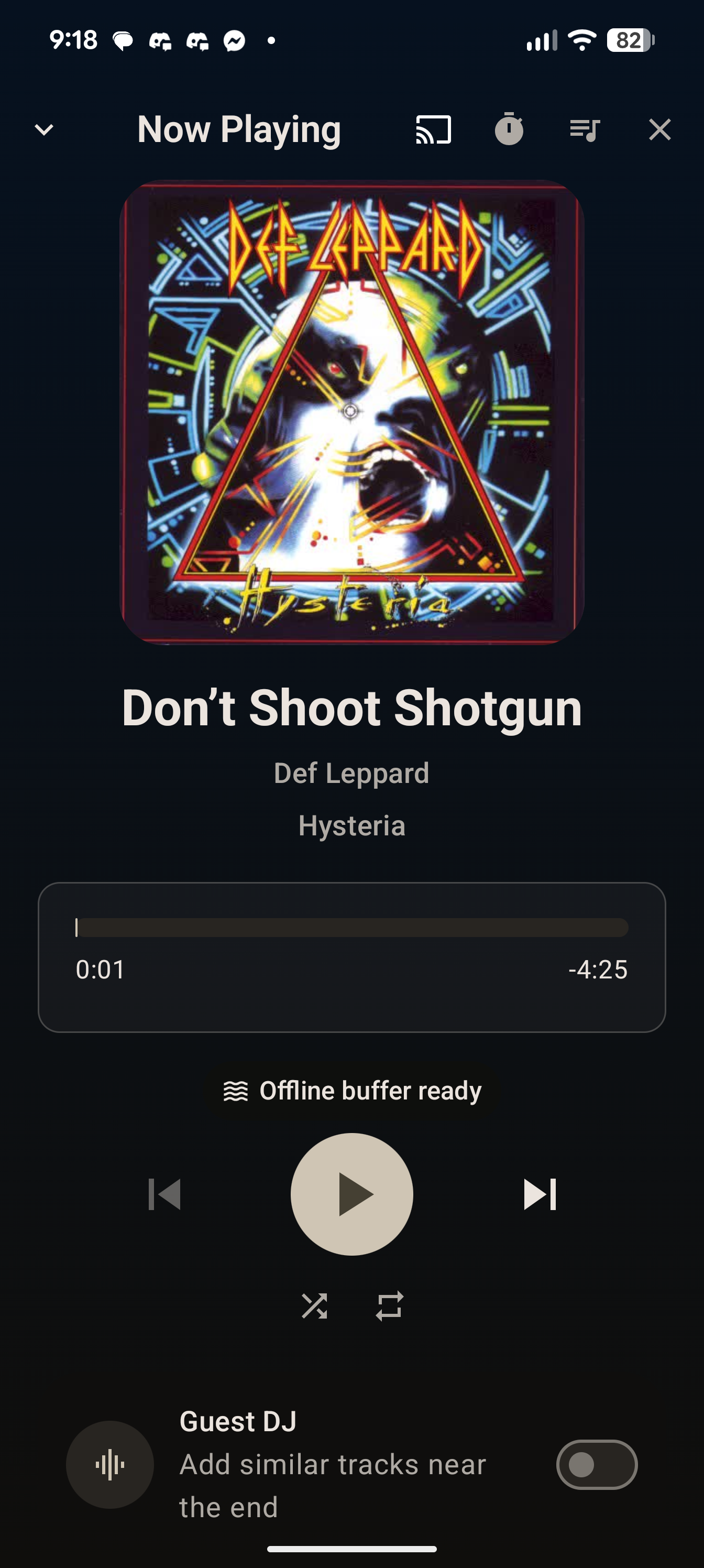
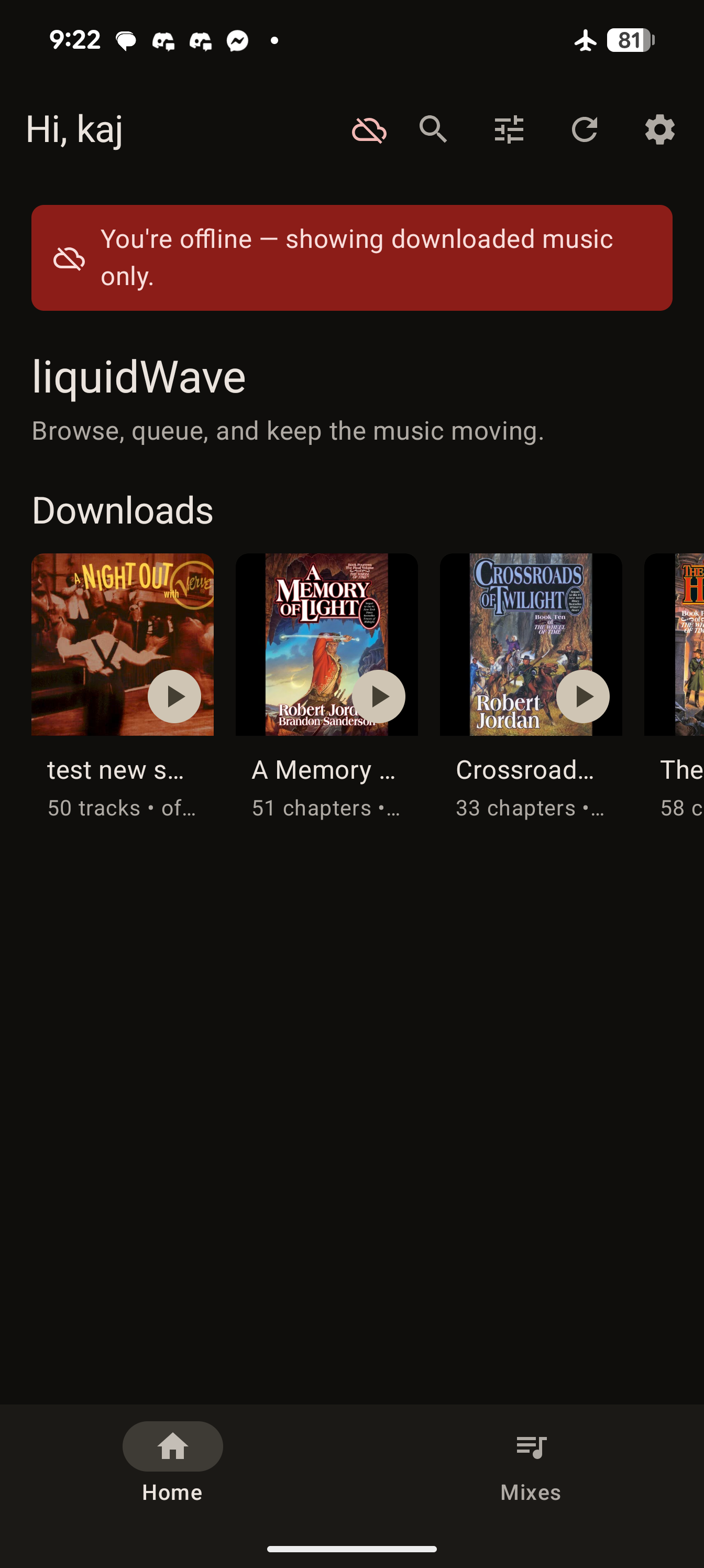
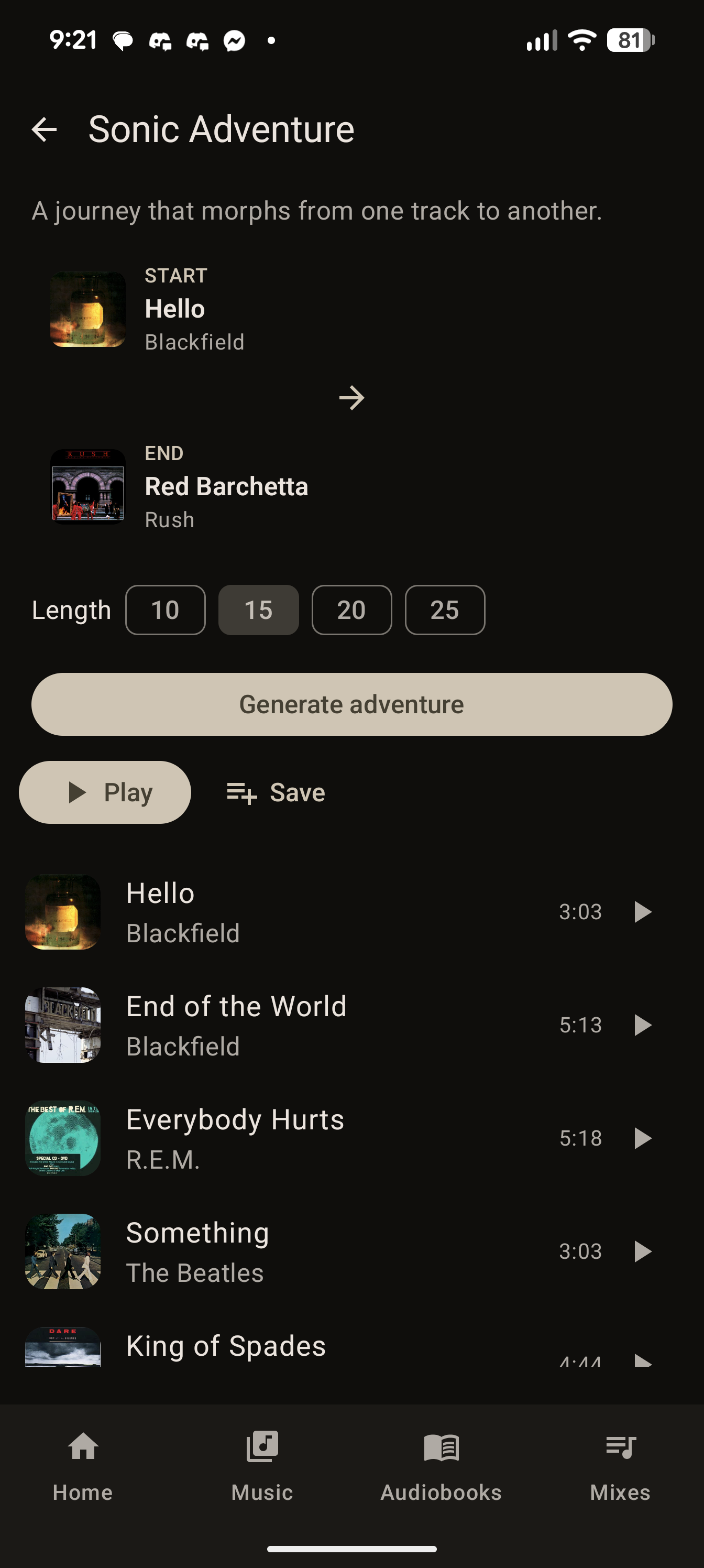
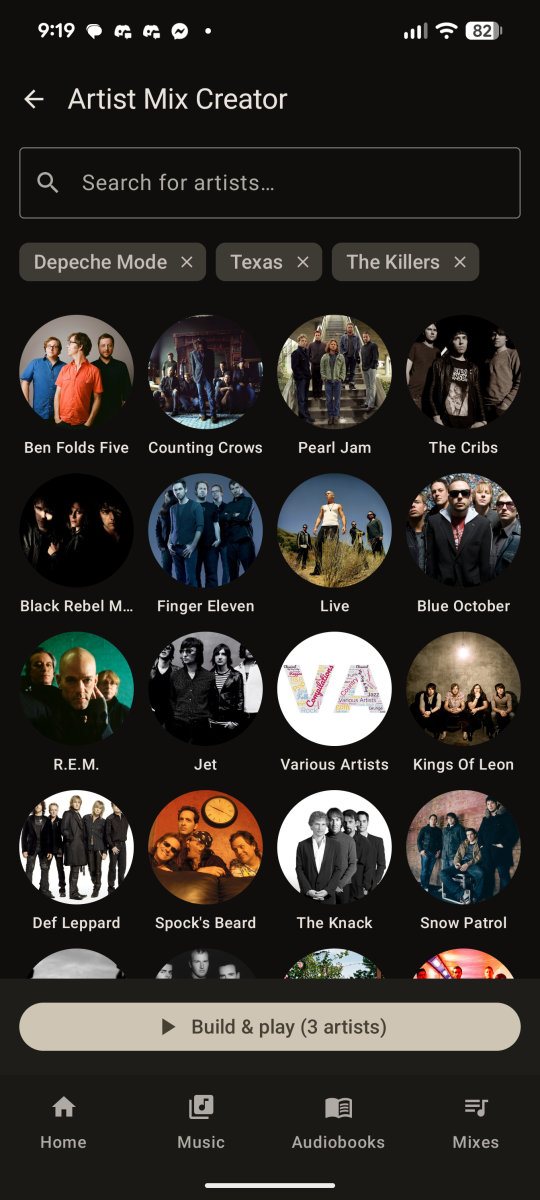
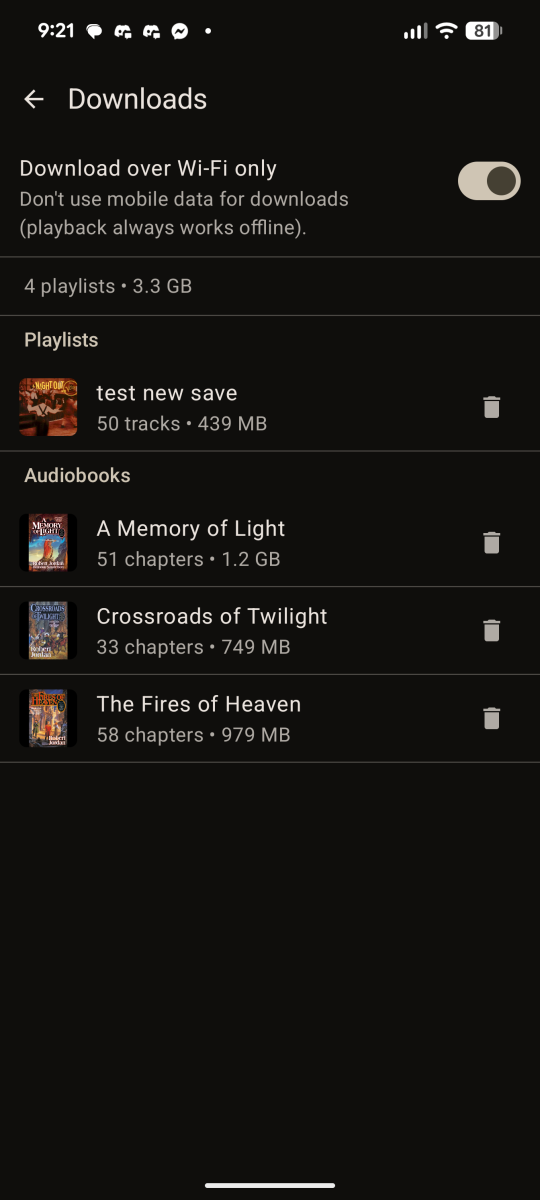
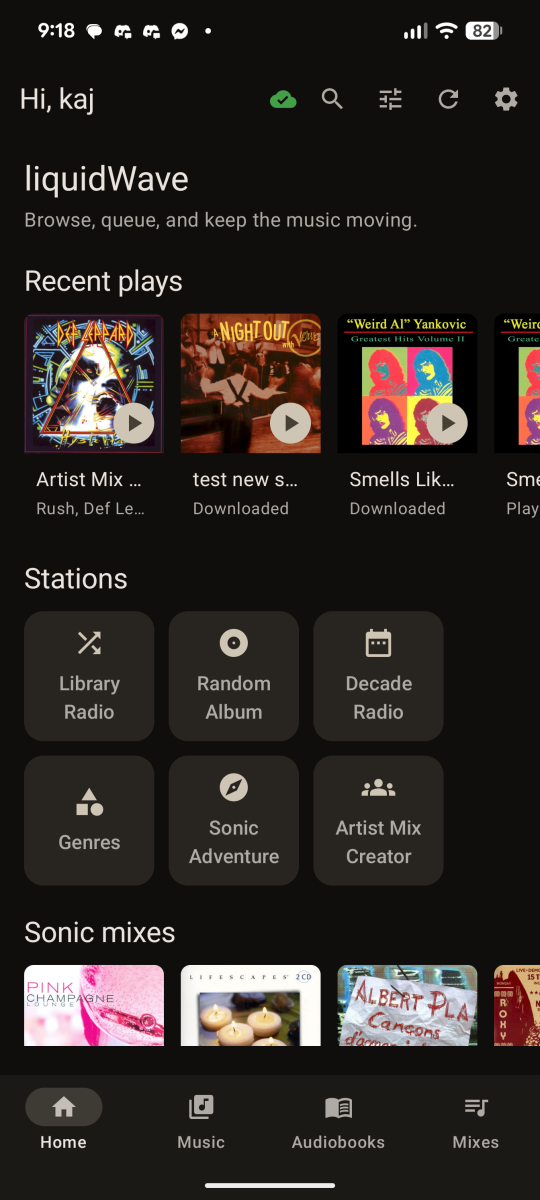
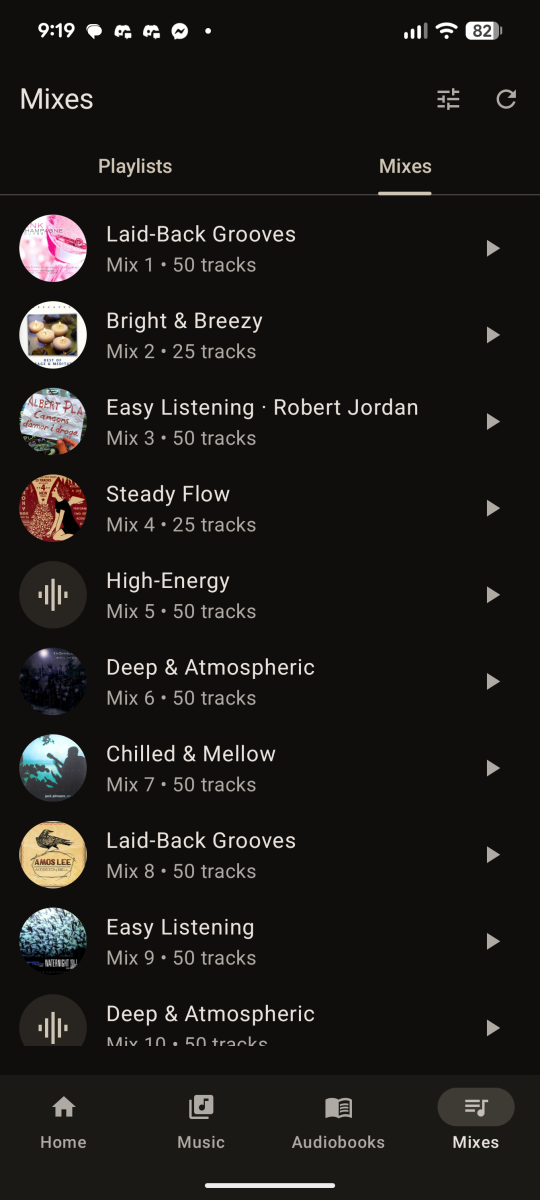
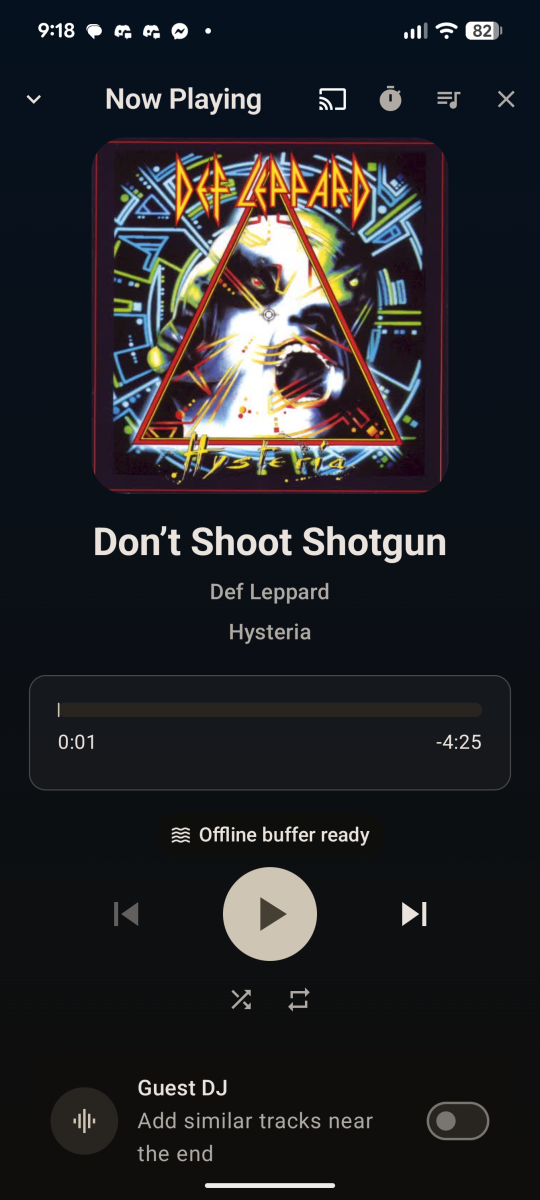
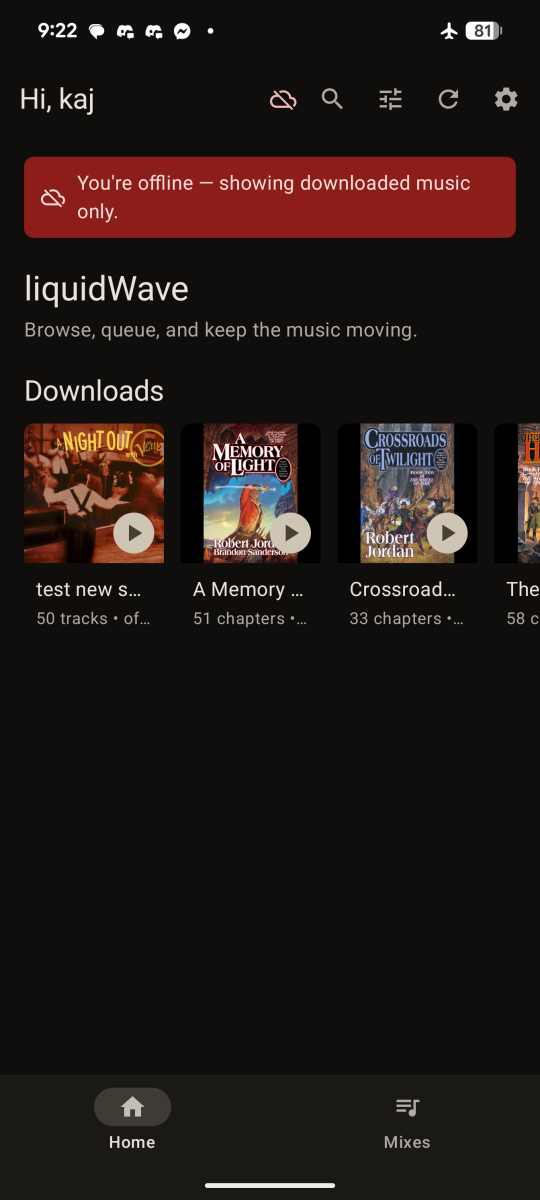
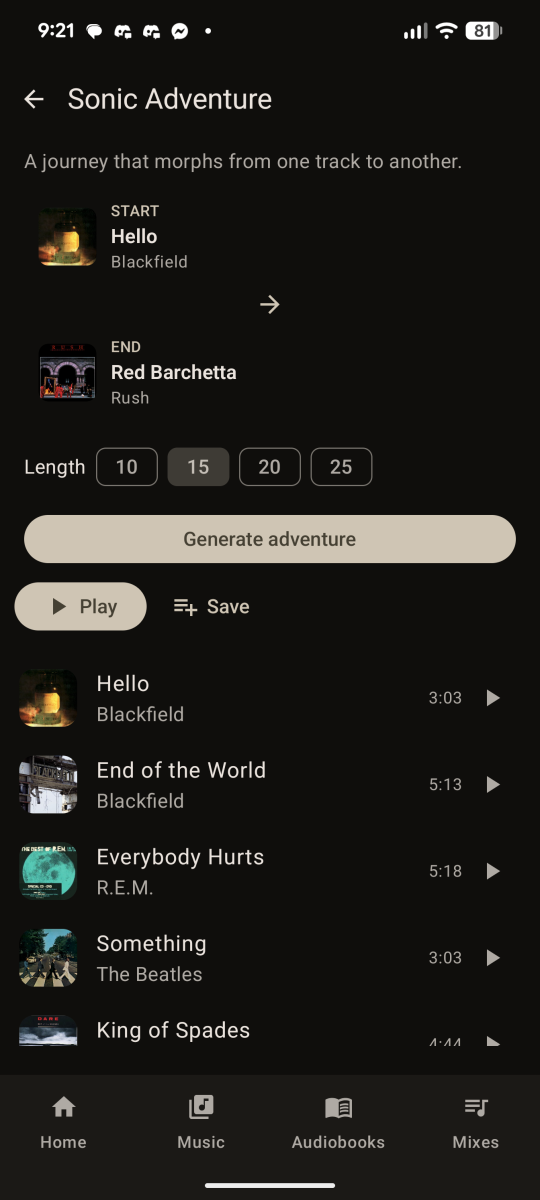
 TL;DR: I've been building a self-hosted system that adds Plexamp-style sonic analysis to an Emby music library — sonically similar tracks, track radio, "sonic adventures" between two songs, and auto-curated mixes — plus a companion Android app (liquidWave). It's fully self-hosted, nothing leaves your network, and I'm looking for a few testers who run Emby and don't mind a bit of setup. Why I built it I've always loved the Sonic Analysis feature in Plex/Plexamp. The problem is, I don't want to run Plex — I much prefer Emby for all of my other media — and there has never been an Emby solution for doing sonic analysis on the music in an Emby library. It's the one thing that kept pulling me back to Plex, and I didn't want it to. My music collection is old, big, and honestly not very well organised, and I'm lazy about fixing that. What I love about sonic analysis is that it lets me build listenable, automated playlists from a single starting point — a track, a mood, a vibe — without me having to tag and curate everything by hand. That's the whole reason I wanted this. So with the recent rise of AI tooling, it finally felt like the right time to actually attempt it. A note on how it was built I'll be upfront: I built this with heavy use of AI (Claude and Codex). I know a lot of people see "made with AI" and assume junk — but it genuinely isn't that easy. It takes a long time, and you essentially have to become a good project manager: guiding the AI, making the architecture calls, testing on real hardware, and dragging it back on track when it wanders. I've been working hard on this for a while. I built it for myself, from scratch, and deliberately didn't go looking at other apps — I just wanted to build in the features I actually use. One of those is audiobook support, because my wife loves audiobooks and that was important to her — so liquidWave also handles books (with durable resume) alongside music. What it does Sonically similar tracks / artists / albums — based on how the music sounds (neural audio analysis), not genre tags. Track Radio — an endless queue seeded from any track. Sonic Adventure — pick a start track and an end track, and it builds a journey that morphs from one to the other. Auto-curated Mixes — sonically consistent mixes built from your library; refresh any mix, or save it as a real playlist. Stations & Guest DJ — Library / Random Album / Decade radios, plus a Guest DJ that injects sonically matched tracks into your queue. Artist Mix Creator — pick an artist and the grid repopulates with sonically similar artists; keep adding the ones you want, then build a shuffled mix that spans the whole selection. A proper player — Media3/ExoPlayer, queue, shuffle/repeat, crossfade with an artwork cross-dissolve, an in-app equalizer, a Now Playing home-screen widget, Android Auto, and Google Cast to a Chromecast / Android TV / Shield. Offline buffer — the next few tracks in your queue are silently pre-cached in the background, so brief Wi-Fi blips don't interrupt playback. No manual download needed; you'll see "Offline buffer ready" in Now Playing when it's topped up. Audiobooks — browse by book/author, durable resume, speed control. Offline downloads — download any playlist or a whole audiobook (the original source files, no transcode) to your phone and browse + play it with no connection at all — on a plane, underground, wherever. Downloads get their own row on Home (with cover art) and a badge in your Playlists; an online/offline indicator shows the connection state; downloads are Wi-Fi-only by default. Audiobooks keep durable resume even fully offline, and your position syncs back to Emby the moment you reconnect. Managed under Settings → Downloads (Playlists and Audiobooks), with a one-tap "remove download" that leaves the item itself untouched. Themeable — follows your system dark/light theme automatically. Search across music, audiobooks, or everything. You can try it as a plain Emby player first Worth knowing: the sonic backend is optional. The app on its own is a fully working Emby music + audiobook player — you can install it, skip the coordinator entirely, and have a usable player straight away. Browse, full playback (queue, shuffle/repeat, crossfade, EQ, mini player, the Now Playing widget, Cast), audiobook resume + speed, Emby playlists, Recent Plays, offline playlist downloads, search, and the metadata Stations all work with nothing but your Emby server — and a downloaded playlist then plays with no server at all. The sonic features — Mixes, Track Radio, Similar, Sonic Adventure, Guest DJ, and the Artist Mix Creator — are what the backend adds on top. Without it they just stay empty; the app degrades gracefully rather than breaking. So you can get the player running on day one and stand up the analysis side at your leisure. Self-hosted and private — by design This is built privacy-first. It's your music, your server, your network. It's completely non-destructive. Your music and audiobook files are never changed, re-tagged, moved, or deleted — the analysis only ever reads (streams) your audio, and stores its results in its own separate database. The only things it ever writes are the normal playback state any Emby app writes (play counts / resume position), and a playlist only if you explicitly choose to save a mix. Everything runs on your own hardware — there's no account, no cloud service, no analytics, and no telemetry. Nothing about your library or listening is sent to me or anyone else. The audio analysis happens locally. The similarity index lives in a small file on your own machine and never leaves it. The only outbound connection the system makes is a one-time download of the neural model (~327 MB) on first run — after that the analysis stack can run fully air-gapped. It's designed to live inside your LAN (behind your VPN if you want remote access, exactly like you'd treat Emby itself). I'll be clear in the docs about not exposing it to the public internet. It runs on whatever you've got This was honestly one of the hardest parts to get right, so I'm a bit proud of it. The system is split into a tiny coordinator (runs anywhere — Windows, Linux, macOS, or a Docker container on an ARM NAS) and a separate worker that does the heavy analysis on whatever box has spare power. A GPU makes it faster but is not required — CPU works, it just takes longer. Your setup Coordinator Worker NAS (Synology/QNAP/ARM) runs Emby Docker on the NAS Your desktop/gaming PC One Windows box does everything On that box Same box (CPU or GPU) Linux server + a separate GPU rig On the server On the GPU box No GPU anywhere Either Any box, CPU-only — just slower To give you a real-world reference point: my own setup is Emby on an Intel N100 mini PC, music on a Synology NAS, and a gaming PC with an RTX 4070 Super as the worker. My library is around 25,000 tracks and the initial analysis took roughly 7 hours overnight — it would have taken days, maybe a week, running on the N100 alone, which is exactly why I designed it so the heavy work can be handed off to a separate machine. After that it's incremental — new imports are picked up automatically and done in the background. If you're running CPU-only or have a smaller library it'll scale accordingly; the benchmarks in the quickstart give per-track timings for both. You should never have to compile a native dependency — the painful cross-platform bits (PyTorch builds, optional Essentia, the model download) are handled by the defaults and Docker images. The honest state of it It's a private beta, and I want to be straight about that: Android only for now (iOS is a much later maybe). The first library analysis is a one-time slow job — roughly 10–15 s/track on a GPU, 20–30 s CPU-only. A few thousand tracks is an overnight run; after that it's automatic as you add music. A couple of known rough edges I'm still working on (e.g. on-device token encryption). The app is a debug build for now (installs fine by sideloading). It's running on my own gear, use it at home, casting, listening on my motorbike... every day and is genuinely usable — but you'll be early. Interested in testing? Before you put your hand up, have a read of the tester quickstart — it covers exactly what you'll need to stand up (coordinator + plugin + worker + Android app) and how long it takes. It's not a one-click install, but it's not deep either. You're a good fit if you run Emby, can install a plugin and restart your server, and don't mind following a checklist. A GPU helps with the initial library analysis but isn't required. If that looks manageable and you want in, reply to this post or send me a DM with a rough picture of your setup — Emby host OS, whether you have a GPU, and roughly how big your library is. I'll send you the files and repo access directly. I'm keeping this small to start so I can actually act on the feedback. Thanks for reading — this has been a real labour of love. Please try to refrain from criticism that it's built with AI... without AI this wouldn't exist Happy to answer any questions.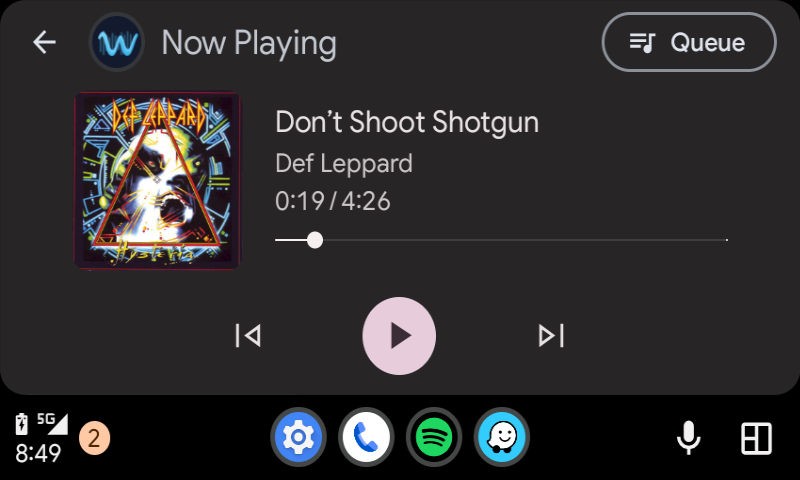
-
- 1
-

-
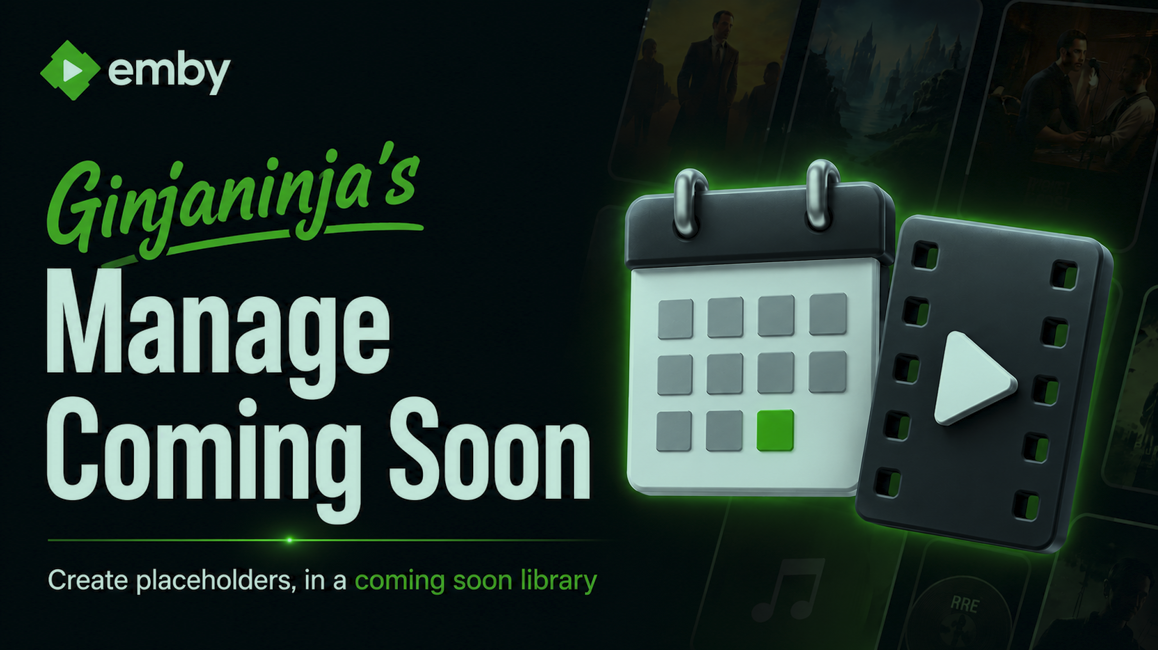
Purpose and Function [Add Movie] To speed up the creation of Coming soon movie placeholders (With Coming Soon Tag), so users can see what is coming soon. [Make Live] To speed up moving placeholder to live state (Library Change / Coming Soon Tag Removal / Maintain Metadata and ID across move) Folder names are normalised to TMDB matches (To help Emby match them correctly) Simple placeholder video included, option to choose your own. Very niche, might just be a me thing. Learning new UI model Getting Started Register for TMDB API Key and add to config Create Emby API Key and add to config (Plugin uses rest /refresh endpoint to direct immediate refreshes) Specify your library for coming soon placeholders and library for when gone live. Disclaimers Vibe coded with Claude, backup database before 1st use until tested, use dummy libraries/paths during testing, only limited short term testing on beta server so far. This plugin has file system delete commands targeted at coming soon movies. Download 0.0.0.3Emby.ManageComingSoon.dll 0.0.0.2Emby.ManageComingSoon.dll Changes 0.0.0.3 Configuration UI Improvements Known Issues Roadmap Write TMDB match to NFO to force correct detection
-
efectivamente en local funciono bien ojala mas adelante puedan incluir para que funcione con los strm saludos y gracias
- Yesterday
-
It's the "Refresh Internet Channels" task
-
These can be found here: https://github.com/EmbySupport/Emby.WMC.UI/releases