All Activity
- Past hour
-
 Jorge31 joined the community
 -
No rush, enjoy your vacation, you'll eventually get around to it after. Have a cold one for me as well.
-
 123Renato joined the community
 -
 azu777 joined the community
 -
Oh, woops.. well that's what you get when I'm on vacation Will look into it asap and see what can be done.
-
 xincao1 joined the community
 -
 BenAdminUser joined the community
 -
 T11815YN joined the community
 -
 nadine82 joined the community
 -
 jagos1110 joined the community
 -
 narq2u joined the community
 -
 alexariza joined the community
 -
Erm... yes. Maybe it was my wording that was ambiguous, being a non-native English speaker yourself, you know how often something in your head sounds different then when put in English. Anyway, I hought you'd read the topic from the start as it's just a few posts: basically, intention was to just include an option for subs along with other metadata/images to be extracted from db/server metadata folder, literally same workflow, in the same direction: from server metadata folder to either media folders or custom folder, as subs behave exactly like images: if not explicitly opted-in to save them alongside media they get saved in server metadata folder with no (easy) venues to extract/move them afterwards. From OP:
-
All i added was an option that copies/moves the subtitle files from the library that the videos are in to a user custom chosen library. So if: TV series/Blackadder/Blackadder S01E03.srt Copy/move to user chosen library along side the other metadata. Works with all external subtitle formats.. That i know of. Have i misunderstood what was wanted?
-
No problem, please return to the stable version if that was the problem as the beta was just some VERY quick code i threw in to test with. Nice to hear it works for you now again, enjoy!! Also thanks for your patience.
-
I'll be damned, it was the API key after all!! Weird how it just disappeared. Thank you for all your help. AGAIN. Haha
-

Support full regional language tags like es-419 in media stream information
crusher11 replied to AngelSing's topic in Feature Requests
It's an ffprobe problem: I'm confused as to why you think this given you've already established, in the other thread, what the issue is. -
And if you named them correctly, each version would be selectable by name in the dropdown.
-
That's strange because I signed up for a API key. I'll add it back and try your suggestions.
-
@JsinFateI connected the TV series ratings to the same fallback that movies use. I also noticed in your settings that no MDBlist API key is configured. Try the latest beta in the catalog (v5.54.5) and see if that fixes the problem. After install you might have to change the corner location of some random icon to have the cache cleared and the icons redrawn.
-
Yes, I was able to get tvdb to appear by messing with priority settings and completely refreshing all TV metadata.
-
Can see the tvdb rating is working now. I will go through the log and settings to see what i can find.
- Today
-
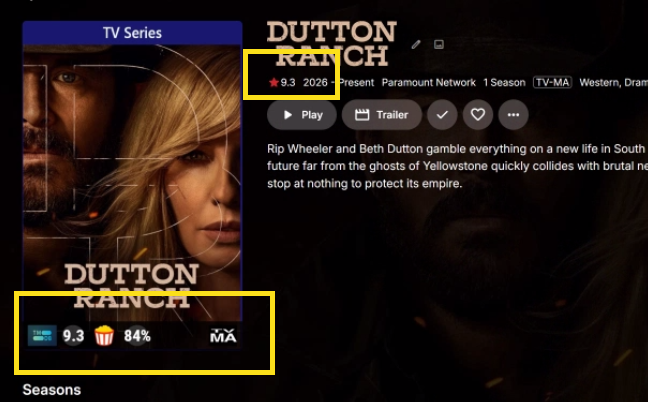
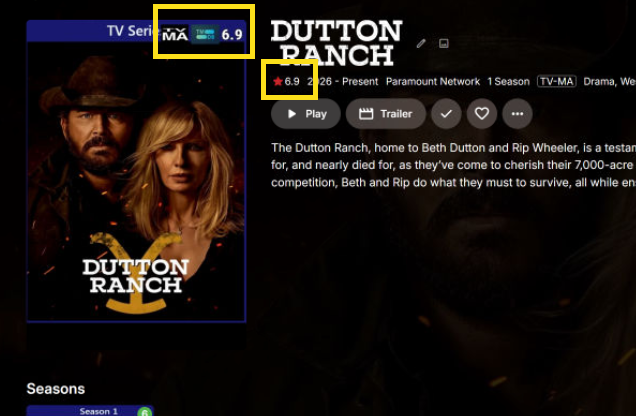
I changed the placement on TV shows to the top right corner. Restarted Emby. Same results. Attaching server log, embyicons configuration file and 2 screen shots comparing the same TV show. One from my PC the other form the NAS / public facing Emby. Personal Emby on PC: Emby installed on NAS for Website: embyserver.txt embyicons.xml
-
Upon re-reading this, I'm not 100% sure of the workflow or what it actually does. Care to shed some more light? Thanks.
-

Android application cannot playback audiostream (DTS-HD MA Stereo in *.mkv)
voodoo5_6k replied to voodoo5_6k's topic in General/Windows
OK, that's understood. But transcoding in that case would've only hidden the error. That's not what I'm looking for. Everything on my server should work with direct-play, there shouldn't be any transcoding. The audio sink is DTS-HD MA capable, as it plays all other DTS-HD MA tracks. That sort of points to a) the file and/or b) the player. I'll re-do the file to exclude that. -
Okay, i understand now, sorry about the misunderstanding. Please follow these steps. Reset the Emby server, go into EmbyIcons settings, change the icon placement of some icon (doesn't matter witch one). Go to the library that you have problems with and then send me the Emby log. It would help a great deal if you also send the EmbyIcons settings file. That should give me a good start at where to look for the fault. Edit: Forgot to say to enable debug log in both Emby and EmbyIcons.
-
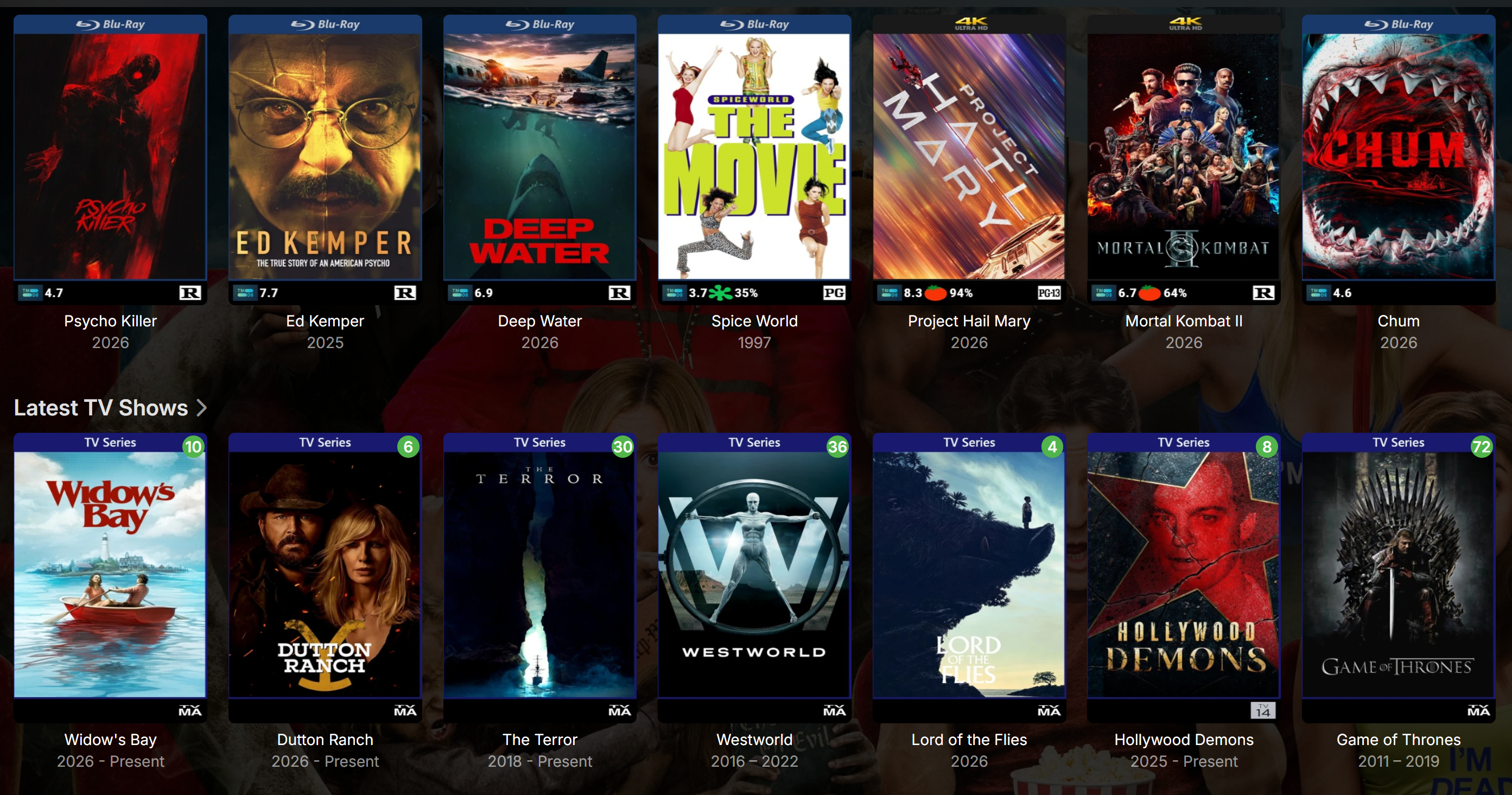
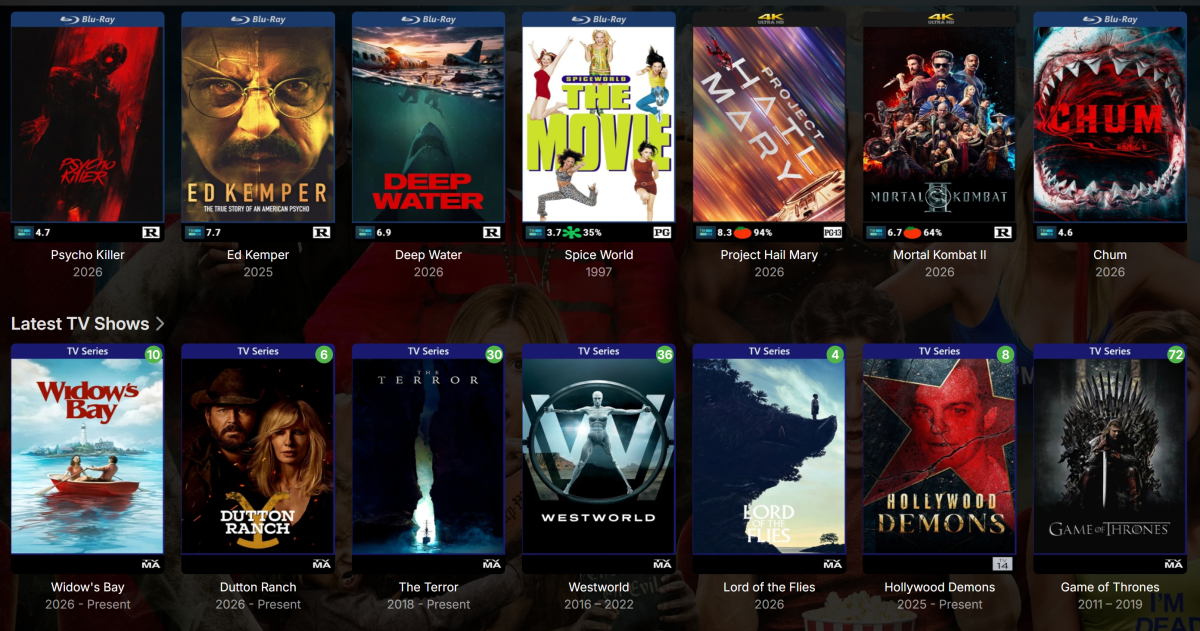
For the TV shows, only the Parental Ratings are showing. Community ratings like imdb, rotten tomatos and tvdb do not show up on my server but the same shows are working properly on my personal PC Emby.
-
@JsinFate Actually looking at your screenshot i think i see a possible problem. Theres no tvdb ratings shown for TV shows, you say they work though. More importantly ratings from mdblists.com are not shown for either movies or TV shows indicating you might have forgotten or entered the wrong API key in the settings. Please check if that is the case.
-
Okay, sorry i misunderstood it as no ratings icons were shown at all. Please follow these steps. Reset the Emby server, go into EmbyIcons settings, change the icon placement of some icon (doesn't matter witch one). Go to the library that you have problems with and then send me the Emby log. It would help a great deal if you also send the EmbyIcons settings file.
-
 mcortt changed their profile photo
 -

About the issue of Emby client's homepage dynamic images on Apple TV
17732 replied to 17732's topic in Apple TV
Title: Animated library section images only show the first frame on Apple TV and Android TV Hello, I am using animated 300×150 images for library sections on the Emby home screen. I tested the same library image across multiple Emby clients: Emby Web: animation plays correctly Emby for Windows: animation plays correctly Emby for macOS: animation plays correctly Emby for Android Mobile: animation plays correctly Emby for iPhone/iPad: animation plays correctly Emby for Apple TV: only a static image is displayed Emby for Android TV: only a static image is displayed I also tested the same image using Fileball on Apple TV connected to the same Emby server, and the animation plays correctly there. To verify this, I created a test image with a unique first frame. On Apple TV and Android TV, only that first frame is shown, while other Emby clients display the full animation. This suggests that the server is delivering the image correctly, but TV clients may only be displaying a static frame. Is this the expected behavior, or could support for animated library section images be considered for Apple TV and Android TV clients in the future? Thank you. 521.mov -
Yes. On the show page like in your screen shot and on the bottom of the poster.
-
Does that rating appear in the spot shown here?
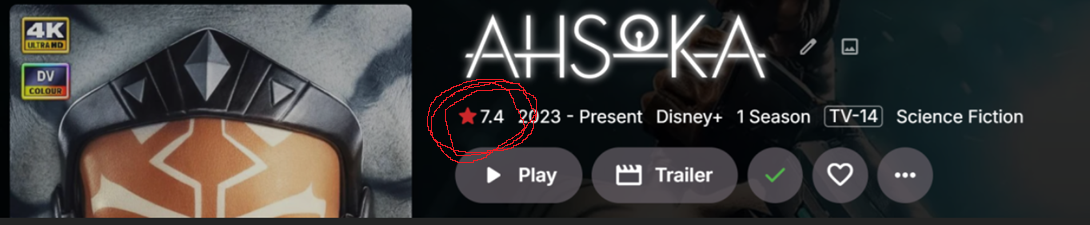
-
He's on a Roku... We'll take a look at it. Thanks.
-
Thanks for the tests. I believe some of the requests must be timing out and the app is not handling that well.
-
Yes, the parental ratings are working and after changing priority order and doing a full and complete metadata refresh I can only get the TVDB rating to appear on the bottom and now on the TV show page. But none of the others are working and I know they exist because these are popular shows. EDIT: And like I said, all community ratings and parental ratings are working on my personal PC for the exact same shows and movies that are missing on my public facing Emby.