All Activity
- Past hour
-
Plex can get round some problems by routing all your traffic through their servers; Emby leaves you your privacy. It's not a level comparison. Can you confirm (the tests are in the documents you claim to have gone through) that you are not behind cgNAT? The situation with Three is that only some of their masts support turning it off - their older masts still require cgNAT. Paul
-
 Lily067 joined the community
 -
IP addresses match the addresses shown in the Emby dashboard (192.168.0.103) I'm not sure what you expect me to say about which steps succeed and which do not. I've completed each step in the guidance / troubleshooting, and I still can't access Emby outside my home network. My ISP is Three, using a 5G Fixed Wireless Access router (no landline). As an experiment, I installed Plex Server on my NAS and Plexamp on my android phone, and it worked outside my home network without any additional configuration, so I don't understand why Emby won't work.
-
 Robin2703 joined the community
 -
 Sannath joined the community
 -
 mc3858 joined the community
 -

4K HEVC shows as 1080p, think I can't find any setup to fix?
PeteGul replied to PeteGul's topic in Android
Back to auto it goes, was just an test also. Normal is auto No transcode is happening. Never on local play anyhow. -
 mc858 joined the community
 -
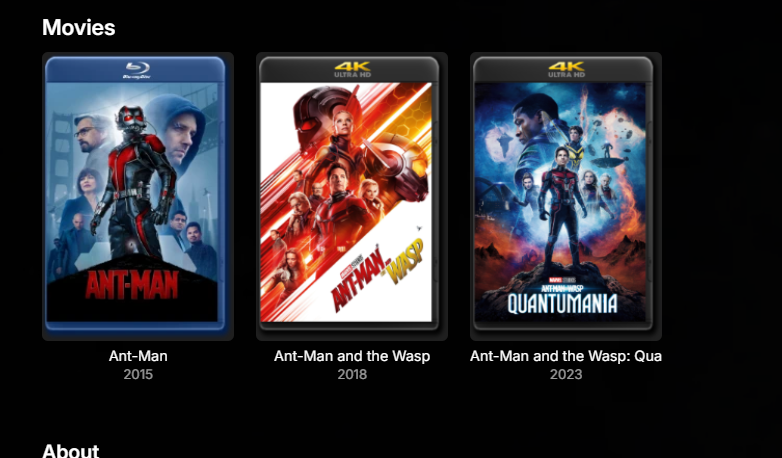
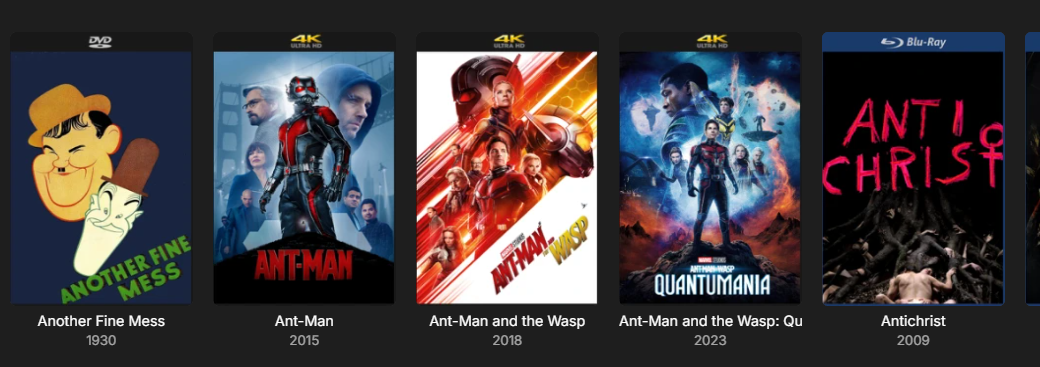
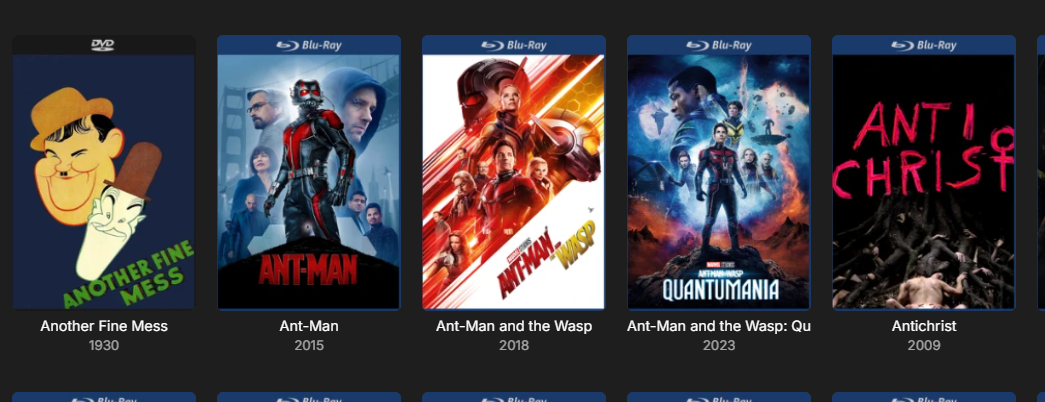
I have 4K and HD mixed library and revoke access to the 4K folder for HD only users. The issue is when merged I want the 4K version to be "on top" so to speak so it shows that one. However if the HD version is scanned into the library first, when merge it shows the HD (Bluray) - This is the same for without CoverArt too, if HD and 4K posters are different and HD version is scanned first, when merging the HD poster will be shown. Now once my new 4K version appears in the library, I run the script.. The rename to the HD file triggers a re-scan for Emby, which then means the 4K version was scanned in first, so then when merged the 4K treatment is shown. Image for example.. Because at some point I re-encoded Ant-Man 2+3 HD version, it meant the 4K was older so in turn the 4K was "primary" but for Ant-Man 1 I hadn't re-encoded so the HD was older and "primary" Second image after script run. 4K is primary and now CoverArt shows 4K as intended. Then on HD only users, they see the HD Bluray. So I know exactly which films I have in 4K and which are HD.
-
I am sorry for my late (again) reply. I attached the log file. Please note that I cut it down to the relevant parts and censored all IDs. I am happy to sent you the unedited log if needed per mail or DM, but I am not comfortable posting it publicly on a forum. embyserver.txt
-
 Calilevrai joined the community
 -
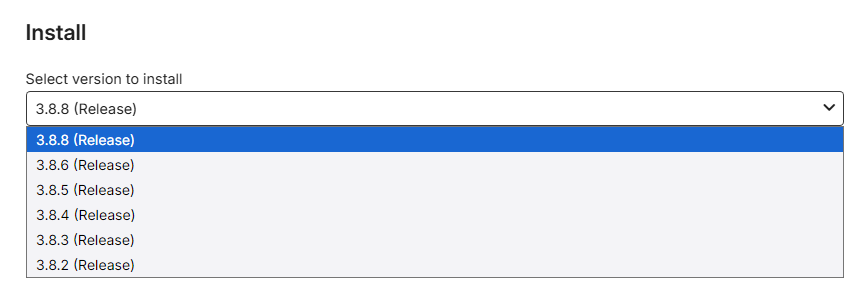
Hi. In my case, the latest trakt plug-in stable version which appears is 3.8.8.0. I do not see the 3.8.10. I am running Emby Version 4.8.8.0 since I have some compatibility issues with my NAS. Could the new plug-in version be adapted to run with this Emby version? Thanks!
-
 Floristers91 joined the community
 -
 wo1127 joined the community
 -
 klienyamlia joined the community
 -
If you decide to go the nzbDav way you need to have maybe 2 indexers, my setup I use a few more than that but you can use this plugin with it and it works great. nzbDav.mp4
-
 SandorVeen4 joined the community
 - Today
-
I love this plugin, I tested it on torr server matrix, nzbdav, local m3u made from a shared folder, external shared folder apache server. Just a bunch a stuff and it worked on everything I threw at it so yeah it's a great plug I love it and use it myself.
-
4K HEVC shows as 1080p, think I can't find any setup to fix?
PeteGul replied to PeteGul's topic in Android
Used Kodi for many years, and for me it just got to cluttered. I use it much outside my house, so me and the wife like thinks to look the same regardless of where we watch things, and Emby is good at this. But yes, Kodi is good for video and audio. VLC also, but I want the sync if played not played, where we cut of the play. Then VLC is not the king. This is my first "big" problem with Emby app, and it seems it is possible to work out fast for the Emby team. Even if we know "simple" fixes can take to much time. Hope it work out quickly -
You can also use .strm files and load them into emby it works good and you can load as big a list as you want, 150K movies will load into emby fine lol. You can set it up to refresh your server for every 5 hours or whatever you want it will scan your .strm server that you can host on your pc the same one emby server is on when new content is added it will auto load a .strm to emby. Just make an apache server and set emby to use it as a folder and it will auto update just like if you added a movie.
-
I´ve reviewed my collection and i´ve around 45 titles in vc1 format that i´ll convert to h265 to avoid issues and save save. Thank you for your support and patiente.
-
To get a full tv guide using emby is the only / best way to go, other methods will take days so yeah emby is #1 IMO
-
Some services that sell tv using mac addresses with your ip address they work so good it never glitches but they don't give you a username or a password they just ask you for your ip addy and mac address from your mag box. The thing is in order to add that service to emby which needs an m3u you need to be crafty to make it work and since some of the real good stuff has no m3u and you can't install vlc player on mag boxes because of it being a closed linux OS you need to jump through hoops. The hoop is using tivimate which I'm not a fan of however on android tv or firestick you can install vlc player and set tivimate to open using external player. So I add in the url and mac then after playing a channel I look in vlc player for last links played and grab the link. I tried with emby it works great loads instant but time consuming making a channel list takes hours and it's all manual and sucks but works. I need to do like so #EXTM3U #EXTINF:-1, A&E http://link here to channel #EXTINF:-1, AMC http:// link here to channel works but horrible takes hours and is why I like to see this added in emby to add tv with mac etc instead of needing mag boxes.
-

Atrium — a native tvOS app for your Emby server
Uncle_Frank replied to vdatanet's topic in Third Party Apps
Attah boy, keep up the good work M8 -

TV Show Status — TMDB-powered Returning/Ended/Cancelled badges for series
STR8 replied to Blueskies278's topic in Plugins
Thank you working perfectly -
I could just do it the old fashion way I suppose even though I'm no fan of TVH or running stalker portal homemade proxy servers to get tv going on Emby just to get a full epg guide but I will, why not. Uncle Frank.mp4
-

4K HEVC shows as 1080p, think I can't find any setup to fix?
Luke replied to PeteGul's topic in Android
Anyway back to the original example. This is an edge case due to the cropped resolution so we will have to account for that. Thanks. -
4K HEVC shows as 1080p, think I can't find any setup to fix?
Luke replied to PeteGul's topic in Android
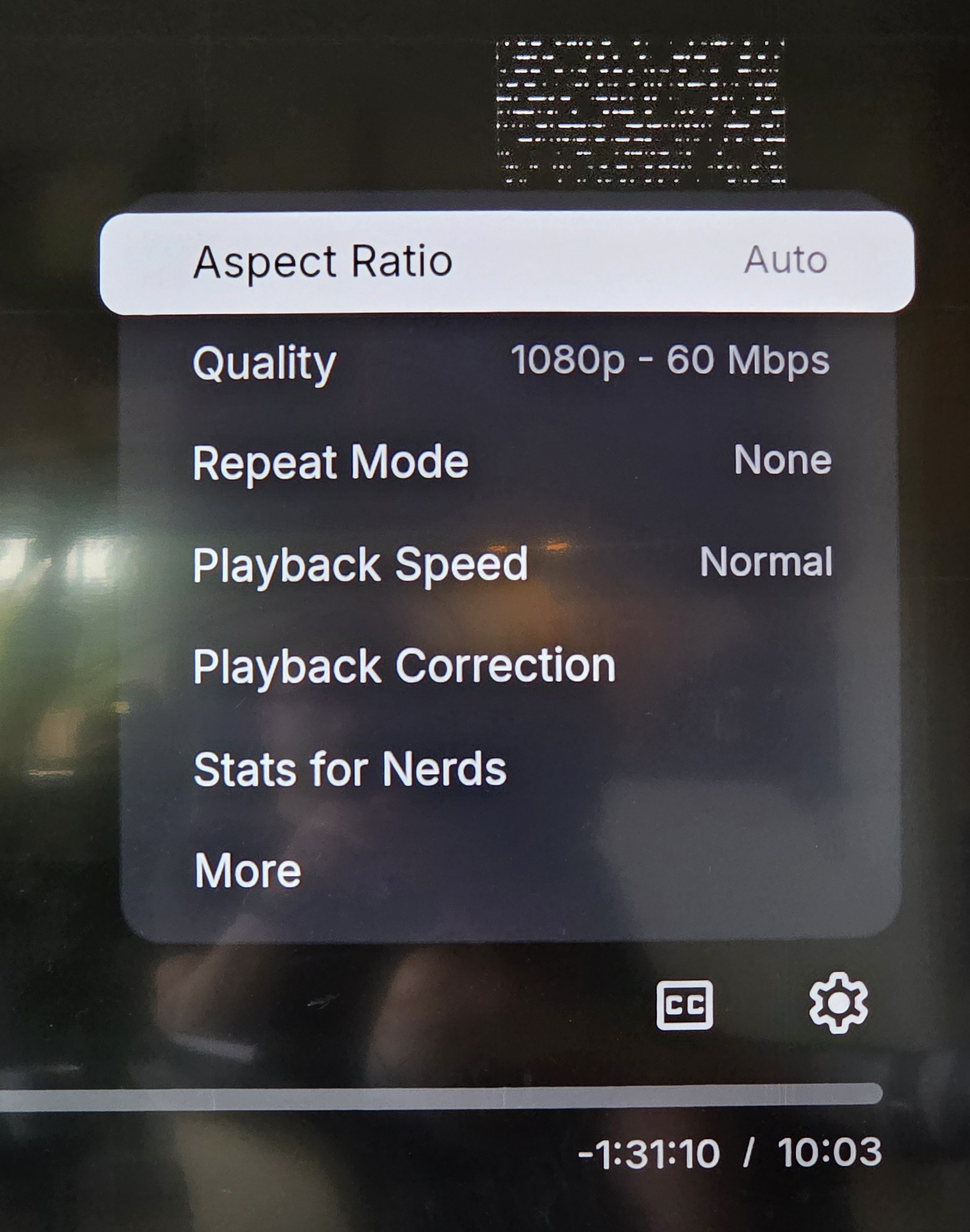
Hi. That’s just your quality setting. I would set that back to auto. That’s strange though. I’m surprised it’s not causing a transcode. -

4K HEVC shows as 1080p, think I can't find any setup to fix?
Teddyknuddel replied to PeteGul's topic in Android
Seriously? Do I really have to explain to YOU how that’s connected? -

4K HEVC shows as 1080p, think I can't find any setup to fix?
ebr replied to PeteGul's topic in Android
Sorry, but I have no idea what you are talking about nor how it relates to this thread - which concerned display modes not transcoding at all... -
4K HEVC shows as 1080p, think I can't find any setup to fix?
Teddyknuddel replied to PeteGul's topic in Android
@ebr These problems all stem from the fact that you no longer want to integrate DirectPlay. You’re simply sticking stubbornly to your concept, regardless of what users want. Proper quality on Emby is now only possible with Kodi itself. Your app may look nice, but if the basic functionality isn’t there, you can forget all your fancy talk. -
4K HEVC shows as 1080p, think I can't find any setup to fix?
Teddyknuddel replied to PeteGul's topic in Android
@PeteGul Why not install Kodi as a trial, use the EmbyCon or EmbyNextGen add-on for Kodi, and don’t forget to install the Emby Kodi Companion plugin; set everything to DirectPlay, and see for yourself the difference between the app and proper, smooth playback. -
4K HEVC shows as 1080p, think I can't find any setup to fix?
ebr replied to PeteGul's topic in Android
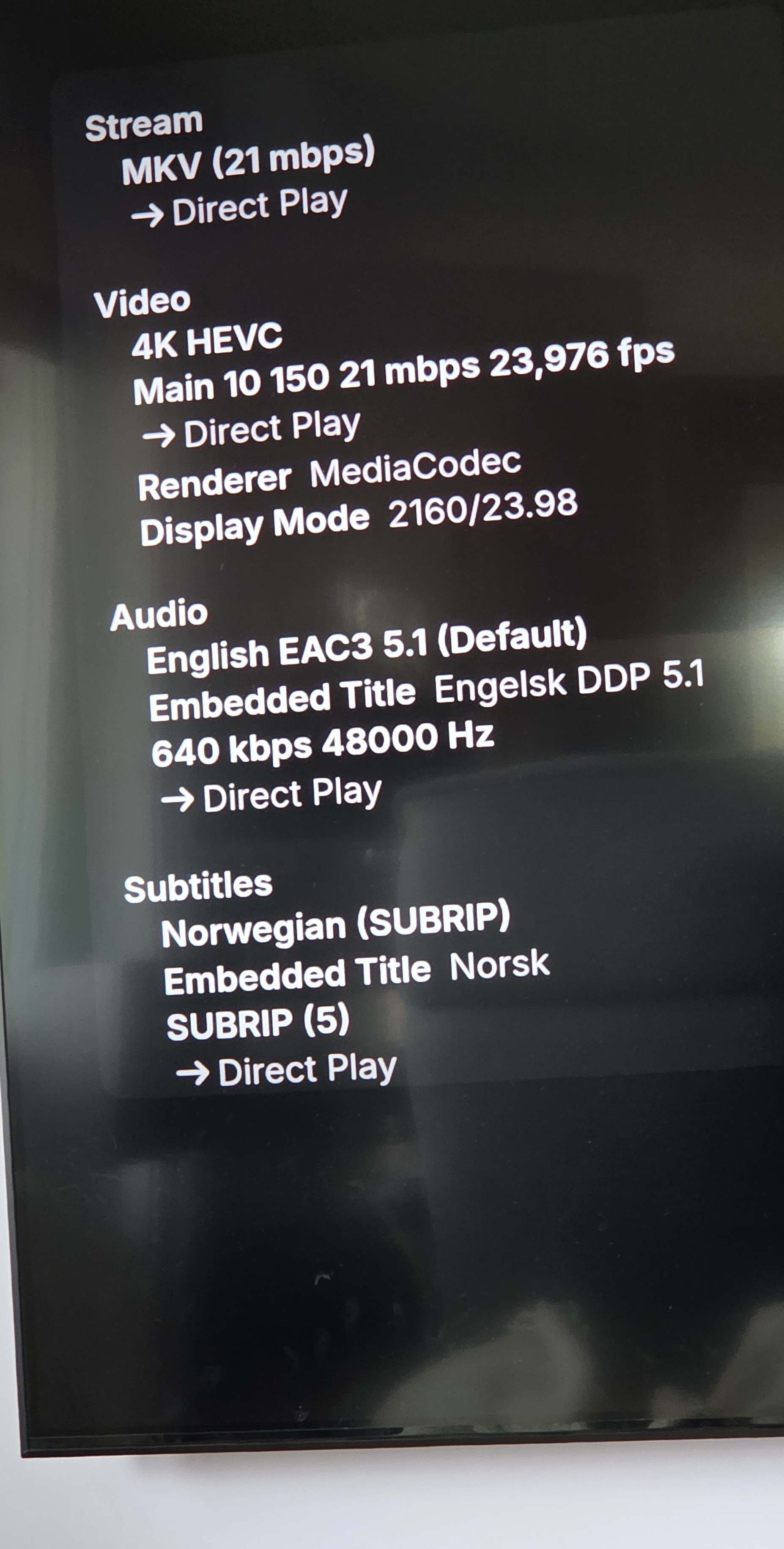
Okay, that makes sense. Then it was the "match resolution" setting that was causing this item to switch to 1080. It was due to the cropping of this particular item which fooled our logic into thinking it was 1080. We are addressing that to have more leeway and that should address this case. Thanks. -
4K HEVC shows as 1080p, think I can't find any setup to fix?
PeteGul replied to PeteGul's topic in Android
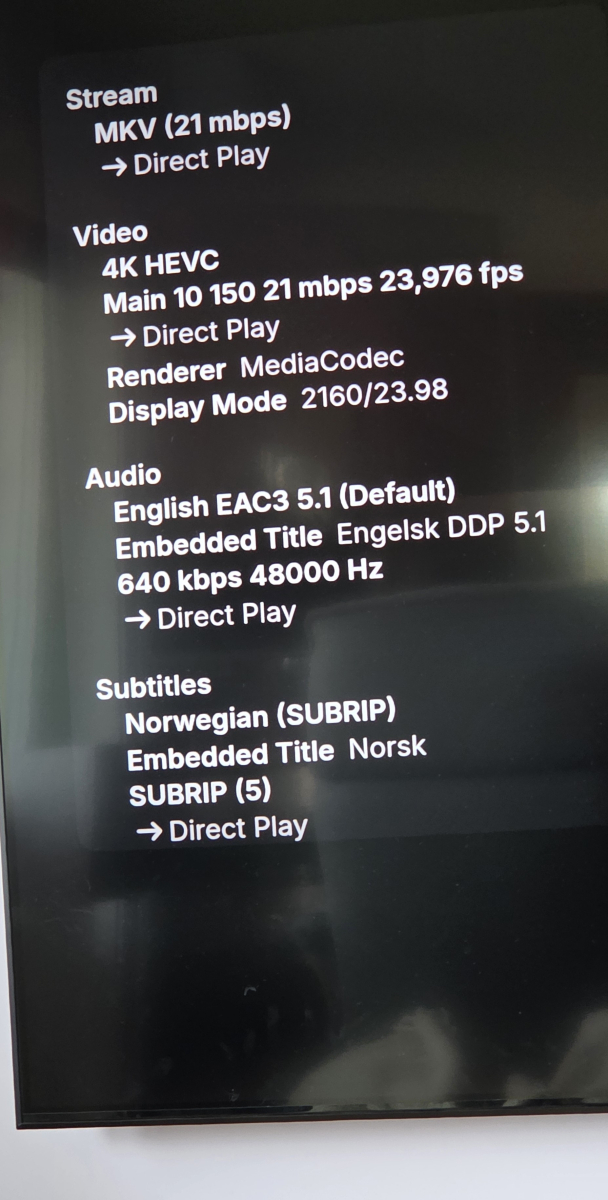
Ok, here is my follow-up. Stats for nerds says it now plays in 4K, when Shield is set to 4K. But it says 1080p in the settings "quality", add pictures of both. @visproductionMy gear i relatively new, and generally new cables and everything is HDCP 2.2 compatible, I don't see this as a problem. I do think my stuff dances good together. @TeddyknuddelThat's right, nothing is changed on my side. This is a question to find what's going wrong, when everything says it is an 4K movie. Why does that not that movie show in 4K. Should not need to "trick" the system to do so.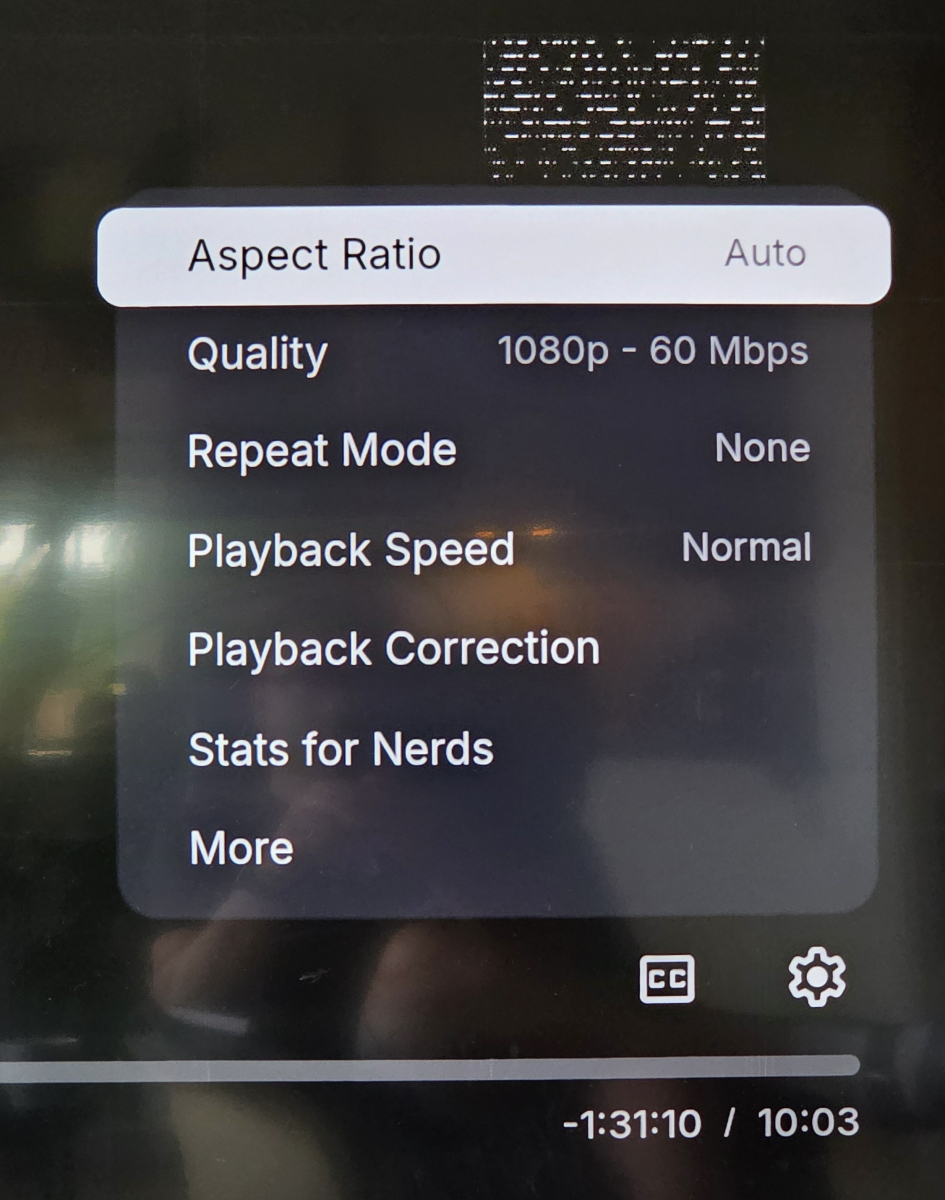
-

[Legacy App] Details not selectable on Detail Screens. (ET 3.0.20/21)
scottpro replied to scottpro's topic in Windows & Xbox
Yes. The problem exists in both modes. app_version 26.0.15 (working) TV display mode ON, the details section is selectable. TV display mode OFF, the details section has a selectable "More" link. app_version 26.0.16/17 (broken) TV display mode ON, the details section is not selectable. TV display mode OFF, the details section has no "More" link.