All Activity
- Past hour
-
@ebr: I don't know what to do. What a shame, I'm sure we're close. It's as if, because the file is in stereo, it doesn't downmix, even though it's still necessary to speed things up
-
 luxtheking joined the community
 -
Can you please play something that displays this problem for a few seconds and then follow the instructions to send a log from the app?
-
 VivaBarrlet joined the community
 -
 AdolfoAmigDav joined the community
 -
Unfortunately, Android compressed all the relevant log lines in your log. Can you try sending the log directly from the player during playback right after trying to change speed? There should be an option under the cog on the OSD. @MAX92your logs are still empty.
-
Hi. What do you mean by "fast forwarding by chapters"? The Roku app doesn't do that.
-
 LuiGuerra joined the community
 -
 sean2115 joined the community
 -

TV Air Dates — corrects US and Canadian broadcast times to your timezone
Blueskies278 posted a topic in Plugins
TV Air Dates — what it is and how to use it An unofficial Emby Server plugin. Version 8.16.0.0, September 2026. The problem it solves A US show airs at 9pm Eastern on a Tuesday. TMDB records that as "Tuesday", because TMDB stores a plain calendar date with no time attached. In the UK that broadcast is 2am on Wednesday. In central Europe it is 3am Wednesday. So Emby shows the episode a day earlier than it actually reaches you, and your Upcoming list is wrong by one day for every US and Canadian show you follow. TV Air Dates fixes that. It fetches the real broadcast instant — date and time and timezone — from Trakt or Simkl, converts it to your server's local time, and keeps the calendar day that actually results. It only touches US and Canadian shows. A British or Australian show is already on the right day for a British viewer, and "correcting" it would create the very problem this solves. What it actually changes Two separate things: Episodes you already have. Their air dates are corrected in your library, one day forward where the conversion calls for it. This is a real edit to your metadata. Episodes you do not have yet. Emby has no data at all for an episode you have not downloaded, so Upcoming would be empty without help. This plugin supplies Emby with a full episode list for every show in your library, using the real air times, so Upcoming is both populated and on the right day. Optionally it can also write "Season Premiere" or "Season Finale" in front of an episode's title, which is the only way to mark those on clients that cannot draw badges. Before you start Back up your Emby server. This plugin writes to your library. If something goes wrong you want a way back. This is not boilerplate — take the backup. If you run Emby in Docker, that means the config folder. If you run a NAS package, use the NAS's own backup. On Windows, macOS or Linux, copy the Emby Server data folder somewhere safe while the server is stopped. Step 1 — get your keys You need two: TMDB, plus one air-date source. TMDB (required) Go to themoviedb.org/settings/api Create a free account if you do not have one, and request an API key Copy the API Key (v3 auth) value — not the read access token Free, instant, no approval. It is used to find out which shows are US or Canadian broadcasts, looked up once per show and cached permanently. Then one of these two Simkl — free, and the easier of the two: Go to simkl.com/settings/developer Create an app. Any name and redirect URL will do Copy the Client ID That page shows a Client ID and a Client Secret side by side and they look alike. The secret will not work. If dates stop being corrected the moment you switch to Simkl, this is almost always why — the log says so plainly. Trakt — the original source, but harder to get now: Go to trakt.tv/oauth/applications Create an application and copy the Client ID Since late July 2026, creating a Trakt API application requires an active VIP membership (around $4.99/month). It applies even though this plugin only ever reads public data, because a Client ID exists only as part of a registered app. Trakt has called the restriction temporary and its own API documentation does not mention it, so it is worth trying — but expect a wall if you are starting fresh. Free-account applications were reported removed at the same time, so a Client ID that worked before may have stopped. Separately, a free account can connect only one Community App at a time. This one is Trakt's own published rule, announced 22 July 2026, and it covers apps you authorise under Settings → Apps → Connected Apps. Existing connections above the limit are allowed to continue, but reconnecting one counts as new — so do not disconnect an app you depend on. This plugin is not one of those apps: it never authorises against your account and never appears in that list, so it should not use up your one connection. If any of that blocks you, use Simkl. Free, instant, no membership, and one setting away. Only the Client ID is needed either way. No login, no OAuth, no tokens. Step 2 — install the plugin The file is TVAirDates.dll. It goes in the plugins folder directly below your Emby Server data folder. Stop Emby Server first. Emby holds plugin files open while running. Where the data folder is Platform Data folder Windows C:\Users\<you>\AppData\Roaming\Emby-Server\programdata macOS /Users/<you>/.config/emby-server (older installs: /Users/<you>/emby-server) Linux (deb/rpm) /var/lib/emby Docker whatever you mapped to /config inside the container Synology DSM 7 /volume1/@appdata/EmbyServer Synology DSM 6 /volume1/Emby QNAP /share/CACHEDEV1_DATA/.qpkg/EmbyServer/programdata Asustor / TerraMaster /home/emby So on Windows the plugin goes in …\programdata\plugins\TVAirDates.dll, on Linux in /var/lib/emby/plugins/TVAirDates.dll, and so on. If you are not sure, Emby tells you: Dashboard → Help → Support → Server Paths shows the data folder for your install. Upgrading from Trakt Air Dates Delete the old TraktAirDates.dll from the plugins folder. If both files are present Emby tries to load the same plugin twice. Your settings are carried over automatically on first start — you do not need to re-enter your keys. Platform notes Windows — copy the DLL in, start Emby. Nothing else to do. macOS — the .config folder is hidden in Finder. Press Cmd+Shift+G and paste the path. Copy the DLL in, start Emby. Linux — the DLL must be readable by the user Emby runs as, usually emby. After copying: sudo chown emby:emby /var/lib/emby/plugins/TVAirDates.dll sudo chmod 644 /var/lib/emby/plugins/TVAirDates.dll Docker — copy into the mapped config folder from the host, or: sudo docker cp TVAirDates.dll <container>:/config/plugins/TVAirDates.dll sudo docker restart <container> NAS (Synology, QNAP, UGREEN, Asustor, TerraMaster) — same as Linux, and the permissions step matters most here. Step 3 — set it up Start Emby, then Dashboard → Plugins → TV Air Dates. Fill it in in this order: Air date source — Trakt or Simkl. Only the matching key box is shown Trakt Client ID or Simkl Client ID — whichever you chose TMDB API Key Supply episode lists from the selected source — turn this on. This is the main setting; without it the plugin corrects only episodes you already have, and Upcoming is untouched Enable corrections — turn this on Press Save Saving clears every cached answer and starts a fresh fetch, so the first Upcoming refresh afterwards is slow while it rebuilds. That is expected. It is also how you force fresh data any time later. Worth tuning How far ahead to show (days) — default 60. Every Emby app fetches a fixed number of Upcoming items and cuts the list by item count, not by day, so the last day you see can be a partial one with some of that day's shows missing. A smaller window means less reach but every day complete. On a busy library at roughly two episodes a day: 21 days ≈ 45 items, 30 days ≈ 70, 60 days ≈ 107. Keep these shows out of Upcoming — a daily show can eat fifteen or more of those slots on its own and push everything else off the end. Naming it here leaves it in your library untouched but keeps it out of Upcoming, including the Yesterday row at the top of that view. Mark season premieres and finales in the episode name — off by default, and it edits real episode titles. Turn it on only if you want those marked on clients that cannot show badges. Turning it back off restores the plain titles immediately. Step 4 — check it worked Open the settings page again and read the three status boxes at the bottom: Shows Being Covered — how many of your shows have an answer Unaired Episode Probe — how many future episodes are visible and dated Last Refresh — when the last pass ran and how many dates it corrected Then open Upcoming and compare a US show against its real broadcast day. A Tuesday-night US show should now read Wednesday for a UK viewer. Keeping your settings safe Your settings live in one file named after the plugin, and they include all your API keys. The plugin protects them two ways: Automatically — every time you press Save, a dated copy is kept. If the settings are ever found empty on startup, the newest copy is restored. How many backups to keep sets the history: 10 by default, 0 keeps everything. On demand — in Dashboard → Scheduled Tasks, under "TV Air Dates": Export TV Air Dates settings — writes a dated file to the folder set in Folder for exported settings. Runs weekly by default; press the play button to run it now. Use this before rebuilding a server, or to copy a working setup to another machine Import TV Air Dates settings — reads the newest exported file back. Only runs when you press it, and backs up what it is replacing first The exported file contains your API keys in plain text. Treat it like a password. If something is wrong The plugin does not appear in the list — permissions, nine times out of ten. See the NAS note above. Also check you deleted the old TraktAirDates.dll. Dates are not being corrected — check the Client ID is the ID and not the secret. Check Enable corrections and Supply episode lists from the selected source are both on. Then press Save to force a fresh fetch. Dates stopped being corrected on Trakt, having worked before — check the application still exists on your Trakt account. Free-account applications were reported deleted in late July 2026, and a revoked Client ID fails in exactly the same way as a wrong one. Switching to Simkl is one setting away. Upcoming is empty or short — give it a few minutes after saving; it rebuilds every show from scratch. If it stays short, look at How far ahead to show and at whether your app is cutting the list by item count. A show is missing from Upcoming — the plugin refuses to send Emby an episode list shorter than what you already have on disk, on purpose: a wrong date is recoverable, a show that vanishes is not. The log says which show and why. Everything is slow after saving — expected, once. Saving clears the caches deliberately. The server log is the place to look: Dashboard → Logs. Every line from this plugin is prefixed [TraktAirDates], which is the internal name and has deliberately not been renamed, so older troubleshooting notes still apply. Disclaimer This is an unofficial, hobby-built plugin. It is not made by, endorsed by, or affiliated with Emby, Trakt, Simkl or TMDB. It uses the Trakt API, the Simkl API and TMDB, none of whom endorse or certify it. It is beta software and it writes to your library: it changes the air dates of episodes you already have, and optionally adds "Season Premiere" or "Season Finale" to episode names. Those are real edits to your metadata. Take a backup of your Emby server before installing, and keep one. It is supplied as-is, with no warranty of any kind — you run it at your own risk, and I cannot be held responsible for anything it does to your library, your server or your data. You supply your own API keys and remain bound by the terms of whichever services you use. Please report bugs along with your emby log. Thanks TV Air Dates 8.16.0.0 The plugin has been renamed. It was Trakt Air Dates; it is now TV Air Dates, because Trakt is no longer the only source it can use. Your settings carry over automatically the first time it starts — nothing to re-enter, including your API keys. Installing this version: the file is now TVAirDates.dll. Delete the old TraktAirDates.dll from your plugins folder. If both are present Emby will try to load the same plugin twice. This release covers everything since 8.11.0.0. New Air date source — choose between Trakt and Simkl. They are mutually exclusive: whichever you pick is the only one contacted, and the other's key box is hidden. Trakt stays the default, so nothing changes unless you change it. Simkl Client ID — free from simkl.com/settings/developer. No membership, no approval. This matters because since late July 2026 creating a Trakt API application requires an active VIP membership, which locks out anyone starting fresh. Trakt separately limits a free account to one connected Community App, but that covers apps you authorise against your account under Settings → Apps → Connected Apps, and this plugin is not one of them — it only ever reads public data, so it should not use up that connection. Careful: that page shows a Client ID and a Client Secret side by side and they look alike. The secret will not work. If corrections stop the moment you switch to Simkl, check which one you pasted — the log now says so in plain words instead of failing silently. Automatic settings backup — every time you press Save, a dated copy of your settings is kept. If they are ever lost, the newest copy is restored on startup. How many backups to keep controls the history: 10 by default, 0 keeps everything and deletes nothing. Export and import, in Dashboard → Scheduled Tasks under "TV Air Dates". Export runs weekly by default and can be run on demand; import only runs when you press its button, and backs up your current settings first. Folder for exported settings on the settings page chooses where the file goes — pick somewhere you can reach from your computer. The file contains your API keys, so keep it private. Fixed Excluded shows stayed out of the future but came back in the past. Keep these shows out of Upcoming held back episodes still to air, but Emby's Upcoming view opens with a Yesterday row — so an excluded show reappeared there the morning after each new episode. For a daily show that meant nearly every day. The cutoff now reaches two days back, so nothing an excluded show airs can land in that row. Invented episodes no longer appear in Upcoming. A source can list an episode that does not exist — one show gained a seventh episode of a six-episode season that had already finished. An episode is now dropped only when it sits beyond the end of TMDB's list for that season and has no title, so genuinely unannounced episodes still appear. "Season Finale" is no longer written into an episode name while a season is still being published. Two shows were marked as ending with most of their season still to run. The marker is now withheld when the episode has no real title yet, or when the season is running far shorter than that show's completed seasons. Shows with short seasons were being skipped entirely. An internal rule refused any answer containing fewer than ten episodes, so a six-part documentary or a four-part drama got no date corrections at all, silently, with nothing in the log to explain it. That rule is gone. The real safety check remains: no episode list shorter than what you already have on disk is ever sent to Emby. The Trakt Client ID setting now tells the truth. It said creating an app was "free, instant, and needs no approval". Since Trakt's July 2026 change that is false, and it sent new users to a wall. The text at the top of the page says the same thing before you start. Stale text removed. The settings page referred to a "native listener" that was retired in August, and Supply episode lists from Trakt was renamed to Supply episode lists from the selected source, since Trakt is no longer the only one. Known limitations Leaving the Client ID empty is allowed and nothing breaks, but upcoming episodes then come from TMDB with uncorrected dates — which is the thing the plugin exists to fix. If you are on Trakt and corrections stop having previously worked, check your Trakt account still has the application. When the July 2026 restrictions came in, applications belonging to free accounts were reported deleted rather than left alone, and a revoked Client ID fails in exactly the same way as a wrong one. Switching to Simkl is one setting away. Simkl's catalogue is shallower than Trakt's for some long-running shows, and occasionally deeper. Both were measured against each other and agreed on every corrected date where both could answer, but if a show you follow looks thin on Simkl, switching back to Trakt is one setting away. Saving the settings page clears every cached answer, so the next Upcoming refresh is slower while it rebuilds. That is also how to force fresh data after changing a key or the source. Disclaimer This is an unofficial, hobby-built plugin. It is not made by, endorsed by, or affiliated with Emby, Trakt, Simkl or TMDB. It uses the Trakt API, the Simkl API and TMDB, none of whom endorse or certify it. It is beta software and it writes to your library: it changes the air dates of episodes you already have, and optionally adds "Season Premiere" or "Season Finale" to episode names. Those are real edits to your metadata. Take a backup of your Emby server before installing, and keep one. It is supplied as-is, with no warranty of any kind — you run it at your own risk, and I cannot be held responsible for anything it does to your library, your server or your data. You supply your own API keys and remain bound by the terms of whichever services you use. Exported settings files contain those keys in plain text; treat them as passwords. Please report bugs along with your emby log. Thanks New plugin name TVAirDates.dll TV-Air-Dates-guide-8_16_0_0.pdf TV-Air-Dates-settings-8_16_0_0.pdf
-

Multi versions of movies wont show right since the new update
Visionaire posted a topic in General/Windows
Hey, I have a problem with the newest Version of Emby. It broke my Multi-Version Naming Convention. It will show the full movie name instead of the version of this movie. For example lets take Tenet. My folder structure is as follows: W:\Movies\Tenet\Tenet (2020)\Tenet (2020) - 4K Remux.mkv W:\Movies\Tenet\Tenet (2020)\Tenet (2020) - 4K.mkv now it should only show 4K Remux and 4K as versions but it shows the whole movie name and the version. like Tenet (2020) - 4K Remux and Tenet (2020) - 4K instead of 4K Remux and 4K it never did that before this exact update. Can anyone help? -
This would have to be something you setup as Microsoft discontinued guide data six years ago. Most likely, you setup some sort of system that is ultimately getting the data from Schedules Direct which, ironically, gets their data from the exact same place we do - Gracenote. That would point to probably a lineup or channel-mapping difference or, less likely but possibly, some "extra sauce" SD is adding.
-
 dsoxgm joined the community
 -
 KikiCineClub joined the community
 -
DDNS is not the same as DNS. Check DNS Synology server config. I don't use a Synology box my self so do not know where to look.
-
 Aryanbhatia joined the community
 -
 masnbigzz@gmail.com joined the community
 -

Library Real Time Monitoring needs SAFETY CHECK
ebr replied to MacGyver27's topic in General/Windows
Hi. If you store your metadata and images along side your media (enable NFO) it should be fairly trivial for these to re-add when they become available again. Do you have those options enabled? -
Hi. With the possible exception of one or two of the bespoke TV manufacturer apps that take forever to update, this is fully supported by all our apps already. Why do you think it isn't? I'm afraid I don't understand this. We have sort by now. What are you trying to "stack"? I believe there may be one or two plugins that can do this for you now.
-

Getting Started With PS2 Emulation: BIOS and Compatibility Tips
achazx085 replied to maxhunter11's topic in Sony PlayStation
Tanks for sharing I desperately looking it. I downloaded Nethersx2 but wasn't able to use it fully until getting this bios. - Today
-
Agree with the above a lot of UK channels move around or change channel numbers, Emby does not update with these changes, the only way is to remove and add your tv tuner and guide again. Also you have some channels that change the logo every month based on content, so being able to update or refresh them would be a good idea.
-
Is it just me or was last nights Smackdown shorter is shrinkflation hitting out tv shows now
-
I'm running Synology DSM 7.4.1-90080. I don't have any security software installed, and I even disabled the firewall. I've tried connecting both locally through the IP address and through DDNS, but the result is the same. I don't know where the problem is. The ISP isn't blocking anything. If the issue is with my Synology system, where should I look?
-
Good morning, hope everyone is having a good Saturday & hope yocker got some sleep last night
-

Library Real Time Monitoring needs SAFETY CHECK
Q-Droid replied to MacGyver27's topic in General/Windows
The dev team could handle this better within Emby but if and until that ever happens your best bet is to make sure your storage is reliable and systems are properly configured to function as servers. It's more than a startup problem. Many have reported libraries disappearing at any time and the workarounds within Emby are limited to disabling RTM and the scheduled scans. The devs implemented a weak band-aid using path naming and mount point depth but as far as I know that's a Linux/UNIX only solution. Keep trying though. Maybe the devs will come around and pay more attention to this problem. -

Synology with ARC Loader and NVIDIA Driver (DSM 7.2+) not working
Sparker replied to Sparker's topic in Linux
Yeah I messed up Lol. -
My homelab is running on the same network as the Shield . Emby runs in docker, but I connect to the local IP. Never had this issue with the Xiaomi device, my phone or my tablet. Only on the Shield.
-

Library Real Time Monitoring needs SAFETY CHECK
MacGyver27 replied to MacGyver27's topic in General/Windows
So here I lost whole library again - about 60k files with metadata and thumbnails.. why? because suddenly, while emby was running, my raid array got unmounted for insufficient watchers.. this resulted in empty folder within emby and emby purged everything straight away.. had no time to even realize that.. I still strongly thing emby should prevent such a intrusive purge.. -
Hey, I have a problem with the newest Version of Emby. It broke my Multi-Version Naming Convention. It will show the full movie name instead of the version of this movie. For example lets take Tenet. My folder structure is as follows: W:\Movies\Tenet\Tenet (2020)\Tenet (2020) - 4K Remux.mkv W:\Movies\Tenet\Tenet (2020)\Tenet (2020) - 4K.mkv now it should only show 4K Remux and 4K as versions but it shows the whole movie name and the version. like Tenet (2020) - 4K Remux and Tenet (2020) - 4K instead of 4K Remux and 4K it never did that before this exact update. Can anyone help?
-
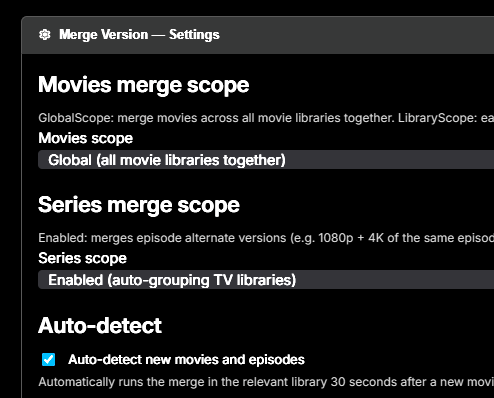
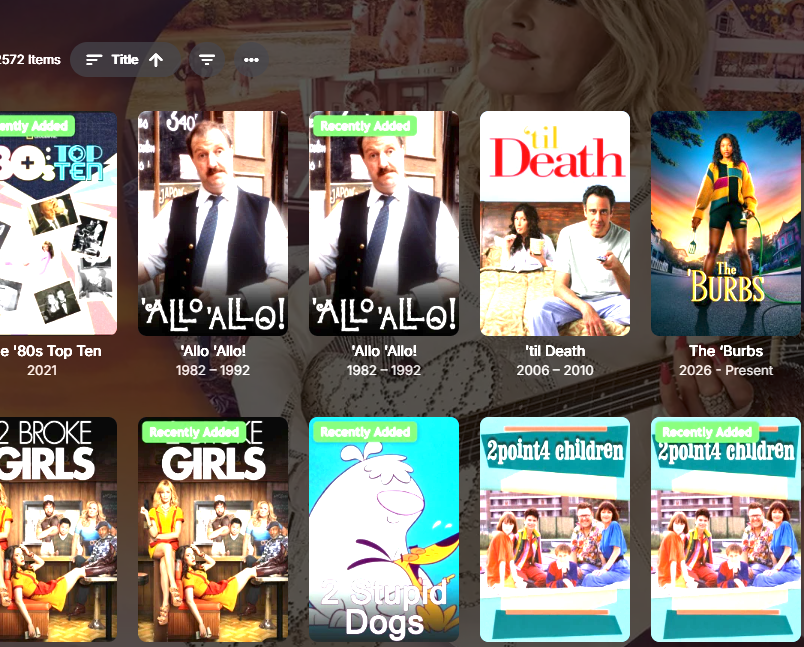
I want it to merge all versions across my different folders, these are the settings It said it had merged all items, but for some reason it has not merged but un-merged all my media? example tv shows
-

Synology with ARC Loader and NVIDIA Driver (DSM 7.2+) not working
heffeque replied to Sparker's topic in Linux
Why is this in Linux instead of Synology? (just curious) -
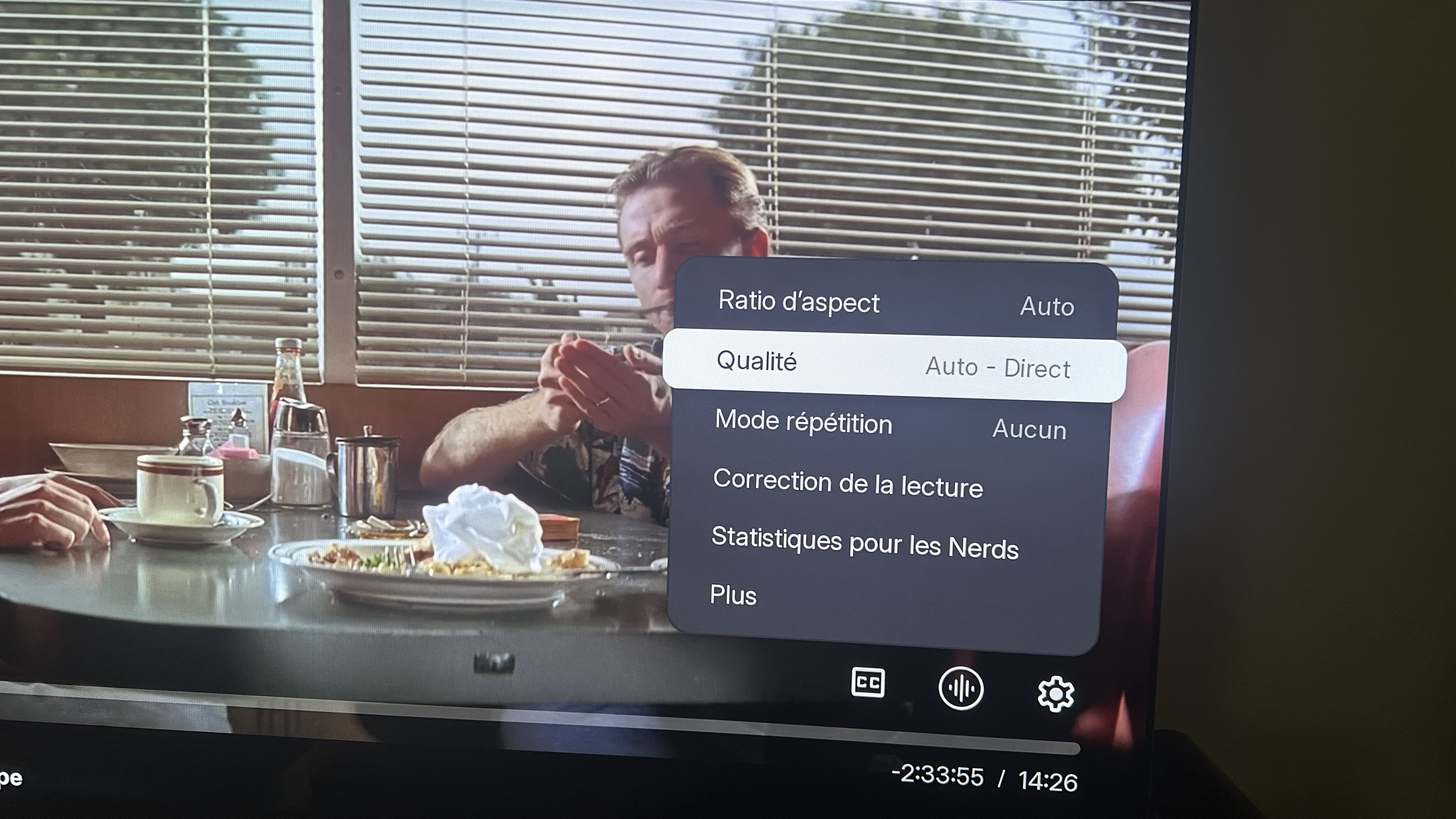
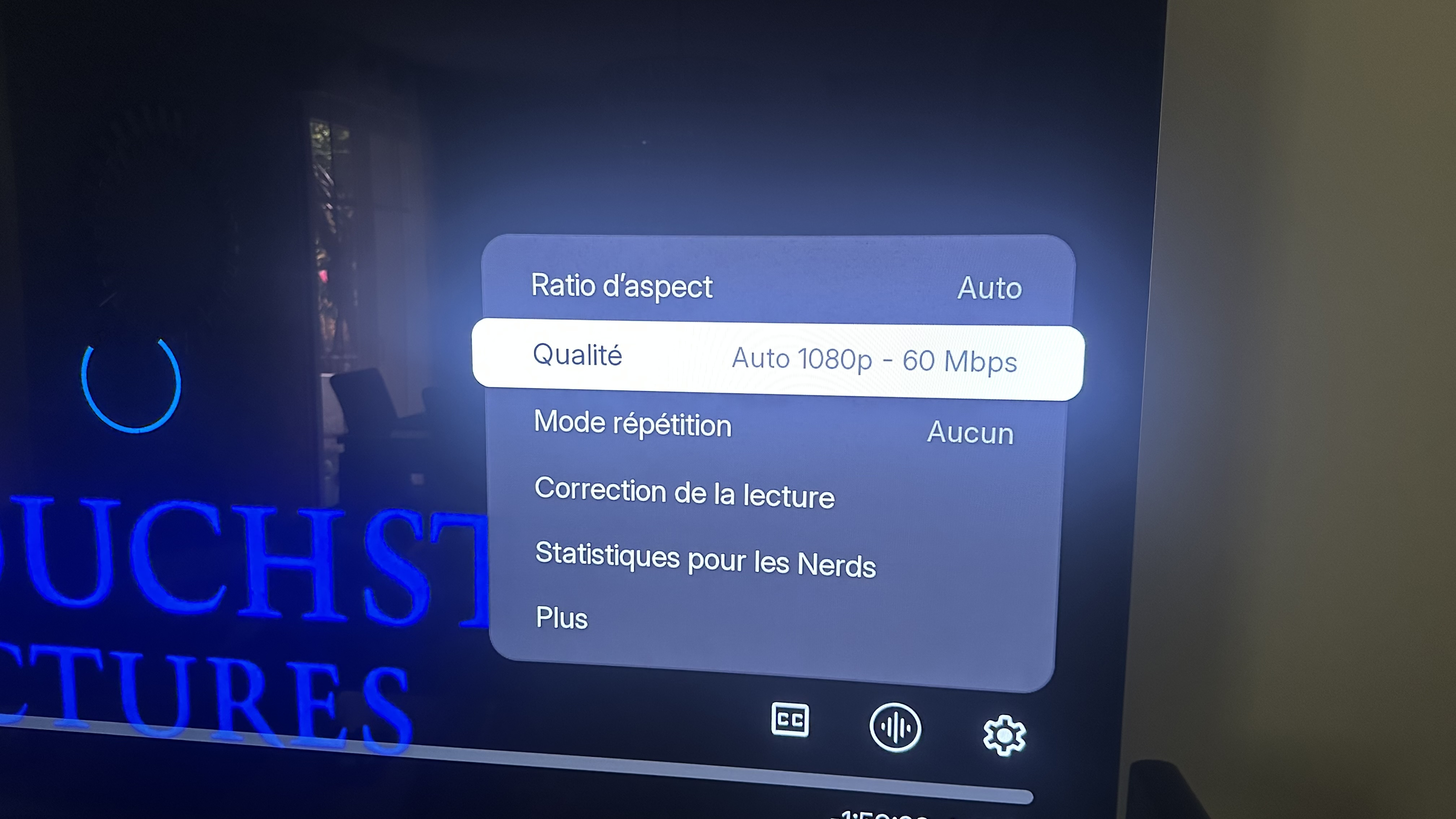
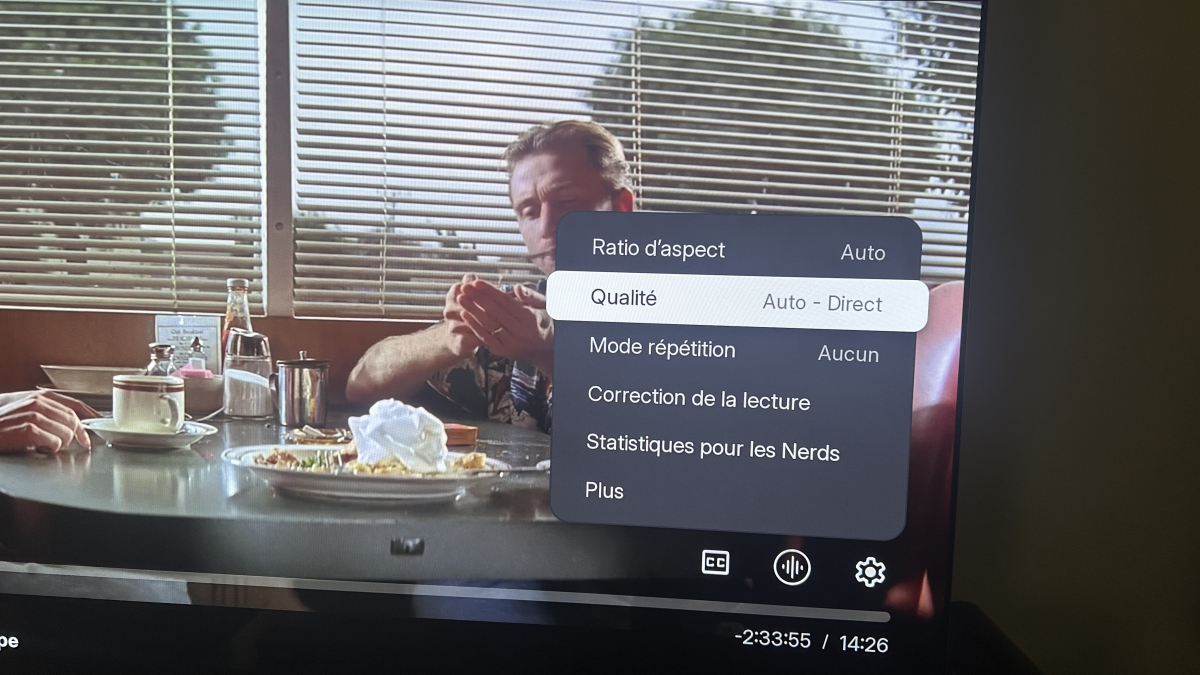
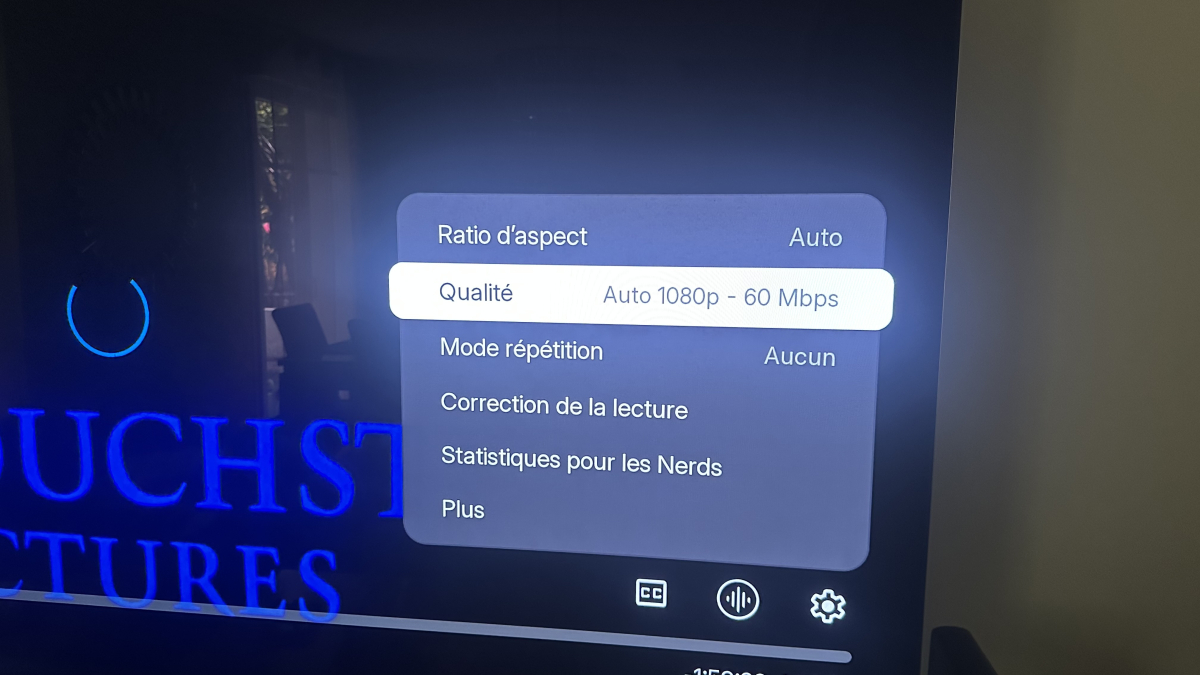
More informations : Films with an Auto Direct Play works normally When playing other films with trasncoding stops few seconds later ... How can i fix Direct Play method ? Thank u for your help
-
So...no fixes for the spotlight issues?
-
Hey Can we use it for sth like plex watchlist concept so when i add sth and watched ,got removed automatically and so on ?? Thanx