All Activity
- Past hour
-
 cxxxxxxxxxxcxcx joined the community
 -

When "autoplay next episode" is off, the app still prevents screen from going off
SucksToBeYou replied to SucksToBeYou's topic in Android
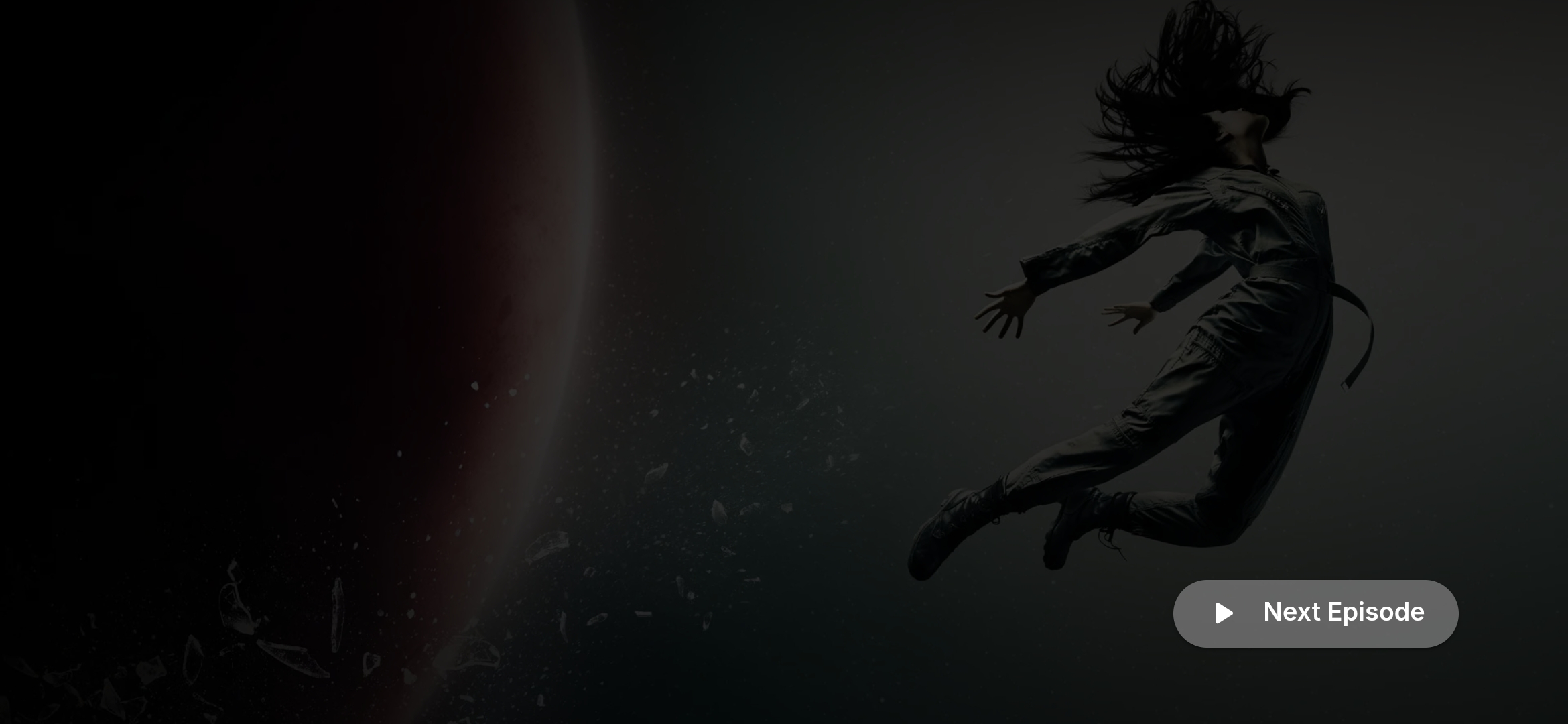
Hi, @Luke No. It just stays on a screen with a "next episode" button indefinitely. I attached a screenshot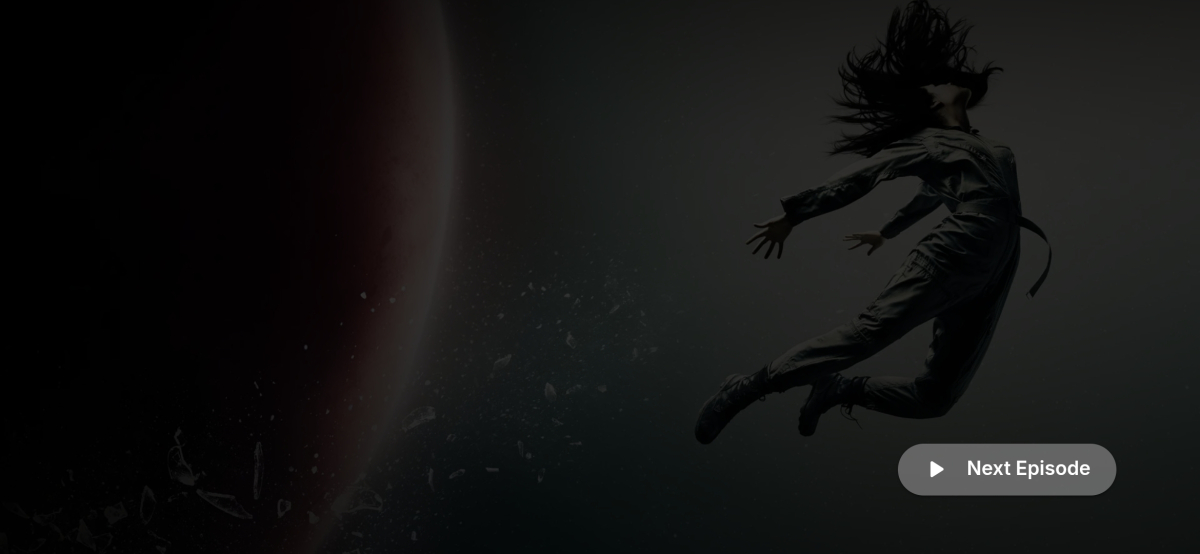
-
 Branelias2007 joined the community
 -
 Genius4 joined the community
 -
 Animelover joined the community
 -
 hh。。 joined the community
 -
 Lancia12 joined the community
 -
 Mellywelly101 joined the community
 -
 Hasan922 joined the community
 -
 Kaisar 007 joined the community
 -
 Tsk-91240 joined the community
 -
Thanks for the info
-

Advice please - getting the maximum from my EMBY Setup / Samsung HW-Q990C (Atmos and TrueHD)
yocker replied to Robnaeyaert's topic in General/Windows
It looks to me that the soundbar supports 4K 120hz, HDR10+ and all the sound formats. So you should be ready for a Nvidia Shield (IMO get the Nvidia Shield Pro 2019). Getting the best movie viewing experience is sadly never neither cheap nor easy. The industry has it down to a science to squeeze every penny out of you for every little upgrade or extra feature you want. -

Advice please - getting the maximum from my EMBY Setup / Samsung HW-Q990C (Atmos and TrueHD)
Robnaeyaert replied to Robnaeyaert's topic in General/Windows
Yes my HW-Q990c has eARC and 2 x HDMI Ports. I believe this soundbar supports most formats - do I need to check that also? Again I dont want to waste money - Today
-

Advice please - getting the maximum from my EMBY Setup / Samsung HW-Q990C (Atmos and TrueHD)
Lessaj replied to Robnaeyaert's topic in General/Windows
You would also need to make sure the soundbar supports passing 4K HDR/DV in that setup (it looks like that soundbar does that). Mine only does 1080p but I have the shield hooked up to the TV and the soundbar to the eARC port and it passes all the formats, except unfortunately LG no longer passes DTS with the 2025+ models. However the Shield will automatically convert it on output, so it's still direct playing and not transcoded by the server. TrueHD passes through fine. -
Advice please - getting the maximum from my EMBY Setup / Samsung HW-Q990C (Atmos and TrueHD)
yocker replied to Robnaeyaert's topic in General/Windows
Yes. Nvidia Shield -> Soundbar -> TV. Assuming that your soundbar has HDMI in ports and not just a single (E)Arc port. If the soundbar only has an (E)Arc port you might be out of luck as the Samsung TV most likely won't pass through many formats like 7.1, TrueHD and others. -
embyserver(1).txt

-

embyforkodi (next-gen) 12.X.X support
quickmic replied to quickmic's topic in Emby For Kodi Next Gen
Yes it should sync the watched status, Do you use the same Emby account on both devices? -
Hello all, I assisted a friend of mine who was having what I believe to be the same issues as this one. When he would do any type of search on any platform that has multiple words it would take 10+ seconds. Using the quotations helped; but, you cannot do this with the voice input for the TV app. I had him enable debug logging and I reviewed the embyserver.txt log file. I saw SQL queries that matched the time spend on the search. Along with neighboring lines including the search terms. When searching with just a single word, the queries in the log file looked different that the multi-word queries. I thought that maybe the Emby server was interpreting these words as tags and aggressively checking the database. This still may be the case with a single word; but, I do not have any experience with Emby to know for sure. I used DB Browser for SQLite to run this query manually on the library.db to isolate the issue to the database and not the Client/Server. The queries in the log file use the alias @SearchTerm instead of the actual search terms. I replaced @SearchTerm in the query with the search string/term (in quotes) used on the Client end. Example: 'wall street' for the movie "The Wolf of Wall Street". Once confirmed that the slowness was isolated to the DB, I checked for the existence of indexes in the database. See query below. After reviewing the indexes in the database and the queries found in the server log, I decided to create two new indexes. Before making any changes to the database we backed up the server and shut it down. Using DB Browser for SQLite, I ran the below commands to add the new indexes to the database. I wrote the changes and close the database when done. This seemed to improve performance 3 to 10 time over previous examples. Please feel free to give this a try yourself. Do not attempt this if any of this does not make sense. In theory this should not affect the Emby server at all; but, I cannot confirm that. I also cannot confirm that any updates to the Emby server will not change this back, or cause any conflicts with any future updates. I hope this is of some assistance. I am not going to be monitoring this post. Review of indexes: SELECT name, tbl_name, sql FROM sqlite_master WHERE type = 'index' ORDER BY tbl_name, name; Index one: CREATE INDEX IF NOT EXISTS idxItemLinks2_ItemId_Type_LinkedId ON ItemLinks2 (ItemId, Type, LinkedId); Index two: CREATE INDEX IF NOT EXISTS idxAncestorIds2_ItemId_Distance_AncestorId ON AncestorIds2 (ItemId, Distance, AncestorId);
-
Good quality from DVD is an oxymoron! The only thing that I still have in 480 or 576 is content that doesn't exist in any other format. Optical media is dead and has no future in today's landscape. Your statement of "every single indexer and almost all of the servers for downloading" plus you joining on July 9th sounds to me that you are more interested in starting a controversy rather then being a serious member in the Emby community. Hope you get a handle on your boredom.
-

TV shows- default option is Play Next Up and not Resume
yingste replied to yingste's topic in Apple TV
I just checked and in the web app/website I get the flow that I thought was normal on the apple tv. Web home > select TV show library > Select show > Immediately have the resume button and just to verify clicking resume does resume the media and not start it from the beginning. -
Hi there, please attach the Emby server log from when the problem occurred: How to Report a Problem Thanks!
-
HI, how does the web app compare?
-
To preface it has been a number of months since I last had my TV setup and used my AppleTV with Emby so I may be remembering wrong. I remember that if you had started an episode of a TV show/series and had not yet finished it the default option upon selecting the series from the TV library (Home screen > TV Shows for example) the default option presented would be to resume the partially watched episode. Instead I am presented with "Play Up Next" which instead of resuming the partially watched episode starts it from the beginning. I can get to the resume option but the flow is longer: Home Screen > Tv Shows > {select show} > (scroll down to the "Next Up" list} > Select the show with a partial progress bar > Finally select "Resume from ..." Where I thought the flow used to be: Home Screen > Tv Shows > {select show} > Select "Resume." If it makes any difference the Emby app on the AppleTV shows version 2.0.7 (1) and the server is version 4.9.5.0 running on linux.
-
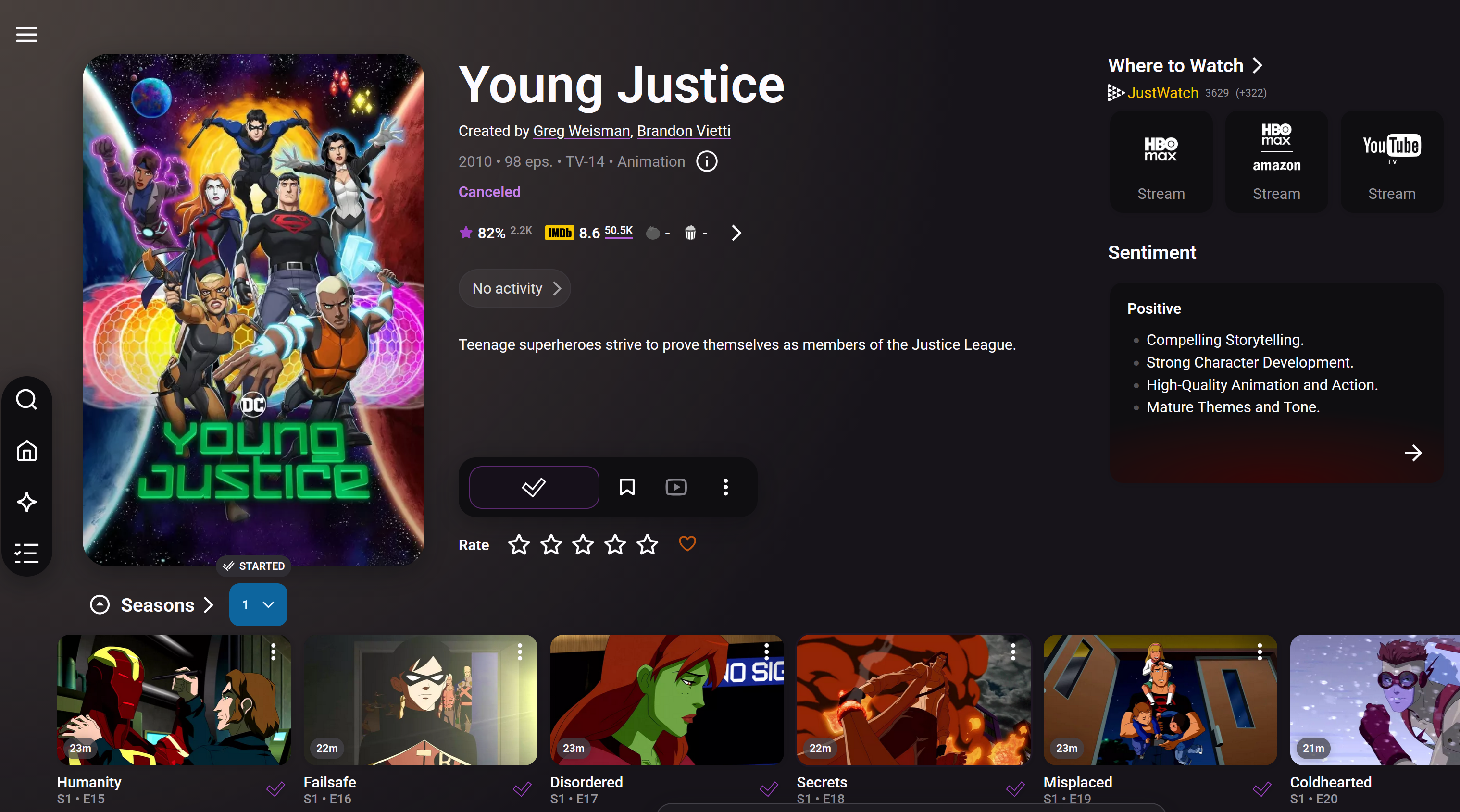
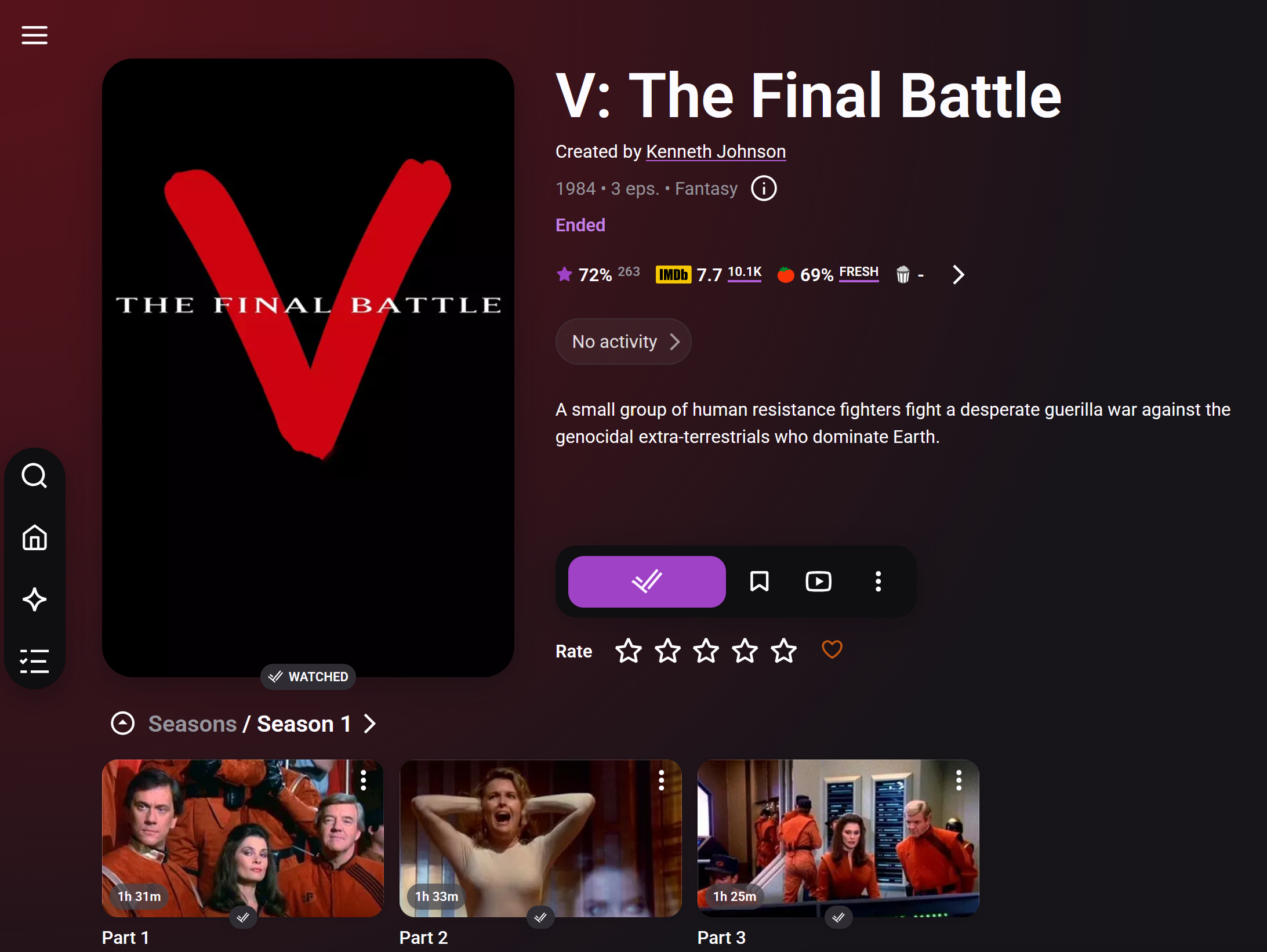
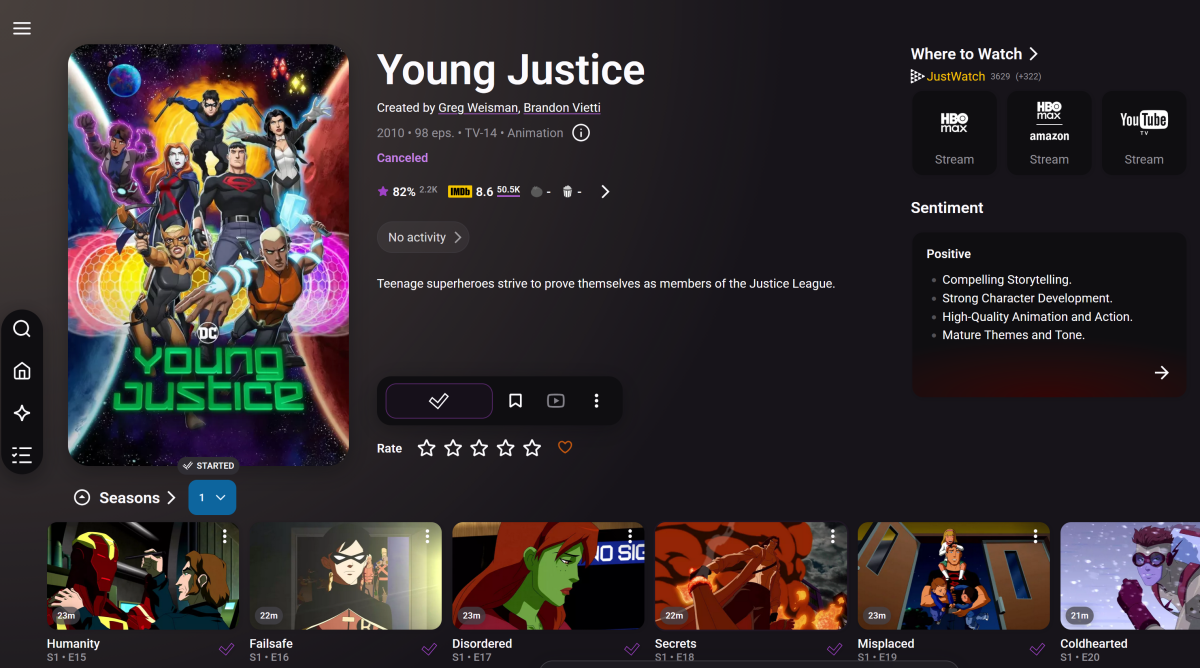
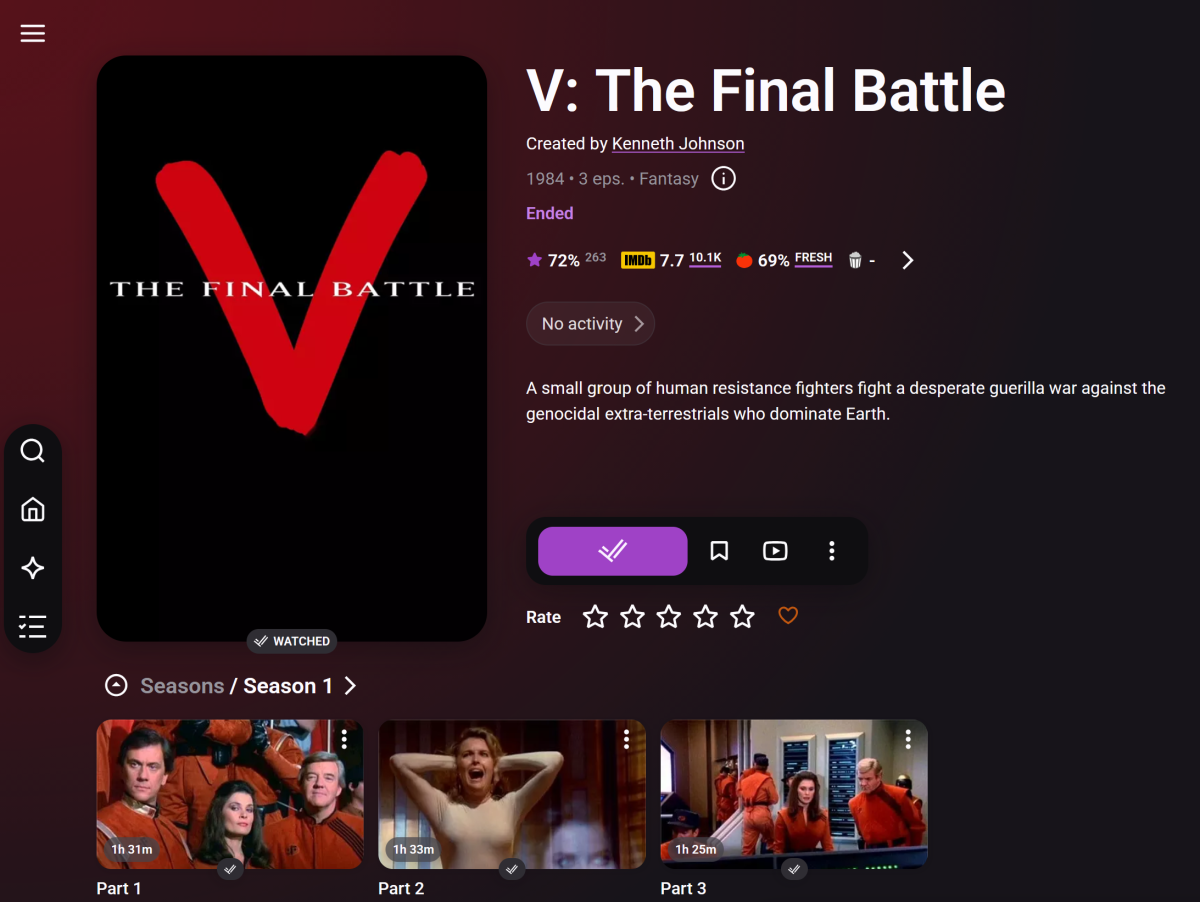
Well, for the American Idol S16 you are right, the Trat.TV website (or my scan), only shows up to S15. However, below is a big chunk for a show called Young Justice. I show a series of episodes Trakt.TV does has S01E16 named "Failsafe". It is true that it is NOT yet watched. Does the message "No Season match in Watched shows list Episode" show up for both, an unwatched show? Even if that is what shows up in both cases it is still wrong. Example: 2026-07-13 10:27:18.216 Debug Trakt: No Season match in Watched shows list Episode: 0x3 'The Final Battle (1)' Series: 'V' This show is watched, and is in Trakt. So we're definitely in better shape, however still seems there is something needing review.
-
Advice please - getting the maximum from my EMBY Setup / Samsung HW-Q990C (Atmos and TrueHD)
Robnaeyaert replied to Robnaeyaert's topic in General/Windows
Thanks @FrostByteand for everyone for the help but I’m a little confused over the setup and connections please. Are you saying to get the maximum I purchase a nvidia Shield and plug it into the hdmi input on my soundbar and make sure the Emby app on the nvidia shield sees my Emby windows server and to watch content on Emby I need to switch to the soundbar hdmi port (with the nvidia shield connected) and watch my content from there? basically ditching my Samsung TV app all together? and that “passes” the video to my tv automatically? I just need to get my head around how it’s all practically hooked up please. -
What is binge media? Is it something you have access to via your own media files, or an m3u URL? Looks like you're new here, so I would start here: Quick Start
-

Advice please - getting the maximum from my EMBY Setup / Samsung HW-Q990C (Atmos and TrueHD)
FrostByte replied to Robnaeyaert's topic in General/Windows
Ya, I really don't see much difference between HDR10 and HDR10+ either. If I had to lose one, it would be HDR10+ and keep any lossless audio via the Shield. -
Advice please - getting the maximum from my EMBY Setup / Samsung HW-Q990C (Atmos and TrueHD)
yocker replied to Robnaeyaert's topic in General/Windows
Samsung and their f.ed up refusal to support Dolby Vision even though Dolby has pretty much won that format war. Oh well, at least most have HDR fallback and the loss isn't that big. Btw %¤#%# Samsung for adding adds in the menus that you have to click over to switch HDMI input! Plus their built quality leaves a lot to be desired. -
Advice please - getting the maximum from my EMBY Setup / Samsung HW-Q990C (Atmos and TrueHD)
FrostByte replied to Robnaeyaert's topic in General/Windows
Oh, if you do have something sourced from a streaming service which has HDR10+ and DD+ Atmos you could always play it using the Samsung app still and anything else use the Shield. That's what I do if I know what I'm going to watch ahead of time. I think AppleTV, Amazon, HULU, Paramount+, and recently now Disney+ are using HDR10+ for a lot of things. -
Advice please - getting the maximum from my EMBY Setup / Samsung HW-Q990C (Atmos and TrueHD)
FrostByte replied to Robnaeyaert's topic in General/Windows
Yes, the Shield is probably still the best thing you can get today to maximize your audio experience. When using the Samsung app from the TV you are limited to the audio codecs supported by your TV and anything else will be transcoded. To see what codecs your TV supports see the charts in the back of your user's manual like this https://developer.samsung.com/smarttv/develop/specifications/media-specifications/2025-tv-video-specifications.html The Atmos you're seeing now is only Dolby Digital Plus with Atmos which is common with online streaming services like Disney+, Netflix, etc. Anything sourced from UHD will be TrueHD Atmos (or DTS:X, etc) and get transcoded which means you lose all the height layers. When using a Shield, you get the most out of it when connected directly to your soundbar like indicated below. Since the app is running on the Shield it can use the audio codecs supported by it. The soundbar then passes the video to your TV. Shield > HDMI > Soundbar > HDMI/E-ARC > TV The TV will not passthrough these codecs either if you connect the Shield directly to it. In addition to all the audio codecs the Shield supports it also supports more subtitle formats like PGS which is the format used on UHD video. The only thing you lose is HDR10+ as the Shield doesn't support that as of now. -

Sports metadata -- is there a way to automate this?
flashls82 replied to flashls82's topic in Live TV
One thing that could potentially help if there is "sports" tagging in guide data is to have sports recordings go to a separate library (which could then be configured with TheSportsDB as the primary metadata provider). But not sure what is/isn't tagged in the guide data. -
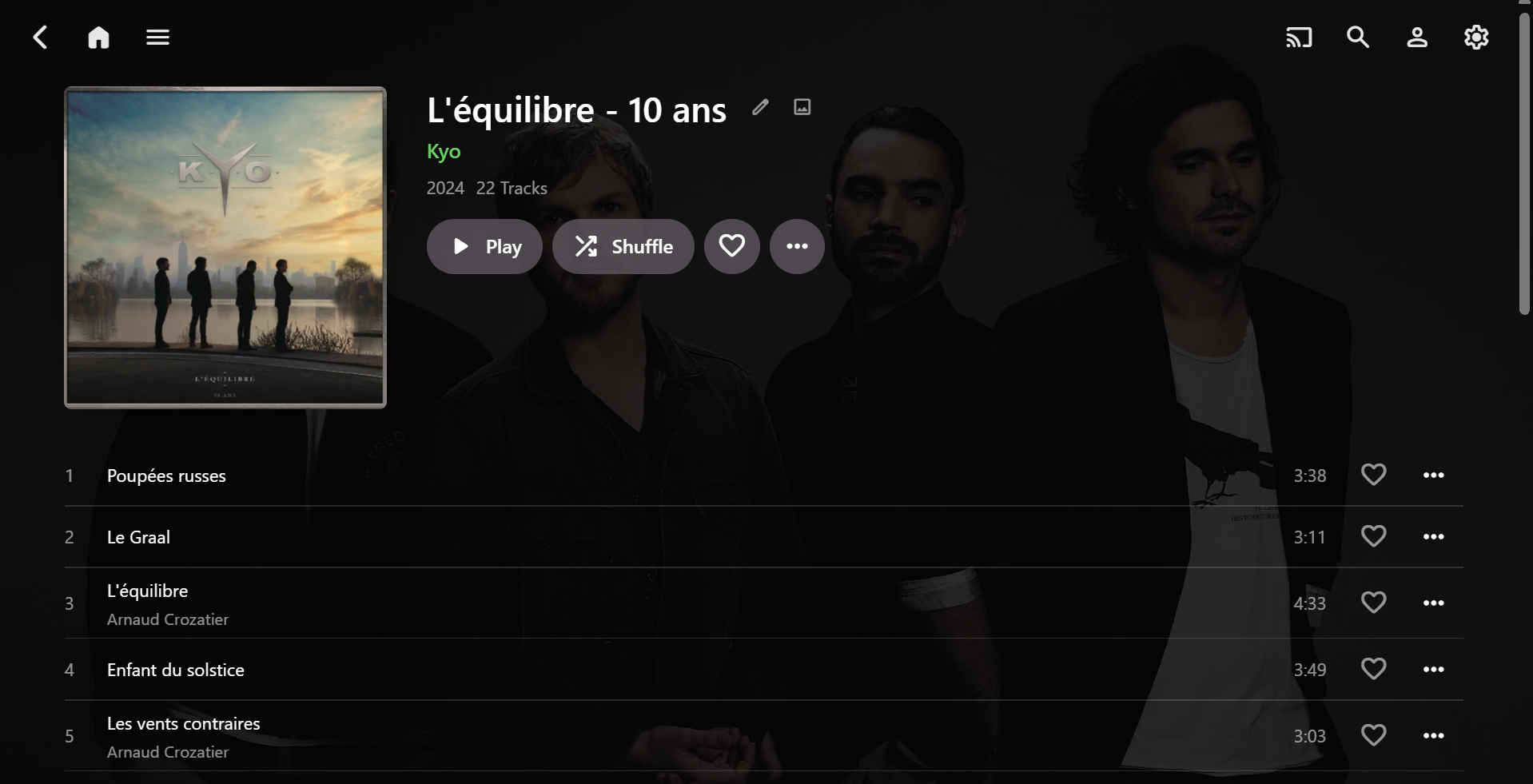
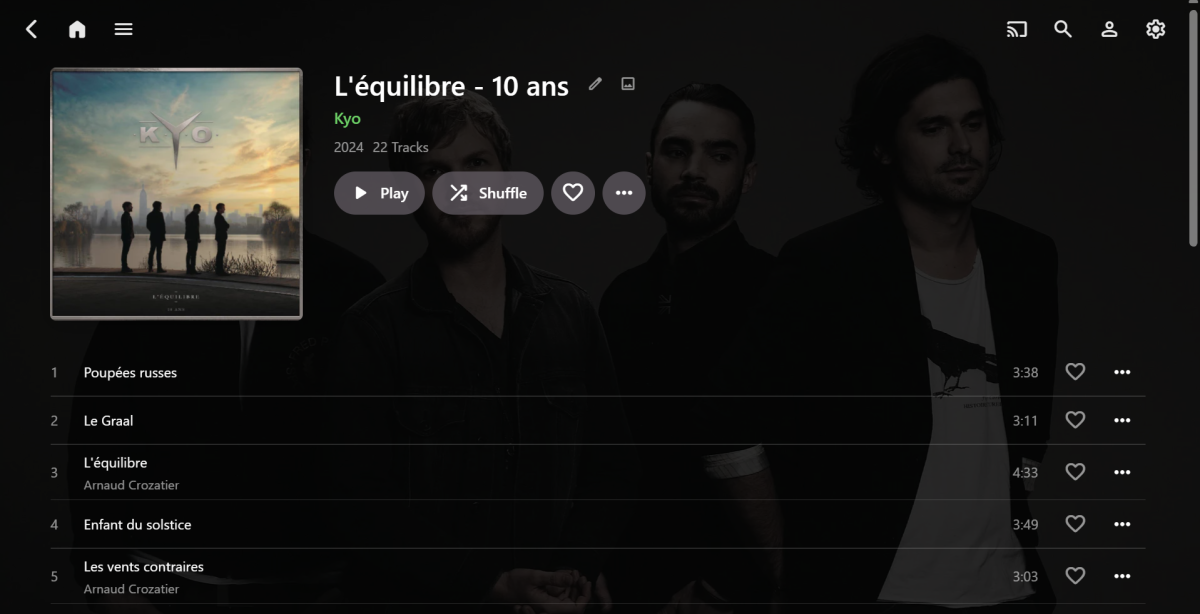
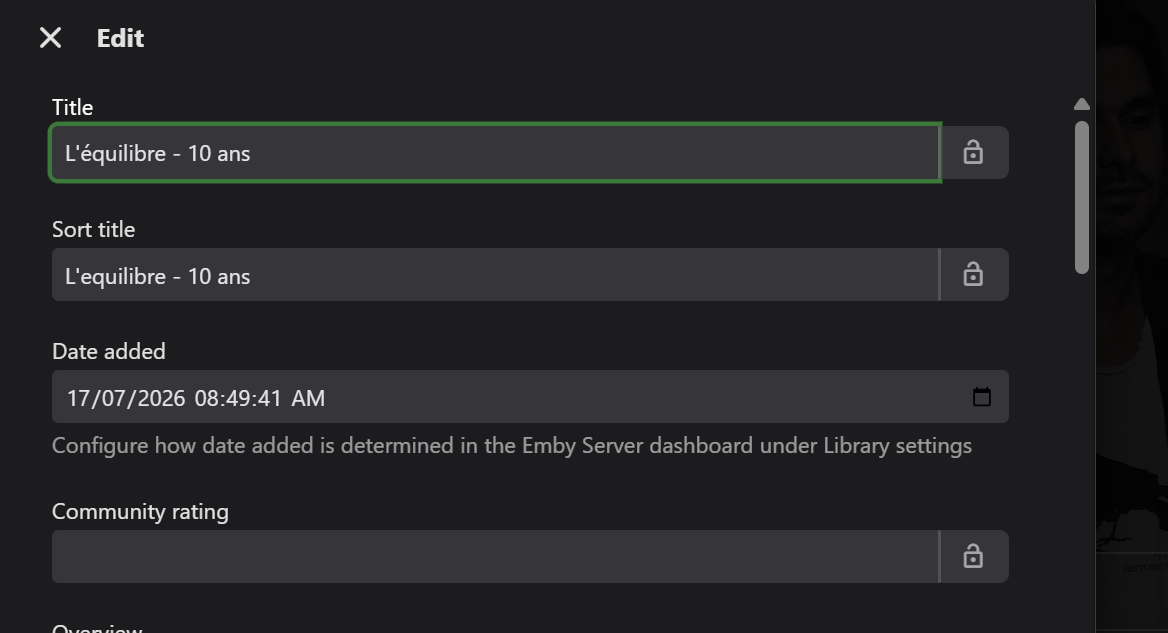
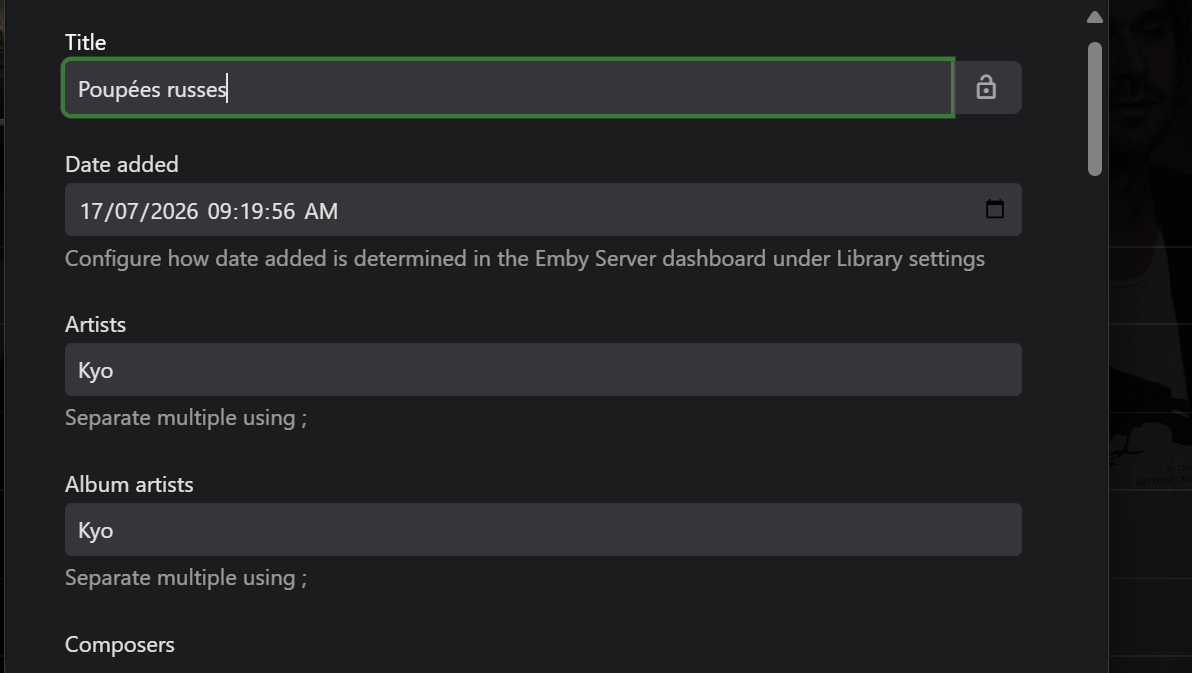
Hi, the OP did have one relevant screenshot, but I don't think it uploaded correctly, because it doesn't appear in the detailed post, but it does appear in the indexed forum list. Here it is for reference: It does look like that individual Albums are fused together. From the screenshot, the title is one Album, the image is another Album (John Lennon), the Album Artists are several and the Songs/Artists seem to be merged into the one Album. (67 tracks in total - when the Album should only have 22 Tracks. https://musicbrainz.org/release-group/ca43e39c-ccf0-4b88-a409-7e2c8c1528da I guess it should actually look something like this for the Kyo Album: From your Windows/Properties/Details screenshots, it appears that the two example tracks/files have correct embedded metadata for Album Artist / Album / Artist - but I'd recommend to use a dedicated tagging app (Mp3tag or Picard) to see ALL tags for the tracks (e.g. extended tags in Mp3tag). Don't just rely on Windows. Then, also check what Emby is showing for both the individual Albums and the individual Songs in the metadata editor. Not just the Album screen shot - go into the metadata editor (from the 3 dots) and you will see something like this for the albums: Scroll down and check MusicBrainz and Discogs IDs. _______________________________________________________ The tracks metadata should show something like this: Again, scroll down and check everything. If you see obvious errors, it may be possible to correct them - I would make the corrections in the embedded metadata and then rescan into Emby. Don't just change within Emby or a future rescan may re-import incorrect embedded metadata. Also, if you can't see anything obvious - then perhaps try removing all the albums from Emby, rescan your library. Then check the embedded metadata in the albums and add them back into Emby one-by-one. If the errrors return, then you may be able to find the root cause???
- Yesterday
-
Advice please - getting the maximum from my EMBY Setup / Samsung HW-Q990C (Atmos and TrueHD)
Robnaeyaert posted a topic in General/Windows
Hi Emby - long time user and support @Robnaeyaerthere. I need some advice please. I want to get the max out of my soundbar (Samsung HW-Q990c) and I think I need a nVidia Shield but I don't want to waste money so can someone please help? Here is my setup Emby Server running on a Windows NUC PC with media USB drives hanging off the server Emby Client running on my 75" 2022 Samsung Art Frame (Samsung Emby client app) Samsung HW-990c connected to the eARC output on my TV I have loads of TrueHD / Atmos media and I'm not sure I'm getting the full benefit from my hardware to enjoy Atmos etc. Sometimes my Soundbar says "Atmos" when I play media and sometimes it doesn't and I'm getting suspicious that my setup is not leveraged to take full advantage of the audio. Someone said (and I read online) I may need a nVidia Shield Pro as a "player" as it will ensure my audio is maximised. I get the feeling I'm missing out here and not using my HW-990c to it's fullest potential. Could someone like @Luke, @FrostByteor anyone please give me a steer on how to configure this as I don't want to waste money on another appliance if I don't need to? Cheers rob -
v1.1.0 is out - a few improvements based on feedback here, thanks all. What's new: Media-folder storage option: JSON/NFO backups can now be saved next to each episode's own video file instead of (or alongside) a centralized folder - if you'd rather the marker data travel with your media, this is for you Removed the redundant "Also write a companion .nfo file" checkbox - NFO output is now driven purely by whether a destination (path or media-folder option) is actually configured Per-episode backup writes are now resilient to permission errors - one folder's issue no longer aborts the whole run; it's logged and that episode is skipped, with a summary count at the end Added a README "Permissions" section covering common Linux chown/chmod fixes and Synology's ACL-override behavior (synoacltool), since that's the most common thing that trips people up Custom icon instead of the default folder icon Clearer task descriptions and a distinct scheduled-task category label so it doesn't get lost next to the commercial plugin's similarly-named tasks Release (with a prebuilt DLL, tested against Emby Server 4.10.0.18) and full changelog here: https://github.com/guilty57/credits-intros-backup-restore/releases/tag/v1.1.0 Repo: https://github.com/guilty57/credits-intros-backup-restore Still open to feedback - the storage-alongside-media suggestion in this thread was exactly what prompted this release, so keep it coming.