All Activity
- Past hour
-
 jtjkkkk joined the community
 -
 Johnny Loeung joined the community
 -
 Husseinthe13 joined the community
 -
 Nancho77 joined the community
 -

TV Show Status — TMDB-powered Returning/Ended/Cancelled badges for series
Blueskies278 replied to Blueskies278's topic in Plugins
Not available yet. still in working progress. -
 Catalaya09 joined the community
 -
 demox3857 joined the community
 -
 carmenmartin joined the community
 -
 eLiro1376 joined the community
 -

Collection Movies structure setup
Energon_Universe replied to Energon_Universe's topic in General/Windows
Yes now its ok , i just refresh metadata and library files Solution i think is that "In Library view: three-dot menu (next to Filters)>enable/toggle on "Group items into collections". but i think its working after refresh metadata and library files -
Have you waited for library scan to finish? As your auto-collection Collections library should not be empty, and your custom Collections library items should be grouped under their respective collections.
-
Collection Movies structure setup
Energon_Universe replied to Energon_Universe's topic in General/Windows
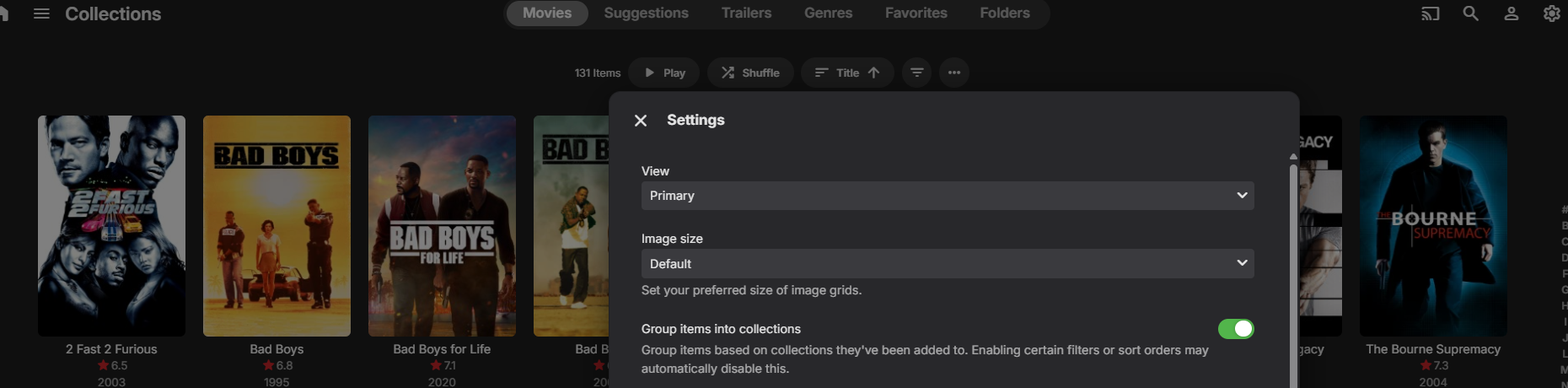
I forgot to mention it. Yes, I have it enabled. However, I would simply like it to actually be a collection, rather than one by one.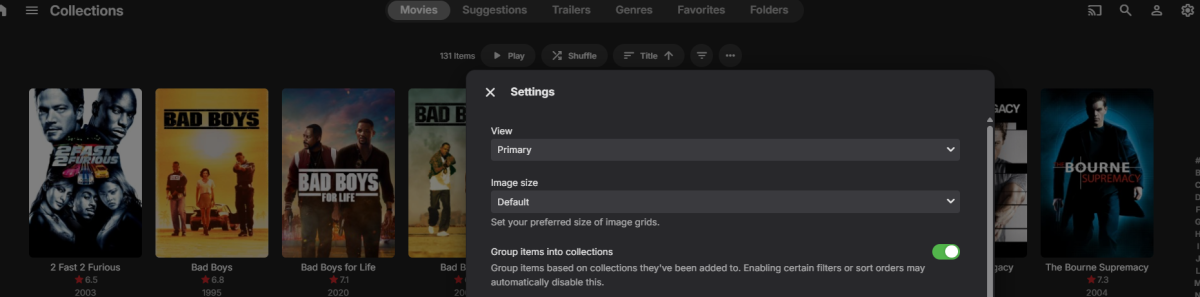
-
In Library view: three-dot menu (next to Filters)>enable/toggle on "Group items into collections". That is default behavior if you have "Import collection information..." enabled in any movie content-type library settings. If you don't want it, you can just hide it in your user's Home Screen settings. Edit: And as a matter of curiosity: why did you create a separate library called Collections in the first place?
-

"Play next episode automatically" - Customize Timing?
lolotux replied to bubba_nuts's topic in General/Windows
Hi, I found a workaround to change when the “Next Episode / Up Next” prompt appears in Emby Web. Tested on Emby 4.9.5.0. File: /opt/emby-server/system/dashboard-ui/videoosd/videoosd.js Original logic uses: 30 / 35 / 40 seconds before the end, depending on episode duration. I changed it to trigger at 96% of playback instead, so the prompt appears when about 4% of the episode remains. Patch idea: 1. Backup the file. 2. Replace the fallback timing logic: runtimeTicks-1e3*(fiftyMinuteTicks<=runtimeTicks?40:fortyMinuteTicks<=runtimeTicks?35:30)*1e4 with: runtimeTicks*.96 3. Optional but important: Emby may use CreditsStart markers when available, so I also forced creditsInfo to 0 in the UpNext calculation to always use the percentage-based trigger. 4. Restart Emby. 5. Clear/reload the browser cache for: /web/videoosd/videoosd.js?v=4.9.5.0 In Chromium/Chrome DevTools console: fetch('/web/videoosd/videoosd.js?v=4.9.5.0', {cache:'reload'}) Important notes: - This is not an official setting. - It will probably be overwritten by Emby updates. - Backup before modifying. - A proper UI setting would still be much better. Result: The UpNext prompt now appears around 96% of the episode instead of the hardcoded 30/35/40 seconds. - Today
-
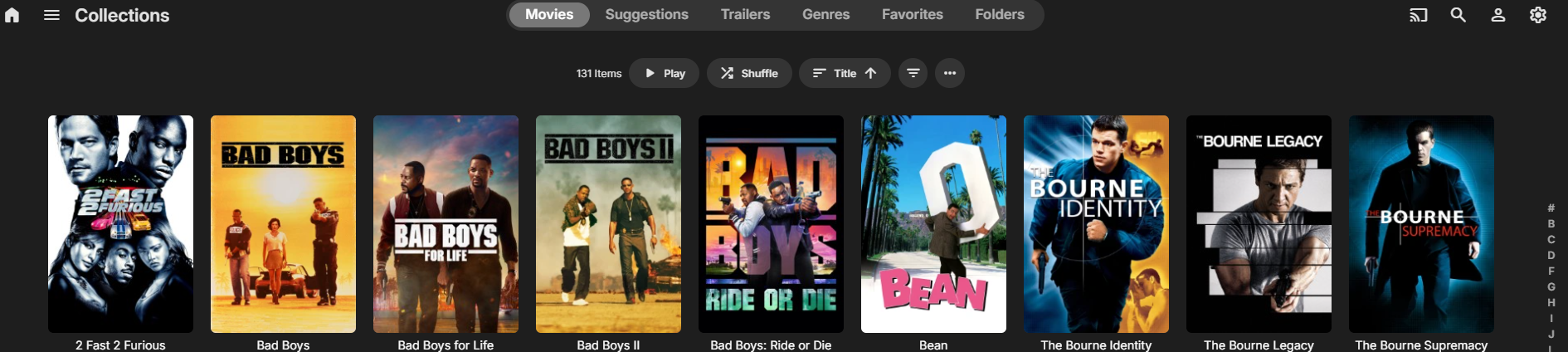
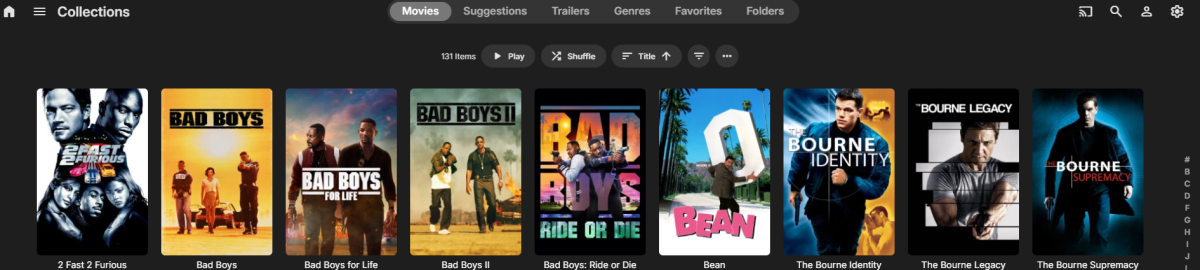
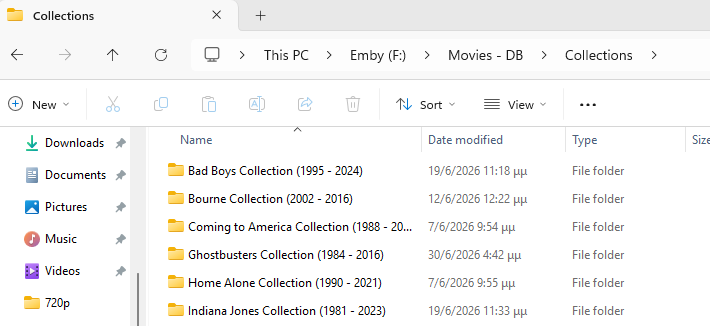
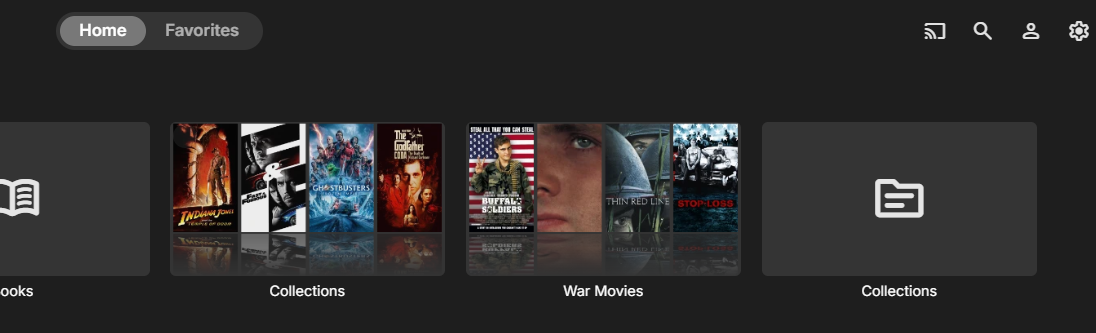
Hello everyone. I'm having an issue with collections. I created a folder named Collections (folder name) and added it to Emby as a Movies library. However, when I add it, Emby starts scanning it and creates (automatically) a second Collections section. The problem is that this new Collections library appears empty, even though it has been added successfully. Also, in the Collections library that I created from this folder, the movies are displayed individually instead of being grouped into collections. Am I missing a setting, or is there something I'm doing wrong? And to be honest, at one point it was working fine—meaning I could see the collections as collections and not individually movies. But I don't know what I tweaked, and it stopped working.

-
I created an "Audio Books" library. The Author\Books appear as expected after pointing it to a folder called "Audio Books". Unfortunately, it is also including content that is definitely not in the "Audio Books" folder. It is picking up content from a "Music" folder which was not included when setting up the library. It's not a great deal of music but I have no explanation for this behavior. Can anyone provide an explanation?
-
Hey I'm sorry to up that post but I have an issue. I have kodi on my smart tv and an android projector. It works fine with my emby library on Synology NAS. The issue is I don't have the same options in the emby next gen plugin, including the delete option. I tried to install a backup from the tv to the projector just in case but still the projector doesn't show many options in the interface tab. Is there something I can do?
-

Custom library images dissapearing
visproduction replied to MediaIntelNUC's topic in General/Windows
Just avoid the dashes. Spaces might be fine. The media thumbnails all get either just poster.jpg and landscape.jpg or if there is a second media in a folder, then the poster becomes something like "Rocky (1976)-poster.jpg". Dashes are also used to show difference in media resolutions so that: Rocky (1976) - 720P.mp4 Rocky (1976) - 1080P.mp4 Gets listed in the pulldown as just 720P and 1080P. The part of the file name up to the dash is removed for the pull down list. This was also causing the player screen to not show the full title in the lower left on mouseover, when there was multiple dashes. That has been fixed. There is code to truncate from the dash for listing different resolutions in the Video pull down selection for the media page. The code that does that might be truncating your file names for the Collection images. It shouldn't do this, but the file name might run through the code, by mistake, that removes the first part of the file before the dash. It is just a guess. It's an easy bug to miss. You would have to use dashes in testing in order to see the problem. Hope that helps. -

[Security Issue] Using Home Button Makes PIN Bypass Possible
Tigga5 replied to Tigga5's topic in Android
@Luke That's been covered in this thread. -
Upgraded to the latest server version and it seems to work now! (I notice there are a few subtitle fixes in the release.)
-
For security reasons NAS's don't make it easy to get into system folder/files. I'm assuming 'file station' = Synology so fallow this from the source: https://kb.synology.com/en-global/DSM/tutorial/How_to_login_to_DSM_with_root_permission_via_SSH_Telnet or an older post on this forum:
-
Hola, mismo error. No estoy en insider. Tampoco aparecen errores en el visor de eventos ni en %LocalAppData%\CrashDumps EmbyClient.txt
-

Movies "Split Versions" Option no longer available
Lessaj replied to Painkiller88's topic in General/Windows
Yes if you're looking in the 3 dot menu that's not where it is, it's down the page.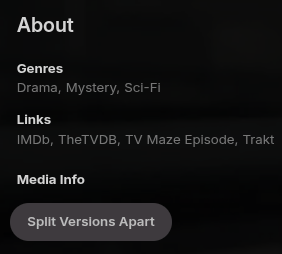
-

4K DV/HDR HEVC Remux stutters/freezes with audio passthrough enabled
justinrh replied to privaty's topic in Android TV / Fire TV
This may the same problem I started seeing. When you first start playing a movie the video is choppy/jerky. If you FF or rewind one time it straightens out. I'm running ATV 2.1.46g on my two Shields. -

NVidia Shield playback spinning/fails to start
warrencalvert replied to warrencalvert's topic in Android
Hi Luke Is there any way of disabling Direct Play server-side as a global setting to disable it for all clients? Everything else in Emby works fine but watching Live TV has never worked reliably on any devices - just hoping there's some way to make it work properly. Thanks. -

Movies "Split Versions" Option no longer available
GrimReaper replied to Painkiller88's topic in General/Windows
Not sure why you're not seeing it, a "Split Versions Apart" button in every multi-version item's detail view, Media Info section at the bottom. -
Workaround: customize UpNext / Next Episode prompt timing in Emby Web
lolotux posted a topic in General/Windows
Hi, I found a workaround to change when the “Next Episode / Up Next” prompt appears in Emby Web. Tested on Emby 4.9.5.0. File: /opt/emby-server/system/dashboard-ui/videoosd/videoosd.js Original logic uses: 30 / 35 / 40 seconds before the end, depending on episode duration. I changed it to trigger at 96% of playback instead, so the prompt appears when about 4% of the episode remains. Patch idea: 1. Backup the file. 2. Replace the fallback timing logic: runtimeTicks-1e3*(fiftyMinuteTicks<=runtimeTicks?40:fortyMinuteTicks<=runtimeTicks?35:30)*1e4 with: runtimeTicks*.96 3. Optional but important: Emby may use CreditsStart markers when available, so I also forced creditsInfo to 0 in the UpNext calculation to always use the percentage-based trigger. 4. Restart Emby. 5. Clear/reload the browser cache for: /web/videoosd/videoosd.js?v=4.9.5.0 In Chromium/Chrome DevTools console: fetch('/web/videoosd/videoosd.js?v=4.9.5.0', {cache:'reload'}) Important notes: - This is not an official setting. - It will probably be overwritten by Emby updates. - Backup before modifying. - A proper UI setting would still be much better. Result: The UpNext prompt now appears around 96% of the episode instead of the hardcoded 30/35/40 seconds. -
Hi, on the latest stable version it seems there is no more menu point to split versions. How to split versions of movies now? E.G if i have a 1080p and a 4K movie and i work with tags, i need to set the 4K movie tags before i match them, otherwhise emby is not able to write the tags only to the 4k movie, and it marks the 1080 and the 4k version with tags like "4K" or "dolbyvision" and only after i set the tags, i can merge them again. So how can i do this right now as there seems to be no more option to split versions. Thanks
-
"Play next episode automatically" - Customize Timing?
lolotux replied to bubba_nuts's topic in General/Windows
Sorry Long answer : but solved issue And it's in French HowTo - Emby Web : bouton Épisode suivant à 96 % de lecture Version : 04/07/2026 1. Principe Objectif : afficher le bouton 'Épisode suivant' dans Emby Web quand 96 % de l'épisode est lu. Ce réglage remplace le comportement natif, qui utilise environ 30/35/40 secondes avant la fin, ou un marqueur CreditsStart quand il existe. 0.96 signifie : déclencher quand il reste 4 % de la durée totale. Chemin concerné : /opt/emby-server/system/dashboard-ui/videoosd/videoosd.js Plateforme testée : Debian 12, Emby Web 4.9.5.0. 2. Sauvegarder le fichier Créer le dossier de sauvegarde puis copier le fichier JavaScript original. sudo mkdir -p /root/backup_emby_ui sudo cp -a /opt/emby-server/system/dashboard-ui/videoosd/videoosd.js /root/backup_emby_ui/videoosd.js.BAK_$(date +%Y%m%d_%H%M%S) 3. Appliquer le patch 96 % Le patch ignore le marqueur CreditsStart, puis remplace le seuil par runtimeTicks*.96. La commande ci-dessous reste utilisable si le fichier contient encore les valeurs natives 40/35/30 ou un ancien test en 120/120/120. sudo python3 - <<'PY' from pathlib import Path import re p = Path('/opt/emby-server/system/dashboard-ui/videoosd/videoosd.js') s = p.read_text() s = s.replace( 'creditsInfo=(null==creditsInfo?void 0:creditsInfo.start)||0', 'creditsInfo=0' ) pattern = r'runtimeTicks-1e3\*\(fiftyMinuteTicks<=runtimeTicks\?\d+:fortyMinuteTicks<=runtimeTicks\?\d+:\d+\)\*1e4' s2 = re.sub(pattern, 'runtimeTicks*.96', s, count=1) if s2 == s and 'runtimeTicks*.96' not in s: raise SystemExit('Seuil UpNext non trouvé : vérifier manuellement videoosd.js') p.write_text(s2) print('OK patch UpNext 96 pct') PY 4. Redémarrer Emby Le redémarrage force Emby à resservir le fichier modifié. sudo systemctl restart emby-server 5. Vérifier côté serveur Cette commande contourne le cache navigateur avec un paramètre aléatoire. Le résultat attendu est creditsInfo=0 puis runtimeTicks*.96. curl -s 'http://debian12:8096/web/videoosd/videoosd.js?check='$(date +%s) | grep -oE 'creditsInfo=0|runtimeTicks\*\.96|runtimeTicks-1e3\*\(fiftyMinuteTicks<=runtimeTicks\?[0-9]+:fortyMinuteTicks<=runtimeTicks\?[0-9]+:[0-9]+\)\*1e4' Résultat attendu creditsInfo=0 runtimeTicks*.96 6. Forcer le cache du navigateur Piège observé : Chromium peut garder l'ancien videoosd.js pour l'URL versionnée videoosd.js?v=4.9.5.0. Dans la console du navigateur, sur l'onglet Emby, forcer le rechargement de cette URL exacte. Adapter v= si Emby utilise une autre version. fetch('/web/videoosd/videoosd.js?v=4.9.5.0', {cache:'reload'}) .then(r => r.text()) .then(t => console.log( 'PCT96=', t.includes('runtimeTicks*.96'), 'CREDITS0=', t.includes('creditsInfo=0'), 'HAS_NATIVE=', /fiftyMinuteTicks<=runtimeTicks\?\d+:fortyMinuteTicks<=runtimeTicks\?\d+:\d+/.test(t) )); Résultat attendu dans la console PCT96= true CREDITS0= true HAS_NATIVE= false 7. Recharger Emby Web Fermer et rouvrir l'onglet Emby, ou utiliser Ctrl+F5. Lancer ensuite un épisode et vérifier l'apparition du bouton vers 96 % de lecture. 8. Effet de 0.96 selon la durée Durée épisode Bouton vers 40 min 1 min 36 restantes 50 min 2 min restantes 60 min 2 min 24 restantes 9. Retour arrière Restaurer le backup choisi, redémarrer Emby, puis forcer le cache navigateur comme plus haut. sudo cp -a /root/backup_emby_ui/videoosd.js.BAK_YYYYMMDD_HHMMSS /opt/emby-server/system/dashboard-ui/videoosd/videoosd.js sudo systemctl restart emby-server 10. Notes importantes Ne pas supprimer /var/lib/emby/metadata ni /var/lib/emby/cache pour ce sujet : le problème n'était pas la base Emby, mais le JavaScript servi et le cache navigateur. Une mise à jour Emby peut remplacer videoosd.js. Dans ce cas, refaire la sauvegarde puis réappliquer le patch. creditsInfo.start correspond au début du générique détecté par Emby via CreditsStart. Le patch creditsInfo=0 force l'utilisation du seuil proportionnel, donc un comportement constant. -

No actualiza las imágenes de portada en "Lo ultimo en.."
roand7802 replied to Estebanco's topic in Spanish
Hola, yo también tengo un servidor que usa un almacenamiento que tiene las imagenes y metadatos y para que lo lea en la configuración de la biblioteca le activé esto: En tu caso revisa si la tienes. Si no la tienes activa y refresca metadatos de toda la biblioteca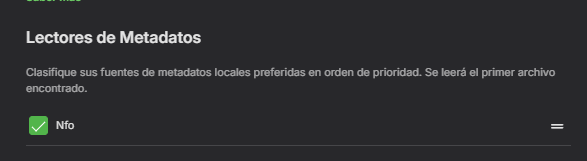
-
As advised above, that is a question for plugin Dev. One thing you could check do is untick/tick again all enabled Collection Image Fetchers for your Collections library under your Settings>Library tab, then check how does it behave for newly created collections. For existing ones, multi-select>Refresh Metadata on those missing artwork, you don't need to do it one by one.
-
Hola, tu estás en el programa insider en esos equipos? También puedes intentar hacer esto para descartar permisos: desde el explorador ve a la ruta de Emby C:\Program Files\WindowsApps\EmbyMedia.EmbyTheater... y busca la aplicación Emby.Client.WinUI y ejecútala desde allí pero como administrador
-
Here too. It’s problem of latest update. On other clients works well. Only on iOS with latest update broke trailer from internet. Local trailers still working.