All Activity
- Past hour
-
 Jumalo joined the community
 -
You would have to uninstall the newer version to go back a version, and it would remove all of your saved settings. Sign up for the beta as EBR has suggested and report any problems if you are still experiencing them. The latest beta version is 2.1.54, which is available to download here. Once downloaded, you will need to sideload it onto your Shield. Which model Shield do you have?
-
 daniemoref joined the community
 -
Hi. The ones that work have an HDR fallback and the ones that don't work, don't.
-
 batman_7 joined the community
 -
Hi. We do not officially support going backwards to old versions. The beta should solve your issues or you can use the standard app. Thanks.
-
 user18 joined the community
 -
 edwinrodrig joined the community
 -
 Vanessa3 joined the community
 -
 ZackyZhu joined the community
 -
 tracielambert1 joined the community
 -
Hi. Can you try searching for our standard android app (Just "Emby" on Amazon and "Emby for Android on Google) on the same device's app store and see how that compares? Thanks. FYI you can easily past screen shots or any image right into a forum topic out here.
-
I am not exactly sure if I should put this here or in the server sub thread. I use Emby for Windows server beta and generally keep it up-to-date every time there is a new update. I also use Google TV devices such as the ONN Google TV or a native Google TV app built into the TV when playing Dolby Vision files. Sometimes they fail completely or sometimes I get the green and purple hues. Other times they play fine. This seems to be file specific and occurs on TV's that don't natively support Dolby Vision. Is this due to encoding or an issue with transcoding or an issue with the playback device?
-
 jonanunozmoreno joined the community
 -
 nd15100 joined the community
 -
Hi, there's already an open request for this or something functionally equivalent. Please join in and contribute to the existing discussion at:
-

Add Refresh Metadata permission to non-Admin users
CBers replied to CBers's topic in Feature Requests
It would enhance the presentation for all users on the system, as it would fill-in missing metadata. This may be a personal niche request, but I think it would be valid for more people than just me. -
Fresh install, and loose all my users data? That's out of a question. Seriously now, something has to be done about this. Continuing to deflect and pretend it isn’t a server-side issue is not helping. The only way to refresh the cast gallery is to open every single movie and tv show and scroll through all actors, so the Emby server can load each person and replace the broken image icon with a person icon. Then you have to refresh the metadata. Just entering the movie or show isn’t enough. Only the first cast page updates, and I have to keep pressing the right arrow on the cast list repeatedly to force it to fix every actor's missing photo.
-
See attached PDF of screen shots EmbyContinueWatchingIssue.pdf
-
Then that would be a fresh install. I'm sorry that we haven't added a recovery for this specific situation.
-

Add Refresh Metadata permission to non-Admin users
Luke replied to CBers's topic in Feature Requests
Well for one it would change the presentation of that item for all users on the server. -
there is a plugin for user recomendations, if recommending media items to other users is what you meant.
- Today
-
One more data point: also works and the output fMP4 segments contain the Dolby Vision data and plays correctly. This bug likely extends beyond Safari. Any device that requests DV over HLS/fMP4 will be missing the DV data. I’m happy to open a separate thread if the team here wants me to. Looking forward to seeing this fixed. Thanks!
-
Add Refresh Metadata permission to non-Admin users
CBers replied to CBers's topic in Feature Requests
So another 2.5 years, and this hasn't made it into the system. Can't see why a non-Admin user doesn't have the ability to refresh content, shared or otherwise, as it's still only going to download the same metadata as an admin account. If the metadata is locked by the Admin, then fair enough, but that should be the Admin's perogative to decide on. Please asvise on the progress of this request. Thanks. -
That’s great, thanks for your help! Is there a way to do the same across all libraries at once?
-
Thank you for the response, but you lost me. I am trying to go back to 2.1.48g. I see no option from emby to download that app version. I found a source, but I am wary. I asked about that source. no matter, I will try the beta. I appreciate the help. great support even though I am a bit stubborn...
-

Subtitles desync after every pause/resume on transcoded playback
tirdg replied to tirdg's topic in Linux
See attached. Thanks for any assistance you can provide on this! ffmpeg-remux-938d11c8-1aa7-41df-839e-9f34d9ca3b82_1.txt ffmpeg-remux-c69bb6a8-6372-497e-aa43-326454d11783_1.txt ffmpeg-remux-700588cf-ecef-468d-8aab-af65e5569b56_1.txt ffmpeg-remux-5572e516-eeb1-47ac-9ba1-95482c16ce96_1.txt embyserver-63922003200.txt -

Transcode Failure for MPEG-TS Recordings on Samsung TV — "No compatible streams available"
SamES replied to Ladiesman0217's topic in Live TV
What year/model is the Samsung TV? -
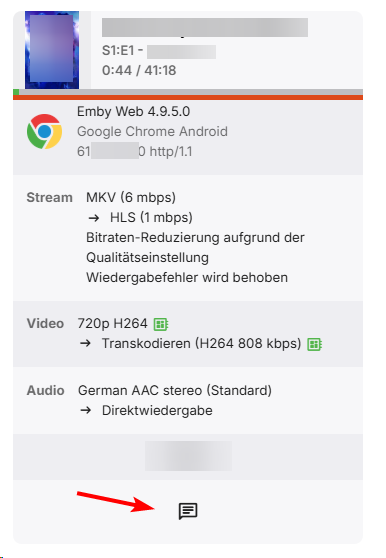
I have the same issue. User has paused the stream in Chrome 5hours ago. I can't even terminate it manually, as the button is missing. With a seperate option to terminate the stream through Tracearr is also not working, because "Client does not support remote control"
-
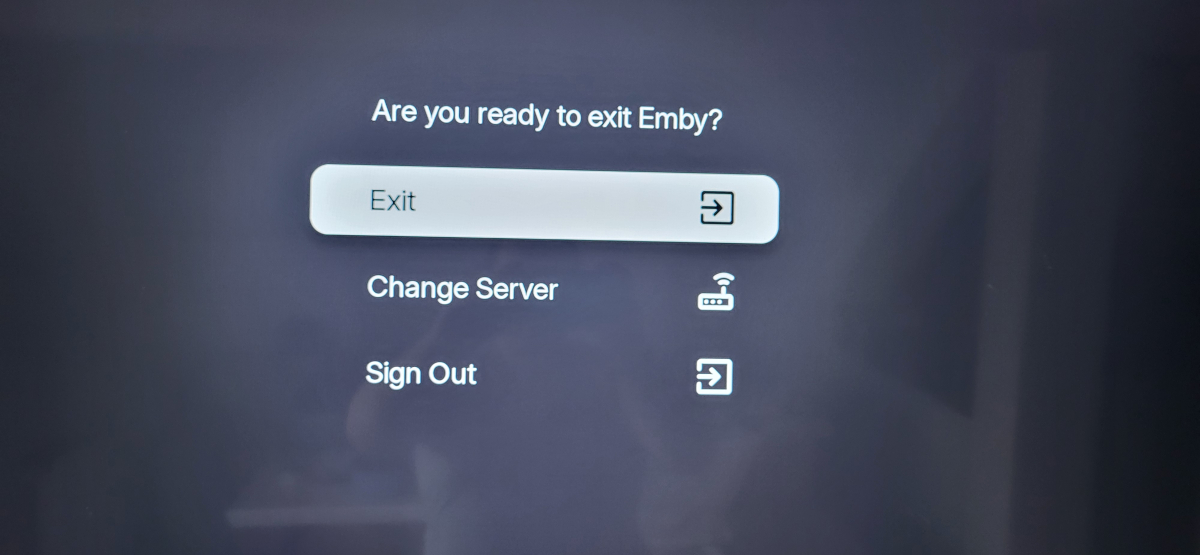
Now im stuck on menu infinite loop, whatever i choose it return me to this menu, cant even exit app.
-
Yeah, but was my last resort to get rid of them.... But I completely understand what you say. Thank you
-
Hi Emby Support, I’ve installed Emby on a Fire TV Stick 4K (8GB, Wi‑Fi 6 model). I’m logged in and can see my media collection fine. However, I’m getting a prompt saying: "Did you know? Our standard Android app now works on TVs too and is being updated with more current features. Try it out or No thanks." I’m unsure which version is best to use on the Firestick — the Fire TV app or the standard Android TV app. Could you advise which one is recommended for Firestick users and whether switching offers any benefits? This setup will be used by Ukrainian people who have never used or seen Emby before, so clarity and ease of use is important. Thanks, Rich
-
Yeah - I think I know what you mean. I would like to hide Artist and Composer menu tabs, but still want to keep the underlying metadata embedded in the Songs. To delete this data, as a workaround, isn't something I want to do!!! Custom Menu Tabs is a popular request. You could add your support by liking the first post here (if you haven't already): If you read through the comments, it seems like this on the Emby "to-do-list" but only Emby knows when...
-

Plugin: Ginjaninja Tools - Manage Coming Soon - Allow your users [non admins] to submit requests
ginjaninja replied to ginjaninja's topic in Plugins
0.2.0.0 Made TMDB key optional. Plugin now uses Emby inbuilt functions. -
Exactly that, It seems that both Composers (and Genres) remain in the menu, even if there no tags, but Artists (and Playlists and Tags) do not. I prefer to differ, i remove some metadata, as artists is not interested to me because of inconcistency with nicknames, names , feat , punctation as seperrators etc . For me music artist , and album name is enaugh , i dont need wikipedia on display as i am relaxing or not listening to music. I hope Custom Menu Tabs, or overall Customization is in development, as i hate Collections too and cant get rid of them. Thanks