All Activity
- Past hour
-
This has happened for quite some time now, but it seems to be happening more frequently now. I'm currently running Version 4.11.0.5 beta on a Ubuntu 18 LTS server. I currently have two LiveTV sources, an HDHomeRun with 3 tuners, and an IPTV subscription that's capable of 4 streams. This issue appears to affect both. I've noticed it more with the HDHomeRun source simply because that's what I use the most often... what seems to be happening is if somebody watches a channel and exits their respective app (or turns off their TV, for instance) without first going "back" to the channel guide, occasionally at least it seems that the ffmpeg process doesn't end, and the stream is still connected. The "manage server" home screen in Emby may only be showing one simultaneous stream going, but nobody else is able to tune another channel until the Emby server is restarted or the ffmpeg processes are killed (the former being the "easier" path when I'm not somewhere that I can get to the console of my server, but is more disruptive to the person that is currently watching something). I really didn't have any idea about the ffmpeg processes still running until yesterday, when it happened with my IPTV connections because if I go over the allowed number of streams, it will say the app name loading the stream and the IP address-- in this case, the service provider said that 3 of the streams were coming from ffmpeg and 1 stream was coming from another service (that I was using to troubleshoot-- the IPTV providers own mobile app). Only 1 user was using Emby at that point watching one channel, so the other streams should have been gone-- Once I restarted Emby, the IPTV channel immediately loaded. Not sure what else I can do or what can be done.
-
 razvann82 joined the community
 -
 jeffreyjerez joined the community
 -
 Mike23Like23 joined the community
 -
 danizafra joined the community
 -

Reorganizing my library: here are two things I'd like to see improved
Anon42 replied to Anon42's topic in General/Windows
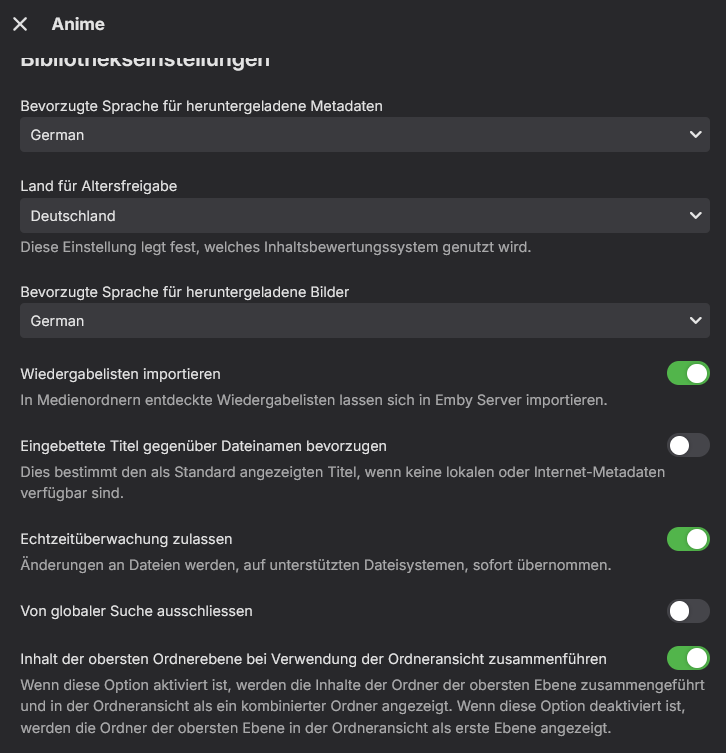
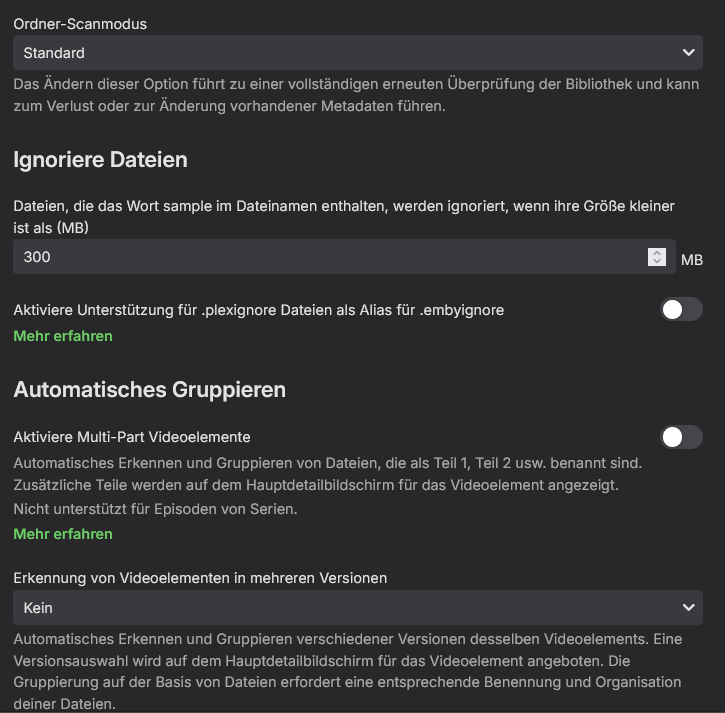
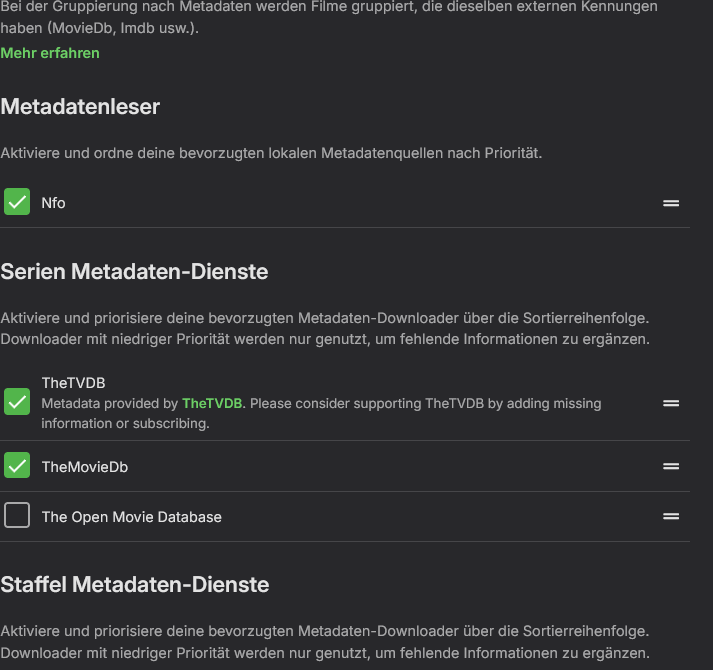
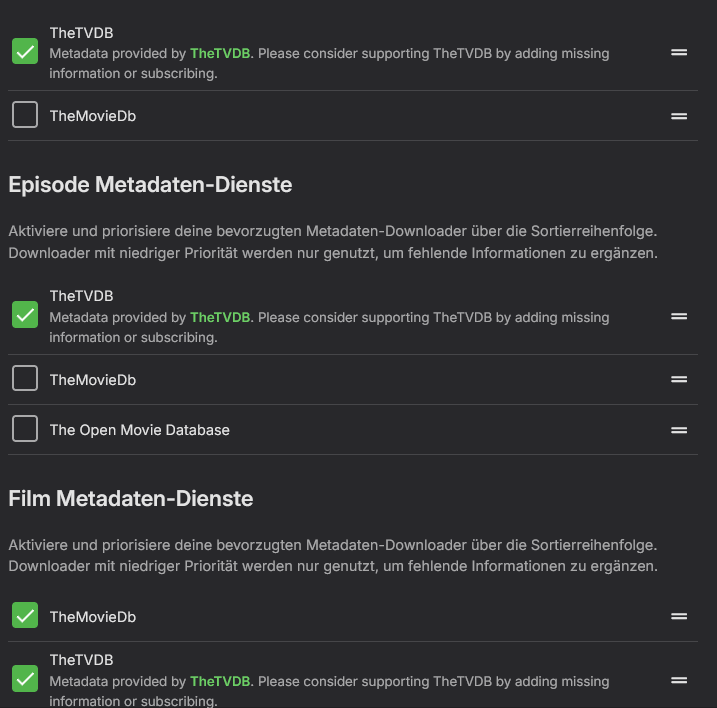
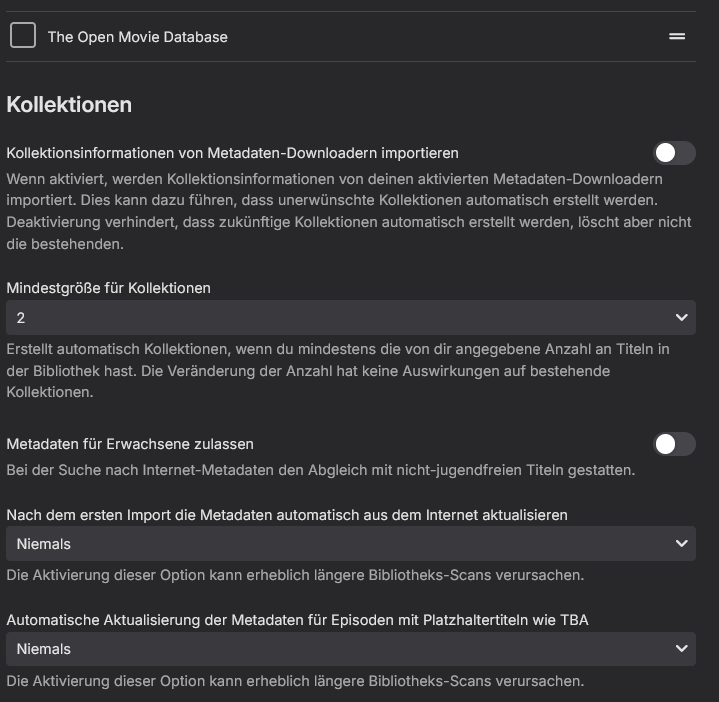
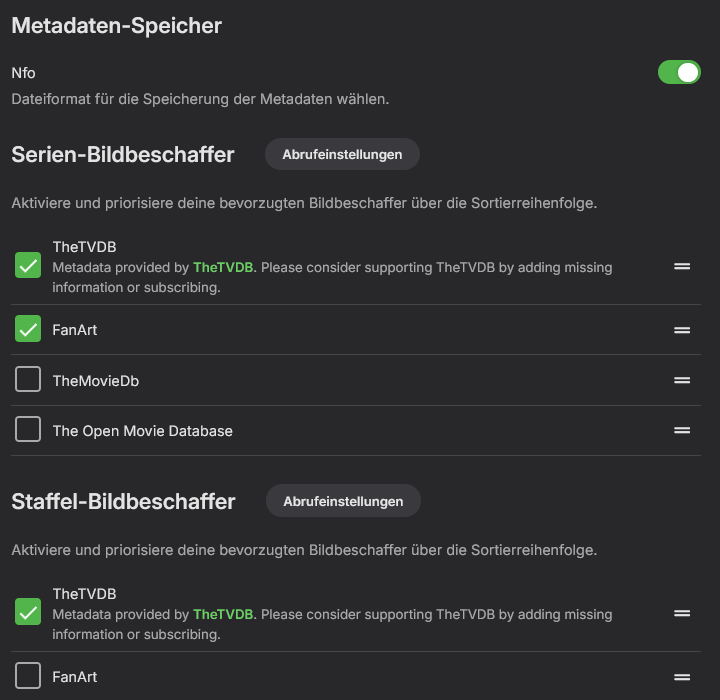
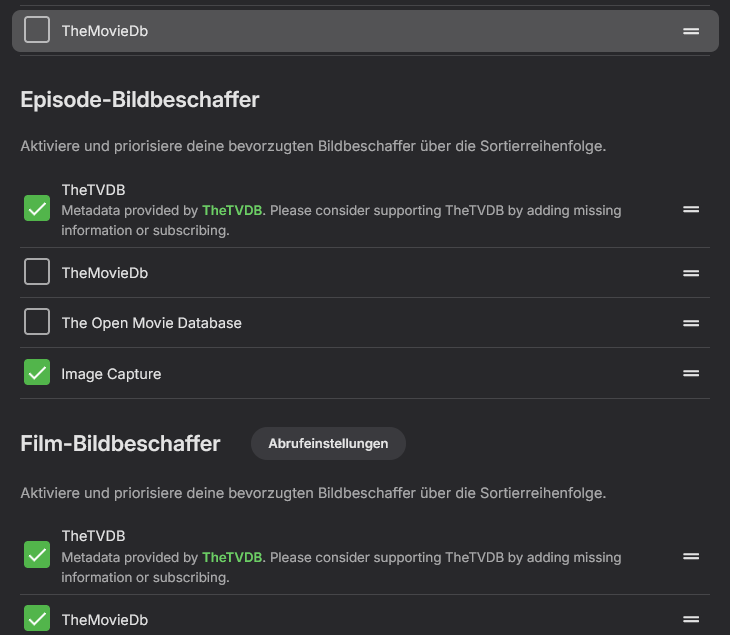
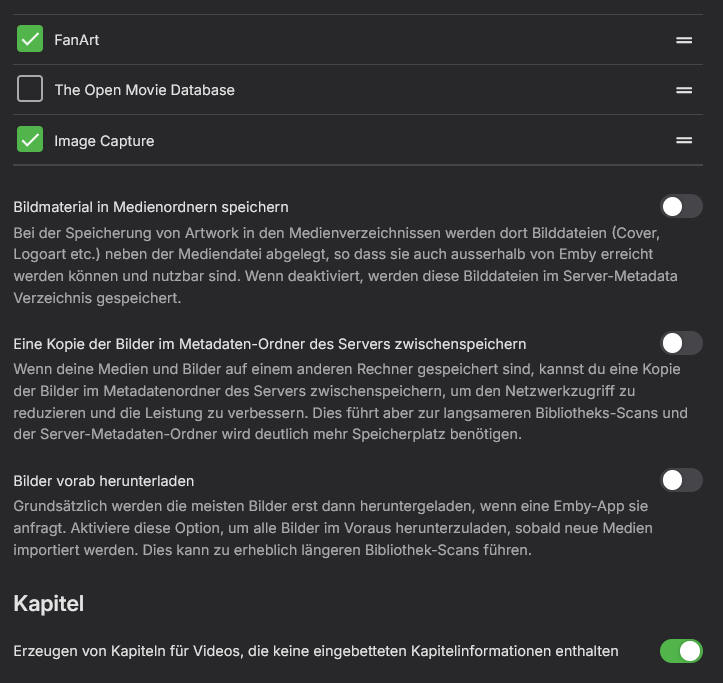
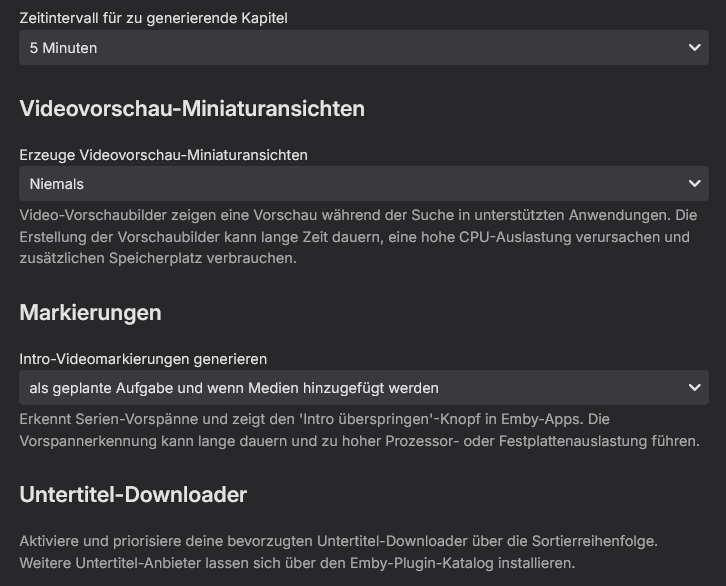
I remember reading that when setting up Emby (1 or 2 years ago). Didn't need it back then, so totally forgot about it. I guess that is what i need to do now in order to have things show up correctly. Nevertheless i stand with my suggestion. This is what it could look like: If this was already working as i described that would save me a lot of restucturing for the sake of autodetecting the content type. You can manually identify the content, so why not manually tell the system what to look for in a folder, when i'm already in that menu. I thought I had 3+5 examples already, but i guess i might as well go further into detail: Library "Anime" Mixed Contents /mnt/Anime I'm setting things up in the metadata manager: Issue A Case 1 /mnt/Anime/Blood C The folder in the file system contains 12 episodes and one movie 01 - *Title1*.mkv [...] 10 - Hunger [...] 12 - *Title12*.mkv The Last Dark.mkv The following is what shows up: 01 - *Title1* 02 - *Title2* 03 - *Title3* 04 - *Title4* 05 - *Title5* 06 - *Title6* 07 - *Title7* 08 - *Title8* 09 - *Title9* 11 - *Title11* 12 - *Title12* Hangar 10 Blood-C The Last Dark Fixed by renaming things to S0E1 - The Last Dark + S1E01-S1E12. Folder got correctly recognized as containing a series. Issue A Case 2 /mnt/Anime/Danmachi The folder in the file system contains 13 episodes and no movies 01 - *Title1*.mkv [...] 13 - *Title13*.mkv The following is what shows up: 01 - *Title1* 02 - *Title2* 03 - *Title3* 04 - *Title4* 05 - *Title5* 06 - *Title6* 07 - *Title7* 08 - *Title8* 09 - *Title9* 11 - *Title11* 12 - *Title12* 13 - *Title13* The Show is not recognized as a TV-Show, so movie folder rules apply. No episodes are recognized. Manual identification is not working, because TheTVDB movie id is expected. Putting the series id in the "The TVDB ID" field will give wrong results. Issue A Case 3 /mnt/Anime/Hunter X Hunter The folder in the file system contains 148 episodes and no movies (dindn't bother buying them) 001 - *Title1*.mkv [...] 028 - Nen Und Nen.mkv [...] 148 - *Title148*.mkv The following is what shows up: 001 - *Title1* 002 - *Title2* [...] 027 - *Title27* 029 - *Title29* [...] 148 - *Title148* Alt, neu, geliehen & blau So the folder got flagged as a movies folder, because Ep28 was falsely identified as some danish movie. Issue B Case 1: /mnt/Anime/Dororo Got identified as "El Dorado". There are 2 series named "Dororo" one dates to 1969 and one to 2019. Issue B Case 2: mnt/Anime/Attack on Titan Got identified as "Attack on Titan: Counter Rockets". Issue B Case 3: mnt/Anime/Made in Abyss Got identified as "Made in Abyss: Maruruk's Everday". Issue B Case 4: mnt/Anime/Gate Got identified as "Steins;Gate" That got me 2 versions of Steins;Gate for those episodes, and i was wondering where "Gate" had gone to. Issue B Case 4: mnt/Anime/Fire Force Got identified as "Strike Force Five" So, I don't know how exactly the identification works (what TheTVDB transmits to the Emby server), but I hope it's more than the #1 result of the search. Obviously wrong matches or close matches were preferred over exact matches, what should not happen imo. This is all fixable (each time) with some manual work, so I can live with it if i have to. Nevertheless if there was a more robust solution, that would get 90% less false identifications, i would happily take it. Ok, that took a while to put together... pressing the "back" thumb button on my mouse (to navigate folders, but doing it in the browser) halfway through and loosing everything didn't help. PS: Full screenshots of the settings for that library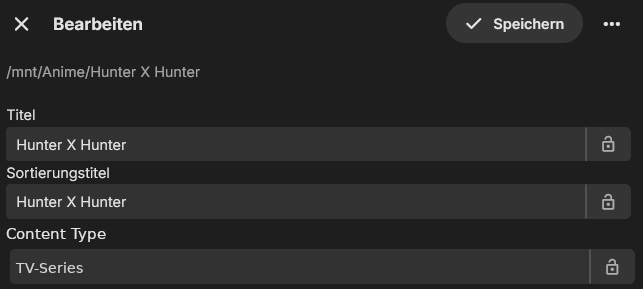
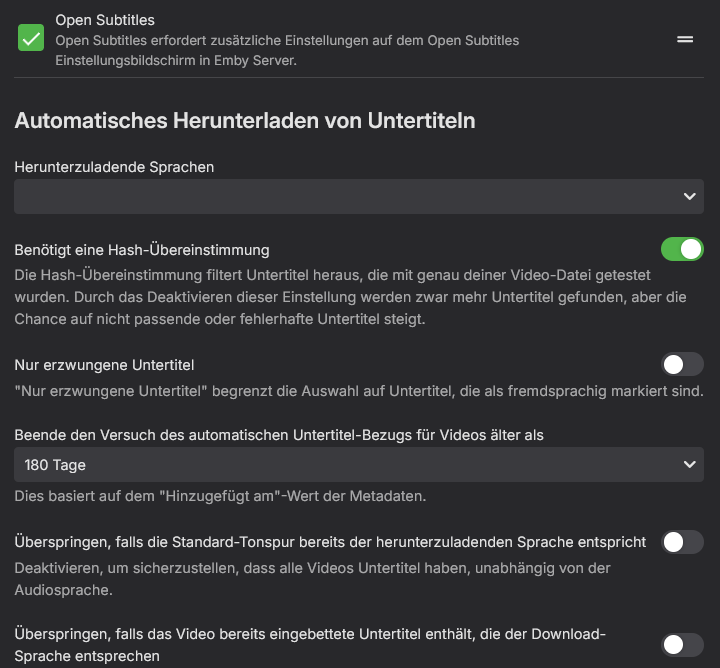
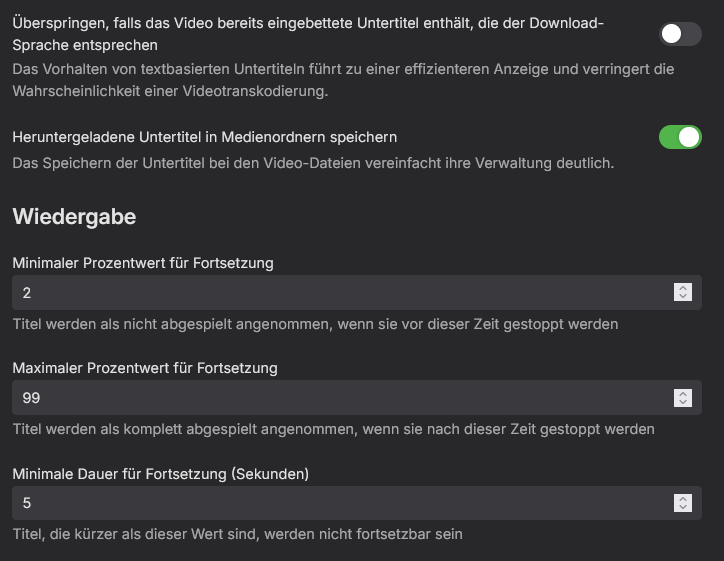
-
 Dani0228 joined the community
 -
 orlandoospino joined the community
 -
 Eduardo dos Santos dias joined the community
 -
 nasraldwsry432@gmail.com joined the community
 -

Web Streams plugin and M3U file: Which path to store local meta files?
Achim71 replied to Achim71's topic in Synology
Of course, here it is: *** Error Report *** Version: 4.9.5.0 Command line: /volume1/@appstore/EmbyServer/system/EmbyServer.dll -programdata /var/packages/EmbyServer/var -ffdetect /var/packages/EmbyServer/target/bin/ffdetect -ffmpeg /var/packages/EmbyServer/target/bin/ffmpeg -ffprobe /var/packages/EmbyServer/target/bin/ffprobe -nolocalportconfig -ignore_vaapi_enabled_flag -pidfile /var/packages/EmbyServer/var/EmbyServer.pid -defaultdirectory /volume1/Public -updatepackage emby-server-synology72_{version}_x86_64.spk -noautorunwebapp Operating system: Linux version 4.4.302+ (root@build5) (gcc version 12.2.0 (GCC) ) #90080 SMP Wed Jul 22 00:08:29 CST 2026 OS/Process: x64/x64 Framework: .NET 8.0.25 Runtime: volume1/@appstore/EmbyServer/system/System.Private.CoreLib.dll Processor count: 2 Data path: /var/packages/EmbyServer/var Application path: /volume1/@appstore/EmbyServer/system System.IO.DirectoryNotFoundException: System.IO.DirectoryNotFoundException: Could not find a part of the path '/volume1/@appstore/EmbyServer/file:/volume1/music/M3U-TEST/D318_ANTENNE_600x600.png'. at Emby.Providers.Manager.ImageSaver.SaveImage(BaseItem item, LibraryOptions libraryOptions, IImageSource source, ReadOnlyMemory`1 mimeType, ImageType type, Nullable`1 imageIndex, Nullable`1 saveLocallyWithMedia, Int64[] generatedFromItemIds, IDirectoryService directoryService, Boolean updateImageCache, CancellationToken cancellationToken) at Emby.Server.Implementations.Library.LibraryManager.ConvertImageToLocal(BaseItem item, ItemImageInfo image, Int32 imageIndex, CancellationToken cancellationToken) at Emby.Drawing.ImageProcessor.ProcessImage(ImageProcessingOptions options, CancellationToken cancellationToken) at Emby.Api.Images.ImageService.GetImage(ImageRequest request, Int64 itemId, BaseItem item, Boolean isHeadRequest) at Emby.Server.Implementations.Services.ServiceController.GetTaskResult(Task task) at Emby.Server.Implementations.Services.ServiceHandler.ProcessRequestAsync(HttpListenerHost httpHost, IServerApplicationHost appHost, IRequest httpReq, IResponse httpRes, IStreamHelper streamHelper, RestPath restPath, String responseContentType, CancellationToken cancellationToken) at Emby.Server.Implementations.HttpServer.HttpListenerHost.RequestHandler(IRequest httpReq, RestPath restPath, String urlString, String localPath, String contentTypeInPath, CancellationToken cancellationToken) Source: Emby.Providers TargetSite: Void MoveNext() I marked the erroneous part of the path in red. The correct path would be '/volume1/music/M3U-TEST/D318_ANTENNE_600x600.png'. The M3U file and the png file are placed next to each other in the same folder. For this test, the image is referenced relatively, but when I provide an absolute path in the M3U file, the result is the same... I'll provide the M3U-file and PNG as attachements. Thx Test.m3u
- Today
-
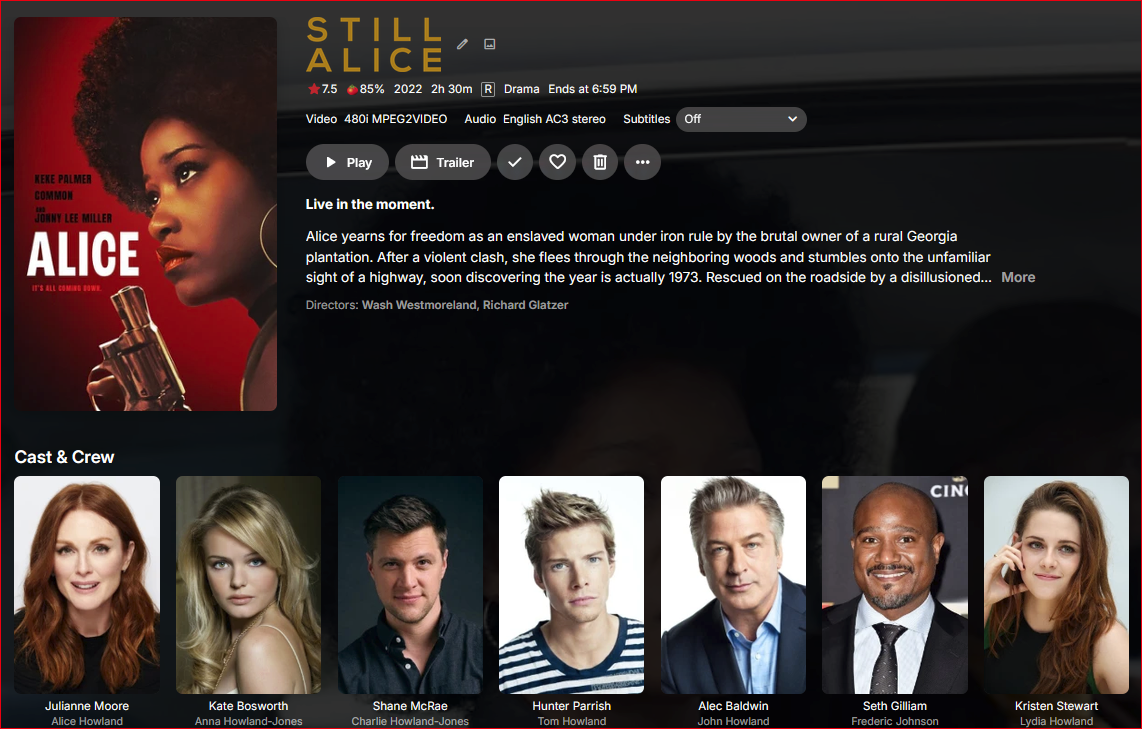
I've not seen this before where the recorded TV movie has the correct title match but wrong Cast & Crew for it. What can be made of this?
-

No compatible streams are currently available.
justinrh replied to justinrh's topic in General/Windows
@Lessajwhat OS is Emby server installed on? Linux? @LukeAny ideas? We'd like to shuffle. I see this problem after updating my beta server to Version 4.11.0.5 beta. -
For this log the stream started at playback position 00:01:54 (segment start number 38), meaning you was resuming playback roughly 2 minutes into the movie. It might be the log before that one
-
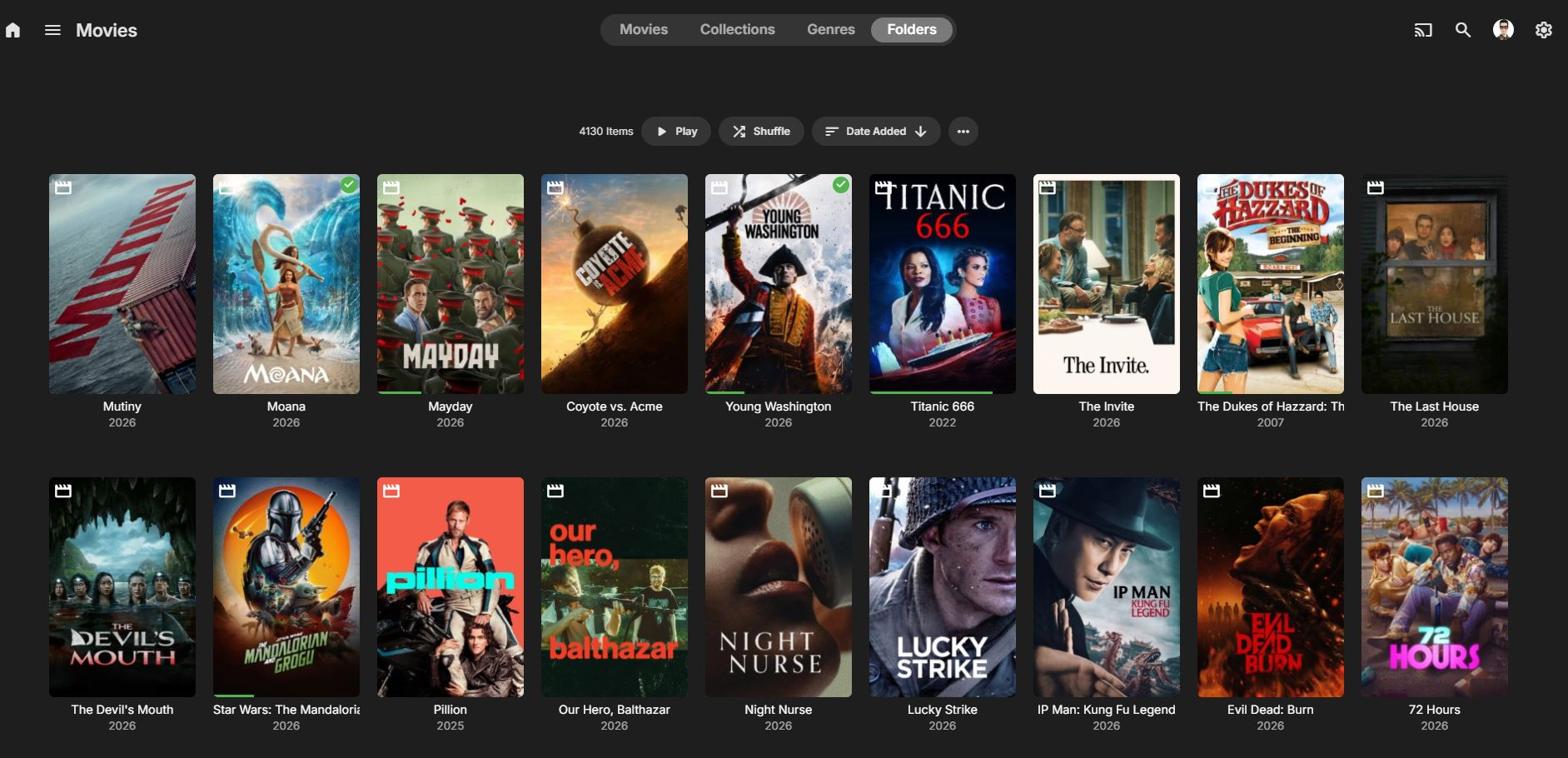
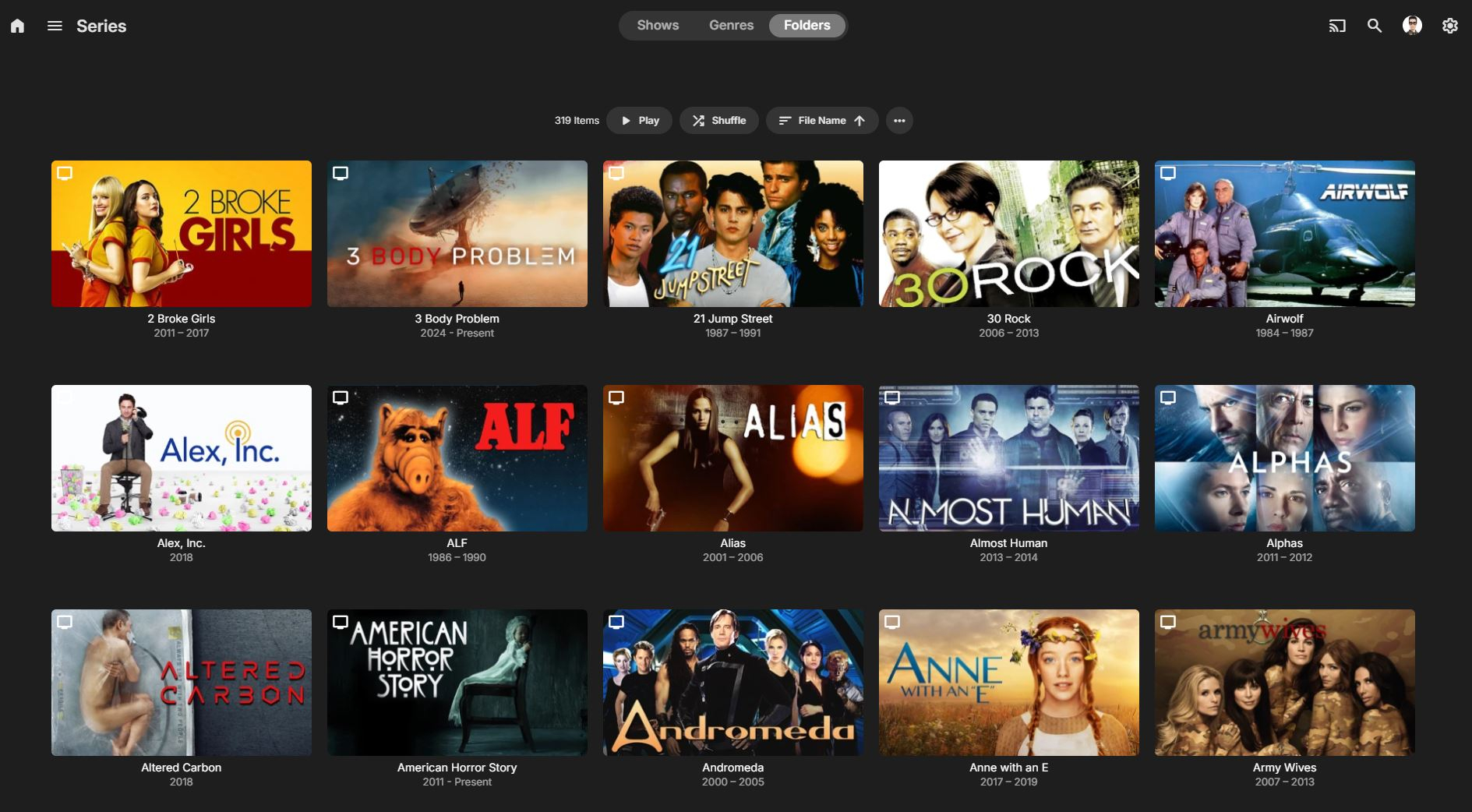
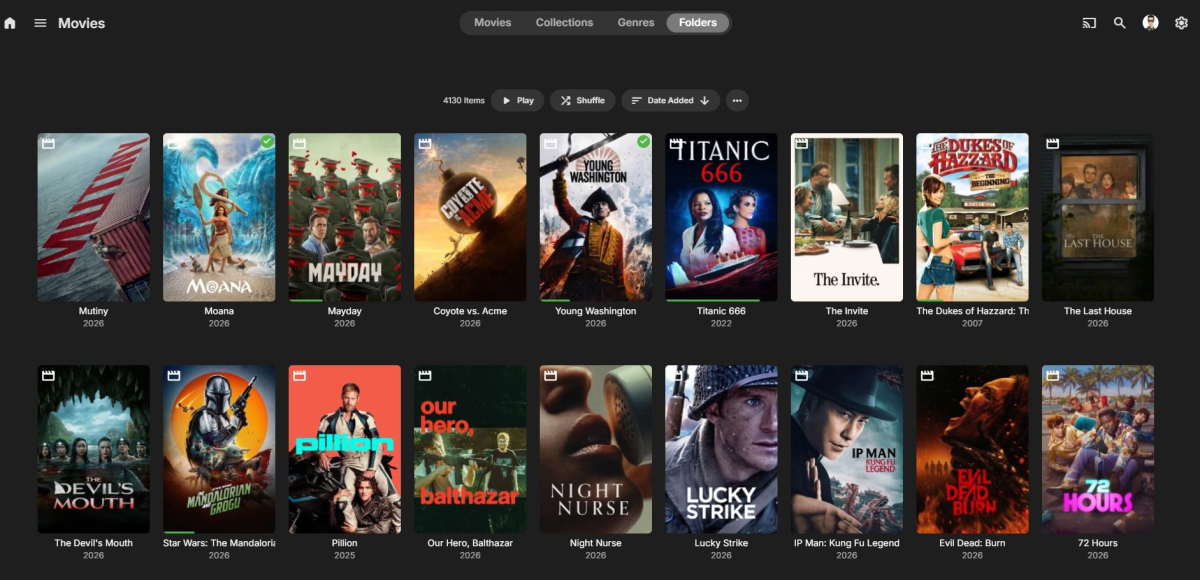
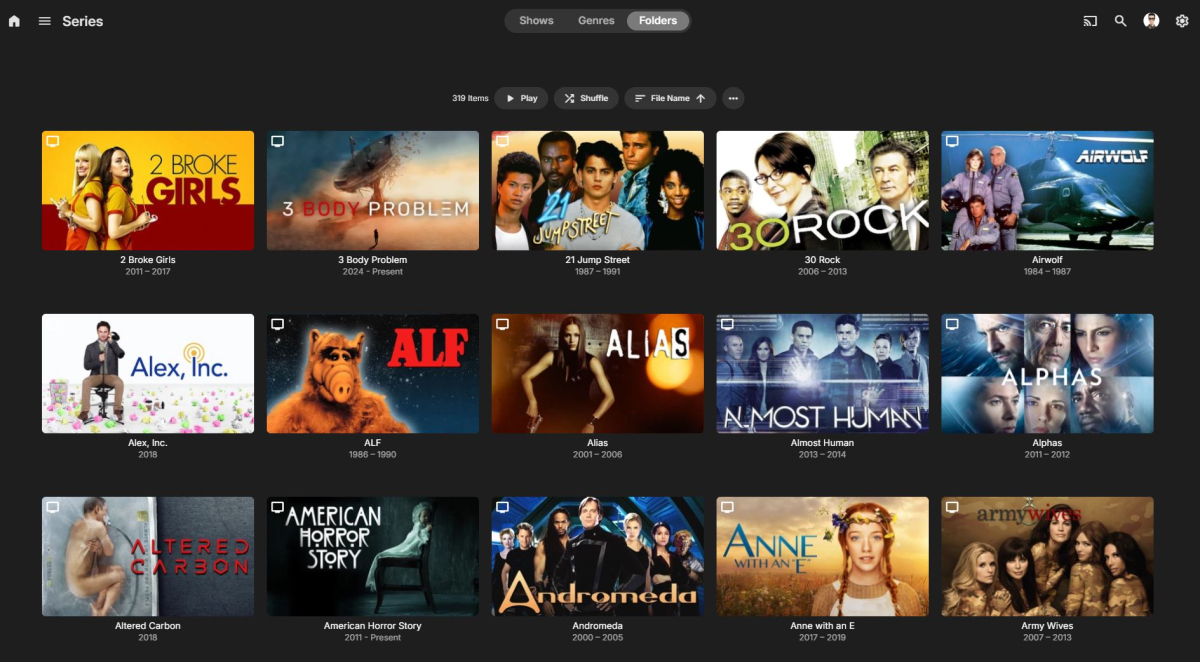
Right the common complaint that we've seen over the years with folder view is that it's hard to tell what's a folder and what's a file. The icon in the upper left is not enough to quickly tell from a glance. So that was the thinking behind making the folders look more like what you would see in a file browser. But there are some users who don't like this so we'll be adding an option to control it.
-
Nvidia Shield not available for sale - alternatives?
justinrh replied to Mister Steve's topic in Android TV / Fire TV
Zidoo is supposed to be grandiose. -

Reorganizing my library: here are two things I'd like to see improved
pwhodges replied to Anon42's topic in General/Windows
You can, and in mixed libraries you must. How? Movies: folder has movie name and date; movie is file within folder (I give it the same name and date, but that's not strictly necessary). Series: first folder has series name and date; within are season folders for each season (including specials aka season 0); files are in their season folders. In TV libraries you can get away with putting the files of all the seasons in one folder, but you can't get away with that in mixed libraries. This way Emby can see (from the presence or absence of season folders) whether the folder contains a movie or a series. This is all laid out in the file naming guidance provided in the Emby Wiki. https://emby.media/support/articles/TV-Naming.html (this has the statement that season folders are required in mixed libraries). Mind you, I don't use a mixed library for anime with movies, such as DanMachi - I label the movies as specials, and if they should be in a particular position in the show, they will appear there (if they don't, then add the required position to the metadata, and maybe update TVDB with it as well!). Anime which consists of just movies (e.g. the Evangelion "rebuild" films, or Fate/stay night - Heaven's Feel) go in the anime movie library, in a collection. Paul -
See attached. There were multiple files, so if this isn't it, let me know. ffmpeg-remux-2a469332-f179-4691-bba1-077c34cbcbc8_1.txt
-
Sorry you are correct its an amazon app issue, I just realised this posts for ROKU
-

Emby for Android TV killed EAC3 and video freezes at 90%
jan_axhell replied to jan_axhell's topic in Android
I was about to ask how is this issue going, I am experiencing it on a different unit (NanoPi R6C) with Android 12. Each episode of Stuart fails to save the Universe freezes at about 90%. -
Hey Luke, I've always used Poster view for single files, And Thumbnail view for Folders. My users know when they see a Thumbnail, they know there are multiple files in them. Take my Series section vs Movies section pictures for example.
-

Emby for Android TV killed EAC3 and video freezes at 90%
r3dl4nce replied to jan_axhell's topic in Android
I have Emy latest version installed on Synology NAS I have similar problem with freeze while playing at about 90% of tv show. Could it be the same problem? Another problem could be with the free space, on /volume1 I have more than 140GB free, Emby server reads only 160MB free, that seems the free space on / partition root@NAS-NEJLIKA:~# df -h / /var/packages/EmbyServer/var/transcoding-temp Filesystem Size Used Avail Use% Mounted on /dev/md0 2.3G 2.1G 163M 93% / /dev/mapper/cachedev_0 225G 78G 147G 35% /volume1 emb-log.7z -

Spotlight and Single Collection Feature Requests
DMazer replied to kizunarae's topic in Feature Requests
I am not sure if this is how it's supposed to work, but when I chose "Card" for the spotlight section, it just shows the video "folder.jpg" as it appears in every other category, and the same size. I would have though the card option would have looked like the mobile version of the "Spotlight" option, but in a card size on the horizontal display. I like the idea of the mobile spotlight size, which would look like a quarter card on the horizontal display. Maybe that could be an option at some point, and rename the existing "card" option to "poster" or "folder" so people know what will display there. Then depending on which option is selected, the system could use a custom image type... ie... poster/folder would use the "folder.jpg", spotlight a "spotlight.jpg" and card a "card.jpg". Just a thought. LOL. -

-
I'm happy to announce that my LLM-based recommendation plugin has just reached version 2.0.0! The big highlight of this update is **localization**. The plugin now adapts to your language, making the experience much more seamless: * **Full Translation:** From the plugin's configuration pages to modifications made within the admin chat, you can now translate the entire plugin interface into any language your LLM supports, directly from within Emby. * **Perfect Integration:** I've made sure the plugin uses Emby's own official vocabulary. The plugin feels like a native part of your Emby dashboard. * **Safe & Smart:** You don't need a massive server to make this work. I've optimized everything to run smoothly even with small local models (like Gemma 4 4B via Ollama). Best of all, the plugin includes a safety check: if a translation is incorrect or fails, it simply stays in English rather than breaking the page. **Download here:** https://github.com/reneboulard/LLM_AI/releases
-
@ebr should I give you access to my server? you can see the issues first hand that way I can private message a temp login for you
-
I meant the show icons on collections and lite mode for collections in the plugin it self. It just changes if it should use aggregation for collections or not and/r if it should even draw any icons on collections.
-
thats the full log I am still trying to find something that might help
-
I find the "save to collection" feature—or rather, the ability to save a specific poster—to be genuinely useful, as it ensures that a poster is re-rendered only when explicitly saved. The current version is actually ideal because it avoids re-rendering every single poster whenever there is an upgrade or a change in settings; I am currently manually triggering the rendering and saving of all posters to minimize future CPU usage.
-
I find the "save to collection" feature—or rather, the ability to save a specific poster—to be genuinely useful, as it ensures that a poster is re-rendered only when explicitly saved. The current version is actually ideal because it avoids re-rendering every single poster whenever there is an upgrade or a change in settings; I am currently manually triggering the rendering and saving of all posters to minimize future CPU usage.
-
embyserver-63926795571.txt
-
It cannot tell me the answers to those questions. Only the person observing the issue can do that. This is not a Roku, though...
-
OK, renaming the files with exactly the same name as the folder (folder had spaces, files had dots in them), with the dash... and now both theme.mp3 and theme.mp4 work. I wasn't aware that the naming convention was so picky, because it's not as picky when only one video is there (theme.mp3 and theme.mp4 are working OK even if there are slight differences in the file name vs folder name; example no issue whith "Legend.(2025).mkv" file name vs "Legend (2025)" folder name; dot vs no-dot).