All Activity
- Past hour
-
 umart8758954 joined the community
 -
Hi, perhaps try checking your Album Artist field, if you haven't already. If this happens to be blank, then Emby will split the tracks into separate Albums. https://emby.media/support/articles/Music-Naming.html
-
 Dennis1407 joined the community
 -
 Brightest112 joined the community
 -
 michael27896 joined the community
 -
 Crxsh_movies321 joined the community
 -
 helma joined the community
 -
 digitalMedic joined the community
 -
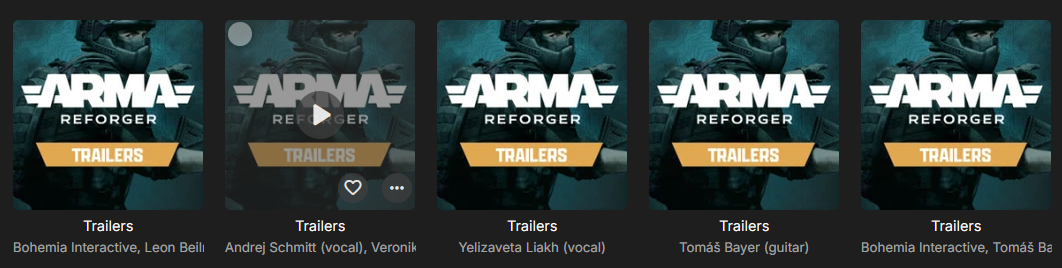
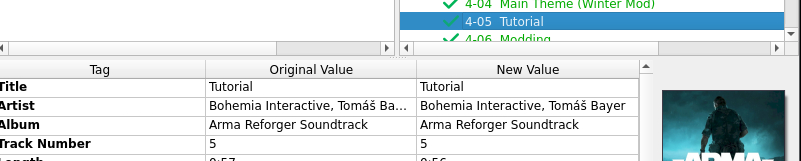
Hey, a release that i have originates from a Steam DLC containing a games soundtrack. This release is being updated with new tracks as content is being released, so i have updated the release group on MusicBrainz by creating a new release with the additional tracks and withdrawing the old release. This is the release on the MusicBrainz site i have created and used in Picard to tag the files: https://musicbrainz.org/release/de204003-fa01-4272-8135-ff6b5bebaa3e I have checked that it is correctly tagged in Picard : When i check the metadata from the emby ui it does show the same MusicBrainz Album ID as the correct album it should have been added to (de204003-fa01-4272-8135-ff6b5bebaa3e). But instead of adding the new tracks to the existing release, emby created multiple new albums named "Trailers" (which is the name of the CD these tracks are on): Any clue what could be wrong here?
-
 kike68891 joined the community
 -
 Netschd joined the community
 -
 Johnie Cho joined the community
 -
@Luke I would expect it to show up under Wu-Tang Clan artist page but be displayed as Wu-Tang as it is just a alias of the Artist. So same entity different display name in this case.
- Today
-
Really. I'm not even seeing some of the new items listed, so I'd like to know where to find them.
-
It would be nice to show any server software updates in the admin Dashboard Activity log.
-
- 1
-

-
Yes it's playing on a Samsung TV (S95B 65 Inch QD OLED) from a dedicated computer running Windows 10. I also have a Roku connected, so I have Emby on both. This setup has been running for a couple of years now. My problem has been happening the last 5-6 months and has recently gotten worse. .
-
Will there be a blog post explaining the new settings?
-
There is an embedded UI shared by the web app and many of our other apps. This has it's own version number now so that you can easily track changes for it and so that we can automate our release notes better.
-
What does "Core UI Changes from 1.0.1000 to 26.0.21" mean? Is this saying that Emby jumped 25 versions in one server update?
-

Emby Windows 2.317.2 – severe judder with 1080p50 H.264 Direct Play / gpu-next – render queue underruns
schnigges replied to schnigges's topic in Windows & Xbox
What other logs than the one I attached are needed? -

Atrium — a native tvOS app for your Emby server
vdatanet replied to vdatanet's topic in Third Party Apps
You were right, and it was more literal than it sounded: on an episode page the big title IS the show's logo — when your server has one, we inherit it from the series — and we were also writing the show's name as text right above it. Same name twice, one on top of the other. It now reads: the show on top, and under it S1:E4 - Episode title. Nothing else. One thing you couldn't have seen from your end: when a series has no logo, the big title used to be the episode's name, so the page was laid out differently depending on what your server happened to have. It's the show either way now, which is also what the cards and the Home spotlight have always done. It's fixed but not out yet. I'll say here when it is. -
Atrium — a native tvOS app for your Emby server
vdatanet replied to vdatanet's topic in Third Party Apps
Thanks — and don't apologise for the test, it was a good one. It's worse than you thought, and it isn't really about collections. What was happening: every poster that scrolls past starts its own download, and they were all fired at once. The system serves about six at a time, in the order they were asked for — so the poster you stop on goes to the back of the queue, behind every one you just scrolled past. It isn't the server and it isn't the network: it's the order. I measured it here on a library of 124 collections — fewer than your 200. A single poster, cold, takes 0.25s. The one you're actually looking at took 10.6s. It now asks for at most six at a time and serves the most recent request first, so the one under your thumb goes first. Same measurement: 0.13s for the one you're looking at, against 1.12s for the whole lot to finish arriving. The ones you scrolled past aren't thrown away, they just wait their turn. And the part worth saying: this was never a collections problem. Any large grid had it — your movie library too, you just never sat on the down arrow long enough to see it. So thanks for sitting on it. Not out yet. I'll say here when it is. -

Sony Bravia TV with EMBY for Andoid TV fails to play
ebr replied to Orionas21's topic in Android TV / Fire TV
Just one more slight de-rail of the topic... May not be something you want to consider but Roku devices are known for their simple interfaces and our Roku app mirrors that. It works much like the Android TV app but even simpler in some regards (there are no context menus for instance). So, that could be something you want to consider for your kids. Just a suggestion. -
Was there an "Advanced" setting that let you choose the formats? I know Android has that.
-

Option to manually hide individual movie, show, or episode per user
Uncle_Frank replied to guynamedbilly's topic in Feature Requests
Create a folder in library set it as mixed and add movies and shows in one folder add your sister whatever's username only to that folder and make sure all other users can't see that folder only your sister and be done with it. -
No audio settings on the fire stick help with this issue
-
Well now that you are here why not take the time to read and see how you can set your own server up and do it yourself, depending on yourself is a great thing
-

Sony Bravia TV with EMBY for Andoid TV fails to play
Orionas21 replied to Orionas21's topic in Android TV / Fire TV
Also the subtitle menu is different. It is huge and covers almost all the screen. I want to change the position of the subs and the menu actually hides them. One more is the zoom. You have more options in ATv than auto,fill, cover... Many more interface things that personally I dislike. In regards of the accounts I don't want to create multiple. I want to have as less as I can. I monitor my server real time so in case I see any abnormal behavior I stop the movie and pop-up a text. This is not the reason that i opened this issue, to debate about the interfaces. Do you have any update on the reported issue? Do you need additional logs? I know that the team wants to promote the Android client but some off us still prefer the simple things in ATv and generally in life!! Thank you for your effort!! -

Help: restore not restoring libraries after new Debian OS installation
luckyluca replied to luckyluca's topic in Linux
Please find the logs attached. Since my first post, I enabled debug and tried restoring the backups again (to no avail). What I meant is that under settings -> Emby server -> Library nothing appears. It looks as if nothing was restored, nor settings. Right after the restore is supposed to have concluded, the server does not restart by itself. I also tried restoring the full backup first, and the last snapshot afterwards. logs.zip -
That's because VLC is based on ffmpeg so it is mixing it down in software. Did you look for the settings I mentioned on your Fire Stick?
-
Hi. There is no way to control that. That is a music "screen saver" of sorts to de-clutter the screen during long playback sessions.
-
Just loaded VLC on the firestick and the video and DTS audio play OK. So at the moment I am experimenting using the "Emby" app to browse my media then using VLC as an external player to play it.
-
Correct. Progress is kept up to date as you play. I can 100% confirm this works because I've had the power go out while playing something and, when I bring it back up, it resumes at the last progress report (within 10 seconds of when it went down).
-
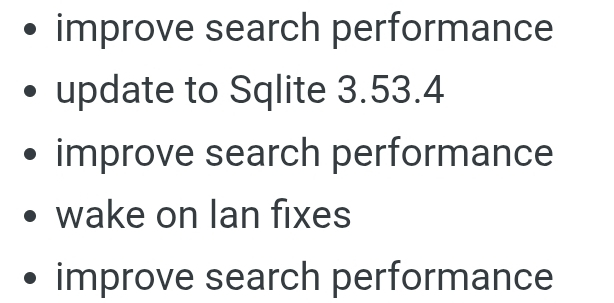
Sorry, but i'd say, mentioning it 3 times isn't enought for how long it took to fix (some salt into the wound)
-
Are you positive? I think the TV app is most likely remuxing to DD (AC3) since you de-selected the passthru. The problem is that some systems that support DTS can accept a DTS-HD stream and just extract the core from it and work fine. The Fire Stick, however, may not be able to do that. You could also look in the settings for the Stick itself and see if there is an advanced audio option that will allow you to select/deselect exactly which formats to support.