All Activity
- Past hour
-
OK can you please pick one and provide some discussion about it? What exactly makes you think it didn't sync?
-
 gongzhuo joined the community
 -
The letters scroll you up and down the list. That is only possible when sorting by an alphanumeric field.
-
 Leonardo160803 joined the community
 -
I disagree.. it would make sense. I use date added by default because I generally want to watch the movies I’ve recently added without having to remember the names. Yet all the movies stil have a title so I can search for other movies without having to change the sort order. It’s not like the title disappeared because I sorted it differently.
-

Full-screen toggle from "F" key in navigation mode
Luke replied to maximumentropy's topic in Feature Requests
Hi, the problem is that it would conflict with the ability to type in a letter in a list and scroll down to that letter. Why not just use f11? -
Hi, please try the 2.4.1 update. Thanks.
-
There is a bug in version 2.3.8 with .ass files
Luke replied to MediaEmby1968's topic in Samsung Smart TV
Hi, please try the 2.4.1 update. Thanks. -
The issues is that depending on your sort order (ie: added date) the alpha picker doesn't really make sense. What sort order did you have set previously?
-

An IP from the Church of Cyberology is trying to connect to my Emby
heffeque posted a topic in Synology
So... An IP coming from the Church of Cyberology is trying to connect to my Emby. First it was a random Chinese IP about 3 weeks ago, tried to access a "guest" account (which doesn't exist, so assuming some bot doing it). And last Monday it was a ton of attempts to my specific username, and the IP address was from that "church". Did the church get hacked and someone else is trying to enter my Emby server/account through their IP? No weird activity on any other service on my Synology NAS: no blocked access attempts, so it's directed specifically towards Emby in my case. Anyone else have strange blocked access attempts to Emby lately? -
 goldsbroughazurae56@gmail.com joined the community
 -
 dan239 joined the community
 -
 Jotap joined the community
 -
 jasonhernandez joined the community
 -
 Garyblair711 joined the community
 -
 jamesw.weaver1 joined the community
 -
 Qzqo joined the community
 -
I provide the exact dump of hundreds of exampes, via the trace of the log file. Its literally in my "spoiler" tag.
-
Maybe try this? I'm more of a Linux dude but masybe this? ttps://support.microsoft.com/en-us/windows/experience/backup-recovery/use-the-system-file-checker-tool-to-repair-missing-or-corrupted-system-filesMMor this? https://windowsforum.com/threads/repair-windows-10-11-with-dism-and-sfc-online-and-offline-guide.380188/
-
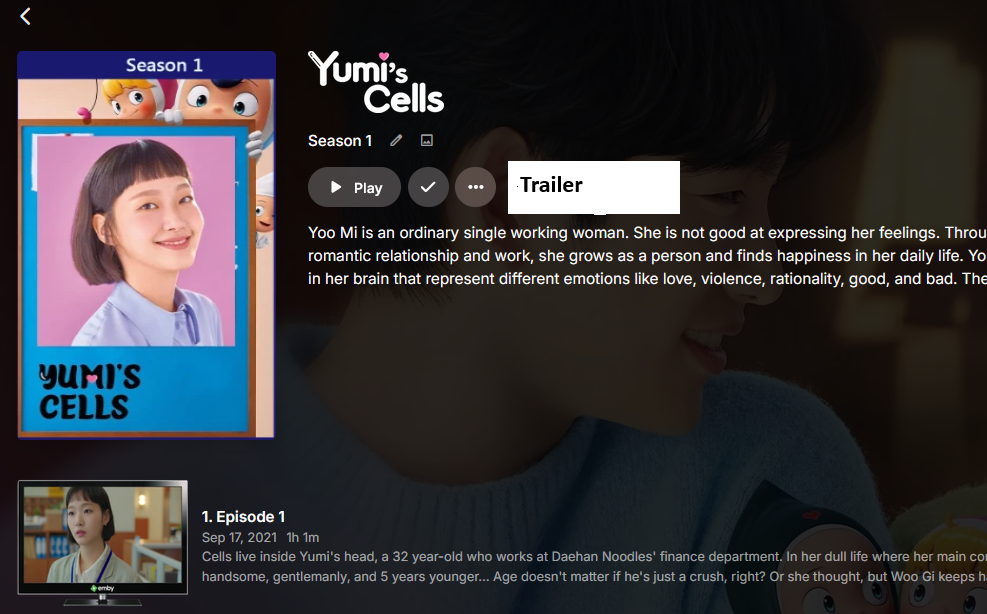
rename did nothing. what i was expecting was something like a button to push and play the season trailer... as an example...
-
I like this suggestion. Anything is better than the #$%&house solution in place right now, which is to denigrate the director and crew to the position of least important and hardest to find people on the page. It's embarrassing that this still hasn't been fixed.
- Today
-
Oh geez that did it thanks . Would be nice if I could enable it regardless off sort order tho but thanks
-
Should be there, but whether it's visible depends on your sort field/order. Try sorting by Title. Does it appear then?
-
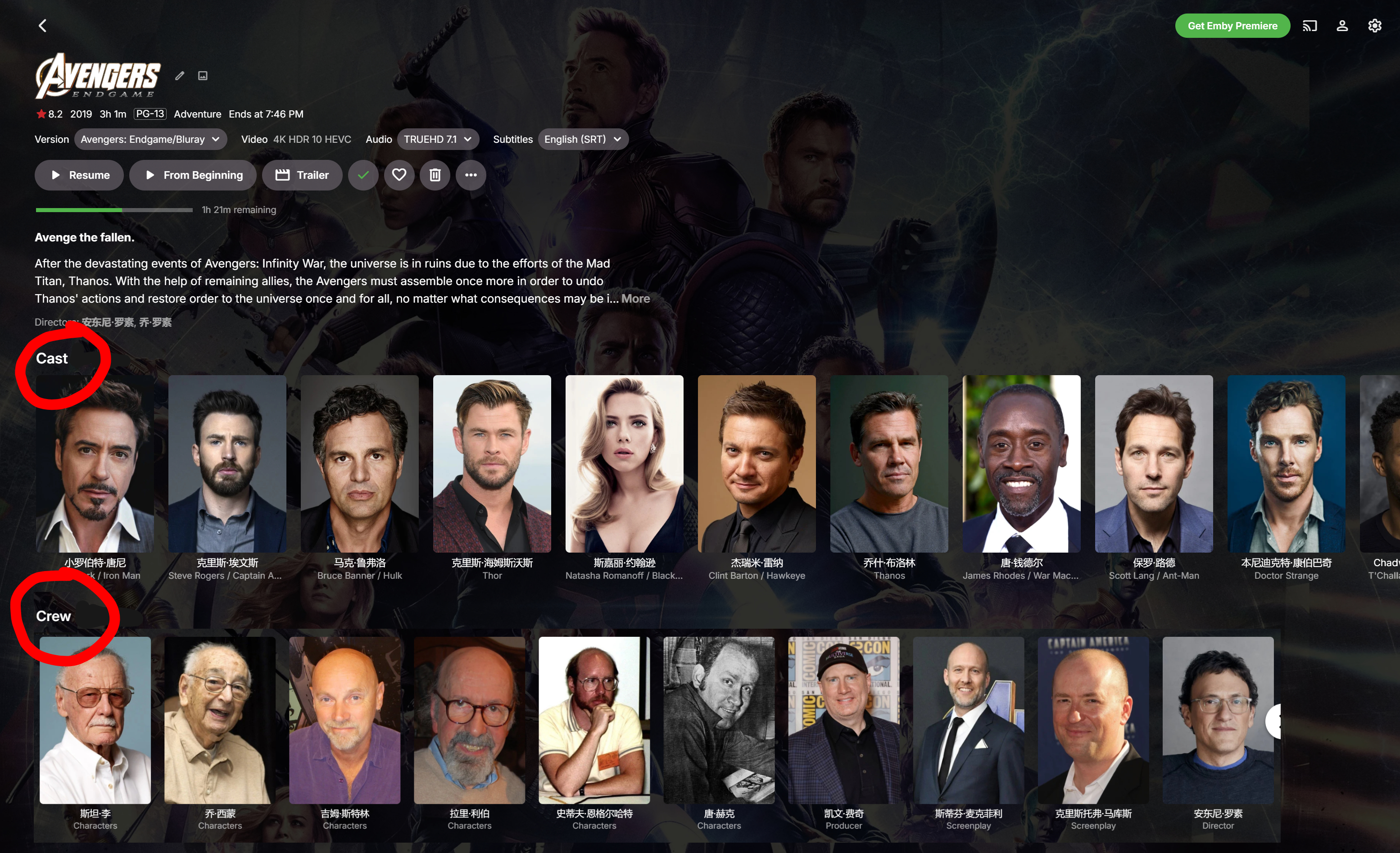
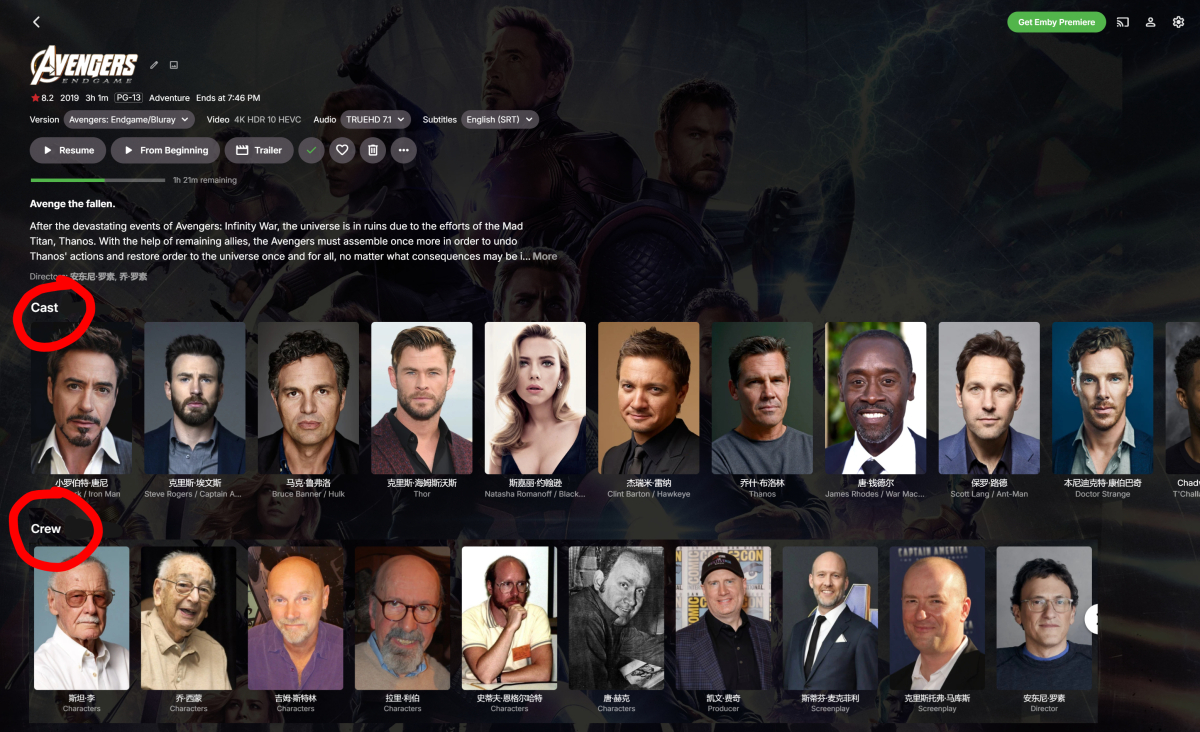
Hi @Luke, regarding the Plex image—I was just using it as an example; there’s no need to be so rigid about it. As shown in the image below, you can see both the Cast and Crew lists at the same time. This also perfectly solves the problem of not being able to easily view the director on Android TV—all it takes is a single down arrow on the remote. It also resolves the debate over whether Crew or Cast should come first, since both can now be displayed at the very top—arranged in two rows. Of course, to accommodate users who prefer the current layout, this feature could be implemented as a toggle option. That way, users who prefer the current setup can choose not to enable this feature. One thing is for sure: it’s currently very inconvenient to view Crews in Emby! Even if you can barely view them on a phone, Crews often appear way down the list in the Emby Universal app for Android TV. This has been discussed for years, and we really need this feature. I don’t understand—it’s clearly very simple to implement, so why haven’t you done it? We really need it!
-
Is there a way to add the alphabet search along the side of the screen in the movie folder similar to the TV folder? Perhaps CSS or something or is that not possible on TV interfaces?
-
so, any clue?
-
Good idea, but I think it's a windows issue. Blue screen on start up saying it's missing the "winload.efi". I think the MBR is corrupted. Weird though that I can't boot from USB. The bios firmware is 2015 (last available update), wondering if there's something there incompatible with the latest Win 10 USB boot file. I've turned off rapid and secure boot etc. If I could boot from USB I would think I could probably repair it. But guessing it's simply motherboard/bios too old now or something.
- Yesterday
-
If problems persist, could you look for this file and upload it c:\users\steve\appdata\roaming\Emby-InstallLogs\server-install.log and see if this folder gets created and what folders are within it c:\users\steve\appdata\roaming\emby-server\programdata
-
Sent you a PR
-
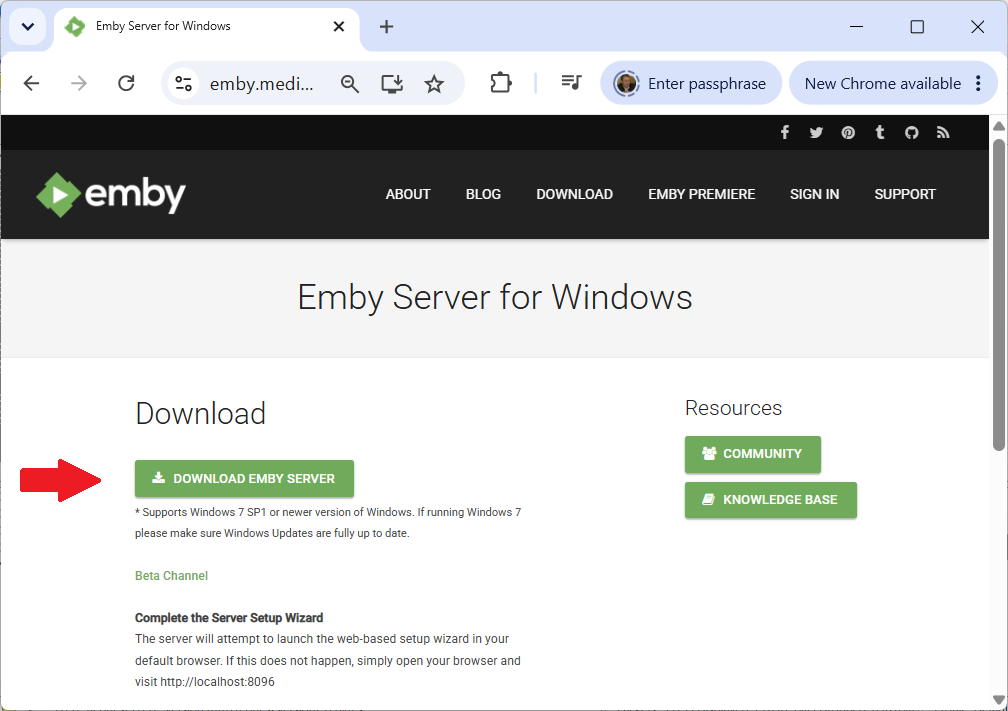
No - this is a quirk of the search view you have selected. Have a look at this info: Multiple AppData folders : Q&A If you go to this folder in Explorer - what do you see C:\Users\Steve\AppData\Roaming If you have run the setup.exe that you download from Emby Server for Windows it should have created this folder C:\Users\Steve\AppData\Roaming\Emby-Server Your second screenshot suggests you are downloading the portable installation zip. Lets switch you to downloading the setup.exe instead as that would put files in the right place
-

Full-screen toggle from "F" key in navigation mode
maximumentropy posted a topic in Feature Requests
Currently, full-screen mode can be toggled from the video player or from navigation mode by pressing the F11 key. From the video player, the "F" key also toggles full-screen mode. In navigation mode, "F" does nothing. My request is to allow the "F" key to also toggle full-screen while navigating the library, just like the F11 key does. Thanks! -
You can email billingsupport@emby.media to discuss your options.
-

Rollback to 4.7.14.0 - Plugin help PR4100
DarkStar1977 replied to DarkStar1977's topic in Western Digital
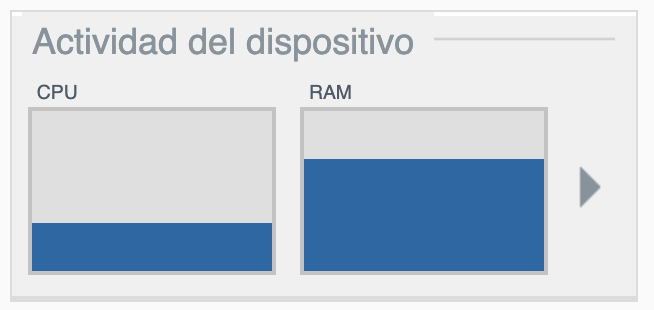
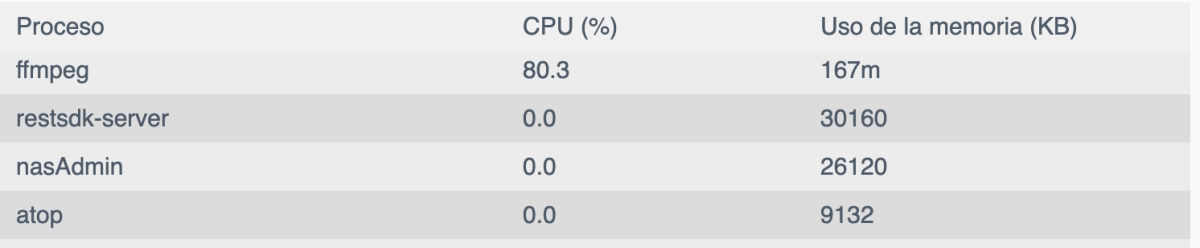
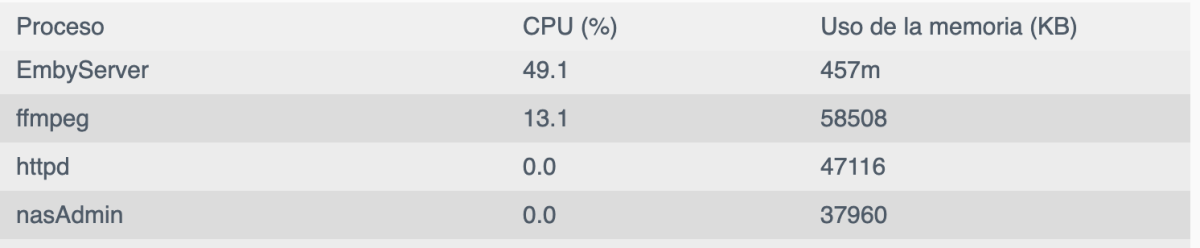
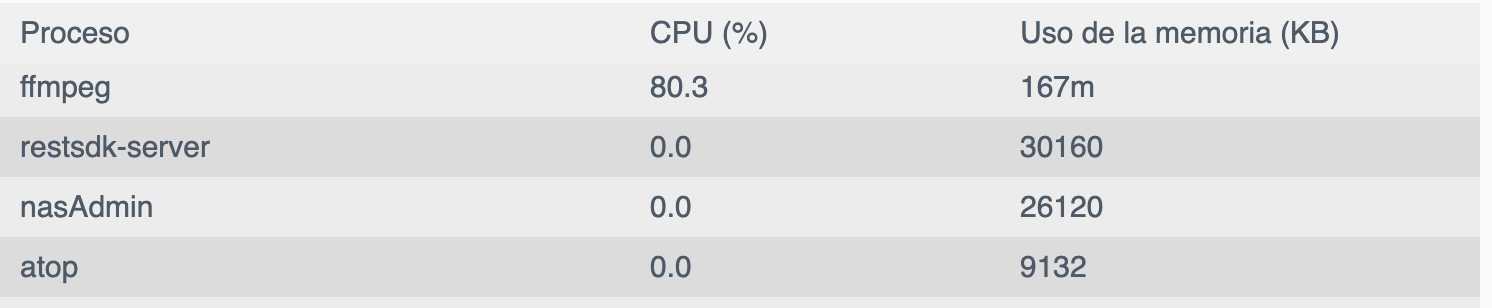
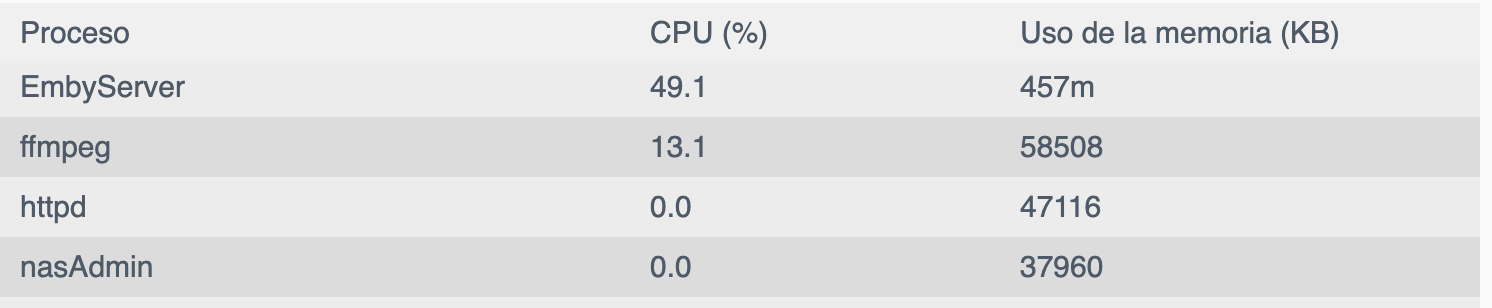
Did a fresh instal of latest 4.9 version into my 3rd PR4100 that is just a file server, no apps running on it. This is after installing emby and setting up 1 library with 155 movies after library scan has completed and all identified. 4.9 doing nothing (PR4100 NASDATA) I'm sorry to say it but NO, this is not because a fresh install, is because new version consumes too many resources constantly while doing nothing. Not to say that when ffmppeg process is running consumes the entire CPU and more memory than installed in both 4.9 latest installations: 4.9 (NASFLIX and NASDATA) 4,7 NASFRIDGE - Same Video Playing