
All Activity
- Past hour
-
 Gareva000 joined the community
 -
It's finally working for me too! I've received the update on both of my LG TVs. Thank you so much, Emby team, and sorry for the delay; it took far too long.
-
 iiik joined the community
 -
 卡雯燕 joined the community
 -
 zzz0727 joined the community
 -
 Eduar2arias joined the community
 -
 DOS22 joined the community
 -
 teddytoasty joined the community
 -
 Zayn0001 joined the community
 -

Atrium — a native tvOS app for your Emby server
vdatanet replied to vdatanet's topic in Third Party Apps
Apple only, and no Android plans for Atrium. Let me answer the follow-up too, because it's a fair one: I do have a cross-platform app, so why not this one. Atrium is a personal project with two aims — learning technologies I need in my day job, and having an Apple TV player that behaves the way I want one to. The second is Apple-shaped by definition, and the first one was Swift, SwiftUI and the native tvOS player. Android serves neither. The other app, Embeat, is a music player for Android and iOS, and it has three aims of its own: a music player I actually want, a cross-platform app, and a shared Kotlin Multiplatform client — the last two are things I need at work. Same rule, different answer. The aims pick the platform, not the other way round. That's the pattern, really: when I set out to learn something new I build a real app I'll use every day, because that's the only way the awkward parts turn up. Atrium is what came out of learning Apple's stack. An Android version wouldn't be a port — it'd be a third app, in a stack I've already learned elsewhere, serving neither aim. -
 5i_can joined the community
 -
 Urilindo joined the community
 - Today
-
 Sicarian changed their profile photo
 -
I too am getting Ear Wax reached the Emby address, but Emby returned HTTP 403 during the server test message. Any assistance is appreciated.
-

Atrium — a native tvOS app for your Emby server
Uncle_Frank replied to vdatanet's topic in Third Party Apps
Apple only? are you planning to get this running on android any time? -
Are you or have you thought about adding support for adding live tv from mac address like STB stalker portals?
-
Subtitles always on in Trailers in 4.9.5.0
Uncle_Frank replied to Dr._Evil's topic in General/Windows
In the meantime you could add your own trailers into the media folders without subs even in 4K if you want. Think I seen a plugin on here you can download trailers maybe -
Almost
-
Yeah if you have a playlist that has a massive load of content you probably are stressing out the plugin as well as your computer and Emby server more than likely also is locking up especially if you don't have much ram. It's like opening a massive m3u with VLC player takes 5 minutes to open on low ram, try adding a section of your playlist and see what happens.
-
I run a taskbar mod to setup win11 tb to look and work like win10 so i dont see that unfortunately This was the result from a movie running and stopping after 3min of play, this looks right to me, so i think it sticks as playing or paused as you mentioned when the show/movie runs to the end and emby autos back to homescreen PS C:\WINDOWS\system32> powercfg /requests DISPLAY: [PROCESS] \Device\HarddiskVolume1\Program Files\WindowsApps\EmbyMedia.EmbyTheater_2.317.2.0_x64__svmepx4c03f7m\Emby.Client.WinUI.exe SYSTEM: [PROCESS] \Device\HarddiskVolume1\Program Files\WindowsApps\EmbyMedia.EmbyTheater_2.317.2.0_x64__svmepx4c03f7m\Emby.Client.WinUI.exe [DRIVER] Legacy Kernel Caller AWAYMODE: None. EXECUTION: None. PERFBOOST: None. ACTIVELOCKSCREEN: None. AFTER 3MIN PS C:\WINDOWS\system32> powercfg /requests DISPLAY: None. SYSTEM: None. AWAYMODE: None. EXECUTION: None. PERFBOOST: None. ACTIVELOCKSCREEN: None. PS C:\WINDOWS\system32>
-
Thanks Luke. Let me know when you have a fix as it makes the trailers unwatchable for me.
-

Bug Report: Playback speed issues on iPad with external monitor & multitasking
Jack998 replied to Jack998's topic in Apple iOS / macOS
Yes. This bug is still present. The latest version on ipad is 2.2.56. -
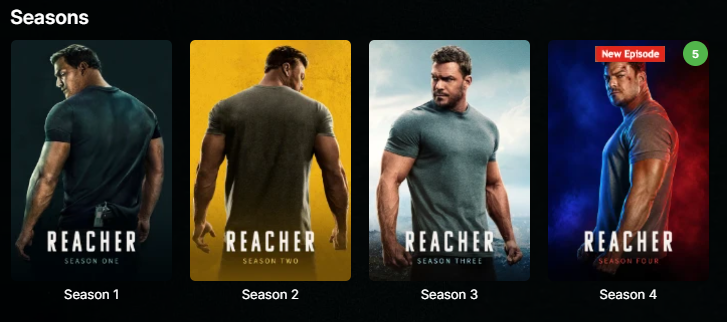
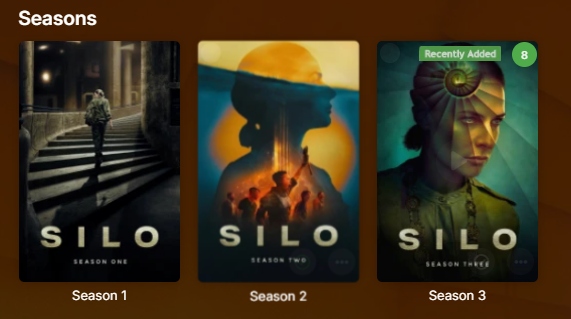
Could you expand feature set to include season images, for those of us that don't flatten seasons/series? Also, do you have buymeacoffee link? Thanks.
-

FR: Server: Auto Delete Watched after "N" Days
thunderclap replied to trusselo's topic in Feature Requests
+1. I'd like this feature too. -

Music playback sometimes stalls between tracks in Android Mobile app on cellular
benmoses posted a topic in Android
Running version 3.5.49 Library is a mix of flac and mp3 files. When remote (cellular) bandwidth cap is set to 1Mbps I encounter this seemingly random stall cleanly, between tracks when playing a playlist of mixed mp3 and flac filetypes. I noticed that most of the time currently playing flac file would be transcoded to AAC due to this limit. This behavior is good and expected. However it seems like if the next track after the currently playing, transcoded AAC file was an mp3 file, that's when the playback would stall between tracks. The next song, the mp3 file, would not begin playing after the AAC track finished. If I raised the remote (cellular) cap to 1.5 Mbps, no transcoding occurs and I get no playback stalling at all. I can play a playlist for hours, no problem. (However I chew through my cel plan pretty fast) <-- not good. I think this means that flac and mp3's are coexisting just fine. In a third scenario, I lowered the remote (cellular) cap to 256kbps, thought being "OK let's transcode everything", but to no avail I'm encountering the stalling again and I think it's for the same reason. I think after an AAC transcoded track is played and an mp3 is next, the playback stalls. (Reason being, even at 256kbps, the mp3 files still don't need to be transcoded.) Is there a known issue with playback of mixed types here? Can one force Emby server to transcode to mp3 instead of AAC? I think I already know that there's no setting to force Emby to transcode in general, correct? I'll post my log file here. I used the anonymize button. Thank you! Ben embyserver (1).txt - Yesterday
-

LiveTV isn't working good on my TV but working good on my PC (Plugin)
Luke replied to XDavidT's topic in Android TV / Fire TV
What I would suggest is changing that option. The auto-advance has been in place for quite some time in all apps, except Roku. I'll file an internal ticket so that we can get that done. Then that just leaves the ability to start at a position. -

LiveTV isn't working good on my TV but working good on my PC (Plugin)
pünktchen replied to XDavidT's topic in Android TV / Fire TV
Not your way. -
HLS transcoding for Apple's native player: fMP4 segments, and an HDR + SDR variant pair
vdatanet replied to vdatanet's topic in Developer API
A follow-up, and a retraction — mine, and it's good news for once. In my post from the 6th I wrote that putting the space back into the video range broke the other end of the round trip, and concluded from that: "no client can work around this on its own." In my last post I retracted half of it — the HTTP 400 on the segment endpoint doesn't reproduce any more. What I didn't do is re-test the conclusion that rested on it. Doing that now, it falls over completely. A client can work around this on its own, and what it gets is real HDR10. Same server, 4.9.5.0, an HDR10 MKV whose VideoRange is the "HDR 10" spelling. AudioCodec=aac, so the CODECS attribute is written (per my last post). The only variable is rewriting the parameter in the TranscodingUrl before following it: hevc-videorange=SDR,HDR10,... -> hevc-videorange=SDR,HDR%2010,... as returned with the space put back IsVideoDirect False True VIDEO-RANGE absent PQ CODECS hvc1.1.4.L126.B0,... hvc1.2.4.L150.B0,... ffprobe of init+seg0 Main / yuv420p / Main 10 / yuv420p10le / bt709 / bt709 smpte2084 / bt2020 first segment 7,690,748 bytes 12,662,628 bytes Three things I think are worth having in the thread: 1. It's genuine HDR10, not PQ tags left on an 8-bit encode — 10-bit and smpte2084 measured on the segment itself. And your own session report says IsVideoDirect=True: the video isn't being re-encoded at all, it's being copied. So the HDR path costs you a remux, not a transcode. 2. The manifest is honest in both cases. Without the rewrite it omits VIDEO-RANGE and delivers a real bt709 tone-map; with it, it declares PQ and delivers PQ. Nothing here is mislabelled. 3. So the whole HDR pipeline is already complete in 4.9.5.0, for HDR10 sources too and not only for Dolby Vision. The one thing standing between it and every client is that space being dropped when the TranscodingUrl is built. Fixing that single serialisation turns it on. One methodological note, since it cost me a wrong measurement before I caught it: this only shows up if each case gets its own PlaySessionId. If you patch the URL on a session that has already written segments, the server hands back the first transcode's files and it looks like the patch changed nothing — both segments come back byte-for-byte identical. With separate sessions the difference is immediate. To be clear, I'm not proposing that clients should do this rewrite. It's a hack against an internal parameter of yours and it only works because of the bug; if you fix the serialisation it stops being needed, and if you change the parameter's shape it would break. I'm posting it because it locates the defect precisely, and because the claim I need to withdraw was mine. The AAC-only CODECS mapping from my last post is unaffected by any of this — it's still missing with the rewrite in place. The two halves are independent. -
@leshkraven The Windows app's concept for dealing with this is quite simple: Don't mess around with any Windows power-saving APIs - instead, just properly report playback operations (start, stop,, previous, next, etc.) and let everything else be handled be Window itself. What you are describing sounds like Windows assuming that there's still an ongoing (or just paused) playback operation. Do you know how to see active playback operations on Win 11? When you click on the speaker/wifi/battery symbol in the taskbar, you should also see any ongoing media playback operations. Can you see that while playing? after playback has stopped?
-
LiveTV isn't working good on my TV but working good on my PC (Plugin)
Luke replied to XDavidT's topic in Android TV / Fire TV
OK so which way is enabled in this failing example here? -
HLS transcoding for Apple's native player: fMP4 segments, and an HDR + SDR variant pair
Luke replied to vdatanet's topic in Developer API
OK i'll add more audio values for the next server beta build. -
Unbounded SMB Connection Accumulation Causing NAS System Crash
Luke replied to ingmar_ehrig's topic in Android Server
What is the output from netstat? -

Unbounded SMB Connection Accumulation Causing NAS System Crash
ingmar_ehrig replied to ingmar_ehrig's topic in Android Server
Huh? What info can I provide which I aready didn't? Do the single smb connections have individuel names? I was scanning a library, updated the mety data or watched a movie. after a while the whole NAS freezed (so no infos from this device) and I had to restart the NAS to work again. The info I provided with my first post is all I have and was done via my windows pc. Since this behaviour prevents the emby server on the shield to be of any use right now, I switched back to the WD-server again until the problem is solved. At least this is what I hoped for... -
HLS transcoding for Apple's native player: fMP4 segments, and an HDR + SDR variant pair
vdatanet replied to vdatanet's topic in Developer API
That's the right question to ask, and the answer turned out not to be in the media info at all — so let me give you that first, and then what actually decides it. MEDIA INFO (Emby web app) — "¡La novia!", the item from my earlier posts Container mkv, 19.0 GB, 21.5 Mbps overall Video 4K HDR 10 HEVC Codec hevc · Profile Main 10 · Level 150 3840x1600 (2.40:1) · 23.976 fps · 21511322 bps Bit depth 10 · Pixel format yuv420p10le VideoRange "HDR 10" · ExtendedVideoType Hdr10 · ExtendedVideoSubType Hdr10 Color space bt2020nc · transfer smpte2084 · primaries bt2020 Audio Spanish AC3 5.1 (default) · 640 kbps · 48 kHz plus Spanish E-AC-3 5.1 and English E-AC-3 5.1 But the video stream isn't what decides it. Same item, same PlaybackInfo request, transcoding forced — the only thing I change is the audio codec my transcoding profile allows: AudioCodec=aac -> CODECS="hvc1.1.4.L126.B0,mp4a.40.2" AudioCodec=mp3 -> CODECS="hvc1.1.4.L126.B0,mp4a.40.34" AudioCodec=ac3 -> attribute absent AudioCodec=eac3 -> attribute absent AudioCodec=flac / alac / opus / dts / truehd -> attribute absent AudioCodec=aac,ac3 -> attribute absent AudioCodec=aac,mp3 -> CODECS="hvc1.1.4.L126.B0,mp4a.40.2" It isn't copy versus transcode either — it's the codec the audio ends up as. Two forced audio transcodes, in opposite directions, on two MKVs. Neither source has the codec being asked for, so neither of these can be a stream copy: Cartouche (source AAC) -> out ac3 (aac -> ac3) absent ¡La novia! (source E-AC-3) -> out aac (eac3 -> aac) CODECS="hvc1.1.4.L126.B0,mp4a.40.2" So: the attribute is written if and only if the output audio codec is aac or mp3. I checked 14 items and it holds in all 14. I deliberately kept every one of them in MKV, because MP4 sources take a different decision path (TranscodeReasons=DirectPlayError on its own, rather than ContainerNotSupported,DirectPlayError) and I didn't want the container to be a second variable. Within MKV that still covers HDR10, Dolby Vision and SDR; HEVC, H.264 and VC-1; and source audio in E-AC-3, AC-3, DTS, TrueHD, MP3 and AAC. Which I think explains the whole disagreement earlier in this thread. You were right that the server populates it. I was right that I never see it. Both, because mine doesn't ask for a single audio codec — it advertises aac,ac3,alac,eac3,flac, the server picks the source AC-3 track, and the attribute disappears. I'd expect that to be true of any profile that passes AC-3 through rather than transcoding it, but I've only measured my own. That's also why "which item?" has no answer: it isn't the item. Two things, and the second matters more than the first: 1. AC-3 and E-AC-3 do have codec strings — "ac-3" and "ec-3", both in Apple's authoring specification. They just don't seem to be in the mapping. 2. More importantly: when the audio half can't be produced, the whole attribute is dropped, including the video half that was computed correctly a moment earlier. Even with an audio codec you have no string for, emitting CODECS="hvc1.2.4.L150.B0" on its own would be valid HLS, and it's all a player needs to rule the variant in or out before downloading anything — which is the whole of my original request in this thread. And the good news, because I don't think you're far from it at all. Here is the same server, same version, on a Dolby Vision source with AudioCodec=aac: #EXT-X-STREAM-INF:BANDWIDTH=31738634,AVERAGE-BANDWIDTH=26448862,VIDEO-RANGE=PQ,CODECS="hvc1.2.4.L150.B0,mp4a.40.2",RESOLUTION=3840x2160,FRAME-RATE=23.976 VIDEO-RANGE=PQ, a Main 10 codec string, fMP4 segments with #EXT-X-MAP, and both init.mp4 and the first media segment return 200. That is a fully described HDR variant, produced by 4.9.5.0 with no patching of any kind. Everything I asked for at the top of this thread is already in there. Two small things stand between that and every other file: this AAC-only mapping, and the space in "HDR 10" from my earlier post. That range name is the one difference here — "DolbyVision" has no space, so it survives the round trip through the TranscodingUrl and reaches the manifest generator intact, which is a second, independent confirmation of the serialisation bug. To be clear about why I'm still chasing this: my own app stopped needing it a few posts ago, since it now demuxes the MKV and writes its own manifest. This is the diagnosis handed over, not a request I'm still waiting on — the two attributes are what would fix this for every client that doesn't carry its own demuxer, which is nearly all of them. One correction I owe you, on my own post. I reported there that with the space put back by hand the segment endpoint returned HTTP 400 with an unhandled System.ArgumentException. I can't reproduce that today — same machine, same 4.9.5.0, same patched URL, tried with the full audio list, with eac3 and with ac3, and init.mp4 returns 200 every time. I don't know what changed, and I'd rather flag it than leave a claim of mine standing that I can't reproduce on demand. Happy to run any of this again against a build, or to test a different profile combination if it would help narrow the mapping down. -
ok, thank you
-
LiveTV isn't working good on my TV but working good on my PC (Plugin)
pünktchen replied to XDavidT's topic in Android TV / Fire TV
That's up to the user. I've added your way as an option (native playback mode) but do not force it as a setting, because you still don't give me a way so the stream starts at the real live position instead of the beginning and some apps like the Roku do not even auto advance to the next program after the first one ended.





