All Activity
- Past hour
-
 ugafe57598 joined the community
 -

A new approach to making IPTV behave more like traditional tuners
alex77777 replied to PowerCC's topic in Third Party Apps
Any update on the progress of this? -
 MiguelBiss joined the community
 -
 asik34 joined the community
 -
 gusmarquinez joined the community
 -
 juancaarias joined the community
 -
 harlinrivas joined the community
 -
 jolumago71 joined the community
 -
Hi, what skill sets exactly are you referring to?
-
 Rohan_Agashe joined the community
 -
 Juan movil joined the community
 -
 holgertest1 joined the community
 -
Nope they are not, i have separate 4k library. Now on movie that is not 4K i get overlay for 4k Worked all fine in version before this latest one.
-
Hi all, I wasn't sure where to post this, so I hope this isn't the wrong section. As the title states, Emby needs to step up, to be more specific, their Marketing team needs to. When I first started my own server I initially bought a Lifetime Plex Plass and thought it was great. However, I soon came across Emby and realized it's superior in every way. I bought Lifetime here as well and I currently have both running simultaneously on my server. I solely used Emby, but I spent money on Plex....so it's there. Lately, Plex has been getting a lot of negative attention, collecting user info, raising prices, etc and everywhere I go people are upset and looking for alternatives. 99.9% are shouting about Jellyfin and I feel like I'm the only person begging people to try Emby. This is a great opportunity to gain new customers and grow Emby (don't become Plex). Loving the new website design, and really hoping you guys can capitalize on this. You have the superior service, at a much cheaper price and I want to see you guys surpass Plex! Stay awesome, never change!
-
- 1
-

- Today
-
yes it should be,.
-

External SRT→WebVTT conversion omits hour component below 60 minutes, breaks native iOS subtitle rendering
Abobader replied to jpercam's topic in Apple iOS / macOS
Hello jpercam, ** This is an auto reply ** Please wait for someone from staff support or our members to reply to you. It's recommended to provide more info, as it explain in this thread: Thank you. Emby Team -
 Emby Server version: 4.9.5.0 (stable) Client: Emby for iOS 2.2.56 (iPhone, iOS 26.5) Description: When playing a video with an external .srt subtitle file via HLS (SubtitleMethod=Hls), the server-generated WebVTT omits the hour component for any timestamp under 60 minutes, using MM:SS.mmm instead of HH:MM:SS.mmm. Once the timestamp crosses the 60-minute mark, the server correctly switches to the full HH:MM:SS.mmm format. This inconsistent formatting appears to break subtitle rendering on Emby for iOS (native AVPlayer-based renderer), which requires the hour component to always be present, even when zero. Steps to reproduce: 1. Add an external .srt subtitle next to a video in a movies_vo-style library (e.g. Movie (Year).spa.srt). 2. Play the video in Emby for iOS with that external subtitle track selected. 3. Subtitles fail to render for the entire first hour of the video; they start appearing correctly only after the 01:00:00 mark. 4. Fetch the generated VTT directly to confirm the format switch: curl "http://SERVER:8096/emby/Videos/{itemId}/{mediaSourceId}/Subtitles/{index}/Stream.vtt?api_key=API_KEY" Timestamps before 60 minutes: 00:01.523 --> 00:05.005 Timestamps after 60 minutes: 01:00:00.248 --> 01:00:02.686 Additional notes: - The same video's embedded SDH subtitle track (also SubRip) renders correctly in the same app/session — the issue is specific to the external-subtitle-to-VTT conversion path, not to iOS's WebVTT support in general. - Source .srt file uses standard HH:MM:SS,mmm format throughout (verified before upload); the server discards the hour component during its own conversion, so the issue is not caused by malformed source timestamps. - Playing the same file/subtitle in a desktop browser (Emby Web 4.9.5.0) works correctly, since the browser's own subtitle renderer is presumably more lenient about the WebVTT timestamp format than AVPlayer. Happy to provide the full ffmpeg transcode log or additional test files if useful. Attaching the full ffmpeg transcode log for this session, as requested in the reporting guidelines. Let me know if any additional information would help. ffmpeg-transcode-race-glory.txt
 -
Hi. Cannot reproduce that. Works like a charm for me. Same Emby version. Did you try CTRL+SHIFT+R after clicking Save button under CSS field?

-
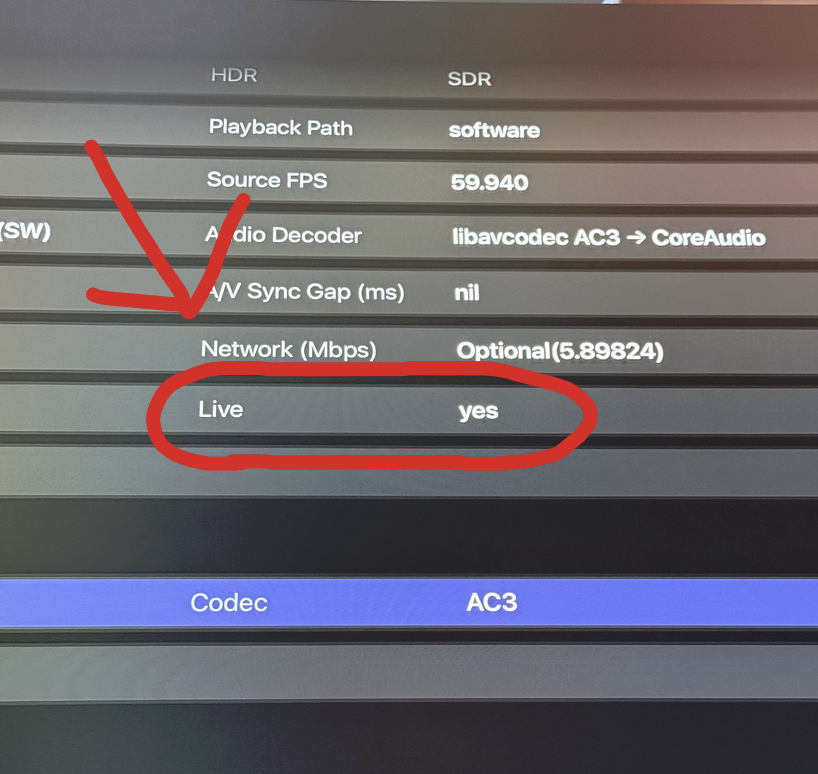
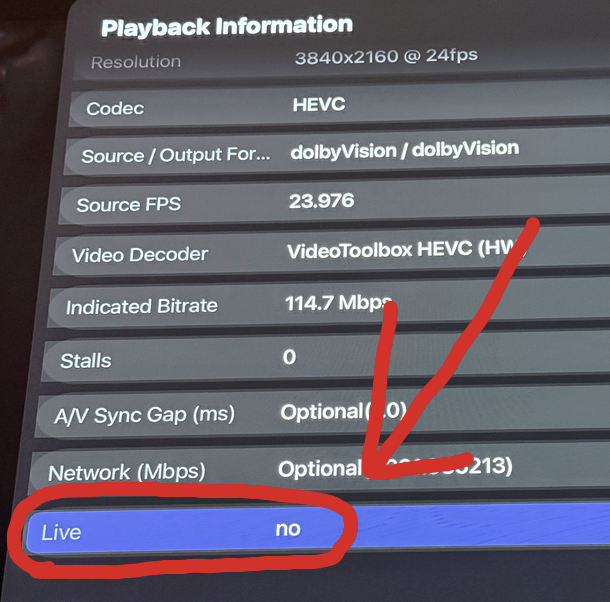
@bingbong69_I think a better solution after further investigation is to have the option for additional UI element (Skip foward/backward, Next/previous Episode) when the channel is not detected as "Live". After looking at playback information for the Channels it seems there are indicators if a channel is "Live" or not. Here is an example of a actual "Live" channel On the Virtual TV channels it shows it is not a live channel.
-
Are they multi video versions? I made some changes to prioritize 4k when videos have multiple streams.
-
Hello, I have Emby Server on a QNAP NAS, and I have a questions about how it works, is it a bug, or is it a matter of some setting that I overlooked, or is it supposed to work somehow now? It's this: I have Czech language set for metadata, the library is of type Movies, and I use Folders as the view (at the very top it's the last option, the first is Movies). The first problem is that the folders no longer have an image, previously a collage of the movies in the given folder was created. The second problem is that the movies in the folder are displayed in the original movie name, I know if the movie is Spanish, the name is in Spanish, not in Czech as I have selected in the settings. What's interesting is that the Serials library type doesn't do this. When I look at the difference between Movies and Series, in Movies there is "Folder scanning mode", what is the difference between Default and Legacy? Can the described action do this? I have Default set. Has anyone encountered something like this? EmbyServer is the latest version, QNAP updated to the latest version. Sorry for the English, I used google translate Thanks for your help
-
Quick Start
-
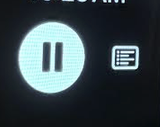
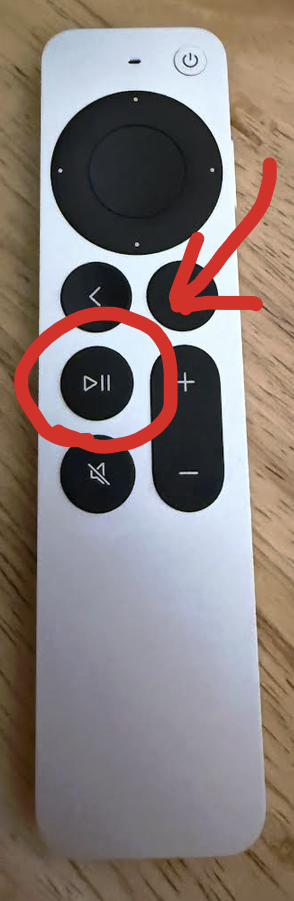
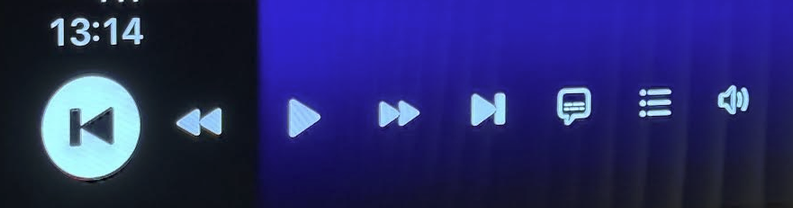
Hey @bingbong69_, really enjoy the app. Its honestly the only app that makes me consider not using the official Emby App all together. I only have a few minor issues with it. I'm using a Apple TV 4k 3rd Gen 128gb I use the Virtual TV plugin(Allows you to create custom channel) with Emby, when I use Moonfin the Virtual TV channels play great. The issue I face are with the UI. Options to skip forward/back, next episode/previous, etc are not there. These are the only UI elements I get when watching a Virtual TV Channel (I'm assuming this is the case because it thinks its a "Live" channel) I thought it may not be possible with Moonfin but when I pressed the Play/Pause button on the remote (Has to be the button on the remote, cant just press the UI element) it shows more UI options Here are the additional options that show after pressing Play/Pause button. And they are usable, I'm able to do everything I would be able to do with the Emby App. I know this is a pretty niche issue but its so close to being perfect I had to reach out. Thanks
-
Hi, Could you please recommend a suitable place/source where I could download the missing images that I could use as icons? For example flags etc. Thank you.
-
@yocker Latest version 5.57.0.1 is buggy. Movies that are not 4K show 4k images assigned on every movie when u get to details.....
-
As far as manually sorting, yes. I looked but didn't see it. The problem with pulling any kind of chronological order is on some there no 2 that agree on what that order is. Combine this that that thread or lock it if you want.
-
hello there, i'd like to reference one movie in another, e.g. old and new version. How can i do that? I dont want to create a collection for that. If there is no way right now, i'd like to see a "see also" area in the movie view like "More Like This". kind regards
-
So I have the following settings enabled in my emby server in my libraries: Metadata readers enabled (nfo), metadata downloaders enabled (themoviedb and thetvdb). With that, my clients were able to get the metadata they required. Note that none of this added any files to my media library folders. Emby just stored it in its appdata folder internally. However, recently I enabled the metadata download settings in radarr and sonarr and suddenly all my library folders have been flooded with additional metadata files. Does anyone know if these files are helpful to emby in any way? The only things I've actually noticed is that soon after enabling this setting in sonarr/radarr, emby unilaterally decidded to create a collections library (which I actually like). I therefore assume emby was provided more metadata information by sonarr/radarr that allowed for the creation of this collections library? Is that what happened? Is there any duplication here? Should I stop the metadata downloads coming from sonarr/radarr? Or should I stop emby's own metadata download and let it rely soley on the metadata provided from sonarr/radarr? Sorry for all the questions. Just trying to figure all this out. Thanks!
-

Help! Emby Server is stuck in "Ready to Transfer" to my Android phone
benlad replied to drsalzman's topic in Android
I have tried to download sporadically for years when going away and then I realised I shouldn't bother - it has never worked properly. Can't see what is queued in the app on android (can see ready to transfer on server) A lot of items just get stuck (I always do original format, so there is nothing to transcode) Just tried again and wish I hadn't bothered. -
Please add syncing of viewing progress for the external Vimu player, as it's often necessary to play videos through it because it can bypass some hardware limitations of projector/TV/TVbox decoders and has more sophisticated sound and subtitle settings (this is especially relevant for localized content). Player api https://vimu.tv/player-api/
-

Have an "Admin Notes" section under each user account
virtualtinker replied to bennymac's topic in Feature Requests
Necroing this request as I'd like to see this too. I use my Emby server for networking and I have so many users now, I can't remember who these people are, where they work at, or how I met them. Having the internal notes field for each user would solve this for me. Thank you! -

Atrium — a native tvOS app for your Emby server
vdatanet replied to vdatanet's topic in Third Party Apps
Thanks — glad it's landing well. On the MKV point, though: they do play. What the app doesn't do is *direct* play the MKV container, because the native player can't open it — so the server repackages it into a stream the player can take. That's a remux rather than a re-encode: the video is copied through, not compressed again, so it's a lot cheaper on the server than a full transcode and the picture is untouched. My own library is about 96% MKV and all of it plays this way, so if you've got a specific file that won't start, that's not the design and I'd like to hear about it — tell me the codecs and I'll dig in. Staying on the native player is a deliberate trade. It's where the system track picker, the chapter menu and the rest come from, and having the server do the container work is a cheap price for it. -

Atrium — a native tvOS app for your Emby server
kalg replied to vdatanet's topic in Third Party Apps
only thing is your app dont play .mkv files due to using native player and most rips are in mkv container good job on the app keeep up the good work -
Well I installed CDisplayEX, Challenger Viewer, ComicScreen but it did not work when I try to open from emby. I tested adroid.intent.action.VIEW with a local file over adb and I could open the file but in emby I could not. I used this instruction adb shell am start -W ^ -a android.intent.action.VIEW ^ -t application/x-cbr ^ -d "file:///storage/emulated/0/Documents/file_1.cbr"
-
Atrium — a native tvOS app for your Emby server
vdatanet replied to vdatanet's topic in Third Party Apps
A correction to my own post, and it goes in Emby's favour, so I'd rather put it up than leave it standing. I wrote that Emby was sending real HDR and simply not describing it in the manifest, and that the transcode came out 8-bit with visible banding. Both of those are wrong. I re-ran the same measurement today against the same Emby version, and what arrives is a proper tone-map to Rec. 709 — on the HDR10 title and on the Dolby Vision one alike. The manifest carries no HDR label because there is no HDR to label. That is Emby doing the correct thing. What I had actually caught was a fault on my own server: tone-mapping was failing there in a way that left the HDR tags attached to a picture that was no longer HDR, and I read the tags rather than the picture. The same Emby build handles it correctly now, so that was my machine and not the server. What doesn't change is the limitation I posted about. With Emby, Atrium still shows SDR, for the same reason as before: the manifest doesn't describe the dynamic range, so tvOS never switches the TV into HDR mode, and asking for HDR anyway would only mean HDR content on a display that stays in SDR. Asking for SDR is the honest option, and it's what the app does. For anyone who wants the actual measurements, that side of it belongs in the developer section — I'm posting the details in topic 149003.