All Activity
- Past hour
-
 Saloha@1122 joined the community
 -
 2user2 joined the community
 -
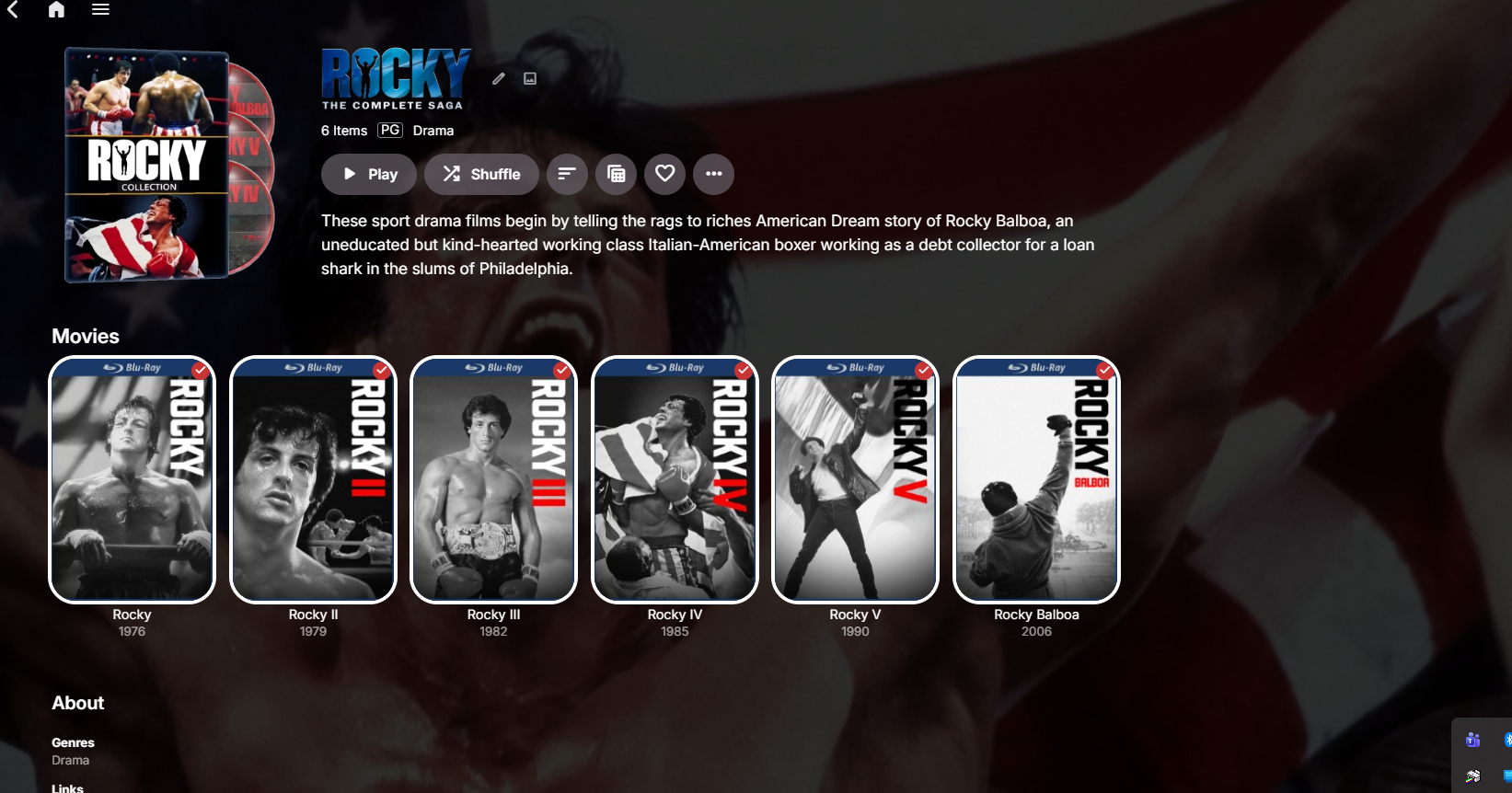
A little help on how to get this done if you please? I tried creating a folder called Featurettes and I placed it in the Rocky collections folder within the metadata folder and nothing then I tried placing it in the Rocky collections folder within the data folder still a no go. Where should the extras folder and content be placed for it to show or be seen?
-
In what version will this be implemented?
-
 sakhr moh joined the community
 -

Tells me I need a password to my own account for my server
CBers replied to Donovan1's topic in Android Server
Ignore the bit before \Emby-Server and go from there. That is an example for a Windows based file for the user carlo, which you won't have on your Nvidia Shield. Possibly the file is located here: /storage/emulated/0/Android/data/com.emby.embyserver/programdata I'm not 100% sure though. -

Tells me I need a password to my own account for my server
seanbuff replied to Donovan1's topic in Android Server
That's obviously the path from the screenshot of the support KB. Have you followed the path shown to you on your own server? What happens when you try opening that path? Be specific. -
 Caca_127054:35 joined the community
 -
 Alba_fullhouse joined the community
 -
 Ariel lessard joined the community
 -
 jaysquad200404 joined the community
 -
 rouh joined the community
 -
 Lordinmortal joined the community
 -

Tells me I need a password to my own account for my server
Donovan1 replied to Donovan1's topic in Android Server
Yes, when I go to forget the password, the link that is showed wont take me to the link that I need to reset my password.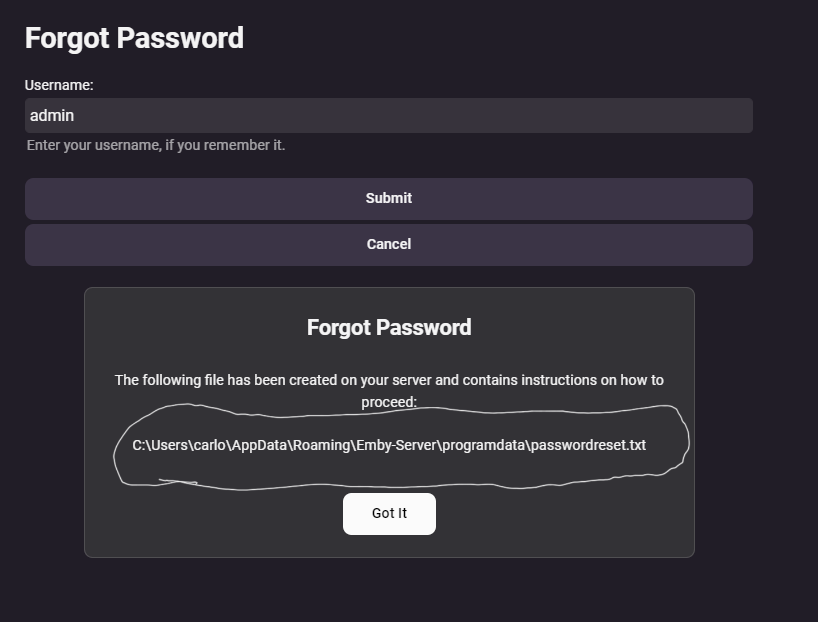
-
How?
-
Since this feature request is nearly three years old, here’s a quick recap of what it is actually asking for: The problem is that reverse proxies such as nginx and HAProxy can close an idle WebSocket connection after their timeout period. If Emby leaves that WebSocket idle for too long, for example while playback is paused, the connection can die before playback resumes. The requested fix was for Emby Server to send periodic WebSocket traffic, such as a ping/pong or other keepalive message, at a practical interval so the connection does not get dropped. A roughly 30 to 45 second interval was discussed as the kind of timing that would avoid common proxy idle timeouts. Luke confirmed that the keepalive behavior is in the server. He also said making the interval configurable as an advanced option was something Emby could do, and in January 2026 said it was "on our to do list." So the feature request is not simply "does the client reconnect?" It is specifically about having a server-side keepalive interval that is short enough to survive normal reverse-proxy idle timeouts, ideally with that interval configurable. As of 4.10.0.40, there is still no documented release note showing that a configurable keepalive interval was implemented.
-

The left bar on the dashboard page has been blank
JNW1980 replied to kira yamato's topic in Apple iOS / macOS
For me it's happening during or right after a real-time or manual scan of a library. It seems to also happen occasionally at random, but that could just be a real time scan I did not see happen. This behavior so far has been repeatable in both the TestFlight iOS app and Web app. -

Atrium — a native tvOS app for your Emby server
arrbee99 replied to vdatanet's topic in Third Party Apps
- Thats with about 200 collections. Don't know if thats a very realistic test, but I guess I'm not the only one who'll do it. -
Why do you think the issue would have magically disappeared? Is your goal here simply to ask whether an issue that has been documented and discussed for years still exists? This topic is nearly three years old, and the underlying problem existed well before this feature request was opened. There has been no verifiable documentation, release note, or other indication that the WebSocket keepalive behavior was changed or that a configurable interval was implemented. And yes, as of this second, the original issue still exists. If something has been changed internally, then please tell us what changed and in which version. Otherwise, asking whether we've tested it again doesn't really answer the status of the request.
-
Force Audio Transcoding in Emby: Open the Emby app on your Fire Stick, go to Settings > Playback, and look for audio output options. Ensure that DTS-HD/TrueHD options are unchecked or set your audio output to a format your TV/Receiver natively supports (like Dolby Digital). This forces the Emby server to convert the DTS-HD track into a compatible format (like AAC or Dolby Digital) on the fly. You can do the above on the "Emby" app but not on the "Emby for Fire TV app.
-
Atrium — a native tvOS app for your Emby server
arrbee99 replied to vdatanet's topic in Third Party Apps
Thanks very much for all the hard work. Looks great especially collections. Really like the way on a details page the backdrop will slide up and the separate layer of text, buttons etc slides over the top of that a bit faster. Must admit though, especially for collections, it does get stuck scrolling if you just sit there on the Collections page and hold down the down arrow. After a while it gets stuck with the spinning circle (or Apple equivalent) while it tries I think to fill in all the collection posters it missed, or its loading the contents of the collections, or something. -

Is there a way to move Webstream folders back to top level?
Pest3366 replied to Pest3366's topic in General/Windows
I just want move them back, BECAUSE if I have to remove them and redo the m Webstream fails to to do it correctly, do i don't want to if I don't have to. -

UPNP setup of Emby Server has suddenly stopped working remotely
Luke replied to Beta8088_Proto's topic in General/Windows
OK since you say server, but you also say PIN, you may be confusing the difference between Emby Connect credentials and the private user credentials on your server. This is why I asked for this: My guess is that you are entering the credentials for one on the login screen for the other. -
Is there a way to move Webstream folders back to top level?
Luke replied to Pest3366's topic in General/Windows
Yes I understand and we can take a look at that. But I hope it's clear that it has no impact on metadata fetching. -
Is there a way to move Webstream folders back to top level?
Pest3366 replied to Pest3366's topic in General/Windows
Because I want them on the line with live tv, like I had it before the server update, not in a "Webstreams" folder. -

UPNP setup of Emby Server has suddenly stopped working remotely
Beta8088_Proto replied to Beta8088_Proto's topic in General/Windows
The server. And I tried it six times. -
Emby Windows 2.317.2 – severe judder with 1080p50 H.264 Direct Play / gpu-next – render queue underruns
Luke replied to schnigges's topic in Windows & Xbox
Hi there, please attach the Emby server log from when the problem occurred: How to Report a Problem Thanks! -
Hi, we'll take a look at it. Thanks.
-
OK that would be great. Thanks.
-
LG WebOS Video Freezes When Starting With 5.1 Audio Selected
Luke replied to AndyHN's topic in LG Smart TV
@SamES -
UPNP setup of Emby Server has suddenly stopped working remotely
Luke replied to Beta8088_Proto's topic in General/Windows
Where are you changing the password? -
UPNP setup of Emby Server has suddenly stopped working remotely
Beta8088_Proto replied to Beta8088_Proto's topic in General/Windows
that's the thing though: I am entering the correct password, and I have been changing the access password to ensure it was correct over and over and over again, but yes, it is indeed auth that is broken, on the PIN screen, what happens is I put in my Emby Connect credentials and the PIN the client gives me, it says the PIN is good, and then I hit next and... nothing happens, when on mobile, I put in the correct username and password, and it just says that my username or password is wrong (and yes, I am absolutely certain it's correct). So I'm certain something on Emby Connect's side has broken auth. Sorry for not having images, I just got back into my own home on my own network, where none of this is a problem and on Android (the only way I can simulate WAN in my house) it doesn't get that far, it just lies that my valid password is wrong. In relation to port forwarding... I was literally up till 3 AM following every single guide and solution presented. Absolutely none of it worked. My setup can only work with Emby Connect. I don't know what's different with it, but Emby Connect can connect through WAN, but its auth is broken, and the WAN address just refuses to connect (different error). -
Is there a way to move Webstream folders back to top level?
Luke replied to Pest3366's topic in General/Windows
What makes you think you'd have to do that. What I'm trying to explain is that the two things are unrelated. -
UPNP setup of Emby Server has suddenly stopped working remotely
Luke replied to Beta8088_Proto's topic in General/Windows
I realize this might not be your actual issue, but just as a rule of thumb, port forwarding will be more reliable than UPNP. If you have the patience it's in your best interests to revisit it and give it another try. Remote access is something that requires occasional maintenance. You might think nothing is changing, but everything is changing around you. ISP's changing their rules, a router software update could break or disable UPNP, operating system updates, etc. Setting up a static LAN IP and preferring port forwarding over UPNP are two ways to reduce your ongoing maintenance of your remote access. And as Ebr said, using Emby Connect does not escape you from this. It just saves you the trouble of having to remember your server ip address.