All Activity
- Past hour
-
It works very nice and overall streaming is better for me on big files. Plus the seerr integration is a nice upgrade.
-

Show the path info when in a movie or series
GrimReaper replied to taunnnt0's topic in Feature Requests
I would assume OP is: -
 yemovaneewwd joined the community
 -
 anais_b_91 joined the community
 -

Show the path info when in a movie or series
seanbuff replied to taunnnt0's topic in Feature Requests
If I'm not mistaken, in order to see the full file path - the user needs to be an Admin. -
 LeonaDaun joined the community
 -
 jerey joined the community
 -
 mojinder123 joined the community
 -
 umigu21175 joined the community
 -
 minimaik joined the community
 -
 kelavefrgnn joined the community
 -
 Viviiisolo joined the community
 -
As mentioned, the server has been set up and running properly for a while. When I added the VPN, I thought I had set up split tunneling, which would allow the Emby server to bypass the VPN altogether which would mean I could still use my originally reserved ports and IP addresses. When I initially made the post on here it was because I hadn’t finished setting up the split tunneling, meaning it was looking for a different remote address. Once I discovered that Surfshark was waiting on me pressing a button, the split tunneling set up was complete and for a day the Emby server was running as it had for over a year. I checked it the next day and wasn’t able to connect remotely, so I disabled the VPN entirely but the reserved IP address and reserved ports have not changed from day one and I’m not sure that they would have to under these circumstances. My ISP provides me a dynamic IP address so the external IP doesn’t matter so much as long as it’s listening to the proper external port and communicating to my system on its reserved local IP address and port. The reason I logged into my VPN on this system was because I thought I’d be able to bypass it using split tunneling.
-
And I just noticed the post for core UI 26.0.32 which fixes this so expecting a 3.5.65 soon to resolve that.
-
+1 able to reproduce. If you start a video with them off and then turn them on they will, but you can't turn them off. This is the error in the log.
-

NVIDIA Shield screensaver appears while paused, then playback resumes behind it
Lessaj replied to Dr. Technolust's topic in Android
With my first test of 3.5.64 I still saw in the app log playerFailed, and when exiting the screensaver I saw the backdrop but no video. I hit a button and I could see the video controls, but no actual video player was present. I tried to RW/FF and nothing happened (nothing in the log either). Trying to go to chapters the section was blank (showed nothing at all) with this message in the log. I backed out of the video and tried to resume, it did resume and I noticed the log was being spammed with this error: This time when the screensaver kicked in the player did not die and came back after the screensaver ended. I backed out of the video and resumed again to see if that error would stop but was still seeing the same timeupdate error above. Didn't seem to interfere but odd that it was still coming even after starting a video again. While I waited for the screensaver to kick in I found an adb command to trigger the screensaver so I don't need to wait anymore. I exited the app to see if it would clear the timeupdate error and it did. Through further attempts at triggering the screensaver at one point the app restarted when resuming from the screensaver but based on logcat it was already dead and scheduled to restart when the scrensaver ended. Only happened one time so far. I continued to enter and exit the screensaver and didn't really run into a problem. Overall this seems to be improved, I haven't been able to reproduce the first thing that happened with the video player dying and just the controls remaining, and so far didn't have any playback resume shortly after the screensaver but will need some more time to test under more natural conditions. I am not sure if there would really be any difference between waiting for it or triggering it manually. I won't be able to test much more as I'll be traveling, hopefully others can test too. -
Same result, that is what I was normally doing as well. It's like the button is just unresponsive. Same when I press the Trailer button. All libraries as well.
-
Show the path info when in a movie or series
GrimReaper replied to taunnnt0's topic in Feature Requests
-

Show the path info when in a movie or series
taunnnt0 replied to taunnnt0's topic in Feature Requests
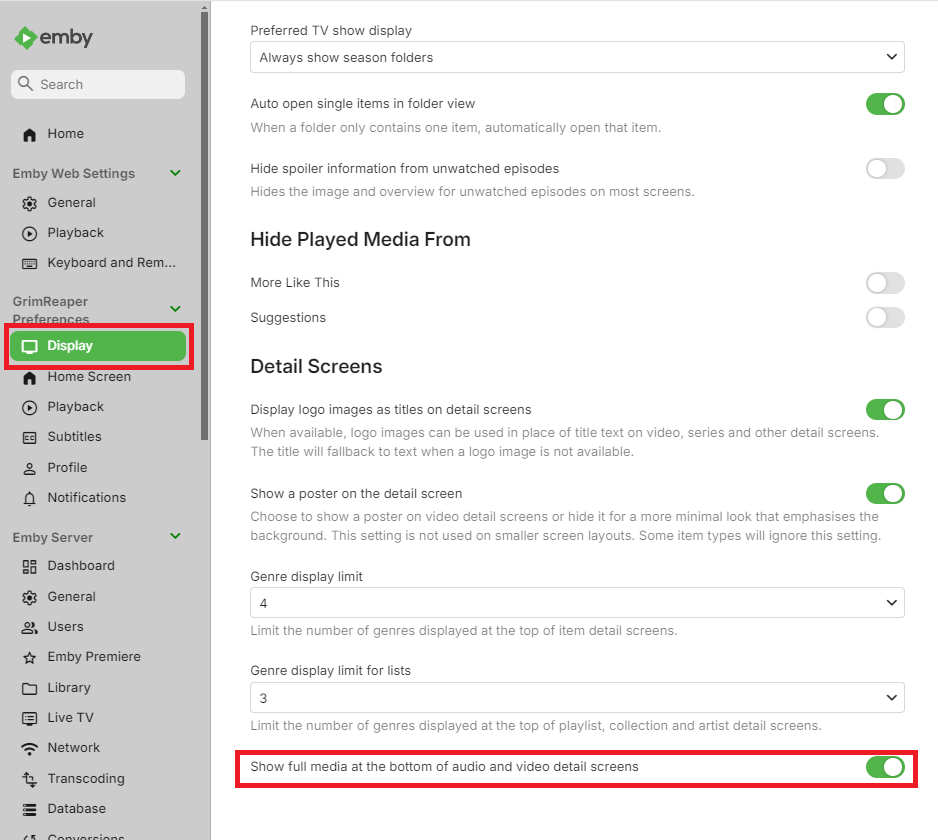
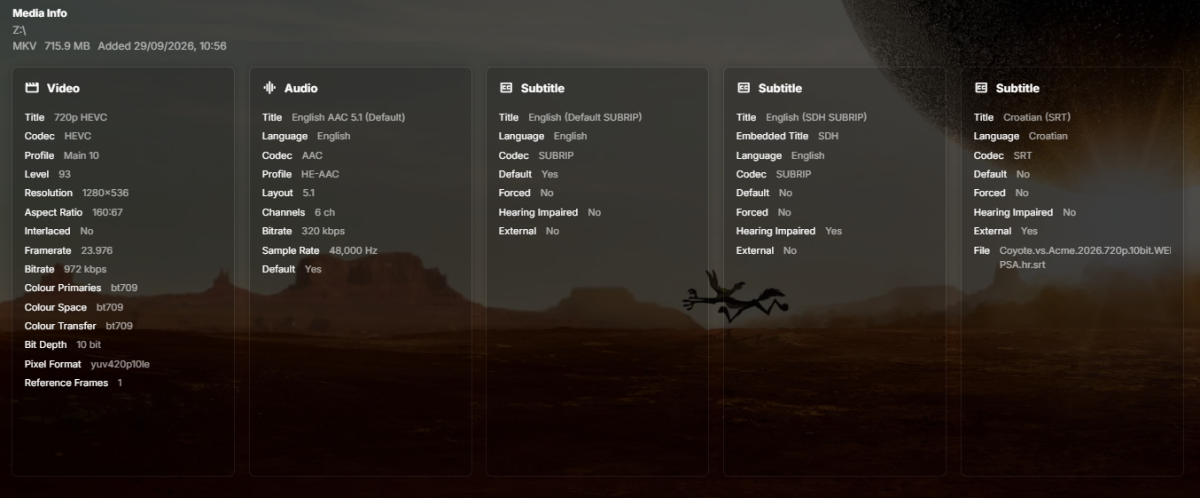
OK so where is it? I'm in the actual media, and on mine it's not there. Do I have to turn that on? -
Show the path info when in a movie or series
taunnnt0 replied to taunnnt0's topic in Feature Requests
The would be great if you did. Maybe add a option to show too. So people who want to see it can and vise versa. Where you mentioned it would work fine. Thanks -
Is there no longer the option to burn in subtitles for potato devices?
-
26.0.32 Fix regression with turning off subtitles not being remembered
-
Emby Web App Update: Version 26.0.32 The Emby Web app has been updated to version 26.0.32 Go and try out: https://app.emby.media/ Changes 26.0.32 Fix regression with turning off subtitles not being remembered
- Today
-
There is essentially no difference in my experience as the limiting factor is the device itself that you're watching from (But I am not the end all be all). I find that Apple TV loads extremely slow when browsing the library, while Android and Windows devices are pretty much instant (I no longer use Roku). You might as well stick with the sata SSD as it's cheaper and it works. Ideally for transcode you'd want something like an Optane drive (if we're talking perfect scenario), but those just don't exist anymore. As for the DRAM, if the server is on this drive, it doesn't matter. If this is a separate drive, it might matter if your system is not fast enough to keep up and you lack the RAM. DRAM only really comes into play when you're doing sustained writes. like through USB or file copying or massive databases (Emby does not have a massive database). Maybe during the PCI-E 3.0 generation there was a massive difference, but we've moved well beyond that now and there are plenty of modern tests that show there is very little difference between the 2. https://www.xda-developers.com/how-important-dram-ssd/ .
-
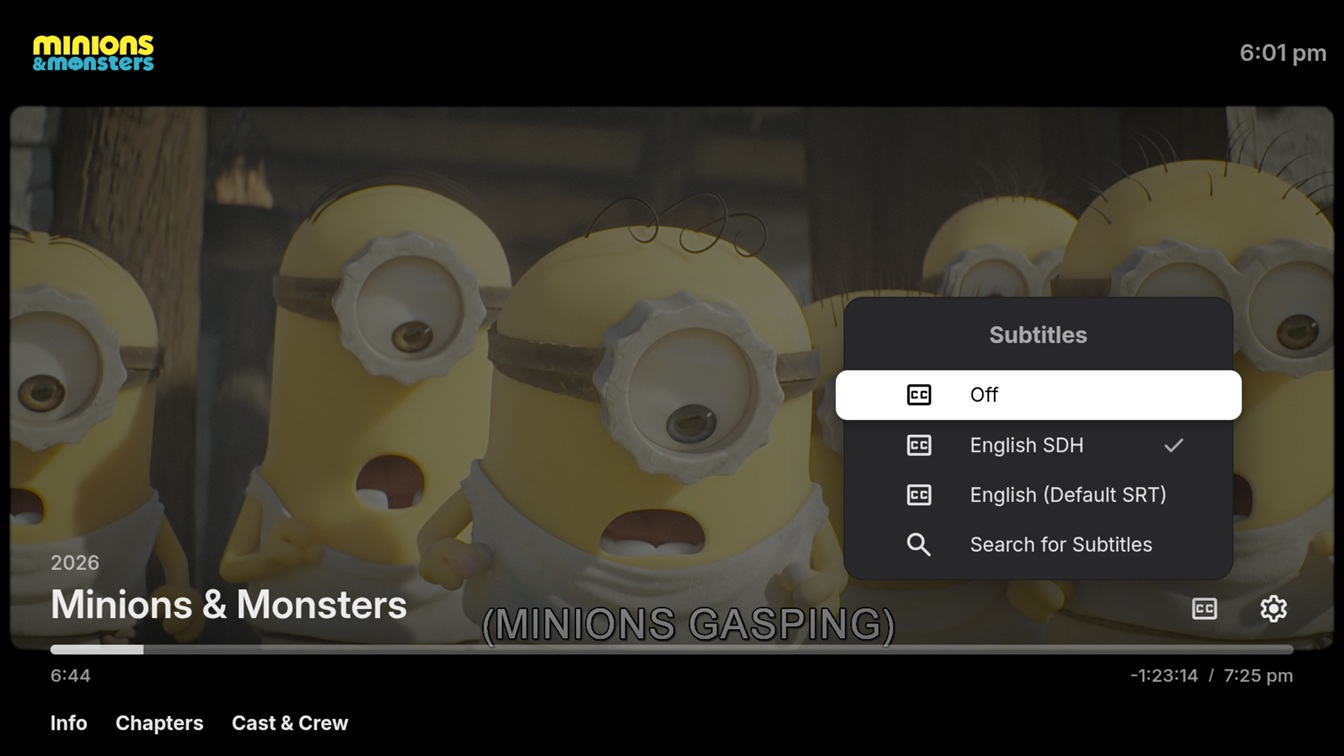
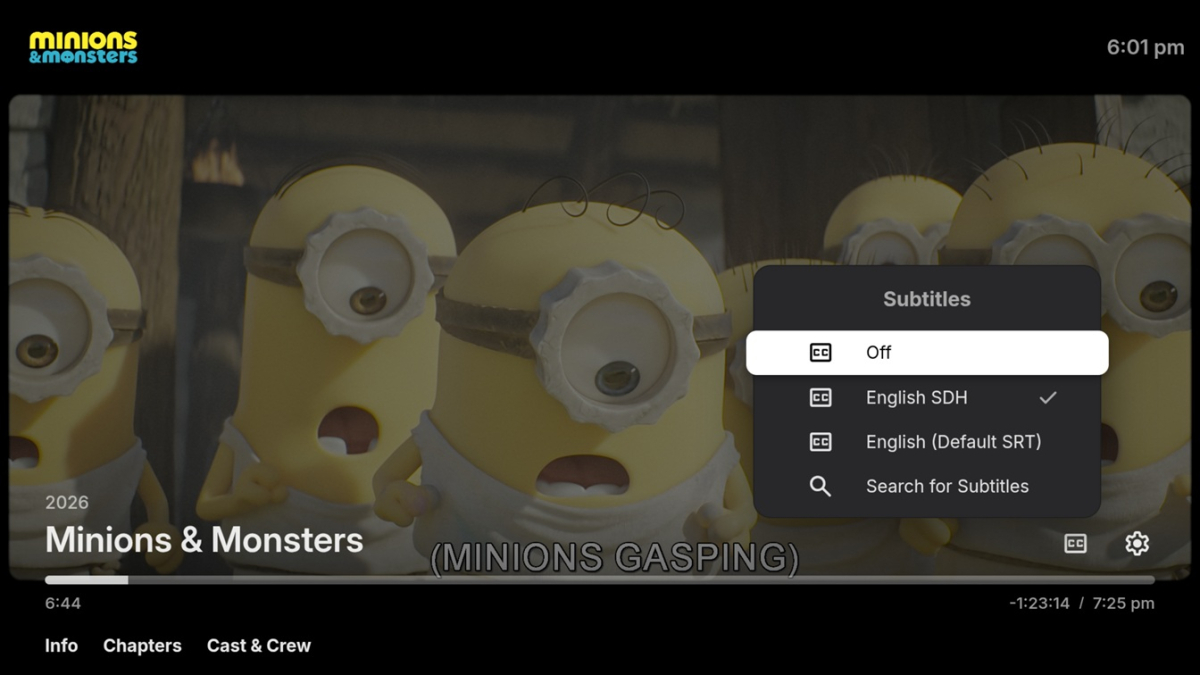
Subtitles can't be turned off once playing has started. I can switch between default, forced, and SDH subtitles, but I can't get the app to save Off as an option from the OSD. I can select Off before clicking play, but if I select a subtitle once playing has started I can't then turn them back off again. Sever: 4.11.0.5 App: 3.5.64 Steps: Navigate to a movie and click play Bring the OSD up Click on the subtitles icon Select Off Select the Subtitles again from the OSD and subtitles are still selected
-
HI, it may help with the cache and metadata folders. I wouldn't suggest it for transcoding temp because that's generally not going to be the limiting factor.
-
Hi I'm planning to upgrade my server soon and I'm thinking about replacing the SATA SSD with an NVME one for cache, metadata and transcode. From what I learned, it is very important for such drives to have DRAM. Has anyone upgraded this and felt a difference? Perhaps one of Emby technicians will comment? @Luke@ebr
-
what if you just drill down to the detail screen and use the on-screen play button?
-
Hi, were you able to get this?
-
@Ceten?
-

Show the path info when in a movie or series
crusher11 replied to taunnnt0's topic in Feature Requests
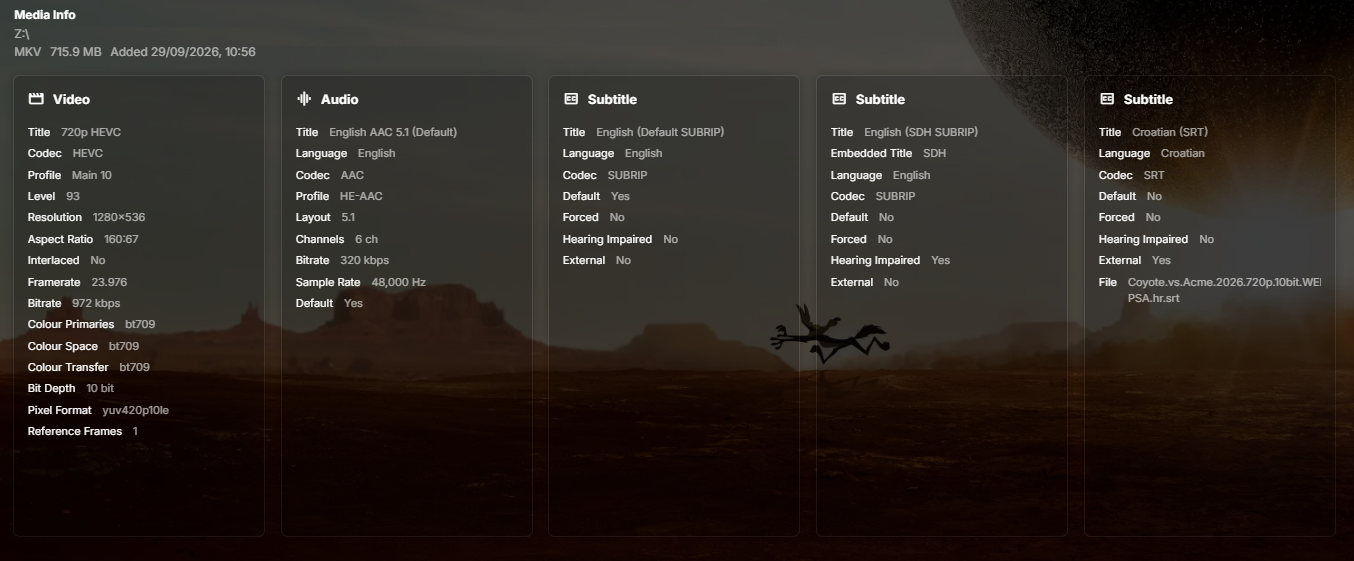
It's already present in the media info section. -
HI, I guess we could put that at the bottom in the about section. You can also see it in the metadata editor.
-
HI, it will use fanart, fanart1, fanart2, etc.
-
3.5.64 Attempt to fix gray background with HDR videos on certain devices Fixes related to device entering and returning from sleep Core UI Changes from 26.0.30 to 26.0.31 Support automatic subtitles on skip back (requires Emby Server 4.11.0.5+)