All Activity
- Past hour
-
 heath1971 joined the community
 -
I think the default is 3300 right now. It's meant to be like a toast, so it shouldn't have more than a few words.
-
 adribernal73.jbcn joined the community
 -
I just found the 'Merge the contents' option under the library settings. Will try that.
-
I have all the online functionality of my NAS's operating system disabled, so I'm not sure how it all works. Would the NAS firewall see anyone connecting to Emby? And regardless, how does it impact this specific situation?
-
Thanks for the response but that's what I did. I think I found the issue but do not know if there is a solution. I have my client set to Folder view. Because my collection is organize into categories. What i'm wondering is there a setting to not show the parent folders? Just the contents of the folder.
-
 Ryan Blonde Slut joined the community
 -
 Matth1642 joined the community
 -
 jennifer0602562 joined the community
 -
 Ajy911000 joined the community
 -

Only listing one movie when titles are the same but release year is different
Luke replied to appollo148's topic in General/Windows
HI, how are your files named and organized? -
HI, yes, instead of having two movie libraries, just have one and add both two folders to the one library.
-
 kodideveloperx joined the community
 -
 keithworgan joined the community
 -
Users have the ability to delete any file by default?
Luke replied to DavidP5219's topic in General/Windows
Hi, no they don’t. You must have granted then delete permission in their user setup. - Today
-

Users have the ability to delete any file by default?
Abobader replied to DavidP5219's topic in General/Windows
Hello DavidP5219, ** This is an auto reply ** Please wait for someone from staff support or our members to reply to you. It's recommended to provide more info, as it explain in this thread: Thank you. Emby Team -
By default when you set up a user they have the ability to delete anything in your server. This seems crazy to me that any user can just delete your files. I would think only the administrator should be able to do that. Any way you change this default setting for future versions? I only found this out today because one of my users mentioned he was able to do that and sure enough when i went in there all users have that ability by default. What does everyone else think?
-
Hi, I don’t have an eta but it’s possible for the future. Thanks.
-
External subtitles (srt) reset after app suspended
Luke replied to sjsadowski's topic in Android TV / Fire TV
Hi. Can you try searching for our standard android app (Just "Emby" on Amazon and "Emby for Android on Google) on the same device's app store and see how that compares? Thanks. -
Can’t connect to my Emby server from Android TV, but it works on my phone
Luke replied to Naveb12's topic in Android TV / Fire TV
@Naveb12? -
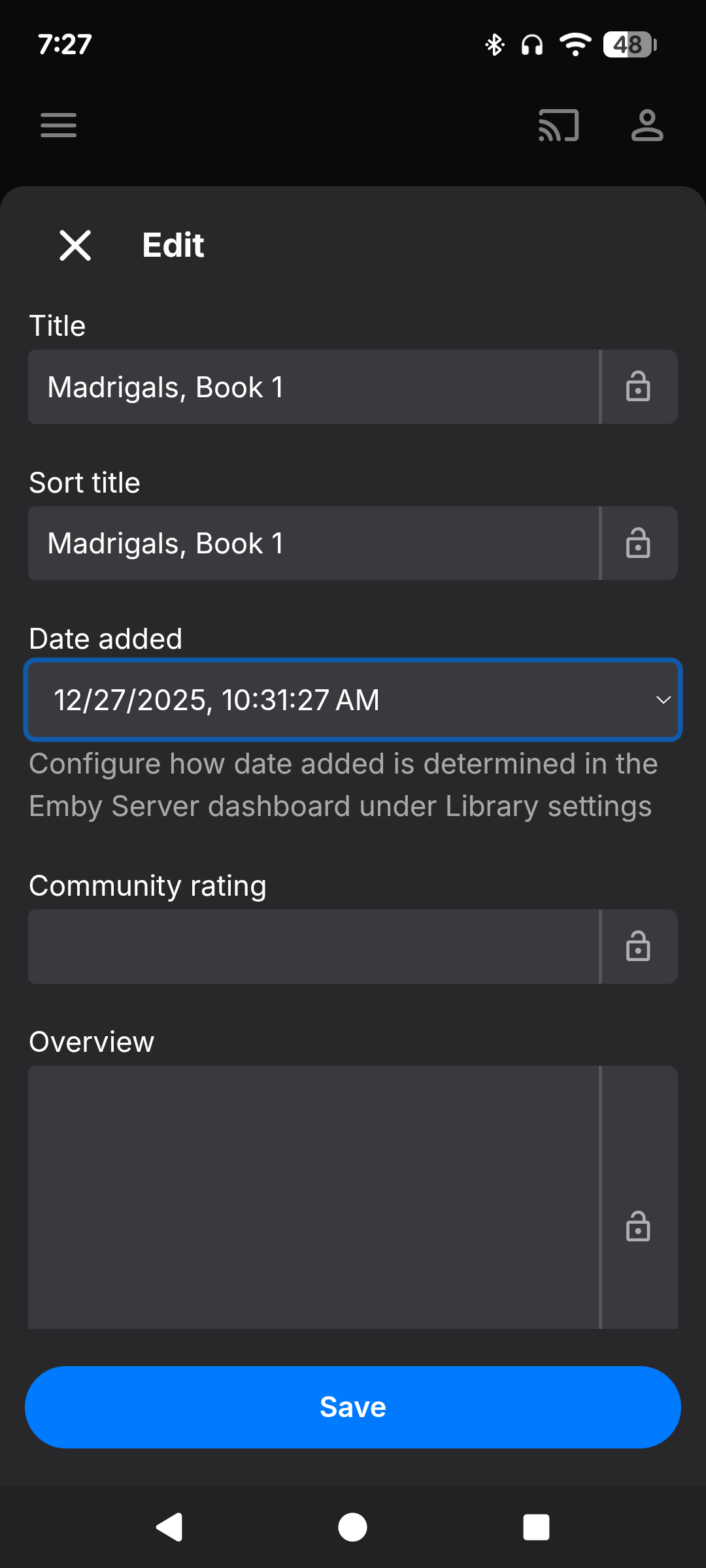
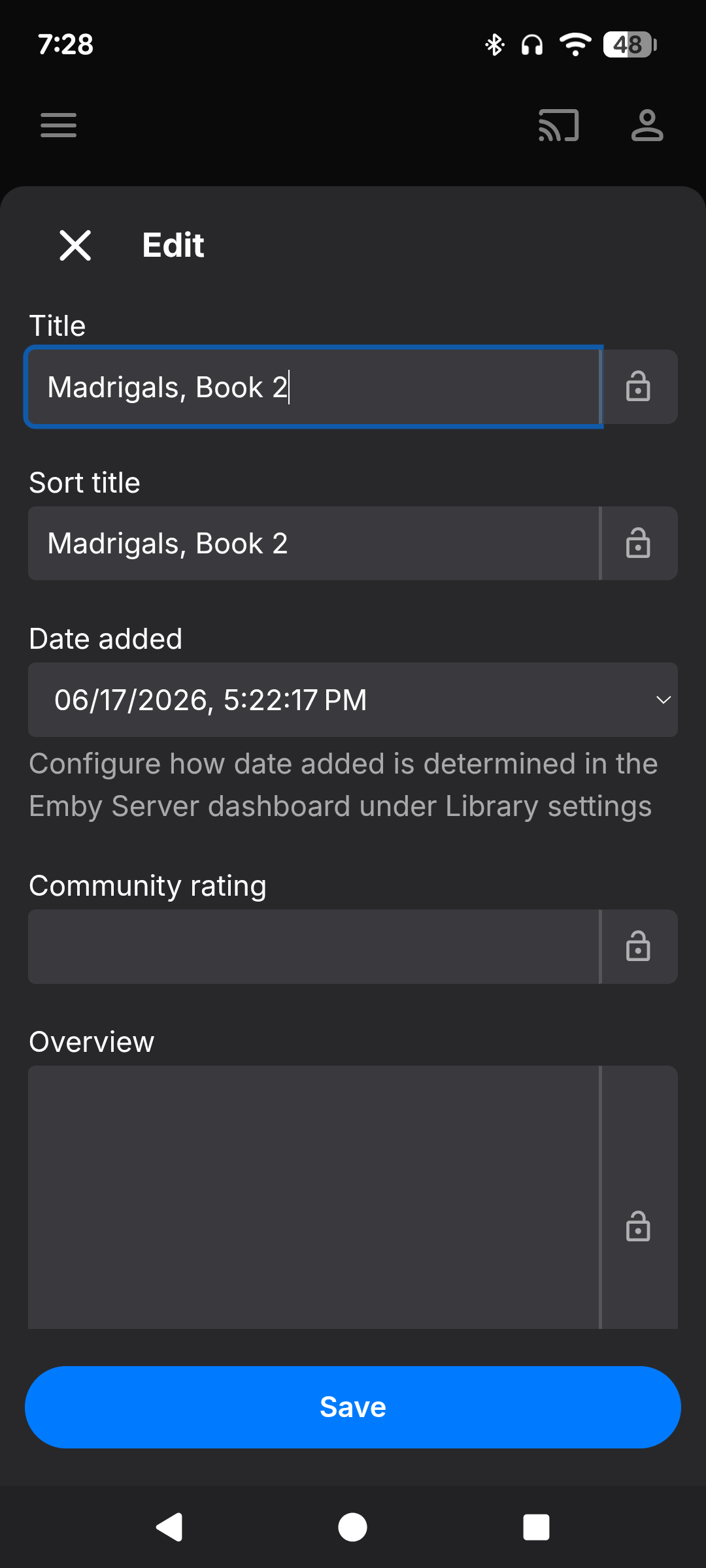
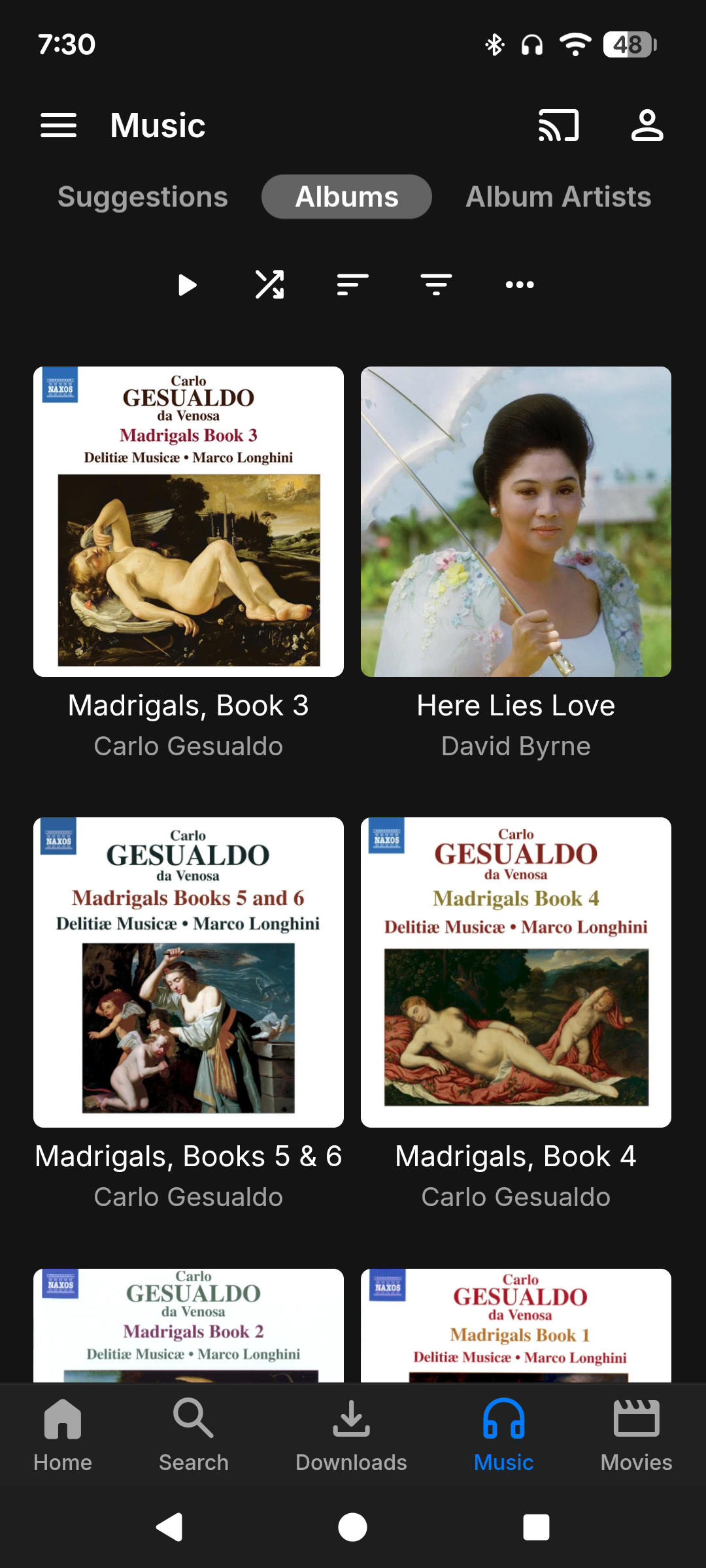
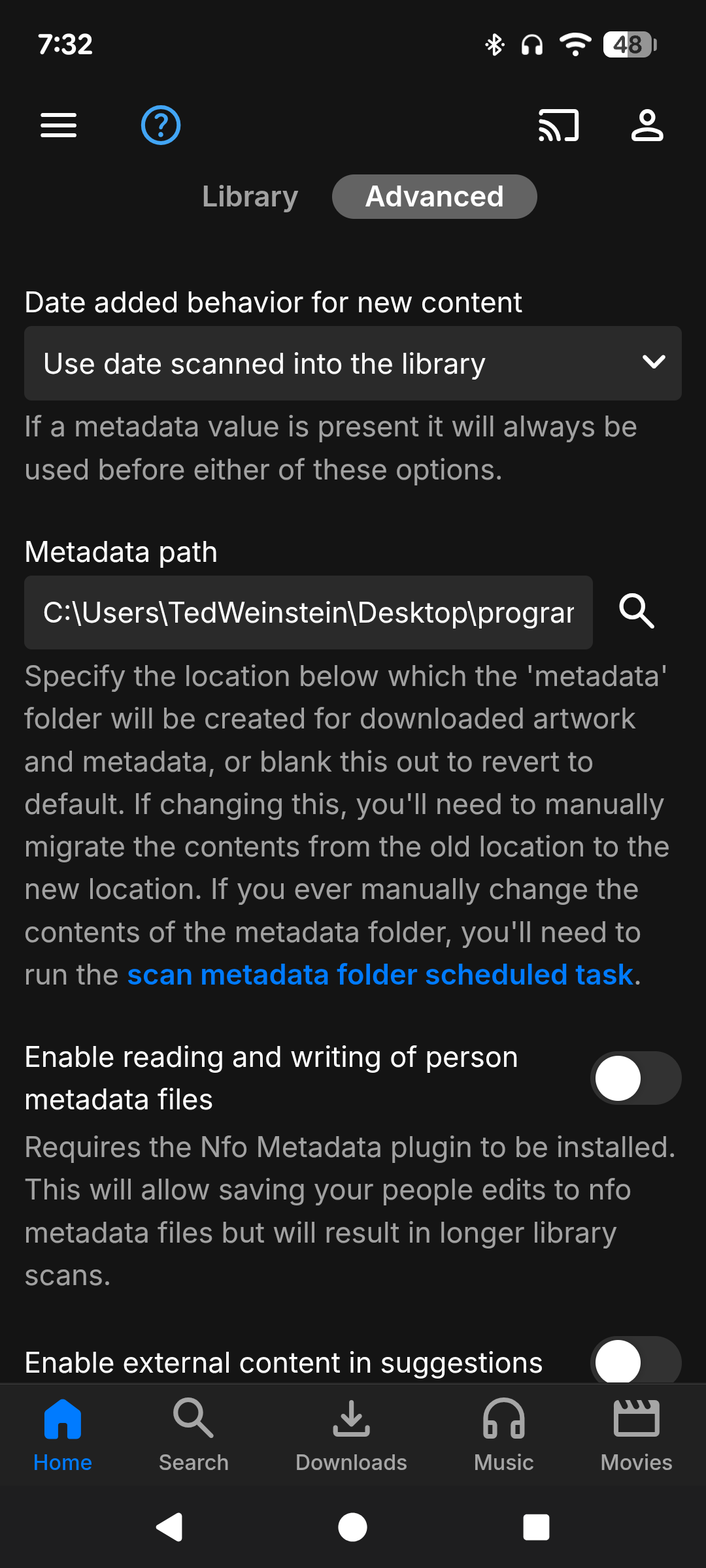
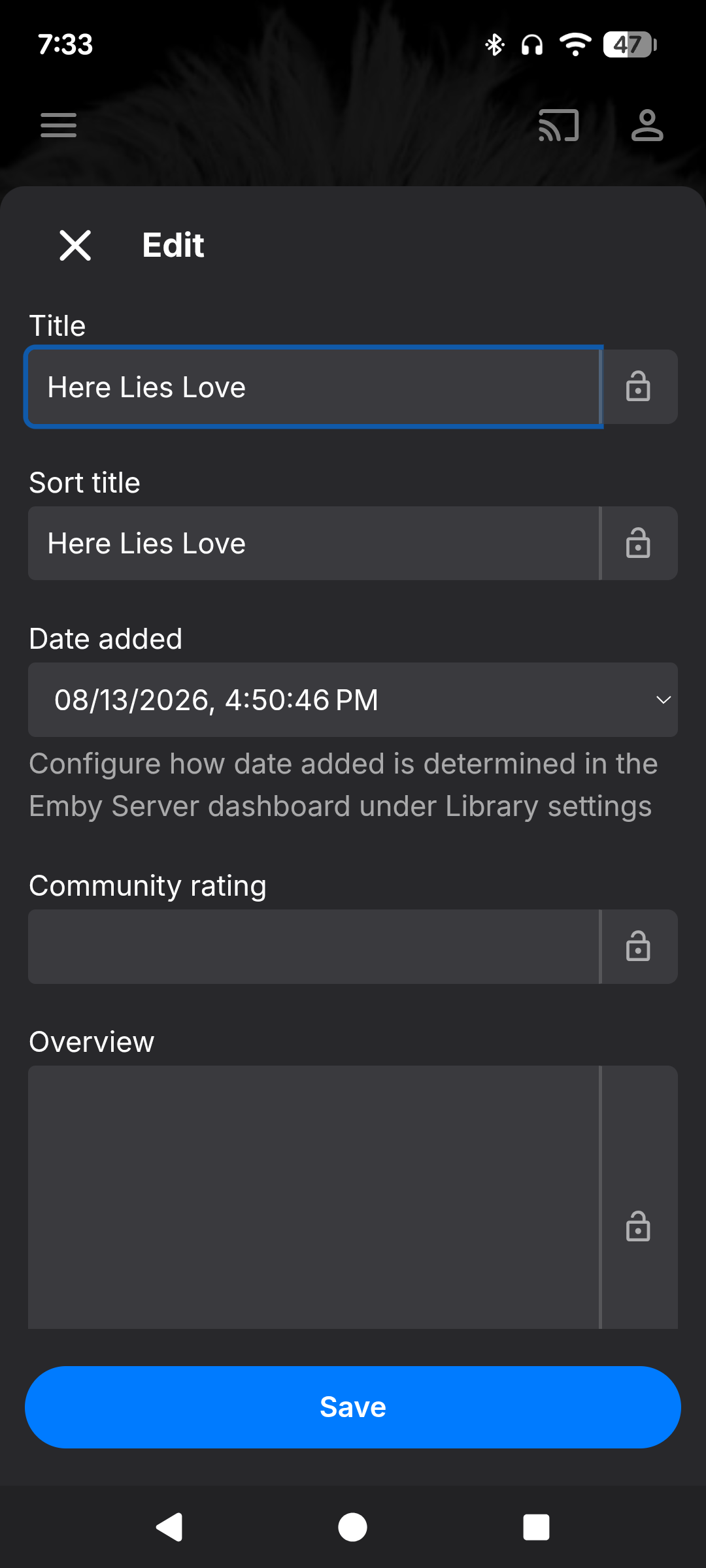
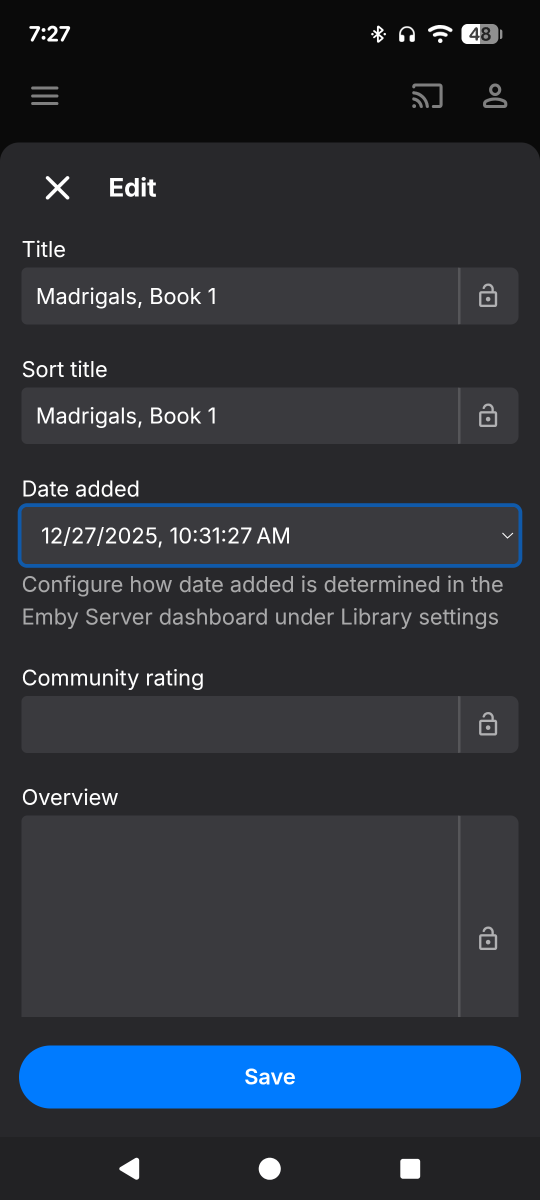
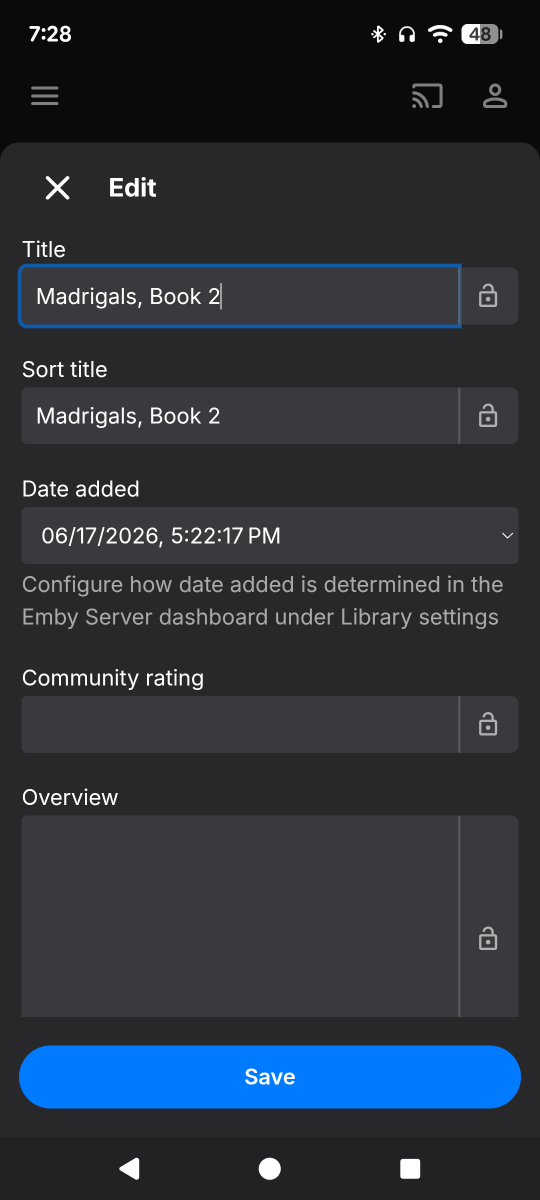
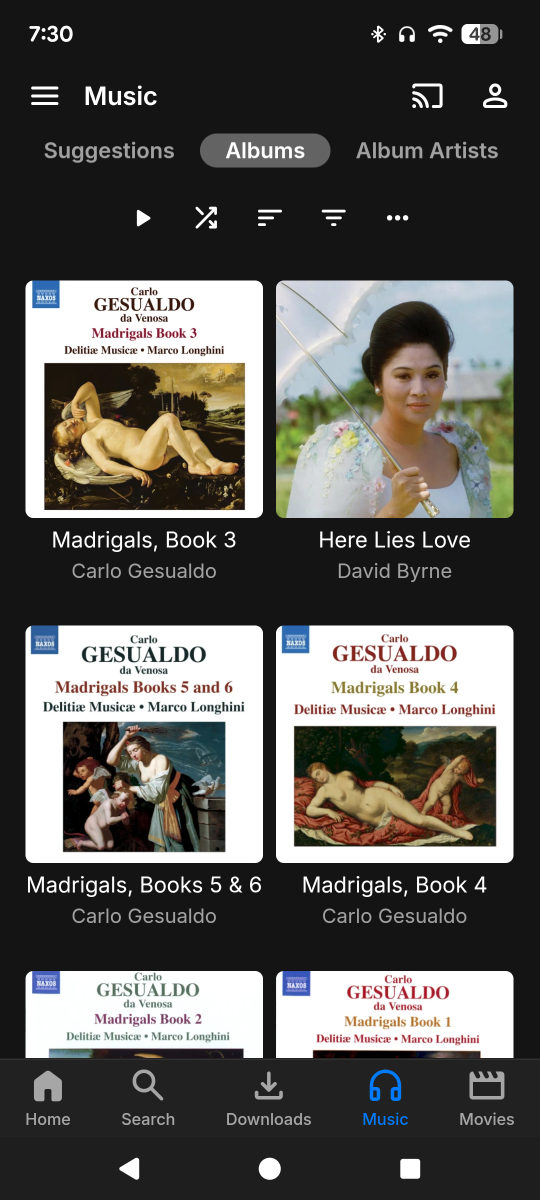
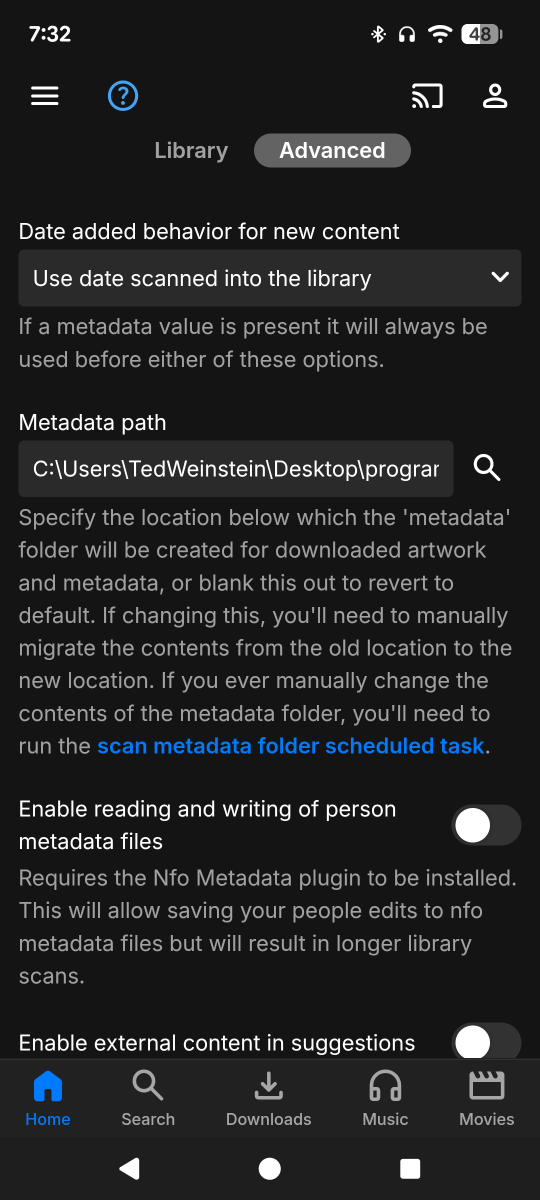
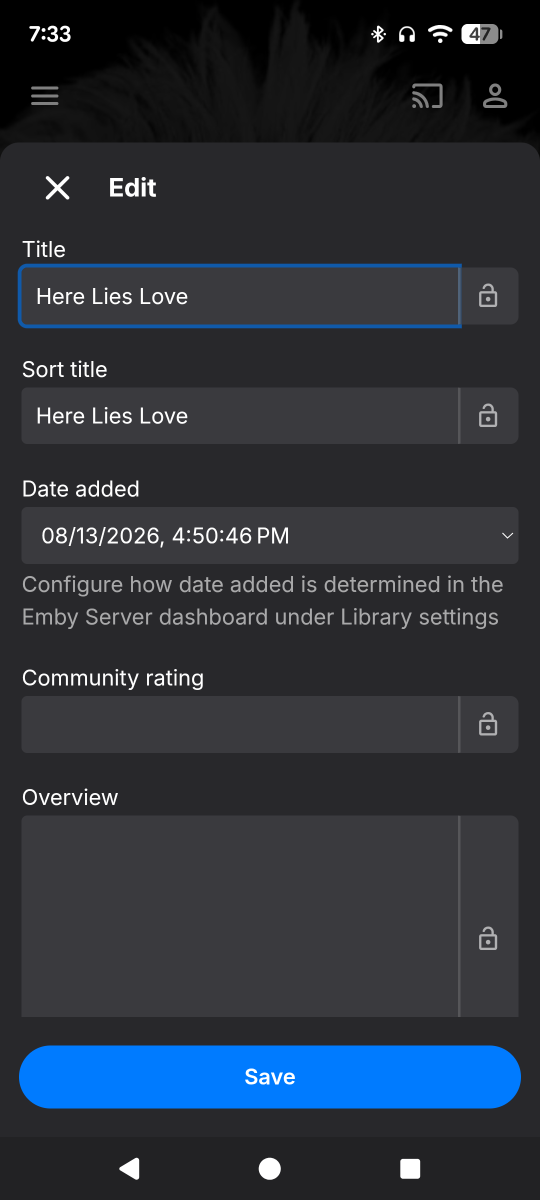
Okay the mystery continues. It does seem that a lot of the incorrect or overridden metadata was from earlier imports, but it took several database vacuums and restarts before a new import didn't show that previous, incorrect information. However. There is still inexplicable inconsistency in import dates in some files. I did the Emby dance, removing entire directories out of the library, scanning, scanning again, restarting the server. So then none of those albums appeared in my music library. Great. Then I move those multiple directories back into the library directory and scan. But some metadata is incomprehensibly wrong again: some of the albums (all perfectly structured, each in their own directory, newly imported) show a December (!) import date; while another album/directory (within the same higher level directory!), shows an import date of June(!); and one other shows correct August import date. See images below. Where is Emby getting this incorrect, inconsistent metadata, and why?!
-
I am sure this has been asked somewhere but I cant locate this issue. Hers the deal: Emby server setup and working perfect. Under Library's. i have two movie folders added: movies A and movies B. I want to know if there's a way to combine both folders into one. So on the client side someone clicking Movies only see all the contents instead of A and B. Thank You for any suggestions.
-

Any chance of supporting SUP and PGS subtitle?
visproduction replied to Tomxu's topic in General/Windows
Of interest: https://subtitletools.com/convert-sub-idx-to-srt-online 2 free conversions per 24 hours -
str subs still broken. with latest emby version and lg app. Any plans to fix it ? they got broken after emby server version 4.9.1.80
-
I just would have been interesting to know before buying the 425+
-
Hi, best thing to do is try it and report your experience.
-

Air Date Fixer — Corrects upcoming dates for your timezone outside the US
Blueskies278 replied to Blueskies278's topic in Plugins
Trakt Air Dates 7.0.0.0 Everything that's changed since 5.0.6.0. Corrects US/Canada TV episode air dates so they land on the right local calendar day for viewers further east (UK/Europe). No port changes, no listener, nothing to type, nothing to maintain. Corrected dates are written into Emby's own database, so every client sees them natively — web, iOS, tvOS, Android — on whatever port your Emby already uses. Installation instructions are at the bottom. New Automatic coverage. The plugin covers every show in your library that Trakt has an upcoming episode for, and re-works that list on its own as seasons start and finish. There is nothing to configure. Correct broadcast times, in Emby itself. Trakt carries real timestamps; TheMovieDb stores a bare date with no time, which is what puts US shows on the wrong day. The corrected dates go into Emby's database rather than being patched on the way out to a client. Series matched by TMDB id, not by name. Renaming a show in your library can no longer silently un-cover it. Status on the settings page — which shows are covered, when the last correction pass ran, and a read-only probe of what the plugin can see. "Trakt Air Dates" now appears as a metadata downloader. You'll find it under Library → Metadata → Series Metadata Downloaders, alongside TheMovieDb and TheTVDB. That's how it supplies episode lists with real broadcast times. It deliberately ranks below TheMovieDb and supplies nothing else — no titles, no artwork, no overviews. Those still come from your normal downloaders. Removed The native app listener, along with its port setting and status line. It used to serve corrected dates by proxying Emby, which required moving Emby's own port. That's no longer needed, and removing it takes several problems with it: the Emby iOS app could never sign in through it, clients drifted back to Emby's real port, and it was the single hardest part of the setup to get right. The "Series to apply it to" text box. Coverage is worked out automatically. The /TraktAirDates/Upcoming diagnostic endpoint, which existed to show what the listener was serving. Emby's own Upcoming view is now the diagnostic. Fixes Emby 4.10 compatibility. On 4.10 the plugin could empty the Upcoming view for the entire library — Emby calls .Where() on a metadata provider's return value without a null check, throwing in TvShowsService.GetAllEpisodes. The plugin no longer returns null. Shows starting more than five weeks out never appeared. Trakt's calendar endpoint accepts a maximum of 33 days per request and silently truncates anything longer — the plugin asked for 91 in one call and got 33 back with no error. It's now fetched in 33-day pages and merged. On a 200-series library this took coverage from 13 shows to 25. Specials (season 0) were filtered out of Trakt episode lists, silently hiding real upcoming episodes. Trakt rate-limiting. Provider calls are serialised with a minimum gap — a library refresh previously fired roughly two calls per series as fast as Emby could iterate. Rate-limit responses are now identified as such in the log. Performance 24-hour disk cache for episode lists. A warm library refresh makes no Trakt calls at all. Only successful answers are cached, never failures. Saving the settings page clears it if you want fresh data immediately. Covering an entire library was measured at 25.7 seconds on every Upcoming call, against 0.015s for a sensible list. Automatic coverage keeps the list naturally small, so this no longer arises. Known limitations If Trakt has no upcoming episode for a show, it won't appear in Upcoming. Trakt takes its data from TheMovieDb, so the fix is to add the missing episodes at TMDB — they then flow through to Trakt, to this plugin, and to everyone else. The plugin can correct a timezone problem; it can't invent episodes nobody has published. Two free API keys required: TMDB (country of origin, looked up once per show and cached permanently) and Trakt (broadcast schedule). This product uses the Trakt API and TMDB but is not endorsed or certified by either. Installation No port changes, no listener, nothing to type, nothing to maintain. Corrected dates are written into Emby's own database, so every client sees them natively — web, iOS, tvOS, Android — on whatever port your Emby already uses. Step 1 — get your two free API keys TMDB: themoviedb.org → Settings → API → use the API Key (v3 auth) value. Free, instant, no approval. Trakt: trakt.tv/oauth/applications → create an app → use the Client ID only. Free, instant, no approval. No login or OAuth is needed. Step 2 — stop Emby Server Emby rewrites plugin files on shutdown, so copying a plugin into a running server can lose the change. Stop it first. Step 3 — copy TraktAirDates.dll into your plugins folder The plugins folder sits directly inside Emby's data folder: Windows — C:\Users\{you}\AppData\Roaming\Emby-Server\programdata\plugins macOS — /Users/{you}/emby-server/plugins or /Users/{you}/.config/emby-server/plugins Linux — /var/lib/emby/plugins Docker — /config/plugins inside the container Synology (DSM 7) — /volume1/@appdata/EmbyServer/plugins QNAP — /share/CACHEDEV1_DATA/.qpkg/EmbyServer/programdata/plugins Not sure which applies to you? Start Emby, go to Dashboard → the 3-dot menu → Get Server Info. It tells you your data folder; plugins is directly inside it. On Linux, Docker or a NAS, make sure the file is readable by the user Emby runs as. If the plugin doesn't appear in the list after restarting, permissions are the usual reason — chmod 777 TraktAirDates.dll in that folder settles it. Step 4 — start Emby Server Step 5 — enter your keys Dashboard → Plugins → Trakt Air Dates Paste the TMDB API Key and the Trakt Client ID Tick Enable corrections Tick Supply episode lists from Trakt Leave Work this out for me on Save Step 6 — check the metadata downloader is enabled Dashboard → Library → your TV library → Manage → Metadata Under Series Metadata Downloaders you should now see Trakt Air Dates listed alongside TheMovieDb. It needs to be ticked — that's how the plugin supplies episode lists. Leave TheMovieDb above it; Trakt Air Dates supplies air dates only and nothing else. If it isn't ticked, the plugin will look installed and configured but won't correct anything. Step 7 — wait a few minutes The first pass looks up each show's country of origin and works out which shows are airing. When it's done, Shows Being Covered on the settings page lists them. Then check your Upcoming view. Currently still testing for bugs before I release Trakt Air Dates. New feature. TraktAirDates-7.0.0.0-Release-Notes.pdf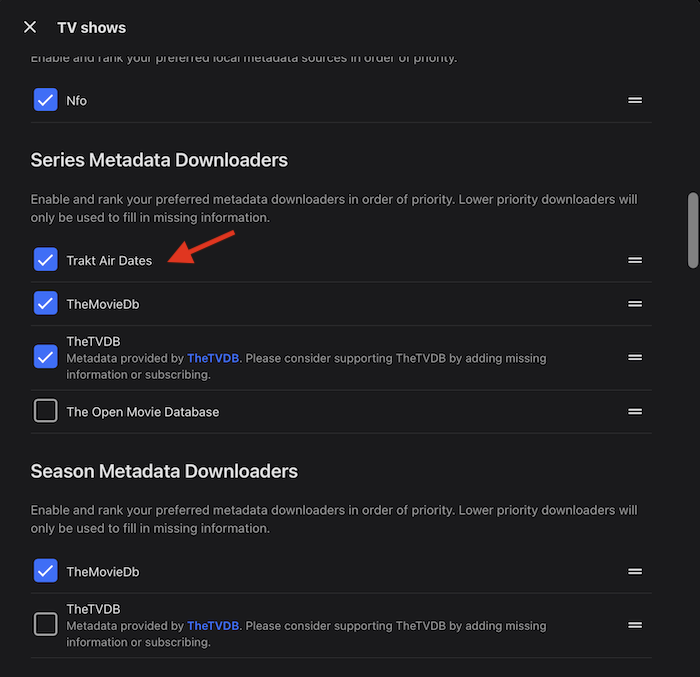
-
Last Update, it's working in chrome. I am not sure if it's something I did or just an amazingly fast response from developers. Screencast_20260815_145106.webm I'd be excellent if the animation only happended when hovering over the thumbnail. But this is already very good. I share bellow how to swiftly generate the gifs, using the script preview.sh in a folder with season subfolders but I recommend testing it on an isolated folder to avoid loosing data on unexpected behaviour (like the removal I included of previous thumb files or posters, that could explain why I couldn't make it to work before) # Create -thumb.gif and -default.jpg images for all videos in subfolders for extension in mp4 m4v avi mkv do for file in ./*/*.$extension do base=$(basename "$file") folder="$(dirname "${file}")" .preview.sh "$file" "$folder" done done #remove *.-thumb.jpg and -poster.jpg files in all subfolders rm -v ./*/*-thumb.jpg rm -v ./*/*-poster.jpg and here's the modified script that: Removes auxiliary files created Produces files 'video_name-thumb.gif' and 'video_name-default.jpg' in accordance with image naming documentation It's compatible with both regional configurations for decimals '.' vs ',' works with output folders different from "." (there was a bug) #!/usr/bin/env bash set -euo pipefail # Usage: ./preview.sh <input-video> [output-directory] [max-total-length] # $1 = input video path (required) # $2 = output directory (optional; default = current directory) # $3 = max total preview length in seconds (optional; default = 6) if [ $# -lt 1 ]; then echo "Usage: $0 <input-video> [output-directory] [max-total-length]" exit 1 fi INPUT="$1" OUTDIR="${2:-.}" MAX_TOTAL="${3:-6}" # default max total length = 6 seconds # Verify input file exists if [ ! -f "$INPUT" ]; then echo "Error: Input file '$INPUT' not found." exit 1 fi # Create output directory if needed mkdir -p "$OUTDIR" # Extract filename components FILENAME="$(basename -- "$INPUT")" # e.g. video.mp4 NAME="${FILENAME%.*}" # e.g. video EXT="${FILENAME##*.}" # e.g. mp4 # Compute per-clip length = MAX_TOTAL / 3, rounded to 3 decimals CLIP_LEN=$(printf "%.3f" "$(echo "$MAX_TOTAL / 3" | bc -l | sed -E 's/\./\,/')" | sed -E 's/\,/\./') # 1) Query total duration (in seconds) via ffprobe duration=$(ffprobe -v error \ -show_entries format=duration \ -of default=noprint_wrappers=1:nokey=1 \ "$INPUT") # 2) Calculate 20%, 50%, and 80% start times (rounded to 3 decimals) start1=$(printf "%.3f" "$(echo "$duration * 0.2" | bc -l| sed -E 's/\./\,/')" | sed -E 's/\,/\./') start2=$(printf "%.3f" "$(echo "$duration * 0.5" | bc -l| sed -E 's/\./\,/')" | sed -E 's/\,/\./') start3=$(printf "%.3f" "$(echo "$duration * 0.8" | bc -l| sed -E 's/\./\,/')" | sed -E 's/\,/\./') echo "Source duration: $duration seconds" echo "Max total preview len: $MAX_TOTAL seconds" echo "Each clip length: $CLIP_LEN seconds" echo "Start times → 20%: $start1 s, 50%: $start2 s, 80%: $start3 s" echo # 3) Extract three sub-clips (video-only, no audio) CLIP1="$OUTDIR/${NAME}_clip1.mp4" CLIP2="$OUTDIR/${NAME}_clip2.mp4" CLIP3="$OUTDIR/${NAME}_clip3.mp4" ffmpeg -y -ss "$start1" -i "$INPUT" -t "$CLIP_LEN" -c:v libx264 -an "$CLIP1" ffmpeg -y -ss "$start2" -i "$INPUT" -t "$CLIP_LEN" -c:v libx264 -an "$CLIP2" ffmpeg -y -ss "$start3" -i "$INPUT" -t "$CLIP_LEN" -c:v libx264 -an "$CLIP3" # 4) Build concat list CONCAT_LIST="${NAME}_concat.txt" cat > "$CONCAT_LIST" <<EOF file '$CLIP1' file '$CLIP2' file '$CLIP3' EOF # 5) Concatenate into an intermediate preview (video-only) PREVIEW_RAW="$OUTDIR/${NAME}_preview_raw_${MAX_TOTAL}s.mp4" ffmpeg -y -f concat -safe 0 -i "$CONCAT_LIST" -c copy "$PREVIEW_RAW" # 6) Scale the concatenated preview to 396×704 px # (re-encode video using libx264, drop audio if any) PREVIEW_SCALED="$OUTDIR/${NAME}-thumb.gif" ffmpeg -y -i "$PREVIEW_RAW" -vf "fps=10, scale=320:180" -loop 0 "$PREVIEW_SCALED" # 7) Compute thumbnail timestamp: midpoint of the combined preview # Combined preview duration = MAX_TOTAL → midpoint = MAX_TOTAL / 2 MIDPOINT=$(printf "%.3f" "$(echo "$MAX_TOTAL / 2" | bc -l| sed -E 's/\./\,/')" | sed -E 's/\,/\./') THUMB="$OUTDIR/${NAME}-default.jpg" ffmpeg -y -ss "$MIDPOINT" -i "$PREVIEW_RAW" -vframes 1 -q:v 2 "$THUMB" echo "Done:" echo " • Extracted clips (video-only): " echo " $CLIP1" echo " $CLIP2" echo " $CLIP3" echo " • Concatenated (raw) preview: $PREVIEW_RAW" echo " • Final 396×704 px video preview (video-only): $PREVIEW_SCALED" rm -v "${CLIP1}" "${CLIP2}" "${CLIP3}" "${CONCAT_LIST}" "${PREVIEW_RAW}" For more advanced users: add the script to your source_path a with an alias like 'preview' so you can just keep it in one place, instead of moving it arround for every run. In which case you'd have to replace the line .preview.sh "$file" "$folder" to preview "$file" "$folder" in the double loop for calling it.
-

Es werden keine Bilder und Beschreibungen mehr für Sammlungen geladen (Beta 4.10.0.24 )
Anz30 replied to Anz30's topic in German
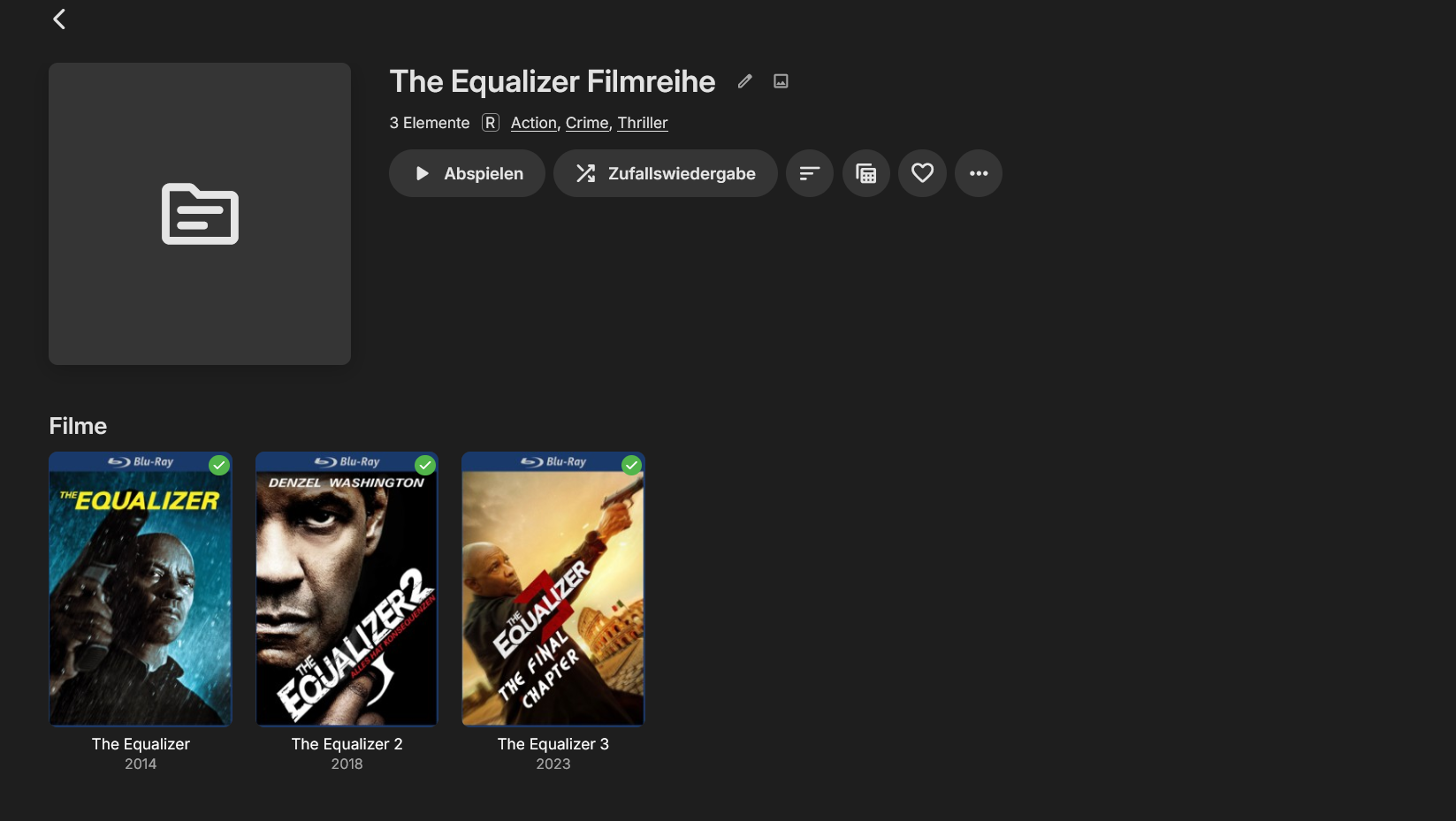
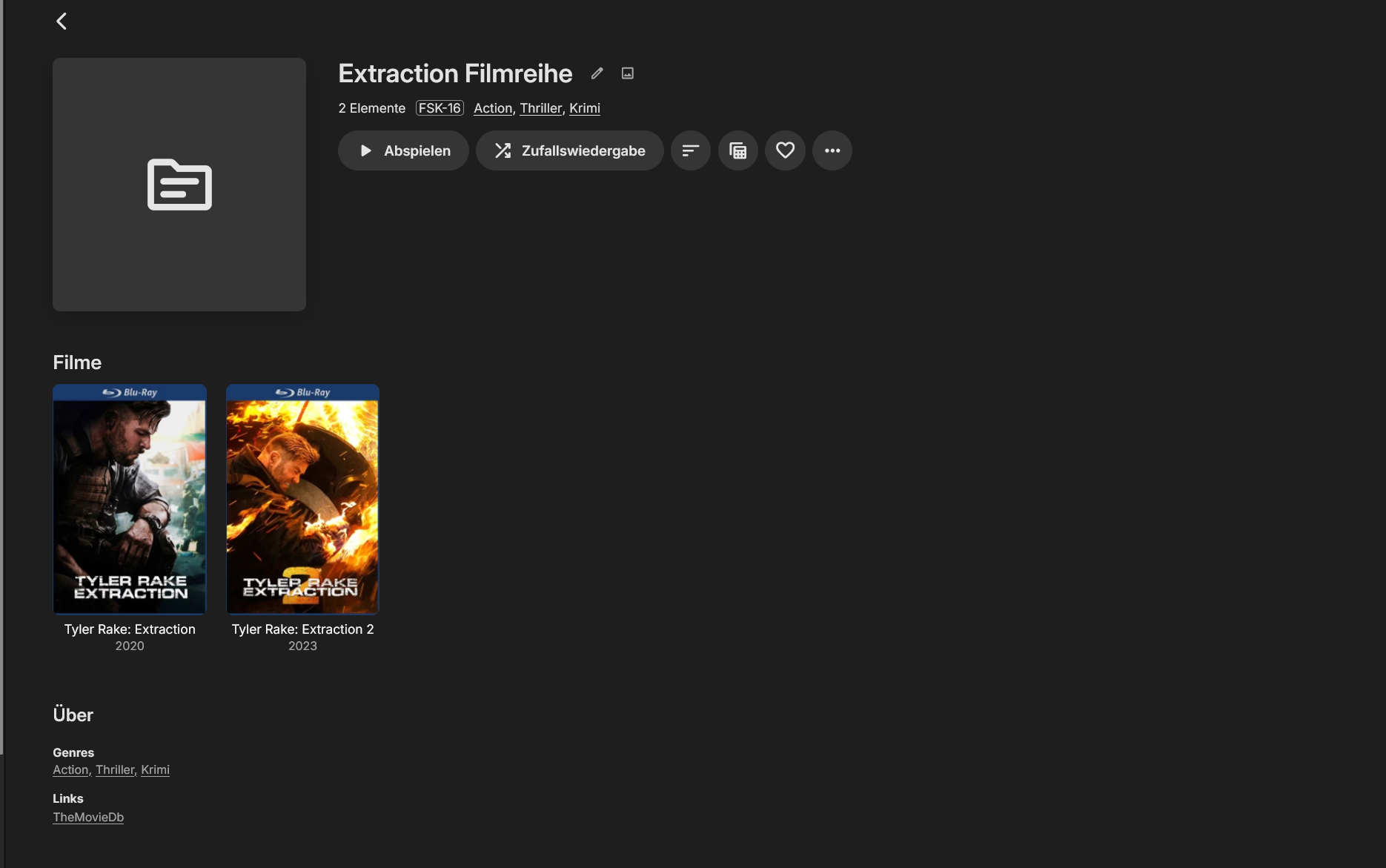
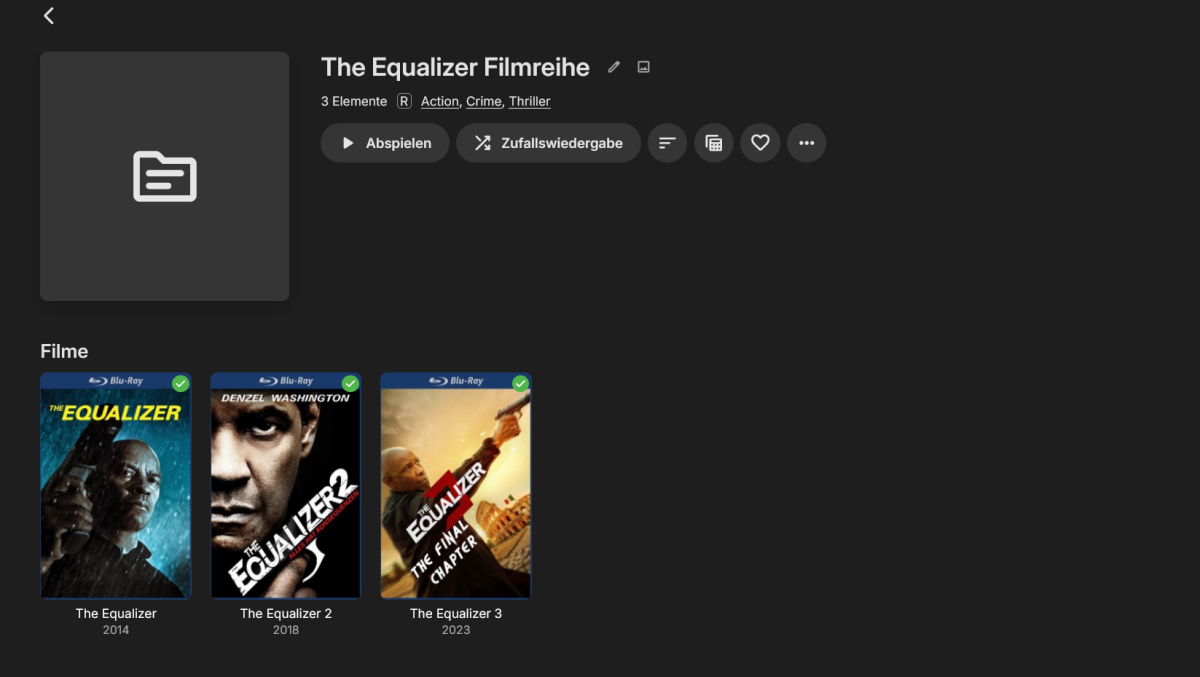
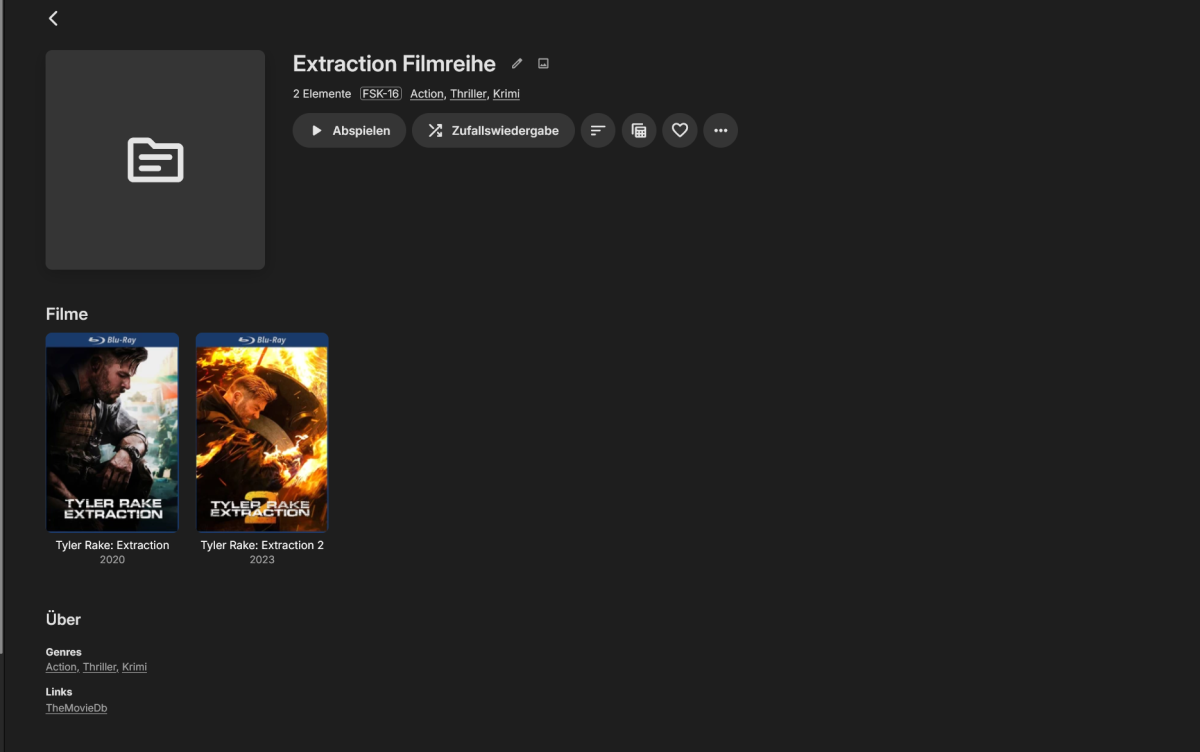
Ich habe jetzt die "The Equalizer Filmreihe" und die "Extraction Filmreihe" meinem Hauptserver hinzugefügt. Auch hier werden plötzlich keine Bilder mehr den Filmreihen hinzugefügt (Siehe Bilder). An diesem Server wurde seit Monaten keine Änderungen an den Bibliotheken vorgenommen, es hatte ja vorher schon funktioniert. Somit tritt das Problem auch auf meinem Haupserver mit derselben Emby Beta Version auf und ist wohl ein Bug in der Beta. Das könnte auch schon länger nicht mehr funktioniert haben. Es fällt ja erst dann auf, wenn wieder mehrere Filme die zu einer Reihe gehören hinzugefügt werden. Die Sammlungen scheinen nicht auf die ID der Filme zuzugreifen. I've now added “The Equalizer Movie Series” and “Extraction Movie Series” to my main server. Here, too, images are suddenly no longer being added to the movie series (see images). No changes have been made to the libraries on this server for months, and it had been working fine before. This means the problem is also occurring on my main server, which is running the same Emby beta version, so it’s likely a bug in the beta. It might not have been working for quite some time. You don't really notice it until several movies from the same series are added again. The collections do not appear to access the movies' IDs.
-

new version doesn't play what it used to
ebr replied to groovejumper's topic in Android TV / Fire TV
Okay, you're still on .51. As mentioned above, the beta should solve this for you. The latest beta is .55. -
Es werden keine Bilder und Beschreibungen mehr für Sammlungen geladen (Beta 4.10.0.24 )
Anz30 replied to Anz30's topic in German
Habe ich natürlich auch schon alles getestet, ohne Erfolg Ich teste das aber wie gesagt später nochmal mit einer neuen Filmreihe auf meinem Hauptserver, der Synolgy. Sollte es hier richtig zugeordnet werden und die Bilder geladen werden, wissen wir das es nicht an Emby liegt, sondern wohl an dem Gerät wo der Server darauf läuft. Ich gebe hier natürlich Bescheid... Of course, I've already tested all of this, without success But as I said, I'll test it again later with a new movie series on my main server, the Synology. If the files are assigned correctly here and the images load, we'll know it's not Emby's fault, but rather the device running the server. I'll let you know here, of course... -
Hi Team, I am using "toast" messages in my plugins more and more and i am unable to get control over their timeout. public class MessageCommand { public string Header { get; set; } public string Text { get; set; } public long? TimeoutMs { get; set; } } I have upped the timeout to 15000 ms and the most i get is 3 seconds (which is better than default but not 15000 ms) . tested on on Android and Webclient (4.10.0.25 alhtough not a recent issue). I mention it as a potential issue although 3 seconds is probably enough for my needs. What spurred me to raise this, was a user complained that they recieved as message of what i assume was from me restarting the server, but it went so quickly they couldnt read it so rang me (they were on webclient on internet over 1Gbit connection end to end, playing a show). Perhaps even the inbuilt messages are not getting enough screentime love?
-

Screensaver photo library restriction
abroadhursthall replied to arrbee99's topic in Feature Requests
I'd definitely appreciate the option to exclude libraries from the screensaver. While creating a restricted user account is a workaround, it's no use when we want to watch films but dont want the backdrops as a screensaver.