All Activity
- Past hour
-
Thanks for the feedback. Please note, this setting is now in the user interface in the network section.
-
Hi there, what exactly happens when you try?
-
 Um@waseem joined the community
 -
 ptriad joined the community
 -
 Yineiker joined the community
 -
I'm reloading my emby server and it will not install, error log says it cannot download embyserver,. This is server 2025 by the way, but it will install on my win11 desktop Any ideas?
-
 Rony.9 joined the community
 -
 Escanor11 joined the community
 -
 StoneTower joined the community
 -
 Baxsie joined the community
 -
 mundia827mx2@gmail.com joined the community
 -
 Tashi Sonam joined the community
 -
 kawyi22 joined the community
 - Today
-
Ok after running through Gemini I finally ended up at the system.xml file located at. C:\Users\"User Name"\AppData\Roaming\Emby-Server\programdata\config In here there is a setting. <DisableOutgoingIPv6>true</DisableOutgoingIPv6> I changed this over to. <DisableOutgoingIPv6>false</DisableOutgoingIPv6> And everything started to work again. I am not sure if this is a new setting on an update or not as I do not remember this before and I have been running this server in IPv6 only for over a year without any issues. Thanks for everyone's help on this.
-

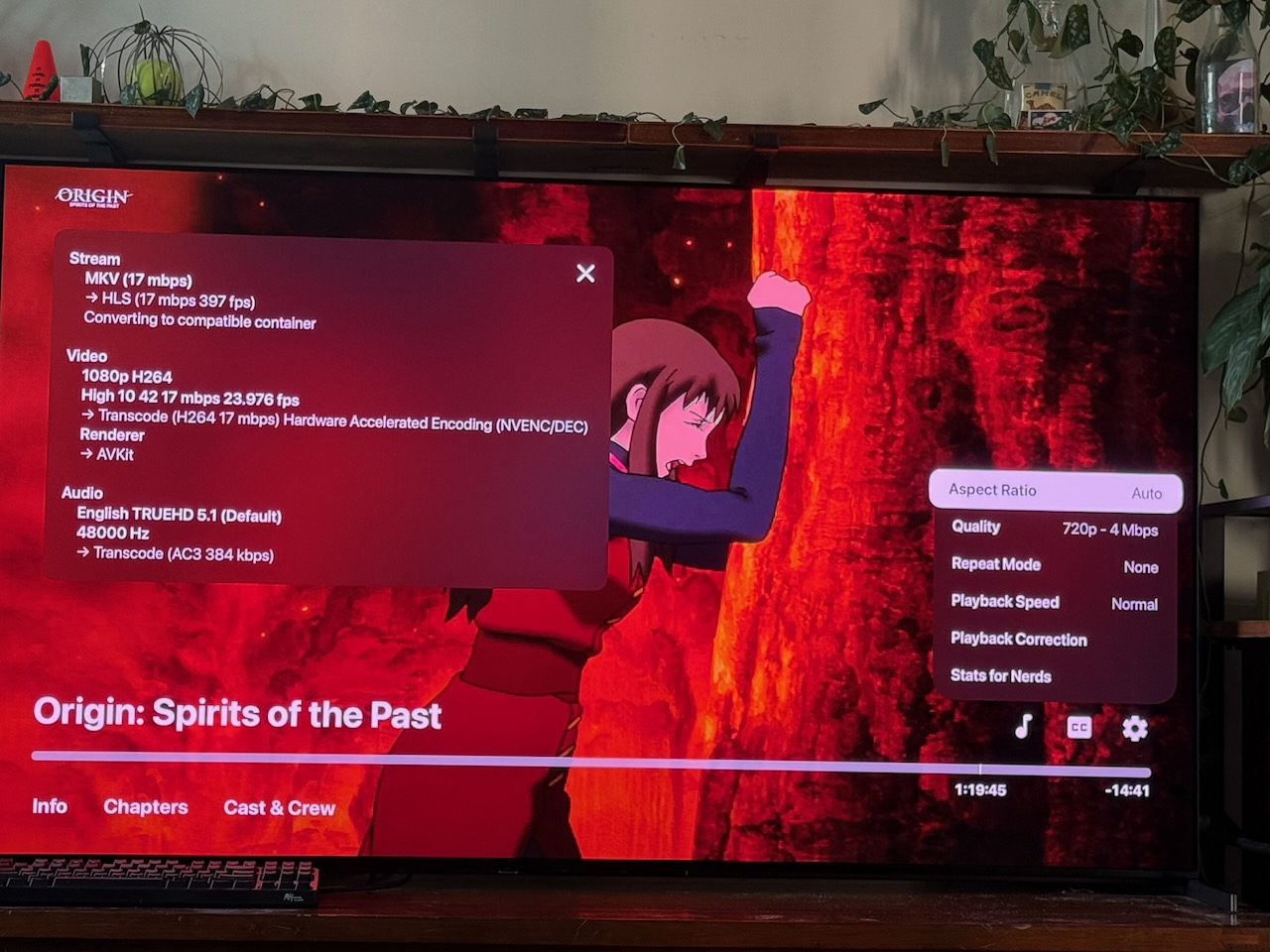
Apple TV app showing wrong quality option and changing it does nothing.
katbyte posted a topic in Apple TV
apple tv shows 720p 4mpbs while the server and stats show 1080p. embyserver.txt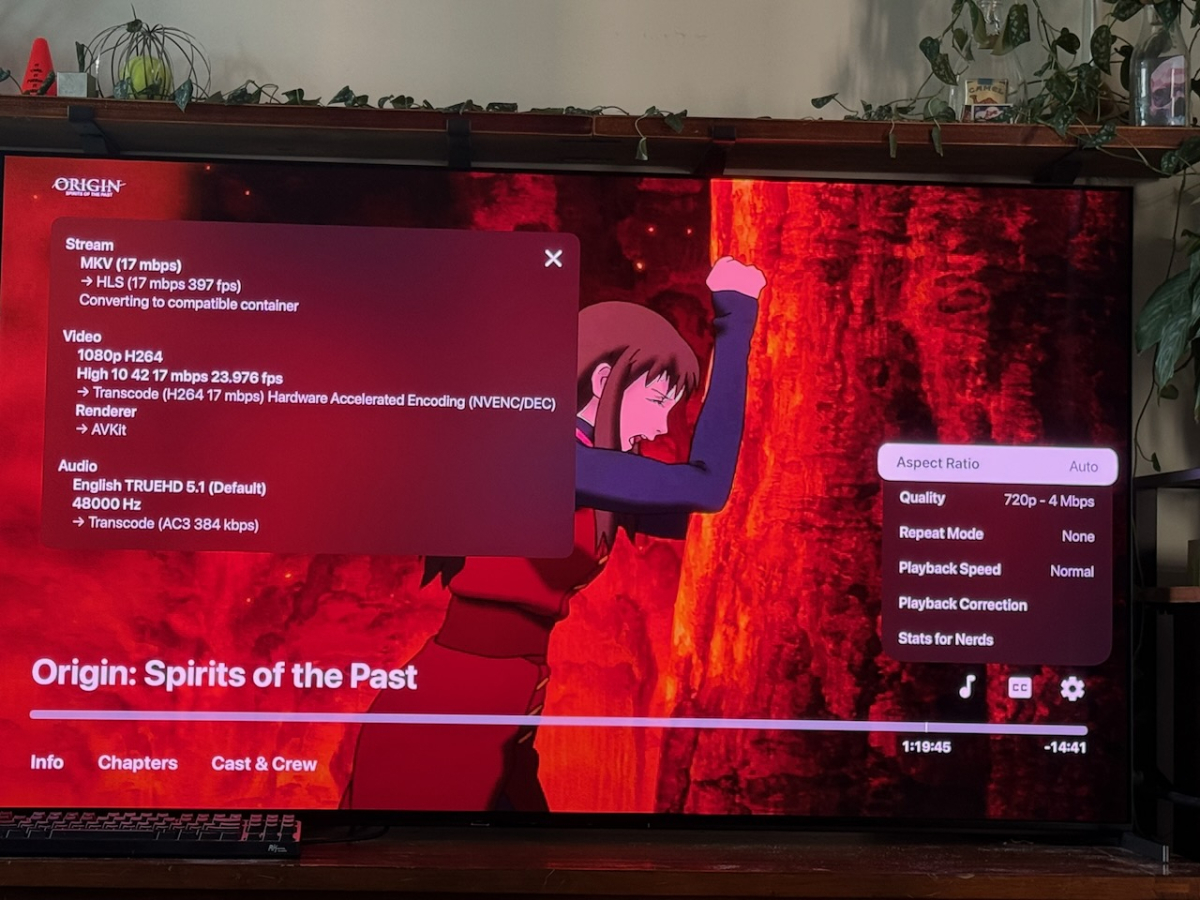
-
No issues here.
-
web, and well it would be nice on in the apple tv app that its anywhere/on the web is enough for me
-
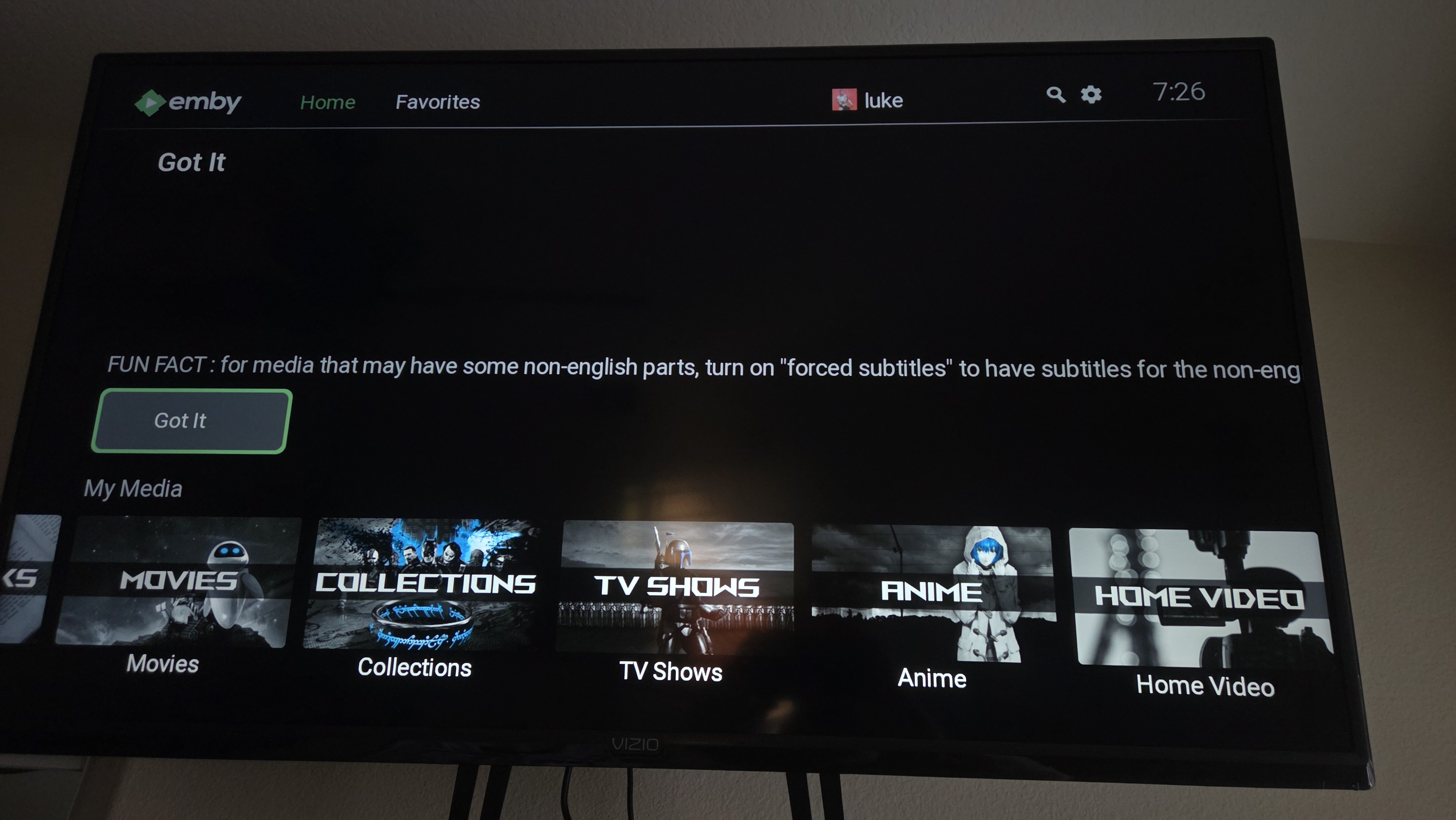
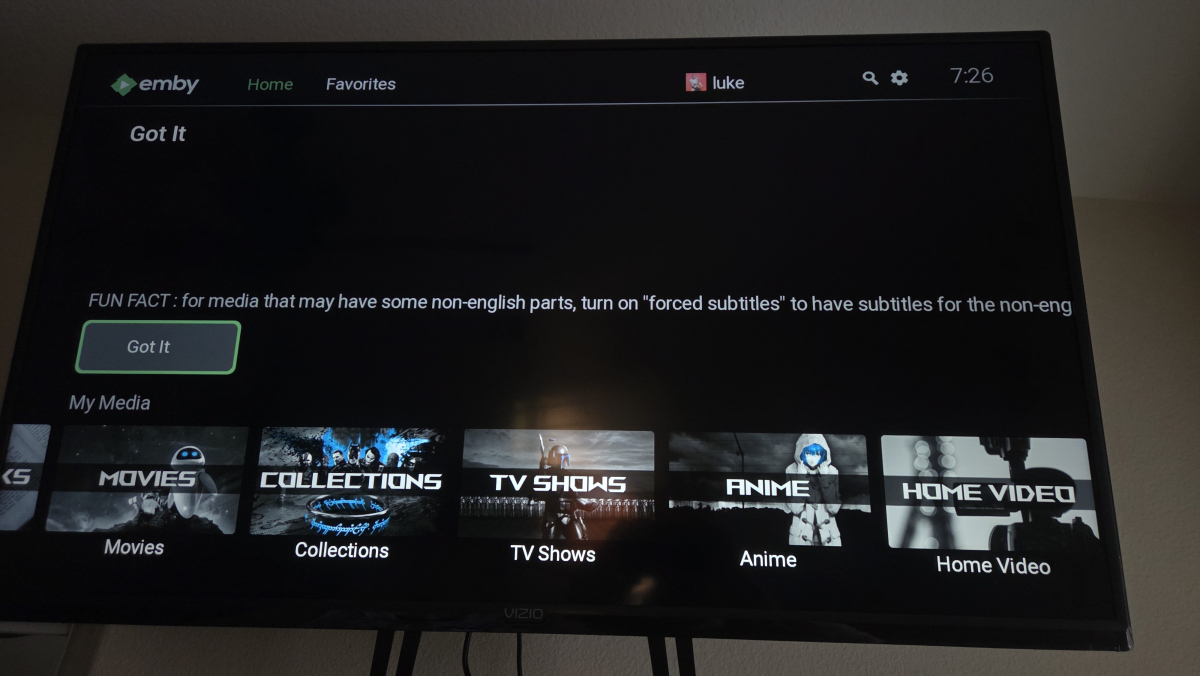
As of now, the home screen banner text does not wrap around the screen. The text just gets cut off (see photo) It would also be nice to have a temporary "got it" as well as a "dont show this again" button to prevent the message from displaying every time.
-
Screenshot? Looks fine to me, there's a 3 dot menu and a grab handle to drag.
-
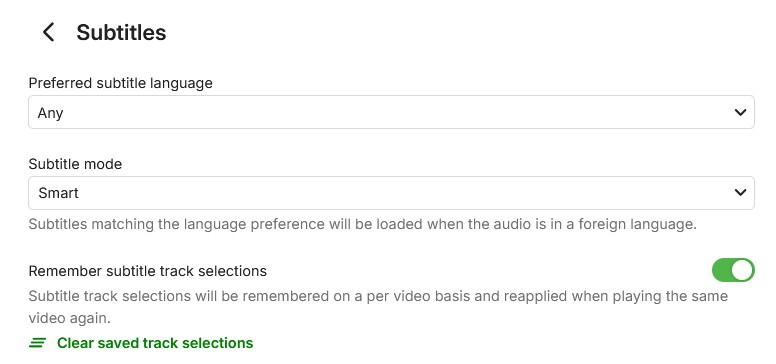
So I tried the universal Android app instead of the Android TV app, and unfortunately the behaviour is the same. I do not have any preferred languages selected for subtitles (or audio) as I originally tried that and found it was playing translations for videos that were originally in one of my other languages. That was a previous install, and I haven’t touched the settings on any of the users on the current install.
-
I changed TV recently, and didn’t see anything when I installed it. I might have noticed there were two apps on the Play Store, but was too busy setting up the TV and would have just installed the one that says for TV without giving it a second thought.
-

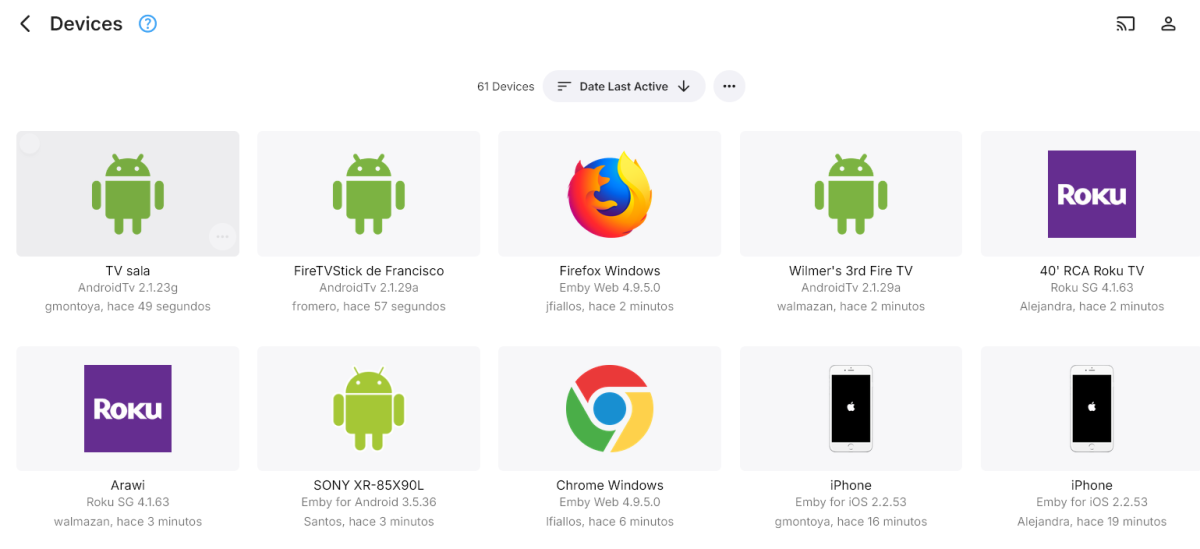
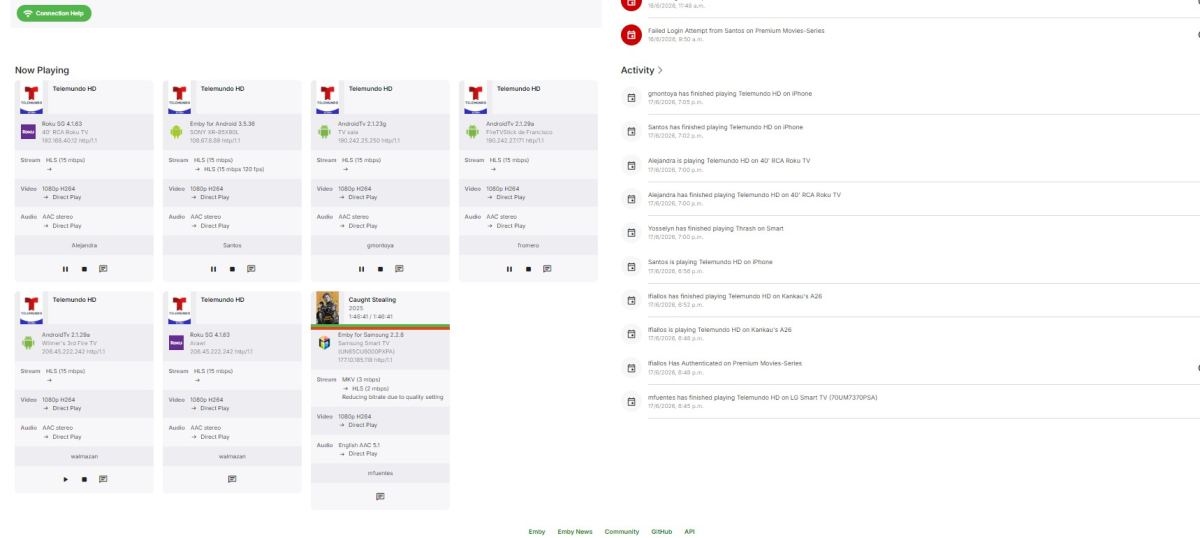
Clarification Needed: Registered Devices vs Simultaneous Playback
jfiallos posted a topic in Feature Requests
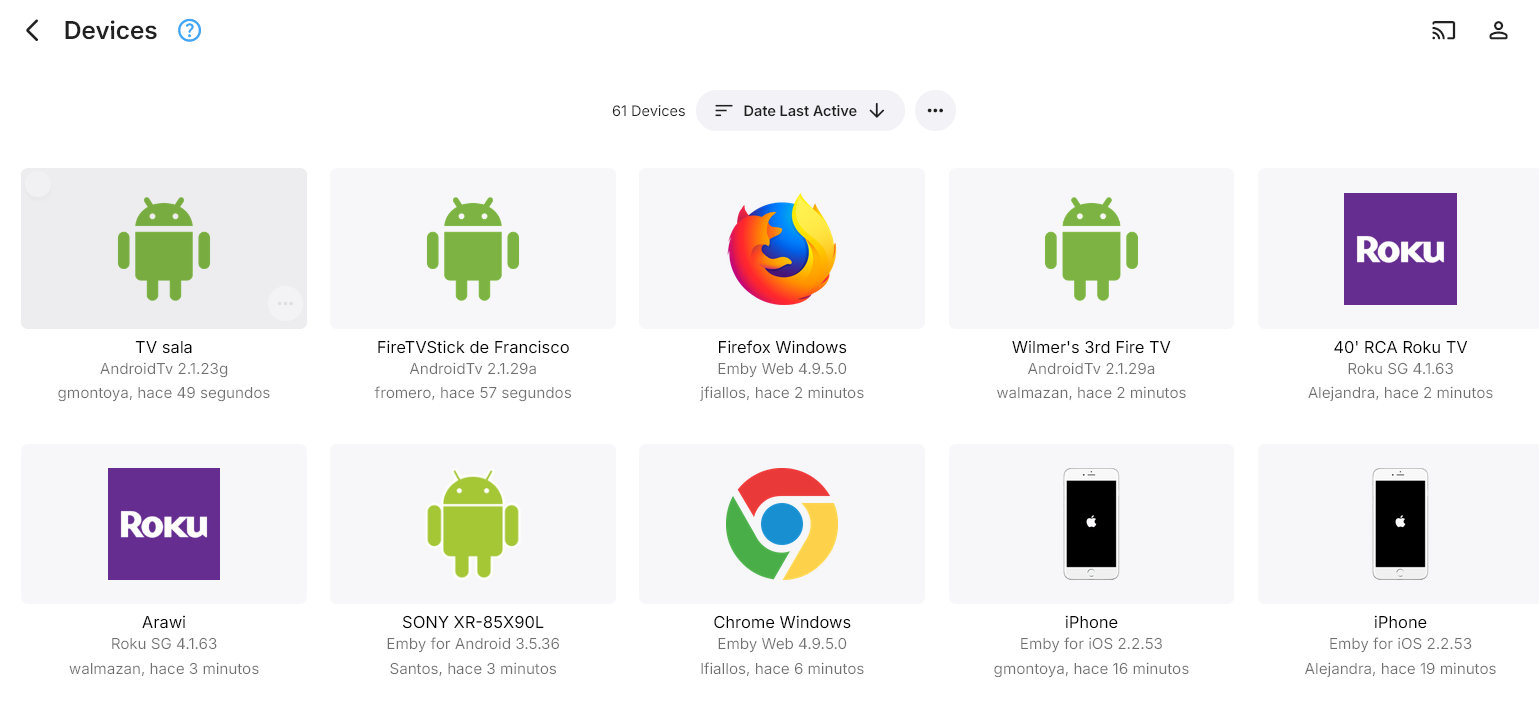
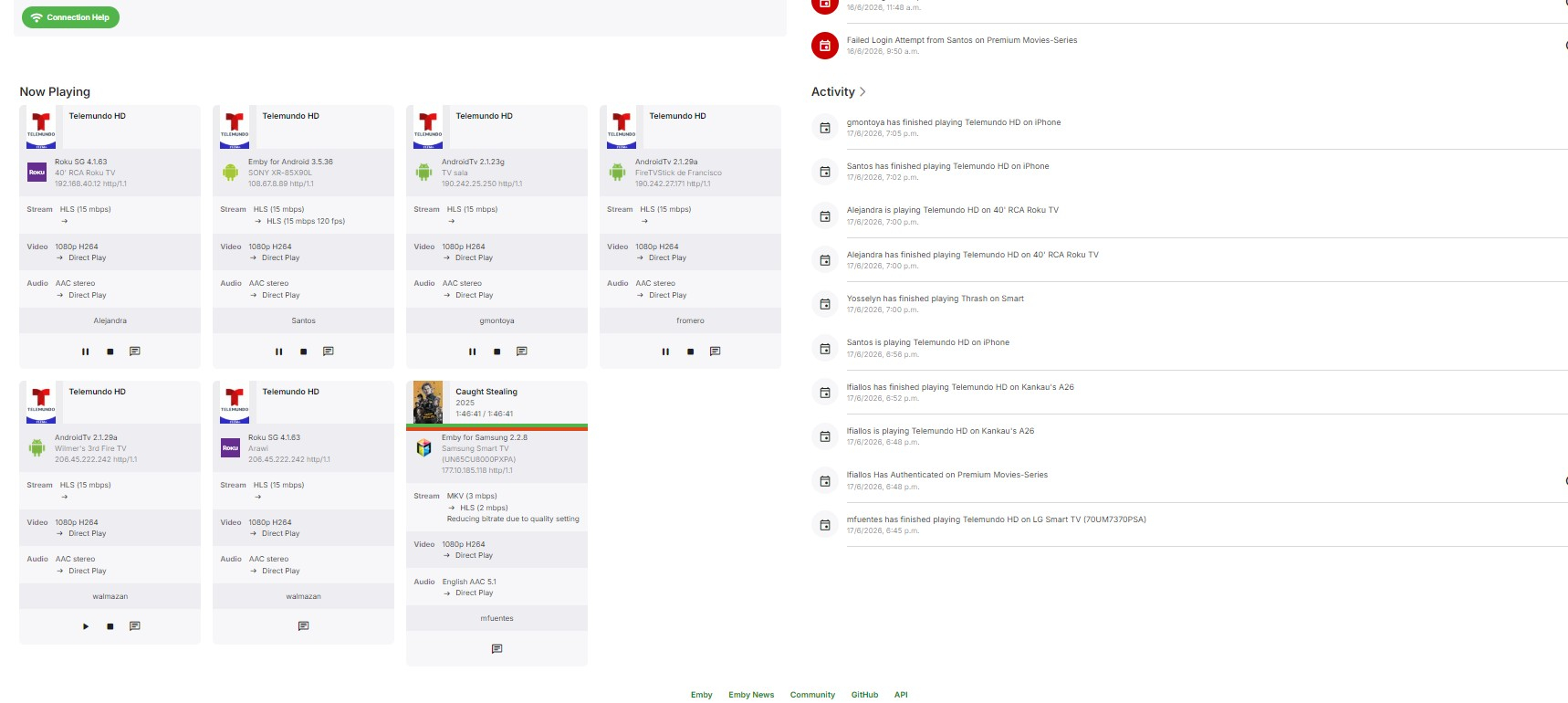
Hi I need to understand how many devices can play content at the same time. I have Emby Premiere for 80 devices. Currently, there are only 6 devices actively playing. After that, nobody else can play a channel because a message appears saying that the device limit has been exceeded. I currently have 61 registered devices. Does that mean that all 61 devices should be able to play a channel at the same time?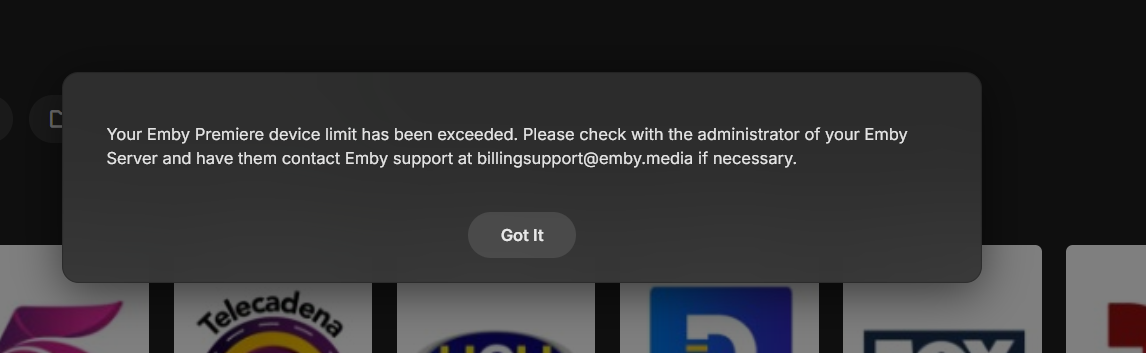
-
If TV mode is on it only shows the 9. If TV mode is off, then I can scroll the section to the right as far as I need and see 16 items in that section. This behaviour is the same regardless of web or Emby Windows app, which I've only just realised - I don't usually use the web as a viewer.
-

Latest Update - Continue Watching Limited to 9
Mahinepua replied to dekekun's topic in Windows & Xbox
Can you view them all in web view on a browser? Emby for windows is mirroring what you see there. If you turn tv mode off can you see them? Are you sure your remote or similar simply isn’t scrolling further right? -
Sorry I realise I'm using the wrong language - Emby for Windows (not Theatre)
- Yesterday
-

Can we PLEASE!!!!! Take out suggestions at top of search?
AJV20 replied to Beardedgrump's topic in Feature Requests
I agree, it should show recently searched but when we start typing it should show the results -

Support full regional language tags like es-419 in media stream information
yocker replied to AngelSing's topic in Feature Requests
Doesn't seem to be working atm. if it is indeed what is wanted and not a communication misunderstanding. -
There doesn't appear to be any way to drag Playlist items to rearrange them on the mobile app.
-
Hey @Luke I need to vent my frustration about the extremely sluggish update cycles of core components. I have been waiting for over 6 months now for an update to the ffmpeg base! It is unacceptable that paying customers have to beg indefinitely for up-to-date detection and rendering of HDR10+. If you look over at the open-source twin Jellyfin, you see how it should be done: their in-house jellyfin-ffmpeg handles the latest HDR standards perfectly, thanks to weekly unstable builds and fast stable releases. On top of that, there are visual and functional flaws that are becoming increasingly annoying: Ugly Audio Display: It bothers me immensely that the top display strictly insists on showing "EAC-3" instead of cleanly and beautifully translating it to "Dolby Digital Plus 5.1 / 7.1" etc. It just looks unfinished. Messed Up Metadata: The metadata at the bottom regularly displays completely erratic information that doesn't match the actual media files at all. Dead Plugins: Official extensions like CoverArt feel completely abandoned and are just gathering dust. Meanwhile, the Jellyfin community offers modern, dynamic solutions like JellyTag, which automatically renders crisp HDR10+ badges onto covers on the server side. To be completely honest: What did I actually pay so much money for Emby Premiere for? It is deeply frustrating to see that the free open-source alternative gives you everything for free, significantly faster, and technically much better executed. If this lazy update policy for playback engines and outdated plugins doesn't change drastically and very soon, Premiere loses all its value to me. Are there any actual plans from the developers to catch up with current standards, or is this project permanently being left behind by open-source?
-
Server version 4.9.5.0 Theatre version 2.310.2.0
-
After reading some of the issues/problems posted here I took the plunge and updated from 4.9.3.0 to 4.9.5.0 anyway. I want to report that everything works with no issues. My libraries did not rescan and no modifications to "date added" occurred. I also did a "Scheduled Tasks -> Scan media library" with no issues, took about 30 seconds on a very large library. Using the Docker container deployment. I also saw the client side update for ET legacy (4.9.5.0) on 6/16/2026 with no issues either. All good
-

Playback issues with certain shows on Sony Bravia using Emby app
visproduction replied to Zaryt's topic in Android TV / Fire TV
Good points. I have had trouble getting a top of the line Sony TV from working with Emby. But I only tried it once with Sony back in 2020. What about trying a test demo h.264 10 bit video. Perhaps the conversion creates some time line or metadata errors that are tought to spot. I also suspect that transcoding with options set very high can create rather large files and the Sony TV player might just reject the video for that reason. Using test vids can prove that it's not the video. Just an idea. -

Merging Live TV recordings and downloaded TV recordings for same show
flashls82 replied to flashls82's topic in General/Windows
Is there any way to do that without having "Recordings" in Live TV show all my downloaded shows, too? That's what happened last time I changed the Live TV setting to have series recordings go to the larger TV library. -
Hi. What was the solution?
-

Support full regional language tags like es-419 in media stream information
crusher11 replied to AngelSing's topic in Feature Requests
Does this mean there has been a recent change to language handling? I reported Mayan not being supported a while back, has that changed?