All Activity
- Past hour
-

Showing old/wrong Album Art, must be cached or downloading it from Internet
ColinPostsHere replied to ColinPostsHere's topic in General/Windows
Thank you for the added information. By that, do you mean that Emby never polls album art images from the Internet for individual tracks? That sounds like good news, but then where is it getting that image? Is it still cached somewhere from when I first ripped the CD and the ripping program embedded that image into the MP3 files, even though I've long since replaced it? If so, how can I get it to use the updated cover art that I've replaced in all the MP3 files for that album? I just want to get Emby to use the art I've embedded in the MP3 files, but can't figure out how to get that to happen for this album (seems to work for all the others by just hitting Scan Library or Refresh Metadata after replacing the ID3 art). Here's another screen shot of Emby, a little tough to see here because the song images are small, but here it shows every individual track with that same wrong image, which it also shows for the album: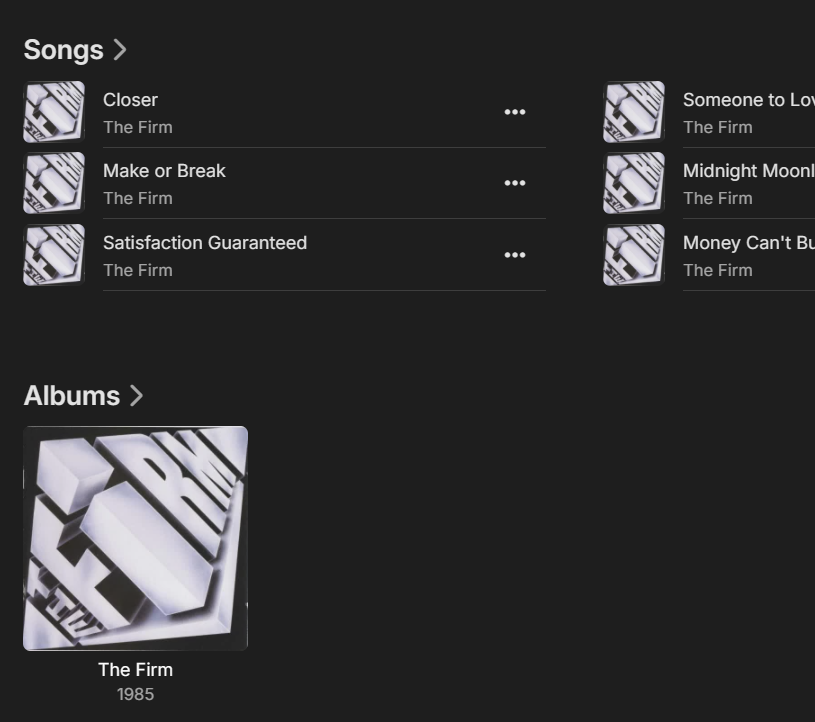
-
Love it! But the forum also needs a litle "loving/cleaning" from the help of the moderators/developers... Unstick sticky topics thats no longer relevant. Some of those could easily be put in wiki/help etc. There is wayyyy to many thats not important/old. Sticky(and locked) Release/Changelogs posts should reverse the history order in forst post so the latest release info is first in that specific post (and always edited in the first post). At least in my opinion. Then there could be a new last message in that specific post for the lastest release as well. In the changelog if there is a specific bug fix, a link to that forum post would be nice (if there is one) Can probably think of more but this is it right now! Keep up the good work.
-
 Aboudino joined the community
 -
 Parapara joined the community
 -
 Sulaimanlp joined the community
 -
 efjatv joined the community
 -
 AJIT Singh joined the community
 -
It would required the server tracking more than it does today. Note, Im only concerned with video, but my suggestion works for audio as well. Ideally, what i would like to see, is the server track actual time spent watching the video and "what was watched". Ie, not just play count, but 32minutes starting at 1:03 in the video. then 15 minutes starting at 33:03 etc. Having an option of consider a video played every time play is hit (todays logic) or when X% of the video has been watched. With an option of 100% is from post intro to credits rolling (using the same information as marking it played). Does that make sense? Im working on a plugin using the usage reporting plugin's playback tracker as a starting point. Scott
-
 PuchiJet joined the community
 -
 lgqned joined the community
 -

Showing old/wrong Album Art, must be cached or downloading it from Internet
Luke replied to ColinPostsHere's topic in General/Windows
HI, there is no such thing for songs anyway, only for albums and artists. -
Ethan.pollitt joined the community
-
What do you think should happen?
-
 Logue joined the community
 -
 ahbercebal joined the community
 -
I tried uncommenting but will have another go. I'm assuming its position at the end of existing css doesn't matter. I'll have to try moving it and removing the existing css. Thank you.
-
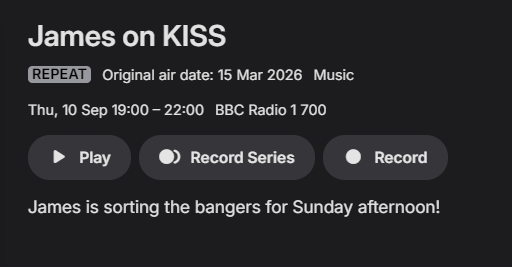
Great, thank you for troubleshooting this. Yes, I have a recording series setup for Matt and Mollie, the Jack Saunders recording was just a test. If i were testing I would use the Matt and Mollie as that seems to have the most issues. Just checked and there theres an update to emby, Version 4.9.5.0. I will continue to record and monitor. This is odd, radio on is show as radio one but is actually kiss fm. I will delete the tuner and readd it. I will also check the guide listing to make sure they are correct.

-
Understood. The problem I am seeing, if you play, stop (player/tv gets turned off), play a couple of times, the play count increases each time.
-
Please do not contribute to this issue. Others are dealing with it.
-
I still use SMB on the Shield but fully agree with @ebrit is not currently worth the effort. The original reason for the SMB request was the emby http stack struggled with even single stream high bitrate files over 50Mbps (from memory) - this was quickly fixed and is no longer an issue for light use. The key advantage for any 'Direct Path Protocol' is when streaming multiple high bitrate files you simply bypass the emby http potential streaming bottleneck. When 8K eventually makes it mark - and full bitrates approach 200-300Mbps - the http streaming engine may stuggle again and direct file path may be the answer - but for the moment, I have stuck with it because I can, but I do not 'need' it - 4K ~100Mbps works just as well on my devices that do not support it as I never simultaneously stream more than 2-3 max. anyway.
-
Wrong response.
- Today
-

Atrium — a native tvOS app for your Emby server
vdatanet replied to vdatanet's topic in Third Party Apps
Both of those are out — Atrium 1.92 is on the App Store. @Grumpy1: an episode page names the show once now. The show on top, and under it S1:E4 - Episode title. And if your shows have no logo, the big title up there is the show's name rather than the episode's. @arrbee99: the poster you stop on is asked for first, so sitting on the down arrow through a long library doesn't leave you watching a spinner. And worth repeating, since it's the useful part: it was never a collections thing — any large grid had it, your movie library included. That's the whole version — those two and nothing else. Both were reported here after 1.91 went out, and that's how it should work. As always: what's missing or wrong, say it here. -

TV Show Status — TMDB-powered Returning/Ended/Cancelled badges for series
Blueskies278 replied to Blueskies278's topic in Plugins
I'm back! Currently, I'm trying to fix the season finale / season premiere appearing multiple times in 'Upcoming.' * Added a few new feature requests. * Better wording and layout. I will try to upload an update today or tomorrow Please take a look at the pdf TV-Show-Status-settings-2.5.104.pdf -
Showing old/wrong Album Art, must be cached or downloading it from Internet
ColinPostsHere replied to ColinPostsHere's topic in General/Windows
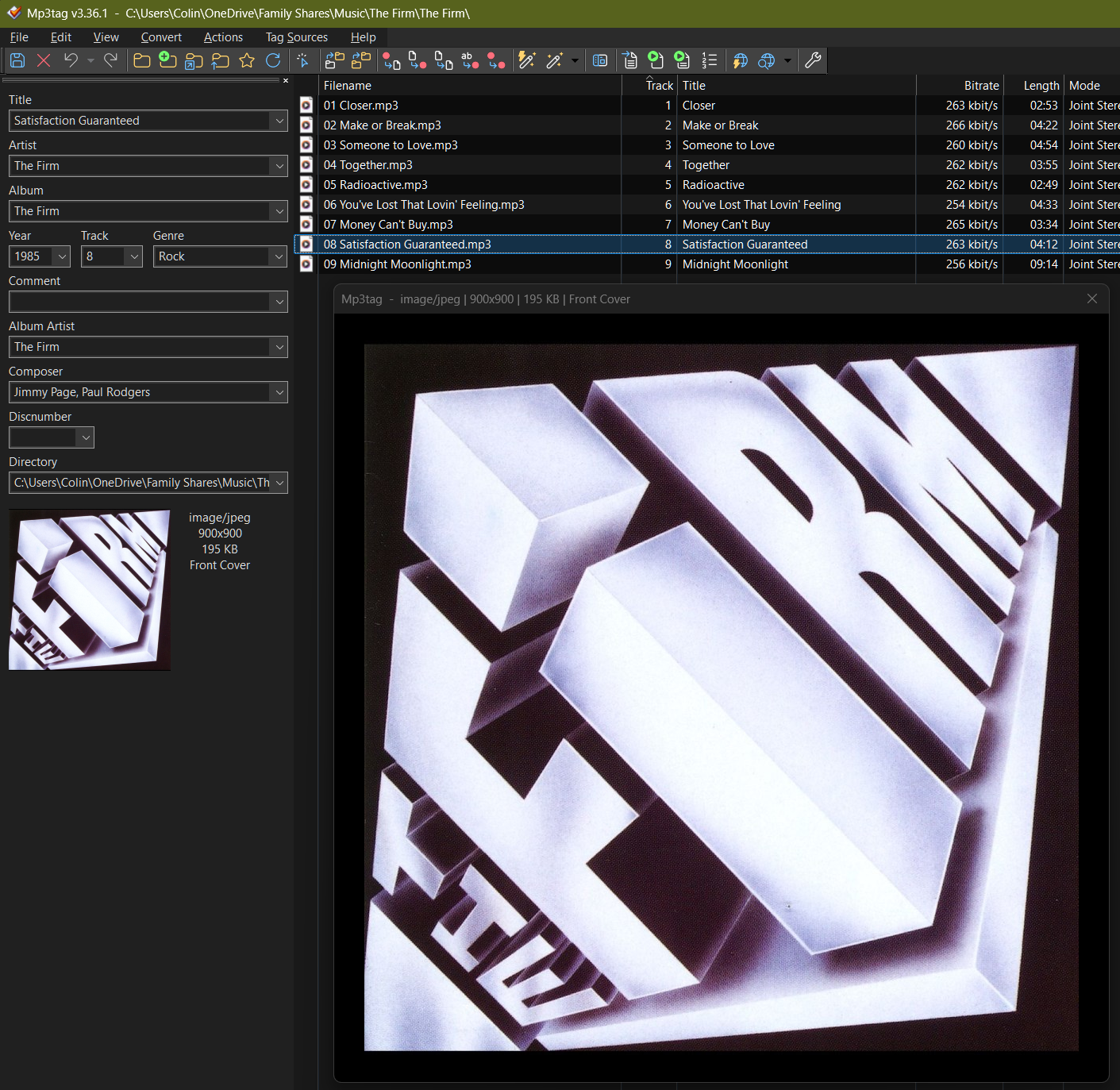
My problem is that, in my case, because I always find the cover art I want, I don't ever want Emby to pull the cover art for any songs. I ALWAYS want it to use the cover art I provide in the MP3 files. I like that Emby gets a picture of the band (but it's missing for The Firm) and their stylized logos. I don't provide those. But the album cover art I always provide, so don't want Emby to get that. Emby does get the band picture for nearly every other band. The Firm, Charlie Daniels Band, Ram Jam, Robert Plant & The Strange Sensation (the band he formed for "Mighty Rearranger") are some of the only bands with no band image in Emby. I like that Emby finds those on the Internet and downloads them. As listed in my original post, shouldn't my settings prevent Emby from downloading album art? Here's a screen shot so you can see exactly how I've set them: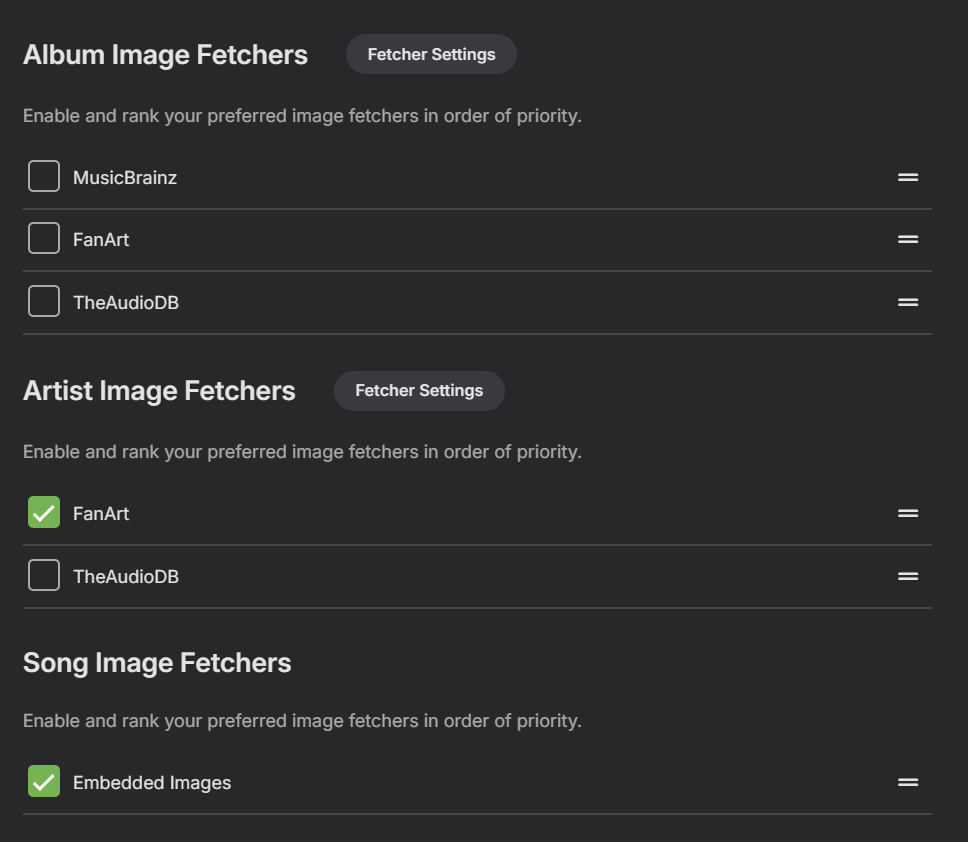
-

-
Showing old/wrong Album Art, must be cached or downloading it from Internet
ColinPostsHere replied to ColinPostsHere's topic in General/Windows
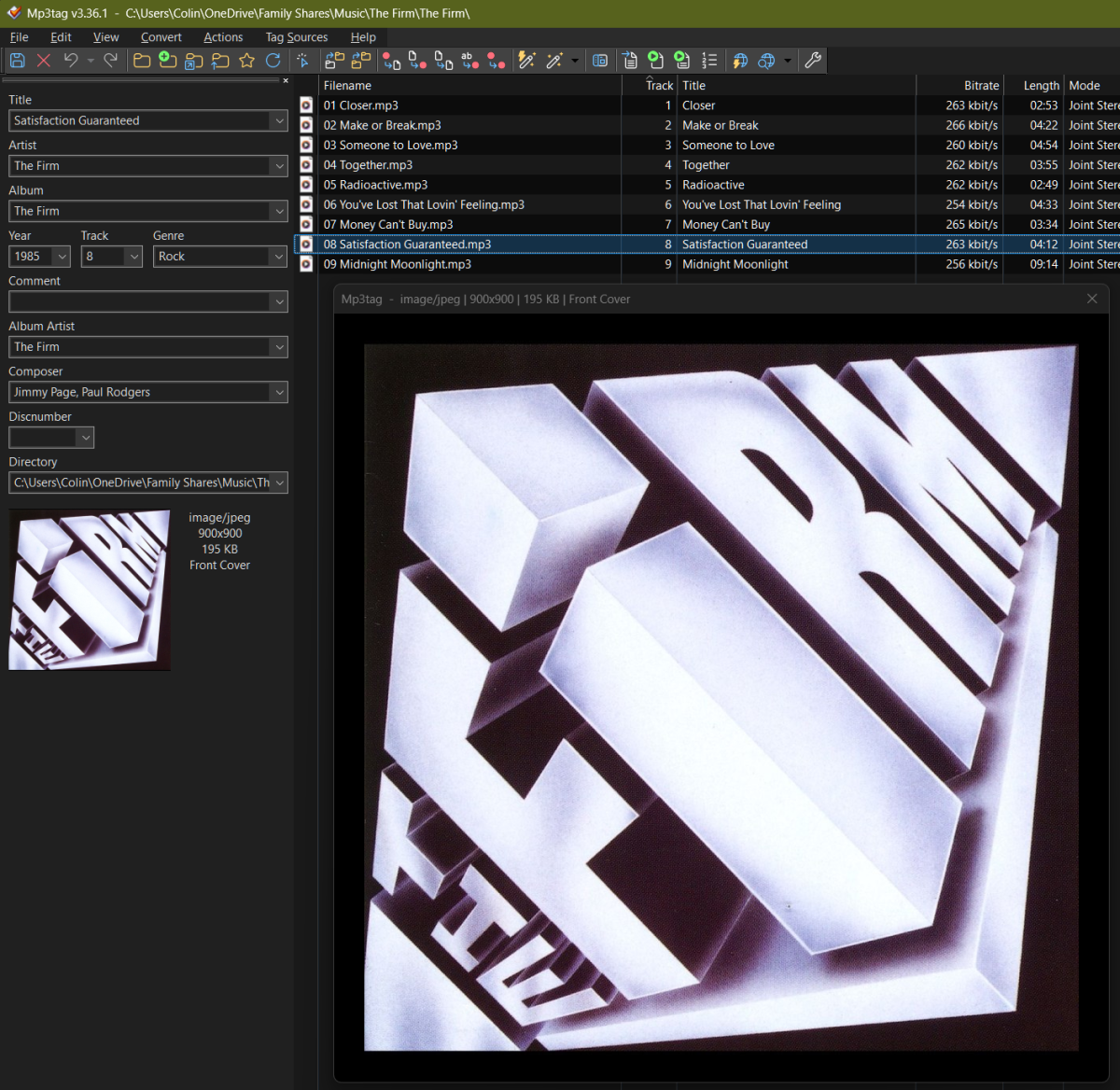
Do you mean show the two pictures and say which one I prefer? They're not that different, so a little embarrassed that some people will say (fairly): "Why do you care about that!?" The only difference is that original one and the one that Emby keeps reverting to is clearly a scan of the CD booklet image and you can see some white around the edge and the staples. I try to ensure perfect album art. The one I added manually is higher resolution (900x900 vs 500x500) and does not have the white at the edges or staples visible. In the scheme of the universe, it's not super important, but when you go through the trouble of finding the optimal cover art and updating the MP3 files, it would be nice if I could get Emby to use that instead of a version with staples and visible scanning edges. In grabbing the attached screen shots, I noticed that Emby did get the band's logo. I did not provide that, so it downloaded that. Could it be downloading the cover art too, even though I've turned that off in Settings (I think, unless I misunderstood the setting name)? Here's the one Emby keeps showing, note the white on the top and bottom and the top staple visible on the left: Here's the large image as assigned in Mp3tag. Note there is no white edge around it. Also sharper and colored better: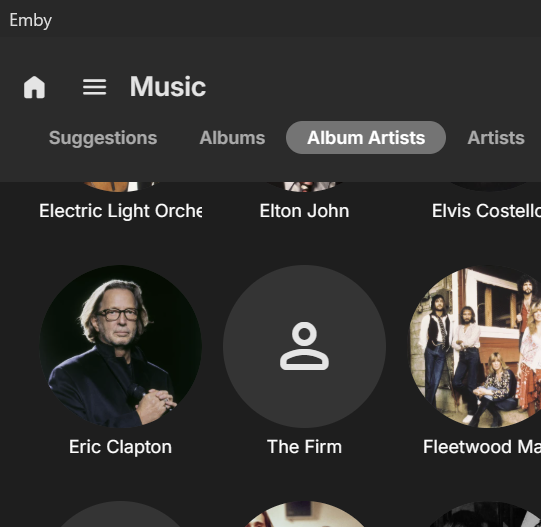
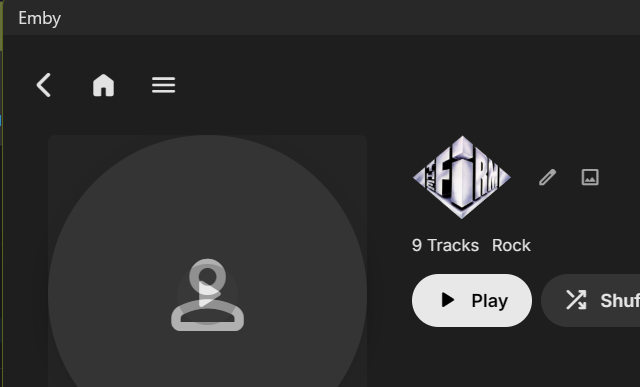
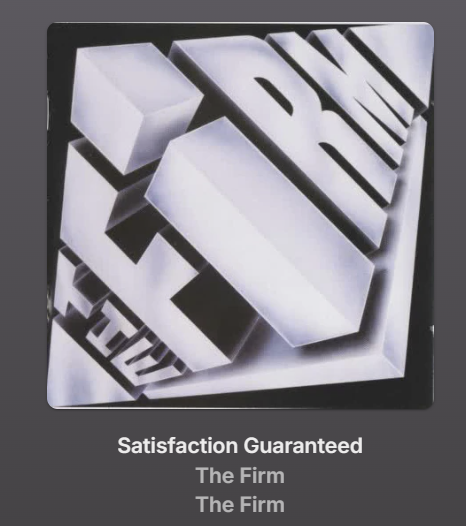
-
You cannot turn off DTS-HD It's the "Emby" app that's the problem! VLC woks, Plex works and "Emby for Fire TV" works.
-
@soderlundThanks for this great plugin I waited so long to use it finally. I'm really late to the party with this great plugin since main server is on stable and finally updated to a supported version. Few questions just to make clear I understand this right. 1. I added a MDBlist as external list under Source in Tag & Collection. 2. Then I added a Tag Name for the items out of this list in my library. 3. Then I went into Top-Lists and added a list with the source by Tag and chose the tag I set up in point 2. 4. At the end I ran a full sync. 5. Library is created and shown as list with top list badge on homecreen of the selected users. Now to the questions: 1. Is this the correct way or did I overcomplicate something here? 2. Not all thumbs have the top list badge. I ran several runs and recreated the list multiple times, there are always images with no top list badge. 3. Is it usual behaviour that all items in this Companion created list do show multiversion for the video file or is there a setting I'm missing?
-
I'm far from an expert but I will try to help @Mister_Udid you? 1. In the HSC go to Top List 2. Create New 3. Choose how to create the list Manual or Tags (I did Tags) you will see a list and how many movies are included in the individual tag list shown 4. Select a tag / tag list 5. Select users that will have access to the list 6. Enter 50 in Max items and save it will say if it was created and successful 7. Go to user settings, home screen under display and you should see your Top List at the very bottom of the list of your Home Sections which will show on the actual Emby home page all the way at the bottom until moved
-
Hm, nothing was accessing / locking it i think, I was able to rename the system folder and put in the new one and i think a lock would have prevented that? But it works now, and i guess rebooting would have also worked, thanks
-
Something is likely keeping your system folder locked (likely some browser, FF has a particular tendency for it), try rebooting server machine.
-
Hey, I am having an issue where the update just doesnt work for me. I see the update, i click on it, it tells me it finished and that i have to restart, and after restarting, i am still on the old version. Edit: I was able to manually backup the old system folder and put in the new one embyserver-63924663293.txtembyserver-63924663282.txtembyserver-63924663254.txtembyserver-63924663187.txt
-

Help: restore not restoring libraries after new Debian OS installation
luckyluca replied to luckyluca's topic in Linux
Hi Luke, It worked fine now, thank you! -

A Reboot (Windows 11) = No Emby Start Up (Figured It Out)
skidmarks replied to skidmarks's topic in General/Windows
This unexpected error was actually a good thing for me... I am now working on another fail safe for my autonomous repair system. Just wanted to make folks aware of a possible issue. Thanks for getting back Luke! -

GPU acceleration - transcoding is not working properly
js28194 replied to Hoedus's topic in General/Windows
Why does anything on the local lan need to be transcoded? Did I miss something? If your hardware can't support native 4k and DoVi any reason to have those resolutions anyway? Or is that it is crappy hardware in the bathroom and glorious resolutions in the bedroom and living room? I don't know much about DoVi, tested a few, look like crap to me. Went back to 1080p. @Hoedus Well, you said... only CERTAIN files, your's looks a bad job, but again, I don't know much about DoVi files. You should consider re-ripping those certain files.