All Activity
- Past hour
-
 Juni1981 joined the community
 -
 Caspaisa77 joined the community
 -
 Antonio012gufy joined the community
 -
 Jannuar joined the community
 -
 Anime_Lover567 joined the community
 -
 cullencj1 joined the community
 -
 Rsrd1213 joined the community
 -
 Rdrs12 joined the community
 -
 Mahah joined the community
 -
 ale.cort.zan@gmail.com joined the community
 -
I have music libraries on my server, and some songs are duplicated between them. When I play an album, I have not found any way to get emby to play the album as intended, only playing (for example) a single instance of track 3. It always runs through all of them. Some ideas that might solve my problem, if they exist. Do you know if I can do any of these? - in the android app, start playing an album but have filtered to only one music library - change emby's album-playing logic so it only plays the first instance of any duplicated tracks -change the file scanning logic so it won't include fully duplicated files, even across two library folders. This one's a bit tricky, because of course covers, or multiple versions...it would have to be identical metadata to trigger skipping, I guess. Anyone got a potential solution?
-

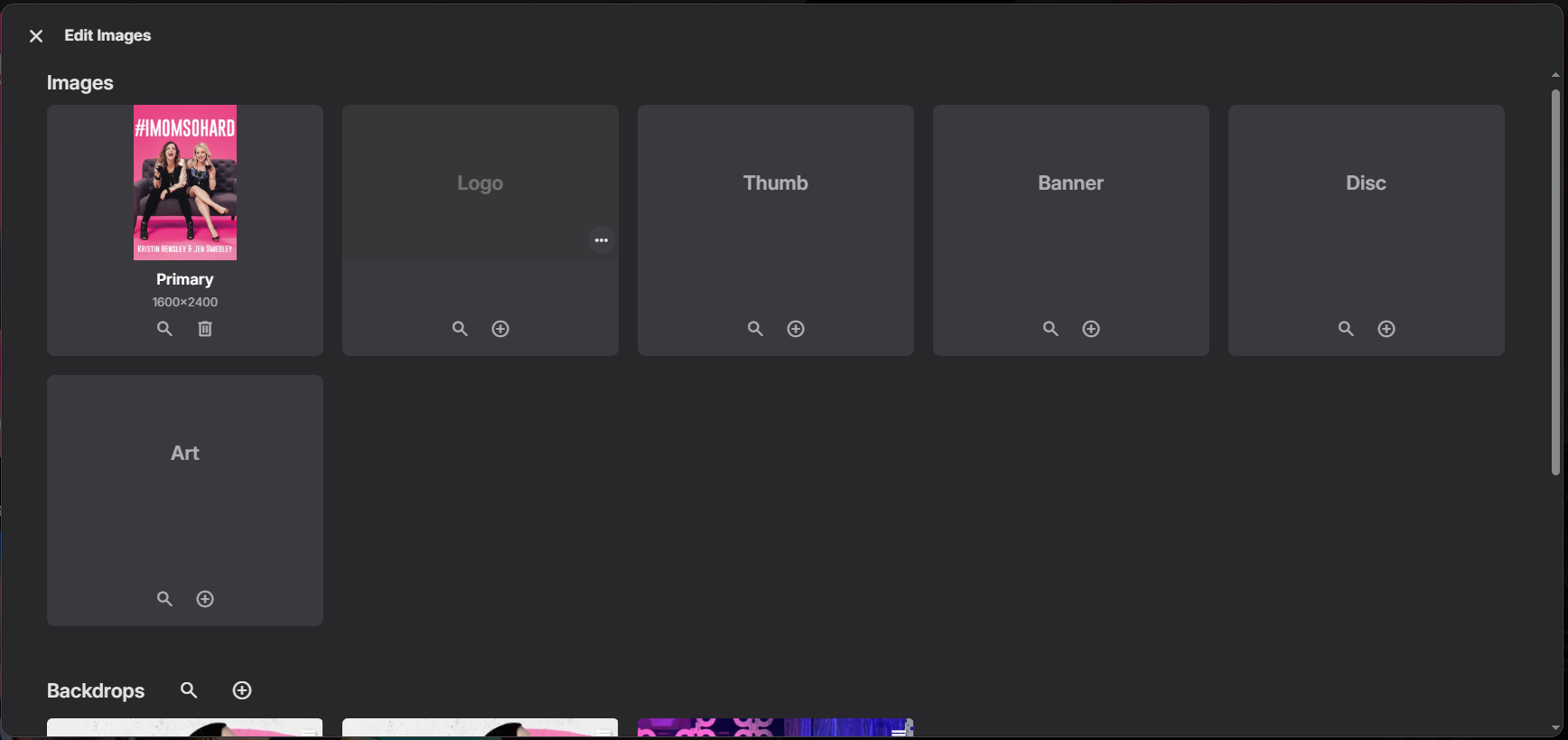
Easy/quick way to make a backdrop/fanart the "thumb" image
howllor replied to heciruam's topic in Feature Requests
That is not what my experience has been. I came across a case with a movie with a logo but without a thumb as soon as two days ago. -
The dlna from server does not make a lot of sense. When you are accessing the server remotely there is no point streaming to a remote speaker. Not to mention that if your roomate is on home and you start playing remotelly it is kind of problematic , inrespectful and prone to accidental use. This is worse if there are multiple users. So the solution that is implemetned in another app is to have the client app look for dlna sinks on local network and act as a remote controller that queues remote streams from the emby server to the local dpna render. As a bonus you play to whatever dlna speaker is available where the phone device is located . For server side dlna control to be safe and usable (server acting as a dlna client) it should be strictly available to locally connected devices vs remotelly accessible ones. This part is actually a bug in the present situation. Thanks
- Today
-
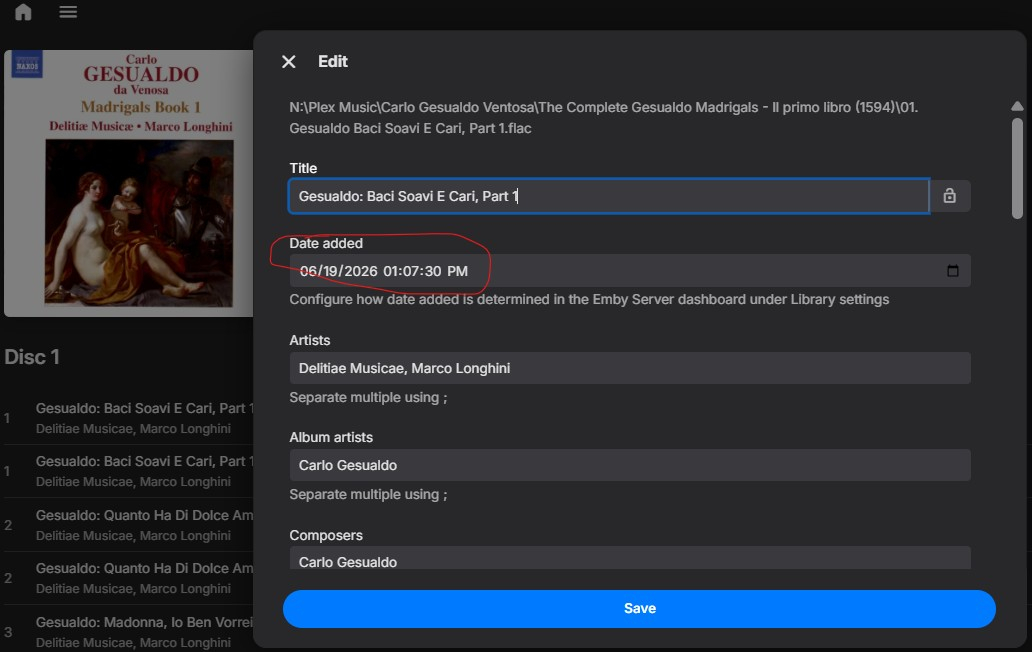
So I went ahead and copied these files to an entirely new, different directory and created an entirely new, differnt music library with all the settings that we've been discussing here to avoid any MusicBrainz involvement. And I was going to send you screen captures and everything else, because these problems persisted, but then I looked and I saw that the import date was listed as YESTERDAY. The Emby server database is not actually treating the new files as new files. Can you please help me understand what's going on. These were entirely new files created, but for some reason Emby is considering them as the files they were copied from, in an entirely different directory and music library. Logfile also attached. And when I "Explore Item Data," the item and parent ids are the same in both libraries, for different files that are in two different directories. How can that linkage be broken, and changed files (I edited the metadata on several to see how Emby treats more modern but user-entered years) be treated as as the new files and library they are?! embyserver_newlibrary.txt
-

SerieTv genres with empty folders/genres
Hispanico957 replied to Hispanico957's topic in General/Windows
Yes also for me LUKE with beta emby-server-qnap_4.10.0.14_x86_64 solve the problem or not ???? Thank Hispa -
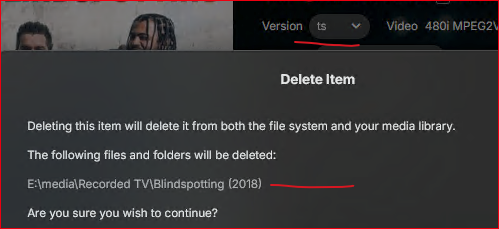
I have multi-version videos (* - ts.ts, * - mkv.mkv). I see a couple of issues. (using the web app) If you are in the detail page and poke Delete, you get the same folder prompt and the folder is gone, but the other video(s) are still listed at the bottom of the detail page, so the poster item hangs around for several minutes though you can't play anything since the files are physically removed. One time I had to do a library scan to get it to go away. One time, I deleted (I think from the detail page) and the image poster went away (card was blank in the library), it might have come back before the entire item was removed, not sure now what all happened. I don't know why deleting stuff is so technically difficult, but it has been a problem for a long time. Then there are also error messages that shouldn't be generated after deleting a media item https://emby.media/community/topic/148226-media-deletions-are-not-logged-in-admin-dashboard-activity/#findComment-1525478

-

Easy/quick way to make a backdrop/fanart the "thumb" image
speechles replied to heciruam's topic in Feature Requests
Usually the thumb has a better chance of exist than the logo. If the thumb isn't found there is also usually no logo. That is why it isn't done that way with the logo overlaid onto the backdrop and instead uses the text overlaid onto the backdrop. The text will always exist.
-

media deletions are not logged in admin Dashboard > Activity
justinrh replied to justinrh's topic in General/Windows
@Lukelooks like there is a general issue do address. I just deleted another multi-version video and I see the same errors for the image files. Maybe it happens only for multi-version? IDK -
This feature is not designed for a one-time message. It is designed as a banner to always be seen.
-
Hi. We already have that. The issue you are running into is there is no way for the system to know it is the same episode because, as you say, it is getting different episode numbers. So, how would you tell it to not record it again when it pops up with a different identification later?
-
Hi, there's already an open request for this or something functionally equivalent. Please join in and contribute to the existing discussion at:
-

Easy/quick way to make a backdrop/fanart the "thumb" image
ebr replied to heciruam's topic in Feature Requests
You are trying to solve the exact same problem (no thumb). You just have a different way of solving it so just add that to this discussion. Thanks. -
Thank you! The scroll bars are there now!. I have a question, how do I add local m3u lists? The playlist url field seems to only support URLs and not local windows paths.
-

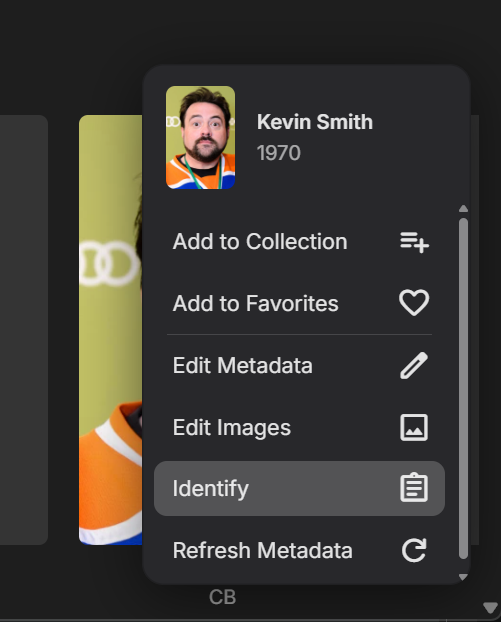
Add "Remove Identification" (the same way media has) for People
Lyfesaver posted a topic in Feature Requests
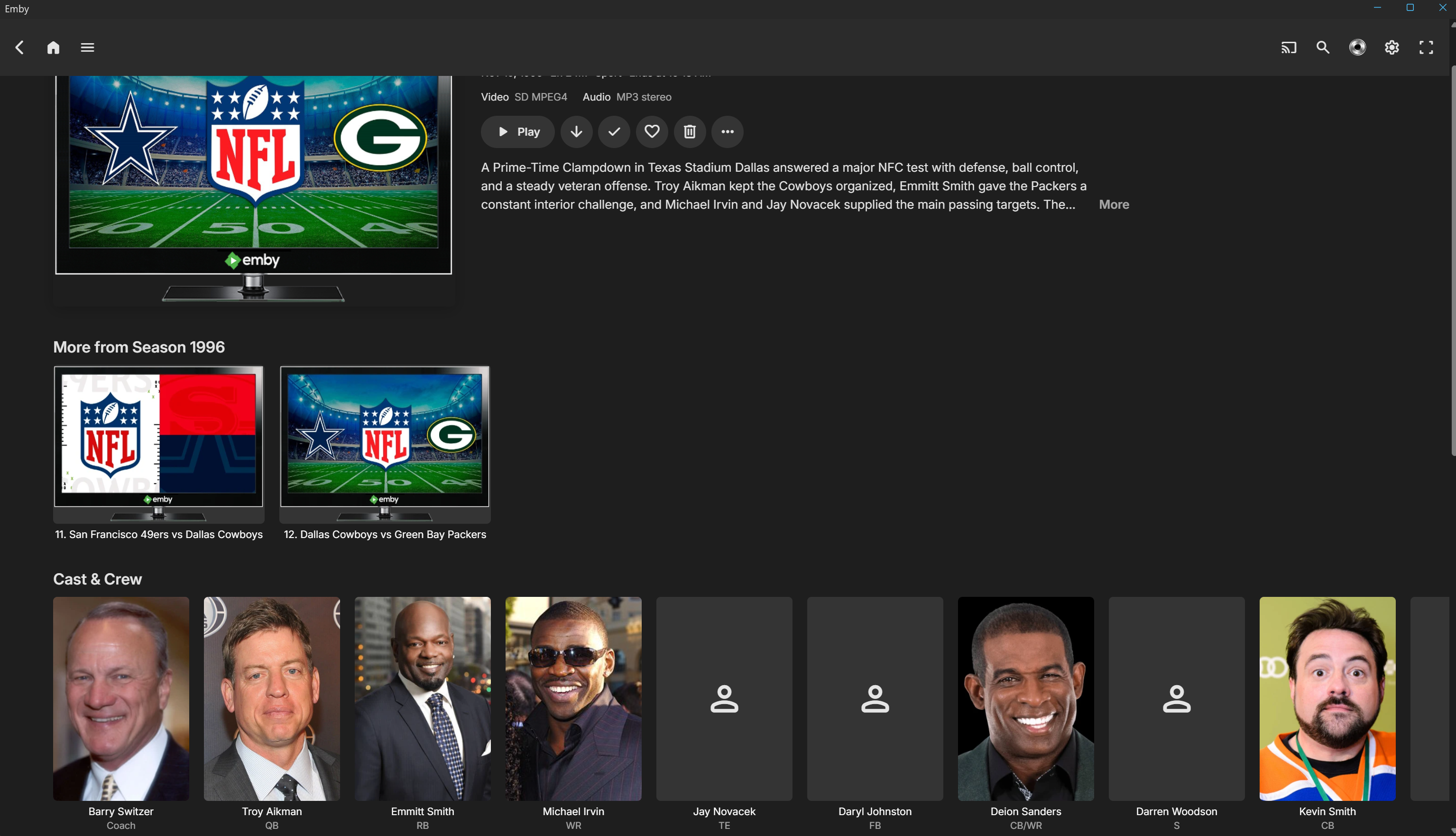
Right now I can't just "Remove identification" from a person in Emby the way you can for TV, Movies, etc. For instance, actor/director Kevin Smith never played cornerback for the Cowboys in the 90s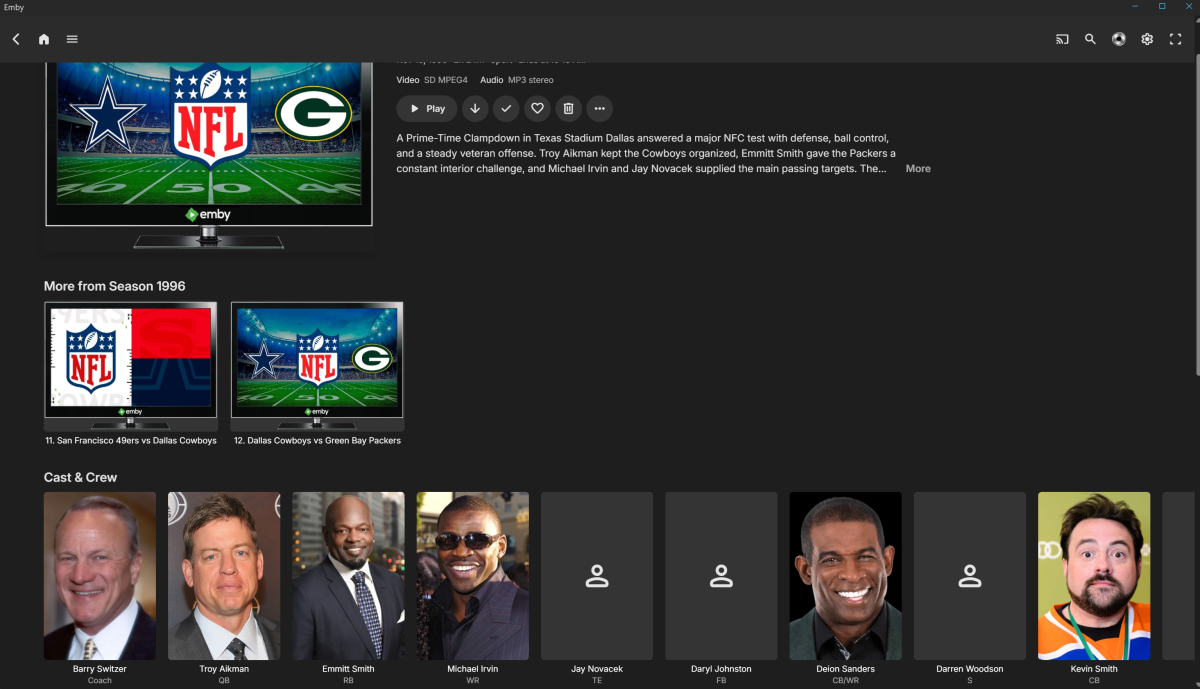
-
@ginjaninja can you perform the exact same test again? Thank you
-

After ISP change, can't connect to Emby Server using WAN anymore
RhoSer replied to RhoSer's topic in General/Windows
@seanbuffThank you so much, I sent Free an email after reading your message and they answered this morning, stating that it was an option to check in my customer account, on their website. Within 30 minutes it was possible again to access Emby using the WAN IP address. Appreciate the fast answer here, it ended a mystery and a frustration all at once. Have a nice day! -
Hello - I'm not sure which DB the recording scheduler uses, but for my metadata I use TVDB which apparently assigns different episode#'s to shows like American Experience and Frontline, and so even though I already have a particular recording, the scheduler doesn't realize this since there's a mismatch in the episode#, and so I will cancel some re-airing of a program, but it keeps just coming up the next day at a different time over and over again. Could we add something like "I already have this episode" or "never record this episode", instead of "cancel recording" which only cancels that one airing?
-
I thought i would add it as a feature request as the option to do it within Emby isn’t there without a lot of manual administration. We should just be about to limit a user to one device per account. Does this option allow the user to purchase the application via the Emby app and then I allow access? I don’t see how this option works with devices being removed from my Emby premier list but thank you very much for the information.
-
Se here
-
First how is this a FR when its a question But this is what I do.
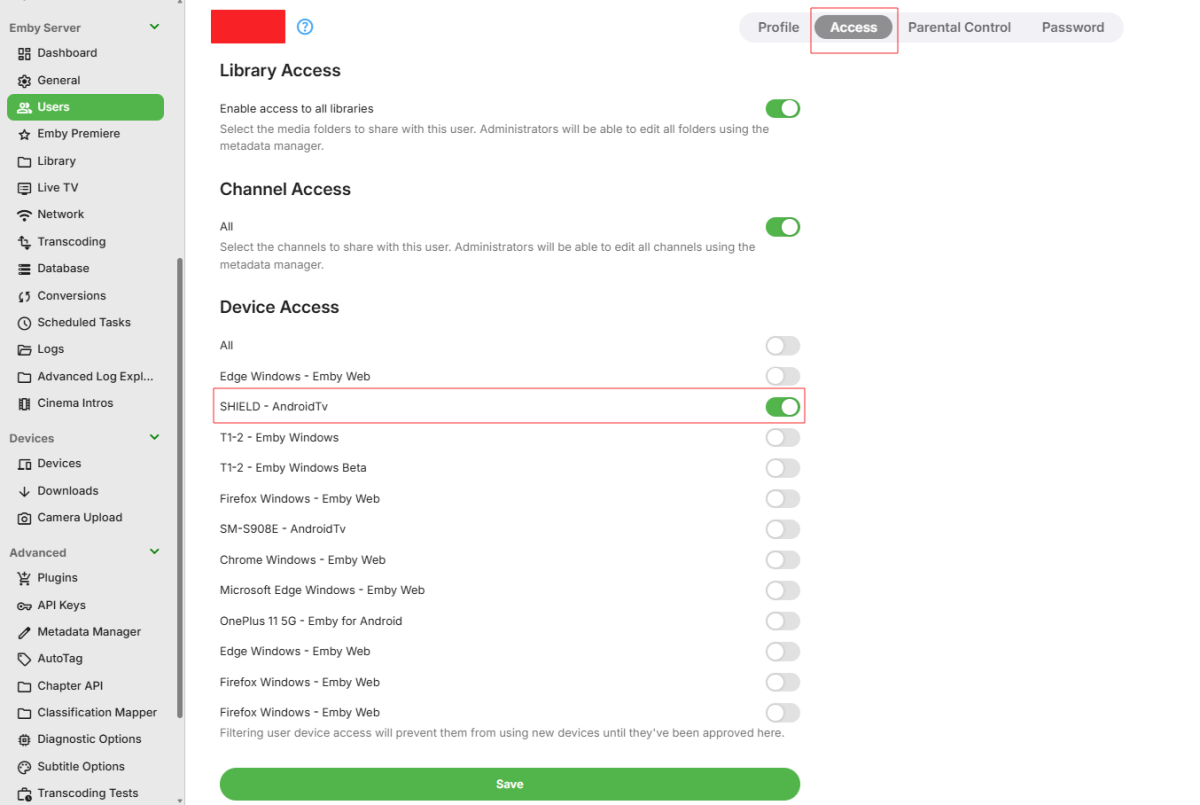
-
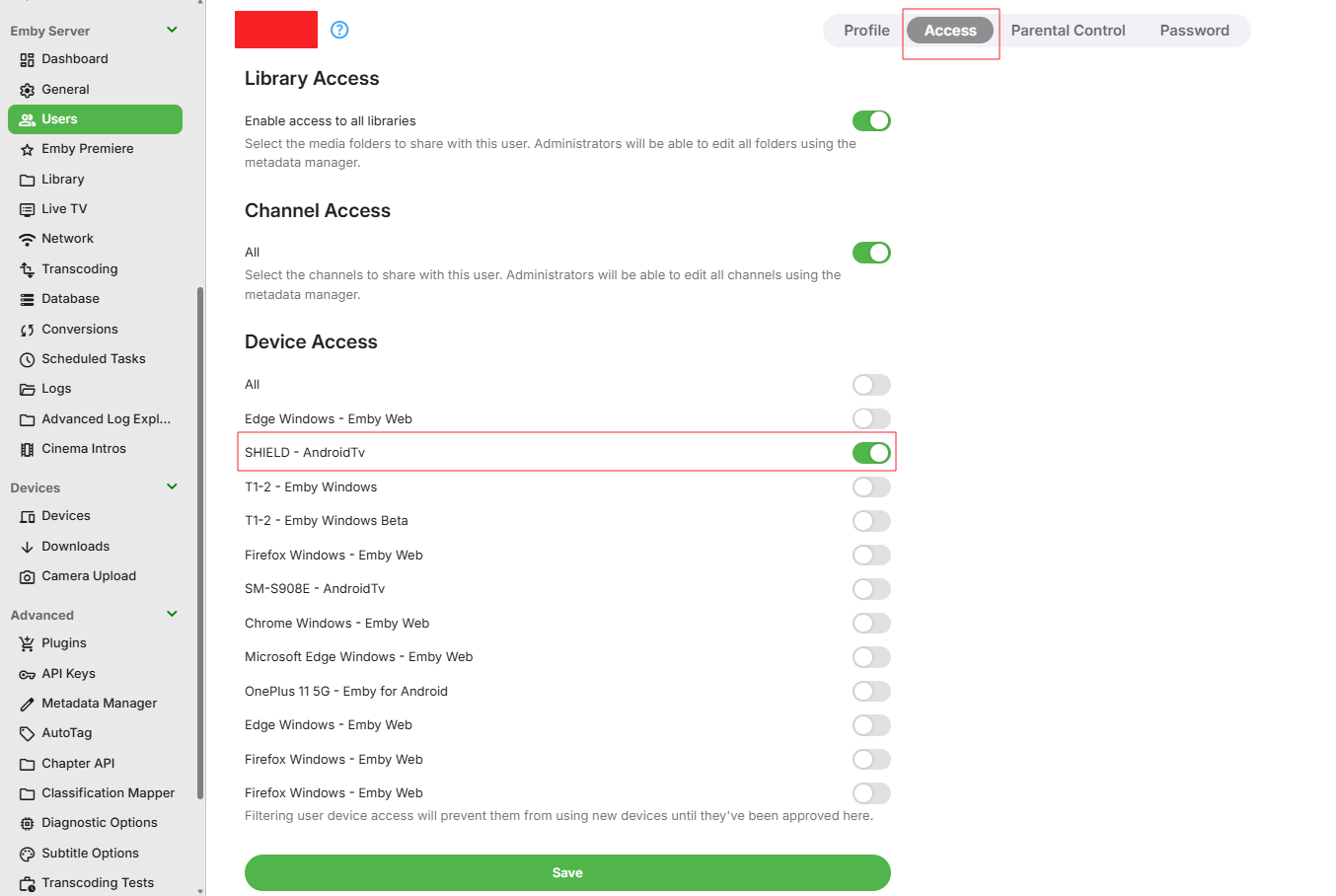
Hello, Please can anyone tell me if there is a way to limit a user to one device, I have friends who access my Emby server and some of them install it on every device they have reducing my limit. I can’t find any option on the server, there is limit streams but nothing about devices. Ideally I would like to assign an Amazon Fire Stick 4K MAX or a Smart TV to a user and that would be there free device, if they want it on anything else then they can purchase it directly through the Emby app for the device they are using. It Would be great if we can limit the device per users. The simultaneous streams don't prevent to user to login on another device and it is chewing up the devices limits on my Emby Premiere. Can anyone advise please. Thank you. Cheers, Chris
-
Hello, Please can anyone tell me if there is a way to limit a user to one device, I have friends who access my Emby server and some of them install it on every device they have reducing my limit. I can’t find any option on the server, there is limit streams but nothing about devices. Ideally I would like to assign an Amazon Fire Stick 4K MAX or a Smart TV to a user and that would be there free device, if they want it on anything else then they can purchase it directly through the Emby app for the device they are using. It Would be great if we can limit the device per users. The simultaneous streams don't prevent to user to login on another device and it is chewing up the devices limits on my Emby Premiere. Can anyone advise please. Thank you. Cheers, Chris
-
Thank you very much for the info
-

Can I install two versions of emby side by side on Sony Android TV?
FrostByte replied to ivnivnivnivnivn's topic in Android TV / Fire TV
I've kept both updated on my Shield and playback for typical 4K remuxes appears to be the same with both for me. I think it pretty much comes down which one you prefer right now. To me it's nice to have both to compare things whenever I do have issues. Emby has said for a while now that their plan is to eventually discontinue the AndroidTV app, though ebr has been keeping it at least updated with new betas whenever there is a server change or major bug found. -
I have a pair of Rokid XR AR glasses, they play videos just fine from every other app (Apple TV app, VLC app, Safari), and as of last February worked fine with Emby. I haven't used them for a few months, but when I tried to use them today, I get the audio, and I can see the controls on the screen. But the moment I plug them in the video goes black. Unplugging them does not make the video return, stopping the playback and restarting it without them plugged in makes the video work again. But either plugging them in while playing, or plugging them in before playing, the video playback is just black. I see the on screen controls fine, and the audio playback is fine. Since I see the on screen controls in the glasses, I know the video is working. The glasses are treated by iOS as an external video. They connect via USB-C. And as I said before, everything else displays fine on them, and Emby used to work on them as recently as February. This is the playback info from the server while the movie is playing: Emby for iOS 2.2.53 iPhone 10.0.0.110 http/1.1 Stream MP4 (787 kbps) Direct Play Video 480p HEVC Direct Play Audio English AAC 6 ch (Default) Direct Play The activity log just says: emby is playing <movie name redacted> on iPhone 6/20/26, 1:25 AM Server Info: Version 4.9.5.0 Emby Server is up to date Running on http port 8096 I'm fairly sure this is a bug in the Emby iOS app, since #1) it used to work. #2) all other apps still work #3) I see the Emby controls, and when it's not trying to play a movie, I see all the UI and everything. Also, when I play Emby from within Safari it works fine, it's just not as convenient.