All Activity
- Past hour
-

Movies don't resume, they start from beginning
Nabukodonosor replied to Nabukodonosor's topic in Android TV / Fire TV
So you guys really can't fix this? It's annoying AF! -
 S1GNUP joined the community
 -
I was not aware of that, thank's for the clarification. Guess I will just rename the files in US airing order to match it with TheTVDB.
-
 Oatthaphon joined the community
 -
 Synepcice joined the community
 -
 Lior nachmani joined the community
 -
 liuxiaoyu joined the community
 -
 Ian valentina joined the community
 -
 twili_does_doodles joined the community
 -
 Najva joined the community
 -
 Luluzzzzz joined the community
 -
 Wcj joined the community
 -
Two things: 1. Nothing is ever scraped from IMDB (cost-prohibitive) 2. You can't identify an episode, only complete TV show So the answer to your questions is No. You can either find other provider (TMDB, TVMaze...) that maybe has metadata in the order that you prefer (or maybe TVDB does under DVD order) or insert metadata/artwork manually or make changes on TVDB yourself if item not locked. Anyway, specific example would help for maybe finding a solution. How to Report a Problem
- Today
-
Hi everyone, I'm having an issue with my Emby TV show library. The episode titles and metadata on TheTVDB differ from what's listed on IMDb and all other episode guides. As a result, the metadata in Emby is incorrect as well. I've already tried manually identifying the show using the IMDb ID, but Emby keeps overwriting the data with the 'wrong' info from TheTVDB. Is there any way to force specific metadata?
-
Radarr API: https://radarr.video/docs/api/ Call: curl -X GET \ "http://RADARR:7878/api/v3/movie" \ -H "X-Api-Key: API_KEY" Response (shortened): [ { "id": 1, "title": "Alien", "monitored": true }, { "id": 2, "title": "Avatar", "monitored": false } ] Then you can filter for "monitored": true. Or you filter for "monitored": true from the beginning using jq with e.g: curl -s \ -H "X-Api-Key: API_KEY" \ "http://RADARR:7878/api/v3/movie" | jq '.[] | select(.monitored == true)' *********************************************************************************************************************************************************** Sonarr API: https://sonarr.tv/docs/api/#v3/description/introduction Call: curl -X GET \ "http://SONARR:8989/api/v3/series" \ -H "X-Api-Key: API_KEY" Response: Same as with Radarr Filter from beginning using jq: curl -s \ -H "X-Api-Key: API_KEY" \ "http://SONARR:8989/api/v3/series" | jq '.[] | select(.monitored == true)' ********************************************************************************************************************* The json Output you get with the API calls gives you TMDB, IMDB, TVDB, TVMAze etc. IDs you can work with to import the monitored items into the Coming Soon Section your plugin creates in Emby. Example output of a movie: { "title": "Blade", "originalTitle": "Blade", "originalLanguage": { "id": 1, "name": "English" }, "alternateTitles": [ { "sourceType": "tmdb", "movieMetadataId": 13, "title": "Marvel Studios' Blade", "id": 257 }, { "sourceType": "tmdb", "movieMetadataId": 13, "title": "დანა", "id": 258 }, { "sourceType": "tmdb", "movieMetadataId": 13, "title": "ხმალი", "id": 259 }, { "sourceType": "tmdb", "movieMetadataId": 13, "title": "The Blade", "id": 260 }, { "sourceType": "tmdb", "movieMetadataId": 13, "title": "Asmenys", "id": 261 }, { "sourceType": "tmdb", "movieMetadataId": 13, "title": "Penge", "id": 262 }, { "sourceType": "tmdb", "movieMetadataId": 13, "title": "Блэйд", "id": 263 }, { "sourceType": "tmdb", "movieMetadataId": 13, "title": "Săn Quỷ", "id": 264 }, { "sourceType": "tmdb", "movieMetadataId": 13, "title": "新刀锋战士", "id": 265 } ], "secondaryYearSourceId": 0, "sortTitle": "blade", "sizeOnDisk": 0, "status": "announced", "overview": "Blade ist sowohl ein Vampir als auch ein Mensch. Seine Mutter wurde von einem Vampir gebissen, als sie mit ihm schwanger war, doch sie starb bei dessen Geburt. Er ist im Gegensatz zu anderen Vampiren resistent gegen Sonnenlicht und kann das Tageslicht unbeschadet betreten. Gleichwohl verfügt er über die gleichen Kräfte und die gleiche Gier nach Blut wie die Vampire. Blade grenzt sich jedoch deutlich von den Vampiren ab, da er die Menschen vor ihnen beschützen will.", "images": [ { "coverType": "poster", "url": "/MediaCover/19/poster.jpg?lastWrite=639162776331543830", "remoteUrl": "https://image.tmdb.org/t/p/original/qctzZ0LmG88k2DGqNMFTUW2wXo2.jpg" }, { "coverType": "fanart", "url": "/MediaCover/19/fanart.jpg?lastWrite=639162776330983816", "remoteUrl": "https://image.tmdb.org/t/p/original/hFtJz4TvoiJJcw2ZOMdhK22aU9P.jpg" } ], "website": "https://www.marvel.com/movies/blade", "year": 0, "youTubeTrailerId": "", "studio": "Marvel Studios", "path": "/media/Libraries/MOVIES/Blade () [tmdb-617127]", "qualityProfileId": 7, "hasFile": false, "movieFileId": 0, "monitored": true, "minimumAvailability": "announced", "isAvailable": true, "folderName": "/media/Libraries/MOVIES/Blade () [tmdb-617127]", "runtime": 0, "cleanTitle": "blade", "imdbId": "tt10671440", "tmdbId": 617127, "titleSlug": "617127", "rootFolderPath": "/media/Libraries/MOVIES", "genres": [ "Fantasy" ], "keywords": [ "anti hero", "based on comic", "hero", "marvel cinematic universe (mcu)", "superhero", "vampire" ], "tags": [], "added": "2024-11-21T18:17:00Z", "ratings": { "tmdb": { "votes": 0, "value": 0, "type": "user" } }, "popularity": 2.1345, "lastSearchTime": "2025-06-04T13:06:18Z", "statistics": { "movieFileCount": 0, "sizeOnDisk": 0, "releaseGroups": [] }, "id": 19 } Example output of a TV show: { "title": "VisionQuest", "alternateTitles": [], "sortTitle": "visionquest", "status": "upcoming", "ended": false, "overview": "After the events of \"WandaVision\", the Vision tries to regain his memory and identity.", "nextAiring": "2026-10-14T04:00:00Z", "network": "Disney+", "airTime": "00:00", "images": [ { "coverType": "banner", "url": "/MediaCover/159/banner.jpg?lastWrite=639166772830478702", "remoteUrl": "https://artworks.thetvdb.com/banners/v4/series/426606/banners/6a28c0196e7df.jpg" }, { "coverType": "poster", "url": "/MediaCover/159/poster.jpg?lastWrite=639162777702699574", "remoteUrl": "https://artworks.thetvdb.com/banners/v4/series/426606/posters/68eaa69a07baa.jpg" }, { "coverType": "fanart", "url": "/MediaCover/159/fanart.jpg?lastWrite=639162777702219562", "remoteUrl": "https://artworks.thetvdb.com/banners/v4/series/426606/backgrounds/6a04fabe86187.jpg" } ], "originalLanguage": { "id": 1, "name": "English" }, "seasons": [ { "seasonNumber": 1, "monitored": true, "statistics": { "nextAiring": "2026-10-14T04:00:00Z", "episodeFileCount": 0, "episodeCount": 0, "totalEpisodeCount": 1, "sizeOnDisk": 0, "releaseGroups": [], "percentOfEpisodes": 0 } } ], "year": 2026, "path": "/media/Libraries/SERIES/VisionQuest (2026) [tvdb-426606]", "qualityProfileId": 4, "seasonFolder": true, "monitored": true, "monitorNewItems": "all", "useSceneNumbering": false, "runtime": 0, "tvdbId": 426606, "tvRageId": 0, "tvMazeId": 64950, "tmdbId": 213375, "firstAired": "2026-10-14T00:00:00Z", "lastAired": "2026-10-14T00:00:00Z", "seriesType": "standard", "cleanTitle": "visionquest", "imdbId": "tt23112594", "titleSlug": "visionquest", "rootFolderPath": "/media/Libraries/SERIES", "genres": [ "Adventure", "Drama", "Science Fiction" ], "tags": [], "added": "2026-05-17T21:10:37Z", "ratings": { "votes": 0, "value": 0 }, "statistics": { "seasonCount": 1, "episodeFileCount": 0, "episodeCount": 0, "totalEpisodeCount": 1, "sizeOnDisk": 0, "releaseGroups": [], "percentOfEpisodes": 0 }, "languageProfileId": 1, "id": 159 }
-
Hi there, can you please use screenshots to demonstrate what you are asking? It's a little hard to visualize. Thanks.
-
HI, what version of firefox? I can't reproduce in 153.
-

Do not record shows with no season/episode listing
Luke replied to atreyu4055's topic in Feature Requests
Hi, yes it makes sense and could be helpful. Thanks. -
OK please try Emby for iOS 2.2.54. Thanks.
-
Hi, what options would you like?
-
Can I install two versions of emby side by side on Sony Android TV?
Luke replied to ivnivnivnivnivn's topic in Android TV / Fire TV
Hi, you can disable picture in picture in the device settings. -
Hi, yes the text is just meant to show what you have selected.
-
Hi, please check out our quick start guide: Quick Start
-
You mean the legacy app, you just download, unzip and run: https://github.com/MediaBrowser/emby-theater-windows/releases/tag/3.0.20
-
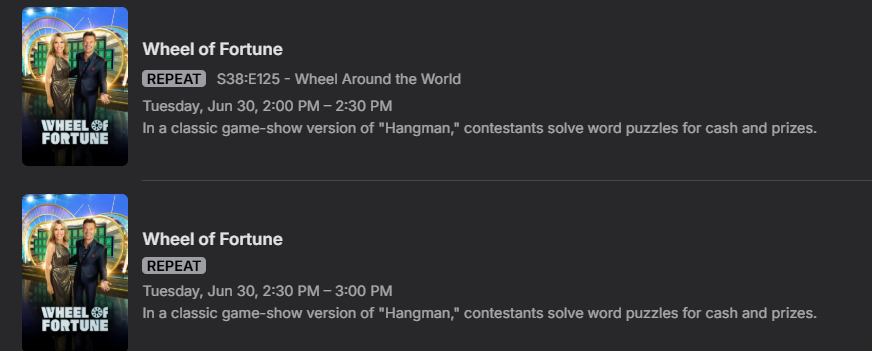
I would like to see a simple option where shows with no season/episode guide-data will NOT be recorded. Example:
-
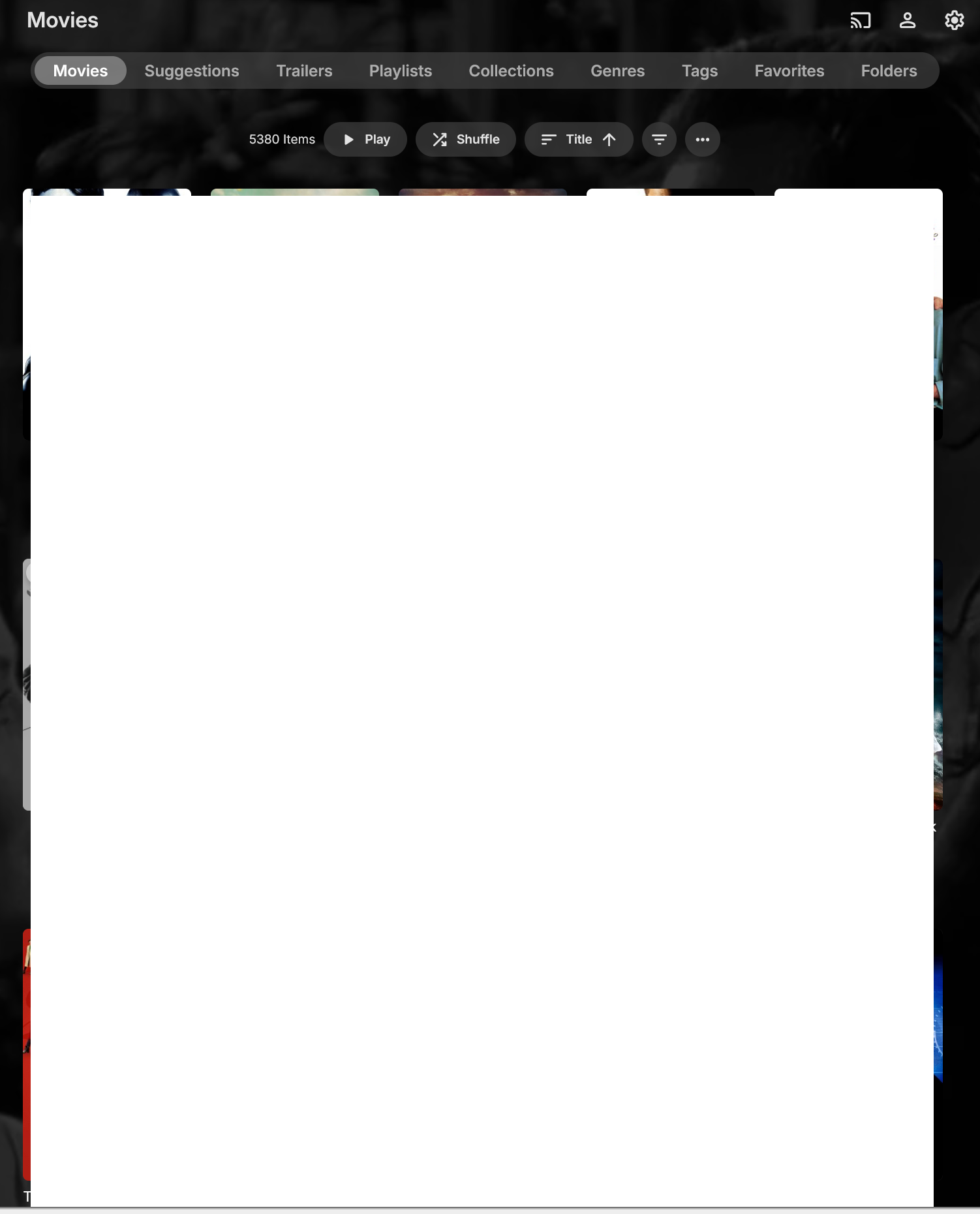
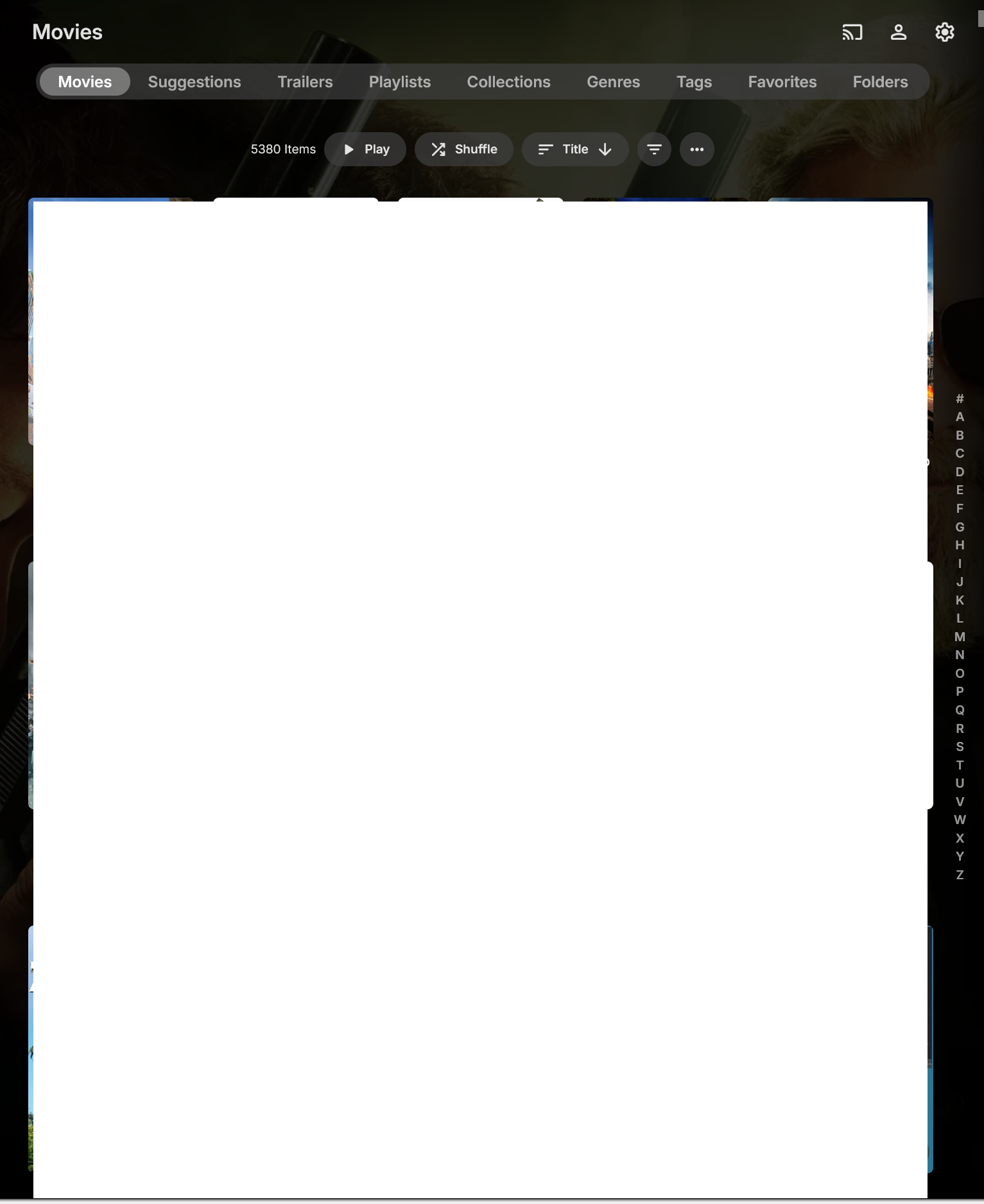
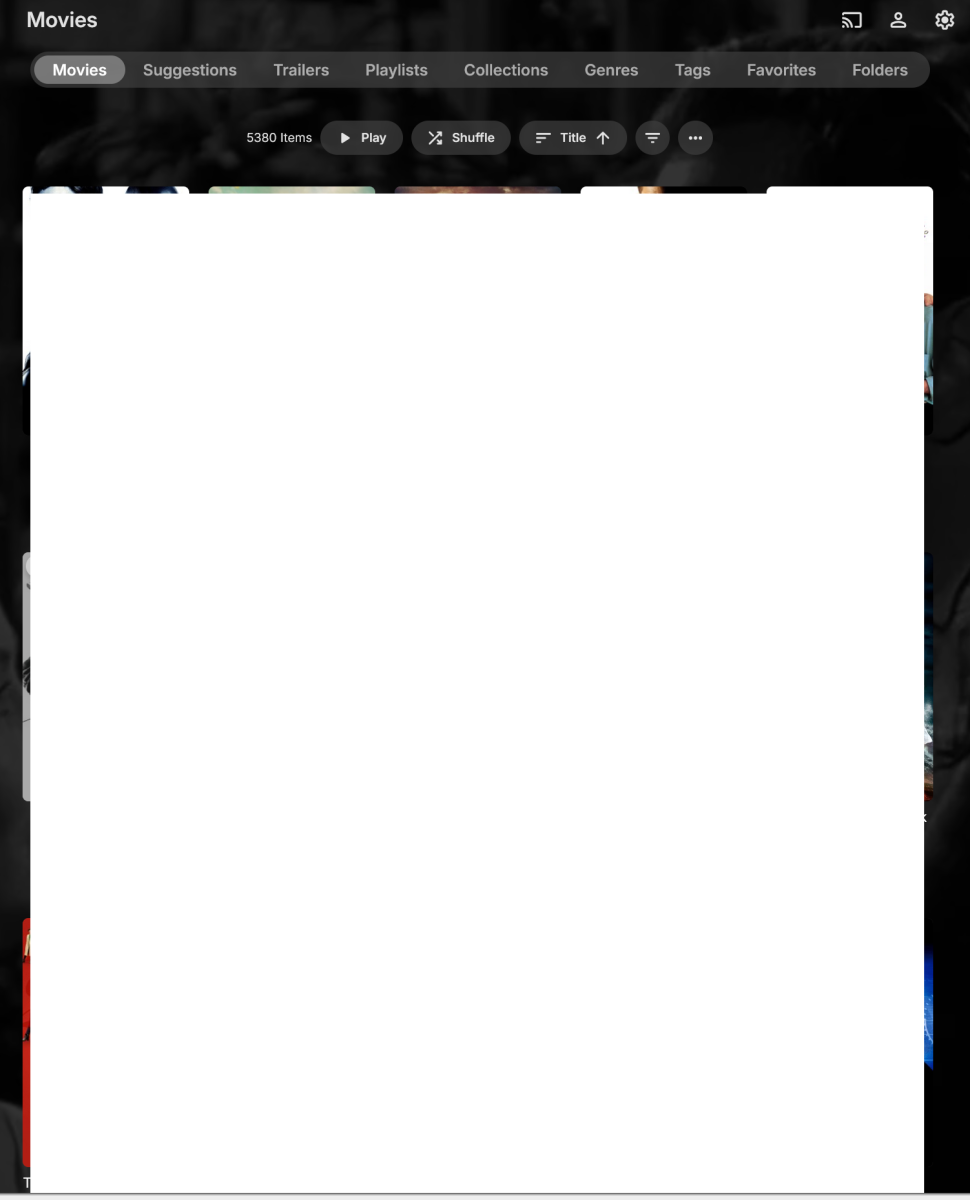
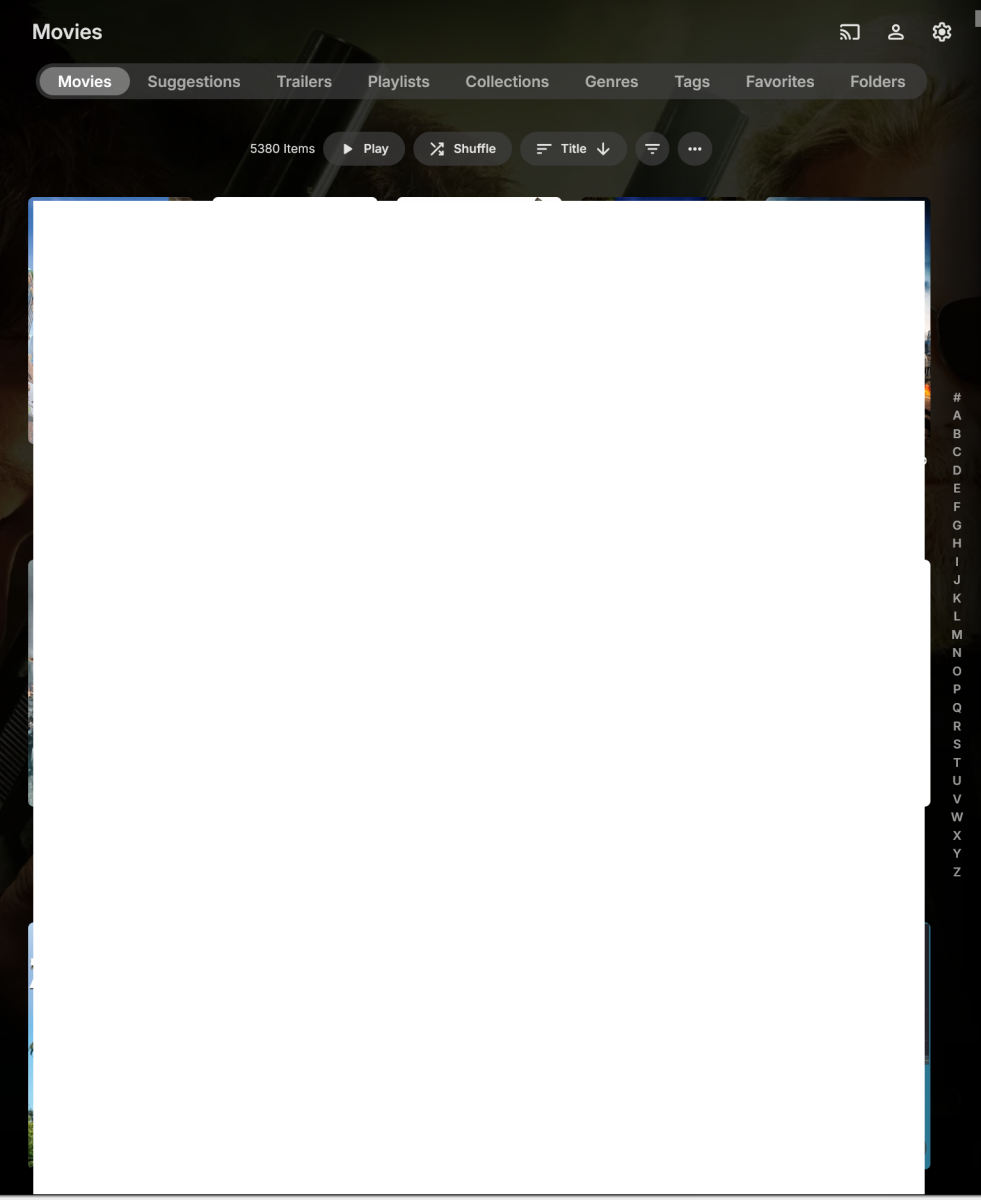
@Luke Opened new tab in Firefox Connected to my Emby web client Clicked on Movies library under My Media Movies was set to Title A-Z and displayed properly. Clicked on sort order and changed to Date Added Clicked on sort order and changed back to Title A-Z Movies now listed in correct order (A-Z), but no "ABCDE...." on right side of the screen (EmbyProblem1.png) Click sort again and select title and the "ABCDE...." now appears but my sort order is Z-A (EmbyProblem2.png) Click sort again and select title and the sort order is restored to A-Z and now I have the "ABCDE...." on the side. Once I've done the above steps, it no longer seemed to have the problem switching between Date Added and Title order but that was just in my testing now. I'll continue to keep an eye on it.
-

SRT subtitles force software decoding on iOS
mssssman replied to mssssman's topic in Apple iOS / macOS
I can't test this because I only have an iPhone, not an Apple TV. -
I have my MUSIC sorted in ALBUM ARTISTS. When I click ALBUM ARTIST (ex: AC/DC) - it goes to SONG/ALBUMS and the albums are in a ROW. HOWEVER if the ALBUM label is clicked it goes to a GRID style, that is much better and shows the albums in YEAR it was release. Any way to go ALBUM ARTIST directly into ALBUMS to show the GRID style??
-
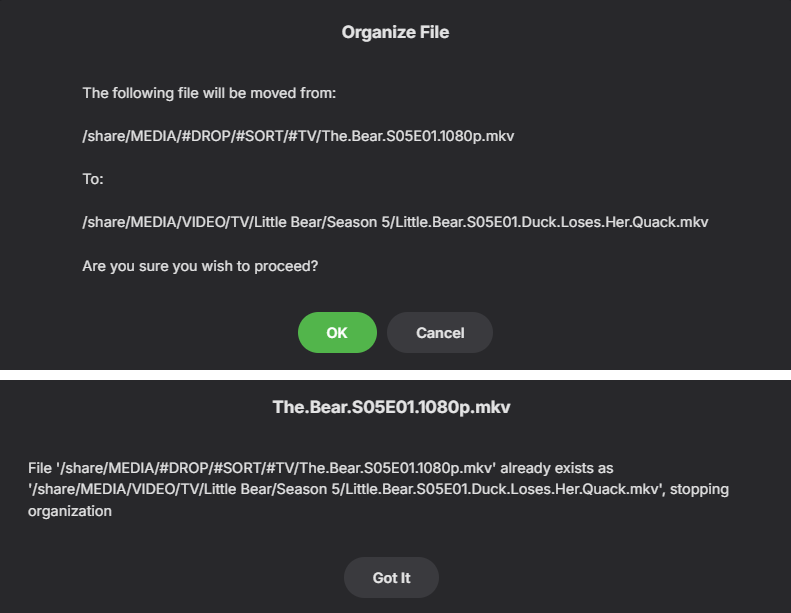
Hi checking in to see if any options have been added to improve this. I am running into the same or very similar issue with Auto organize plugin. The only options are to accept the error and overwrite/cancel or "got it" What is the solution / workaround when this happens?
-

Can I install two versions of emby side by side on Sony Android TV?
kricker replied to ivnivnivnivnivn's topic in Android TV / Fire TV
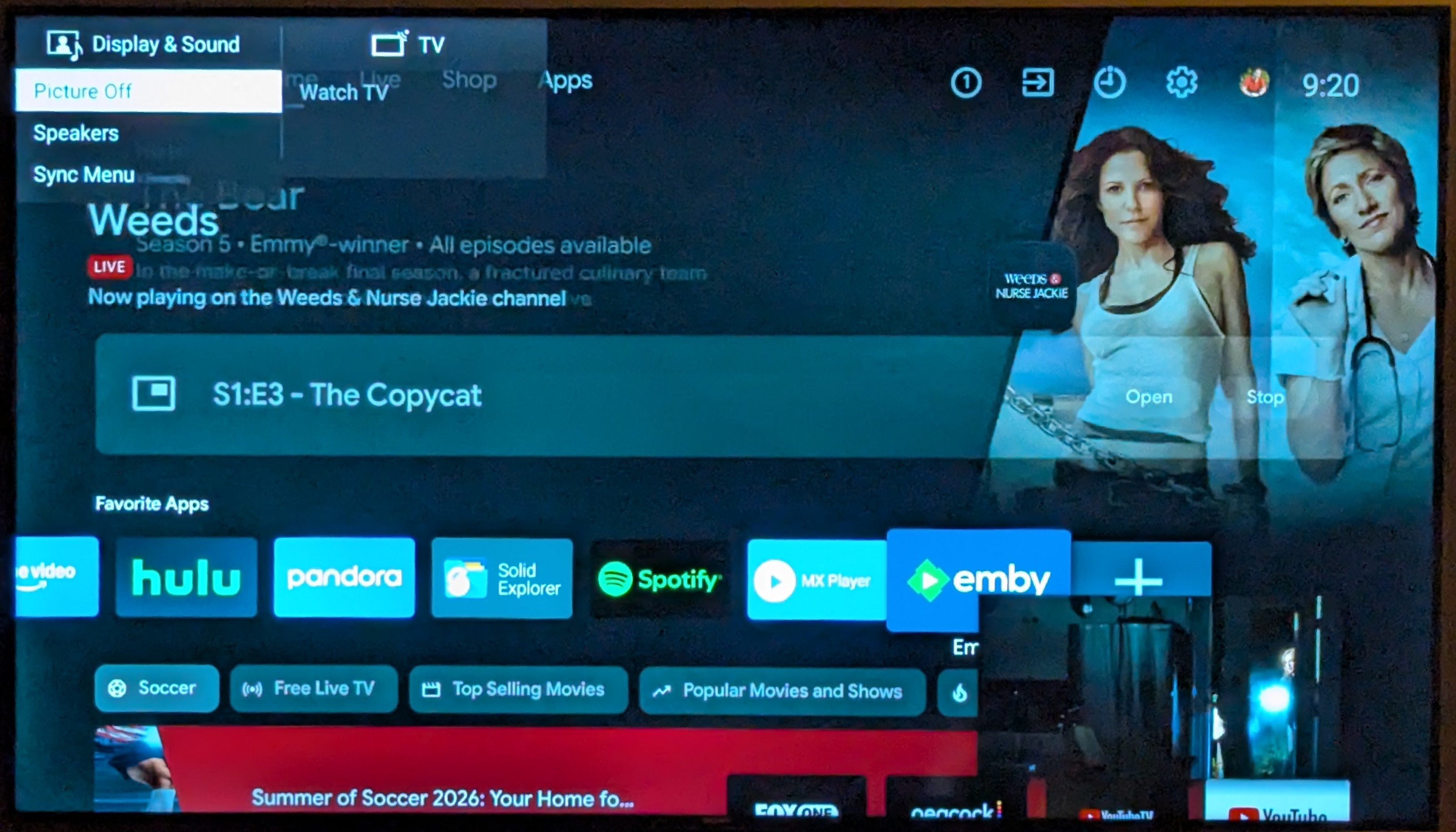
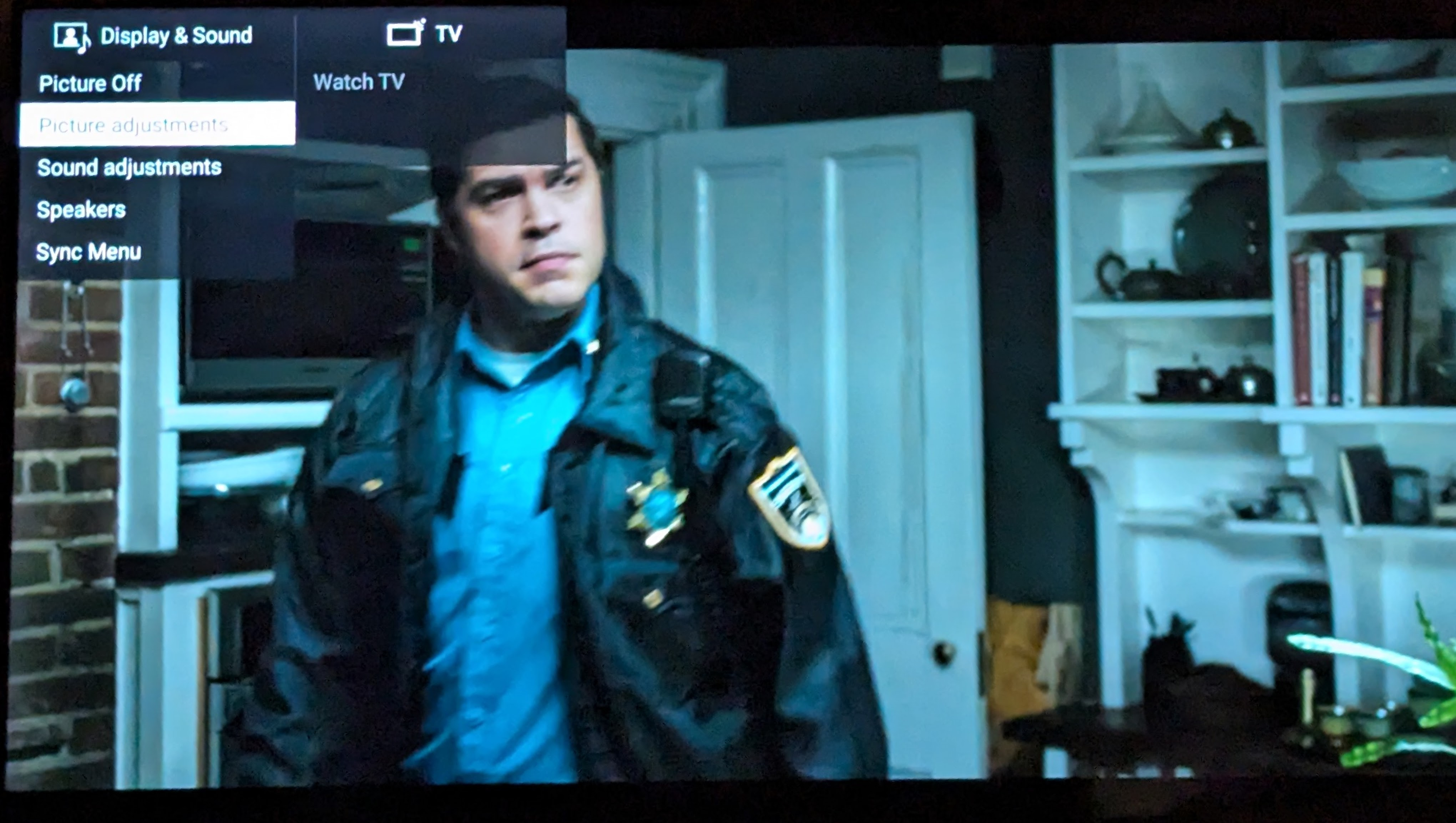
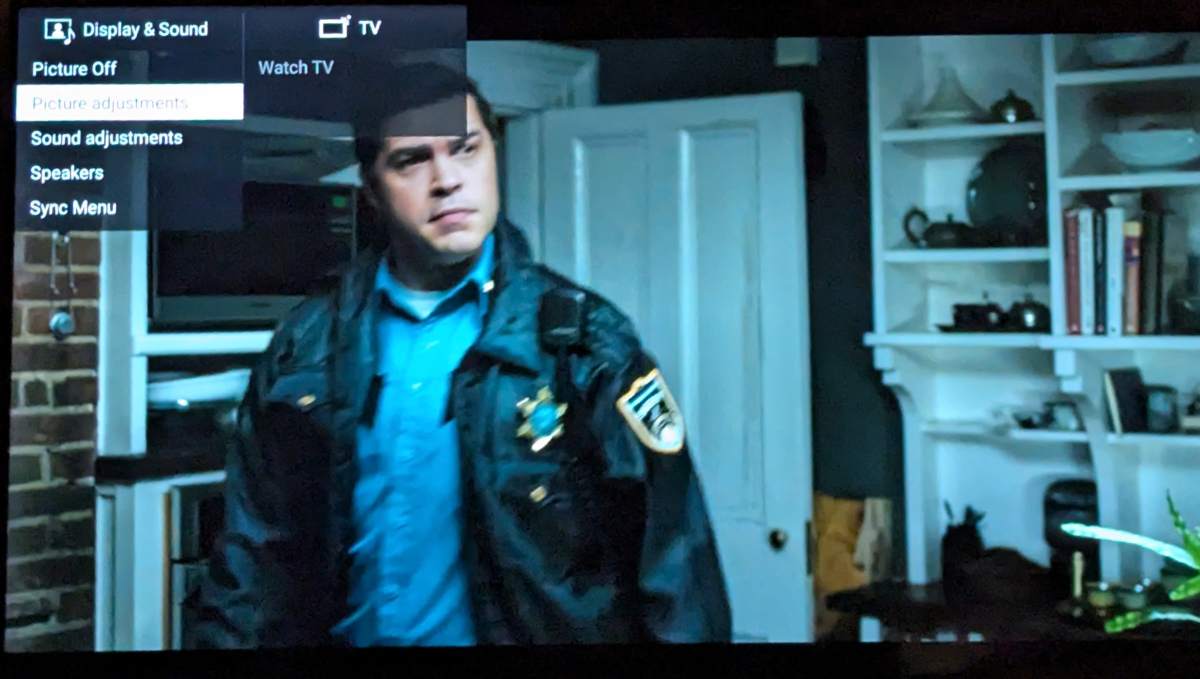
I have both the ATV version and the universal Android one both installed. You may run into the same issue I have on an older Sony TV. I have yet to see a response. I'd be interested in your experience. I can never switch to the Universal Android version if this does not get resolved. I also ran into another issue with the Universal Android version. If you try to access the TV's picture settings while a video is playing, the video shrinks into a small window, and you can't access the TV's picture settings menu; it jumps to a different TV menu. This action works perfectly fine in the AndroidTV version.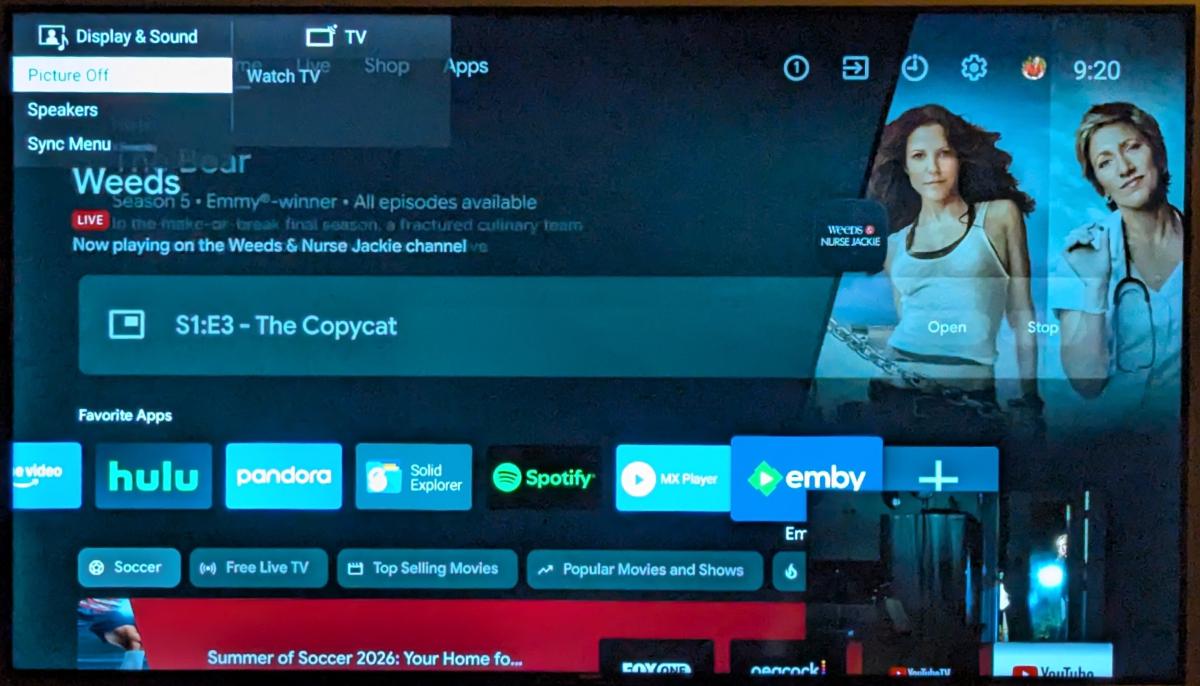
-
Mise à jour GITHUB https://github.com/pmspr4100/Encodage_Emby
-
اقدم طلب اشتراك
-
Running Emby Windows 2.310.2.0 Enabling "Use a layout on the home screen that shows a detailed preview of the selected item" in the Home Screen preferences still shows a backdrop at the top of the home screen from a random item in the selected library. In this version, only the backdrop is shown, the title and description of the movie/tv series/artist selected is missing. Is this intended?
-
Could not wait any longer, fix it myself. Now working natively without diagnostic plug in.
- Yesterday
-
Thanks Luke I'll keep you posted, and a question should someone wish to try Emby Theater Portable - how would they do that ? Jan