All Activity
- Past hour
-
 benegasho joined the community
 -
 DiyCl joined the community
 -
 RobAngie joined the community
 -
 RodrigoDC1985 joined the community
 -
 Aleksander25 joined the community
 -
 Aleksander 23 joined the community
 -
 agonpir joined the community
 -
 Flor2006 joined the community
 -
 AnubhavSadhu joined the community
 -

Add "Remove from Collection" to the three-dot menu on a collection in the "Included In" section
crusher11 replied to crusher11's topic in Feature Requests
Very keen for this to be added. I have a Watchlist at the top of my home screen, but removing items from it once I've watched them is currently a chore. -
yeah it was just easier to drag the whole folder over to the new drive. original: /mnt/My Files/Television/ with TV Series, TV Specials, Last Night's, Series To Catch Up On /mnt/My Files/Movies/ with Movies,/Movies/ With Movies, Movie Series, Movies To Watch
-

EMBi – Emby integration for Home Assistant
Eigeplackter replied to Seger's topic in Tools and Utilities
What I‘m really missing is an option to cast playback to a device of my choice with a neat library view. I realized that with an extra button for the library share, than have to pick the player and the media. It‘s more of a workaround, as the library opens in a small popup which is annoying and looks really bad. -
@hiimcourtyEmby's live tv management and features are underwhelming and have been for a long time. Fortunately, solutions do exist and add a lot of capability. I've used Xteve, IPTVBoss, Threadfin, and currently use Dispatcharr to manage a consolidated m3u and epg across 2 HDHomerun tuners and iptv streams with multiple epg sources including SchedulesDirect. Dispatcharr is hands-down the best and most feature rich. I copy the audio and video directly, but configure the ffmpeg flags for higher reliability/resiliency and Emby manages the specific device stream logic. As it pertains to your use case Dispatcharr has a multiview plugin that is hardware accelerated. One consideration is that a multiview 2x2 requires 4+ streams. If your provider limits you to 1 or 2 streams Dispatcharr can work around this by managing multiple IPTV accounts if needed.
-
Thanks for taking a look, Eigeplackter! You're right, media_player entities already give you a lot of the playback information. For me, EMBi is also about making the extra sensors and player management easy to set up through the UI, without having to build the sensors in YAML. I'm really curious to see what the community comes up with and what you actually need in everyday use. I've got a few ideas of my own, but I'm very open to yours too. So please do share your wishes, ideas and anything you're missing — that's exactly the kind of feedback I'd love to get!
-
I guess March 2027 instead of the initial March 2026.
- Today
-

Theme songs support for tvOS/AppleTV App
visproduction replied to RobbieBott's topic in Feature Requests
Te5, Ok, sorry. I have a habit of not reading everything. Just ignore my entry and carry on I also like having themes and have found a long list of around 2000 titles and composers of music to match content. Often, I like my selection better than the original music. I thought about just posting the list without the files, but I don't think anyone would be interested. -
EmbyCredits does not upload time stamps to TheIntroDB or any other site. What it can do it look up TheIntroDB for end credit time stamps before using resources on detecting them. If you want to contribute time stamps you can detect the end credits with EmbyCredits and then use TheIntroDB plugin to upload them. Many thanks for the kinds words!
-
@kbeck@user24 I'm curious how you both use tags and collections. Would you mind sharing more details as what you both touch on seem very different from how I use them? Here's how I use them: Tags Media visibility I use Live TV and my m3u is managed in Dispatcharr. Events such as NCAA football games are added and removed from the m3u each week. When Emby syncs the m3u playlist it automatically creates tags corresponding to iptv groups. When all events are over and no channels exist the tag is removed which breaks dynamic media home sections. I created iptv group channels in Dispatcharr with no streams to use as placeholders to ensure tags are persisted in Emby. I manually edit the metadata for these group channels and add another tag "Hidden". Then for every user I set Parental controls to exclude the tag "Hidden". Collections Syncing external lists to Emby I create collections from external mdblists that users see on the Home Screen. Examples: Emmy Winners & Nominations Playing on Apple TV+ Playing on Disney+ Playing on HBO Trending Movies Top Kids Movies Seasonal collections that are visible during specific months such as: Christmas, Halloween
-
Wish i could take credit for anything here but i just thought that a double movies folder looked wrong. Happy to hear it helped in some way though.
-
OK just removed and readded the library and all is good now. Still no idea how that got changed since I have Dolphin open and rightclick on a folder and copy location, then paste into the setup for the particular library. It had been working fine just a couple of days before, cuase Gary watch 3 or 4 movies from that library without issue.
-
EMBi – Emby integration for Home Assistant
Eigeplackter replied to Seger's topic in Tools and Utilities
I‘m curious where this is going, so far I get this information by using media_player entities.- 4 replies
-
- 1
-

-
- home assistant
- hacs
- (and 1 more)
-

Plugin: EmbyCredits, detect end credits and add auto skip.
yocker replied to yocker's topic in Plugins
No problem. Tbh. the default settings might be a little too tight as well. Made them like that to make them as precise as possible and limit the number of false positives. It's an on going "battle" to find settings that are juuuuust right. -
Thanks but it's correct. OK odd, very odd. Any idea how that gets changed in Emby without manually being changed? I almost missed what you were saying til I just went into /mnt/ and checked /My Files/ and /My Files II/. That should read /My Files II/Movies/Movies/. Watching something on the TV now so I'll fix anything in Emby that needs to be fixed and then test in a bit. Will let you know what I get. Thanks for the nice catch.
-

Plugin: EmbyCredits, detect end credits and add auto skip.
fbourg replied to yocker's topic in Plugins
Thanks for the explanation, that makes total sense! Yes, removing or clarifying that 'skipped' display would definitely prevent confusion. I'll let the scan finish and then test manual OCR detection on the failed shows. -
Okay thanks for letting me know! I'll try that as soon as it's available.
-
I've been waiting to jump into intro/end credits workflows for a while now. If I understood things correctly, the best approach is to start using TheIntroDB plugin to get the timestamps from the community and whatever is not detected, run yocker's awesome solution, generate timestamps and that will contribute back to the TheIntroDB community via EmbyCredits?
-
Just a guess but Movies/Movies/ looks like a wrong mount.
-
Reminded me to add that this happens in both Emby apps on the Fire TV.
-
Reserved
-
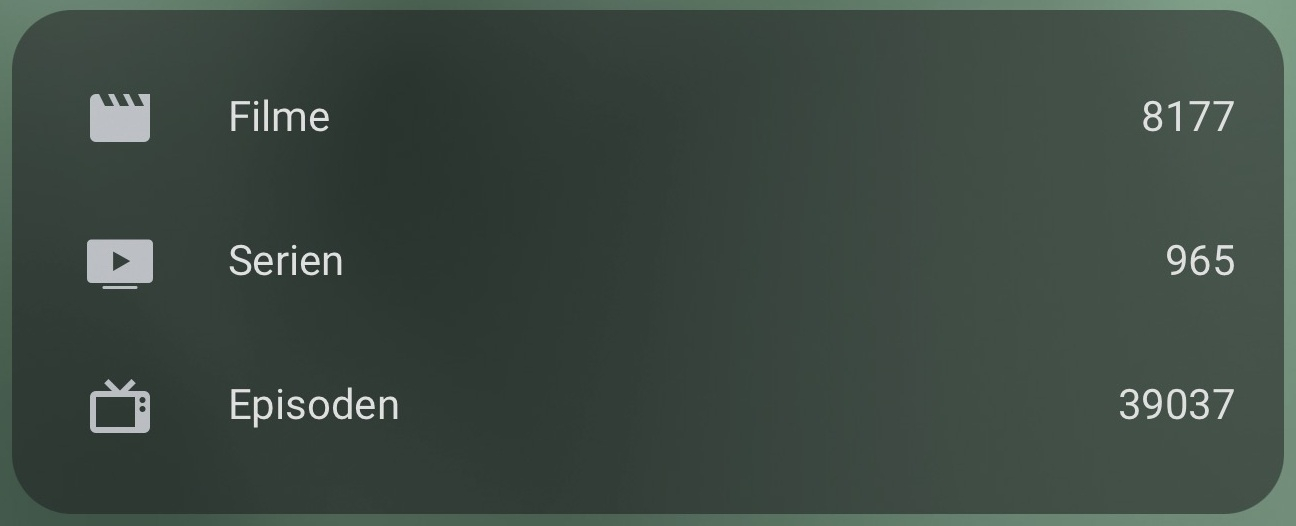
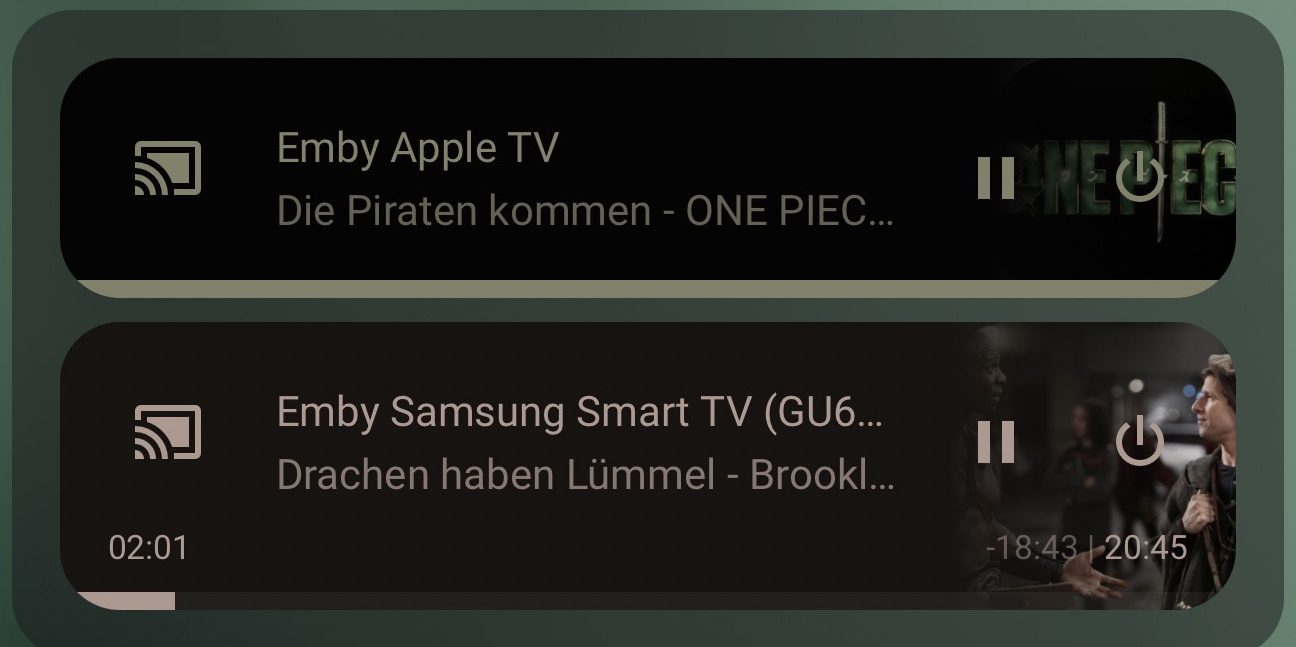
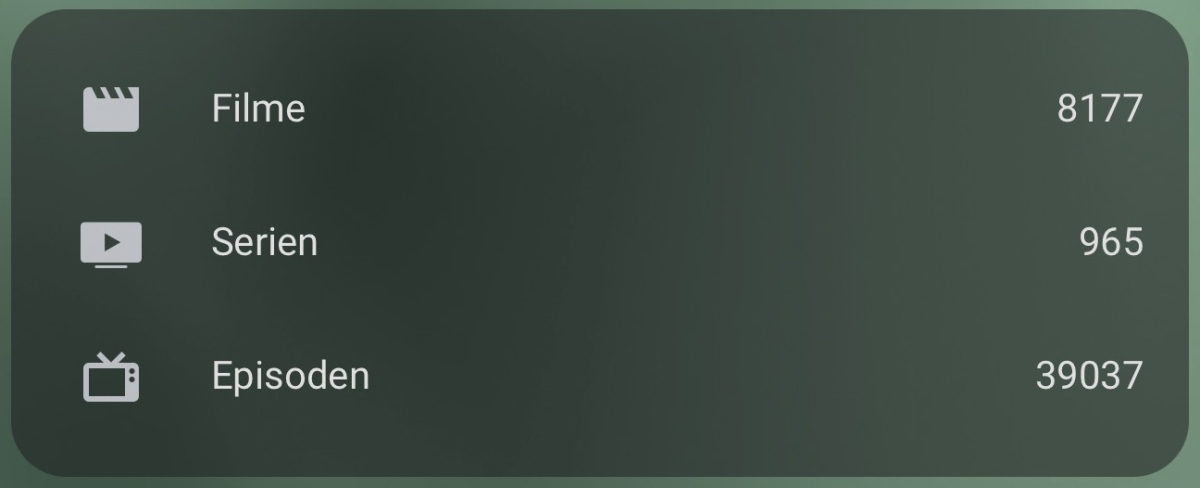
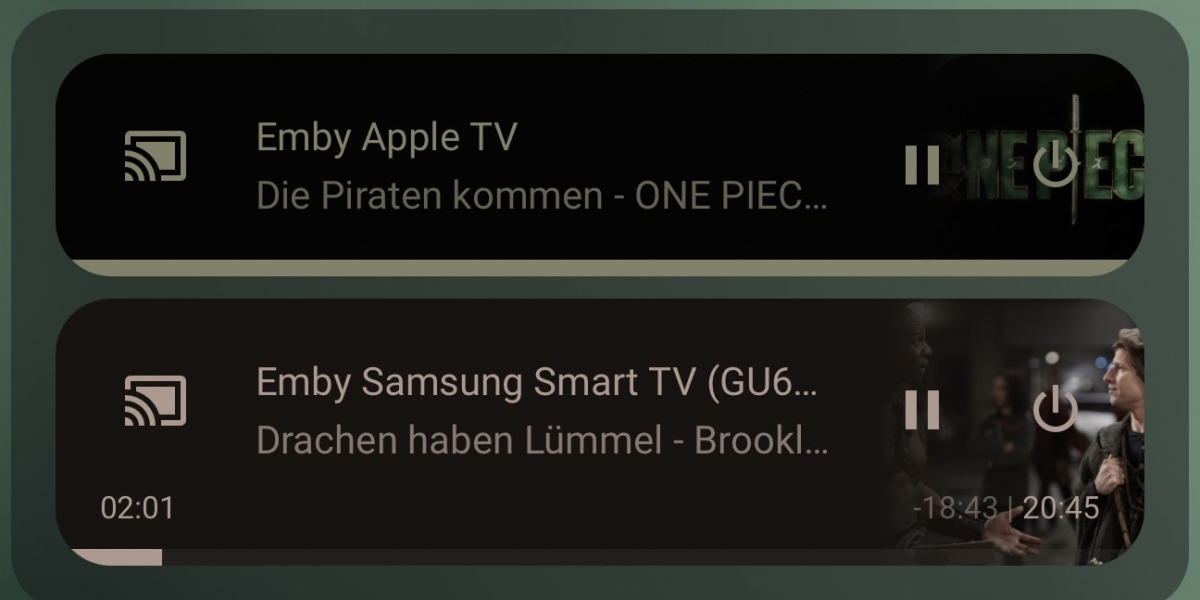
EMBi – Emby integration for Home Assistant Hi everyone, I'd like to share EMBi, a community integration that brings Emby players and library information into Home Assistant. I use it myself and wanted an easy way to see what is playing, control supported players and keep the integration tidy. What can it do? Show Emby players with titles, artwork and playback progress; play, pause, stop and seek where the client supports remote control. Keep known players visible or show them only while playing or paused. Provide seven selectable sensors: movies, TV series, episodes, albums, tracks, active players and users watching. Configure the connection and sensors through the Home Assistant UI. No YAML is required to create the sensors. The optional dashboard examples below use card YAML. Offer English and German setup, options and sensor translations. Optionally clean up old entries from the Emby device history, manually or automatically. Automatic cleanup is off on a new installation. Active players are not the same as users watching. One person can use more than one player. The active-player sensor counts different device/app combinations that are playing or paused. Users watching counts each user once and excludes paused sessions. Active players also includes clients you have hidden from Home Assistant's player list. Installation: Add the repository to HACS as a custom Integration repository, install EMBi and restart Home Assistant. Then open Settings → Devices & services → Add integration → EMBi and enter your Emby connection details and API key. Requires Home Assistant 2026.7.2 or newer. When upgrading, enable the new Active players sensor in EMBi's options if desired; existing selections are preserved. Please read before using cleanup: Removing old Emby device-history records is at your own risk. Only selected device/client entries are removed — never your libraries, movies, series, music or user accounts. A removed client may need to sign in again. The optional HA cleanup also removes the corresponding EMBi player entries. Active or uncertain sessions are protected, but Emby's separate check/delete requests leave a small unavoidable timing window. Keep suitable backups. EMBi uses the emby domain and replaces HA's built-in Emby integration, so the custom-integration warning in Home Assistant is expected. Repository and installation guide: https://github.com/Seger85/home-assistant-embi Dashboard examples The first and third examples use community cards: Mushroom, auto-entities and mini-media-player. Install them separately through HACS. EMBi itself does not require them. The library card is a built-in Home Assistant card. Enable the required sensors and replace example IDs with your own where necessary. The player list follows the server of sensor.emby_active_players; replace that ID in both relevant cards if yours differs. Hidden player entities are absent from the card even when the server-wide sensor counts them. These original screenshots show my German dashboard with a custom theme; the examples use English labels. Colours and rounded corners depend on your theme. Step-by-step dashboard guide Active players double_tap_action: action: none entity: sensor.emby_active_players hold_action: action: none icon: mdi:cast-connected multiline_secondary: true primary: |- {% set count = states('sensor.emby_active_players') %} {% if count in ['unknown', 'unavailable'] %}Active Emby players currently unavailable {% elif count | int == 1 %}1 Emby player is active {% else %}{{ count | int }} Emby players are active{% endif %} secondary: What is playing? Playing and paused devices at a glance. tap_action: action: more-info type: custom:mushroom-template-card Library counts entities: - entity: sensor.emby_movie_count icon: mdi:movie name: Movies - entity: sensor.emby_tv_series_count icon: mdi:television-classic name: TV series - entity: sensor.emby_tv_episode_count icon: mdi:television-play name: Episodes title: My Emby library type: entities Player cards card: show_header_toggle: false state_color: true type: entities filter: template: | {% set entry = config_entry_id('sensor.emby_active_players') %} {% set ns = namespace(rows=[]) %} {% for player in expand(integration_entities('emby')) | selectattr('domain', 'eq', 'media_player') | list %} {% if entry and config_entry_id(player.entity_id) == entry and player.state in ['playing', 'paused'] %} {% set duration = player.attributes.get('media_duration') %} {% set position = player.attributes.get('media_position') %} {% set updated = as_timestamp(player.attributes.get('media_position_updated_at'), none) %} {% set elapsed = ([as_timestamp(now()) - updated, 0] | max) if player.state == 'playing' and updated is not none else 0 %} {% set invalid_runtime = duration is not number or position is not number or position < 0 or position + elapsed > duration %} {% set ns.rows = ns.rows + [{ 'entity': player.entity_id, 'type': 'custom:mini-media-player', 'artwork': 'material', 'hide': {'controls': false, 'volume': true, 'next': true, 'prev': true, 'runtime': invalid_runtime, 'info': false}, 'tap_action': {'action': 'more-info'} }] %} {% endif %} {% endfor %} {{ ns.rows }} show_empty: false sort: method: friendly_name type: custom:auto-entities I'd be happy to hear how it works with your Emby clients. For a problem report, please include your EMBi, Home Assistant and Emby versions and the client app. Check logs and screenshots for personal information before sharing them. GitHub Issues is the best place for reproducible bugs. EMBi is a community project, not an official Emby or Home Assistant product. Thanks to the Home Assistant, Emby and frontend-card communities for their work! EMBi – Emby-Integration für Home Assistant Hallo zusammen, ich möchte euch EMBi vorstellen: eine Community-Integration, mit der ihr Emby-Player und Informationen zur Mediathek direkt in Home Assistant nutzen könnt. Ich nutze sie selbst und wollte einfach sehen, was gerade läuft, unterstützte Player steuern und die Integration übersichtlich halten. Was kann EMBi? Emby-Player mit Titel, Cover und Fortschritt anzeigen und steuern: Wiedergabe, Pause, Stopp und Spulen, soweit die jeweilige App Fernsteuerung unterstützt. Bekannte Player behalten oder nur während Wiedergabe und Pause anzeigen. Sieben einzeln wählbare Sensoren bereitstellen: Filme, Serien, Episoden, Alben, Musiktitel, aktive Player und schauende Benutzer. Verbindung und Sensoren über die Home-Assistant-Oberfläche einrichten. Für die Sensoren braucht ihr keinen YAML-Code. Nur die optionalen Dashboard-Beispiele unten verwenden Karten-YAML. Einrichtung, Optionen und Sensornamen auf Deutsch und Englisch anzeigen. Auf Wunsch alte Einträge aus der Emby-Gerätehistorie manuell oder automatisch aufräumen. Bei einer neuen Einrichtung ist die Automatik ausgeschaltet. Aktive Player sind nicht dasselbe wie schauende Benutzer. Eine Person kann mehrere Player nutzen. Der Player-Sensor zählt unterschiedliche Geräte-/App-Kombinationen mit Wiedergabe oder Pause. Der Benutzersensor zählt jeden Benutzer mit laufender Wiedergabe einmal; Pause zählt dort nicht mit. Auch in HA ausgeblendete Clients können im serverweiten Player-Sensor mitgezählt werden. Installation: Das Repository in HACS als benutzerdefiniertes Repository der Kategorie Integration hinzufügen, EMBi installieren und Home Assistant neu starten. Danach unter Einstellungen → Geräte & Dienste → Integration hinzufügen → EMBi die Emby-Verbindung und den API-Schlüssel eintragen. Voraussetzung ist Home Assistant 2026.7.2 oder neuer. Beim Update bleibt eure Sensorauswahl erhalten; den neuen Sensor Aktive Player könnt ihr in den EMBi-Optionen einschalten. Bitte vor dem Aufräumen lesen: Das Entfernen alter Einträge aus der Emby-Gerätehistorie geschieht auf eigene Gefahr. Gelöscht werden nur ausgewählte Geräte-/Client-Einträge — keine Bibliotheken, Filme, Serien, Musikdateien oder Benutzerkonten. Ein betroffener Client muss sich eventuell erneut anmelden. Optional entfernt EMBi auch die passenden eigenen HA-Player-Einträge. Aktive und nicht eindeutig beurteilbare Sitzungen werden geschützt. Zwischen letzter Prüfung und Löschung bleibt wegen der getrennten Emby-API-Aufrufe ein kleines technisches Zeitfenster. Denkt daher an passende Backups. EMBi verwendet die Domain emby und ersetzt die eingebaute Emby-Integration. Der entsprechende Hinweis auf eine benutzerdefinierte Integration in Home Assistant ist deshalb normal. Repository und deutsche Anleitung: https://github.com/Seger85/home-assistant-embi/blob/main/README.de.md Beispiele für euer Dashboard Für die erste und dritte Karte braucht ihr diese Community-Erweiterungen: Mushroom, auto-entities und mini-media-player. Ihr könnt sie separat über HACS installieren. EMBi selbst benötigt sie nicht. Die Mediathekskarte ist eine normale Home-Assistant-Karte. Schaltet die benötigten Sensoren ein und passt bei Bedarf die Beispiel-IDs an. Die Playerliste gehört zum Server von sensor.emby_active_players; ersetzt diese ID gegebenenfalls in beiden betreffenden Karten. Ausgeblendete Player erscheinen nicht in der Kartenliste, können aber im serverweiten Sensor mitzählen. Die Originalbilder zeigen mein Dashboard mit eigenem Theme. Farben und Rundungen können bei euch anders aussehen. Schritt-für-Schritt-Anleitung für die Karten Aktive Player double_tap_action: action: none entity: sensor.emby_active_players hold_action: action: none icon: mdi:cast-connected multiline_secondary: true primary: |- {% set count = states('sensor.emby_active_players') %} {% if count in ['unknown', 'unavailable'] %}Aktive Emby-Player derzeit nicht verfügbar {% elif count | int == 1 %}1 Emby-Player ist aktiv {% else %}{{ count | int }} Emby-Player sind aktiv{% endif %} secondary: Was läuft gerade? Wiedergabe und Pause im Überblick. tap_action: action: more-info type: custom:mushroom-template-card Mediathek entities: - entity: sensor.emby_movie_count icon: mdi:movie name: Filme - entity: sensor.emby_tv_series_count icon: mdi:television-classic name: Serien - entity: sensor.emby_tv_episode_count icon: mdi:television-play name: Episoden title: Meine Emby-Mediathek type: entities Wiedergabekarten card: show_header_toggle: false state_color: true type: entities filter: template: | {% set entry = config_entry_id('sensor.emby_active_players') %} {% set ns = namespace(rows=[]) %} {% for player in expand(integration_entities('emby')) | selectattr('domain', 'eq', 'media_player') | list %} {% if entry and config_entry_id(player.entity_id) == entry and player.state in ['playing', 'paused'] %} {% set duration = player.attributes.get('media_duration') %} {% set position = player.attributes.get('media_position') %} {% set updated = as_timestamp(player.attributes.get('media_position_updated_at'), none) %} {% set elapsed = ([as_timestamp(now()) - updated, 0] | max) if player.state == 'playing' and updated is not none else 0 %} {% set invalid_runtime = duration is not number or position is not number or position < 0 or position + elapsed > duration %} {% set ns.rows = ns.rows + [{ 'entity': player.entity_id, 'type': 'custom:mini-media-player', 'artwork': 'material', 'hide': {'controls': false, 'volume': true, 'next': true, 'prev': true, 'runtime': invalid_runtime, 'info': false}, 'tap_action': {'action': 'more-info'} }] %} {% endif %} {% endfor %} {{ ns.rows }} show_empty: false sort: method: friendly_name type: custom:auto-entities Ich freue mich über eure Erfahrungen mit unterschiedlichen Emby-Clients. Wenn etwas nicht klappt, nennt bitte EMBi-, Home-Assistant- und Emby-Version sowie die verwendete Client-App. Prüft Logs und Screenshots vor dem Teilen auf persönliche Angaben. Nachvollziehbare Fehler meldet ihr am besten über GitHub Issues. EMBi ist ein Community-Projekt und kein offizielles Produkt von Emby oder Home Assistant. Danke an die Home-Assistant-, Emby- und Karten-Community für ihre Arbeit!

- 4 replies
-
- 1
-

-
- home assistant
- hacs
- (and 1 more)
-
Bonjour Le site ne fonctionne plus impossible d'effectuer une recherche .
-
I think versions and how it is working is not great. I have two source for my media. They are identical files. Primary is my preferred location as it has unlimited bandwidth. Secondary is more restricted, hence it is okay good as a backup in an event where the primary is down. Let's say for episode one I have I have 'series name - S01E01 - #1 Primary' and ''series name - S01E01 - #2 Secondary' it is randomly showing #1 for one episode and another episode it is showing #2 randomly, no pattern at all. If you don't allow us to select a default in setting, at least allow us to forcefully identity the default as needed or display the source in alphabetical order.
-
Please delete my account