All Activity
- Past hour
-
 Jess75 joined the community
 -
 Thesunpriest joined the community
 -
 Angeltb joined the community
 -
 shabdow joined the community
 -
 viajes_jovi joined the community
 -
 Yaslin joined the community
 -
 cactuscactus joined the community
 -
 Hiita joined the community
 -
post code please - you can send by Private Message if you prefer
-
 Faderen69 joined the community
 -

Subtitles (most types) take ages to load, and mostly fail until like the 3rd try or so — Linux Beta Client
esmailelbob replied to esmailelbob's topic in Linux & Raspberry Pi
Hi, thanks for taking time to reply and yea sure Attached the ffmpeg transcode log and server log covering this. Let me know if you need anything else. ffmpeg-transcode-db45ce41_clean.txt embyserver_clean.txt -
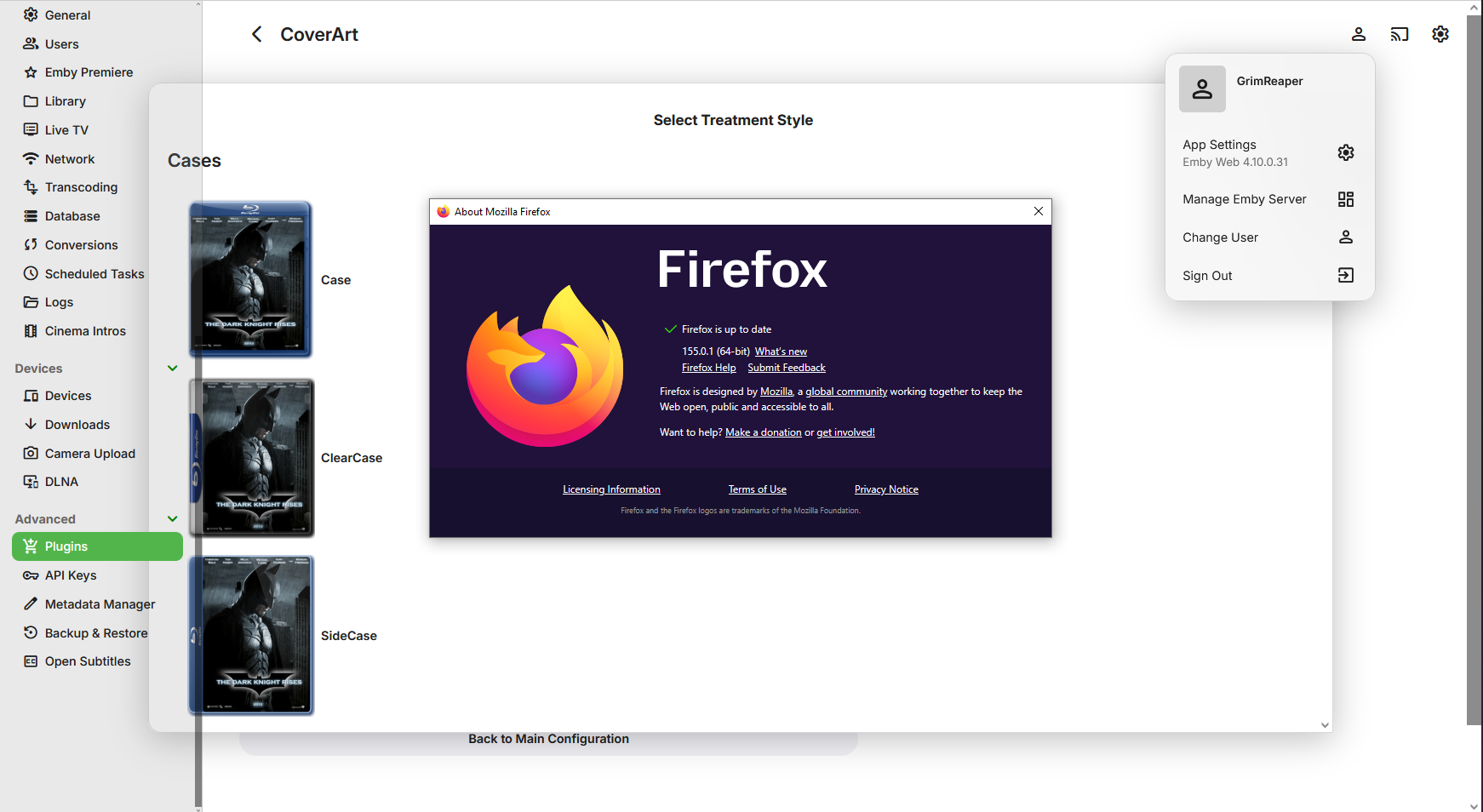
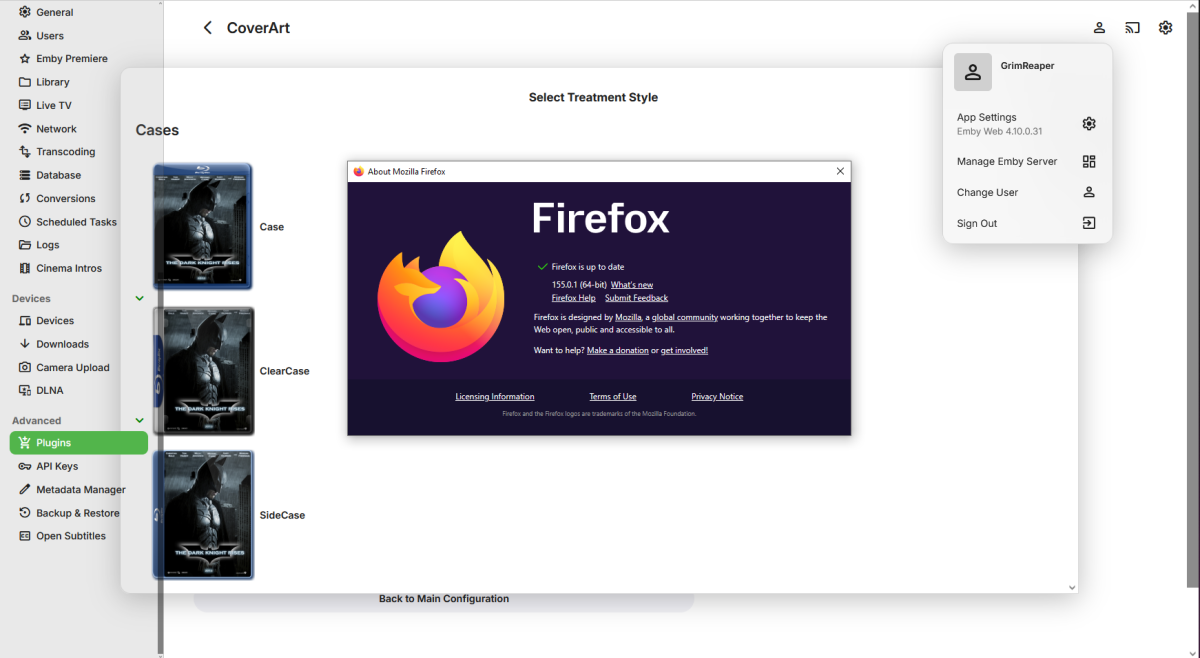
Have no issues with beta .31 and any browser, including latest FF (though plugin config window does eat into the sidebar @Luke).
- Today
-
Sorry for the delay in responding we had a hurricane near Now to answer the questions @ebr server is run om a windows PC accessed with an Nvidia shield and an old Android phone @Luke It was taking longer then I remembered to find the server on the network and when I closed and opened it would repeat. But I forgot to tell the Android client to always login as this user I did that and the problem went away
-
I'll do so next time it triggers, it's not 100% of the time but is relatively regular.
-
I just changed the guide data from to and it works on now. Going Home with Vick, Katie and Jamie on Radio 1 2026-02-17 - Can You Complete the Hardest Quiz on the Radio Unfortunately all the other channels are wrong. Ill delete and re install the tuner and see what happens.


-
@Luke I don't agree with you because there is indeed an option to download episodes that already exist—unless I'm mistaken, right? I selected "All Episodes," and the box labeled "Don't download episodes already in my library" is unchecked.
-
It seems the guide data is incorrect for all radio shows
-
@sa2000can report it to our guide data provider.
-

embyforkodi (next-gen) 12.X.X support
Eisi2005 replied to quickmic's topic in Emby For Kodi Next Gen
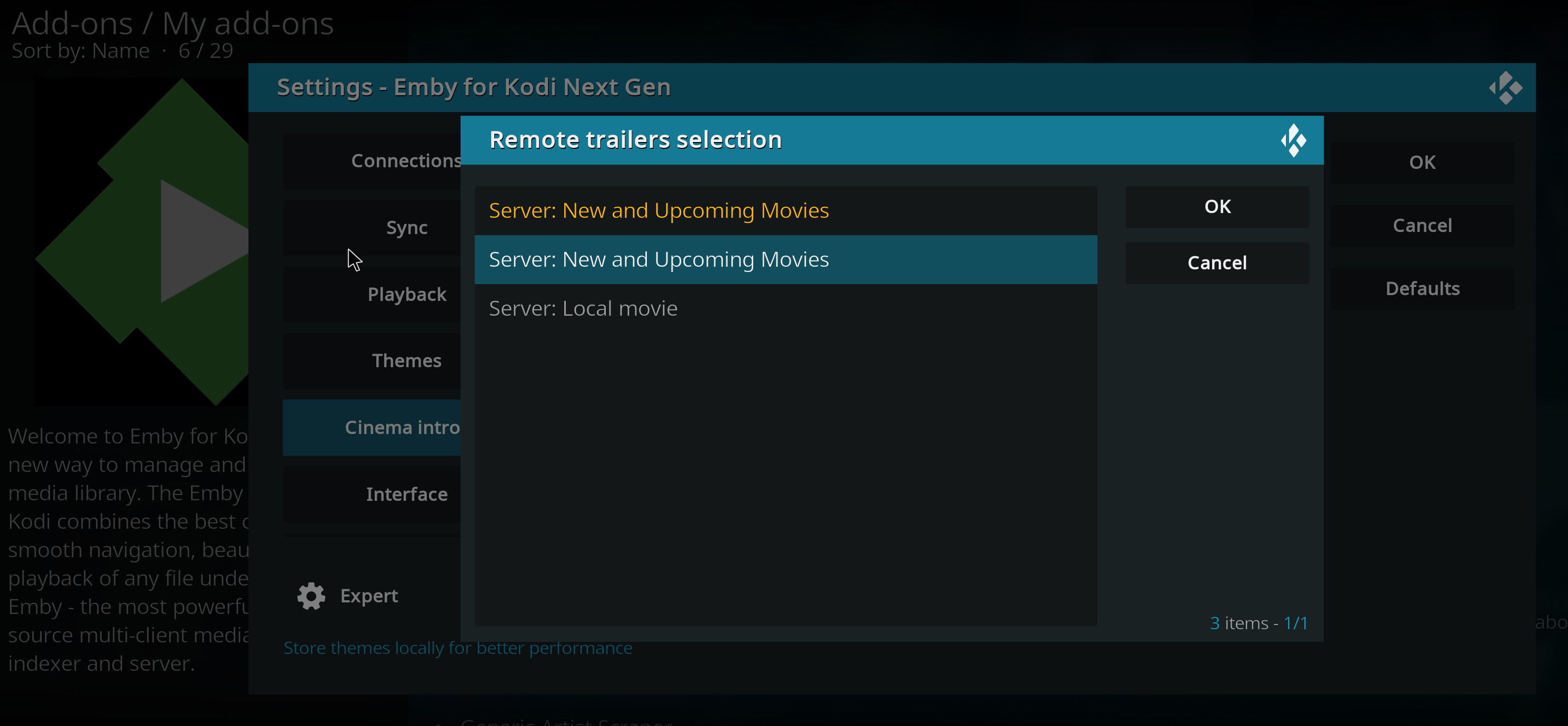
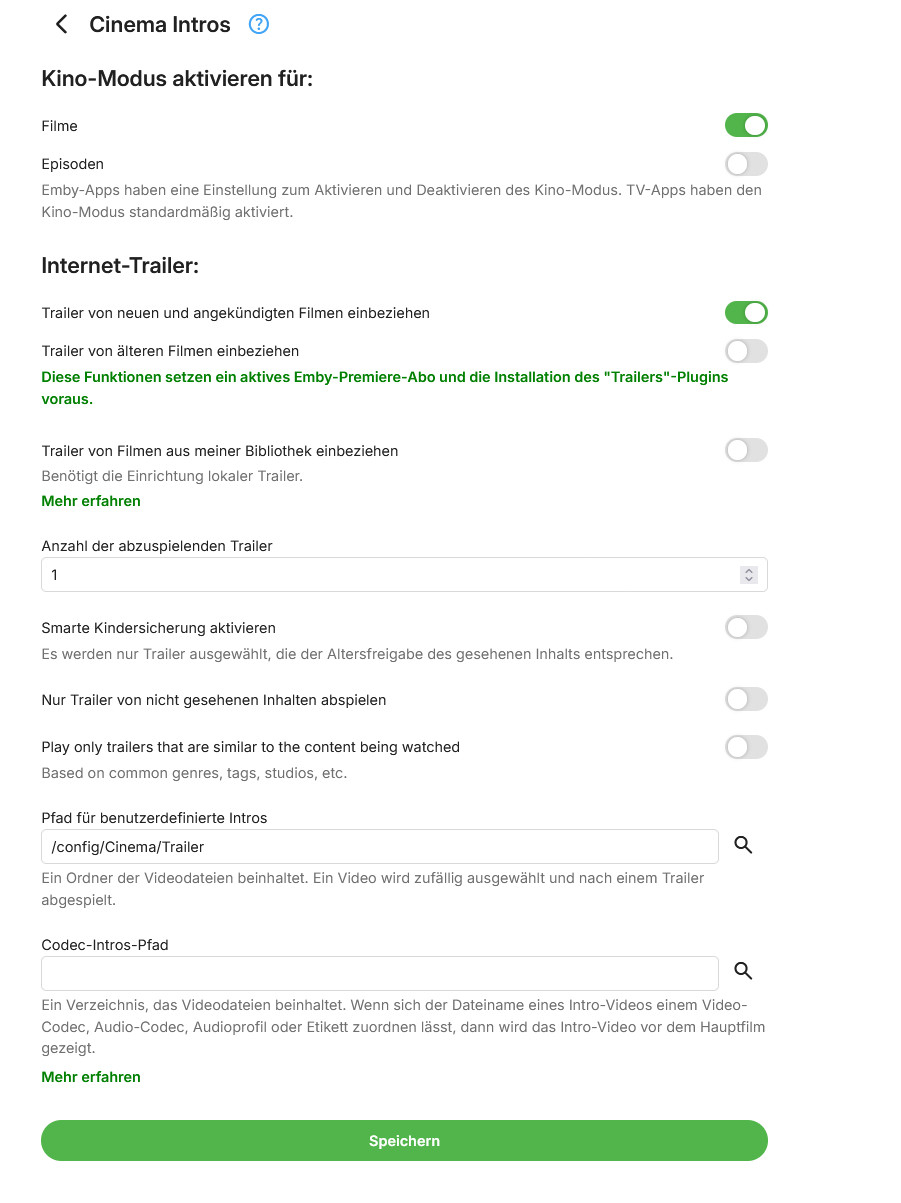
OK, I've now managed to get Kodi to look like the screenshot. Cinema Intros and the Trailer plugin are configured as shown in the other two screenshots. A trailer now plays before the movie, but it's not the one I want. I don’t want a trailer from YouTube; I just want one of the trailers from the folder configured in the lower third of the Cinema Intros plugin to play. Is there any way to do that? Translated with DeepL.com (free version)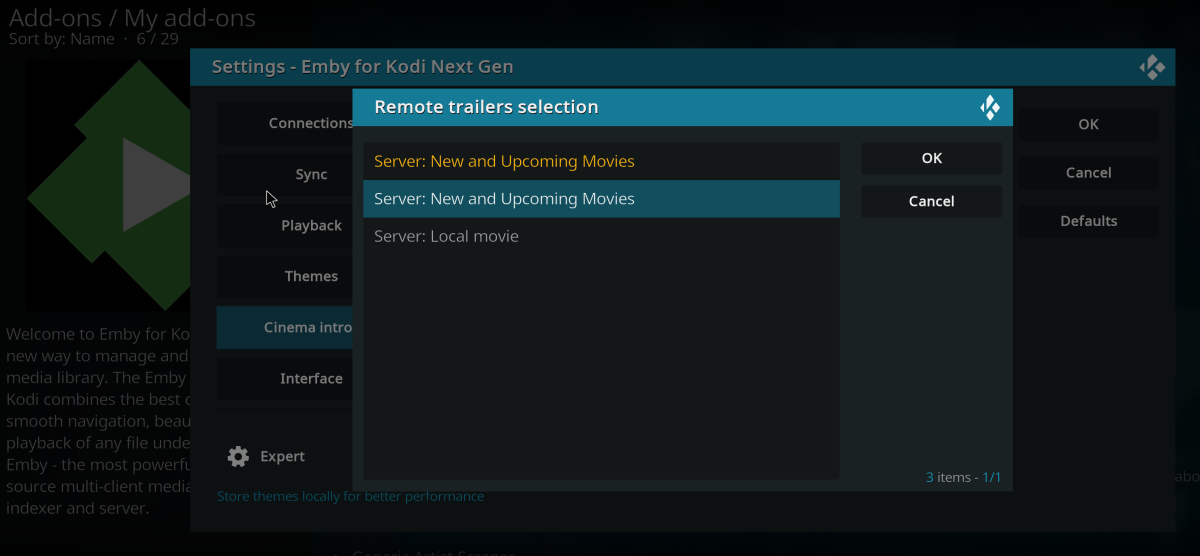
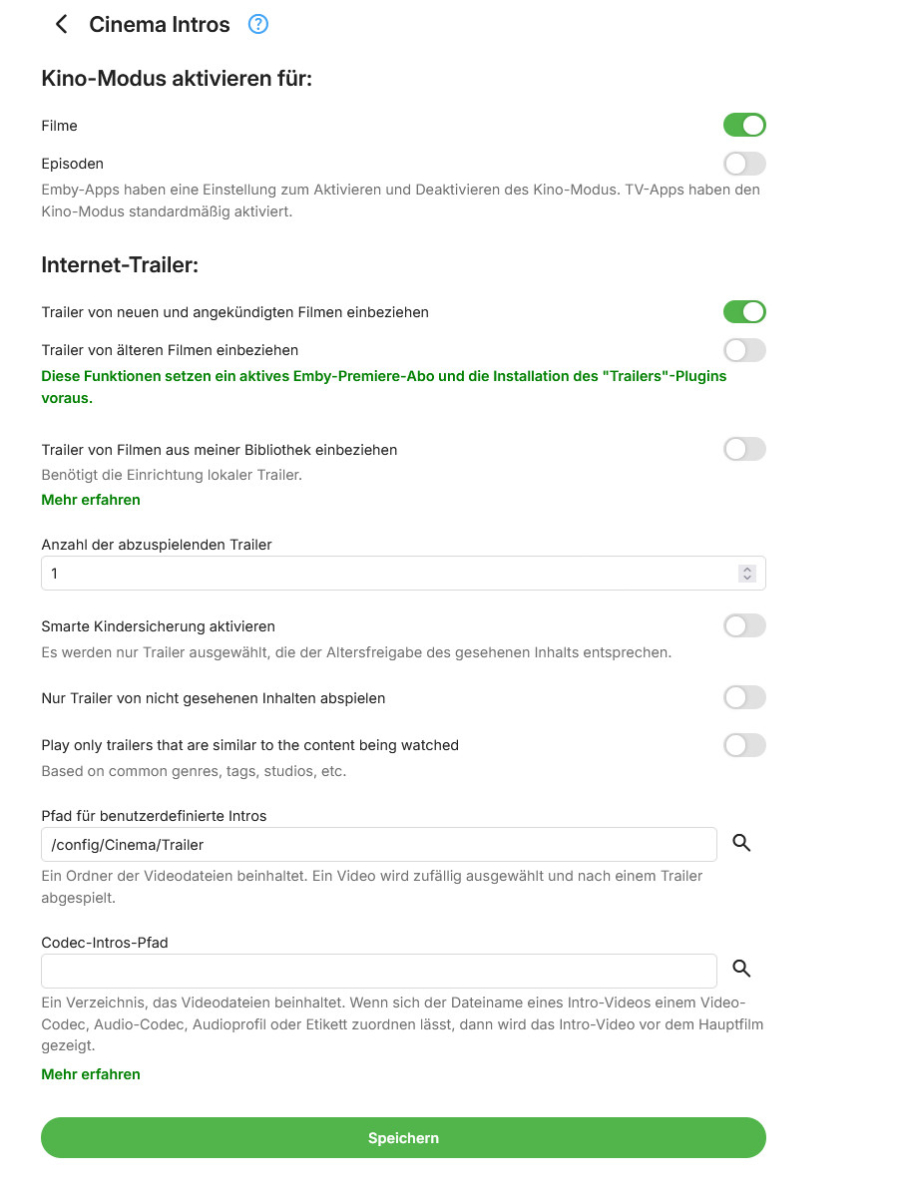
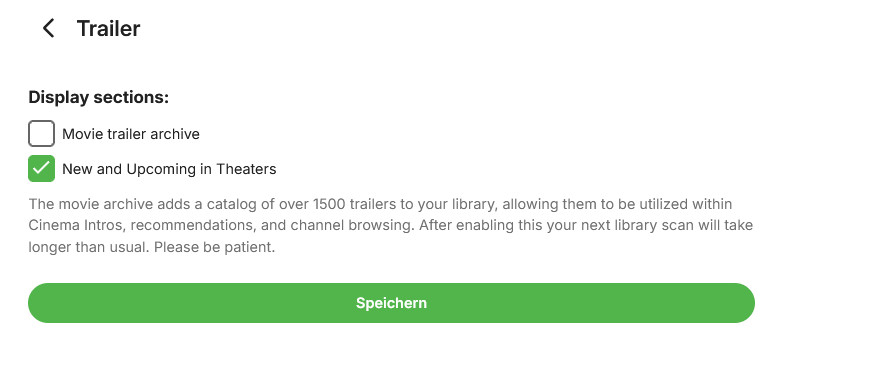
-
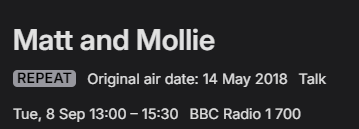
Ok there is obviously some communication issue here. The screen shot shows a series which is being recorded. Why it says repeat I have no idea. This shows the air date as 14 may 2018. It isnt.Teh air date is 8 Sep 13:00-15:30 BBC radio 1, channel 700. Emby = Matt and Mollie 2018-05-14 - 1 WMC = Matt and Mollie_BBC Radio 1_2026_09_08_12_58_00 Windows media centre records the same show as Matt and Mollie_BBC Radio 1_2026_09_08_12_58_00 Why is it showing repeat in emby? Why does it not save the name and episode date correctly? If WMC gets the correct data is there something wrong with how emby is getting the listing data? or is there something wrong with the show data? I have just tested this with another radio show. Same thing happens JK and Kelly Brook 2019-01-07 Margherita Taylor 2014-06-02 <?xml version="1.0" encoding="utf-8" standalone="yes"?> <tvshow> <uniqueid type="gracenote">16432217</uniqueid> <uniqueid type="zap2it">SH03137681</uniqueid> <title>JK and Kelly Brook</title> </tvshow> <?xml version="1.0" encoding="utf-8" standalone="yes"?> <tvshow> <uniqueid type="gracenote">10819666</uniqueid> <uniqueid type="zap2it">SH01932743</uniqueid> <title>Margherita Taylor</title> </tvshow>
-
@cncbyou can disable direct streaming of live tv in the standard android app and then they will both behave the same.
-
@mrmech
-
@Akirainbla Hi there, let's look at an example. Please attach the information requested in how to report a media playback issue. Thanks!
-

Sony Bravia TV with EMBY for Andoid TV fails to play
Luke replied to Orionas21's topic in Android TV / Fire TV
Hi, what makes you think it's any different in this regard? -
Sony Bravia TV with EMBY for Andoid TV fails to play
Luke replied to Orionas21's topic in Android TV / Fire TV
HI, what makes you think it's simpler? -

Sony Bravia TV with EMBY for Andoid TV fails to play
Orionas21 replied to Orionas21's topic in Android TV / Fire TV
Hi Luke, The EMBY for Android was working ok without any issue. In the uploaded files you may notice that it is ok 3.5.55 release. Yet the Android TV version has simpler interface in regards of settings and more robust user management especially for kids profiles. The internal storage is unfortunately limited on this TV so I can not maintain both apps. -
I regularly appear to have corrupted episodes if I try to watch the Android app on my GoogleTV with chromecast output on a Sony Bravia TV. If I watch exactly the same episode using the AndroidTV app this doesn't happen. I'll keep trying both but will err on the side of the AndroidTV app. I have no idea why this is the case as the Android app plays it absolutely fine on my Android phone, it just appears to be this combination of Android device, app version and output device. I can tell it's not transcoding it and after a few attempts it sometimes starts working without the corruption.
-
HI, it's because in your screenshot they all have the same season and episode number, so it's not going to record the same episode multiple times.
-
Sony Bravia TV with EMBY for Andoid TV fails to play
Luke replied to Orionas21's topic in Android TV / Fire TV
Hi. Can you try searching for our standard android app (Just "Emby" on Amazon and "Emby for Android on Google) on the same device's app store and see how that compares? Thanks. -
HI, yes it will use all of the photo libraries that you have on the server.
-

Atrium — a native tvOS app for your Emby server
vdatanet replied to vdatanet's topic in Third Party Apps
Atrium 1.9 is on the App Store, and it's the guide. When Live TV landed I said the guide was the next thing I was building. Here it is: what's on now and next, in a grid of hours. You enter by the channel and walk it with the remote: up and down always change channel, right steps into the grid, and going down keeps you at the same hour. Channels with no schedule are there too, in a slimmer row — on a broadcast list of 340 channels only 97 send one. Recordings come with it, inside Live TV: the lot in posters, the latest in a list. It's what your recording folders hold: watching only, no scheduling. If your tuner tags its channels you can filter by group. Sorting and favourites are in the guide too, and remembered. Also reported here: the two channel sort options both sorted by name. There are three now: default order, channel number and name, and the number sorts as a number. Sound: on a film with several audio tracks, the one you pick is the one you hear. And the audio and subtitles sheet scrolls, so a long list of tracks isn't cut off. Home follows the section order from your server, and the Live TV tile follows your Library order. Also asked for here: the featured row can draw at random, a new five every time you open the app, and it holds still while you're in there. In Settings ▸ Home, off until you turn it on. Genre tiles are bigger, with the name underneath, and so is the letter in the alphabet bar. The remote no longer stops on a title's plot text or skips past an actor's portrait. As always: what's missing or wrong, say it here. -
Subtitles (most types) take ages to load, and mostly fail until like the 3rd try or so — Linux Beta Client
Luke replied to esmailelbob's topic in Linux & Raspberry Pi
Hi there, let's look at an example. Please attach the information requested in how to report a media playback issue. Thanks! -
Hello, I have this weird issue where subtitles (most of types) take ages to load and mostly after it fail till like my 3rd or so try. I'm sure it's a player issue since when I used -nompv it used to load all subs instant, and in the web browser it's the same, instant. I'm using transcoding, yes, and my server is on Docker on Debian stable Linux, and my host is Arch Linux. Installed the Emby client via the new beta client repo. Only time it worked fine was when I was NOT transcoding, and the other times it worked were with -nompv or in the web browser. This is my first time reporting a bug here so if I forgot anything please let me know, happy to cooperate and grab whatever logs/info you need. Environment Client: Emby Client Beta 2.321.0 (FullName: Emby Client, X64, Arch Linux) Host OS: Arch Linux (desktop) Server: Emby Server in Docker, on Debian stable Player backend: MPV (the built-in Linux MPV video player plugin) Playback mode: transcoding (HLS, master.m3u8) Subtitle type: external SRT delivered via the subtitle extraction endpoint (embedded track, subtitle stream index 9/10) Steps to reproduce Play a video that needs transcoding (mine hits ContainerBitrateExceedsLimit) Switch to a subtitle track (embedded, srt) Player freezes for several seconds, subtitles either load very late or fail outright with an MPV sub-add error Retry switching the subtitle track a couple times — usually works by attempt 2 or 3 What does NOT reproduce it Same file/subtitle without transcoding — subs load instantly Same server, same file, using -nompv — subs load instantly Same server, same file, in the web browser client — subs load instantly So it really does look isolated to the MPV player path specifically when combined with transcoding. Relevant log excerpts (timestamps and personal info like domain/tokens stripped) First failed attempt — took about 14.7 seconds before failing: >>>> Debug MpvStreamController: SetSubtitleStreamIndex: setSubtitleStreamIndex 9 >>>> Debug MpvStreamController: SetSubtitleStreamIndex: New subtitle stream is external. >>>> Warn MpvVideoPlayer: MpvVideoPlayer.ReportError: [stream] Failed to open <server>/emby/Videos/<id>/<mediasource>/Subtitles/9/0/Stream.srt?api_key=<redacted>. >>>> Warn MpvVideoPlayer: MpvVideoPlayer.ReportError: [cplayer] Can not open external file <server>/emby/Videos/<id>/<mediasource>/Subtitles/9/0/Stream.srt?api_key=<redacted>. >>>> Error JsHostObjectProxy: JsHostObjectProxy.HandleMethodInvokeSync: Exception in PlayerMpvVideo.setSubtitleStreamIndex System.Reflection.TargetInvocationException: Exception has been thrown by the target of an invocation. ---> Emby.MpvPlayer.Native.Types.MpvException: MPV error executing command sub-add: error running command Arguments: <server>/emby/Videos/<id>/<mediasource>/Subtitles/9/0/Stream.srt?api_key=<redacted> cached English (SUBRIP) eng at Emby.MpvPlayer.Native.CoreMpvPlayer.CommandV(String[] args) in /_1/src/Players/Emby.MpvPlayer/Native/CoreMpvPlayer.cs:line 343 at Emby.MpvPlayer.Features.StreamControl.MpvStreamController.SetSubtitleStreamIndex(Int32 index) in /_1/src/Players/Emby.MpvPlayer/Features/StreamControl/MpvStreamController.cs:line 186 ... >>>> Warn JsHostObjectProxy: JsHostObjectProxy.HandleMethodInvokeSync: Invocation of PlayerMpvVideo.setSubtitleStreamIndex took 14708 ms Second failed attempt, same track: took about 23.3 seconds: >>>> Debug MpvStreamController: SetSubtitleStreamIndex: setSubtitleStreamIndex 9 >>>> Warn MpvVideoPlayer: MpvVideoPlayer.ReportError: [stream] Failed to open .../Subtitles/9/0/Stream.srt?api_key=<redacted>. >>>> Warn MpvVideoPlayer: MpvVideoPlayer.ReportError: [cplayer] Can not open external file .../Subtitles/9/0/Stream.srt?api_key=<redacted>. >>>> Error JsHostObjectProxy: ... MpvException: MPV error executing command sub-add: error running command >>>> Warn JsHostObjectProxy: JsHostObjectProxy.HandleMethodInvokeSync: Invocation of PlayerMpvVideo.setSubtitleStreamIndex took 23268 ms Third and fourth attempts (same session, different subtitle track index): 6.0s and 4.2s respectively, both with the same sub-add MpvException and "Can not open external file" errors before eventually going through. For comparison — starting the video itself (transcoded HLS) resolves in well under a second every time: >>>> Debug CoreMpvPlayer: LoadFile [...]: LoadFile <server>/emby/videos/<id>/master.m3u8?... >>>> Debug CoreMpvPlayer: Play [...]: Play >>>> Info JsHostObjectProxy: ... Async method return: PlayerMpvVideo.play So video load is fast and consistent; only the external subtitle fetch via MPV's sub-add is slow/erratic, and the delay is different every time (14.7s, 23.3s, 6.0s, 4.2s) rather than a fixed timeout, which points to it being a real (variable) fetch/extraction delay rather than something hardcoded. Additional notes The subtitle URL pattern is /emby/Videos/{itemId}/{mediaSourceId}/Subtitles/{index}/0/Stream.srt — this looks like an on-demand extraction/conversion endpoint rather than serving a static file, which might explain the variable timing. Happy to grab full server-side logs, ffmpeg subtitle extraction timing, or run a direct curl timing test against the subtitle endpoint if that'd help narrow it down — just let me know what's useful.
-
Using Firefox, but just tried Edge too, same result. Never use Edge so no cache to clear.