All Activity
- Past hour
-

Version 4.11.0.4 Beta not showing Collections for individual titles
Skakespearnoir posted a topic in General/Windows
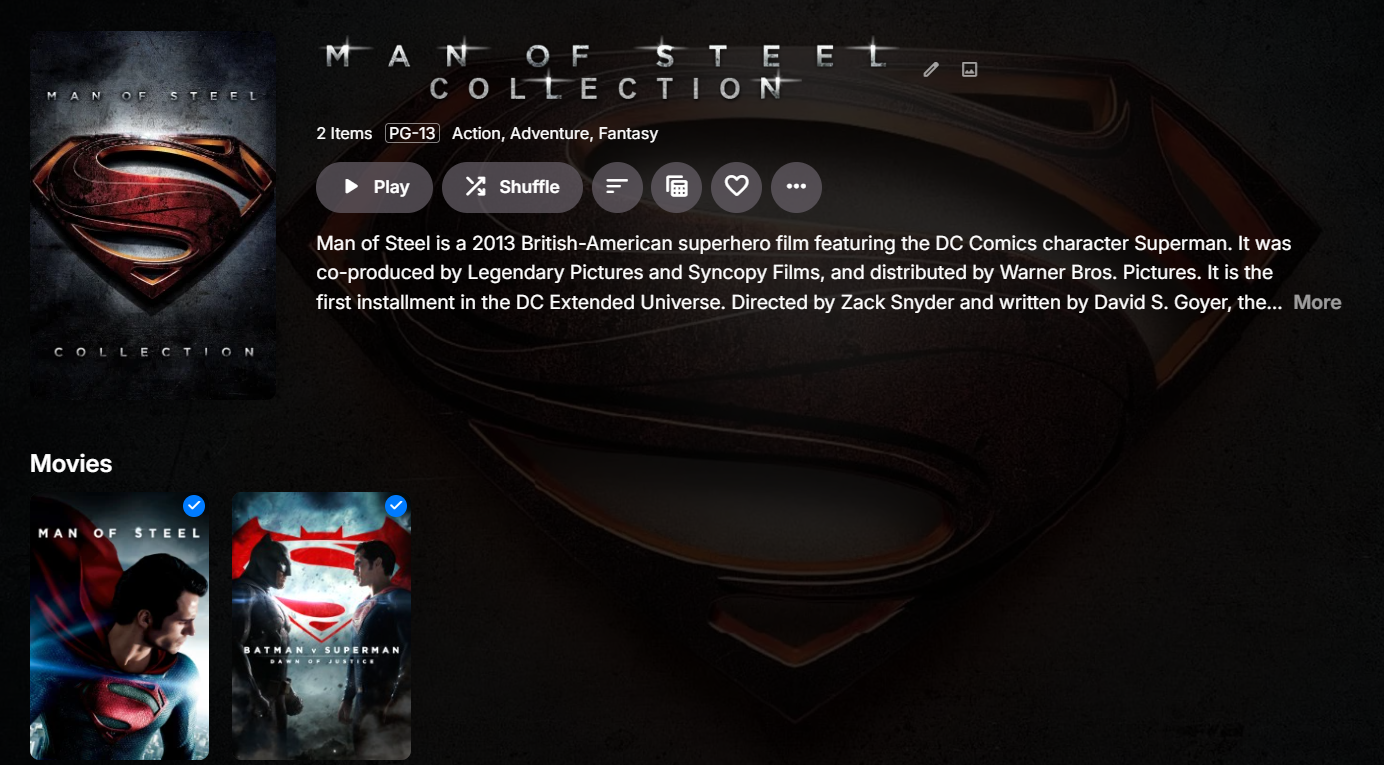
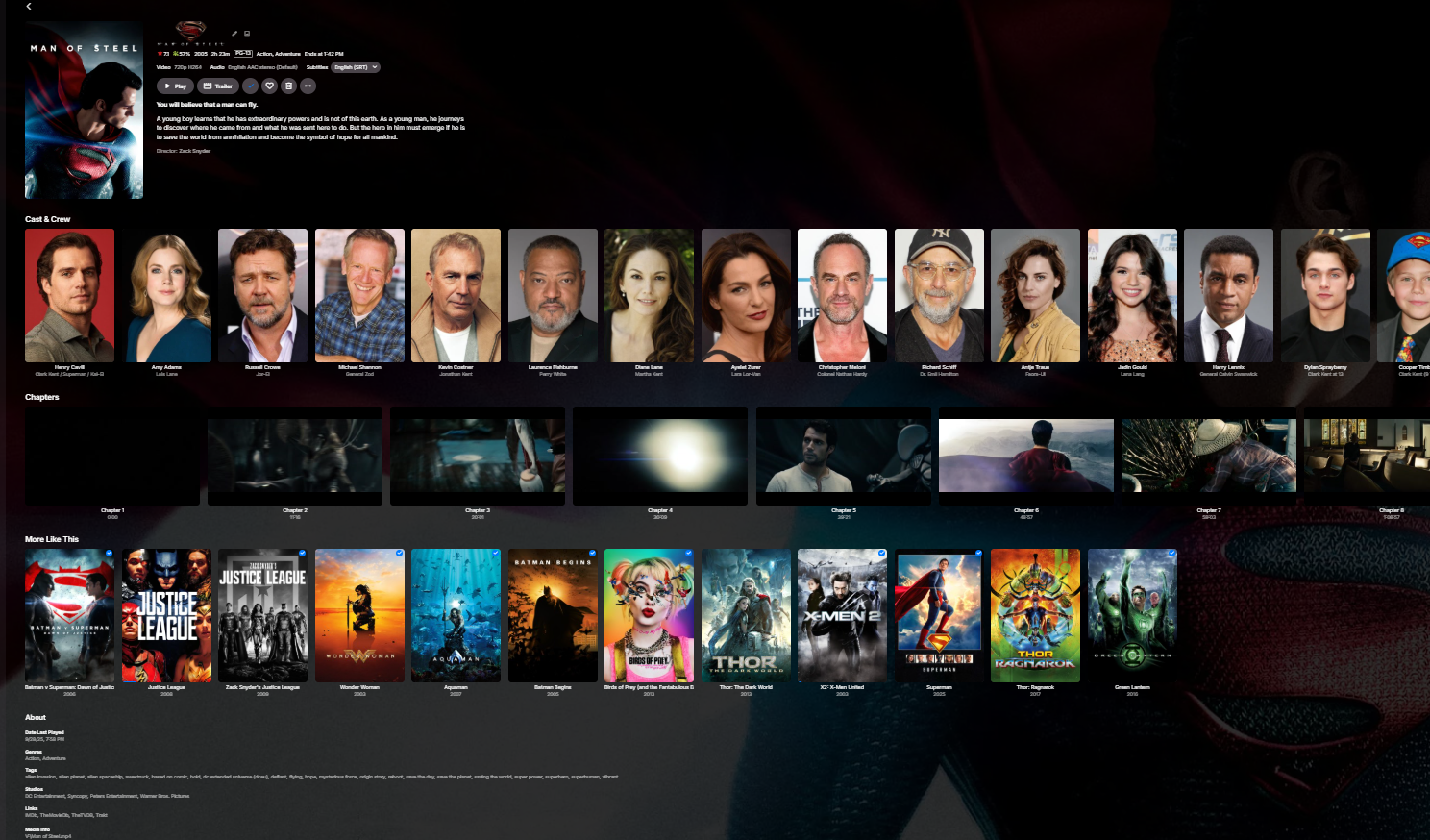
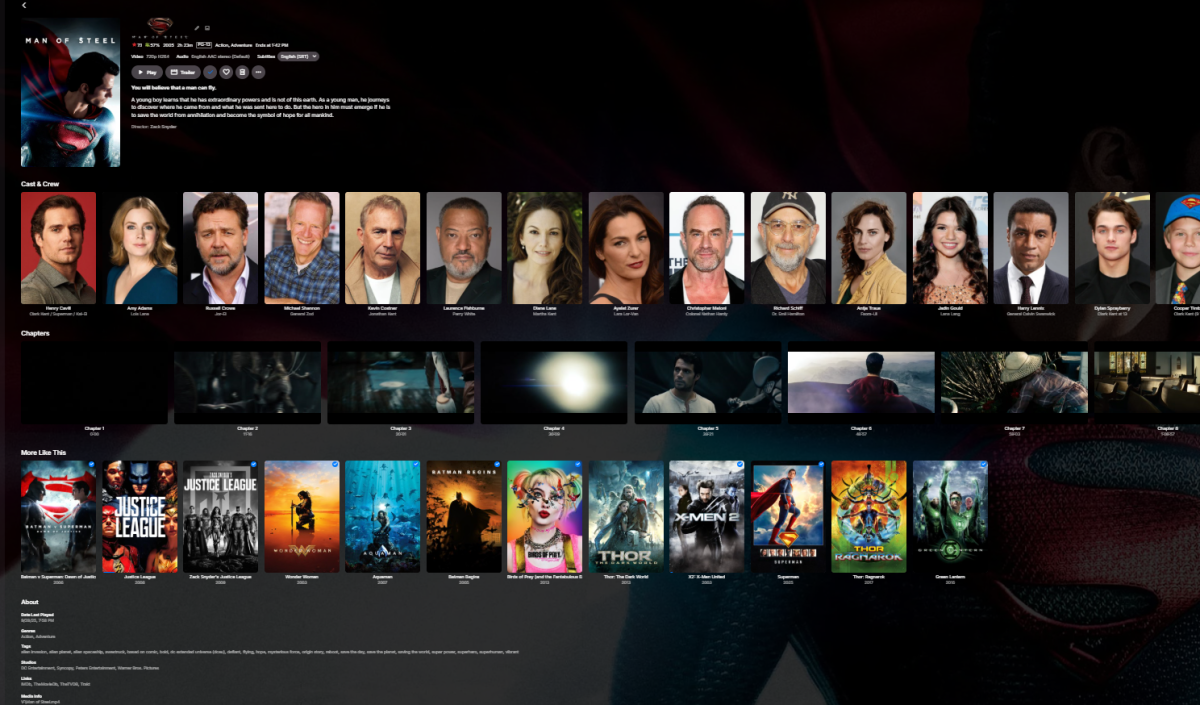
On previous versions, I used to be able to open a movie title and then see the Collection that it is also included in. That is no longer an option on the latest Beta version. When I click on one of the 2 titles now, I no longer see Also Included in... followed by the collection name.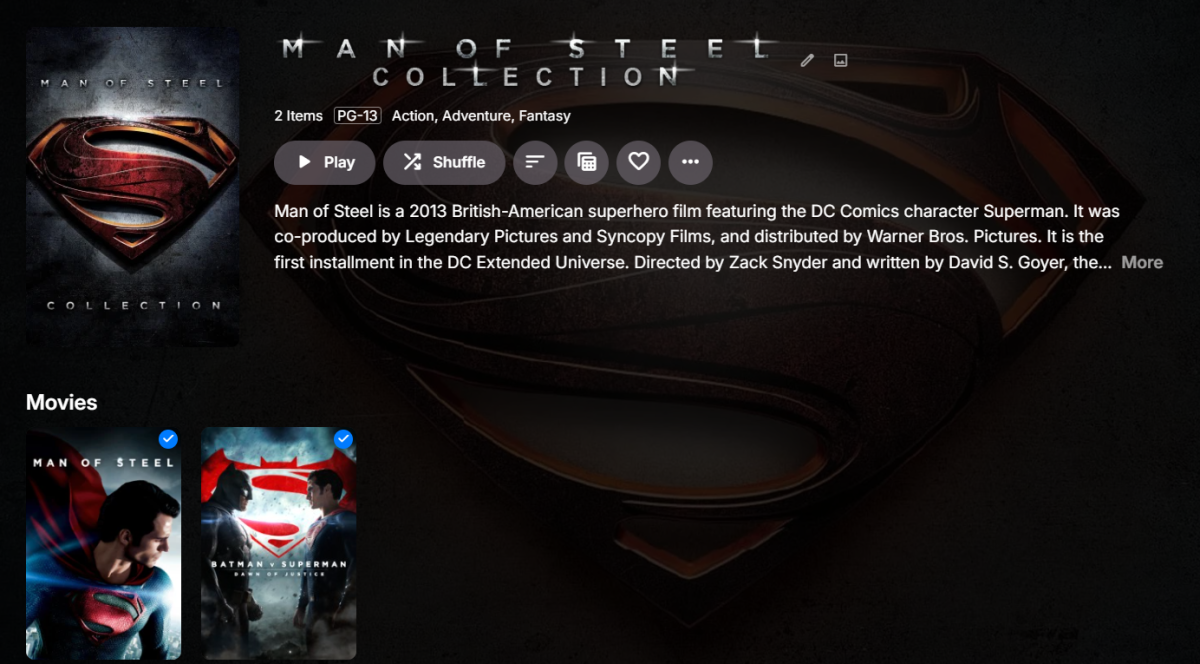
-
 picoll joined the community
 -
 vvday joined the community
 -
 gener5135 joined the community
 -
 Shakifarzana joined the community
 -
 Philadelphia joined the community
 -

Hardcoded port config in EmbyServer service configuration
Luke replied to stwarr's topic in Synology
Hi, the UI doesn’t let you change it though, right? -
 Hana-Nasser joined the community
 -
Hi, have you explored the options for each of your libraries?
-
 Shalalae joined the community
 -
 rada2026 joined the community
 -
 曹明 joined the community
 -
My main pain point about emby has always been that it tries to be too smart for its own good and it refuses to display files directly. Things tend to group up in versions or go inside special menus like for trailers and things. All I want is to keep track of which files I've watched so I was wondering if there was an option I might have missed that can disable that behavior and only relies on files since my media is already organized exactly the way I want it to be. For example, I have the fifth element in dvd and bluray and I want to set the bluray as not watched because I haven't watched it yet, but that's impossible even with them being in completely separate libraries since toggling watched is done on the movie instead of the files. And to make things worse, one of the dvd extra is grouping up as a version of the dvd so I can't keep track of which extras I've watched properly either. I could mess up my naming convention and force the extra to not group up, but that would mean messing up my own organization, which I don't want to do and it would only fix a small part of the problem.
-
The system **tries** to look for the version that can DirectPlay. But there are several isues with this auto selection. If you have a FireTV Stick (standard), direct play is detected for "hevc 1080p" movies, but playing is awfully tiered. But you can easily play 1080p h264 or 1080p vp9 videos. One more issue : in the Emby web client, the selection is rareley the one that can direct play moreover if you're "on the road"... So, it would be a great plus to have a "default version" selection setted globally, that a uer can override (or not, tied to admin choice), and if this setting can be selected for LAN use and WAN use it would be damn good. A playing priority in the filename tag could do the job. Any thoughts?
-
Hi. You should not need any default setting for that. The system already looks for the version that can direct play.
- Today
-
+1. i keep a 4K and a 1080p copy of a lot of movies, and being able to set the default per user or per device would save a ton of transcoding on the older tvs in the house
-
still want this. my use case is a superhero collection holding the marvel and dc collections so the top level isnt 40 tiles. for now i use tags plus a smart filter but real nesting would be way cleaner
-
Controleer eerst of de schijven in Windows Verkenner een stationsletter hebben. Zo niet, open Schijfbeheer en geef ze een letter. Daarna in Emby: Instellingen, Bibliotheek, kies de bibliotheek en voeg de map op de nieuwe schijf toe. Succes!
-
on top of the port forward, check the linux firewall. ufw or firewalld will block 8096/8920 even if the router is right. "sudo ufw allow 8096/tcp" if you use ufw. also in emby settings > network make sure remote connections are allowed and the public port matches what you forwarded
-

Multi versions of movies wont show right since the new update
bkettering replied to Visionaire's topic in General/Windows
+1 to Paul, the extra Tenet folder is the issue. move it so its Movies\Tenet (2020)\Tenet (2020) - 4K Remux.mkv and Tenet (2020) - 1080p.mkv etc. the part after the dash becomes the version name. then scan and they should group again -
I like this idea very much.
-
That doesn't cover it and limiting to only two levels is even more complex. Like I said, not unsolvable but not nearly as straightforward as you may think.
-

Latest Emby Update - RAM usage creep - Anyone else seen it ? Docker/Linux.
sa2000 replied to vaise's topic in General/Windows
@vaise What is the database cache set to in server settings / database. We now have multiple DB connections and each one would use up that amount of cache - so if you hada high setting, please change it to the default of 128Mb and see what impact that has. Also in Scheduled Tasks - what is the frequency of Scan Media Library ? Try to have a 12 hour gap or so between scans -
Hola buenas!! Tengo la versión de emby server 4.10.0.40 y al revisar los usuarios veo que no tengo la posibilidad de limitar por dispositivos. ¿Es una función que se ha eliminado?
-
Thanks for the kind words Well, the simple answer is yes and no. At this moment I haven't figured out any way to to this in the same way as movies because of Emby limitations. Although, it is possible to add support for tv-shows but it will come with a lot of UI quirks.The posters will be numbered on every view globally in Emby. So for example if you have another row with "action shows" and one of them is in the top-list, only that show will then have a numbered poster among the action shows. Or in continue watching, the poster will be numbered.. And its not possible to have the same show in two different top-lists since it only can handle one number. (Well its possible but the order will look strange in one of them). The limitation is because Emby cannot handle the same show in multiple libraries (but it works fine for movies). I could maybe look into adding support for this if the public think it should be done? It will then come with a info that it could look bad globaly in Emby.
-
The service config file (EmbyServer.sc) hardcodes the default ports that synology/Emby is expected to use (http:8096 / https:8920), but these values have no connection to the ports that are actually assigned in the Emby Dashboard/Network UI page. Consequently, synology/DSM reverse proxy always reports that ports 8096/8920 are unavailable, regardless of the actual Emby configuration. /var/packages/EmbyServer/target/EmbyServer.sc contents: [EmbyServer] title="Emby Server" desc="Emby Web UI" port_forward="yes" src.ports="8096,8920/tcp" dst.ports="8096,8920/tcp"
-
It's been a year. Can we expect Watch Together to be included in the current beta cycle?
-

Latest Emby Update - RAM usage creep - Anyone else seen it ? Docker/Linux.
vaise replied to vaise's topic in General/Windows
Just a quick update before bed- I have seen it go backwards for the first time - its now dropped back to the low 7's. The monitor is set to alert if it goes over 9 so lets see how it goes later. -
Additional test: pure HDR10 (no Dolby Vision) converts correctly and plays fine on mobile. The issue only occurs when the source contains a DOVI configuration record.
-

[Beta] ROMote – play your retro game collection in the browser (NES → PlayStation)
GrimEvil replied to digitalirony's topic in Plugins
Thank you for a great plugin -
Hi, I have a long-standing issue with offline conversions (Download / Convert Media) of Dolby Vision content. Setup: Emby Server 4.10.0.40 NVIDIA Tesla P4 (NVDEC + NVENC) Hardware tone mapping enabled (tested Hable, Mobius, Reinhard) Source: 4K Dolby Vision Profile 8.1 (HDR10 compatible) HEVC Main 10 What works: Live on-the-fly transcoding (HLS) works fine. Converting regular 4K H.264 → 1080p H.264 works fine. What fails: When converting DV Profile 8.1 → 1080p H.264 for offline use, the resulting file does not play on mobile devices (black screen). Analysis from logs: Tone mapping is applied correctly: tonemap_cuda=...:format=yuv420p setparams=color_primaries=bt709:color_trc=bt709:colorspace=bt709 Output video stream is correctly tagged as: cuda(tv, bt709, progressive) However, the DOVI configuration record is still present in the side data of the output file: Side data: DOVI configuration record: version: 1.0, profile: 8, level: 6, rpu flag: 1, el flag: 0, bl flag: 1, compatibility id: 1 This residual Dolby Vision side data on an H.264 stream causes many mobile players to fail. I also tested Parameter Adjustment with -bsf:v filter_units=remove_types=6 — the parameter is applied, but the DOVI configuration record remains. Conclusion: Emby correctly tone-maps the pixels to SDR BT.709 during offline conversion, but does not strip the DOVI configuration record from the output container. This breaks playback on mobile clients. Is this a known limitation of the offline conversion pipeline? Any chance this can be fixed so that DOVI side data is removed when tone mapping to SDR H.264? I can provide full ffmpeg logs if needed. Thanks.
-
Latest Emby Update - RAM usage creep - Anyone else seen it ? Docker/Linux.
vaise replied to vaise's topic in General/Windows
Its pushed past 8GB now - Just 5 sessions of direct lay happening........ [2026-09-29 09:05:03] MEMORY WARNING: Emby is currently drawing 5.442GiB of system RAM. [2026-09-29 09:10:02] MEMORY WARNING: Emby is currently drawing 5.418GiB of system RAM. [2026-09-29 09:15:02] MEMORY WARNING: Emby is currently drawing 5.47GiB of system RAM. [2026-09-29 09:20:02] MEMORY WARNING: Emby is currently drawing 5.452GiB of system RAM. [2026-09-29 09:25:02] MEMORY WARNING: Emby is currently drawing 5.49GiB of system RAM. [2026-09-29 09:30:02] MEMORY WARNING: Emby is currently drawing 5.476GiB of system RAM. [2026-09-29 09:35:02] MEMORY WARNING: Emby is currently drawing 5.495GiB of system RAM. [2026-09-29 09:40:02] MEMORY WARNING: Emby is currently drawing 5.502GiB of system RAM. [2026-09-29 09:45:02] MEMORY WARNING: Emby is currently drawing 5.483GiB of system RAM. [2026-09-29 09:50:02] MEMORY WARNING: Emby is currently drawing 5.557GiB of system RAM. [2026-09-29 09:55:02] MEMORY WARNING: Emby is currently drawing 5.559GiB of system RAM. [2026-09-29 10:00:02] MEMORY WARNING: Emby is currently drawing 5.565GiB of system RAM. [2026-09-29 10:05:02] MEMORY WARNING: Emby is currently drawing 5.569GiB of system RAM. [2026-09-29 10:10:03] MEMORY WARNING: Emby is currently drawing 5.57GiB of system RAM. [2026-09-29 10:15:02] MEMORY WARNING: Emby is currently drawing 5.576GiB of system RAM. [2026-09-29 10:20:02] MEMORY WARNING: Emby is currently drawing 5.576GiB of system RAM. [2026-09-29 10:25:02] MEMORY WARNING: Emby is currently drawing 5.575GiB of system RAM. [2026-09-29 10:30:03] MEMORY WARNING: Emby is currently drawing 5.564GiB of system RAM. [2026-09-29 10:35:02] MEMORY WARNING: Emby is currently drawing 5.645GiB of system RAM. [2026-09-29 10:40:02] MEMORY WARNING: Emby is currently drawing 5.762GiB of system RAM. [2026-09-29 10:45:02] MEMORY WARNING: Emby is currently drawing 5.725GiB of system RAM. [2026-09-29 10:50:03] MEMORY WARNING: Emby is currently drawing 5.706GiB of system RAM. [2026-09-29 10:55:04] MEMORY WARNING: Emby is currently drawing 5.705GiB of system RAM. [2026-09-29 17:35:02] MEMORY WARNING: Emby is currently drawing 6.584GiB of system RAM. [2026-09-29 17:40:02] MEMORY WARNING: Emby is currently drawing 6.601GiB of system RAM. [2026-09-29 18:50:03] MEMORY WARNING: Emby is currently drawing 7.804GiB of system RAM. [2026-09-29 18:55:02] MEMORY WARNING: Emby is currently drawing 7.916GiB of system RAM. [2026-09-29 19:00:02] MEMORY WARNING: Emby is currently drawing 7.916GiB of system RAM. [2026-09-29 19:05:02] MEMORY WARNING: Emby is currently drawing 8.049GiB of system RAM. -
Just trying this plugin now - it looks amazing - thanks for sharing! Sorry if this has already been asked (I have searched) but will 'top shelf' ever support TV shows (at the show level)?
-
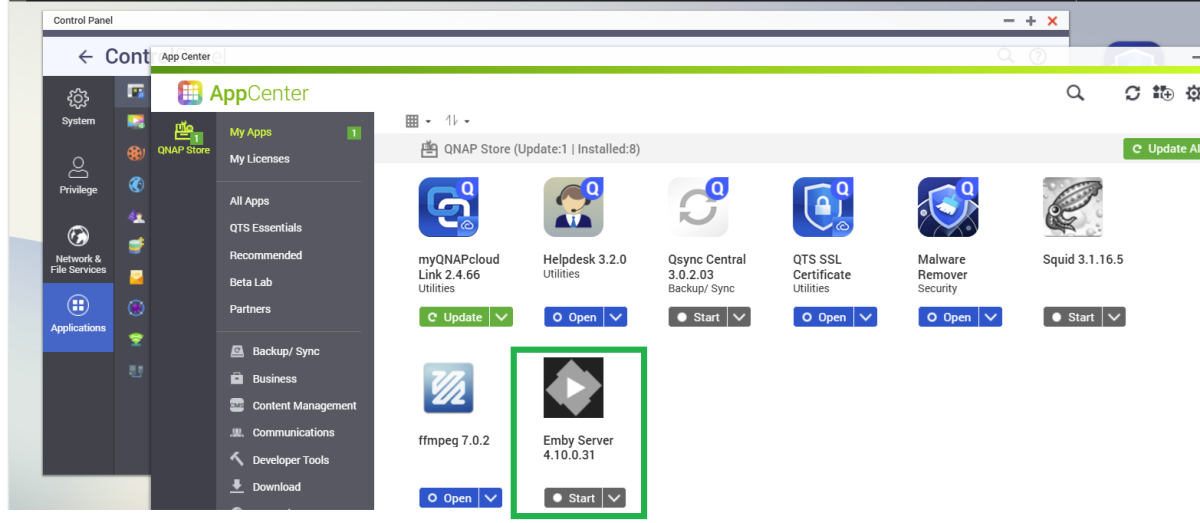
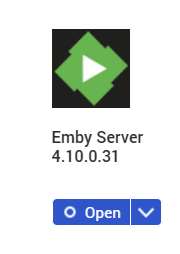
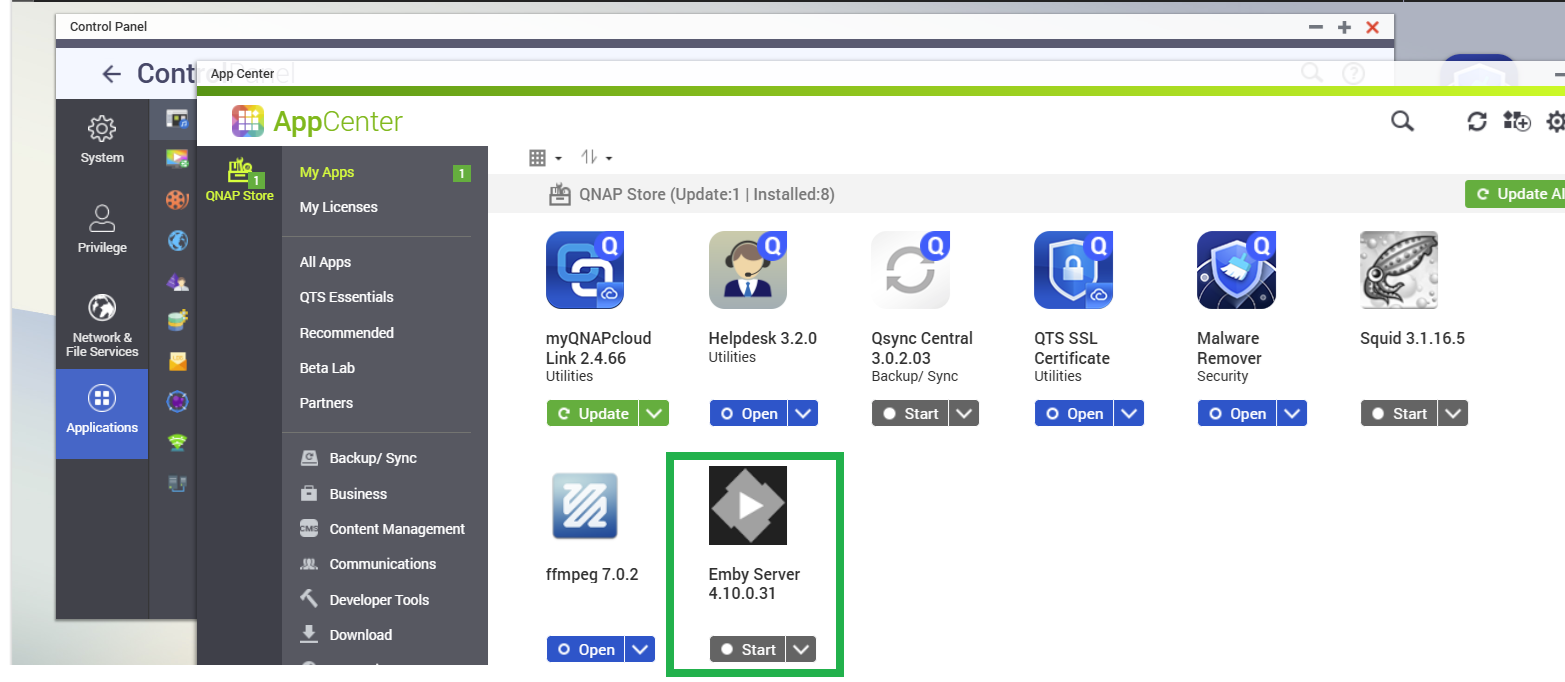
Hi Have you tried port 8096 instead of 8920? http://192.168.0.2:8096 Is the QNAP dashboard accessible through http://192.168.0.2:8080 ? You can open up App Centre and see if Emby Server is running or not If the drop-down action button below the Emby Server app icon shows "Start" then it is not running and you can click on "Start" to launch it If the drop-down shows "Open" then it should be running and clicking on Open should open Emby Web browser session on the default port which is 8096