All Activity
- Past hour
-
 dvdasolutions joined the community
 -
 ugyut8765700 joined the community
 -

Increase the number of media items in the list for the “Latest Media” section of the home page
arrbee99 replied to Mister_U's topic in QNAP
Guess its controlled by the app. I think a dev said a while ago they were concerned that asking for too many items would affect responsiveness then they'd be getting complaints and be spending time bug fixing. OTOH its available in the web (with bit of fiddling around) and there's a new app for Apple TV called Atrium being tested here where the limit is 128, not causing any problems, so far, touch wood. No idea about editing app - difficult I'd imagine. -

[Plugin] Image Overlay vs Default Image Inheritence
ginjaninja replied to ginjaninja's topic in Feature Requests
The status quo might be a little more nuanced. Inherited Episode Images (When an episode image inherits the show poster), do already work for overlays (the episode overlay on the inheirited image is present), so maybe this is just about about specific images such as thumbnail. (Im not the plugin developer so cant be sure on wether a workaround is in place, but it seems the overlay on inherited episode images is just 'working')
-
 Anas777 joined the community
 -
 Adriemb joined the community
 -

Feature Request: Sleep Timer for Remote / “Play On” Playback
Marcidarci replied to Marcidarci's topic in Android
Thanks for your Help -

UPNP setup of Emby Server has suddenly stopped working remotely
Luke replied to Beta8088_Proto's topic in General/Windows
It's probably something you should look at and determine because it is happening all the time. We go over how to do that here: Connecting from Client Apps In some rare cases the server may detect the wrong remote address. It's not an exact science, so it's a good idea to know your router's public facing remote ip address. -
Feature Request: Sleep Timer for Remote / “Play On” Playback
Luke replied to Marcidarci's topic in Android
Hi, yes implementing this with dlna is something we should look at. Thanks. -
 NB-Hanno joined the community
 -
Hi Emby Team, I would like to request an enhancement to the Sleep Timer feature in the Emby Android app. Currently, the Sleep Timer is available when audio is played directly on the Android device. However, as soon as I select another device as the playback target using “Play On” — in my case a Denon AVR used as a network/DLNA renderer — the Sleep Timer option is no longer available. This is unfortunate because the Sleep Timer would be especially useful when listening to music through an AVR or another remote playback device. Current behavior Audio playback directly on the Android device → Sleep Timer is available. Remote playback via “Play On” to an AVR / DLNA renderer → Sleep Timer is unavailable. Requested behavior Please make the Sleep Timer available for remote playback targets as well. Ideally, the timer should control the currently selected playback session instead of only the local Android player. For example: Stop playback after 15 / 30 / 45 / 60 minutes Stop playback after the currently playing track Optionally stop playback after the current album or playlist item Keep the Sleep Timer active even when the Android app is minimized or closed When the timer expires, Emby could simply send a Stop command to the currently controlled remote playback session. This would make the existing Sleep Timer much more useful for users who primarily use Emby as a controller for network players, AV receivers, DLNA renderers, or other “Play On” devices. Thanks for considering this feature.
-

UPNP setup of Emby Server has suddenly stopped working remotely
Beta8088Proto replied to Beta8088_Proto's topic in General/Windows
I am using the link exactly as the server has given me, and am not able to determine whether or not my ISP is using CGNat (I don't pay the bill in my household and I doubt the one who does would know what that even is) but if that's the case, then my remote connection option is completely hosed. -

Version 4.10.0.40 - My libraries, 11 of them, won't scan anymore
mathbernier replied to mathbernier's topic in General/Windows
I go into library, i click Scan Library files, it last 2 seconds max. It doesn't scan at all. If in on the home page, all my libraries are there, i right click, scan library files, the scan never starts. So scans won't work, won't start, even if i go into the Scheduled Tasks Application Rotate log file Last ran 16 hours ago, taking 0 seconds. Moves logging to a new file to help reduce log file sizes. Database Vacuum Database Last ran 4 days ago, taking 0 seconds. Schedules a database vacuum on the next server startup Disk Space Disk Space Almost Full Notification Last ran 7 minutes ago, taking 0 seconds. Notify Admin Accounts about full disk partitions. Downloads & Conversions Convert media Last ran 41 minutes ago, taking 0 seconds. Runs conversion jobs that were created using the convert media feature as well as downloads that require conversion to compatible formats. Transfer media Last ran 41 minutes ago, taking 0 seconds. Transfers completed conversions to their final destination. Used by the Download and Conversion features. Library Download subtitles Last ran 21 hours ago, taking 42 minutes and 56 seconds. Searches the internet for missing subtitles, if automatic subtitle downloading is enabled in Emby library setup. Scan Metadata Folder Last ran 10 hours ago, taking 16 minutes and 22 seconds. Run this task if you've modified the contents of Emby Server's internal metadata folder directly, so that Emby Server can discover the changes. Scan media library Last ran 1 second ago, taking 1 second. Scans your media library to check for new and updated files. Video preview thumbnail extraction Last ran 14 hours ago, taking 0 seconds. Creates thumbnails for videos. Playback Reporting Create Playlists Last ran 13 hours ago, taking 0 seconds. Creates playlists for most popular items based on user activity New Media Notification Last ran 10 hours ago, taking 1 second. Send new media report notification Run Backup Last ran 2 days ago, taking 0 seconds. Runs the report data backup Trim Db Last ran 16 hours ago, taking 0 seconds. Runs the report history trim task User Activity Notification Last ran 15 hours ago, taking 0 seconds. Send user activity report notification Let me know if i can show something else. Thanks Luke! -
OK. Perhaps it's just not getting data quickly enough?
-

Remote Connections not working with Emby 4.10.0.40 Server Update
Bradum replied to Bradum's topic in General/Windows
Emby server is not going through the VPN. I have split tunneling enabled in "include" mode which means only applications I select go through the VPN. Several days after the fact I turned the VPN off to confirm it did not affect my public IP for Emby Server, and that it wasn't causing issues in some unexpected way. They are unable to connect with the VPN on or off. Also, no VPN settings were changed when the issue occurred; they were able to connect and watch episodes while the VPN was on, and when the update occurred they were suddenly unable to load the next episode or reconnect to the server. The VPN is running locally on my machine, not network wide or configured through the router. I am also able to confirm that my public IP matches what Emby Server is showing an it is not possible to connect to the server remotely. -
UPNP setup of Emby Server has suddenly stopped working remotely
Luke replied to Beta8088_Proto's topic in General/Windows
Assuming you are using the correct remote address (?), have you checked to see if your ISP has changed anything? Maybe they are using a CGNat now? This is becoming more and more common. -
 Aaron1616 joined the community
 -
 Saadmohammed joined the community
 -

Roku 4.1.70 receives valid ImageTags but never requests artwork – posters missing only on Roku
tabenroth replied to tabenroth's topic in Roku
Sorry I meant 2:03PM. I was typing and not watching what I was typing. -
Y: es la unidad. Es virtual debido a que mis archivos estan en la nube
-
 Ulises123@gmail.com joined the community
 -
Remote Connections not working with Emby 4.10.0.40 Server Update
Luke replied to Bradum's topic in General/Windows
When the VPN is on vs when it is off, wouldn't that require a different remote address to be used? -
Version 4.10.0.40 - My libraries, 11 of them, won't scan anymore
Luke replied to mathbernier's topic in General/Windows
HI there, can you please provide a specific example? How to Report a Problem Thanks ! -
Remote Connections not working with Emby 4.10.0.40 Server Update
Bradum replied to Bradum's topic in General/Windows
It happened immediately after the update (they finished the episode they had buffered, and was unable to connect to the server). I am certain there were no changes to the network at that time; no internet reconnects or router/network settings changed. I can't think of any reason why my public IP or ports would have suddenly changed on their own while still connected. -
What type of drive is your N drive?
-
 SeanAtWork joined the community
 -
Subtitle does not disappear from UI after deletion from the item detail page (file is physically deleted)
Luke replied to LeeTEMBY's topic in Linux
HI, can you try it again? I just tested this and it did refresh. it's possible there was an issue that has been fixed since then, but in such a short time since the release I would doubt that. -
UPNP setup of Emby Server has suddenly stopped working remotely
Beta8088Proto replied to Beta8088_Proto's topic in General/Windows
As previously stated, it simply refuses to connect using the remote address, as it has done the entire time this server has existed. It acts as if the remote address doesn't exist and does not even get to a login prompt. -
 Zhanetech joined the community
 -
You're actually on 3.0.19. I just tested this and did not see any problems. Also your log is really short but everything seems to have responded quickly there. You may want to try out the new linux app.
-
UPNP setup of Emby Server has suddenly stopped working remotely
Luke replied to Beta8088_Proto's topic in General/Windows
on the first screen what if you click skip and enter the address manually? -
[Plugin] Image Overlay vs Default Image Inheritence
Luke replied to ginjaninja's topic in Feature Requests
HI, yes we talked about this in the past but never ended up doing anything. The image api would have to be expanded to let client apps pass in some kind of context parameter to describe how the image is being used, and then that information could funnel through to image enhancers. -
.thumb.png.f4cb0545e98b51fd9b00e427622ab761.png)
Random sorting for Single Collections on Home screen
Amything replied to Amything's topic in Feature Requests
Can use tags on ACdb as well, but it's just one of those things that makes sense to have since it's available for other sections. -
Have you tried the new Linux app? How does that compare?
-
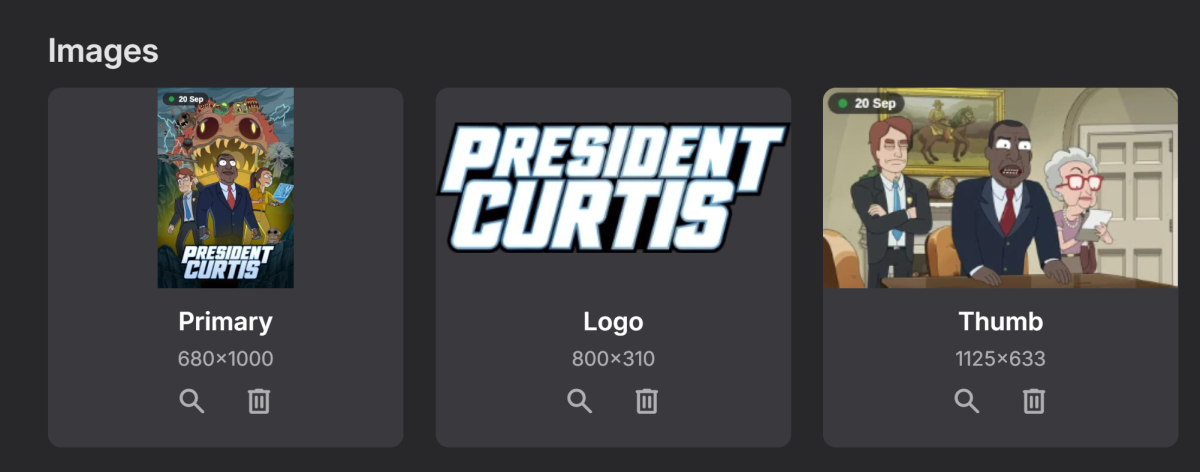
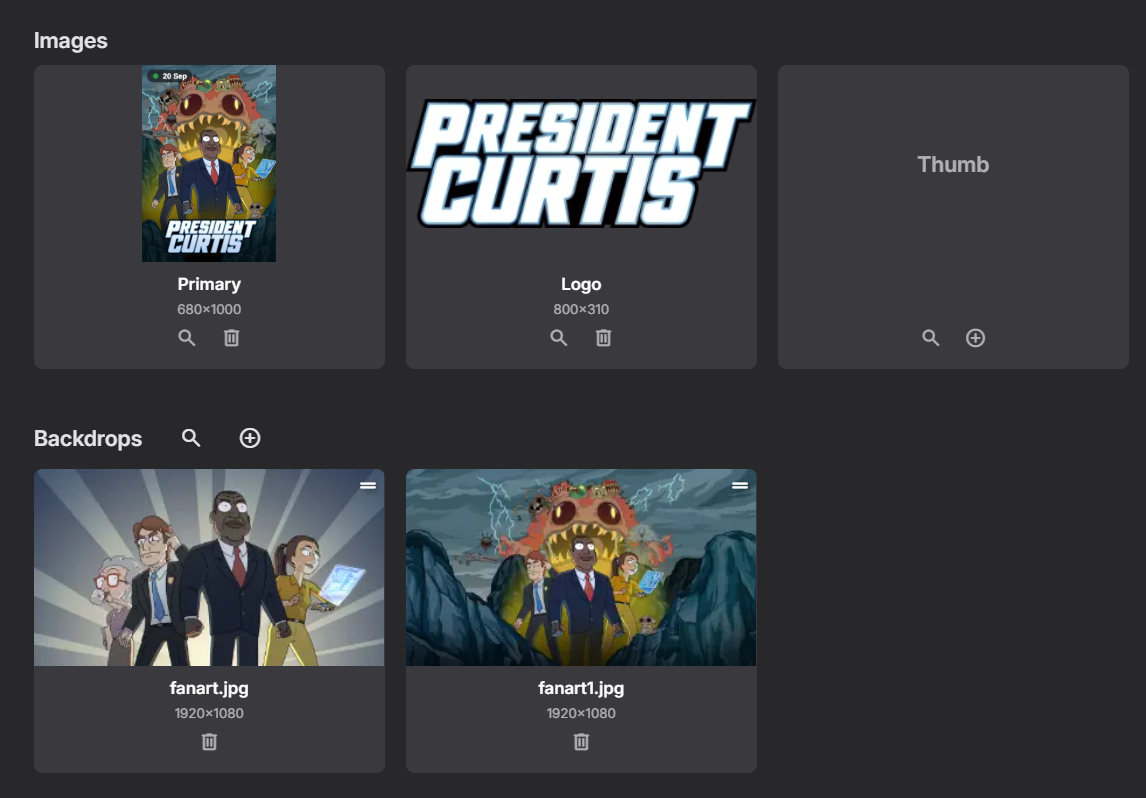
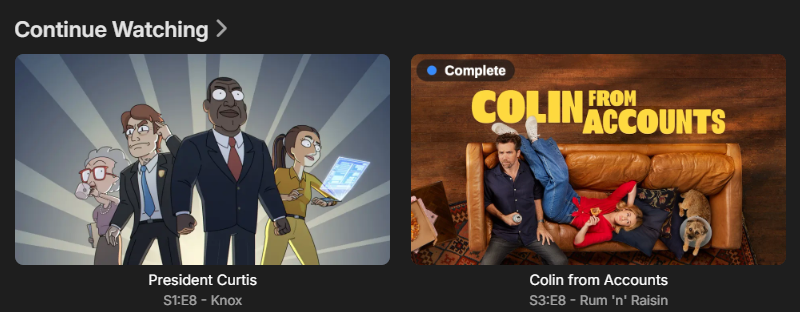
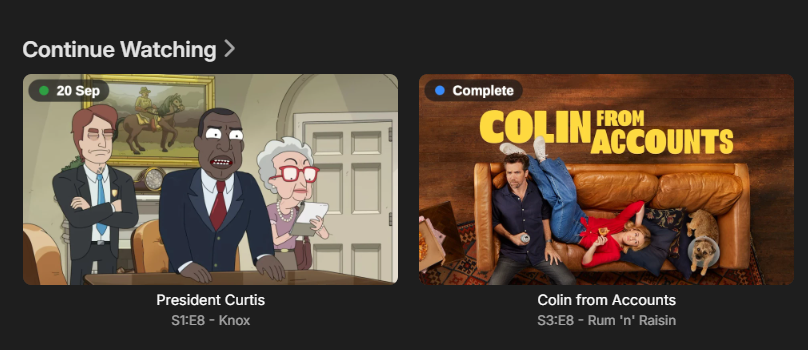
Hi @Luke& Emby team, when it comes to plugins doing overlays, is there a fixable shortcoming in the way image overlays work on inherited images? Or is there an intended way to work with default images to work around the following issue. Consider a plugin which overlays useful data onto a show thumbnail. Consider a show which doesnt have a show thumbnail (so inherits the first backdrop image as show's thumbnail). The plugin doesnt overlay onto a thumbnail image that doesnt exist (even though inheritence is working). Eg. No Thumbnail, backdrop is inherited as thumbnail, no overlay present Eg Thumbnail present, overlay works. Is this behaviour a limitation of the plugin (is it the job of the plugin to know its in a inheritence situation and overlay on the backdrop, probably not even possible and messy?) of the Emby Ecosystem. If the plugin asks to overlay onto the shows thumbnail and emby determines the shows thimbnail is inherited from the backdrop, should Emby hide this internal monologue and allow the plugin just to work; by which i mean an overlay is presented on the inherited image. or just a neccessary outcome for inherited images working, without turning everything into a "rats nest". TLDR, is it possible for the very useful default image inheritence to do its job whilst abstracting away any need of plugin overlay developers to need to be aware of inheritence. Could the plugin developer just define the overlay and the target (Show - Thubmnail in this example) and the result just work; without breaking other functionality? thanks