All Activity
- Past hour
-
 rxlab joined the community
 -
Hi, While in Emby app I see User name and under that, 1. Switch Server. 2. Sign out 3. Unlock App. I can sign out, which drops me out of Emby on Shield and then selecting Emby it opens again. But don't see anywhere to remove and add back in a server.
-

Add ability to upload custom poster art to library media
crusher11 replied to gu5gus's topic in Feature Requests
Yes. -
 carmengonzalez joined the community
 -

External Player (Vimu) resume position issue on Android TV
signde replied to franco72's topic in Android TV / Fire TV
Not to derail this thread but I hope you know that as an Ugoos AM6b+ owner you can run the avdvplus fork of CoreELEC that would allow you to do LLDV including full FEL rendering to your non DV capable projector. This would be much better than using on the fly P7 to P8.1 conversion as that process drops the DV P7 enhancement layers. You can connect CoreELEC to your Emby library one of a few different ways, see the Kodi addons. -
 xiboxs3g joined the community
 -
 MeliFla23 joined the community
 -

Plugin: EmbyCredits, detect end credits and add auto skip.
malghana replied to yocker's topic in Plugins
Hi, Thanks for taking the time to develop and maintain this amazing plugin, I'm running everything on Unraid, how can i install this and the OCR? i didn't find them or any docker compose Thanks! -
 xdanier joined the community
 -
 取一个不会重复的用户名 joined the community
 -
 BeckyF joined the community
 -
 Cricsus joined the community
 -
 Hathal-1 joined the community
 -

Best path for cleaning up duplicate People profiles / folders?
pünktchen replied to Smitty018210's topic in General/Windows
That's true for collections. For people it was already added with version 4.6. -
This is unrelated to whatever issue you are having with playback. Try signing out, remove the server and the add it back and sign back in again.
-
Hi, there's already an open request for this or something functionally equivalent. Please join in and contribute to the existing discussion at:
- Today
-

TV episodes flagged as "watched" as soon as started.... no resume point if stopped early
OMGzilla replied to OMGzilla's topic in MacOS
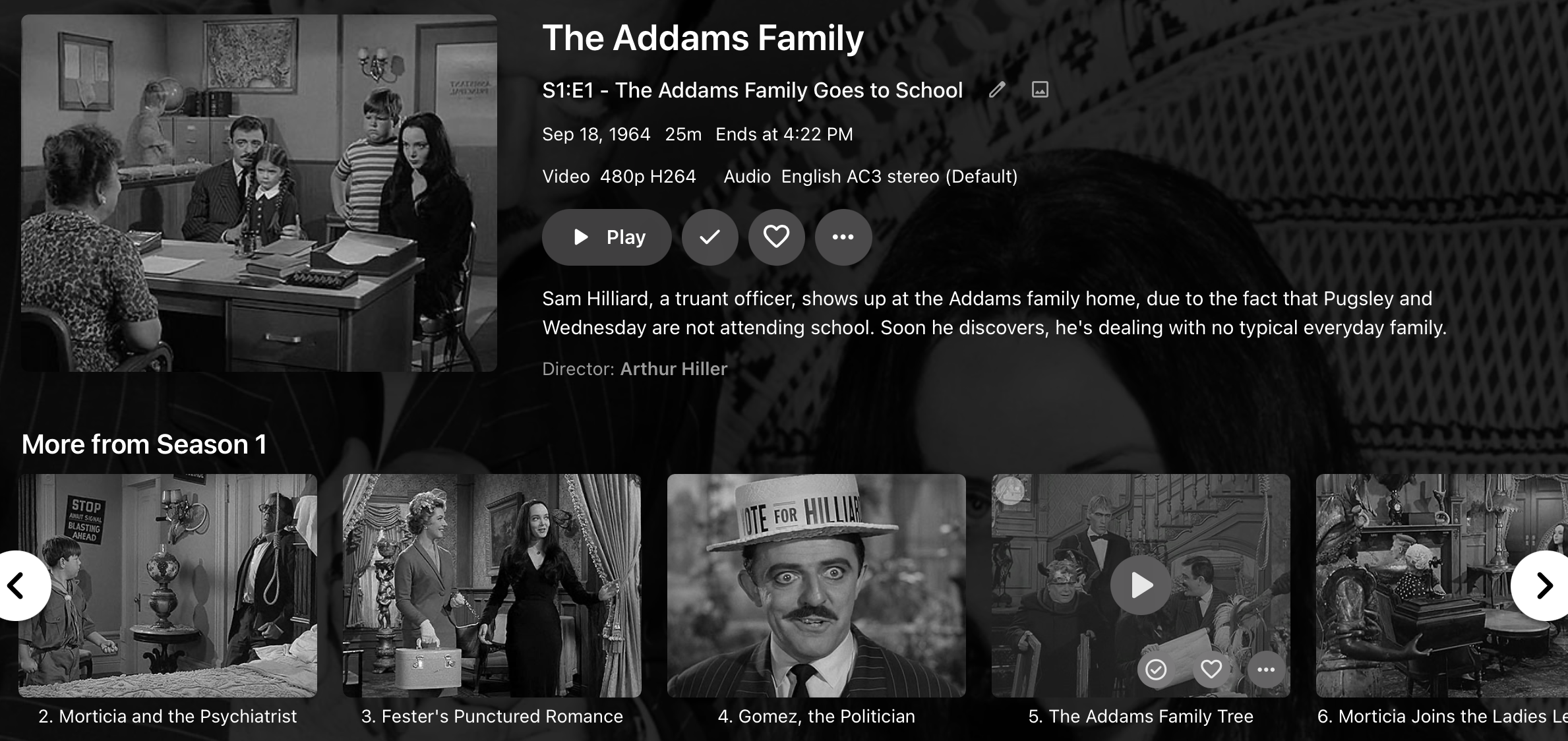
I have an update that may or may not shed light on the matter. I have a secondary problem where videos with AC3 tracks are silent on playback. I was going to address this later, but it occurred to me that the overwhelming majority of my TV show media have AC3 audio tracks, whereas my movies either have TrueHD Atmos or FLAC tracks. Going from my example earlier of The Addams Family, I transcoded the audio for the firs two episodes to FLAC, and lo and behold... well the audio plays finally, but I do get details of the runtime now. The problem of not getting resume points is NOT resolved as of yet... it still immediately flags the episode as watched as soon as I start it, but it also shows the audio track is AC3, which at this point it is not. I'll try to force the issue to get it to recognize the changes fully, but I'll start with this update for now.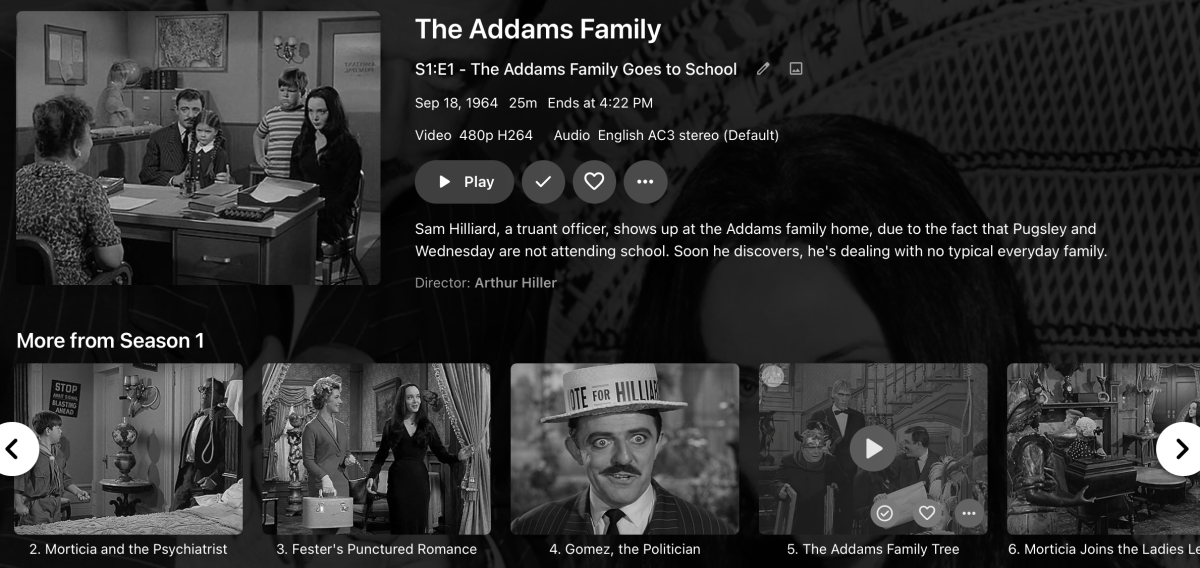
-

Introducing Traxx, an Android music app built for Emby music libraries
GrimEvil replied to Hauzz's topic in Third Party Apps
So on android auto, nothing loads unless I start it first from my phone, so not sure of the issue -

Add ability to upload custom poster art to library media
GrimReaper replied to gu5gus's topic in Feature Requests
Isn't it there already? -
Many times there is not art available at the usual places that Emby looks for it, but we have the correct art image files. In the Edit Metadata dialog, add a button to upload custom art.
-

Any one got unlimited credit on a video generation platform please?
ginjaninja posted a topic in Non-Emby General Discussion
Hi There Please does any one have unlimited credits via work or some such. Am retired now so i don't get access for free I am looking for a placeholder template video for a plugin i am making to manage coming soon movies so users know the movies coming. My current one is bit barren. coming_soon.mp4 Suggested prompt A wide-angle, eye-level shot from the perspective of a person sitting in an empty movie theatre, looking directly at the stage. The focal point is a pair of closed, vintage, textured dark red velvet theatre curtains with gold fringe occupying entire screen, the view stays in situ for the entire video. The curtains slowly open, smoothly bunching tightly to the left and right sides of the frame. Behind the curtains, a solid black background is revealed. Elegant, sparkling and glowing golden "Coming Soon" text dynamically animates onto the centre of the black screen, stays static and pauses for two seconds. The heavy velvet curtains then smoothly close back together, returning to the start position. 1080p resolution mp4, 15 seconds long. thank you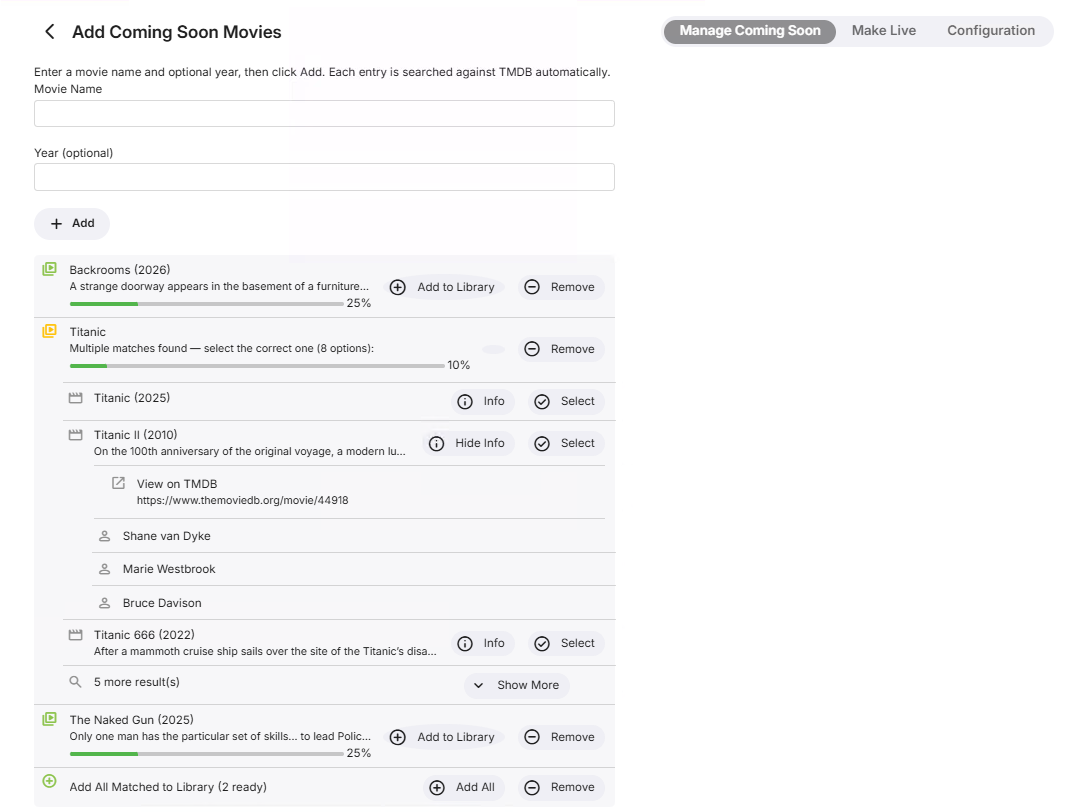
-
Thanks guys, checked the file and Asustor file permissions and they look fine. I still think it has to do with Emby on Shield ATV, remember when I first enter Emby it displays "Unable to connect to configure server with the (server name)" for a second or two and then disappears. I never saw this message when I ran Emby server on my old Qnap NAS. Thanks
-
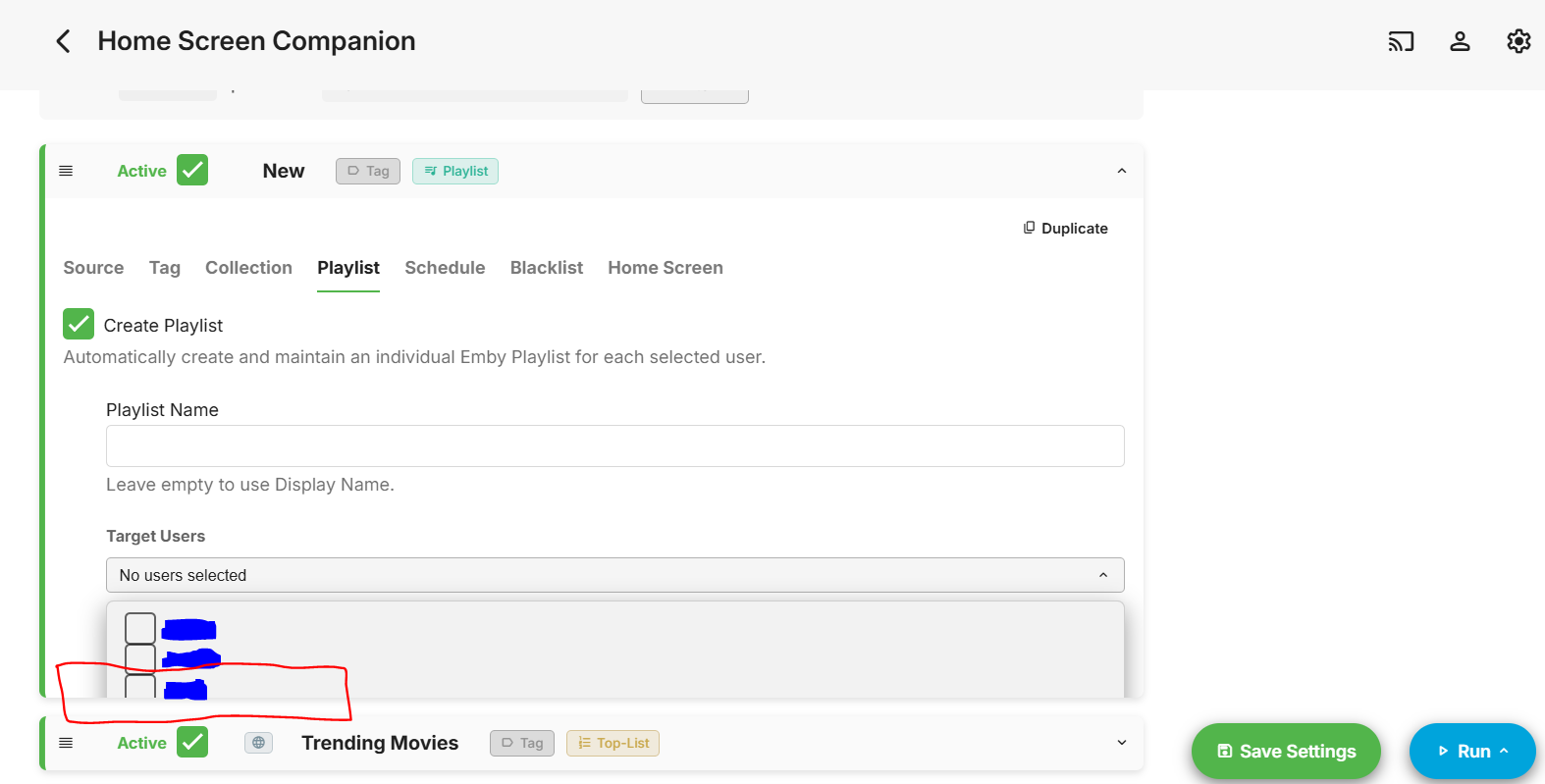
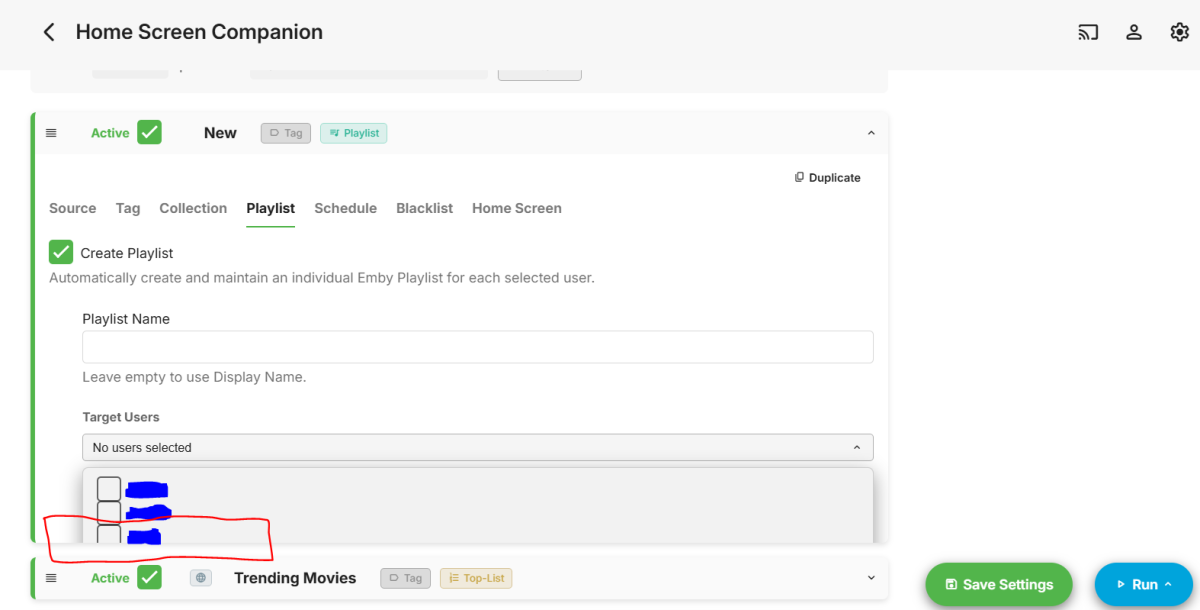
New bugfix release - Version 4.1.3.1 Download .dll and full release notes: https://github.com/soderlund91/HomeScreenCompanion/releases/tag/v4.1.3.1 Bugfix release IMPORTANT! Minimum required Emby server v4.10.0.12 Release notes Fixes: User selection: Fixed an issue where the user select list was cut off for Playlist. HomeScreenCompanion.dll
-
Hello Guynamedg, ** This is an auto reply ** Please wait for someone from staff support or our members to reply to you. It's recommended to provide more info, as it explain in this thread: Thank you. Emby Team
-
Somehow I have ended up with Emby installed in 2 locations C:\users.....\Roaming... and also D:\Users....\Roaming... (Win 11) Probably due to this I was having a lot of issues with emby server not being able to start. So I wanted to completely uninstall and the reinstall the server. The Uninstall went as expected and uninstalled the D:\ version. I attempted to uninstall the C:\ version by going to C:\users.....\Roaming\Emby-server\System and running MediaBrowser.unistaller.exe but that produces the error "Please us 'Programs and Features' to uninstall" If I go to Apps>Installed Apps I can surprisingly, still see Emby Server, clicking uninstall gives the error message "Windows cannot find D:\users......MediaBrowser.unistaller.exe" Which makes sense because it was uninstalled. Is there a way around this loop?
-

LiveTV isn't working good on my TV but working good on my PC (Plugin)
XDavidT replied to XDavidT's topic in Android TV / Fire TV
My bad embyserver.txt -
I would use MediaInfo app to examine the file and check the bit rate. Check it vs a 4k file that plays well.
-
Clear your browser cache and it should work Edit: Misunderstood you. Working on a fix!
-
Awesome, Thanks! Not sure if this is unique to me, but I updated the plugin, and I noticed the target user for the playlists is cut off. I can't scroll down to select my primary user:
-
@BarneyGumble Try the latest beta in the catalog v5.54.4 and see if that fixes the problem.
-
Yeah I looked over the code and noticed that the "update playlist" wasn't included in the full sync. Should be fixed with latest release. When an item is removed from the source its also removed from the playlist. The order is something I have too dig a bit deeper into... Thanks for reporting!
-
Existing transcoded video should be discarded when remote playback bitrate is changed
GrimReaper replied to gu5gus's topic in General/Windows
Yes, with specific example, not in general terms. how to report a media playback issue -

Existing transcoded video should be discarded when remote playback bitrate is changed
gu5gus posted a topic in General/Windows
Problem: When changing the remote (cellular) playback bitrate while in the middle of watching a video, the video that has already been transcoded at the previous bitrate continues to play, not respecting the new bitrate setting. The expected behavior is for the video transcoded at the previous bitrate be discarded and transcoding at the new bitrate to begin immediately. It should behave in this way when either of the different playback birate settings (home streaming quality, remote quality, remote (cellular) quality, and Chromecast quality) no longer match the transcoded stream's bitrate. Steps to reproduce: From an Emby client, begin to play a video - make sure that you are not using Direct Play. Let it play for several minutes at least to allow the transcoding to develop a significant cache of transcoded video. From this Emby client, go into settings and change playback bitrate for the type of stream that you are using (home, remote, remote (cellular), Chromecast). I see this when reducing the bitrate on remote (cellular) stream but I assume it works the same way for all of these streaming categories. Go back and resume playing that video. Observe that the bitrate has not changed. Instead it is continuing to use the video that had already been transcoded for this stream, which is at the previous bitrate. Please let me know if you would like logs. -
Hello! Yes the “Run Group” button initially builds the playlist with the correct tags in the correct order (as they appear from the source link). However, as that external source list updates day to day, the schedule tasks do not automatically update the playlist. They update the tags correctly but not the playlist itself. Only when I manually press the “Run Group” button does the playlist update with the additional content. Furthermore, manually running the “Run Group” a second time after content is added does not update the playlist order, it simply appends the new content to the end of the playlist. An edge case I have not tested yet is I am not sure what happens if you press the “Run Group” button when content is later removed from the sourced list. I do not know if it will remove the content from the already built playlist.