All Activity
- Past hour
-

embyforkodi (next-gen) 12.X.X support
quickmic replied to quickmic's topic in Emby For Kodi Next Gen
I check in addon mode, and found no issues. Probably I need a kodi.log for review including the playback issue. -
 camille11 joined the community
 -
 Pinklizzard joined the community
 -
 DJTee joined the community
 -
 Alyaalf joined the community
 -
He podido solucionar el problema, aunque no tenia el modo desarrollador activado hay que activar y modo desarrollador, reiniciar la tv tal como indica en la ventana emergente, volver a entrar y desactivar el modo desarrollador, volver a reiniciar la tv y con eso no me ha vuelto a salir el cartel de aviso. Muchas gracias a todos por la ayuda y la información ofrecida.
-
 hs7x joined the community
 -
 Elldon joined the community
 -
No, so my plugins come with a trial but beyond the trial they won't work without purchasing a one time licence from me via the catalog or my site www.ballingtons.com/products (works out a bit cheaper via my site as a bulk)
-

Movie Theme Songs Plugin Questions and Support Thread
TecEmbryo replied to radeon's topic in Plugins
Okay, now I'm confused, but that might be due to the translation. I have an Emby Premium subscription – can I use all your plugins with it without having to take out another subscription for the plugins from you? -
 翰 joined the community
 -
 hnxmhc joined the community
 -
Sweet, and the Moonfin server folder?
-
 Christine Leung joined the community
 -
Hello, you're really taking great care of your project. I'd love to use it and even donate something. But I can't copy the .dll file into the "Emby Plugin" directory – I get a "Denied Process" error, which means I don't have the necessary permissions with the WinSCP transfer protocol "SCT". I'd probably have to modify a file with PuTTY, and that's too risky for me. No root privileges -> no copying. Just to answer your question, Emby isn't installed via Docker on my system. Perhaps @Luke will add this as a plugin sometime; until then, I'll have to manage without it, since the built-in tool doesn't offer anything more and the developer isn't responding.
-
 Moonwalker622 joined the community
 -
There is no code that is linked to or interferes with the official emby app's premium limitations or device counting.
-
Great app ! It would be nice to explain how does app interfere with emby premium limitations and counting devices for premiere ? With details. We asked emby devs, but of course they needed 3 weeks to respond and after that nothing is clearer, we know even less.
-
I tried changing to 9011 external but get the same result. I tried adding a rule for https on 8092 but got the same again.
- Today
-

Suggestion Section with Continue Watching for Home Video Libraries
Roxics replied to Roxics's topic in Feature Requests
Just curious if there has been any thought put into this. It seems strange to me that a "Continue Watching" or "Latest (Added)" section is limited to movie and TV show library types and not all other library types like Home Videos and Music Videos and Mixed Content. Aside from those two, it would be great to also have a row of "Recently Watched" videos in case I wanted to watch them again (maybe it's been a while since I've looked in that library) and a row of randomly selected "Unwatched Videos" from that library suggested to me. -
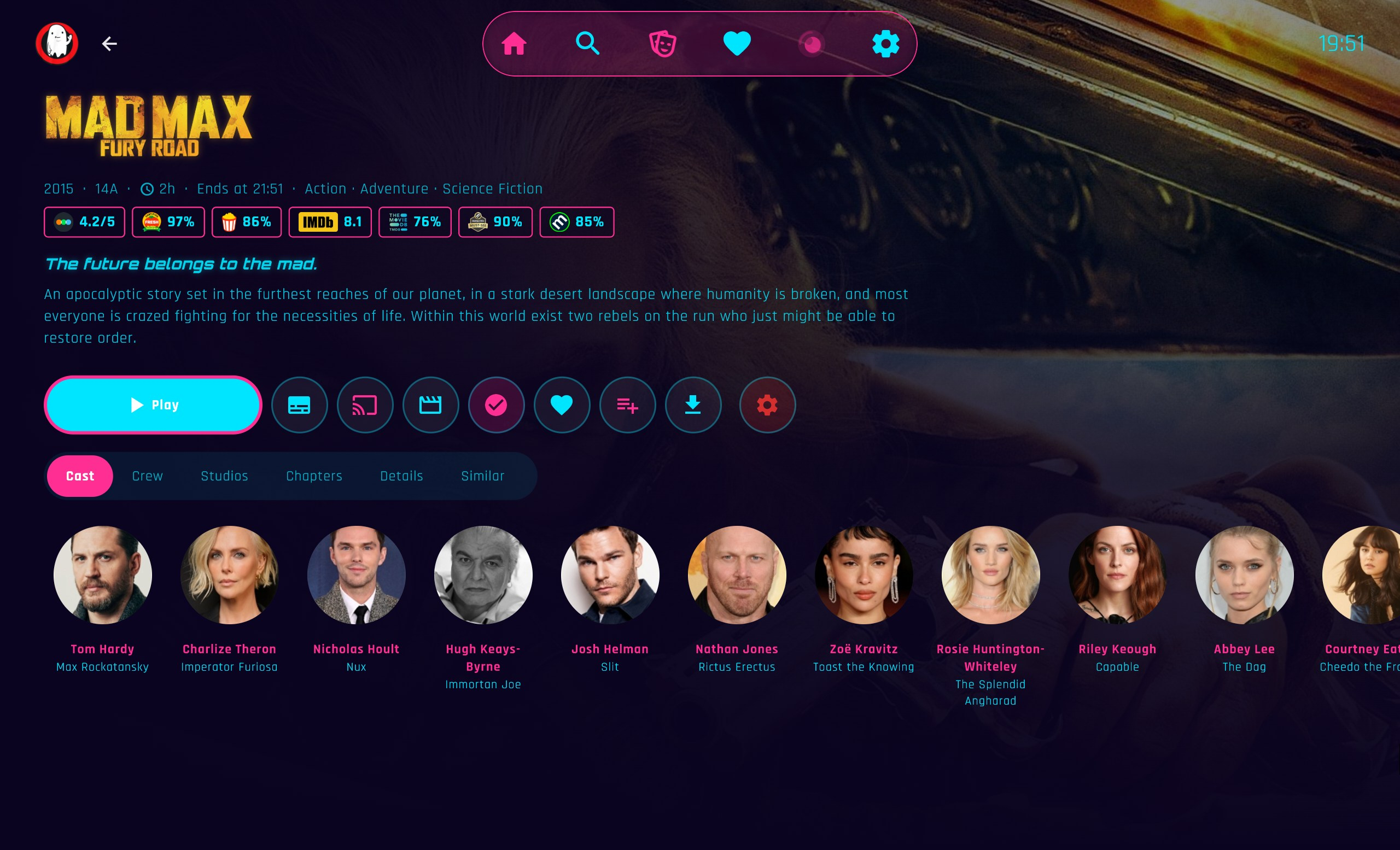
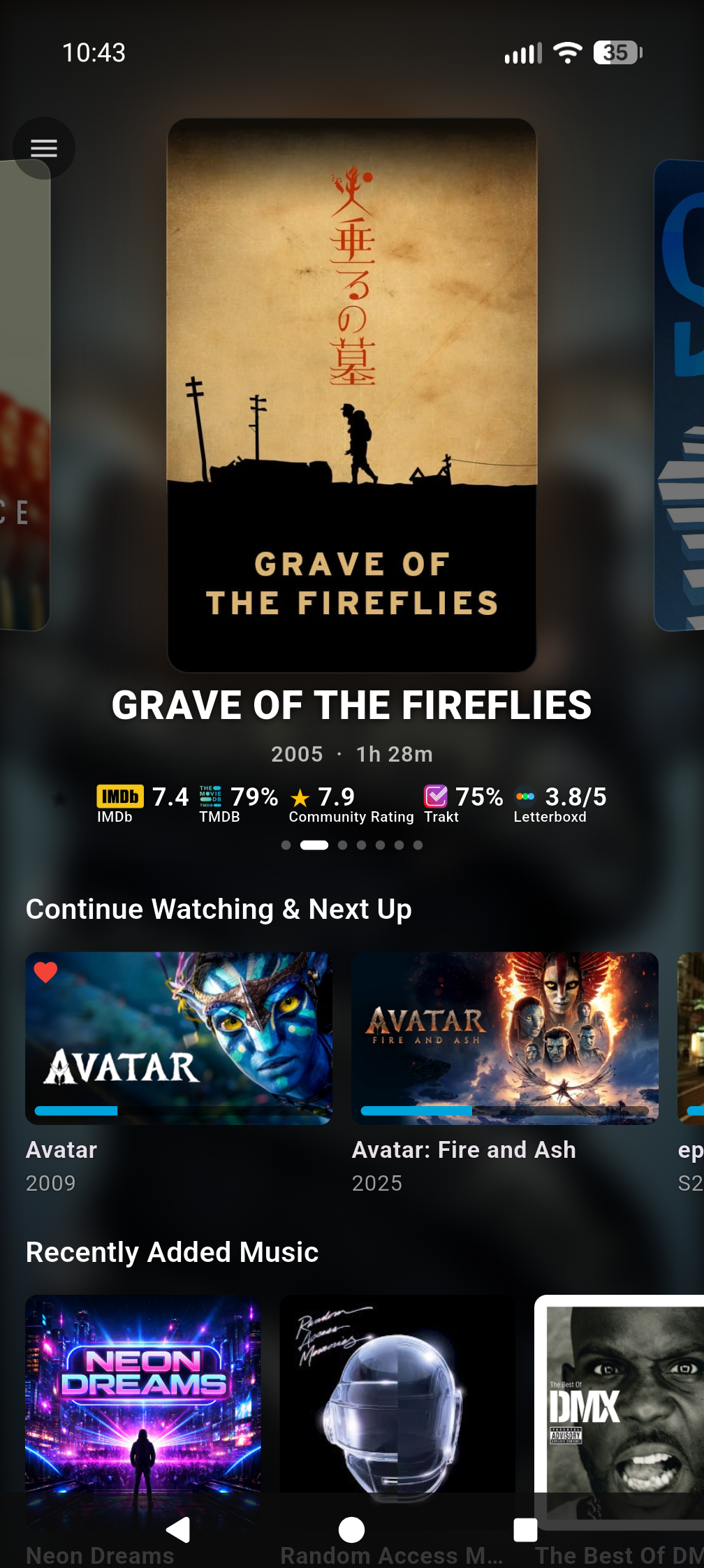
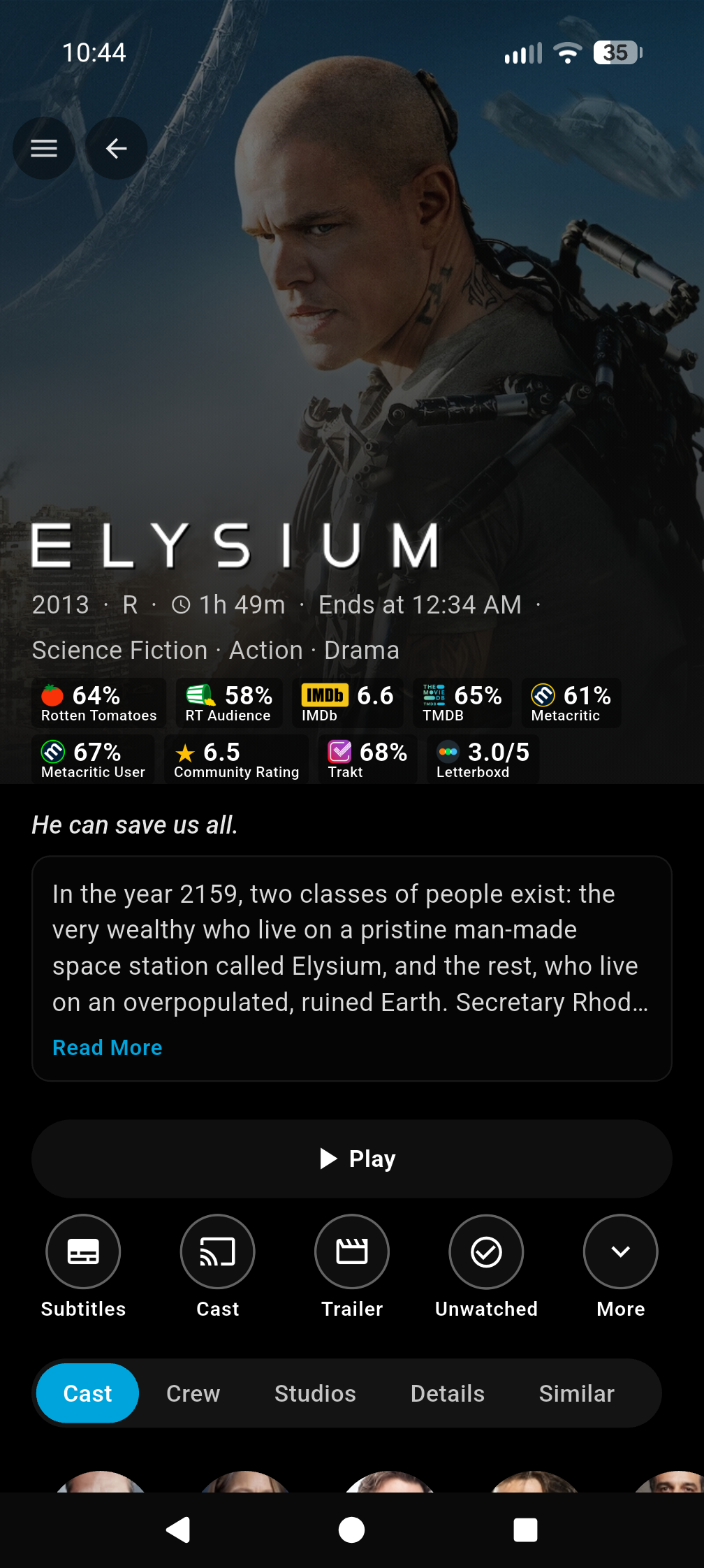
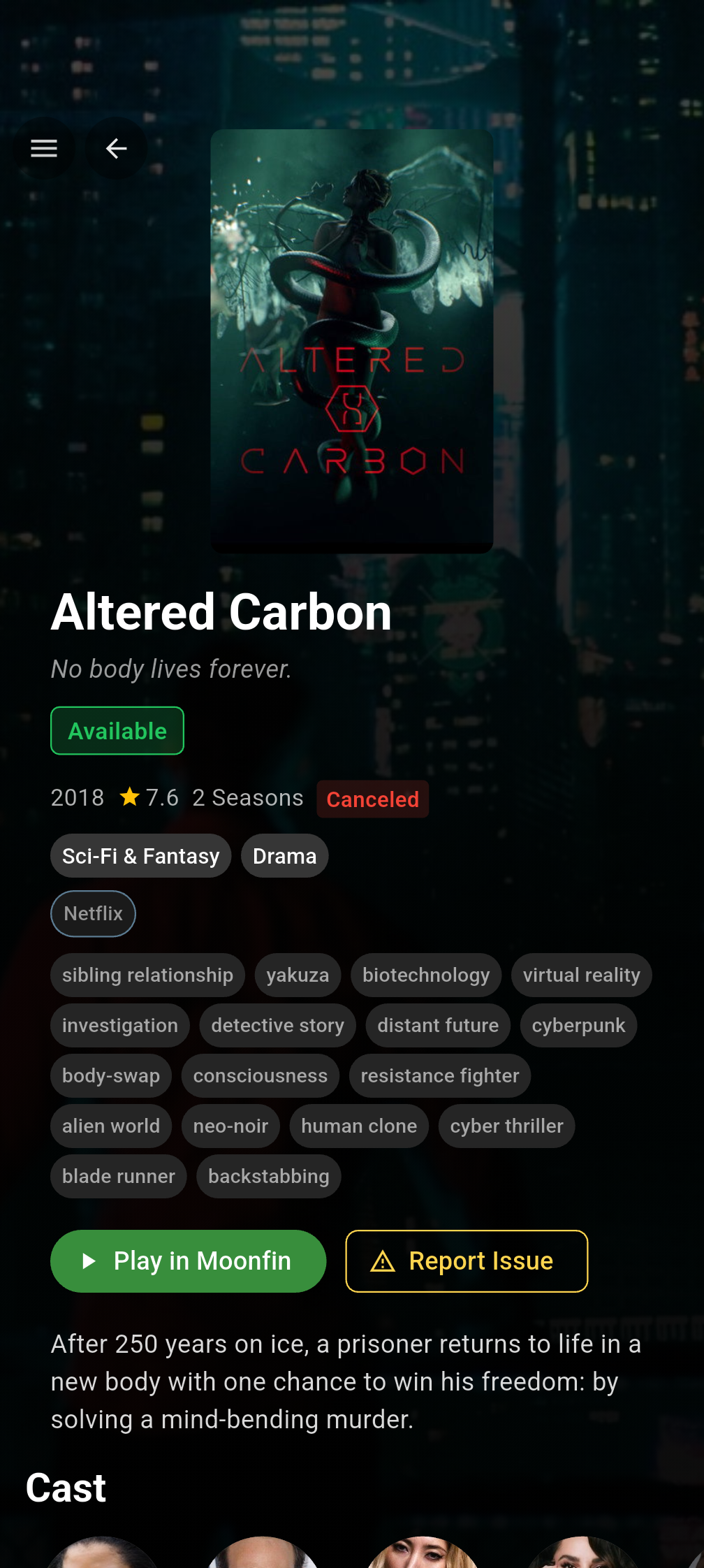
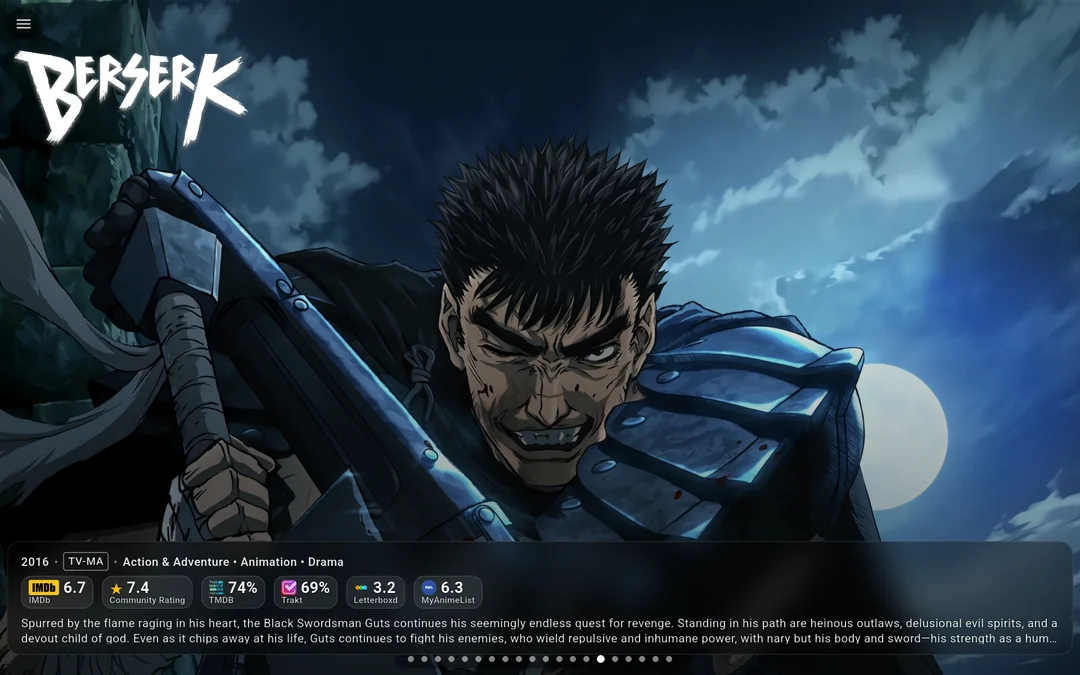
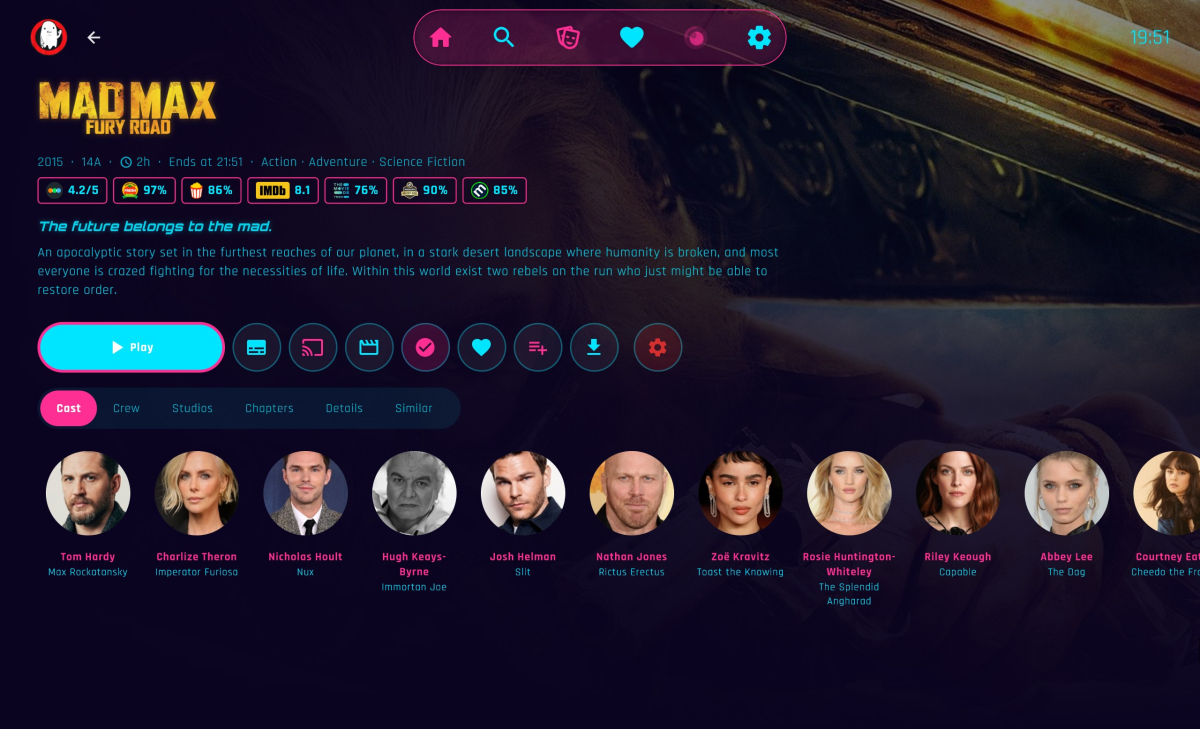
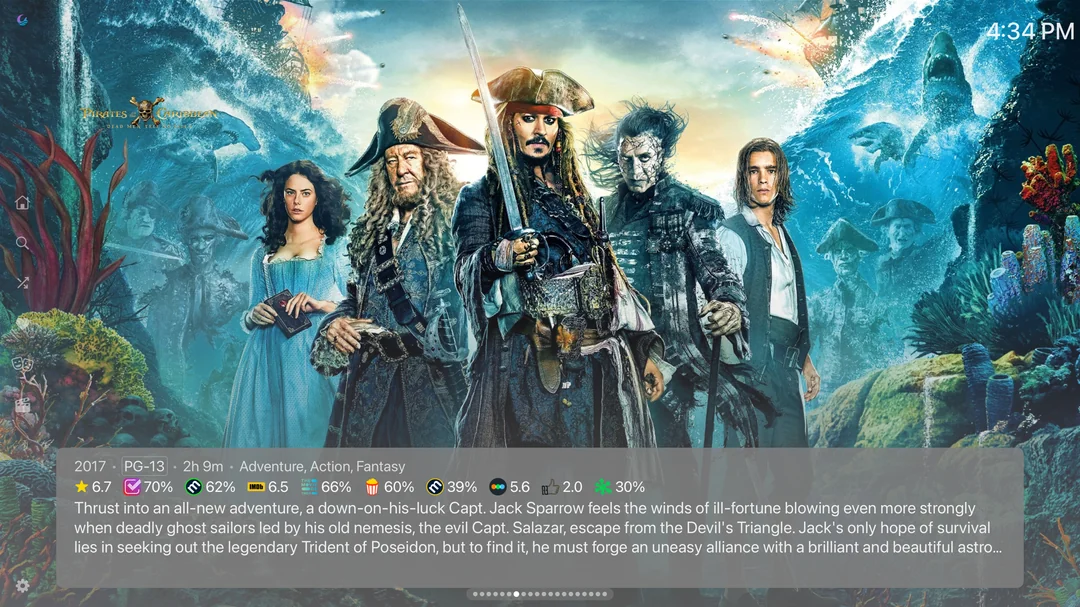
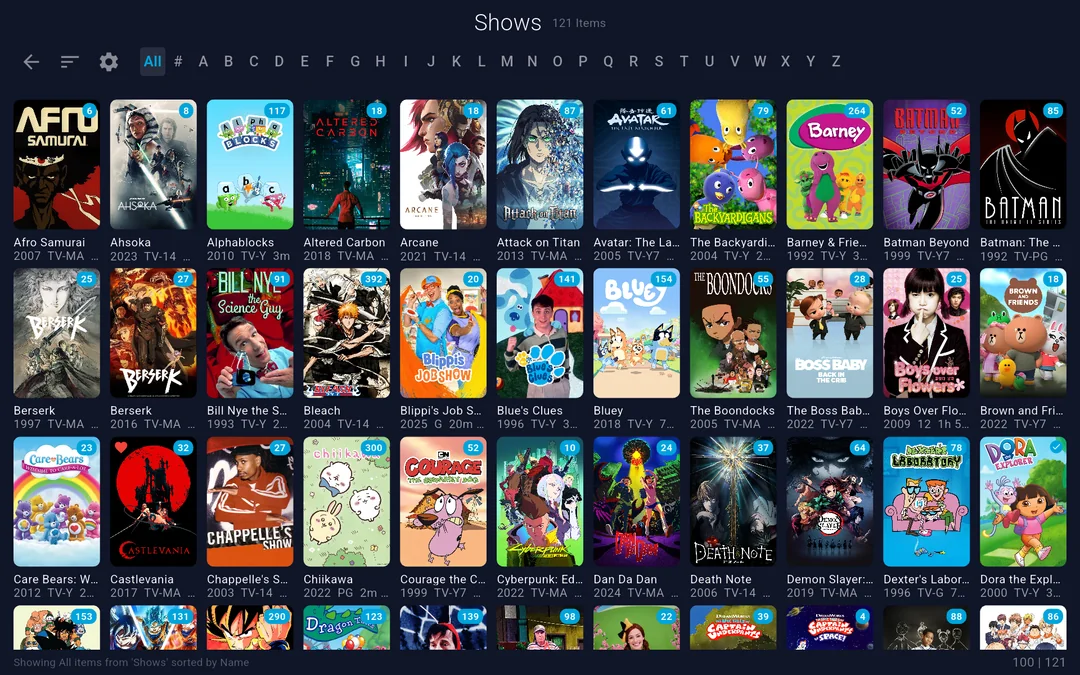
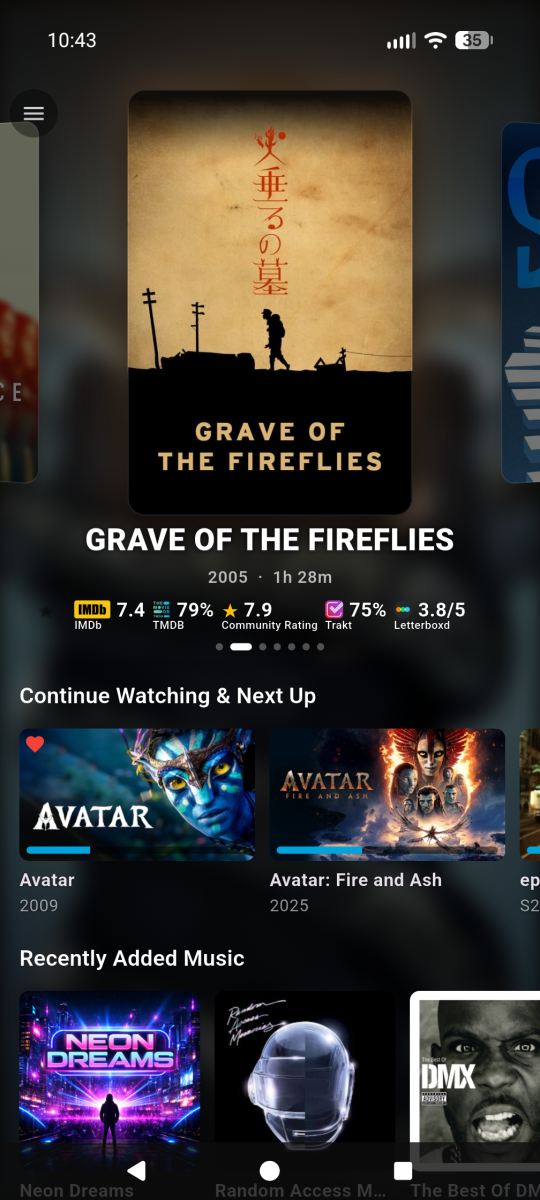
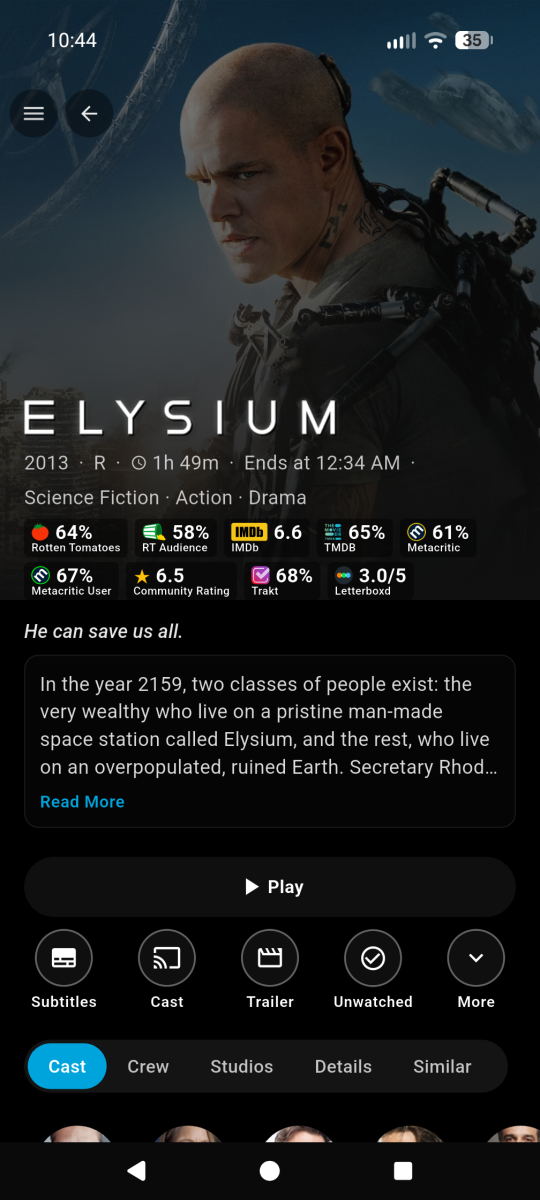
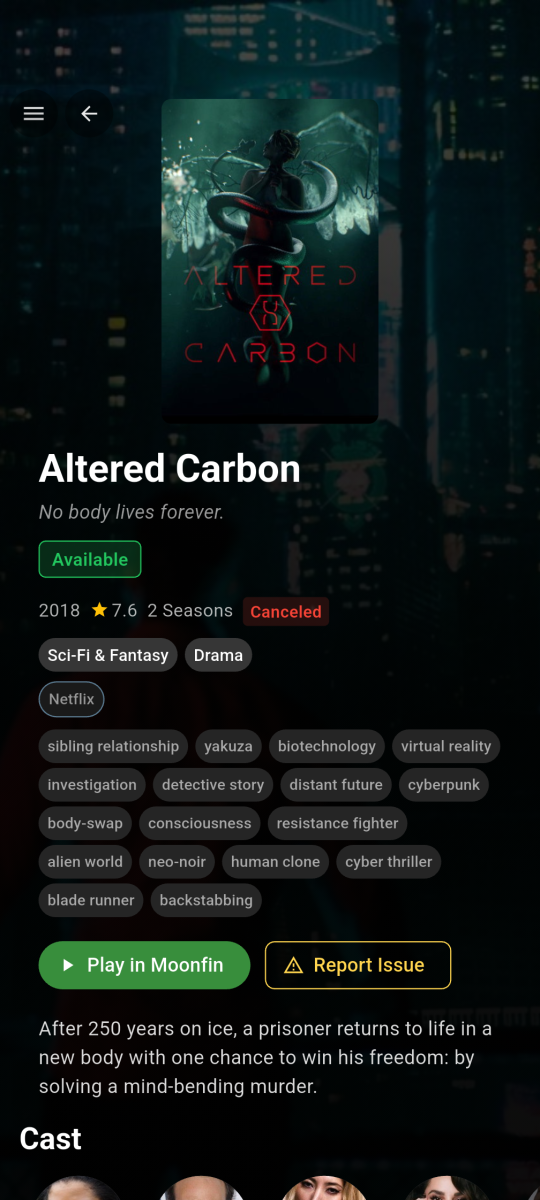
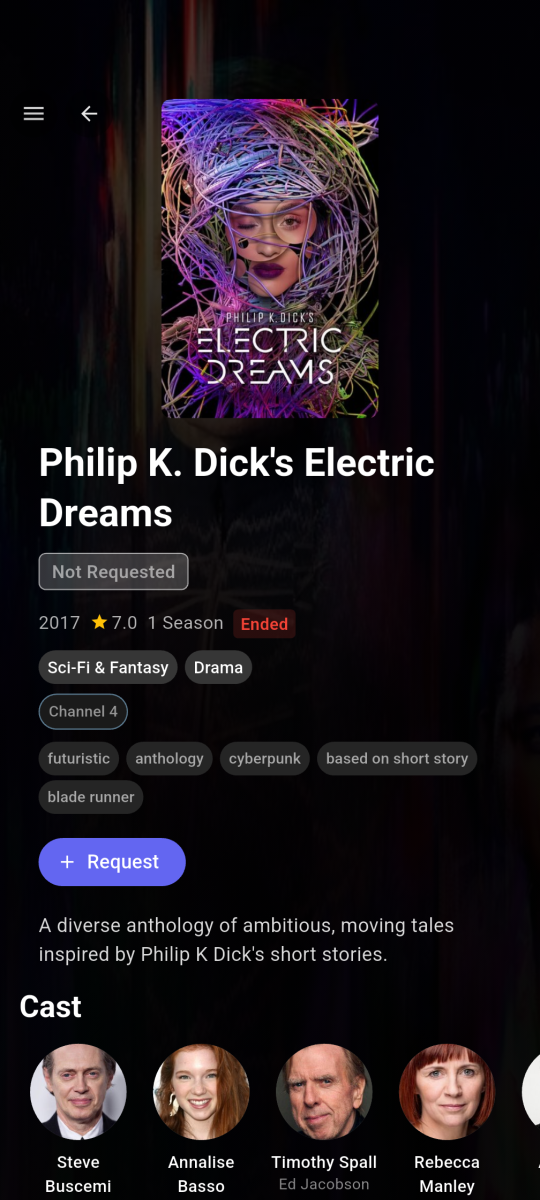
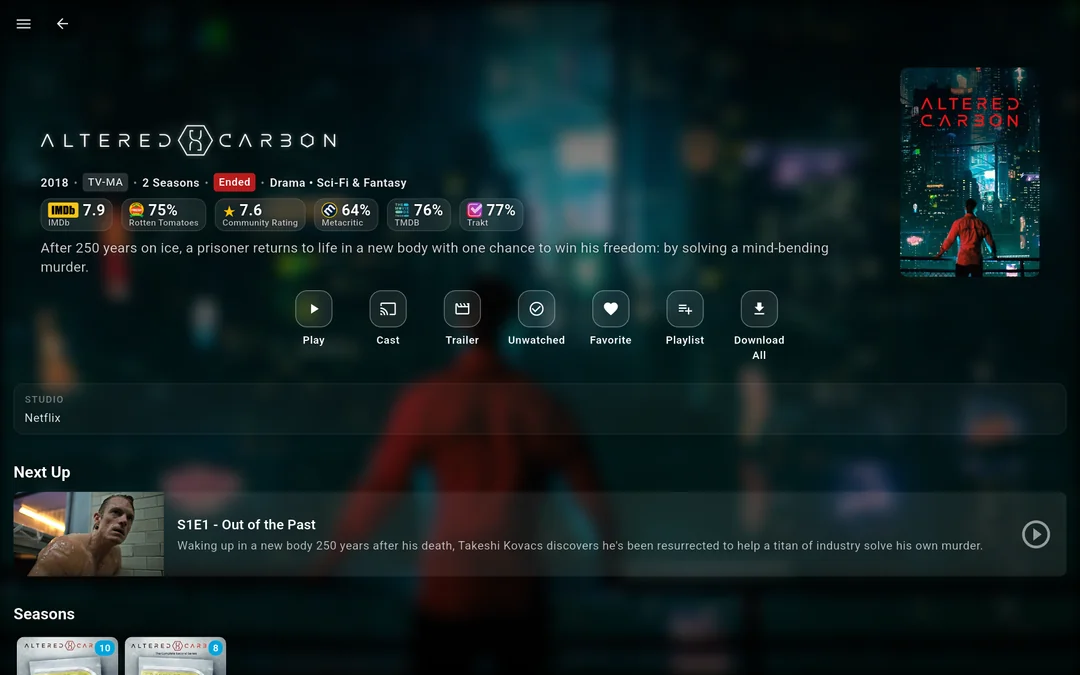
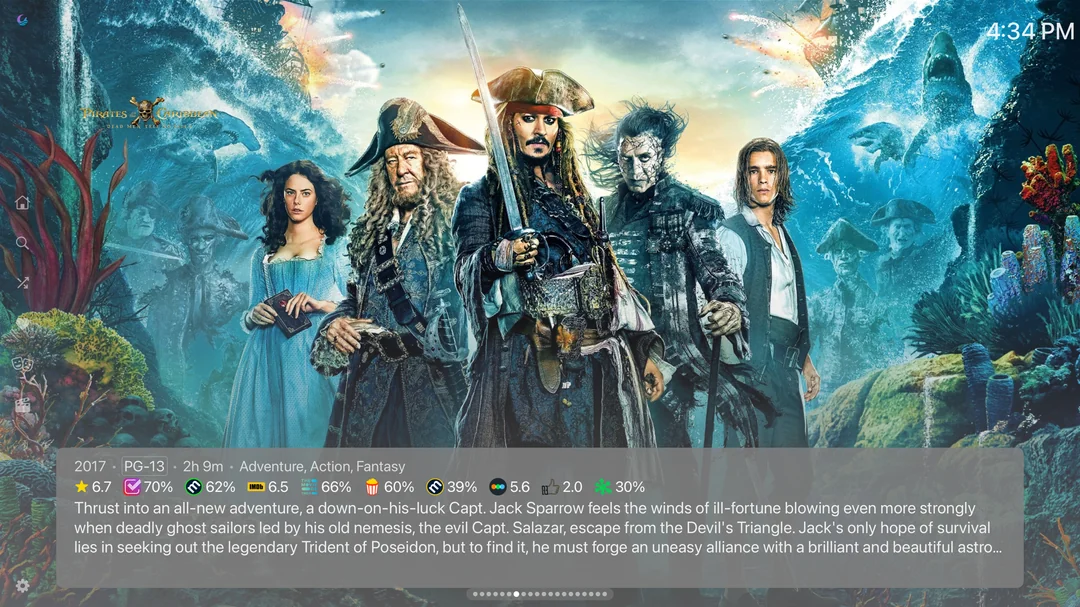
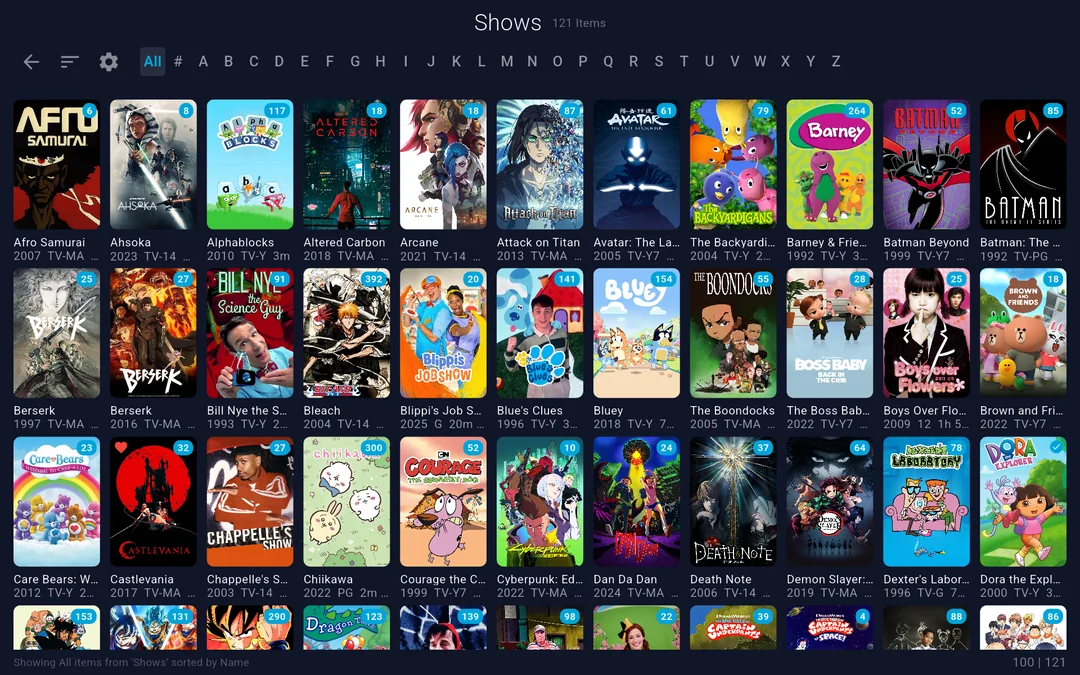
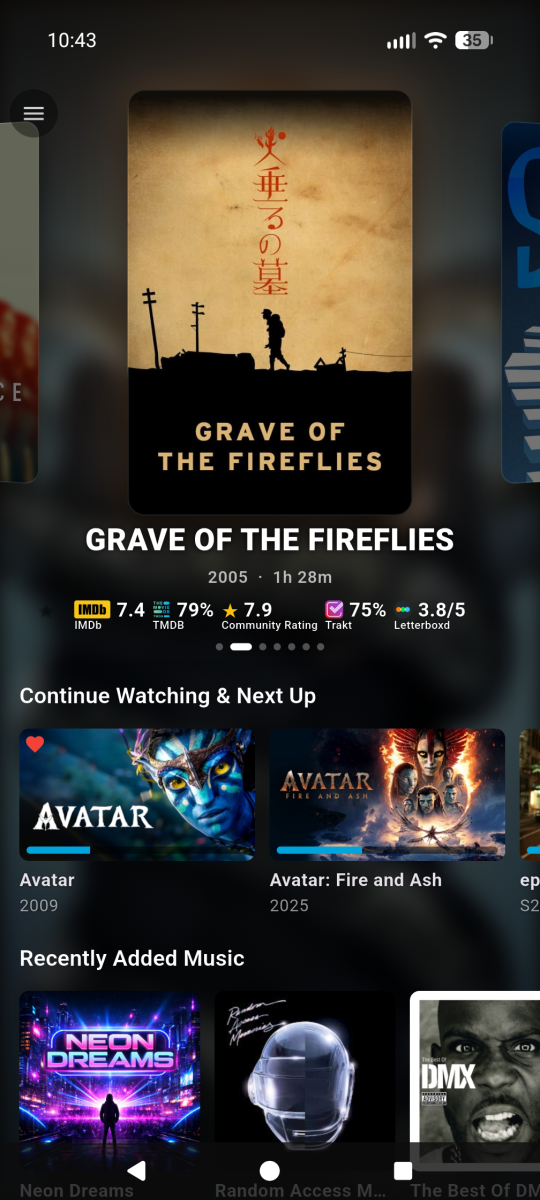
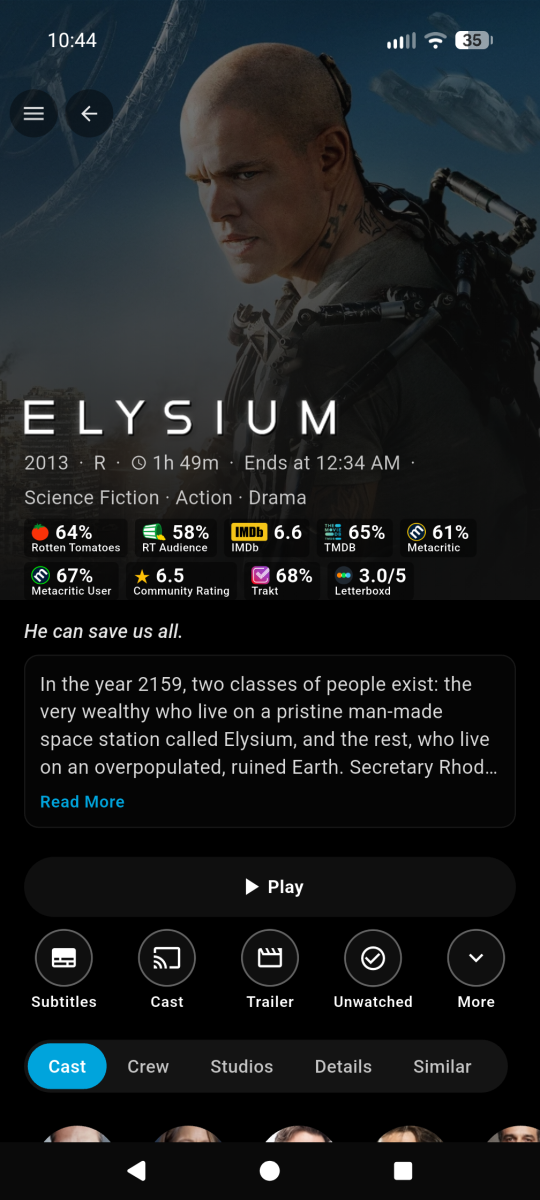
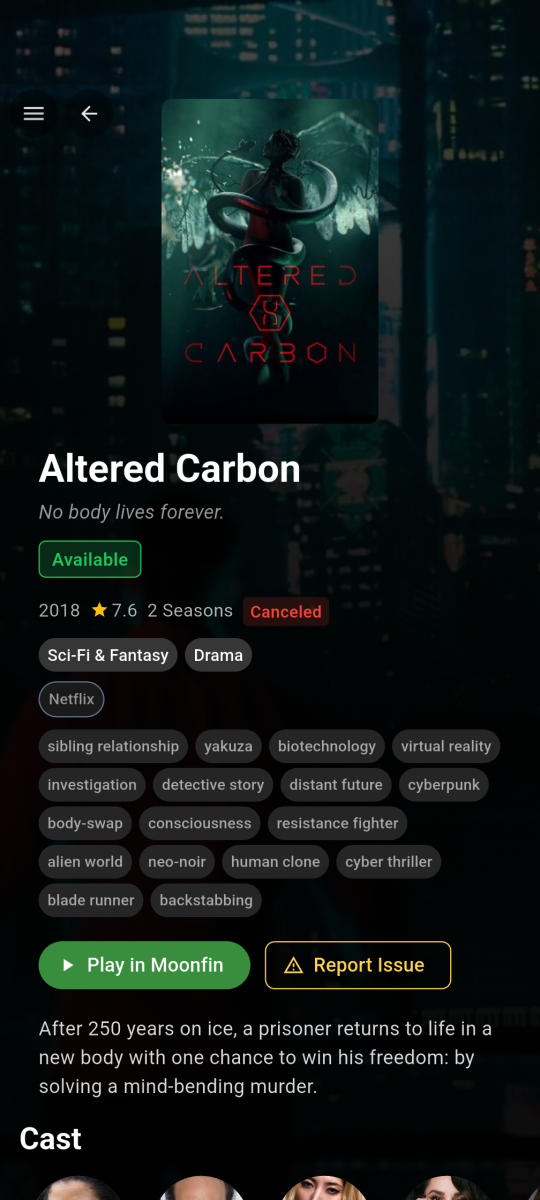
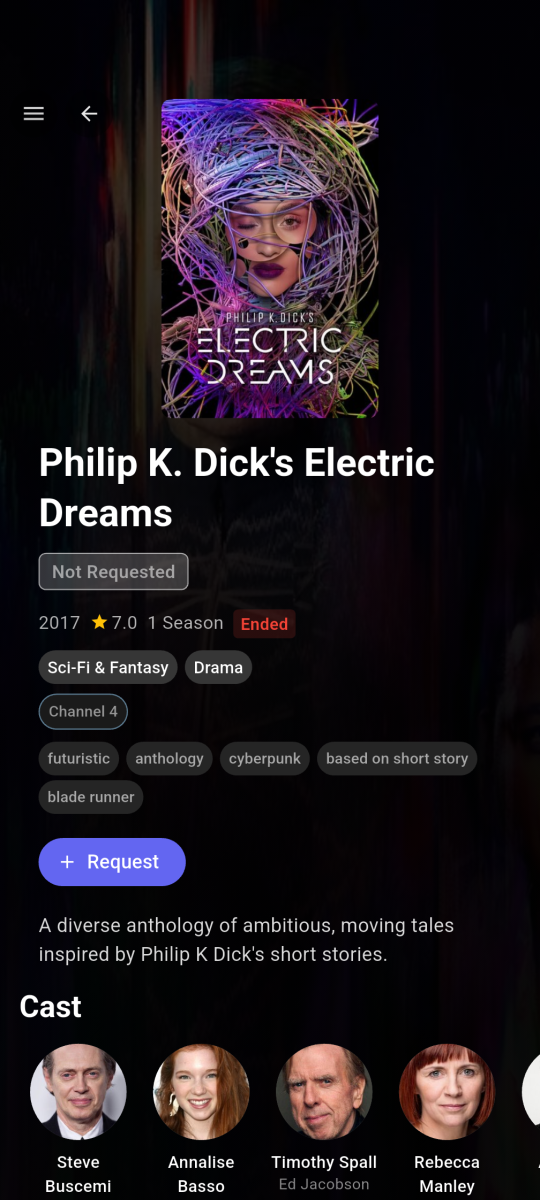
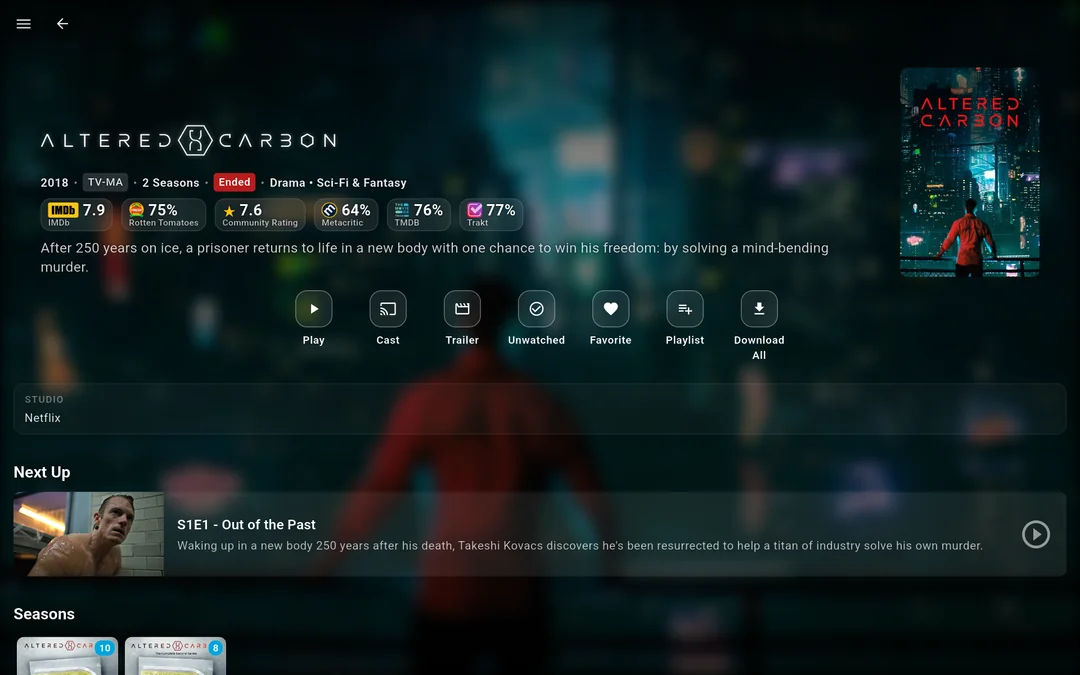
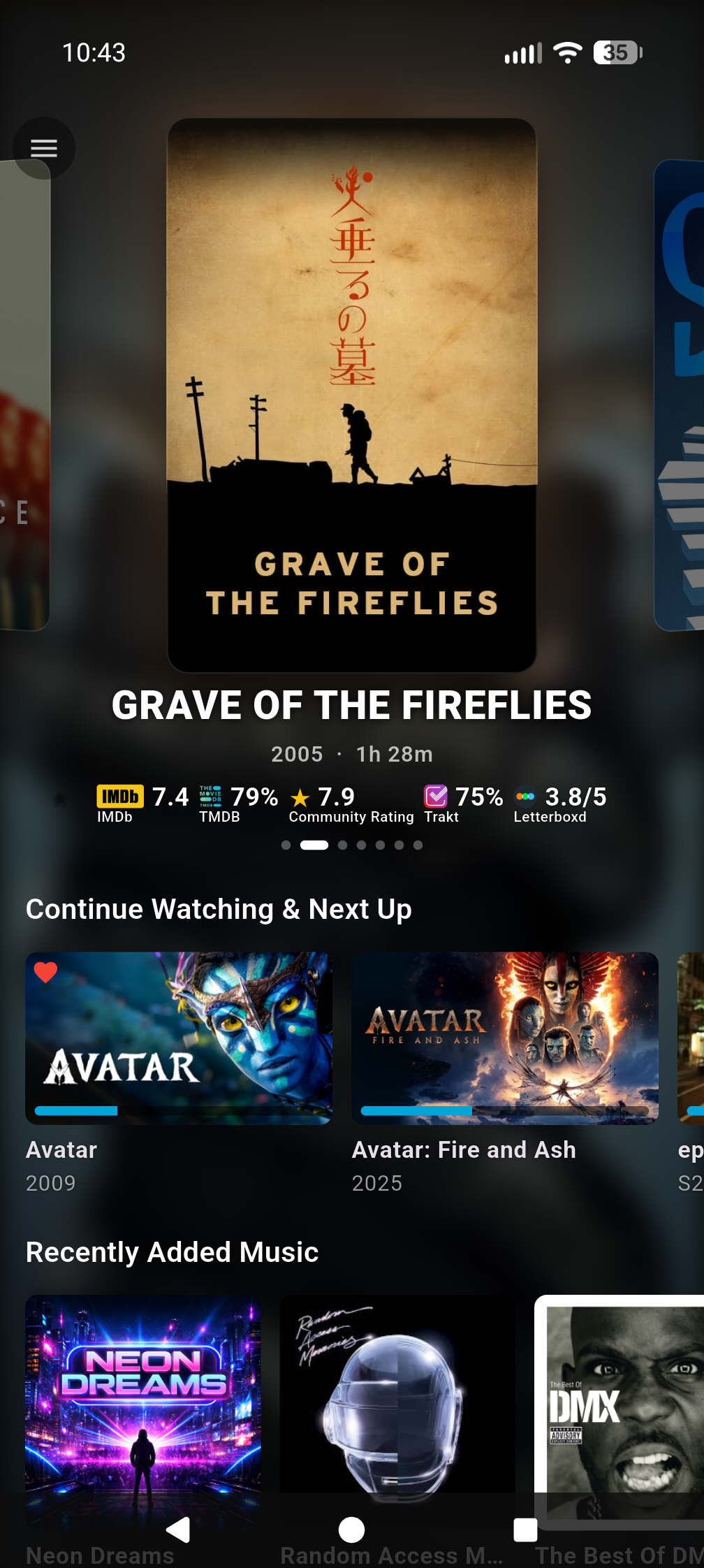
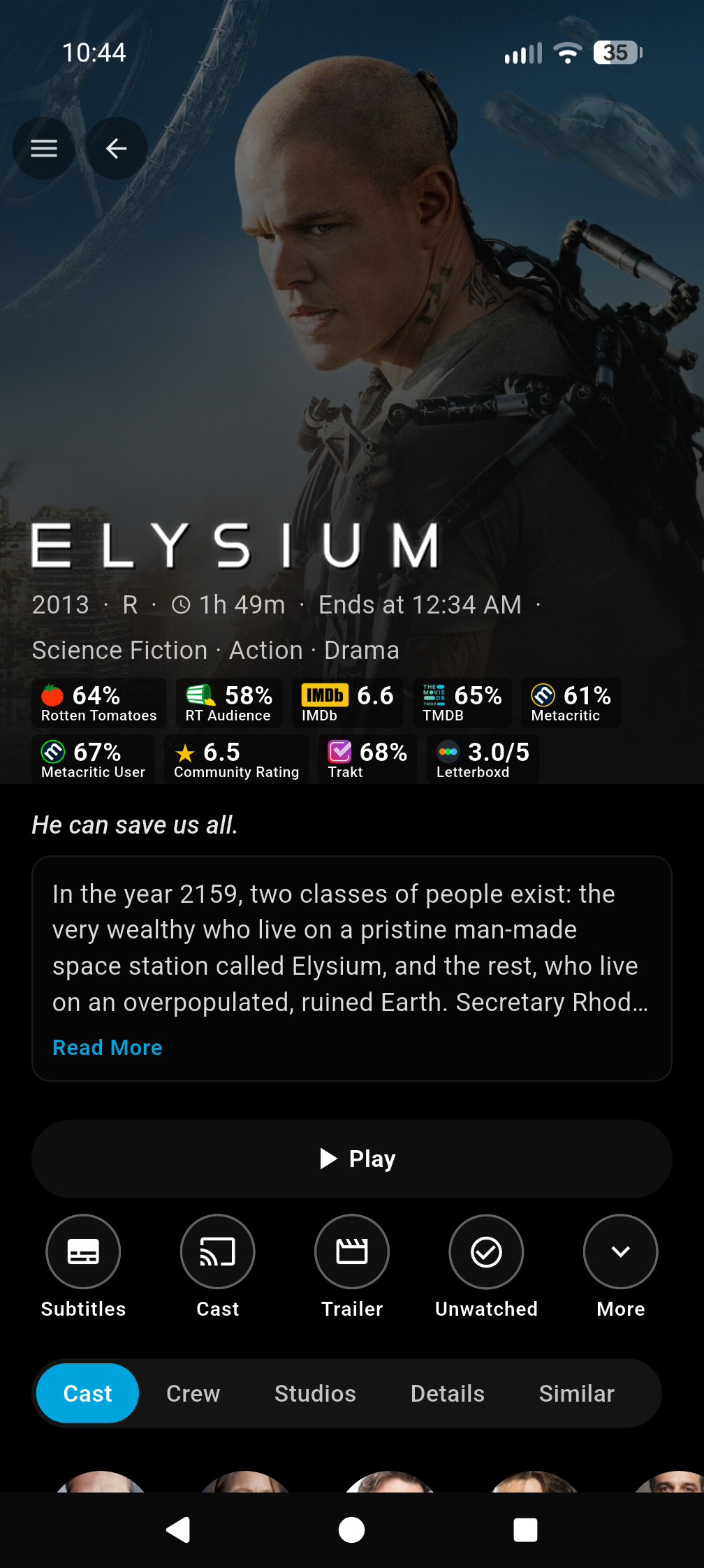
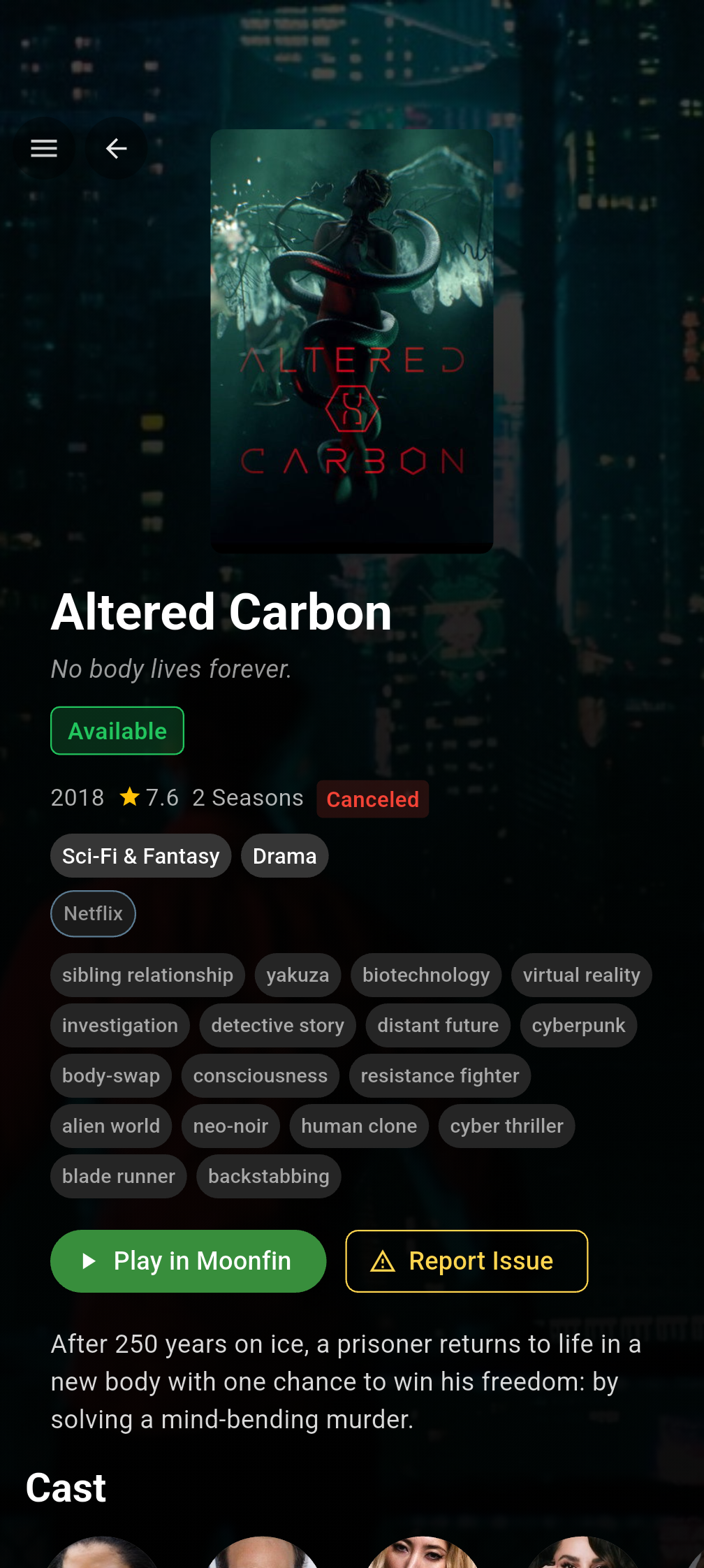
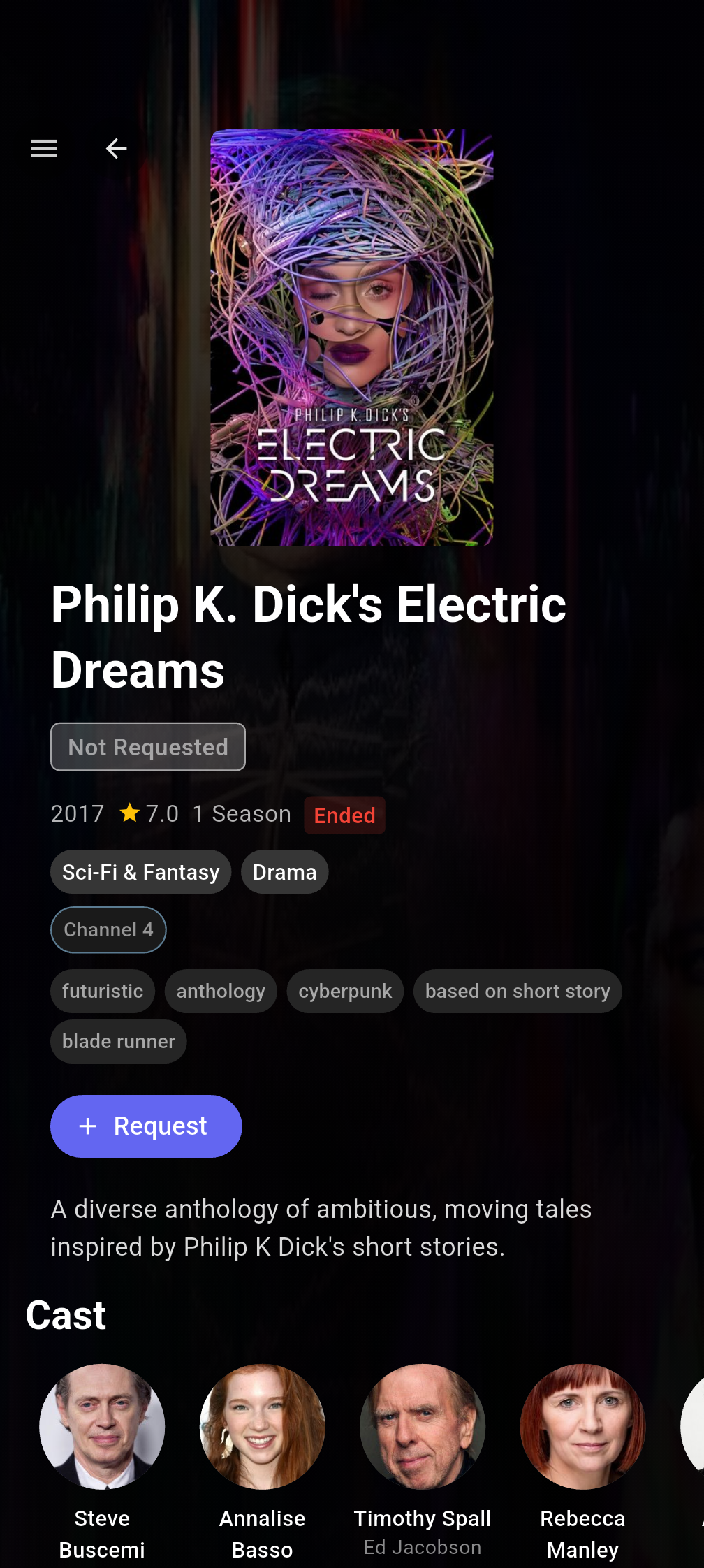
Hi everyone!!!! I'm the creator of Moonfin, a truly cross platform media client. If this is your first time hearing about the Moonfin project, welcome! Moonfin is a little shared ecosystem of third party clients that shares UI, functionality, and features across TV clients, Web, Mobile, and Desktop clients. It has been around since November 2025 and it is now on basically every platform you can think of. Up until now it was a Jellyfin only thing, but that's no longer the case. Moonfin Community Discord: here Moonfin website to test the web client and see more info here ────────────── How it works Everything is tied together by the Moonfin Server Plugin, which now installs on Emby seamlessly. The plugin is what powers the shared Moonfin experience across all of the Moonfin clients. It lets you log directly into Seerr, holds server wide MDBList and TMDB API keys, syncs your settings between Desktop (web gets counted as desktop if accessed through desktop or mobile if accessed via mobile browser. neat right?), Mobile, and TV, and handles the features and integrations that make the whole thing feel consistent no matter where you're using it. Install the plugin from here on your Emby server, point any Moonfin client at it, and you are good to go. ────────────── What the clients bring to the table NOTE: ALMOST everything here can be toggled on and off. No setting or UI is forced on you. It is YOUR media, YOUR way. Featured media bar slideshow with image preloading and content filtering, 5 different styles to chose from 4 Custom app themes and the ability to create your OWN custom themes as well Fully customizable home rows, including Seerr rows, TMDb rows, IMDb lists, and MDBList lists with proper posters Cross server playback, so multiple servers show up as one unified library Full Seerr integration with a dedicated requests screen, push notifications (as phone notifications and in-app banner for TV and desktop), download progress, and issue reporting MDBList ratings from IMDb, Rotten Tomatoes, Letterboxd, Metacritic, Trakt, AniList, and MyAnimeList Two different media detail screens with different styles and layouts to best suit your liking Live TV and DVR with an EPG refresh and lazy loaded programs In app YouTube trailer previews with SponsorBlock, theme music, and audio and subtitle delay adjustment Full playlist control with no item limit PIN protection per user and parental controls with content rating filtering Ebook, comic, and audiobook readers, plus a retro games library if you're into that (I know you are, dont lie) Offline mode with local first playback and original or transcoded downloads ────────────── All Moonfin Clients Platform Download Development Repository Android Mobile Google Play Store GitHub/Moonfin-Core Android TV Google Play Store GitHub/Moonfin-Core Fire TV Amazon Appstore GitHub/Moonfin-Core iOS Apple App Store GitHub/Moonfin-Core Linux Latest GitHub Release GitHub/Moonfin-Core macOS Apple App Store GitHub/Moonfin-Core Roku Roku Channel GitHub/Roku Tizen (Samsung TVs) Latest GitHub Release GitHub/Smart-TV tvOS (Apple TV) Apple App Store GitHub/tvOS webOS (LG TVs) Latest GitHub Release GitHub/Smart-TV Windows Latest GitHub Release GitHub/Moonfin-Core ────────────── Why so many clients? A lot of people ask how Moonfin ended up with separate clients across so many platforms. It honestly started pretty simply. The original goal was just to add the featured media bar to the Jellyfin Android TV client. Once that existed, people started saying it would be cool to have something similar on their platform. Then feature requests started coming in and it kind of took off from there. At the same time, platforms like webOS, Tizen, and Roku didn't really have alternative clients available like Android TV, Android mobile, iOS, and Apple TV have, so it felt like a good opportunity to create some. I enjoy building things and helping where I can, so I started working on ports. Having LLMs around for quick experiments, refactors, and figuring out unfamiliar platform quirks definitely helped along the way too. Why open source and why not charge for it? Honestly, I just enjoy building things and helping people. Open source lets others learn from the project, contribute if they want to, or adapt things for their own setups. I have no plans now, or in the future, to make any of these paid.
-
Yup, you're exactly right. Thank you, I'm happy you like it!
-
Hi there! I have used Moonfin for Jellyfin, good to see plugin support for Emby, do i drop both dll. and web folder in Embys programdata/plugin folder? Cheers!
-

Android TV clients cannot authenticate through reverse proxy (browser and Android phone work)
Breezey replied to Breezey's topic in QNAP
This has never worked through the reverse proxy on Android TV devices. It is not a regression after an update." -
embyforkodi (next-gen) 12.X.X support
quickmic replied to quickmic's topic in Emby For Kodi Next Gen
I'll check it, native or addon mode? -
The one thing i ALWAYS forget, not everyone has my same setup. WIll look at adding this in (and checking any other elements on a smaller resolution).
-
Nope that was not it. It happens with the default stock google launcher aswell. It was working but when I turned the tv on, started emby nothing updated. I tried again, with home and open the app. I tried to open another app and the open emby, but nothing. I hit back until it asked me to exit emby. And after exiting (closing) the app completely and then reopen it refreshed. Can’t explain why this happens
-
Thank you for the shoutout! I'm happy you like the app!
-
......or Tailscale. Quick and easy. Set it up on your devices, connect to Tailscale ip address for your emby server, done.
-
This really looks decent. TY! While it looks great on my 4K screen, The only part that bothered me was on my smaller 22" monitor (1680x1050) the top pillbox navigation section was too far down with too much padding so I added this to the very bottom of the CSS & it looks perfect now. ((See photos below to compare)) I'm not really good at programming so I ran it thru my LLM and here is what it spit out. I figured I would drop the code here. /* =========================================================================== * Tab Position Fix - Pin tabs to top of header * ======================================================================== */ @media not all and (min-width: 66em) { .headerMiddle-withSectionTabs:not(.headerMiddle-tv) { margin-top: 0 !important; height: 2.5em !important; position: absolute !important; top: 23px !important; left: 0 !important; right: 0 !important; } } @media (min-width: 80em) { .headerMiddle.sectionTabs.headerMiddle-withSectionTabs { position: absolute !important; top: 13px !important; bottom: 0 !important; left: 0 !important; right: 0 !important; width: 60% !important; } } /* =========================================================================== * Page Padding Fix * ======================================================================== */ @media (min-width: 40em) { .skinBody-withFullDrawer .page-windowScroll.withTabs, .skinBody-withFullDrawer .withTabs .padded-top-page, .page-windowScroll.withTabs, html:not(.layout-tv) .withTabs .padded-top-page { padding-top: calc(5.5em + (var(--window-inset-top) * .7)) !important; } } /* =========================================================================== * Header Height * ======================================================================== */ .skinHeader:not(.osdHeader) { min-height: 75px !important; height: auto !important; padding-top: 0.4em !important; padding-bottom: 0.4em !important; } .emby-tab-button { padding-top: 0.3em !important; padding-bottom: 0.3em !important; line-height: 1.2 !important; } Before: After: I'll match my colors on the artwork later this week.


-

Advice please - getting the maximum from my EMBY Setup / Samsung HW-Q990C (Atmos and TrueHD)
Robnaeyaert replied to Robnaeyaert's topic in Hardware
@FrostByteI have a few dumb questions please based on your answer. Here goes Question 1 - I have my XBOX-X going directly into my TV which is then cabled via eARC to my HW-Q990c soundbar. Given your reply above do I have that backwards and should I connect my XBOX-X directly to my HW-Q990c soundbars HDMI 1 port to get advantage of the XBOX dolby features? Basically have I cabled this wrong? Question 2 - I have my Intel NUC PC (my Emby Media Server) directly connected via HDMI 1 to my Soundbar. I purchased a HDMI 2.1 cable today and I'm going to replace my current HDMI cable (which I suspect is not fast enough) with my new 8K 2.1 HDMI cable. So given I was asking about nVidia Shield PRO to get the best sound, can I achieve the same thing wiht my NUC Windows PC (Emby server) directly connected to my Soundbar with the 2.1 cable and forego needing to purchase the nVidia Shield? Thoughts? Thanks Rob -
@SamES
-
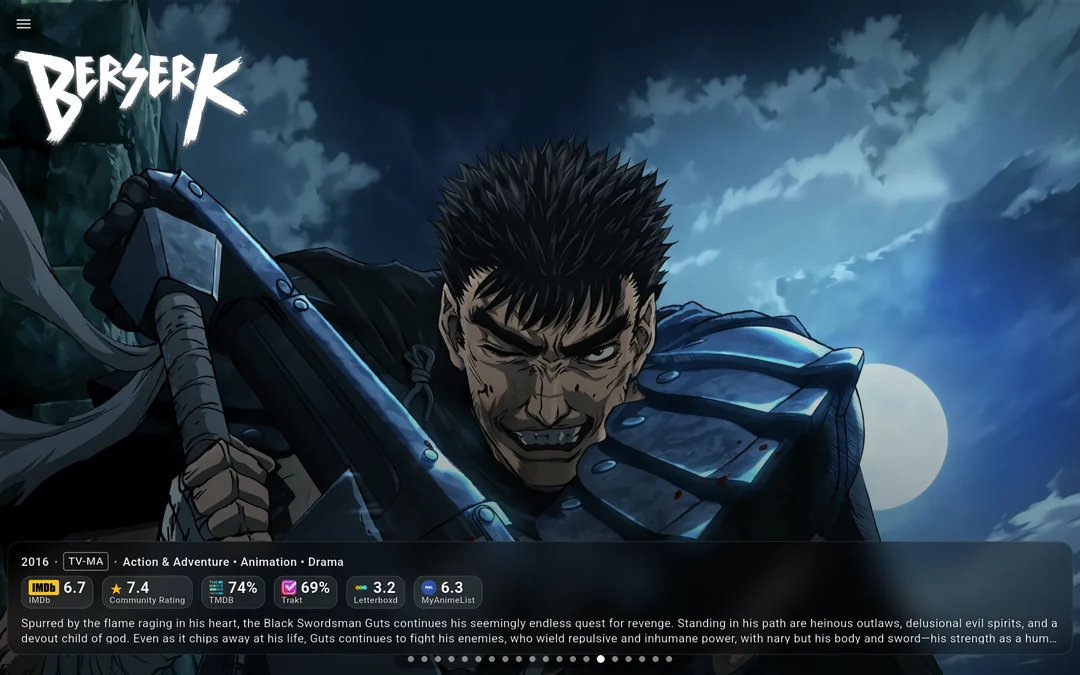
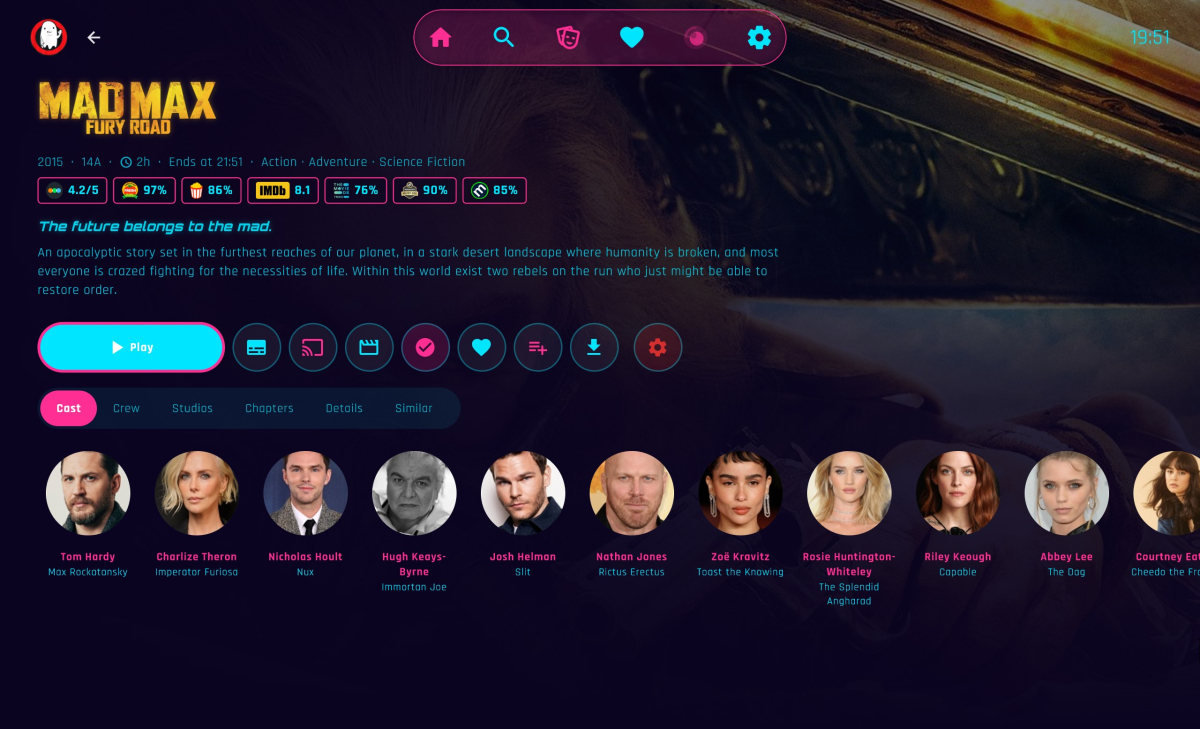
Hi everyone!!!! I'm the creator of Moonfin, a truly cross platform media client. If this is your first time hearing about the Moonfin project, welcome! Moonfin is a little shared ecosystem of third party clients that shares UI, functionality, and features across TV clients, Web, Mobile, and Desktop clients. It has been around since November 2025 and it is now on basically every platform you can think of. Up until now it was a Jellyfin only thing, but that's no longer the case. Moonfin Community Discord: here Moonfin website to test the web client and see more info here ────────────── How it works Everything is tied together by the Moonfin Server Plugin, which now installs on Emby seamlessly. The plugin is what powers the shared Moonfin experience across all of the Moonfin clients. It lets you log directly into Seerr, holds server wide MDBList and TMDB API keys, syncs your settings between Desktop (web gets counted as desktop if accessed through desktop or mobile if accessed via mobile browser. neat right?), Mobile, and TV, and handles the features and integrations that make the whole thing feel consistent no matter where you're using it. Install the plugin from here on your Emby server, point any Moonfin client at it, and you are good to go. ────────────── What the clients bring to the table NOTE: ALMOST everything here can be toggled on and off. No setting or UI is forced on you. It is YOUR media, YOUR way. Featured media bar slideshow with image preloading and content filtering, 5 different styles to chose from 4 Custom app themes and the ability to create your OWN custom themes as well Fully customizable home rows, including Seerr rows, TMDb rows, IMDb lists, and MDBList lists with proper posters Cross server playback, so multiple servers show up as one unified library Full Seerr integration with a dedicated requests screen, push notifications (as phone notifications and in-app banner for TV and desktop), download progress, and issue reporting MDBList ratings from IMDb, Rotten Tomatoes, Letterboxd, Metacritic, Trakt, AniList, and MyAnimeList Two different media detail screens with different styles and layouts to best suit your liking Live TV and DVR with an EPG refresh and lazy loaded programs In app YouTube trailer previews with SponsorBlock, theme music, and audio and subtitle delay adjustment Full playlist control with no item limit PIN protection per user and parental controls with content rating filtering Ebook, comic, and audiobook readers, plus a retro games library if you're into that (I know you are, dont lie) Offline mode with local first playback and original or transcoded downloads ────────────── All Moonfin Clients Platform Download Development Repository Android Mobile Google Play Store GitHub/Moonfin-Core Android TV Google Play Store GitHub/Moonfin-Core Fire TV Amazon Appstore GitHub/Moonfin-Core iOS Apple App Store GitHub/Moonfin-Core Linux Latest GitHub Release GitHub/Moonfin-Core macOS Apple App Store GitHub/Moonfin-Core Roku Roku Channel GitHub/Roku Tizen (Samsung TVs) Latest GitHub Release GitHub/Smart-TV tvOS (Apple TV) Apple App Store GitHub/tvOS webOS (LG TVs) Latest GitHub Release GitHub/Smart-TV Windows Latest GitHub Release GitHub/Moonfin-Core ────────────── Why so many clients? A lot of people ask how Moonfin ended up with separate clients across so many platforms. It honestly started pretty simply. The original goal was just to add the featured media bar to the Jellyfin Android TV client. Once that existed, people started saying it would be cool to have something similar on their platform. Then feature requests started coming in and it kind of took off from there. At the same time, platforms like webOS, Tizen, and Roku didn't really have alternative clients available like Android TV, Android mobile, iOS, and Apple TV have, so it felt like a good opportunity to create some. I enjoy building things and helping where I can, so I started working on ports. Having LLMs around for quick experiments, refactors, and figuring out unfamiliar platform quirks definitely helped along the way too. Why open source and why not charge for it? Honestly, I just enjoy building things and helping people. Open source lets others learn from the project, contribute if they want to, or adapt things for their own setups. I have no plans now, or in the future, to make any of these paid. : Screenshots shown in this documentation feature media content, artwork, and actor likenesses for demonstration purposes only. None of the media, studios, actors, or other content depicted are affiliated with, sponsored by, or endorsing the Moonfin client or the Jellyfin project. All rights to the portrayed content belong to their respective copyright holders. These screenshots are used solely to demonstrate the functionality and interface of the application.
-

A new approach to making IPTV behave more like traditional tuners
PowerCC replied to PowerCC's topic in Third Party Apps
Thank you to everyone who took the time to review and discuss the proxy architecture design I shared here. As some of you know, I originally built this project to work entirely through the Emby API. As development progressed, I discovered that the available APIs couldn't reliably determine when files were actively being updated. Without that level of visibility, it wasn't possible to guarantee safe file updates or consistently protect against corruption during provider failures. That realization led me to redesign the architecture from the ground up. Rather than relying solely on application-level APIs, the new engine works directly with the operating system to determine the true state of files before making changes. The result is greater stability, improved performance, and significantly stronger reliability. I'm also excited to announce that I'm officially partnering with @Fyb3roptikwhere my proxy code will be integrated directly into his Kernel Media Server, giving us a foundation that goes well beyond the limitations of existing solutions. Together, we're building a platform that delivers native HLS/DASH streaming, higher availability, and a more resilient architecture designed for long-term reliability and performance. Thank you again to everyone who shared feedback and ideas throughout this journey. Your input helped shape the direction of this project, and I'm excited to share what's coming next. -
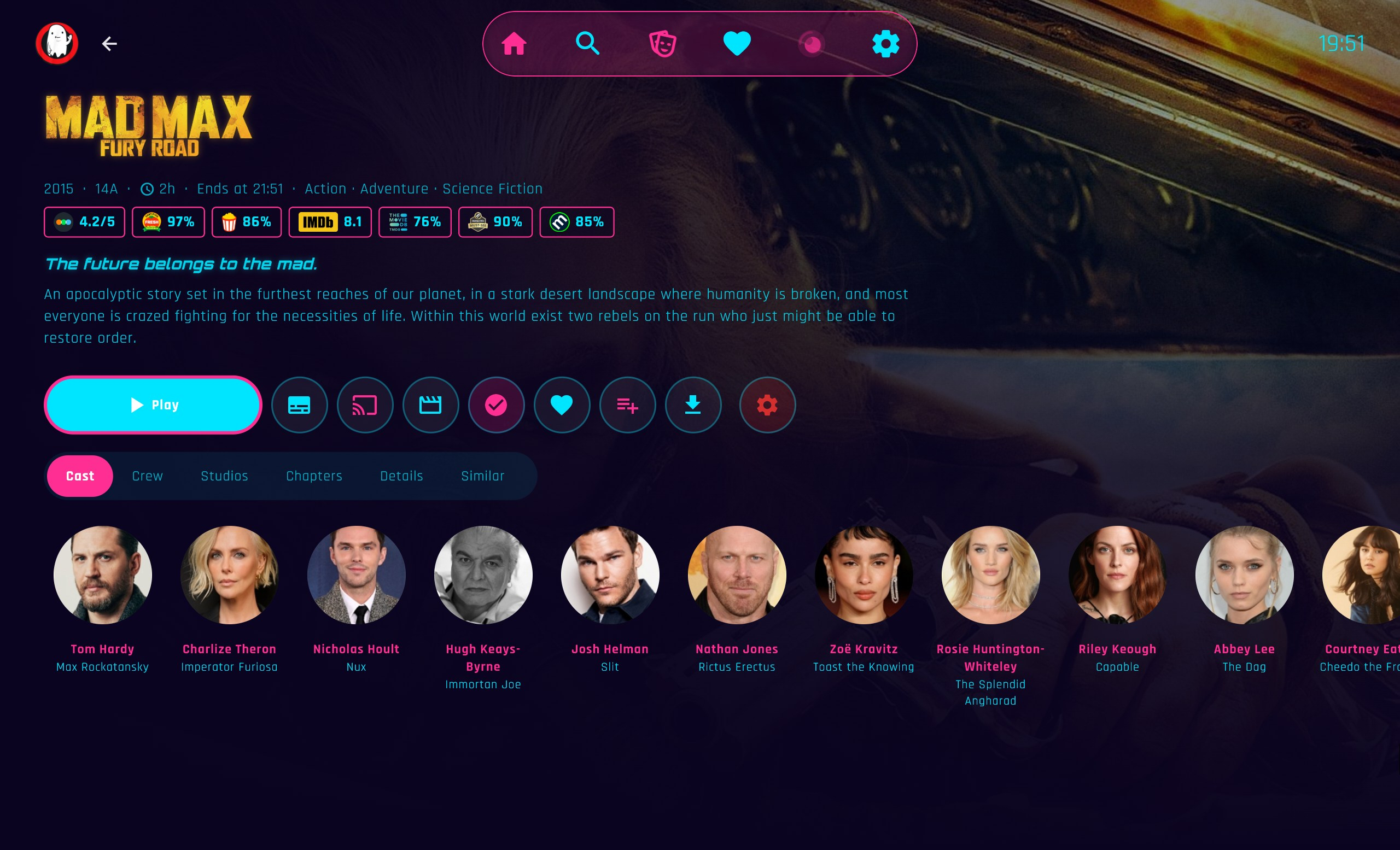
I gotta figure out how to make it size screenshots (I should google it), but every picture I post is giant! did you actually see the log file hiding under that monster of a picture? (hope you laughed... I sure as heck did).








.thumb.png.1ddf135ad99a72646a26d671a28ffe35.png)