
All Activity
- Past hour
-
 var83 joined the community
 -
 Jonathan Hernández joined the community
 -
 Rober reuven joined the community
 -
 MovieEnjoyer1 joined the community
 -
 DisneyKing joined the community
 -
 Robertcas32 joined the community
 -
 Saul Tang joined the community
 -
 Diego9873 joined the community
 -
 chriswhincup joined the community
 -
 rodrigosuarez joined the community
 -
Same issue on .54 You can scroll the tv guide with no issues until you get to midnight of the current day then it scrolls no further. You need to select the calendar icon choose another day then there is no problems until you next bring up the guide. Happens on both TV guides the mini one while watching TV and the main full guide page
-
For example, the movie "Home Alone" was in a collection I created called "Xmas" but also in a collection called "Home Alone", which had been automatically created. The Xmas collection is no longer showing, but the Home Alone movie still shows in the Home Alone Collection.
-

Keep some additional labels with group by collection
Luke replied to KatchiMunki's topic in Feature Requests
Hi, yes we need to add options to control the display of fields there. Thanks. -
HI there, can you please provide a specific example? How to Report a Problem Thanks !
-
Hi. Since updating to Emby server Version 4.9.5.0 , my manually created movie collections have disappeared from Collections. Other collections are still showing (assuming these are auto-created collections), but my manually created ones are gone. Why? Can they be recovered or do I have to create them all again? Hoping someone can please advise.
-
So we're just ignoring this?
-
Yep. Pop it up after a few seconds, fine. But it's incredibly annoying having it pop up on my wired LAN connection, because it looks like an error message and just feels like it ends up extending connection time, which is not a good thing.
- Today
-

Atrium — a native tvOS app for your Emby server
vdatanet replied to vdatanet's topic in Third Party Apps
Atrium 1.7 is on the App Store. The sign-in trouble reported here this week is fixed. One word it didn't recognise in a reply and the app threw the whole reply away — which is why a single library of an unfamiliar kind stopped every account on that server from loading any libraries at all. So if you ever installed Atrium, got "Couldn't load your libraries" and concluded it didn't work with your server: it wasn't your server. Worth another go. "Who's watching?" has a way out now, too. The new thing is Live TV. If your server has channels, Home gets one more tile. Each row in the list says what's on now and how long is left; there's a grid view that shows channels by their logo, which is how you actually recognise them; hold Select to make one a favourite and show only those. The player is built for live rather than for a film: no scrubbing bar, no chapters, no total duration — what's on now, and how much of the programme is left. What it isn't, so you don't go looking: no guide grid, no recordings, no scheduling. Get in, find your channel, watch it. And here's where I need your help. All I have is an M3U list of internet channels. If yours comes from a terrestrial, satellite or cable tuner, the signal is a different animal — interlaced, often MPEG-2 with MP2 audio — and the app asks your server to convert it. I've only ever tested that against signals I built here. Try your channels and say here how it went: if one won't start, which one and where it comes from; if they stutter on a connection that plays films fine, say that too — live opens at one fixed quality, with nothing lower to fall back to. Also fixed: the screen saver interrupting a film, the time bar vanishing after a few jumps, scrubbing forward hanging the video, and the remote going dead with Playback Information on. -
You cannot have "Resolution" as TV Show field as TV Shows are not media items per-se (and have no video/audio/subtitle stream properties) but a collection of items (episodes) that can have multiple resolutions. Closest thing you could do is use some community-made plugin - like EmbyIcons - that'd overlay TV Show posters based on underlying episodes properties.
-
Nvidia Shield, Emby server 4.9.5.0 Hello, On the server webpage, Under Films/Settings/Show Fields, I have the option to display the "Resolution", ie 1920x1080, But under TV, it's three small dots /Settings/Show Fields and the option for "Resolution" is missing, Could this option be added? tia Jak
-
Much appreciate, Emby is such a great software!
-
Hi Luke, Have you enough informations or want more ? Thanks.
-
Thanks for sharing.
-
It's weird, I tried this over three days giving it plenty of time to update the data and it wasn't, after a while I would try to refresh metadata or even place a .ignore file in the folders so emby would forget them and then remove the ignore file so emby would reintegrate 'em with the same results everytime, emby just putting the files in with the file-names and adding no new metadata, and then all of a sudden it worked and now it seems to be fine. IDK why.
-
I just pushed v1.0.8.6. A limit was in place to throttle under the API limit, but I've increased it and if you still see a stop, the log will now say exactly why. Keep in mind the API does have a daily request limit: - authenticated users (with API key): 500 daily requests - unauthenticated: 100 daily requests The plugin is designed to slowly chip away your entire library over multiple runs, so it may take a few days before your large library is scanned. I would recommend using the whitelisting feature in the plugin to first scan media you're actively watching or a smaller part of your library you want skips for, then you can increase the whitelist to fill the remaining media in your library.
-

Completed Sort and filter of the content of collections
malghana replied to harold's topic in Feature Requests
@LukeHey, just wondering if there is a way to track this for when it's coming -
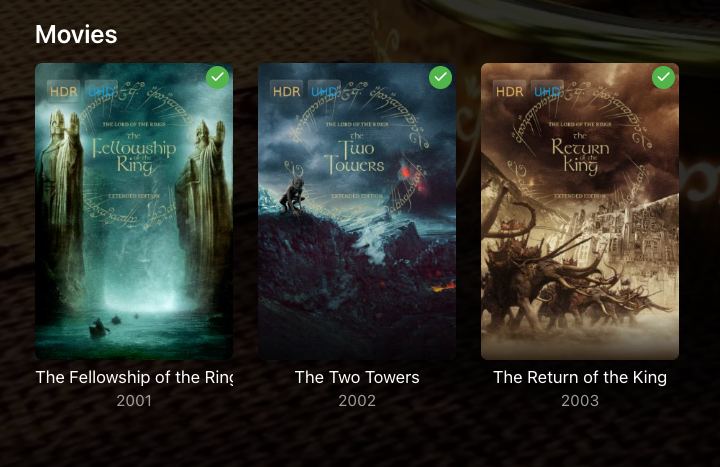
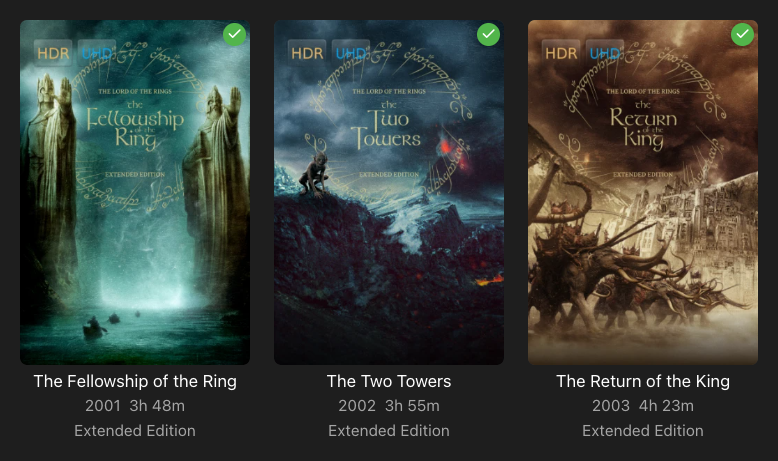
I have added tags to movies that are 'Special Edition', 'Extended Edition' 'Unrated Edition' etc and they show up underneath the movie along with the year and duration when looking through the library. If you have group by collection activated they obviously disappear from the main screen but when you click into that collection they still don't show, it would be nice to retain these within collections.
-

Library Real Time Monitoring needs SAFETY CHECK
MacGyver27 replied to MacGyver27's topic in General/Windows
Hey. Thanks fore the reply. Unfortunately this happened quite few weeks ago.. but can simulate if necessary.. should be pretty straight forward with docker. Let me know! -
Hey. Latest one - 31.Aug - 3.5.55
-

embyforkodi (next-gen) 12.X.X support
quickmic replied to quickmic's topic in Emby For Kodi Next Gen
Did you browse via video addon (helper) and not music the addon (helper)? -
Can't move Emby when installed as an app in Edge
Luke replied to IdeasMan's topic in General/Windows
Hi, we are looking into it. Thanks. -
Thanks for sharing.
-
Library Real Time Monitoring needs SAFETY CHECK
Luke replied to MacGyver27's topic in General/Windows
Hi there, please attach the Emby server log from when the problem occurred: How to Report a Problem Thanks! -
Hi, what version of the Android app are you on now?
-
Hello all! I spend most of my daily time in a command line terminal, so I've created this CLI for Emby so playing a movie is as easy as emby-cli item play "Interstellar" or an episode of a given TV show: emby-cli item play "Breaking Bad S03E01" It's an early stage project and I'm still adding features and improving the packaging (as the Python self-contained packages take a few seconds to decompress and start), but it's mature enough to share it. I hope you find it useful and provide feedback. The code is in https://github.com/soukron/emby-cli. Regards, Sergio








