All Activity
- Past hour
-
 bacak joined the community
 -

Feature Request: Grid Tile Format for Media Libraries in Android App
vdb86 replied to adreader51's topic in Feature Requests
@LukeI'd like to offer my help with this. I'm ok signing NDAs etc. -
 davidward1981 joined the community
 -
Hi Emby team, First, thanks for Emby. I run it as the media hub for my living-room HTPC and it has been rock solid. ## What I am trying to solve On a dedicated HTPC, I want the Emby client to get out of the way when I am not actively watching, and come back when I am: - Start with windows minimized to tray - so that I can use my phone to select the htpc as play on target. - Pause playback -> hide the client to the system tray. - Resume -> bring it back to the foreground. - Playback starts -> show it; playback stops/ends -> hide it. This is a really nice "appliance" experience on a TV-connected PC: the client is there when you need it and invisible when you do not, without ever landing on the desktop or taskbar. ## What I built as a stopgap Because I could not do this from within Emby, I wrote a small standalone Windows tray agent, "Emby Tray": https://github.com/vdb86/Emby-Tray It polls the server's `GET /Sessions` endpoint, filters to this machine's own session (by local network address / client name / device name), reads `PlayState.IsPaused` and the now-playing item, and then uses Win32 (`EnumWindows` + `ShowWindow`) to hide/restore the client window. It runs entirely outside the client install so client updates never touch it. It works well, but it is fundamentally a workaround, and I would much rather this behavior lived in Emby itself so nobody needs a side-car process. ## Why this cannot be done as a normal plugin today I looked hard at doing this "properly" first, and hit a wall that I think only you can remove: 1. A server-side catalog plugin can subscribe to `ISessionManager` playback events and read `PlayState.IsPaused`, so it can perfectly DETECT pause/resume. But it runs on the server and has no way to touch a client's OS window or tray. 2. A client-side (Theater web/JS) plugin knows the play/pause state directly via the web `playbackManager` events, but it runs in the web sandbox and cannot reach the OS tray or minimize the native window. 3. The server-to-client `GeneralCommand` path is the natural bridge, but `GeneralCommandType` has no command for this. It has `ToggleFullscreen`, `SetVolume`, `Mute`, `GoHome`, `DisplayMessage`, `SendKey`, `SendString`, and so on, but nothing like `MinimizeToTray` / `RestoreWindow` / `Minimize`. So detection is fully supported, but the "hide/restore the native window" half is not exposed to any plugin surface. That gap is why an external agent is currently the only option. ## What would be needed from your end Any one of these would let this be done natively (roughly in order of how self-contained they are): 1. Best: build it into the desktop client directly. Add a tray icon plus a "minimize to tray on pause / restore on resume" option (and a "start minimized to tray" option) in the client's settings. Nothing external needed, and it would be a great HTPC feature out of the box. 2. Or: add `GeneralCommandType` values such as `MinimizeToTray` / `RestoreWindow` (and ideally `Minimize` / `Restore`) that the desktop client honors. Then even a small server plugin could drive the behavior on pause/resume. 3. Or: expose a minimal NativeShell API to Theater client plugins (for example `nativeShell.window.hideToTray()` / `show()`), so a client plugin reacting to `playbackManager` pause/unpause events could do the window/tray control itself. Option 1 is what I would love most, since it removes the need for any plugin at all. Options 2 or 3 would let the community build it cleanly. ## Offer The full working implementation, including the session-matching logic and the Win32 hide/restore handling, is open source at the link above under GPLv3, so please feel free to reference it for the detection/behavior model. Happy to answer questions, test builds, or help however is useful. Thanks for considering it. P.s. I'm also open to trying to help with optimizing the windows app code (start faster, etc.)
-
 gustavoreales joined the community
 -
 Daylight5721 joined the community
 -
 pint16oz joined the community
 -
 xiaomo123456 joined the community
 -
 Alexis_Marie joined the community
 -
 MaxU joined the community
 -

Emby Server not installing on Android 7
CaptainPirate replied to CaptainPirate's topic in Android Server
By “Downloading from their repo” I meant downloading the apk from emby's GitHub repo (https://github.com/MediaBrowser/Emby.Releases/releases) Downloading isn't the issue, I can download just fine from the website also repo too but after downloading when I try to install the apk I get that “Failed To Parse” error message. -
 lidya24 joined the community
 -
 alee.hc__ joined the community
 -

Folder images missing in Emby Theater (3.0.20/21 Legacy)
softworkz replied to scottpro's topic in Windows & Xbox
Which Windows app version - I don't see it? -
However, it says it's complete and it's not. Should say in progress as Atmos, DTSX, etc haven't been added yet.
- Today
-

Audio HLS with TranscodingContainer=mp4: the playlist is served, the segments throw a 500
vdatanet posted a topic in Developer API
On Emby 4.9.5.0, requesting an audio HLS stream with fMP4 segments produces a correct playlist whose segments cannot be fetched. Every segment request — and the init segment — returns: HTTP 500 "Object reference not set to an instance of an object." The same request with TranscodingContainer=ts works. Same code, same token, same track; the only thing that changes is the container. GET /Audio/{itemId}/universal ?UserId={userId}&DeviceId={deviceId} &MaxStreamingBitrate=192000 &Container=mp3,aac,m4a,flac &AudioCodec=aac &TranscodingProtocol=hls &TranscodingContainer=mp4 <-- ts works, mp4 does not &MaxSampleRate=48000 &PlaySessionId={uuid} &api_key={token} Follow the master playlist to main.m3u8, then request either the #EXT-X-MAP init segment or any hls1/main/N.mp4, carrying the auth query params through as usual. Retried over several seconds in case it was a transcoder warm-up: it is not, the 500 is immediate and consistent. Worth saying plainly: the playlist itself is authored correctly — version 7, an EXT-X-MAP pointing at init.mp4, segment durations, the lot. Whatever is missing looks like it sits between the playlist writer and the segment handler. Two small things that might narrow it down, or might be irrelevant — you'll know which: The ts and mp4 playlists are generated from the same request and differ exactly as you'd expect (version 3 vs 7, EXT-X-MAP present only on the second), so playlist generation looks complete. The 500 is identical for init.mp4 and for every media segment, which suggests it's one path rather than a per-segment condition. That's the whole report. I'm not asking for a feature here — just flagging that a route the server advertises can't be followed. -
i found out that when i play the video via Emby App it's displayed correctly. but when i use the web link it rotates to the side. What do you need from me to investigate the issue?
-

embyforkodi (next-gen) 12.X.X support
hansi9990 replied to quickmic's topic in Emby For Kodi Next Gen
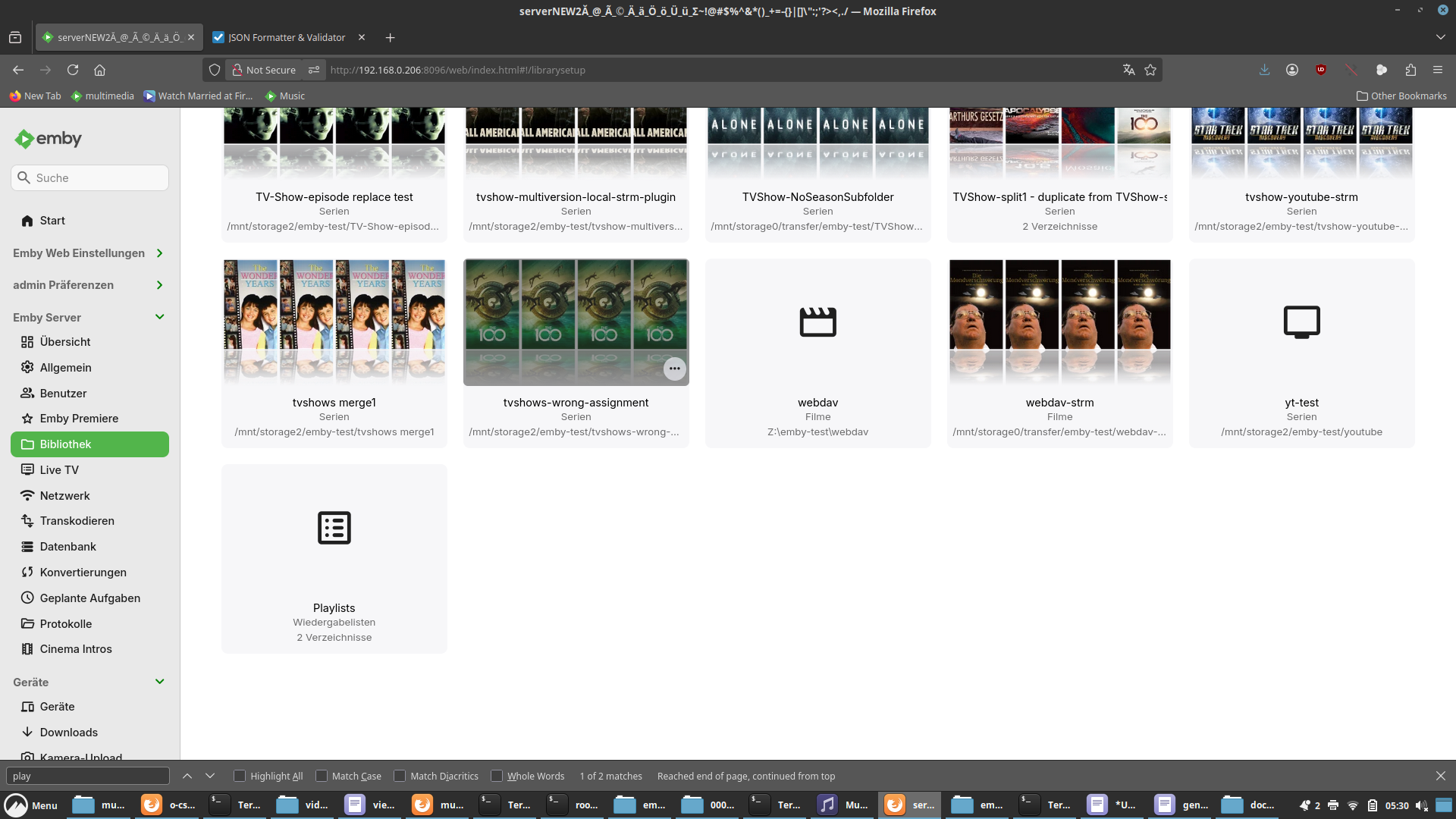
Yes it is. However, I think that before I created a dummy playlist in Emby itself, it wasn't there. There seems to be a bug in Emby: the playlists are read and displayed within the music library (see the first image I attached), but they aren't actually added to the library until you create one within Emby. -
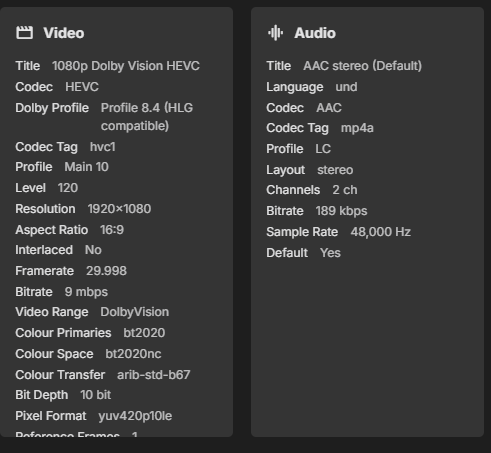
Is it possible to add a feature to detect the EAC3+JOC (EAC3+Atmos) audio codec? Currently, they are identified simply as standard EAC3. Screenshot from Emby Screenshot from MediaInfo app


-

Suddenly: Missing Movie Poster on Synology NAS
Sturmkater replied to Sturmkater's topic in Linux & Raspberry Pi
So back to square 1: Today even more posters are missing. In the log at at 04:30:34 when "Scan media library" happened: (I could not find any overlapping scheduled task which might interfered with volume2) Removing item from database, Type: Movie, Name: Ice Age - Surviving Sid, Path: /volume2/HyperActive/Video/Movies/Animation/... Removing item from database, Type: Movie, Name: Alice.In.Wonderland, Path: /volume2/HyperActive/Video/Movies/Animation/... Removing item from database, Type: Movie, Name: Bambi, Path: /volume2/HyperActive/Video/Movies/Animation/... Removing item from database, Type: Movie, Name: Finding Nemo, Path: /volume2/HyperActive/Video/Movies/Animation/... Removing item from database, Type: Movie, Name: Finding Dory, Path: /volume2/HyperActive/Video/Movies/Animation/... It seams that the Scheduled Task Scan media library deletes the movies and then reads them and probably runs in to an api block when scraping for cover art (its a big library). Any idea on why this is happening? Should I reinstall emby? embyserver (1).txt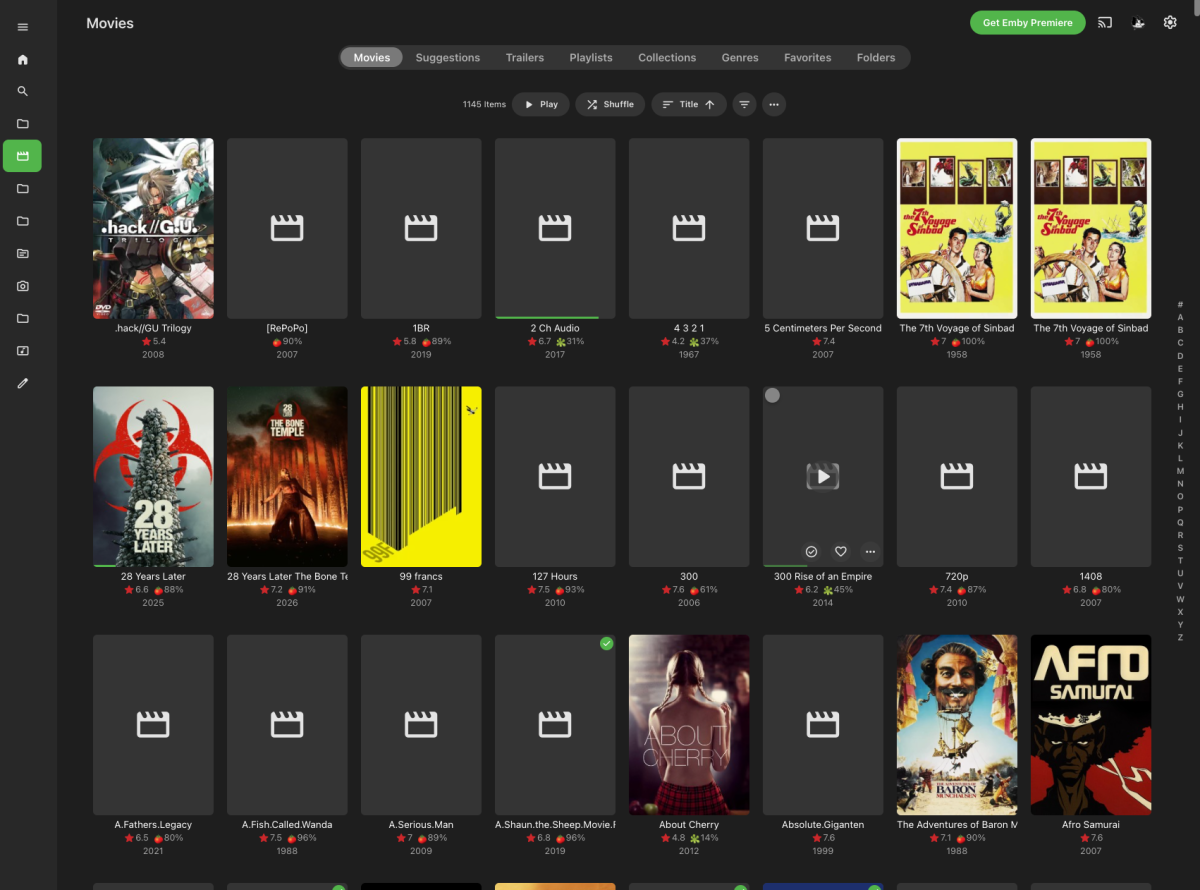
-
I uninstalled EMBYIcons and restarted EMBY. I cleared the database. Then I restarted EMBY again. I ran all my scheduled tasks, and so far, no problems. I'll keep doing this throughout the week and let you know how it goes.
-
How can I help?
-
- the new version in Play Store - the transcoded target bit rate for audio
-

Intel QuickSync H.265 Max Bitrate 39Mbit/s -> falls back to software encoding above this threshold
Mattynator replied to embart0r's topic in Linux
Hi @Luke — a couple of things worth flagging ahead of the new ffmpeg build, since they've come up in this thread: the root cause of the QSV 39 Mbps cap was traced (see jesposito's write-up and GitHub issue) to the model layer mapping the reported HEVC Level 5.1 to the wrong bitrate — the actual hardware supports much higher, as confirmed by direct ffmpeg testing. Separately, 10-bit HEVC hardware encoding via QuickSync also isn't currently offered in my case on my Intel 265K CPU, even though Arrow Lake-S's media engine officially supports 10-bit HEVC hardware encoding up to 8K/120Hz per Intel's own spec. Would it be worth someone on the team doing a full pass over the level/profile/bitrate mapping table rather than just these two spots, in case there are other entries that are similarly off or overly conservative? Is that mapping logic something that's getting revisited alongside the ffmpeg version bump, or is the beta build mainly a version update for now? Appreciate all of the hard work. -

Folder images missing in Emby Theater (3.0.20/21 Legacy)
Mahinepua replied to scottpro's topic in Windows & Xbox
Thank goodness it’s not me, I’ve been restarting the server, computers all sorts and it persists. -

Plugin: Ginjaninja Tools - Manage Coming Soon - Allow your users [non admins] to submit requests
ginjaninja replied to ginjaninja's topic in Plugins
0.0.0.6 uploaded Added username to logs to see who added Tidied Logging- 9 replies
-
- 1
-

-
- userfacing
- requests
- (and 2 more)
-

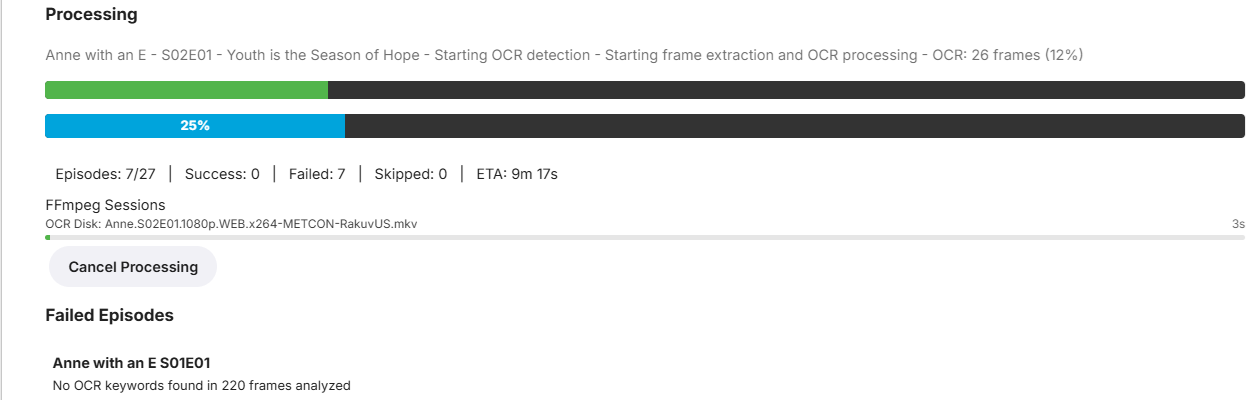
🚀 EmbyVision OCR (GPU Edition) — NVIDIA GPU Accelerated OCR for Emby Credits Detector
EncryptedCity replied to EncryptedCity's topic in Tools and Utilities
The plugin is being worked on the first version was a bit crude, it had no progress bars and the settings page had some minor bugs. I have a better version here. EmbyVisionCredits.dll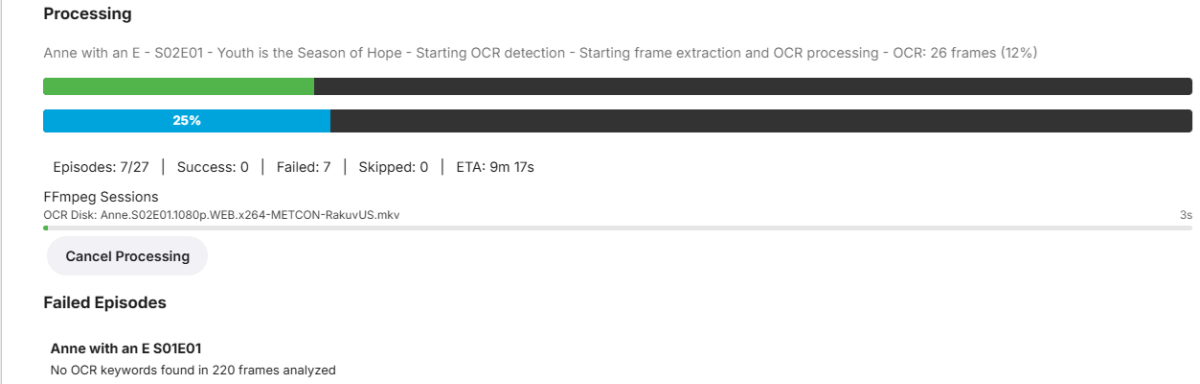
-

When "autoplay next episode" is off, the app still prevents screen from going off
Luke replied to SucksToBeYou's topic in Android
HI, yes we are looking into it. Thanks. -

embyforkodi (next-gen) 12.X.X support
quickmic replied to quickmic's topic in Emby For Kodi Next Gen
Please check if the Playlist are available under Emby's libraries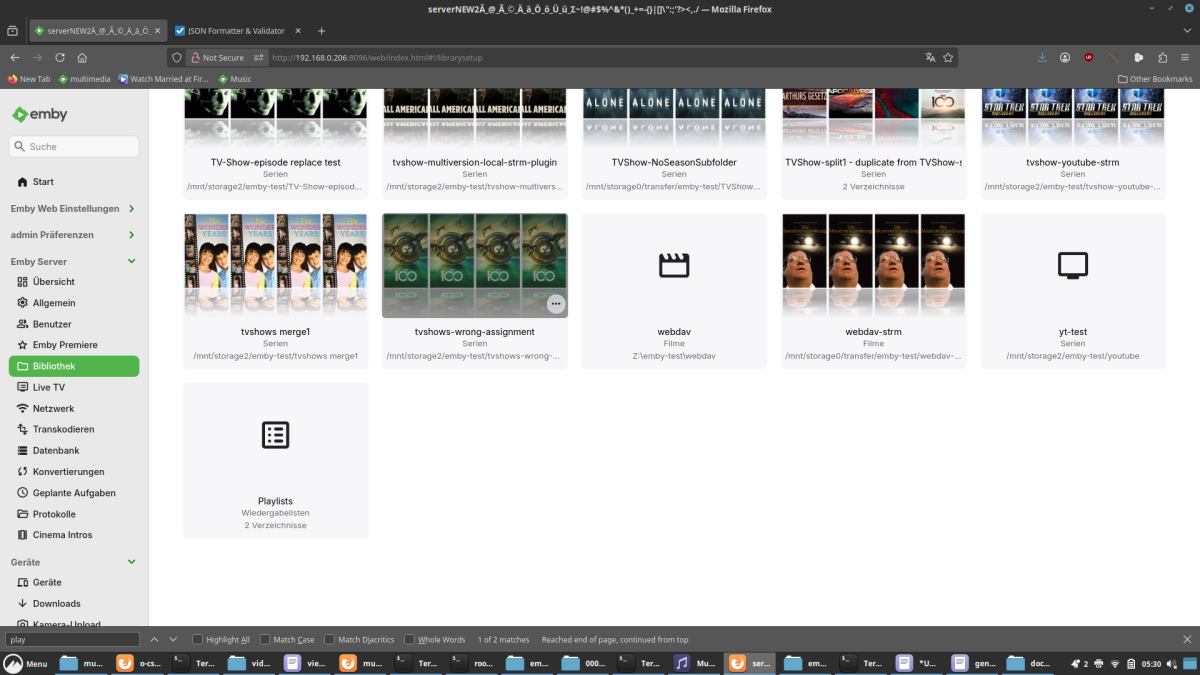
-
1.1.50.0 Resolve playback error on some 2018-2019 models Merge Movies and Shows into a new Movies & Shows tab in mixed content libraries
-
Emby for LG: A new Release version is available Changes 1.1.50.0 Resolve playback error on some 2018-2019 models Merge Movies and Shows into a new Movies & Shows tab in mixed content libraries
-

Folder images missing in Emby Theater (3.0.20/21 Legacy)
scottpro replied to scottpro's topic in Windows & Xbox
Yes, the web client works. I see the bug which was introduced in 4.9.5.14. Looks like the same logic was shared between ET legacy and windows app version. It's not a show stopper but just wanted to flag it for the dev team. -
Emby Android: A new Beta version is available Changes Cumulative Changes Since Stable Release Fix for some devices showing a gray video background instead of black Improve folder icon in folder views Various fixes related to submitted crash and error reports Support cancellation of initial connection process Add new spotlight home screen section option (requires Emby Server 4.10+) Fixes for initial connection process Support cancelling server connections while waiting Improve data refreshing when leaving the app and returning Fixes for Samsung Dex Support cancelling server connections while waiting Fixes for Samsung Dex Fixes for Samsung Dex Various subtitle rendering fixes
-
Folder images missing in Emby Theater (3.0.20/21 Legacy)
Mahinepua replied to scottpro's topic in Windows & Xbox
Hey that started happening for me yesterday with the latest beta windows app in all menus, movies, tv, collections. Trying to figure out whats happening. Web server shows them correctly. -
Looking at the release notes on git, looks like 4.9.1.80 was the introduction of the fuzzy-search changes (Improve results of multi-word searches), so I'm assuming any version previous to this one will not have the issue. https://github.com/MediaBrowser/Emby.Releases/releases#release-4.9.1.80