All Activity
- Past hour
-
 Daddyohh joined the community
 -
 Davidby joined the community
 -
 Ysafar joined the community
 -
 ahmedovv joined the community
 -
 Shawcod94 joined the community
 -
 Maarine16 joined the community
 -
 Bolivia42A joined the community
 -
 denia joined the community
 -
 dekoo joined the community
 -
 Amir_khan86 joined the community
 -

How was the page transition animation made between Home and Favorites in TV mode?
Luke replied to adelinxq's topic in Web App CSS
Hi, it's a combination of slide and fade, but you have to keep track of direction that the user is navigation so that you know which direction to slide in. -
Feature Request: Option to add items to home screen.
Luke replied to justin_looking_glass's topic in Feature Requests
It's in testing in the beta channel. Hopefully will be released soon. -
For the most part, yes. I would also suggest enabling saving images to media folders.
-

Feature Request: Option to add items to home screen.
jvc99 replied to justin_looking_glass's topic in Feature Requests
Is there any progress update on this? Looking forward to it -

Plugin: Ginjaninja Tools - RecommendMe - access controlled intra user recommendations with notifications
ginjaninja replied to ginjaninja's topic in Plugins
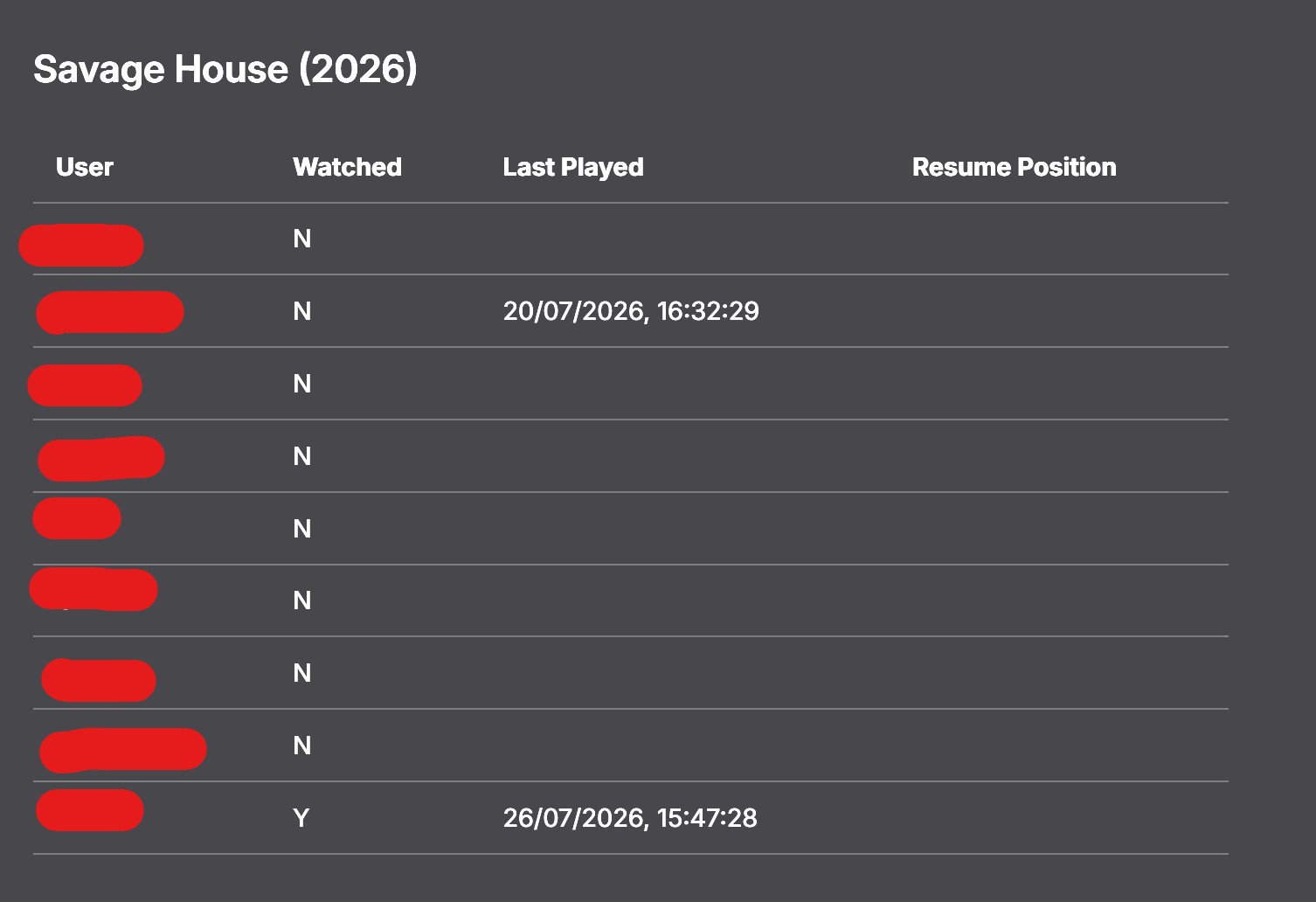
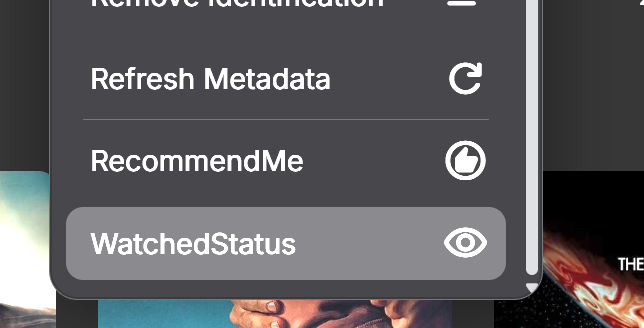
0.1.0.12 Tightened the played event monitoring (clean reccomendation once watched). it was firing too frequently. Added an ability to see the watched status of an item for all users The context menu is working well for my users but only if it it is the only plugin hacking the menu. If multiple plugins need to do, might need need a orchestrating plugin others can register with to play nicely.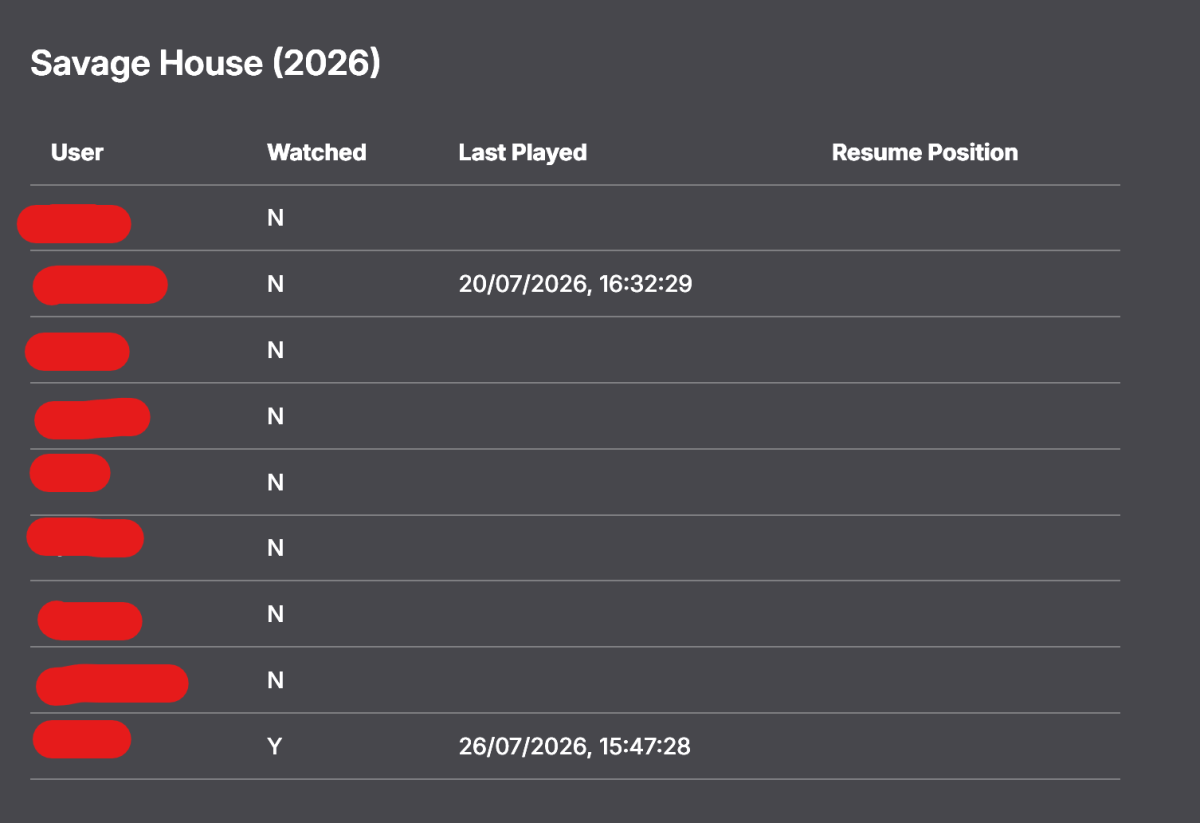
- Today
-

Best Way To Handle Mass File Path Change
bugman9317 replied to bugman9317's topic in General/Windows
Thanks. I gotcha, I take it, if I would ever need to do a full restart again, if I had that checked, it would do everything with NFOs as it went along? -

Option to Change Default View for Library Sections
GrimReaper replied to saj's topic in Windows & Xbox
No worries, there are no stupid questions - just stupid answers. Noone knows everything, that's why support forums are for. And yes, those option have been there for years. Anyway, glad we got you sorted, enjoiy. -
GrimReaper, Thank you so much! And I am very sorry I didn't find it on my own. I have been on that page many times before and scrolled all the way down. I guess I was conditioned not to expect anything like that on that page, so I didn't scroll all the way down this time. Has this been available long? Anyway, thanks very much for the enlightenment, and I will try to always be more thorough in the future.
-
I've had zero issues running Emby as a service, as well as thousands of other users. If you're having problems, then it's a you problem, not Emby. Anyone using Emby server on a non dedicated machine, is asking for a really bad time.
-
Hi this is great feedback. Yes we can get the app caught up in these areas. Where in the app are you referring to?
-
Option to Change Default View for Library Sections
GrimReaper replied to saj's topic in Windows & Xbox
Go to App Settings>your user Home Screen settings, scroll down, you can set landing page ("Default screen") for each library individually. -
I'm very new to Emby after a long Plex run and mostly use Roku. While I still prefer the Roku app because of longer 'latest' list and image-size control in collections, I did see 2 killer features in the Emby Android app. One is the '3-dots' button and all the options behind that - really next-level cool. The other is what I'm posting here - the 'About' section if you scroll all the way down on a movie page. I'm used to having some of this info in Plex and really miss it, so I'm requesting consideration to add the About section to the bottom in Roku app also. If it matters, here are the specific items useful to me: file name, resolution, AV codecs, audio bitrate, and the big one for me: date last played. That it - hope that makes sense. The '3-dots' button seems like a bigger ask, but maybe that has already been requested so I'll look. Thanks support and devs - I'm really liking Emby so far.
-
Yes, but if you know something I am missing, please enlighten me. I don't post here without trying pretty hard to find my own solution.
-

How was the page transition animation made between Home and Favorites in TV mode?
adelinxq posted a topic in Web App CSS
How was this animation made between pages in TV mode between the Home and Favorites sections? 2026-08-21 22-06-45.mp4 it's a nice subtle left right Slide animation, I would like to add it to mine too -
Hi, you can enable saving nfo files for each of your library, but it's not really a switch. It means that nfo files will be saved going forward whenever metadata needs to be saved.
-
Have you explored clicking your user icon in the header?
-
Recuerda que Emby no es un servicio, es un servidor de medios personales, tu tienes que configurar el servidor y aportar tus archivos. La clave Premiere no es un acceso a un servidor, es una clave que desbloquea características premium de tu servidor.
-
Quite thoroughly, I think, and multiple times, but I am certainly open to suggestions.
-
Luke - thank for the quick reply. Yes, I would expect that if I searched for a specific movie, and it was present on VOD and in the media Movie Library, I would expect to see both. But it seems for me that it only shows the VOD, and ignores if it also in the Movie Library. Let me try and gather some logs...
-
HI, please check out our quick start guide: Quick Start
-
Ya pague alguien que me ayude a obtener mi sevidor
-

Trakt Air Dates — outside the US? Fixes US shows landing on the wrong day
Blueskies278 replied to Blueskies278's topic in Plugins
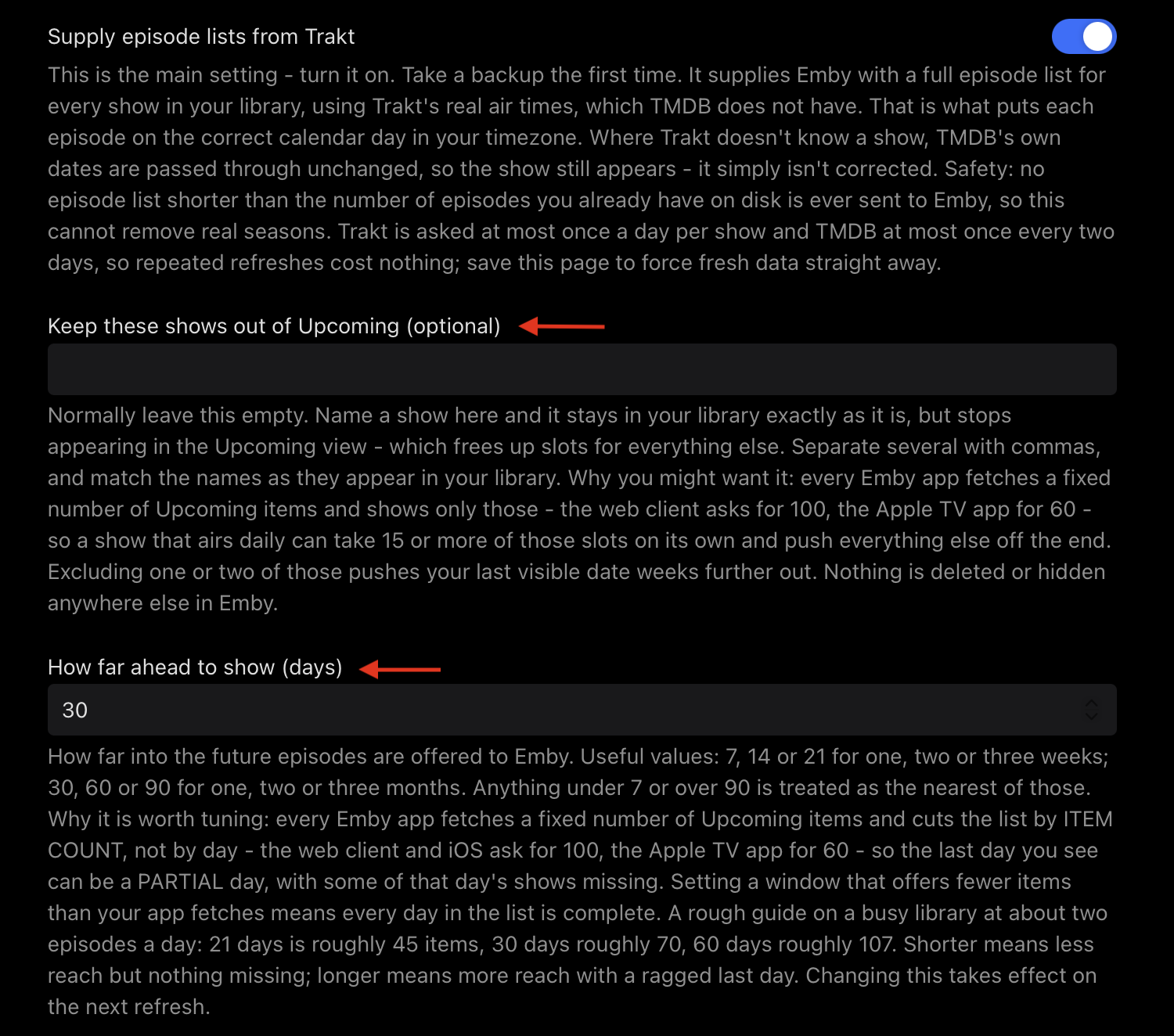
Trakt Air Dates 8.7.1.0 — Release Notes Covering 8.3.0.0 → 8.7.1.0. The versions in between were tested but never published, so it's all gathered here. Two new settings, and two fixes for shows behaving oddly in Upcoming. New — keep shows out of Upcoming "Keep these shows out of Upcoming (optional)" Name a show and it stays in your library exactly as it is, but stops appearing in the Upcoming view. The reason this is worth having: every Emby app fetches a fixed number of Upcoming items and shows only those — the web client and iOS ask for 100, the Apple TV app for 60. A daily show can take 15 or more of those slots on its own and push everything else off the end. The Daily Show alone was using 16 of the Apple TV's 60. Excluding one or two daily shows can push your last visible date weeks further out. Separate several with commas, and match the names as they appear in your library. Nothing is deleted, and nothing changes anywhere else in Emby. New — choose how far ahead to look "How far ahead to show (days)", replacing a window that was fixed at two months. Useful values: 7, 14, 21 — one, two or three weeks 30, 60, 90 — one, two or three months Anything below 7 or above 90 is treated as the nearest of those. The default is 60. Why this is worth tuning Every Emby app cuts the Upcoming list by item count, not by day — so the last day you see can be a partial day, with some of that day's shows missing. This was caught on 19 August: the web client showed South Park on 17 September and the Apple TV didn't, while both reported 17 September as their last date. The Apple TV's 60th item simply landed in the middle of that day. Offer fewer items than your app fetches and every day in the list is complete. On a busy library at roughly two episodes a day: Window Roughly On an Apple TV (60 slots) 21 days 45 items all of it, every day complete 30 days 70 items cut at 60, ragged last day 60 days 107 items cut at 60, ragged last day Shorter means less reach but nothing missing. Longer means more reach with a ragged edge. There's no single right answer — it depends on your library and which app you use most. This is a new box. Any previous value isn't carried over, so set the number you want and save. Fixed A show with new episodes could stay missing all day. If Trakt was asked at a moment when it had nothing scheduled, that "nothing upcoming" answer was cached for 24 hours — so episodes Trakt added later in the day didn't appear until the next morning. It looked exactly like the show being dropped. Caught on Signs of a Psychopath: the plugin's cache held 100 episodes with nothing upcoming, while Trakt by that evening had 104 with two episodes dated 26 August. An answer with no future episodes now lives 3 hours instead of 24. Lists that already have upcoming episodes keep the full 24 hours, since staleness can't hide anything there. Three hours matches the background pass, so these shows get re-asked every run — off the request path, so nothing gets slower. The exclude list needed a Save every time to take effect. The exclusion was applied at the end, after the cached answer had already been returned — so a show excluded after its answer was cached was served complete anyway. Saving cleared the caches, which is why saving looked like the thing that activated it. Exclusion is now decided first and applied to cached answers on the way past. Removed Three settings that described machinery no longer running, along with the 1,234 lines behind them — the calendar sweep, the gap probe and the selection list, none of which have run since 8.0.0.0: "Work this out for me" "Also always cover these shows" "How many shows to cover" Old config files may still mention these. Emby ignores settings with no matching property, so there's nothing to clean up. Worth knowing Changing the window takes effect on the next refresh. Saving the settings page clears the caches, so it applies straight away rather than in a few hours. Versions 8.8 and 8.9 don't exist. Both were built on a measurement that turned out to be wrong — Emby's own library query reports zero future episodes even when the Upcoming view is visibly full of them — and were withdrawn. 8.7.1.0 is 8.7.0.0 plus the exclusion fix, with nothing from either. No platform-specific setup. Every path this plugin uses comes from Emby itself, so it behaves the same on NAS/Docker, Linux, Windows and macOS. There's nothing to configure per platform and no permissions to change. Safety, unchanged The plugin will never hand Emby a shorter episode list than you already have files for, so it can't remove real seasons. If neither Trakt nor TMDB gives a sensible answer for a show, it says nothing rather than guessing. Excluding a show keeps its past episodes and drops only the future ones. It doesn't return an empty list — Emby treats an empty answer as authoritative, which would strip the real episodes too. Installing Copy TraktAirDates.dll into your Emby plugins folder Restart Emby Open the plugin's settings page Set How far ahead to show (days) — it's a new box, so it won't carry a previous value Optionally name any daily shows under Keep these shows out of Upcoming Save Saving clears the caches, so both settings apply on the next refresh rather than hours later. New Features TraktAirDates.dll TraktAirDates-8.7.1.0-Release-Notes.pdf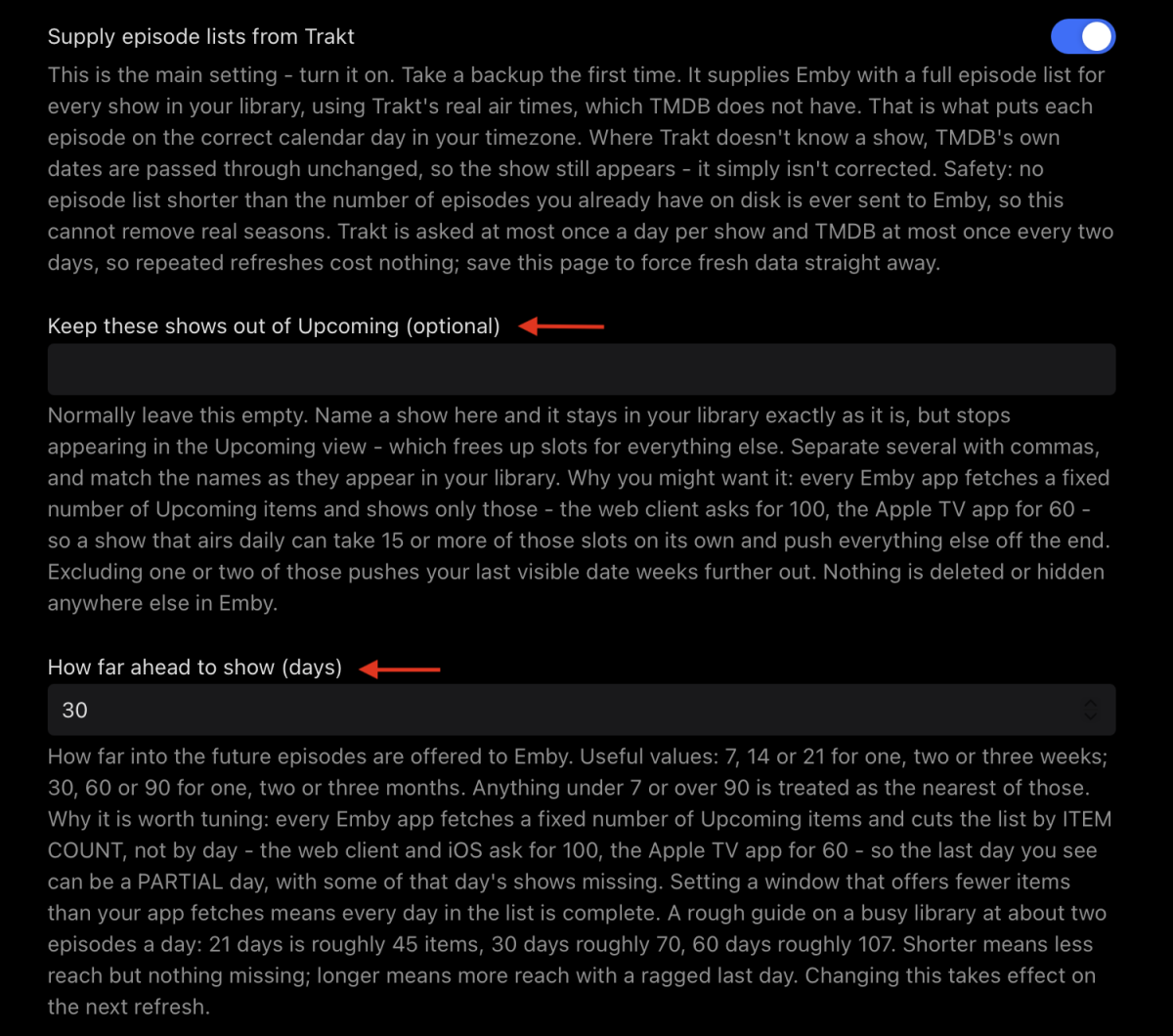
-
Hi there, have you explored the options in the app?
-
In Emby for Windows, I would like to be able to change the default view shown when a library section is displayed. Actually, this would be nice to have for the server views and every other app viewer. For example, for TV Recordings, I prefer the Shows view to the Folders view, and for Movies, I would like to default to the Movies view, rather than the Suggestions view. I can't find an option to do that, and my selections are not remembered after I leave a library view. If I have missed it, please let me know how to do this. Otherwise, I am requesting that it be added. Thanks.
-
HI there, can you please provide a specific example? How to Report a Problem Thanks !