All Activity
- Past hour
-
 fastsun5437 joined the community
 -
 ILYAM joined the community
 -
 jhimycardona joined the community
 -
 mgh0042 joined the community
 -
 EdsFam joined the community
 -
 Aliboua joined the community
 -
 Ruixinglin joined the community
 -
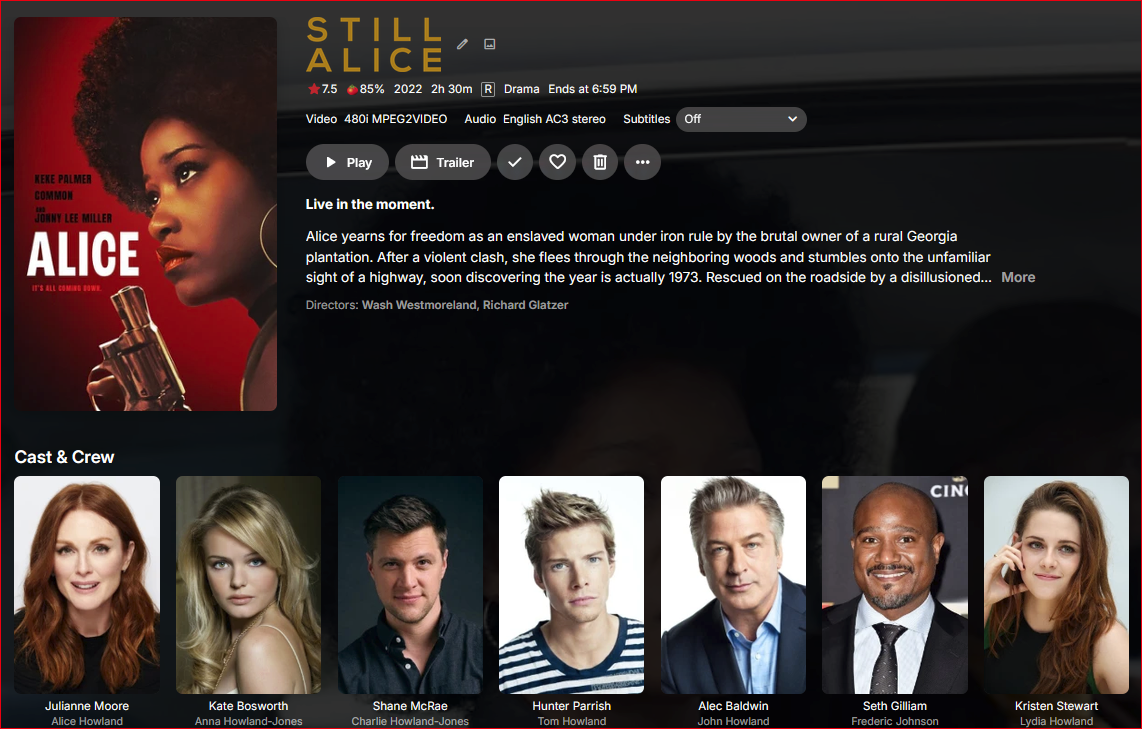
I've not seen this before where the recorded TV movie has the correct title match but wrong Cast & Crew for it. What can be made of this?
-
 Werners123 joined the community
 -
 uemby189699 joined the community
 -
 19fung joined the community
 -

No compatible streams are currently available.
justinrh replied to justinrh's topic in General/Windows
@Lessajwhat OS is Emby server installed on? Linux? @LukeAny ideas? We'd like to shuffle. I see this problem after updating my beta server to Version 4.11.0.5 beta. -
For this log the stream started at playback position 00:01:54 (segment start number 38), meaning you was resuming playback roughly 2 minutes into the movie. It might be the log before that one
-
Right the common complaint that we've seen over the years with folder view is that it's hard to tell what's a folder and what's a file. The icon in the upper left is not enough to quickly tell from a glance. So that was the thinking behind making the folders look more like what you would see in a file browser. But there are some users who don't like this so we'll be adding an option to control it.
-
Nvidia Shield not available for sale - alternatives?
justinrh replied to Mister Steve's topic in Android TV / Fire TV
Zidoo is supposed to be grandiose. -

Reorganizing my library: here are two things I'd like to see improved
pwhodges replied to Anon42's topic in General/Windows
You can, and in mixed libraries you must. How? Movies: folder has movie name and date; movie is file within folder (I give it the same name and date, but that's not strictly necessary). Series: first folder has series name and date; within are season folders for each season (including specials aka season 0); files are in their season folders. In TV libraries you can get away with putting the files of all the seasons in one folder, but you can't get away with that in mixed libraries. This way Emby can see (from the presence or absence of season folders) whether the folder contains a movie or a series. This is all laid out in the file naming guidance provided in the Emby Wiki. https://emby.media/support/articles/TV-Naming.html (this has the statement that season folders are required in mixed libraries). Mind you, I don't use a mixed library for anime with movies, such as DanMachi - I label the movies as specials, and if they should be in a particular position in the show, they will appear there (if they don't, then add the required position to the metadata, and maybe update TVDB with it as well!). Anime which consists of just movies (e.g. the Evangelion "rebuild" films, or Fate/stay night - Heaven's Feel) go in the anime movie library, in a collection. Paul - Today
-
See attached. There were multiple files, so if this isn't it, let me know. ffmpeg-remux-2a469332-f179-4691-bba1-077c34cbcbc8_1.txt
-
Sorry you are correct its an amazon app issue, I just realised this posts for ROKU
-

Emby for Android TV killed EAC3 and video freezes at 90%
jan_axhell replied to jan_axhell's topic in Android
I was about to ask how is this issue going, I am experiencing it on a different unit (NanoPi R6C) with Android 12. Each episode of Stuart fails to save the Universe freezes at about 90%. -
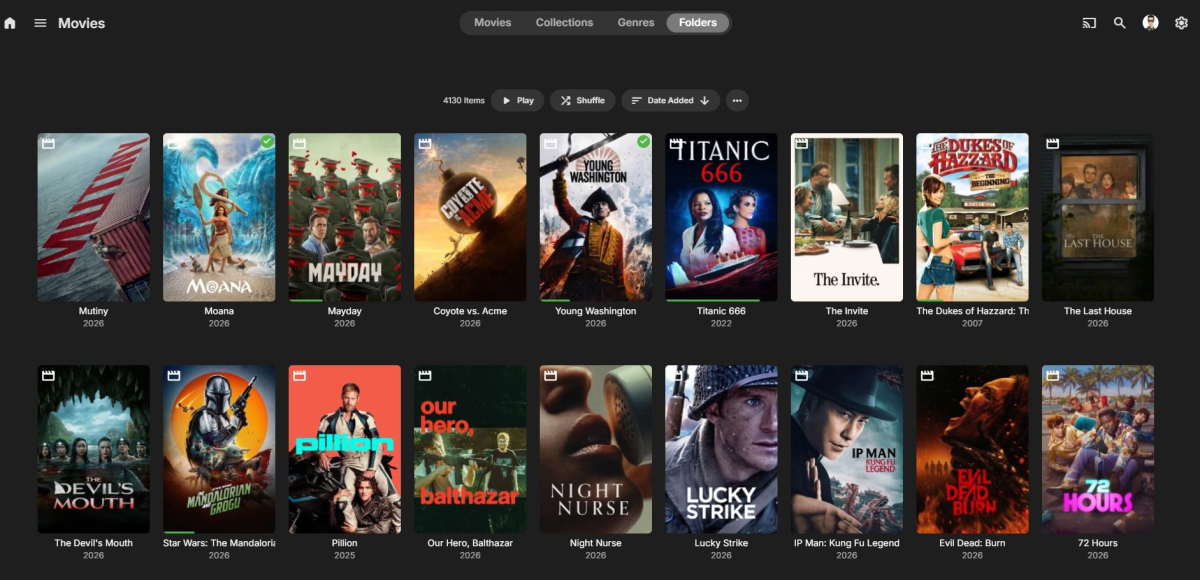
Hey Luke, I've always used Poster view for single files, And Thumbnail view for Folders. My users know when they see a Thumbnail, they know there are multiple files in them. Take my Series section vs Movies section pictures for example.
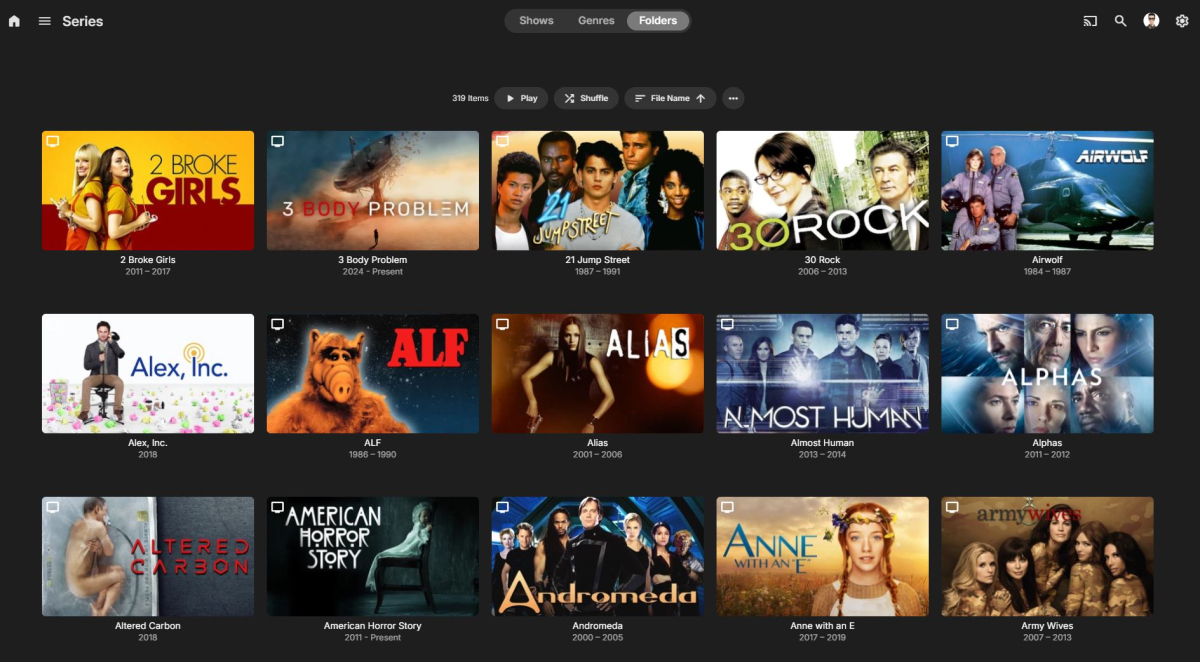
-

Emby for Android TV killed EAC3 and video freezes at 90%
r3dl4nce replied to jan_axhell's topic in Android
I have Emy latest version installed on Synology NAS I have similar problem with freeze while playing at about 90% of tv show. Could it be the same problem? Another problem could be with the free space, on /volume1 I have more than 140GB free, Emby server reads only 160MB free, that seems the free space on / partition root@NAS-NEJLIKA:~# df -h / /var/packages/EmbyServer/var/transcoding-temp Filesystem Size Used Avail Use% Mounted on /dev/md0 2.3G 2.1G 163M 93% / /dev/mapper/cachedev_0 225G 78G 147G 35% /volume1 emb-log.7z -

Spotlight and Single Collection Feature Requests
DMazer replied to kizunarae's topic in Feature Requests
I am not sure if this is how it's supposed to work, but when I chose "Card" for the spotlight section, it just shows the video "folder.jpg" as it appears in every other category, and the same size. I would have though the card option would have looked like the mobile version of the "Spotlight" option, but in a card size on the horizontal display. I like the idea of the mobile spotlight size, which would look like a quarter card on the horizontal display. Maybe that could be an option at some point, and rename the existing "card" option to "poster" or "folder" so people know what will display there. Then depending on which option is selected, the system could use a custom image type... ie... poster/folder would use the "folder.jpg", spotlight a "spotlight.jpg" and card a "card.jpg". Just a thought. LOL. -

-
I'm happy to announce that my LLM-based recommendation plugin has just reached version 2.0.0! The big highlight of this update is **localization**. The plugin now adapts to your language, making the experience much more seamless: * **Full Translation:** From the plugin's configuration pages to modifications made within the admin chat, you can now translate the entire plugin interface into any language your LLM supports, directly from within Emby. * **Perfect Integration:** I've made sure the plugin uses Emby's own official vocabulary. The plugin feels like a native part of your Emby dashboard. * **Safe & Smart:** You don't need a massive server to make this work. I've optimized everything to run smoothly even with small local models (like Gemma 4 4B via Ollama). Best of all, the plugin includes a safety check: if a translation is incorrect or fails, it simply stays in English rather than breaking the page. **Download here:** https://github.com/reneboulard/LLM_AI/releases
-
@ebr should I give you access to my server? you can see the issues first hand that way I can private message a temp login for you
-
I meant the show icons on collections and lite mode for collections in the plugin it self. It just changes if it should use aggregation for collections or not and/r if it should even draw any icons on collections.
-
thats the full log I am still trying to find something that might help
-
I find the "save to collection" feature—or rather, the ability to save a specific poster—to be genuinely useful, as it ensures that a poster is re-rendered only when explicitly saved. The current version is actually ideal because it avoids re-rendering every single poster whenever there is an upgrade or a change in settings; I am currently manually triggering the rendering and saving of all posters to minimize future CPU usage.
-
I find the "save to collection" feature—or rather, the ability to save a specific poster—to be genuinely useful, as it ensures that a poster is re-rendered only when explicitly saved. The current version is actually ideal because it avoids re-rendering every single poster whenever there is an upgrade or a change in settings; I am currently manually triggering the rendering and saving of all posters to minimize future CPU usage.
-
embyserver-63926795571.txt
-
It cannot tell me the answers to those questions. Only the person observing the issue can do that. This is not a Roku, though...
-
OK, renaming the files with exactly the same name as the folder (folder had spaces, files had dots in them), with the dash... and now both theme.mp3 and theme.mp4 work. I wasn't aware that the naming convention was so picky, because it's not as picky when only one video is there (theme.mp3 and theme.mp4 are working OK even if there are slight differences in the file name vs folder name; example no issue whith "Legend.(2025).mkv" file name vs "Legend (2025)" folder name; dot vs no-dot).
-
I don't see that happening as i don't want the possibility of stale posters to happen. For now i suggest waiting for the new things i'm working on and in the mean time enabled lite modes for TV shows and collection plus disabling icons for collections. These are by far the larges resource hogs in the plugin. Emby will reuse the posters as they have not changed, no posters gets lost by rebooting. If they do need to be redrawn after a reboot then you might have a plugin running that updates the metadata, plugins like rating sync could do that. If you have such a plugin then the metadata changes all the time and the posters will have to be redrawn to reflect the changes.
-
the full server log might give some details but its 124mb will it upload here? noticed a lot of System.MissingMethodException: Method not found: 'MediaBrowser.Model.Entities.SeriesDisplayOrder MediaBrowser.Controller.Entities.TV.Series.get_DisplayOrder()' Think there is something wrong with NFO
-
Dedicated Spotlight Image Type for homepage
DMazer replied to Smitty018210's topic in Feature Requests
I really like this idea of a "spotlight.jpg" file. I assume the banner is using "fanart.jpg". When the featured first released, I tried putting a "spotlight.jpg" image in the video folder, but of course didn't work. I struggled at first to figure out how to use the feature. I like using my own custom images for spotlight. See sample below. But I am unsure of the size the image needs to be to display correctly as a spotlight banner. I searched the forums, and didn't see any image specs or requirements for optimal display. If you know the image specs, please let me know... I currently removed all spotlight tags, most of the default fanart.jpg images don't really display well... to many size variations. Sample of what I am working on for the spotlight banner image template, but I can't seem to get the size right.... The blank area in the bottom left corner is where Emby puts the movie logo, text information. Before the spotlight feature, I had my own folder for spotlight movies, and made custom images to display them (replacing, temporarily, the folder image. This was cut into 5 pieces of equal size, one for each movie.... made a nice banner across the top. Sample: In closing, my VOTE is for a "spotlight.jpg" image option as noted in the first post.