All Activity
- Past hour
-
 wertau joined the community
 -
 LoveYone joined the community
 -
 Armandovd joined the community
 -
 pp591611 joined the community
 -
 silfa144 joined the community
 -
 gaboger joined the community
 -

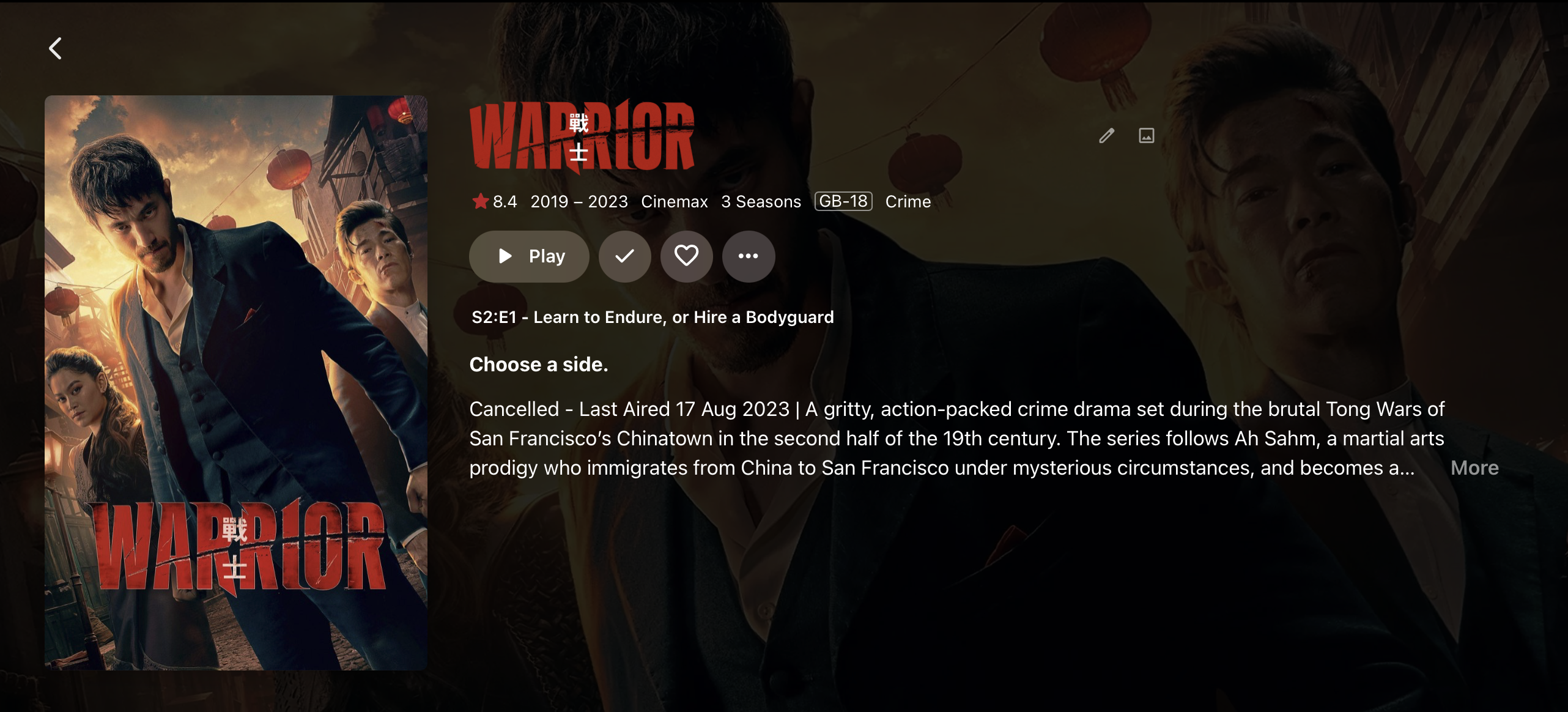
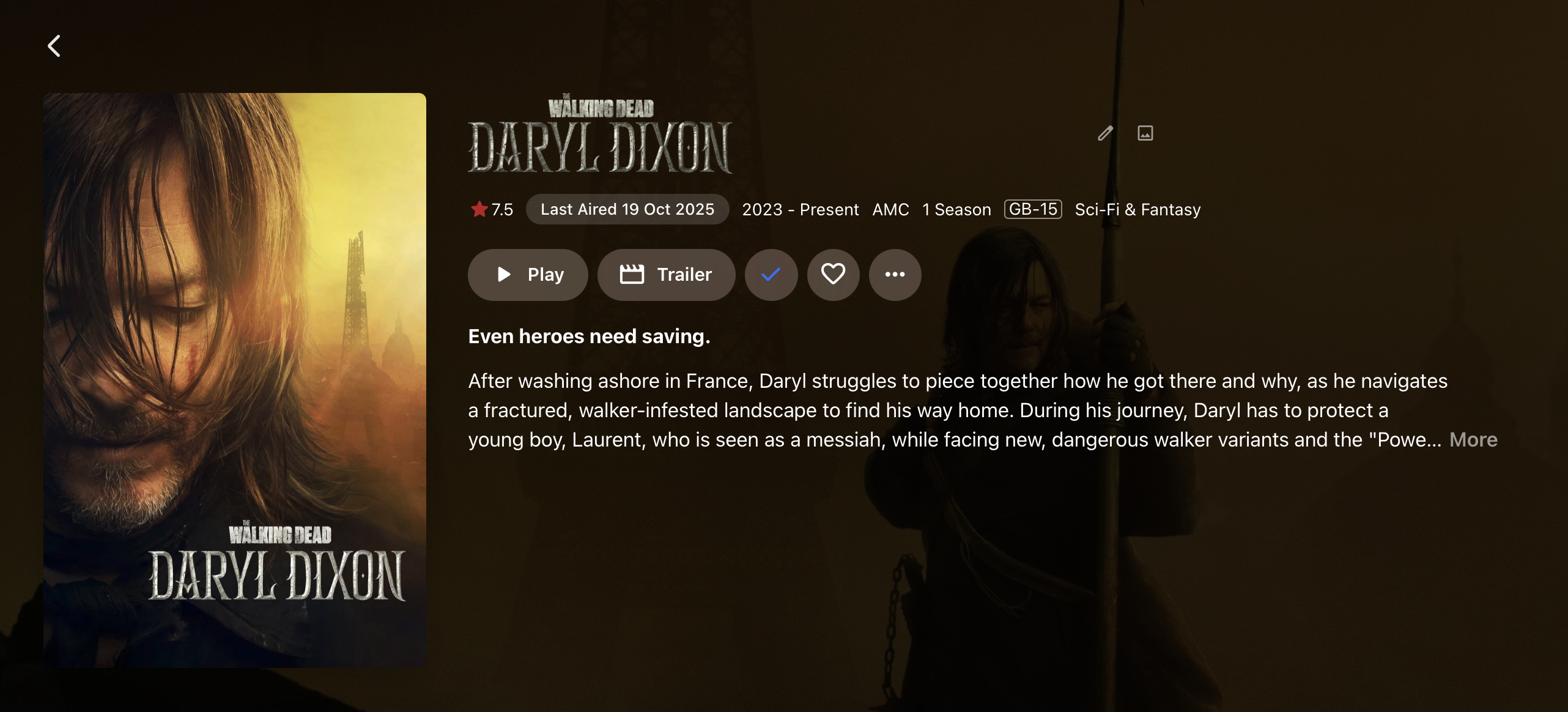
TV Show Status — TMDB-powered Returning/Ended/Cancelled badges for series
Blueskies278 replied to Blueskies278's topic in Plugins
Thank you. I will try to upload it today. still finding small bugs. -
 saadfayed joined the community
 -
 Lala.not.lili joined the community
 -
 Stevadam1 joined the community
 -
Thanks, did work for me. Not the ideal way, but good to know.
- Today
-
You need to remove the plugin and refetch metadata of all libraries affected by the plugin atm.
-

TV Show Status — TMDB-powered Returning/Ended/Cancelled badges for series
sh0rty replied to Blueskies278's topic in Plugins
I really appreciate that the Emby plugin section receives more love driven by the community. Well done! Happy to test this out when it becomes available. -

Workaround: customize UpNext / Next Episode prompt timing in Emby Web
lolotux replied to lolotux's topic in General/Windows
Here is an Howto HowTo - Emby Web: show the Next Episode prompt at 96% playback Version: 2026-07-05 Tested on: Debian 12, Emby Web 4.9.5.0 1. Goal This HowTo changes when the Next Episode / Up Next prompt appears in Emby Web. The target behavior is: Show the prompt when 96% of the episode has been played. In other words, the prompt appears when about 4% of the episode remains. The native Emby Web behavior uses a hardcoded fallback of roughly 30 / 35 / 40 seconds before the end, depending on the episode duration. It may also use a CreditsStart marker when one is available. This workaround replaces that behavior with a percentage-based trigger. 2. File involved /opt/emby-server/system/dashboard-ui/videoosd/videoosd.js This is the Emby Web video OSD JavaScript file. 3. Backup the original file Create a backup directory and copy the current JavaScript file before changing anything. sudo mkdir -p /root/backup_emby_ui sudo cp -a /opt/emby-server/system/dashboard-ui/videoosd/videoosd.js /root/backup_emby_ui/videoosd.js.BAK_$(date +%Y%m%d_%H%M%S) 4. Apply the 96% patch The patch does two things: 1. It ignores the CreditsStart marker for this UpNext calculation by forcing creditsInfo=0. 2. It replaces the native fixed timing logic with runtimeTicks*.96. The command below works whether the file still contains the native 40/35/30 values or an older test using 120/120/120. sudo python3 - <<'PY' from pathlib import Path import re p = Path('/opt/emby-server/system/dashboard-ui/videoosd/videoosd.js') s = p.read_text() s = s.replace( 'creditsInfo=(null==creditsInfo?void 0:creditsInfo.start)||0', 'creditsInfo=0' ) pattern = r'runtimeTicks-1e3\*\(fiftyMinuteTicks<=runtimeTicks\?\d+:fortyMinuteTicks<=runtimeTicks\?\d+:\d+\)\*1e4' s2 = re.sub(pattern, 'runtimeTicks*.96', s, count=1) if s2 == s and 'runtimeTicks*.96' not in s: raise SystemExit('UpNext timing expression not found. Please check videoosd.js manually.') p.write_text(s2) print('OK UpNext 96 percent patch applied') PY 5. Restart Emby Restart the Emby server so it serves the modified file. sudo systemctl restart emby-server 6. Verify server-side content This command bypasses the browser cache by adding a random query parameter. curl -s 'http://debian12:8096/web/videoosd/videoosd.js?check='$(date +%s) \ | grep -oE 'creditsInfo=0|runtimeTicks\*\.96|runtimeTicks-1e3\*\(fiftyMinuteTicks<=runtimeTicks\?[0-9]+:fortyMinuteTicks<=runtimeTicks\?[0-9]+:[0-9]+\)\*1e4' Expected result: creditsInfo=0 runtimeTicks*.96 If the old runtimeTicks-1e3*(...) expression still appears, the patch did not apply correctly. 7. Force the browser cache to reload Important trap observed during testing: Chromium may keep serving an old cached file for this exact versioned URL: /web/videoosd/videoosd.js?v=4.9.5.0 Open Emby Web in the browser, open DevTools, go to the Console, and run: fetch('/web/videoosd/videoosd.js?v=4.9.5.0', {cache:'reload'}) .then(r => r.text()) .then(t => console.log( 'PCT96=', t.includes('runtimeTicks*.96'), 'CREDITS0=', t.includes('creditsInfo=0'), 'HAS_NATIVE=', /fiftyMinuteTicks<=runtimeTicks\?\d+:fortyMinuteTicks<=runtimeTicks\?\d+:\d+/.test(t) )); Expected console result: PCT96= true CREDITS0= true HAS_NATIVE= false Then close and reopen the Emby tab, or use: Ctrl+F5 If your Emby Web version is different, adapt the v=4.9.5.0 value to the version actually shown by your browser. 8. What 0.96 means in practice runtimeTicks*.96 means that the prompt appears after 96% of the episode runtime. Episode duration Prompt appears with about 40 min 1 min 36 sec remaining 50 min 2 min remaining 60 min 2 min 24 sec remaining Formula: remaining time = total duration * 4% 9. Rollback Restore the backup file, restart Emby, and force the browser cache to reload again. sudo cp -a /root/backup_emby_ui/videoosd.js.BAK_YYYYMMDD_HHMMSS /opt/emby-server/system/dashboard-ui/videoosd/videoosd.js sudo systemctl restart emby-server Then rerun the browser fetch(..., {cache:'reload'}) command from section 7. 10. Important notes Do not delete these directories for this issue: /var/lib/emby/metadata /var/lib/emby/cache The issue is not caused by Emby metadata or image cache. The relevant parts are: videoosd.js browser cache for videoosd.js?v=... Also note: This is not an official Emby setting. Emby updates may overwrite videoosd.js. Always keep a backup. A proper official UI setting for the UpNext prompt timing would be better. creditsInfo.start corresponds to the CreditsStart marker. The patch forces creditsInfo=0 so the percentage-based trigger is always used. 11. Short forum summary Tested workaround for Emby Web 4.9.5.0: The UpNext / Next Episode prompt timing is handled in: /opt/emby-server/system/dashboard-ui/videoosd/videoosd.js The native fallback uses hardcoded 30/35/40 seconds before the end. I replaced that fallback with: runtimeTicks*.96 This makes the prompt appear at 96% playback, so about 4% of the episode remains. I also forced creditsInfo=0 in the UpNext calculation so CreditsStart markers do not override the percentage-based trigger. After changing the file: - restart Emby - force browser cache reload for /web/videoosd/videoosd.js?v=4.9.5.0 This is only a workaround and may be overwritten by Emby updates. An official UI option would still be much better. -

Custom library images dissapearing
MediaIntelNUC replied to MediaIntelNUC's topic in General/Windows
Gotcha! The wierd thing is that when i do a individual library scan, using the three dots in the right hand corner, this does not occur, only the "scan all librarys". But Im willing to give everything a shot at this point, thanx! N. -
Check out webOS Homebrew for details. Some apps you can install without requiring full root access but you still need to enable developer mode to install anything. I don't run full root but am able to install "Ad Free Youtube" for example.
-
Since posting the above I have been ripping a bunch of media. In all cases, the AVC files are much smaller than mkv/H264 media, without any artifacts or appreciable loss of quality, this is including all the available English language audio tracks. As an example, a 3 hour 1080p movie @ 65 gig in h264 is 18 gig in AVC. Can't say anything about 4k as almost all my 4k stuff came as AVC already....
-
This is a matter of the fact the system was designed by Sony with a "make it always play audio" mandate. It only asks what level audio all devices can play, not which devices can play it. IE: If you have a TV that only supports lossy DTS, no matter what other equipment you have - you get lossy DTS. And even if you have an ancient Yamaha RXV456 AVR, if the TV supports lossless DTS - you get lossless DTS, like I do. Roku does nothing but passthrough DTS, it doesn't process it, or modify it, all it does is pick the stream ALL your devices can play, since it doesn't know which device is playing it? You get the the stream ALL YOUR DEVICES can play, whether they play audio or not.
-
Quick Start How is the Emby Premiere Key Delivered to Me?
-
His do I add my premier key after I paid my membership
-
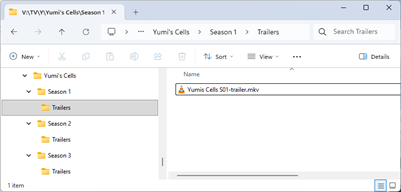
Try labeling the trailers in the season folders as Episode 0 in the Media 3 dots / edit menu. Also try adding a date the day before the episode 1 in that season.
-
Hi, I’m having an issue with Dolby Vision playback on a Philips OLED809 Google TV. Some of my files contain both Dolby Vision and HDR10+ metadata. When I play them through Emby on the Philips TV, the TV always switches to HDR10+ / HDR10+ Adaptive instead of Dolby Vision. I tested the same files with Emby on two different TCL TVs, and they trigger Dolby Vision correctly there. So I’m not sure if this is an Emby issue, a Philips Android/Google TV issue, or just how this TV reports/handles HDR capabilities. The files are Direct Play, not transcoding. Is there any way in Emby to prefer Dolby Vision over HDR10+ on this device, or is this controlled entirely by the TV/system player? Happy to provide logs if needed. But I think it's more like a client side issue so I don't think the server log could help much.
-

Emby Beta 4.10.0.15+: Crashing due to Out of Memory on DS918+ Package Center Install
DarWun posted a topic in Synology
Since updating to Beta 4.10.0.15 I've been experiencing server shutdowns due to excessive Emby memory utilization at least once a week. This is something I've experienced intermittently in the past (every couple of months). But the frequency of the occurrence has increased to once a week. I've reviewed other posts in this thread about memory issues on the Synology platform, and none of the advice provided addresses the issue as I am seeing it. Recommendations from the Emby team in the previous posts are to uninstall certain plugins to reduce memory utilization. I have two of those plugins installed...Statistics and Playback Reporting. But the memory issue I'm seeing has nothing to do with those plugins as far as I can tell. The attached log is from the most recent out of memory event. I initiated a library scan from the scheduled tasks after adding a couple of videos to my library. Emby memory usage on the NAS immediately went from 900MB to 1.62GB. That memory was not released after the scan completed. I do not believe the plugins that the Emby team has previously asked to be uninstalled to troubleshoot memory issues had anything to do with the memory usage. Memory usage jumped entirely due to the initiation of the library scan. The server became sluggish and unresponsive. Eventually Emby shutdown. The image below shows the memory usage jump upon initialization of the "Scan media library" task. Memory usage before initiating the library scan was 70%. It increased to 90%+ upon initiating the scan. I'm not sure how to help troubleshoot this issue. I have not had memory issues running Emby on my Synology NAS previous to Beta 4.10.0.15. Since upgrading to that version, my server is shutting down at least once a week due to out of memory issues. embyserver-63918665956.txt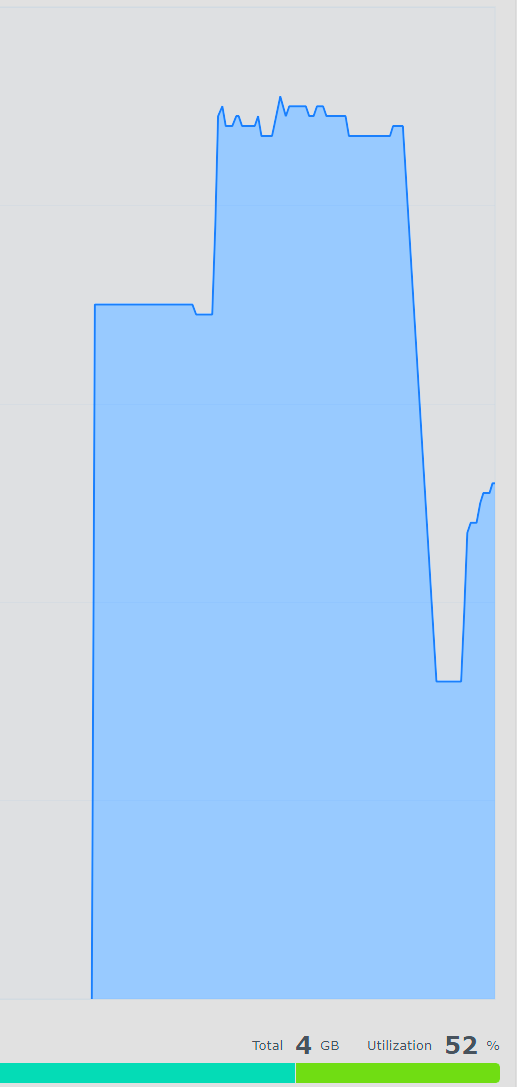
-
TV Show Status — TMDB-powered Returning/Ended/Cancelled badges for series
Blueskies278 replied to Blueskies278's topic in Plugins
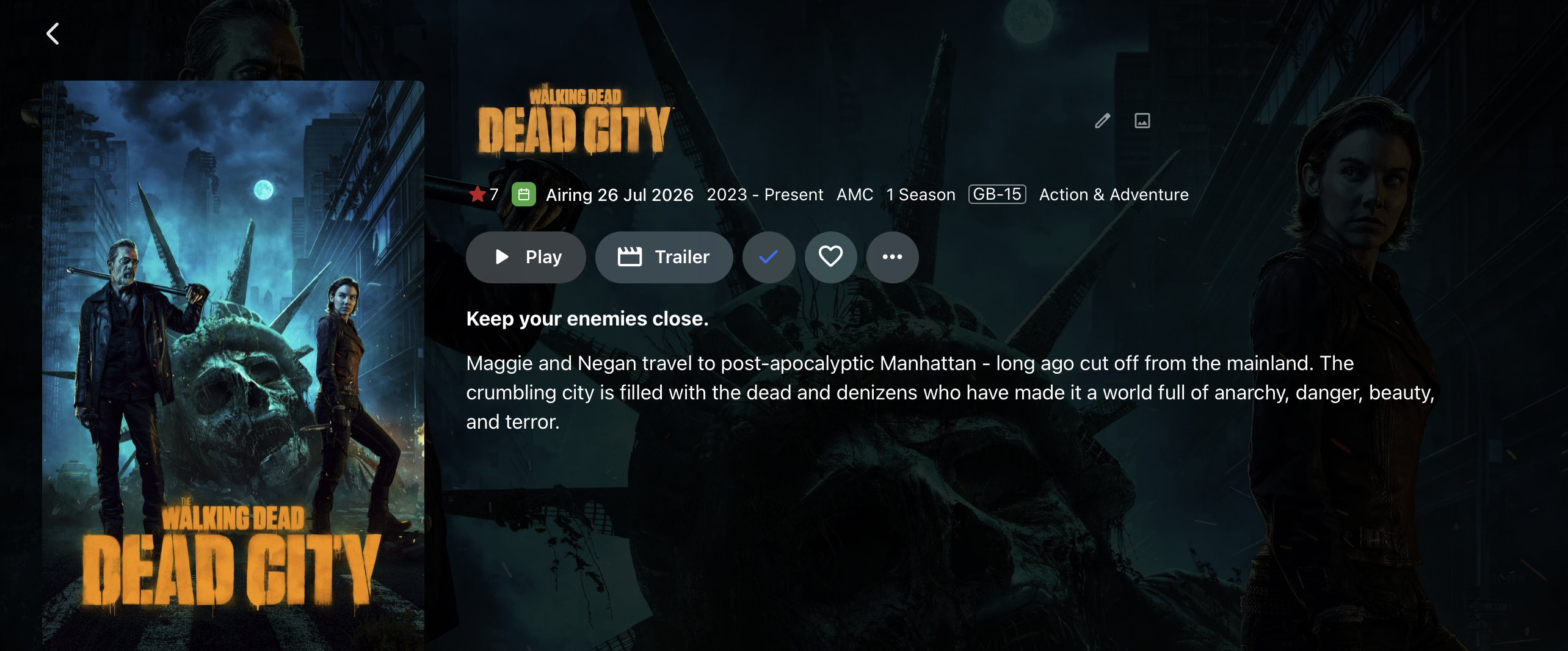
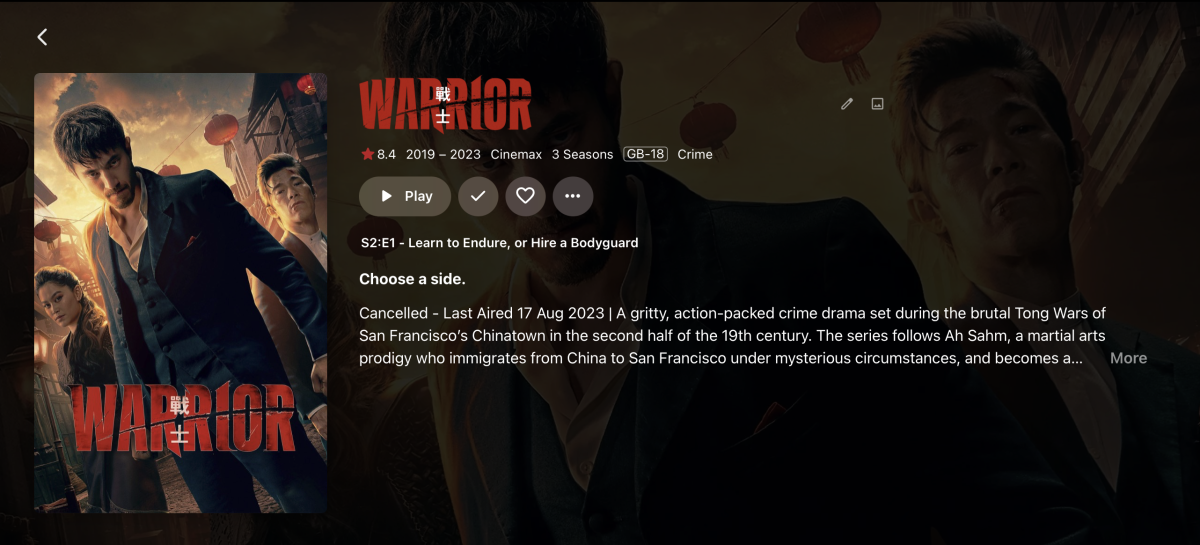
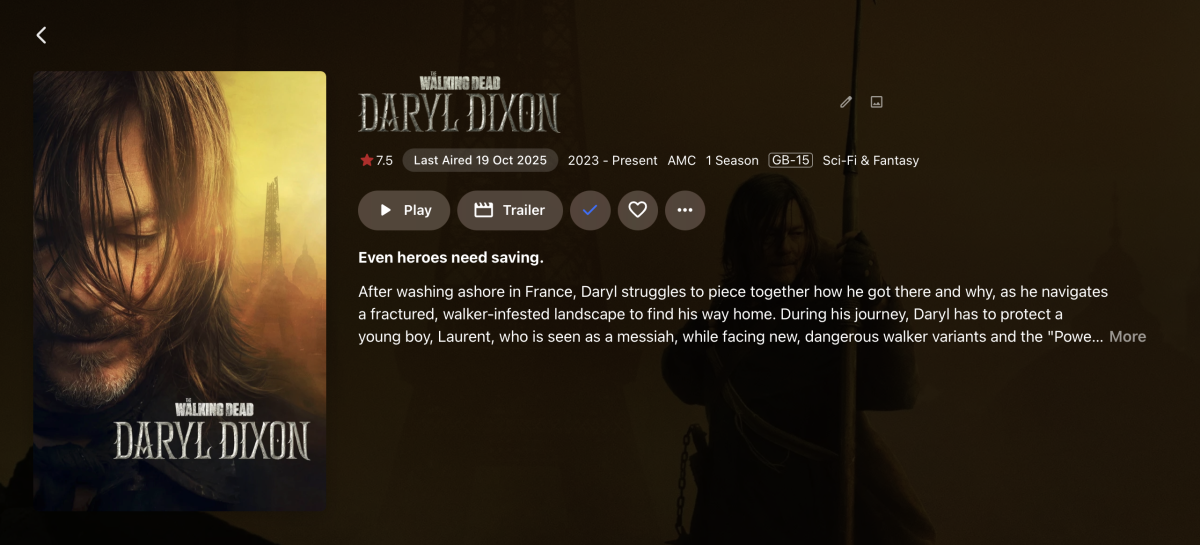
Update: Badge style options added You can now choose how the badge looks. A new "Badge style" setting is available on the same settings page: Icon + colour — A small coloured square with a calendar icon (green for Airing/Last Aired, orange for In Production, red with an X through the calendar for Cancelled). Original pill — The plain badge from the first version, no icon. Text only — Just the status text, no background or icon. No badge — Hide it entirely (e.g., if you only want the Overview/description prefix). The setting is on the same page as before (Settings → Plugins → TV Show Status); just scroll down to find it. Also worth noting: the plugin can now display Airing, Last Aired, In Production, & Cancelled (text only) on Android and tvOS next to the TV information, but this is a limitation beyond my control. icon Text view. Currently Android & TVOS can only display text view The plain badge from the first version, no icon. Now with rounded edges. Settings Screen Recording 2026-07-05 at 00.31.47.mov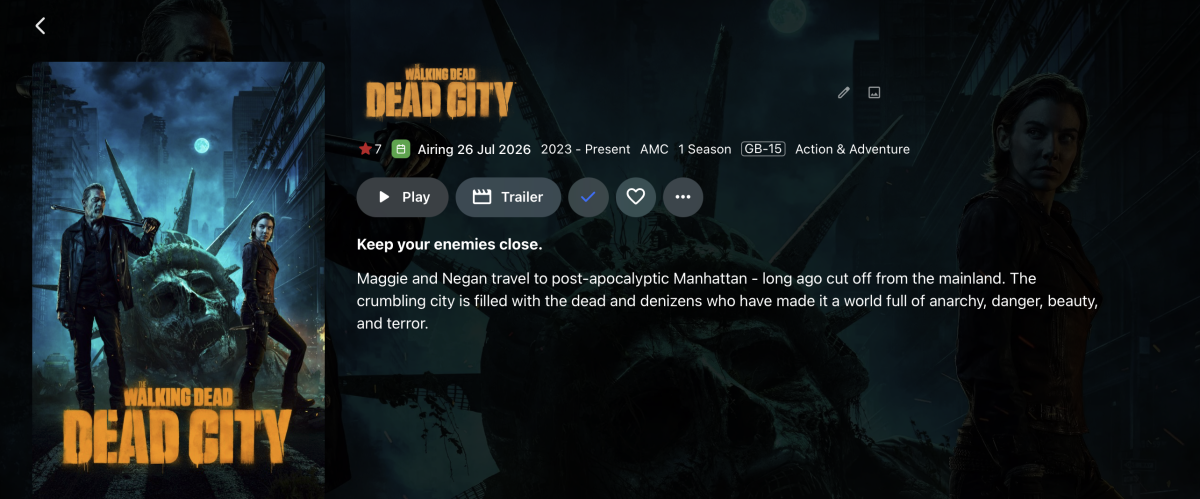
-
Its is possible to purchase the unlock off the android mobile app?
- Yesterday
-

TV Show Status — TMDB-powered Returning/Ended/Cancelled badges for series
buba replied to Blueskies278's topic in Plugins
Quedare atento para probarlo se ve muy interesante -
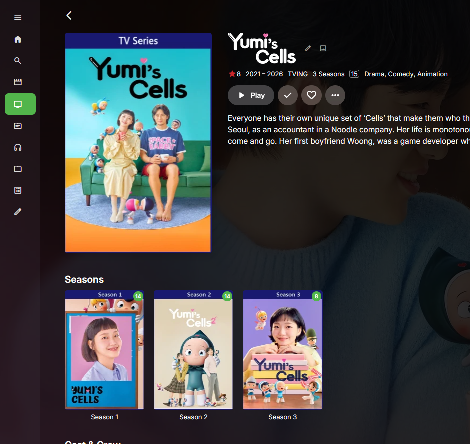
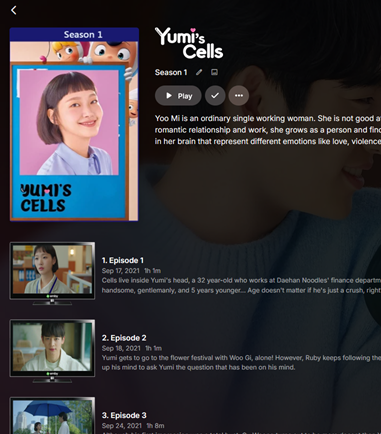
Still Cannot get the season trailers working on TV shows If there's anybody out there that has this working could you please give me a hand I don't know if I'm doing something wrong with the naming but I have the folders the way they want them Everything looks right but it must be a setting or is there something wrong and I need an update I am running the latest version 4.9.5.0
-
TV Show Status — TMDB-powered Returning/Ended/Cancelled badges for series
Blueskies278 replied to Blueskies278's topic in Plugins
Not available yet. still in working progress. -

Collection Movies structure setup
Energon_Universe replied to Energon_Universe's topic in General/Windows
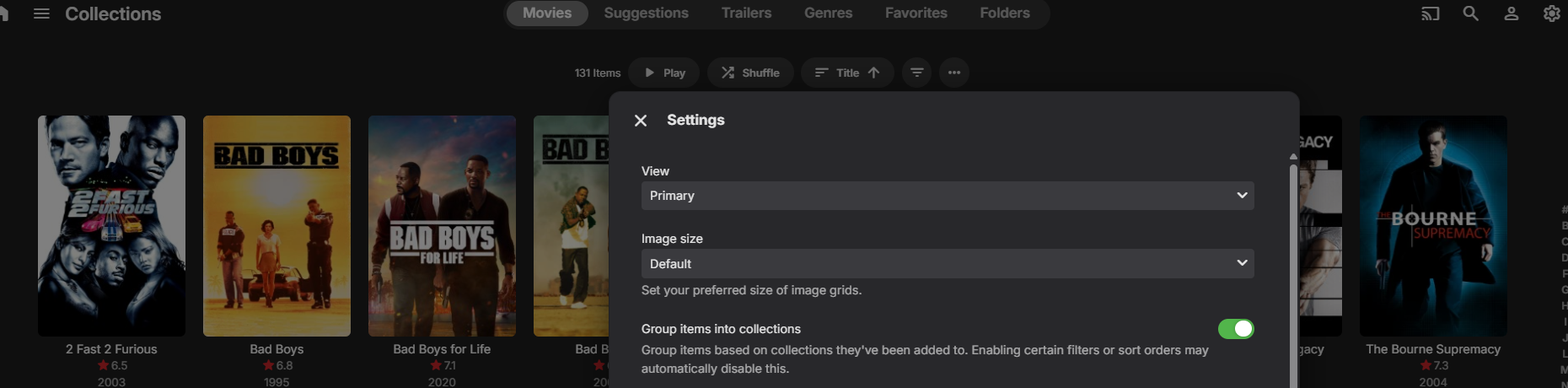
Yes now its ok , i just refresh metadata and library files Solution i think is that "In Library view: three-dot menu (next to Filters)>enable/toggle on "Group items into collections". but i think its working after refresh metadata and library files -
Have you waited for library scan to finish? As your auto-collection Collections library should not be empty, and your custom Collections library items should be grouped under their respective collections.
-
Collection Movies structure setup
Energon_Universe replied to Energon_Universe's topic in General/Windows
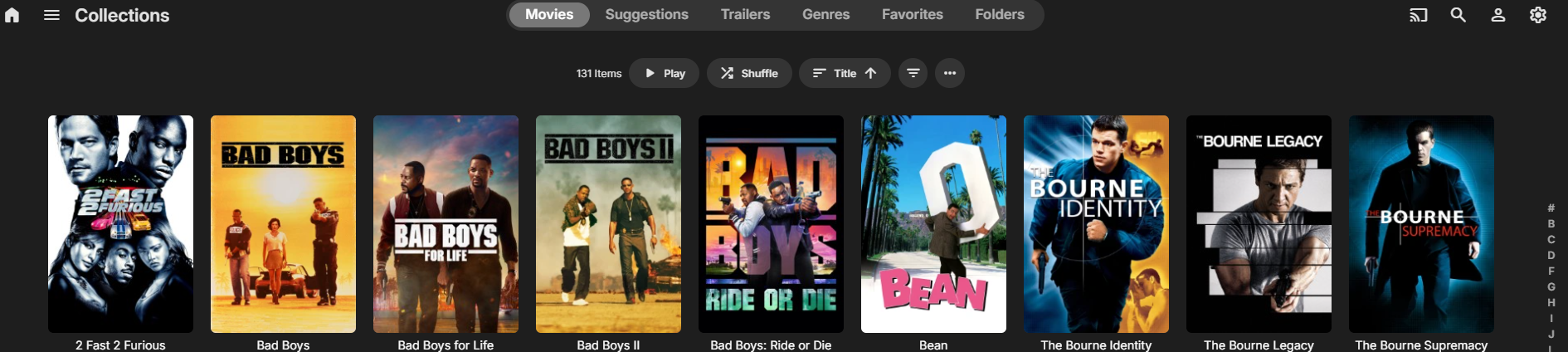
I forgot to mention it. Yes, I have it enabled. However, I would simply like it to actually be a collection, rather than one by one.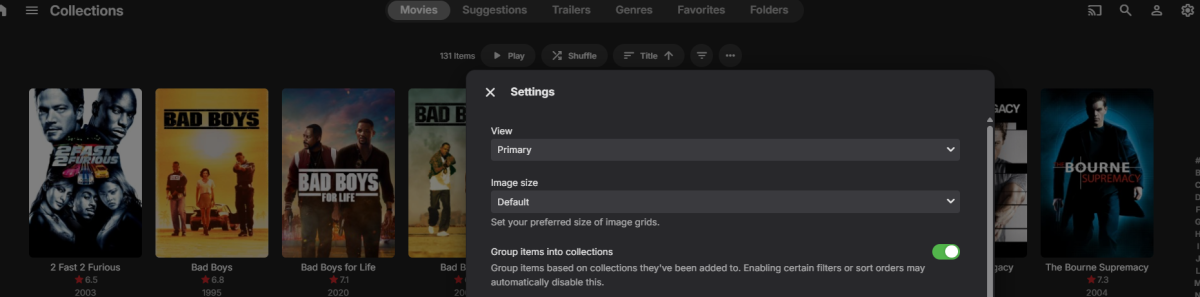
-
In Library view: three-dot menu (next to Filters)>enable/toggle on "Group items into collections". That is default behavior if you have "Import collection information..." enabled in any movie content-type library settings. If you don't want it, you can just hide it in your user's Home Screen settings. Edit: And as a matter of curiosity: why did you create a separate library called Collections in the first place?
-
"Play next episode automatically" - Customize Timing?
lolotux replied to bubba_nuts's topic in General/Windows
Hi, I found a workaround to change when the “Next Episode / Up Next” prompt appears in Emby Web. Tested on Emby 4.9.5.0. File: /opt/emby-server/system/dashboard-ui/videoosd/videoosd.js Original logic uses: 30 / 35 / 40 seconds before the end, depending on episode duration. I changed it to trigger at 96% of playback instead, so the prompt appears when about 4% of the episode remains. Patch idea: 1. Backup the file. 2. Replace the fallback timing logic: runtimeTicks-1e3*(fiftyMinuteTicks<=runtimeTicks?40:fortyMinuteTicks<=runtimeTicks?35:30)*1e4 with: runtimeTicks*.96 3. Optional but important: Emby may use CreditsStart markers when available, so I also forced creditsInfo to 0 in the UpNext calculation to always use the percentage-based trigger. 4. Restart Emby. 5. Clear/reload the browser cache for: /web/videoosd/videoosd.js?v=4.9.5.0 In Chromium/Chrome DevTools console: fetch('/web/videoosd/videoosd.js?v=4.9.5.0', {cache:'reload'}) Important notes: - This is not an official setting. - It will probably be overwritten by Emby updates. - Backup before modifying. - A proper UI setting would still be much better. Result: The UpNext prompt now appears around 96% of the episode instead of the hardcoded 30/35/40 seconds. -
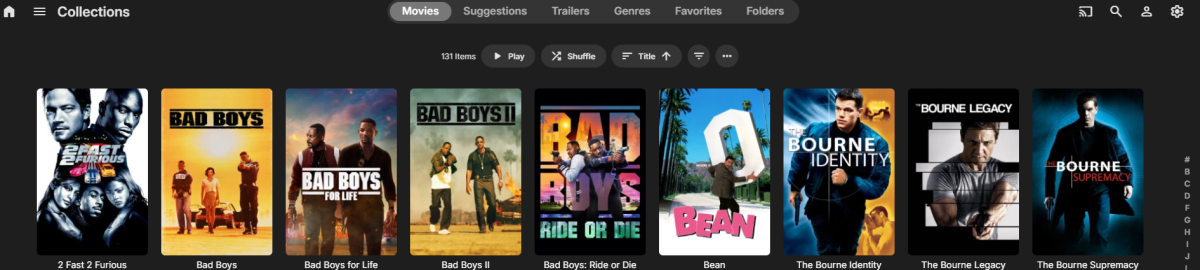
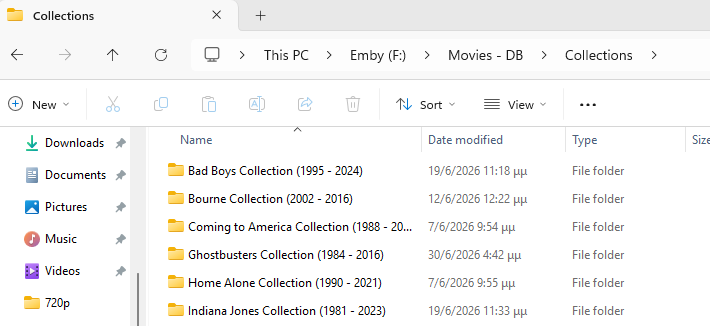
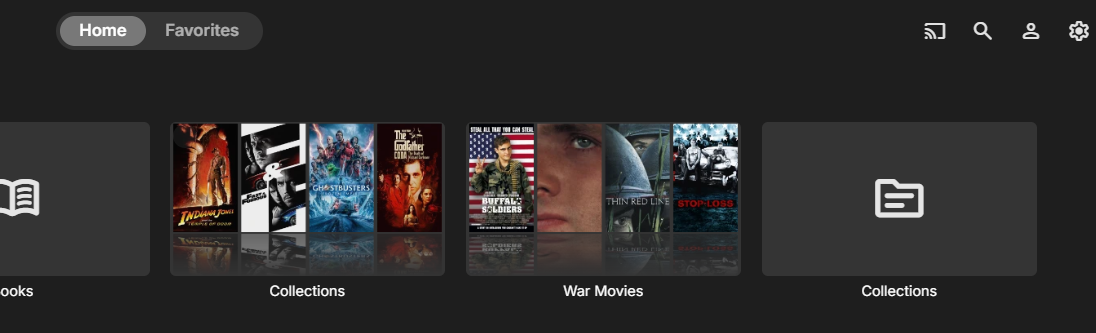
Hello everyone. I'm having an issue with collections. I created a folder named Collections (folder name) and added it to Emby as a Movies library. However, when I add it, Emby starts scanning it and creates (automatically) a second Collections section. The problem is that this new Collections library appears empty, even though it has been added successfully. Also, in the Collections library that I created from this folder, the movies are displayed individually instead of being grouped into collections. Am I missing a setting, or is there something I'm doing wrong? And to be honest, at one point it was working fine—meaning I could see the collections as collections and not individually movies. But I don't know what I tweaked, and it stopped working.