All Activity
- Past hour
-
 uemby131492 joined the community
 -
 Martinenslin joined the community
 -

How Can I Filter a Dynamic Media Home Section by Parental Rating?
Luke replied to Cr8iveLosr's topic in General/Windows
HI, currently you can't. We would have to add that feature. -
 sbranik joined the community
 -
Please also add CreditsEnd to the DB besides IntroStart/IntroEnd/CreditsStart
Luke replied to Kyouma's topic in Feature Requests
I don't know about the next beta but it's on our list for review. Thanks. -
I toyed around with the idea of pre-fetching the new url and using swapMediaItem() to reuse the same player instead of release() + createPlayer() but it opens up a whole can of worms with format/codec mismatches, especially when going from direct play to transcoding. I might see if I can get it working reliably for bitrate changes when transcoding is already occurring. Again not sure if the gains are worth the effort, like you said home connections are generally pretty stable.
-
 Aaaa22 joined the community
 -
 videof joined the community
 -
 igares joined the community
 -
 Karlheinz1 joined the community
 -
 omimakul joined the community
 -
In a TV environment, this will be much less of a problem than mobile. Home networks tend to be pretty stable in their bandwidth.
-
 Ahmed7130852288 joined the community
 -

Any way to quantify what causes a long library scan?
Lessaj replied to podonnell's topic in General/Windows
What settings do you have set on your libraries? Specifically what is set for the following options: "After the initial import, automatically refresh metadata from the internet" "Automatically refresh metadata for episodes with placeholder titles such as TBA" "Generate video preview thumbnails" "Generate intro video markets" -
I've been noticing the same errors the last few days as well. Not sure if they've change something about their API, or if it was just getting different results because of my local MB mirror so I didn't get around to reporting it.
-
It's used for conversions/download jobs. You can change the path under Downloads -> Settings. Downloads is within the Devices section of the side bar (Devices, Downloads, Camera Upload).
-

How Can I Filter a Dynamic Media Home Section by Parental Rating?
Cr8iveLosr posted a topic in General/Windows
I'm trying to create a Dynamic Media Home Section and filter it by parental rating. For example: - Shows - Genre: Comedy - Playstate: Unplayed - Parental Rating: TV-PG and TV-14 Parental Rating is available as a sort option, but not as a filter. Is there a native way to accomplish this without a third-party plugin? If not, why wasn't Parental Rating included as a basic Dynamic Media filter when the new Home Sections system was added? - Today
-
Currently it will step up quality if the conditions improve for a sustained amount of time (currently 120s). Since Emby serves single-rendition URLs the only way to switch quality mid stream is to release the player and request the new MaxStreamingBitrate. This results in a momentary stop in playback (1-3 seconds) which is tolerable when going from playback that is buffering and unplayable to something that is playable. Having a stop in playback to increase the quality might not be as tolerable to users. I have limited testing against very unreliable connections but they goal would be to only release the player and re-request if absolutely necessary. If the step up can not be reliably implemented without causing decision loops I may end up removing it.
-
I just ordered this https://www.amazon.ca/Zonic-Gaming-Ryzen-9950X3D-Windows/dp/B0HHK8G4ZZ/ref=sr_1_24?crid=1YQ26BOZOZ1F1&dib=eyJ2IjoiMSJ9.Y8bBIwV5ykfJ9dlD8YxSQCjxHzy2_LrDpBpGnAtvIn4LojiLVPQlrNYjR3bd_3gxqnni-w7LM1K2JTCs-ztKpC8WQWsHicq9QVjVGIbamyk-3t5L2jI3Xc5WvaUDYIYc2FCw5BkIb-V-kGeNDmpfzZ6VH8Gaj-idPtto6LW7fJ1hQ8bsDHPRTYR-1VDVxkipAeEgZxXopKFKr9-nzkd97KDtjmBUV0bjX5vTlu3wWfuO5ckbpThjhvQi6zlRtkFj3JEmUfuibpzQwiGQ5NXhACmTRb8e2QKs2k5-lFeH0Bs.O5aFqtpuw1wO71kjx3re_4jrtQVn7qykPN53Kc6CKzs&dib_tag=se&keywords=pc+128gigs+ram+ai+pc&qid=1790617792&sprefix=%2Caps%2C301&sr=8-24 I will make a video after I get it and set it up
-
At 02:59:58, Emby starts the plugin task Refresh Recently Aired Episodes. Its EpMetaRefresh plugin then performs a broad metadata refresh because IncludeNoPrem is enabled. Between 03:00 and 03:02 alone, Emby generated: 644 metadata refreshes 642 ffprobe executions 3,063 subtitle-provider errors That is about 5.3 new ffprobe processes per second. The old 03:02 restart task then terminated Emby during the storm. It did not cause the storm, but it prevented proper completion and cleanup. Additional problems: EpMetaRefresh is an old version 1.0.0 from 2023. Its saved configuration says a two-day lookback, but the running task reported five days, suggesting it is not applying its settings reliably. The task is allowed to run for four hours. The plugin refresh also triggers large numbers of subtitle searches and errors.
-
Thinking of an AI Emby Server running on Omarchy and have AI fully run my Emby Server including specific cover art to specific backdrops css & generate plugins & test out what works and doesn't work. So think I will order this today https://www.amazon.ca/ACEMAGIC-M1A-PRO-LPDDR5X-8000MHz/dp/B0HFR9ZKL4/ref=sr_1_11?crid=B81XVRLTAG0L&dib=eyJ2IjoiMSJ9.Y8bBIwV5ykfJ9dlD8YxSQCjxHzy2_LrDpBpGnAtvIn4LojiLVPQlrNYjR3bd_3gxqnni-w7LM1K2JTCs-ztKpC8WQWsHicq9QVjVGIbamyk-3t5L2jI3Xc5WvaUDYIYcM0qUidRDmPwEDAHkBMj_RReqJYzJfw8uLbWnNIzy1TeWxUM_HhmtF22o3_-6Y_2FfuWHGuxiTYUVt5HhWZk2SqDRrxdI6q6KZ8DQQ2qzUU4WGm95Jr3d2usS1G9oseVao5E_DhqO989hHekIiPxY0CmTRb8e2QKs2k5-lFeH0Bs._Hyn-AvrYqEsn47RJq82z6l_cesTXDd-9bTeqpoQu2I&dib_tag=se&keywords=PC+128gigs+ram+AI+pc&qid=1790615275&sprefix=pc+128gigs+ram+ai+pc%2Caps%2C101&sr=8-11 I'm going to put it on a Vlan with a few Fire Sticks and test it out & learn more on plugins I can make for Emby hopefully I can build some useful stuff without this AI going rogue on me. Has anyone here have success with letting AI control anything you have that runs online ? Intel may be better hrmm
-
Isnt this fixed? Still same problem in 2026!!!
-

Any way to quantify what causes a long library scan?
bkettering replied to podonnell's topic in General/Windows
yep, CreateTitleFingerprint is the audio fingerprinting intro detection uses, so that's your 2 minutes. my guess on the manual vs automatic difference is that the manual run just had nothing new to fingerprint, since the scan only does that work for new or changed episodes. if you'd rather keep scans quick, check your TV library settings for the intro detection option and see if you can have it skip the library scan and just let the scheduled task handle it overnight instead. @marriedman on windows, powershell does the same thing as tail: Get-Content "C:\path\to\embyserver.txt" -Wait -Tail 50. swap in wherever your emby logs folder is and it'll stream new lines as they're written -
embyserver.txt I snipped one of the errors, but here is the whole log
-
yeah working great here thannk you!
-
well done!! I love it
-

Any way to quantify what causes a long library scan?
Uncle_Frank replied to podonnell's topic in General/Windows
I have mine set to everything under Scheduled Tasks is off it still loads meta after each movie gets added but it don't wake you up from hard drives grinding at 4am scanning for subtitles. I have hard drives in the room behind the tv screwed to a sheet of plywood with a fan running can't see anything but the 100inch monitor / tv screen hanging on the wall and with settings off you can't hear nothing either. It use to scan for subtitles like crazy before shutting it all off. -
How about the opposite?
-
Is the update coming for a stable release for the .0 designation so that it can be pulled by TrueNAS catalog? I thought this was agreed upon awhile ago in a another thread when it was discussed that a stable release would be numbered this way... Would very much like to update again.
-
Hi. This is a feature that exists across most of our apps. If it is not possible in the Apple TV app that is an app-specific issue so better tracked here. Thanks.
-
When I go back to theandroid app next and manage to generate the error I'll upload the logs. However as the issue only occurs when I use the android app and never happens when I use the Android TV app I understandably don't use it. When I last did use it and the above pictures were taken the logs showed the episode being played without transcoding, nothing more. When I swapped to the Android TV app and generated the second picture the logs showed exactly the same output, just that the app was a different one.
-

Any way to quantify what causes a long library scan?
marriedman replied to podonnell's topic in General/Windows
Does Windows have a comparable command to the Linux utility tail ? Someone on here told me about that and I use it ALL the time! Very informative. -
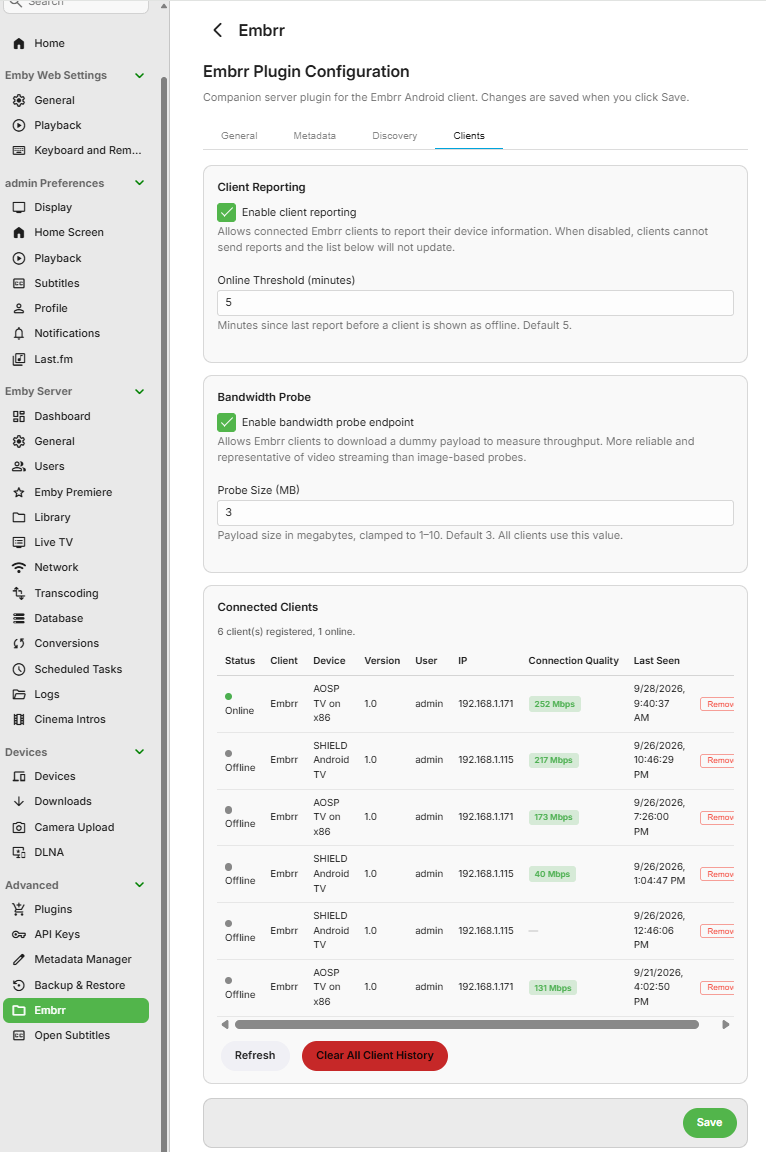
Rather than using the Media3PlayerController.AnalyticsListener onBandwidthEstimate before playback, I included a background bandwidth probe that works like this: When the user has the app open but not is playing an item, it downloads a probe file from the Embrr-Helper plugin (GET Embrr/Clients/BandwidthProbe) every 60s. The dummy file size is configurable but by default it is representative of 3s of 1080p playback. I found this to be more reliable than using a server image Computes bits/sec, keeps a 3-sample sliding window, averages it into estimatedBitratebps. It runs immediately on app start and resume from background. It is paused during playback (so probe traffic doesn't compete with the stream); resumed on release. Reported to the server via a heartbeat (every 60s) as estimatedBitratebps in POST Embrr/Clients/Report. Sever admin's have the ability to view the client connection quality from the plugin dashboard. Ability to allow the server admin to manually set or override the client settings are planned. Surfaced in Settings as "Connection Quality: X Mbps". Is used to negotiate the quality setting before playback when Auto is selected. During playback the buffer headroom is monitored and if buffering events occur, the quality will step down to the next lowest level.
-

Any way to quantify what causes a long library scan?
podonnell replied to podonnell's topic in General/Windows
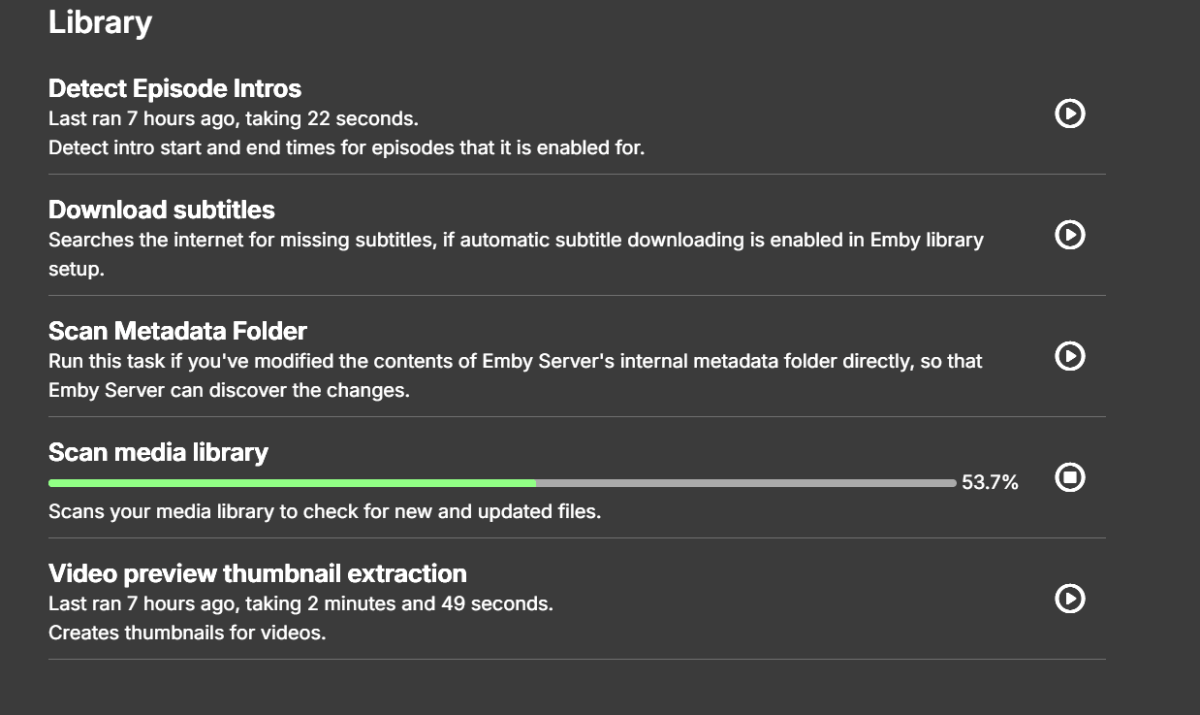
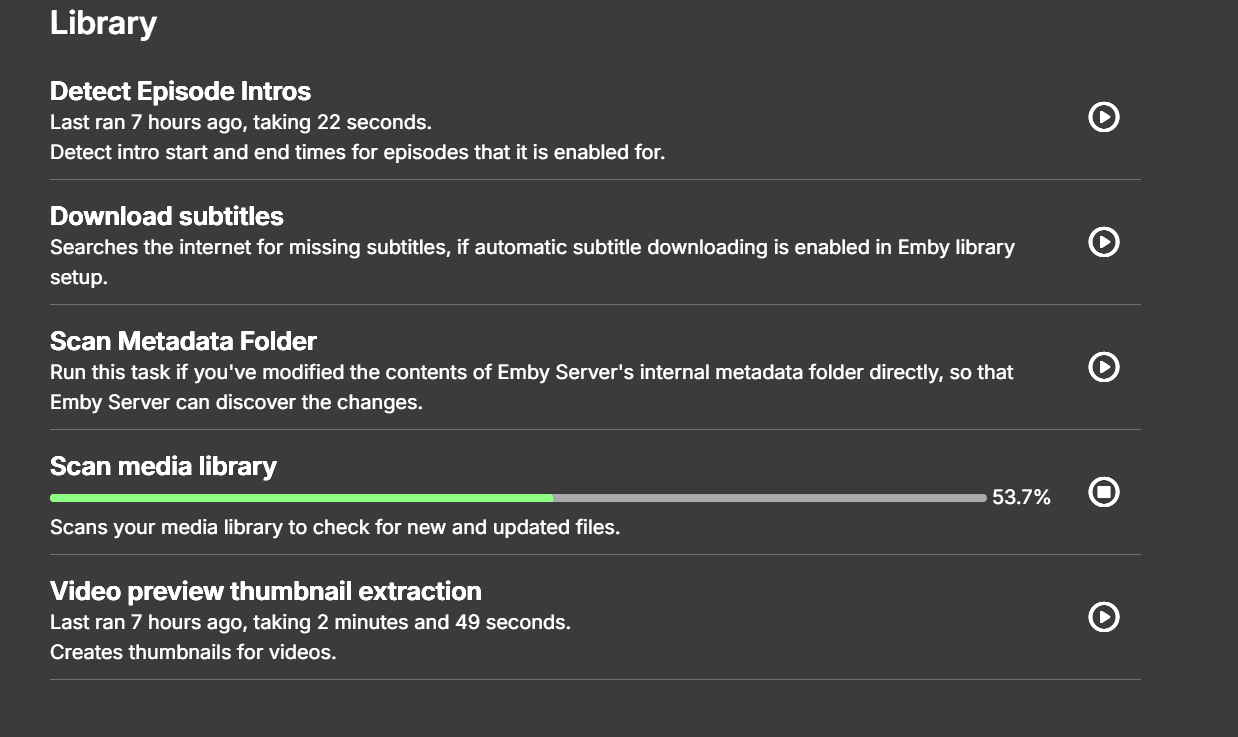
I just caught another automated one kicking off, and this one went way longer than my manual one. Not crazy long, but 3 minutes and 20 seconds compared to my manual run which took seconds. It sat on 53% for about two minutes alone. In the log at the moment was: fmpegManager: ProcessRun 'CreateTitleFingerprint' Process exited with code 0 It looks like in general it is going through the audio fingerprinting process, which is intro detection I believe? bkettering mentioned this could be the cause, but I did not think that was running since it is its own section in scheduled tasks (below), but it seems like the automated library scan includes this, and perhaps my manual one does not? That would explain the longer automated library scans if so.