All Activity
- Past hour
-
 ABDULRHMAN999 joined the community
 -

2.310.2.0 cannot play videos with multiple audios
talone replied to talone's topic in Windows & Xbox
i asked Gemini, it says the problem is about the subtitle burning. Nothing about the multiple audios. Then when i choose subtitle "none", it plays fine. So it is about the subtitles. Is there any setting that I should do? -
 Roger fernandez joined the community
 -
Not yet, I always wait a little while after release to be sure it's a good release I'll do the upgrade this week and let you know if it changes something.
-
 os38zubaidi joined the community
 -
 Mxt3o joined the community
 -
 agtops joined the community
 -
 谢卿依 joined the community
 -
 HangJack14 joined the community
 -
 Rawanamrann99 joined the community
 -
 streams@noyou.net joined the community
 -
 Little Miss Jixxy joined the community
 -
Thanks for getting back to me Luke! I actually had given up and moved on... Just fired up the emby container again after updating to the latest beta release. Guess what? It is working again I can't tell whether this was related to emby or the underlying Unraid, which I rebooted and updated along the way. Anyhow, things are back to normal and I can think again about if I should make the switch back to Emby :)
- Today
-
 hi all. I hit a weird one this week, and after staring at it for longer than I want to admit, I wanted to write it up both as a breadcrumb for the next person googling and as a question for the Emby team: what is the right upstream fix so I can remove this wrapper? short version: Intel QSV/VAAPI worked perfectly when I ran Emby's bundled `ffdetect` manually inside the container, but Emby's own hardware detection reported zero hardware codecs. The thing that fixed it was wrapping `ffmpeg`, `ffdetect`, and `ffprobe` so they close inherited file descriptors `3+` before execing the real Emby binaries. environment: - Emby Server `4.9.5.0` - official `emby/embyserver` Docker image - Emby ffmpeg `5.1-emby_2023_06_25_p4` - container running in an Ubuntu `24.04.4` VM, kernel `6.8.0-124-generic` - Docker `29.6.0`, compose `5.1.4` - VM host is Proxmox `9.2.2` - Intel mobile 12th-gen iGPU, Alder Lake-P / Iris Xe class, Minisforum MS-01, passed through to the VM - `/dev/dri/renderD128` present in the VM and mounted into the container - Emby process running as uid/gid `1000`, with the render group added through `GIDLIST` - VAAPI in the container reports libva `1.22.0` and Intel iHD driver `25.2.4` the symptom was not "the GPU is missing". The render node existed, permissions looked right, and manual probes worked. the exact bad state looked like this: - Emby's hardware codec inventory/API showed zero hardware codecs, or only software codecs like `x264`/`x265`. - the UI behaved as if hardware transcoding was not available. - Real playback could fall back to `VideoEncoder=x264` / `VideoEncoderIsHardware=false`. - meanwhile, running Emby's own detector by hand inside the same container and same image saw VAAPI/QSV just fine, for example `ffdetect ... vaencdec` and `ffdetect ... qsvencdec` returned the expected codec list. - the annoying bit was that Emby-spawned detection did not necessarily throw a clean "permission denied" style error. Would see log errors like `Hardware Detection`, `ffdetect_vaencdec`, `ffdetect_qsvencdec`, `CodecList`, `CodecInformation/Video`, `VideoEncoderIsHardware=false`, and "manual ffdetect works but Emby shows no hardware codecs". things I tried before the fix: - Verified Proxmox PCI passthrough and that the guest saw the iGPU. - Verified `/dev/dri/card0` and `/dev/dri/renderD128` in the VM and container. - Checked uid/gid/render group mapping. - Moved to the official Emby image to remove linuxserver-specific variables. - Tested the bundled `ffmpeg`, `ffprobe`, and `ffdetect` directly. - Played with the container nofile limit, because I suspected a weird fd issue. That did not fix it. - Avoided privileged/seccomp changes; those were not needed. the clue came from instrumenting the child processes that Emby was spawning. When Emby launched `ffdetect`, the child inherited an unrelated high-numbered fd from the parent EmbyServer process. In my repro it was fd `117`, pointing at an EmbyServer socket. When I launched the same binary manually with `docker exec`, that fd was not there and hardware detection worked. that was the tiny trapdoor in the floor. the workaround image keeps the vendor binaries as `*.real`, then symlinks `/bin/ffmpeg`, `/bin/ffdetect`, and `/bin/ffprobe` to a tiny launcher: #!/bin/sh set -eu name="${0##*/}" real="/bin/${name}.real" for fd_path in /proc/self/fd/*; do fd="${fd_path##*/}" case "$fd" in 0|1|2) continue ;; esac eval "exec ${fd}>&-" 2>/dev/null || true done exec "$real" "$@" after that, Emby's own hardware detection immediately reported the expected QSV and VAAPI codecs. In my case the inventory went from zero hardware codecs to 17 hardware codecs, including QuickSync H.264/H.265 decode and encode plus VAAPI entries. A real browser playback test of a 4K HEVC file then showed hardware decode and hardware encode, and the ffmpeg command line included `-init_hw_device qsv=...`, `hevc_qsv`, `vpp_qsv`, and `h264_qsv`. `intel_gpu_top` also showed Render/3D, Video, and VideoEnhance activity during the stream. so, question for the team: 1. am I crazy? did I need to do any of this? I could not find another way to get GPU transcoding working from inside Emby, even though the same tools worked manually. 2. is Emby expected to launch the ffmpeg-family tools with arbitrary non-stdio file descriptors inherited from EmbyServer? If not, would the right fix be in the process launcher, making sure only stdin/stdout/stderr are inherited, or that all other fds are marked close-on-exec before spawning `ffdetect`/`ffmpeg`/`ffprobe`? I am happy to test a build or provide more logs. the wrapper is an okay local bandage, but I would much rather remove it and run the stock image. Also entirely possible there is some very simple knob or obvious docker thing I missed, in which case I would love to be told that too.
 -

Why is Jellyfin so much more popular than Emby?
RanmaCanada replied to Nabukodonosor's topic in Non-Emby General Discussion
It has also just been announced that Jellyfin had a serious RCE vulnerability in ALL their previous FFMPEG builds.. https://www.sentinelone.com/vulnerability-database/cve-2026-35033/ More proof that they don't know what they are doing.. -
ANYONE???
-

Emby for iOS 2.2.52 no video via HDMI output
bcdwyer replied to Symen_4ab's topic in Apple iOS / macOS
The way I’ve been doing it, is using an app called ‘FE File Explorer Pro’. I can’t remember if it’s free or not, I’ve had it for several years. This app connects to the SMB share directly and can download the files for offline use. So completely bypassing Emby. Keep in mind that it’s not built for media use so there’s no fancy info or GUI and it won’t update Emby when you watch something. It’s purely for files but so far it’s played everything I’ve tried and works fine over HDMI. As someone else mentioned earlier, you can play Emby from the web browser and mirror the screen but this requires remote access to your server. -

Emby for iOS 2.2.52 no video via HDMI output
80srule replied to Symen_4ab's topic in Apple iOS / macOS
IF the app is waiting on an update is there a way to play emby to HDMI output in the mean time? I have a friend that uses emby in their RV and they connect the iPad to the TV to watch when traveling. They typically download some movies to watch when they dont have cell service. -
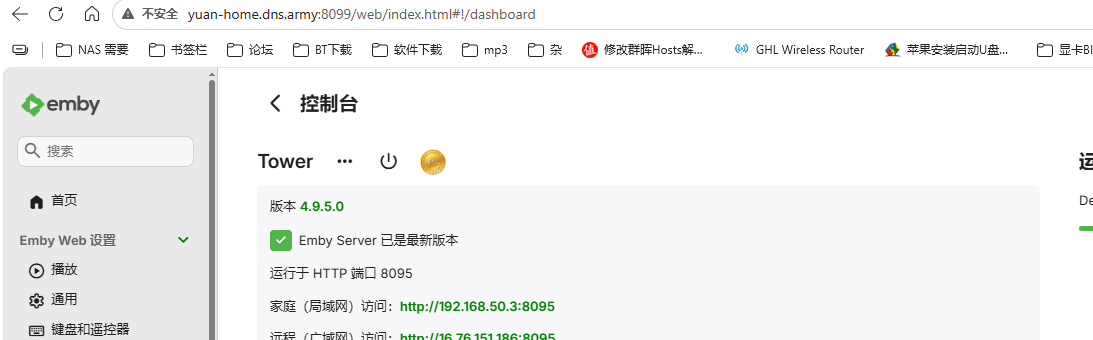
这个是远程远程访问的端口,8095
-
For me, a hard crash. App closes and kicks you back to the home screen of the Apple TV.
-
I reported this a while back... I don't have a clear understanding of the log meanings, but I scroll through mine every so often after a crash, and I see messages about user tokens just before the crash. This is totally a guess, but it seems that your user token (which I assume is how the server knows the request is from a legitimate user) expires, and the app crashes when it thinks you aren't a valid user anymore. A reason I say this is because I have this happen on two servers I run, and it's exactly the same for a close friend of mine who has the same problem. What I notice is that when the server has to fetch something, is when it crashes. For example, if you're scrolling through your music albums... The first batch of album art is present, and you begin scrolling down through your albums... When you hit the albums that don't have cached artwork, the app will crash when it reaches out to get the next batch of images... It's as though the app requests the next resources, your token isn't active, and the app crashes rather than load the next batch of items. Look at your logs right after the crash and see if there is anything referencing a user token. I think a lot of weird ATV behavior is related.
-
2.310.2.0 cannot play videos with multiple audios
talone replied to talone's topic in Windows & Xbox
thank you. Here is log file downloaded right after playing a multiple-audios video. embyserver.txt -
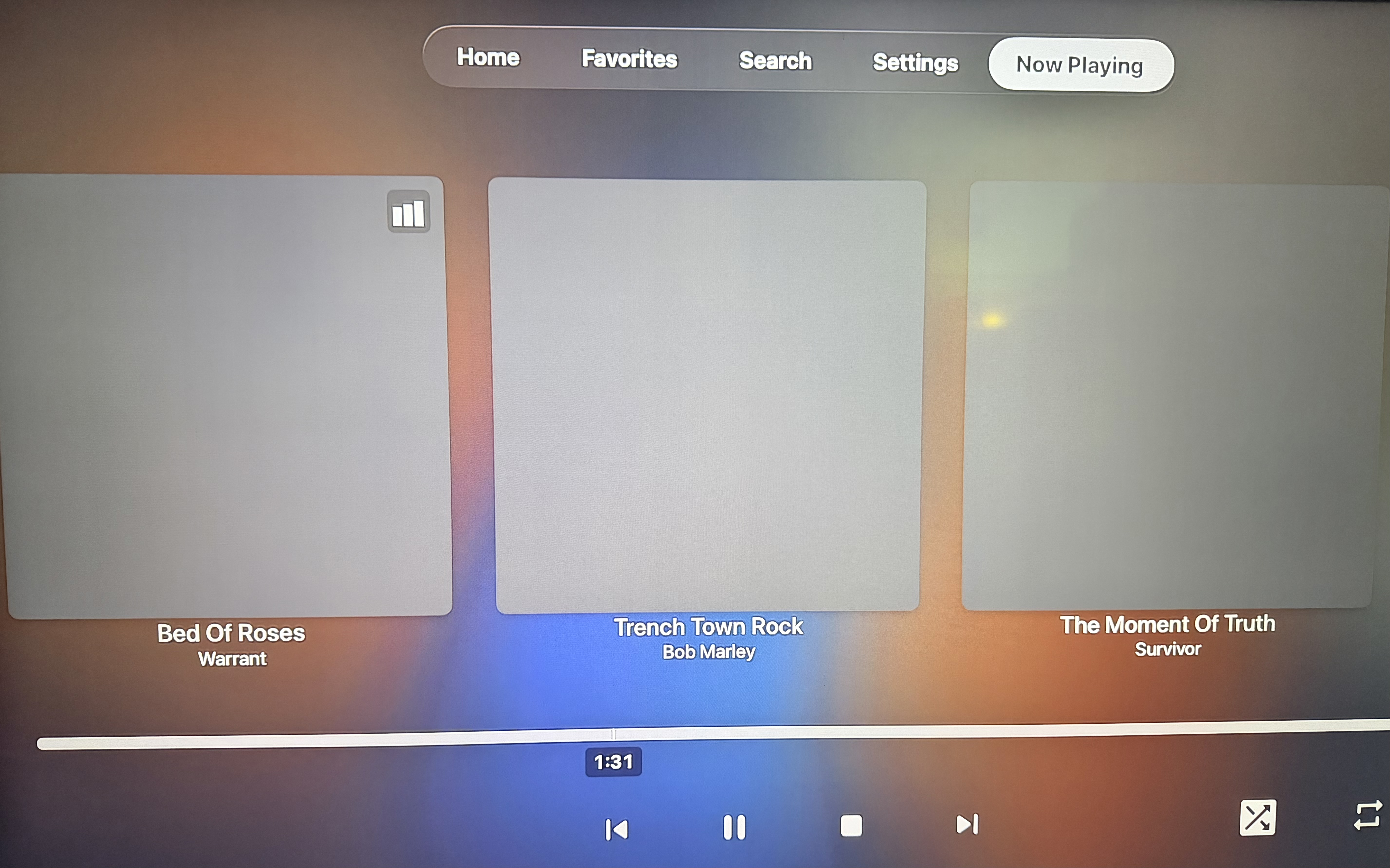
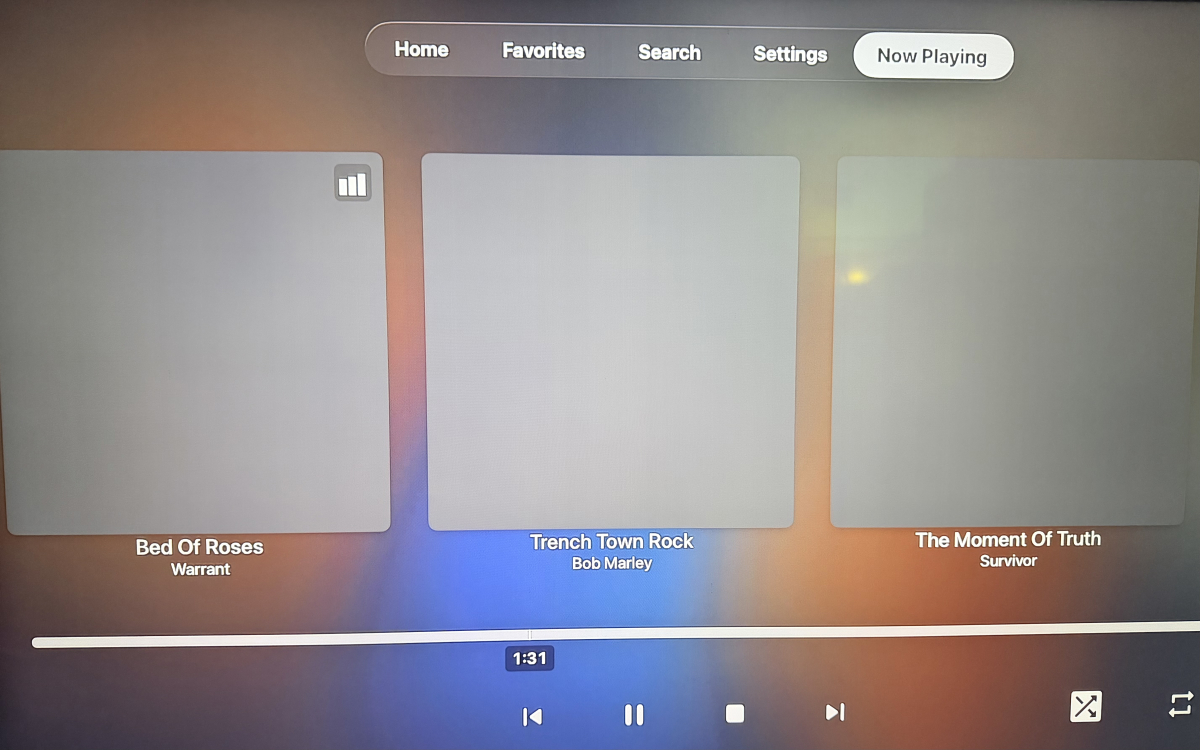
Hi, If I begin playing music, the "Now Playing" shows album art as expected. If I back out of "Now Playing" and browse elsewhere around Emby, when I return to "Now Playing" the artwork is missing. Apple TV v2.0.6 (3) embyserver.txt
-
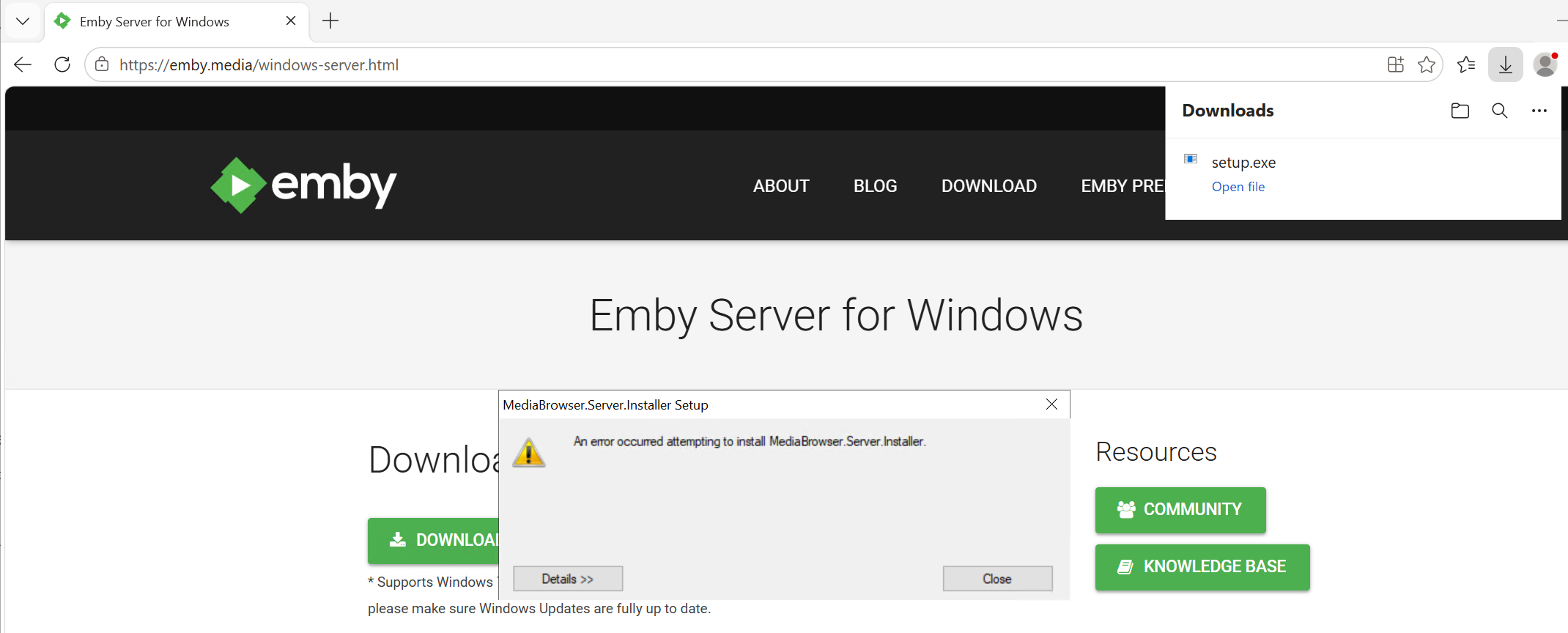
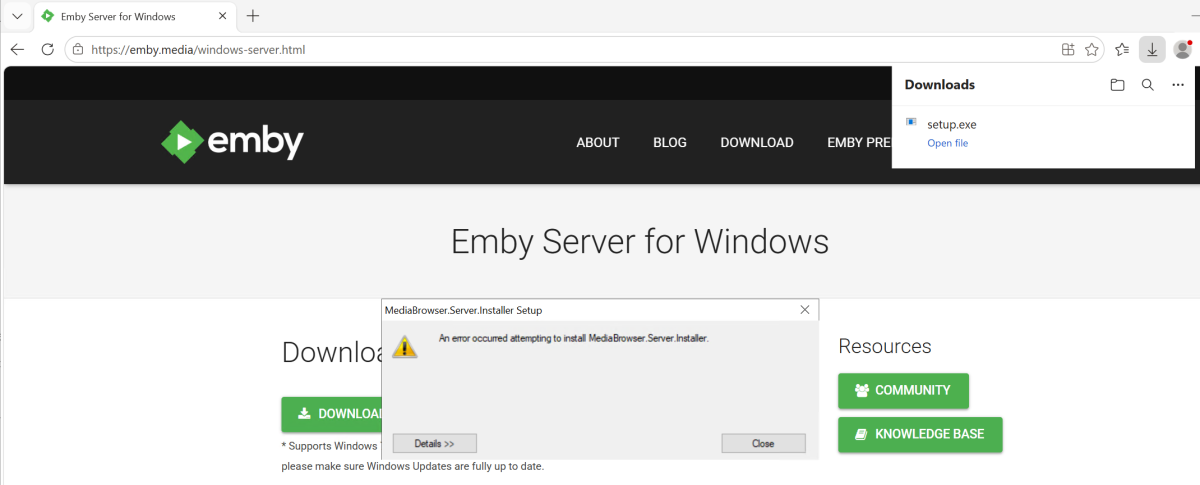
same way i have always done updates. i stop the service. i go to the emby download page, and download the setup file and run it. https://emby.media/windows-server.html
-
Due to automatic updates, I'm not sure what caused this... But I just noticed I no longer have a "Playlist" tab for television libraries on my Apple TV's. There is still a "Playlist" tab in my movie libraries, and if I go into the "Playlists" category on the Home Screen, the playlists are there also.
-
@Luke It's been a while and I abandoned this for an Emby docker install on the Terramaster. IIRC, I wasn't able to get the playback working correctly but the bigger problem was that a manual install of Emby beta using the file "emby_TOS5_APP_4.10.0.13_x86_64.tpk" was totally messed up and wasn't worth pursuing. By totally messed up, I mean that the Emby config directory was buried in "/Volume1/@apps/emby/emby-server/-ffdetect". ("config" folder is the folder that contains the cache, config, data, logs. metadata, plugins, and transcoding-temp folders). What in the world is it doing under a folder named "-ffdetect"? With that type of core problem, I felt I'd be wasting my time trying to debug playback as it was probably just a symptom of a much more significant system problem. As noted previously, this was all tested on TOS 7 beta. With the Emby 4.9.0.72 install from the TOS App center the config folder was placed at /Volume1/Emby which is easy to access and manage.
-

Shuffling music is always constrained by the active sort
HouseOfCards replied to brothom's topic in General/Windows
I just came here to report the same thing, but found this. I noticed that my "frequently played" were all songs starting with "A", "B" or "C"... I looked more and realized shuffle always started at the beginning of the alphabet, which wasn't very random. I set that tabs sort to "Random" and I'm hearing songs I haven't heard in years. LOL -

LG G5 dropped DTS again, and Emby didn't work...?
TurkeyMan replied to TurkeyMan's topic in LG Smart TV
Huzzah! That was like a year in the making... what was the trouble? -

After upgrade to 4.8.5 shows will skip back 1 sec or so and replay
jkexbx replied to zebo51's topic in General/Windows
Thanks! It's still happening to me. Let me know what other information we need to get it fixed...it's very annoying and seems to be very consistent. -
More options to control this are certainly possible. Thanks.
-
I should add that PLEX understands where the global music video path is within settings.
-
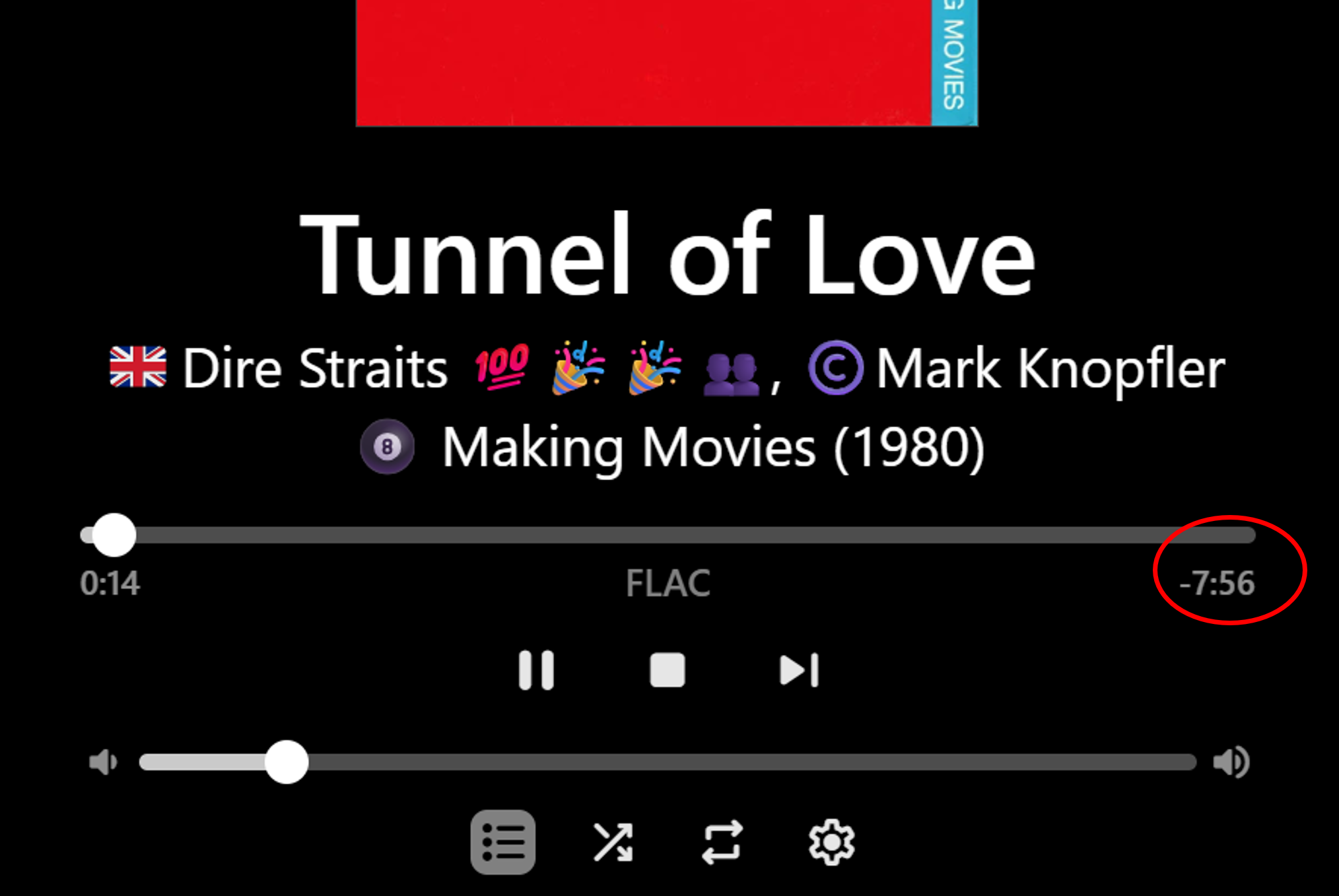
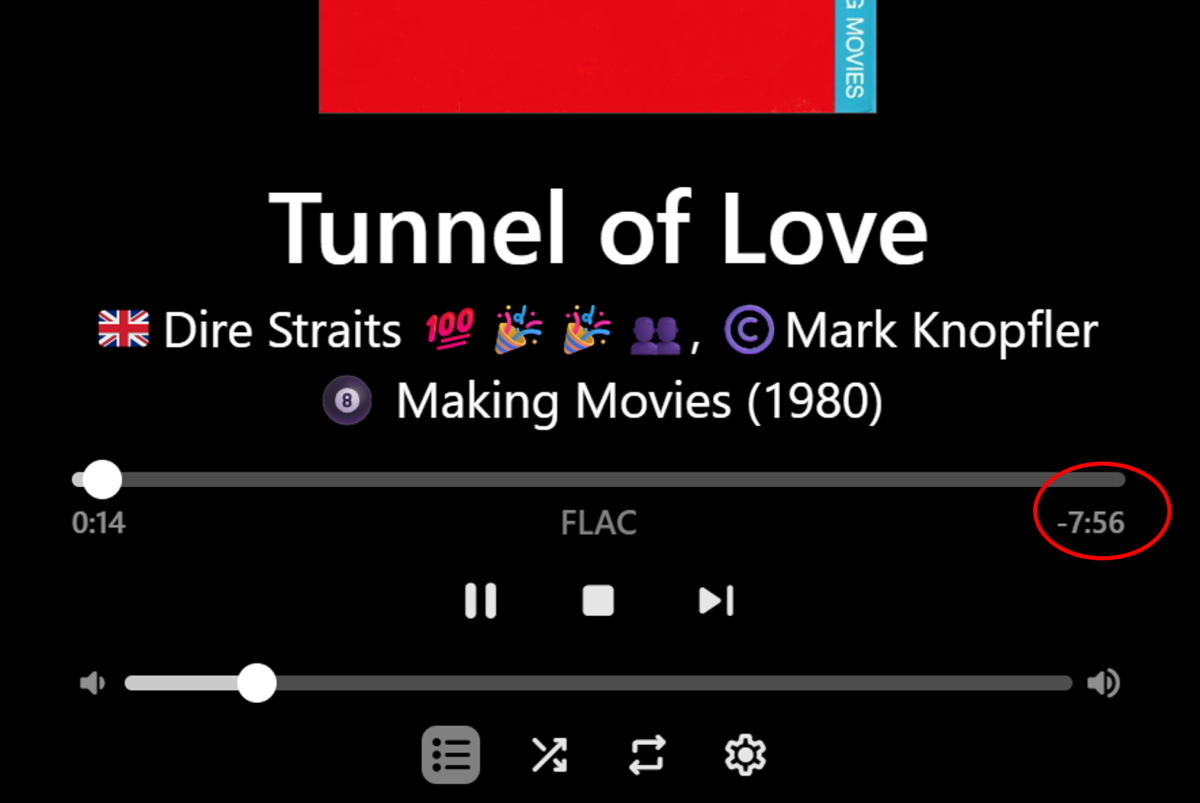
Hi, Yeah, it is, but is actually the time remaining and it therefore counts down as the song plays. So it's only the full duration at time zero. So, I suppose it depends what the OP is wanting to see - duration or time remaining??? Click/tap on the now playing bar to see the time remaining as per full-screen maximized now playing screenshot above. I don't mind the time remaining on the full-screen, but having the fixed duration (not the variable time remaining) showing in the minimized now playing bar would be a nice addition. It looks like there is plenty of room to add it, for the wider landscape views. It could still responsively disappear as the elapsed time does, for narrower views. Cheers!
-
Thanks! I wasn't aware of this EMBY feature. The results appears to be the same as my suggestion except that the implementation on PLEX requires zero editing of the meta data of video files. Instead, PLEX does a straight foward merging of identically named folders. If the artist folder names are identical in both libraries then all of the pre-work is complete. The referenced EMBY implementation puts an unnecessary burden on the user.
-
Hi, In your first screenshot example you have no Artist(s) listed, therefore I think Emby is then filling in the second playing field with the title. If you metadata is created consistent across the examples, then I think Emby will be consistent. Perhaps give it a try - add the Artist(s) in your metadata? Likewise, if you take Artist(s) out of the second example - it will likely work the other way. Cheers!
- Yesterday
-
Yes, will Emby ever make this consistent - so there isn't that exception - and NOT force users to manually turn off subtitles for each episode?