All Activity
- Past hour
-
 sqq123 joined the community
 -
 Deliojoy joined the community
 -
 thellosd joined the community
 -
 brumule joined the community
 -

Plugin: Ginjaninja Tools - Person Cleaner (pre-alpha)
ginjaninja replied to ginjaninja's topic in Plugins
0.1.17 Improve task performance (8 mins on 150000 person library, after provider fetching on my 6 core cpu, still uses GBs of memory) -
 Ll_sh0 joined the community
 -
 张子龙 joined the community
 -
 Frarq joined the community
 -
 vejehebnfkf joined the community
 -
 4i0 joined the community
 -
 nash1 joined the community
 - Today
-
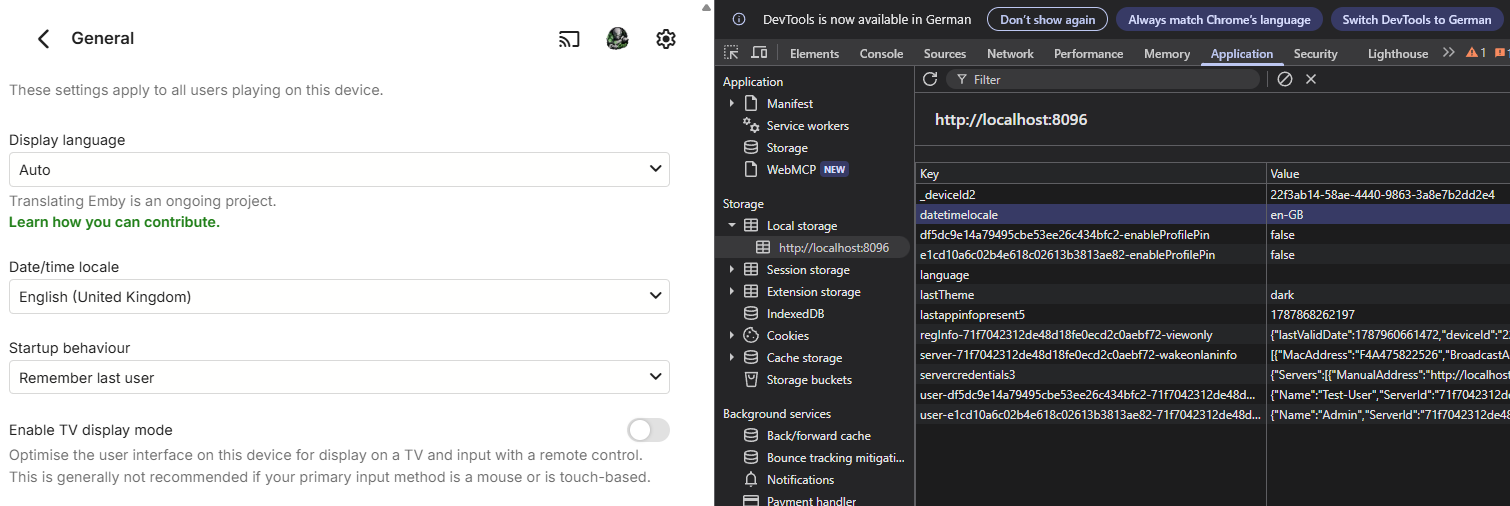
Update date/time local: The plugin now automatically matches your Emby 'Date/time locale' setting (stored in your browser's local storage). Fallback to browser's default format if it's set to Auto. EmbyUserNotes.dllv1.0.1 beta
-

HLS segment list is computed from the container's declared duration and is never checked against the media.
vdatanet replied to vdatanet's topic in Developer API
Good question, and it caught a real hole: everything I had been writing was about the last segment, and 220 is not the last one. Here is 220 measured four ways on 4.9.5.0, all on the same file: requested 216..221 in order 220 -> 200 (and 221 fails) fresh session, jumping straight to it 220 -> 500 (500 on every retry; 219 -> 200) real player, no seeking 220 -> 200 (36 ms) (and 221 -> 200, 173 ms) real player, after one seek 220 -> 200 (42 ms) (and 221 -> 500) So 220 is not special, and neither is being last. What separates the rows is how the request arrives: near the end of a file, a request that comes in sequence is answered, and one that arrives on its own — a jump, or a step back after a failure — starts a fresh transcode, and that is the one that doesn't come back. Which is exactly what my first post was describing without realising it. The player asked for 221, got nothing, and stepped back to 220. That step back is itself a jump, so 220 was then being asked of a fresh transcode near the end of the media, and it returned 500 each time it tried. One more measurement, in case it saves you time, though this one is from the beta in a container rather than my production box: a restart producing segment 210 wrote the file, logged SegmentComplete for it, and exited with code 0 — and the request still returned 500, in 60 ms. So whatever this is, it does not look like an inability to produce the segment. I'm not going to offer you a mechanism for it. I've proposed three in two days and measured all three dead, so I'd rather hand you the table and stop there. -
This is what I meant in the first post when I said it should be version-agnostic. If it's just adding the item, it doesn't matter which version is added, so it would work. But since it does only add one specific version, it needs to ask which I want to add because I keep running into scenarios where the user adding items to the playlist has different quality-access permissions to the user watching it. My remote users don't have access to higher-quality versions to save on transcoding, and my user account doesn't have access to lower-quality versions to save on clutter. My admin account can see everything, so if I do any playlist work from the admin account I keep running into scenarios where it adds a version the relevant user account has no access to.
-
HLS segment list is computed from the container's declared duration and is never checked against the media.
vdatanet replied to vdatanet's topic in Developer API
I owe you a correction, and this time I have the control case that my last two posts were missing. I said the trailing segment cannot be served. That is not true, and here is the same file from my first post — the one declaring 1326.336 s — played twice on 4.9.5.0 through your web client, four minutes apart. A. Played straight through, no seeking: 07:13:27.849 segment 219 -> 200 (2 ms) 07:13:27.937 segment 220 -> 200 (36 ms) 07:13:28.147 segment 221 -> 200 (173 ms) session then advanced to the next item on its own So the file plays to the end and the session tears down properly. My apologies for saying otherwise. B. Same file, same session type, this time with one seek to about 1289 s: 07:17:16.613 segment 220 -> 200 (42 ms) 07:17:40.141 segment 221 -> 500 (68 ms) logged as "Error processing request" 07:17:41 client re-requests master.m3u8 and continues on a fresh transcode 07:17:41-42 segments 438-441 -> 200 (737, 465, 363, 404 ms) 07:18:12.498 segment 442 -> requested, and no response line ever follows The session then sat at position 1328.17 s of a 1326.34 s item — past its own declared end — with IsPaused=False and the transcode still registered, for 6 minutes 16 seconds and counting when I stopped sampling. Eleven samples thirty seconds apart, the same position to the hundredth each time. The log shows 31 restarts with -ss during that playback, the last two at 00:21:54 and 00:22:06. That is the whole of my original report — the 500, the retry, the request that never returns, the session left playing on the dashboard — and it reproduces on demand with one seek. So the accurate version of my complaint is narrower than what I have been writing, and I would rather state it correctly: The segment list is computed from the declared duration and never checked against the media, so the last entry can be an interval the file does not contain. In continuous playback that costs nothing, because the transcode that is already running serves it. After a seek, the client asks a fresh transcode for that interval, and it cannot be produced. The arithmetic behind it is unchanged: 222 segments advertised as 1332.0 s for an item of 1326.336 s, with the final #EXTINF still claiming 6.0000 s of a stretch that can hold at most 0.336 s. Two corrections I also owe you, from my previous post. First, I claimed the cause was that ffmpeg never announces the final segment of a run (SegmentComplete). The observation is true, but as the cause it is wrong: segment 210 is announced by its restart, the file is written, ffmpeg exits cleanly, and the answer is still 500 in 60 ms. Second, both my earlier posts say the server "held the request for 90 seconds" — that was my own client's timeout, not a server limit, as your log's "after client disconnected" says plainly. To reproduce, about two minutes: take a file whose declared duration is a little past a segment boundary, play it to the end (it works), then play it again and seek to within thirty seconds of the end. The second run fails at the last segment. I am not offering a mechanism this time. I have proposed three in two days and measurement killed all three; the pair above is what I can defend. -

Option to display Extras directly below synopsis on the details page
thealienamongus posted a topic in Feature Requests
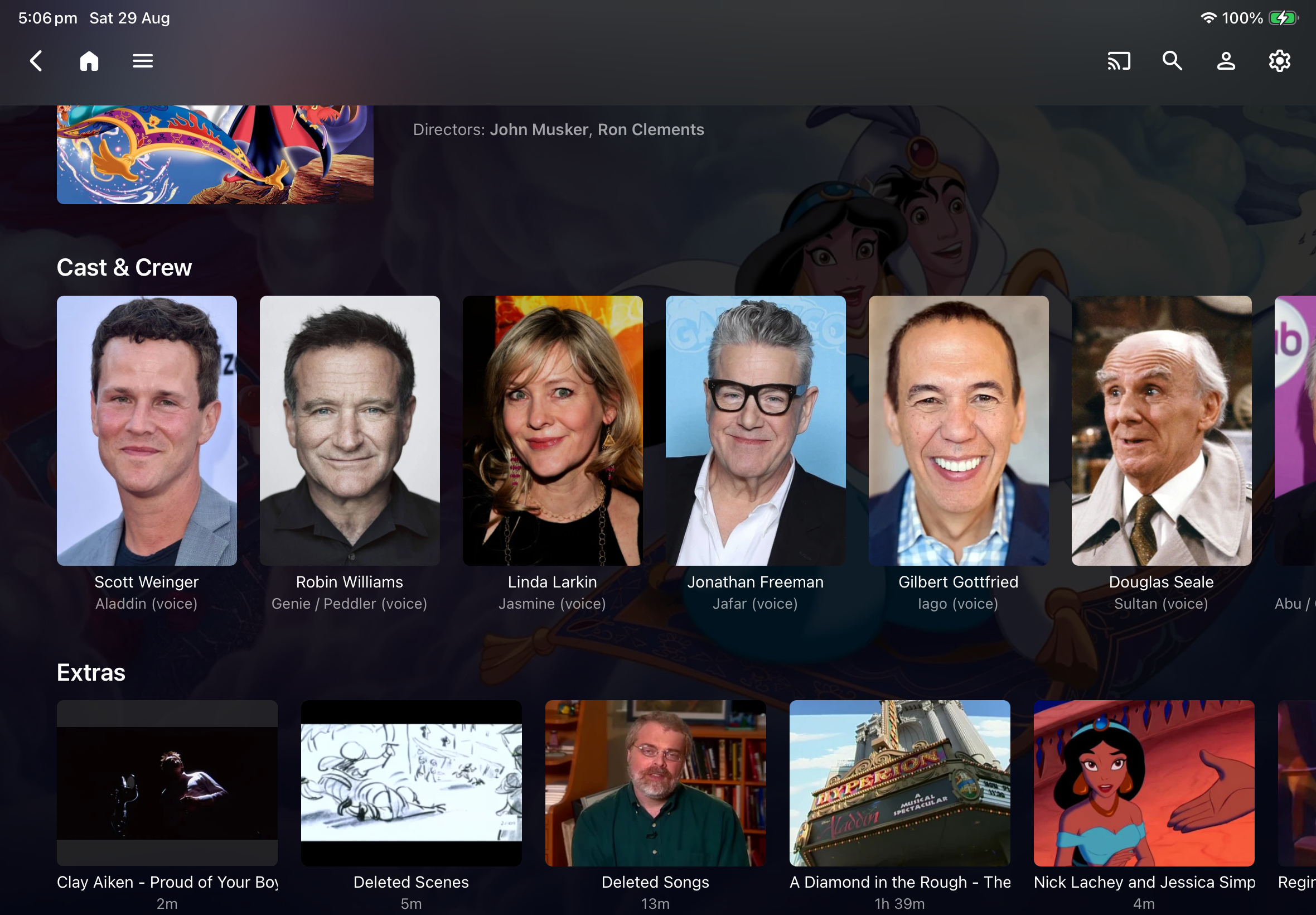
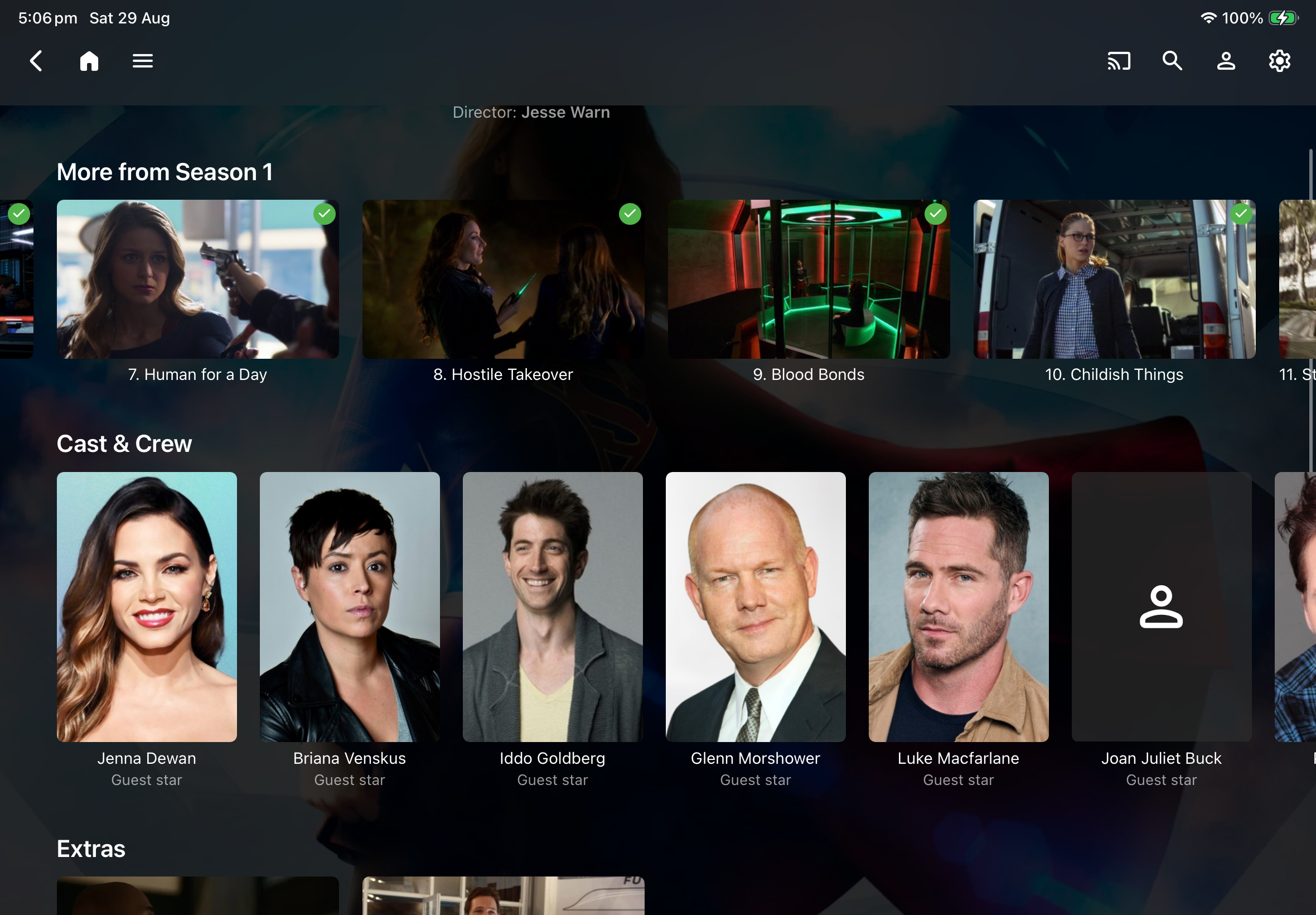
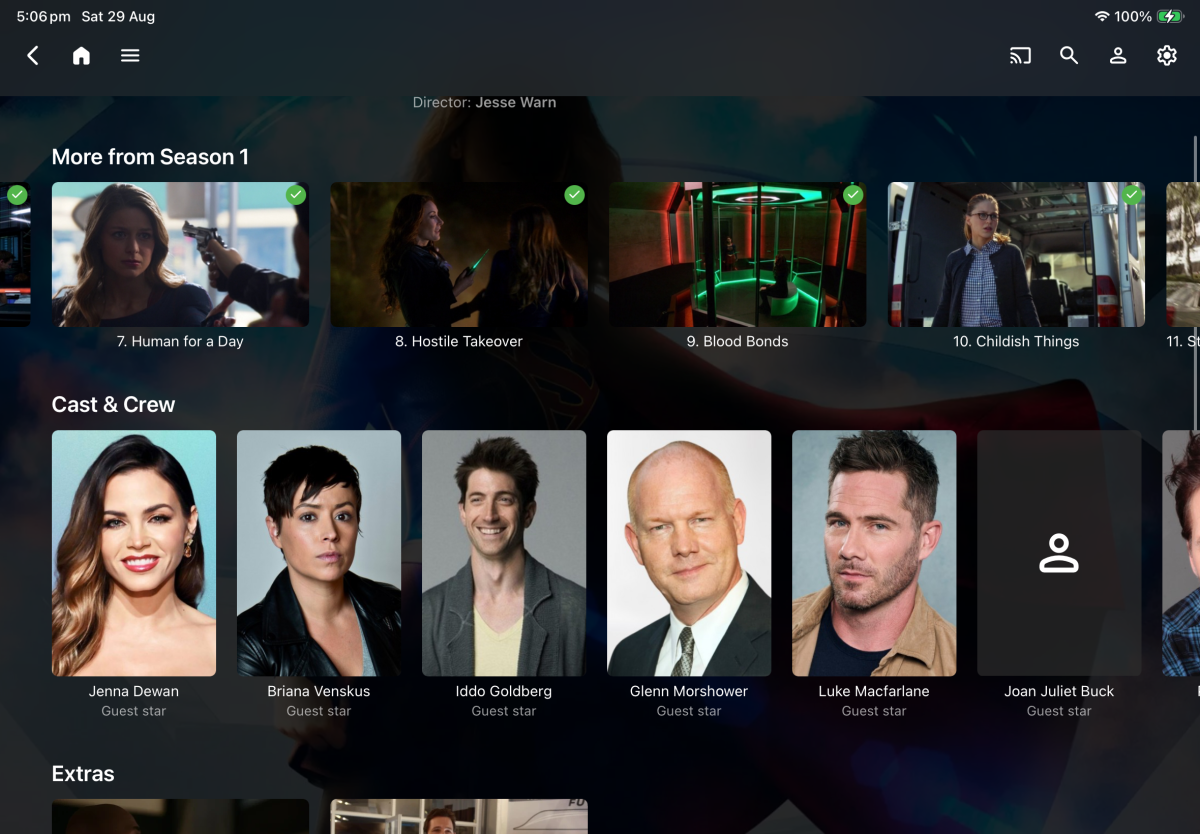
Being able to see if there are extras and what they are is more relevant to me personally so I would really appreciate an option to have Movie and Episode level Extras menu above the Cast & Crew and More From Season X menus respectively.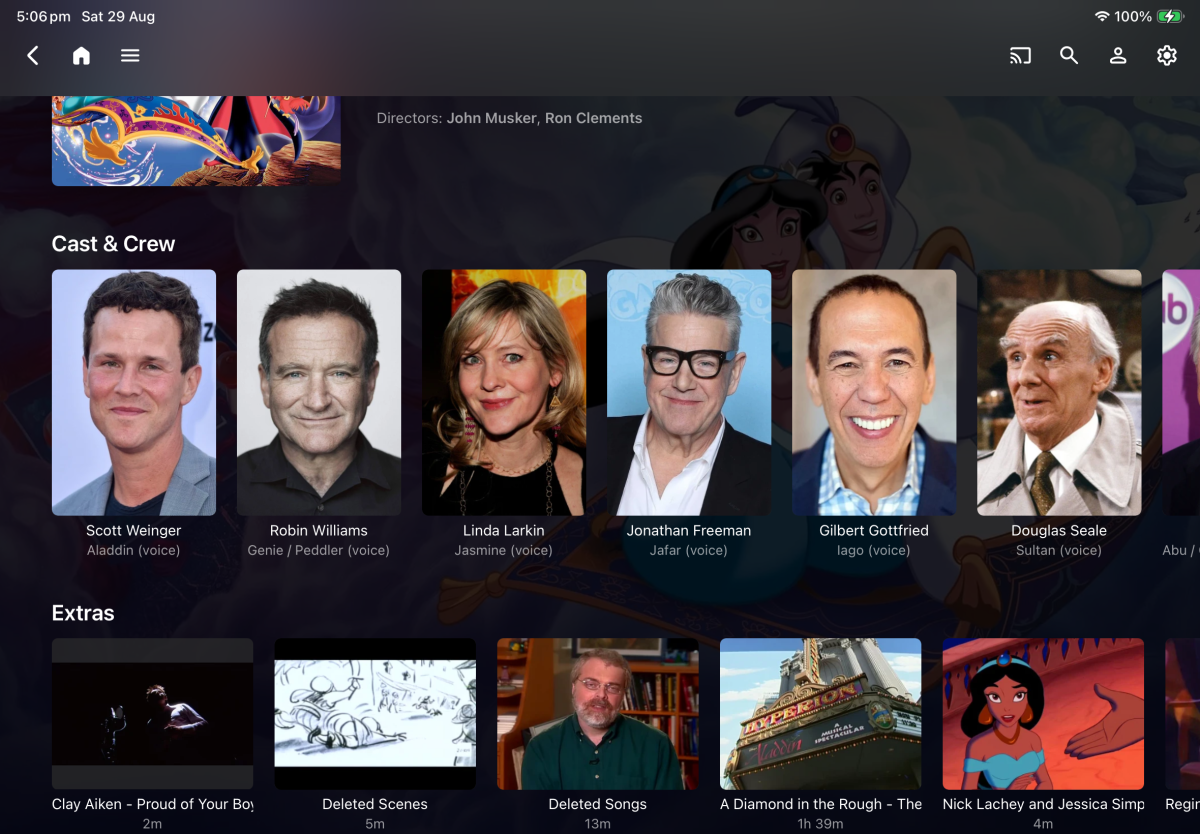
-
Hi, we’ll take a look at it. Thanks for reporting. And thanks for the feedback !
-
sad i can't found it in french alexa store !
-
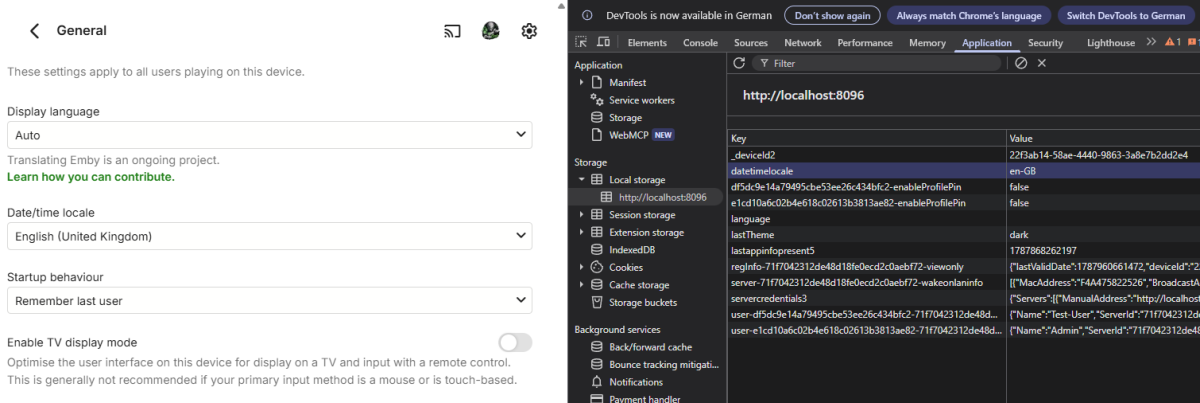
In Emby, the "Date time local" setting is stored in the browser's local storage rather than on the server. Whenever "Cookies and other site data" are cleared—or if you open Emby from a different browser for the first time—this setting defaults back to "Auto". I'll try to update the plugin so that it reads the format directly from the Emby web app's local storage, with a fallback to the browser's settings if the local storage entry is empty (as it is when set to "Auto" or on a fresh session).
-

TV Show Status — TMDB-powered Returning/Ended/Cancelled badges for series
Blueskies278 replied to Blueskies278's topic in Plugins
This started about four months ago as a simple personal Docker container. I had stopped using Kodi, but I found that Emby was lacking features I really missed—and that was the main reason I started this project. Eventually, I decided to create a plugin version and share it with everyone. It ended up turning into a pretty complex plugin that I genuinely enjoyed building. I couldn't have pulled it off without everyone's input and feedback. Thanks! -
Playlists still use file path, not item ID.
-
TV Show Status — TMDB-powered Returning/Ended/Cancelled badges for series
Blueskies278 replied to Blueskies278's topic in Plugins
Please report any bugs with logs -
After a recent update (unsure if it was the most recent or not) I can no longer view or read the full description of stuff anymore when looking at the main display page for the item. It will only show so much until there's a "..." and I believe you used to be able to tap it to expand, but now tapping does nothing and there's absolutely no way to continue reading the description. Thank you for the hard work and time put into maintaining and developing emby. I absolutely love it!
-
bonjour, Je ne suis pas très doué pour comprendre les différentes possibilités qu'offre emby pour la lecture de vidéos. J'ai un IPAD (apple) dans lequel j'ai installé TIVIMAX et INFUSE. Comment puis-je installé la même chose dans EMBY ? les configurations "Web stream", "IPTV" etc... ne marche pas et je ne sais pas comment installer un plugins qui serait nécessaire. Cela me permettrais de regarder les films mis à disposition dans TIVIMAX, mais sur mon samsung ou mon PC Windows avec Emby, non ? Au lieu de télécharger les films dans mon serveur Emby, ce qui me prendrait moins de place. Je refuse d'acheter un téléphone Apple.
-

4K HEVC shows as 1080p, think I can't find any setup to fix?
Teddyknuddel replied to PeteGul's topic in Android
You're confusing “it plays” with “it plays correctly and to the full capability of the source.” The fact that Emby for Android plays Dolby Vision Profile 7 content on your device proves exactly one thing: your device accepts the stream and produces a Dolby Vision picture. It does not prove that the complete Profile 7 FEL data is being processed and reproduced with the same fidelity as on a playback chain that fully supports FEL. And that's actually the point of my criticism. A proper Direct Play path should simply hand the original media to a capable playback engine instead of unnecessarily putting the Android app/player layer between the source and the hardware. That would eliminate an entire class of compatibility, format-detection and playback problems. It is also directly relevant to the problem discussed in this thread. If a genuine 4K HEVC source can end up being treated as 1080p, the obvious question is why the app isn't simply handing the original 4K stream to the playback hardware/player and letting it do its job. The same applies to Dolby Vision. “My TV switches to Dolby Vision and I have no problems” is not evidence of full-fidelity Profile 7 FEL reproduction. It only tells us that your particular playback chain produces an acceptable result to you. Those are two completely different claims. So no, I don't need to report your personal playback experience as a separate bug in order to make the technical point. I'm criticizing the limitation of the playback architecture itself. If all you require is “the movie plays and Dolby Vision appears on my screen”, then apparently you're satisfied. If the requirement is original 4K media being passed through without unnecessary intervention, with the complete capabilities of the source and playback hardware preserved, then that's a different standard entirely. And that is precisely why proper Direct Play would solve or prevent many of the problems being discussed here — including the 4K/1080p issue raised by the thread starter. Your statement “I have no problems” therefore doesn't refute my argument. It merely tells me that you don't perceive the limitations as a problem. -
Atrium — a native tvOS app for your Emby server
vdatanet replied to vdatanet's topic in Third Party Apps
As promised: 1.4 is out. Approved overnight, on the App Store now, so it should reach your Apple TV shortly if it hasn't already. @Grumpy1 — and anyone else here with a Dolby Vision TV — this is where I ask for the favour. The DV signalling described a few posts up is in this version, and it's the one thing in 1.4 I could not verify before shipping, because there's no DV set here. The test is two minutes: Play one of your Dolby Vision files. Open Settings > Playback Information and read the Dolby Vision line. If it says "in the file and signalled to the TV": did the TV actually switch — its own Dolby Vision indicator lit, not the app's word for it? A photo of that screen plus your TV model closes this either way: "it lit up" means it works, "it didn't" tells me exactly where to look next. And if you ever see "signalled, then withdrawn", that's the photo I most want to see. Same caveats as before, so nobody wastes an evening: profile 5 files (the ones with no HDR10 base layer) go to the server on purpose, dual-layer files aren't tagged, and on a TV that doesn't announce Dolby Vision nothing has changed at all. The rest of 1.4, briefly, since most of it came out of this thread. The on-device path from 1.3 now covers most of a library — H.264 films and shows, and HDR in MP4s, play with the server just serving the file, no transcoding. One visible effect: the end-of-episode stall, where the last stretch sometimes never arrived, can't happen on that path, because the app makes the cuts from the file itself. Beyond that: resolution and dynamic-range badges on the details page, as requested here; Skip Intro on episodes with markers — Emby makes those itself under Library > Markers, no plugin needed; Next Episode when the credits start; audio and subtitles pickable from the details page before playing; server discovery now finds Emby servers on the local network; and the favourites and watched buttons with Emby now actually do something. Whichever way the DV test goes, I want to hear it. Thanks -

Featurettes, Extras Always Top Level with Two (or more) versions of a Show
millerajm replied to millerajm's topic in General/Windows
Should I make a bug report somewhere? I've just removed my extras for now, so I'd love to be notified when this is fixed and I can add them back to my library. Thanks again for your quick responses and assistance troubleshooting! -

Featurettes, Extras Always Top Level with Two (or more) versions of a Show
Luke replied to millerajm's topic in General/Windows
Yes I think you’re probably right. -
We support M3U because it is a universal playlist standard. We do not have any plans to integrate with systems that are primarily or even exclusively for pirating live TV.
-
Featurettes, Extras Always Top Level with Two (or more) versions of a Show
millerajm replied to millerajm's topic in General/Windows
Unfortunately, even when locking the extras metadata, and then adding the 9th version, it again identifies them as their own movies. This does at least prevent the extras from suddenly misidentifying as whatever imdb entry their names resemble, so the lock is working, it's just there is no way to edit the metadata to indicate that this item is an extra and not a movie as far as I know. -
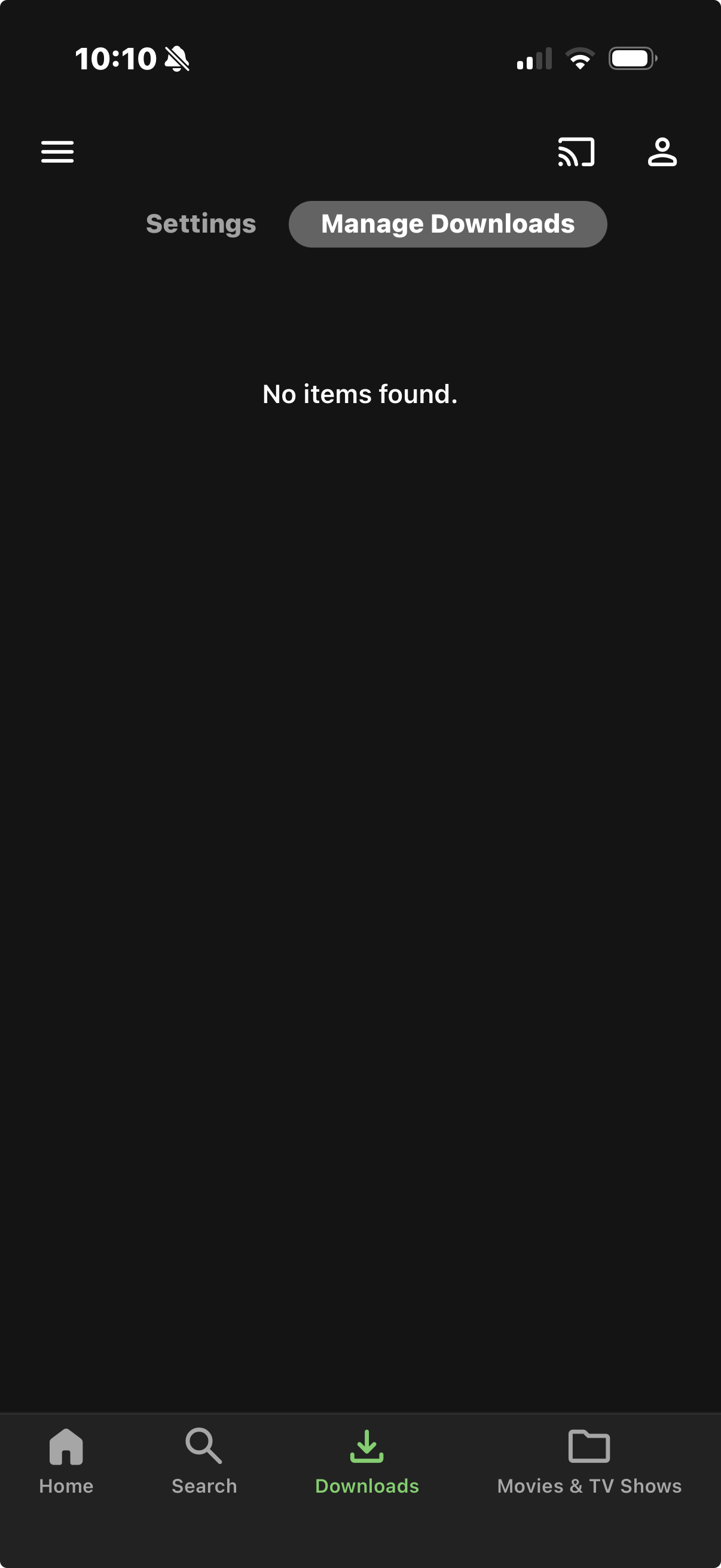
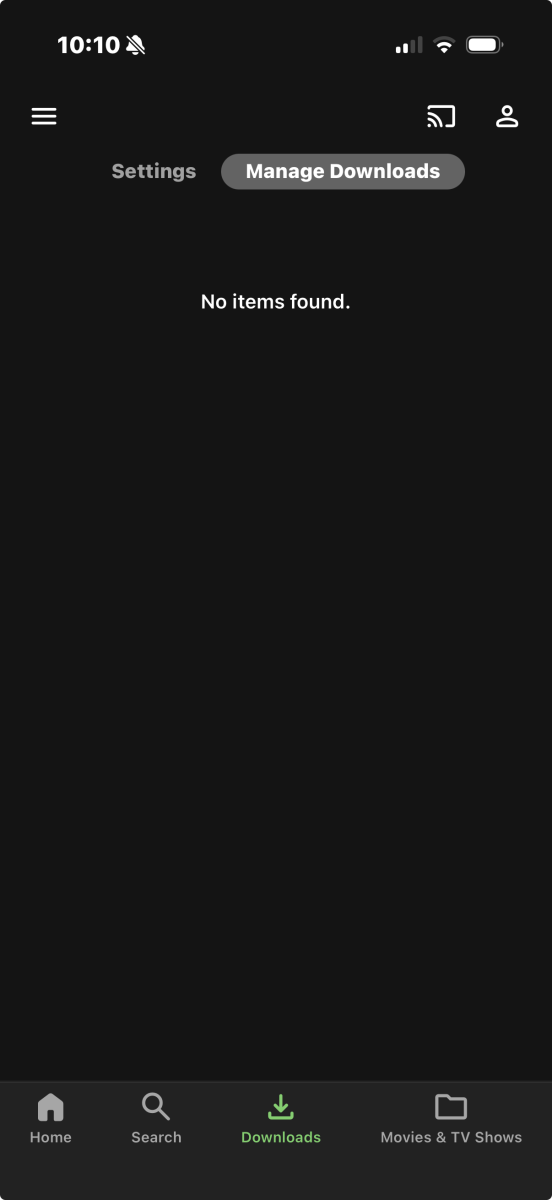
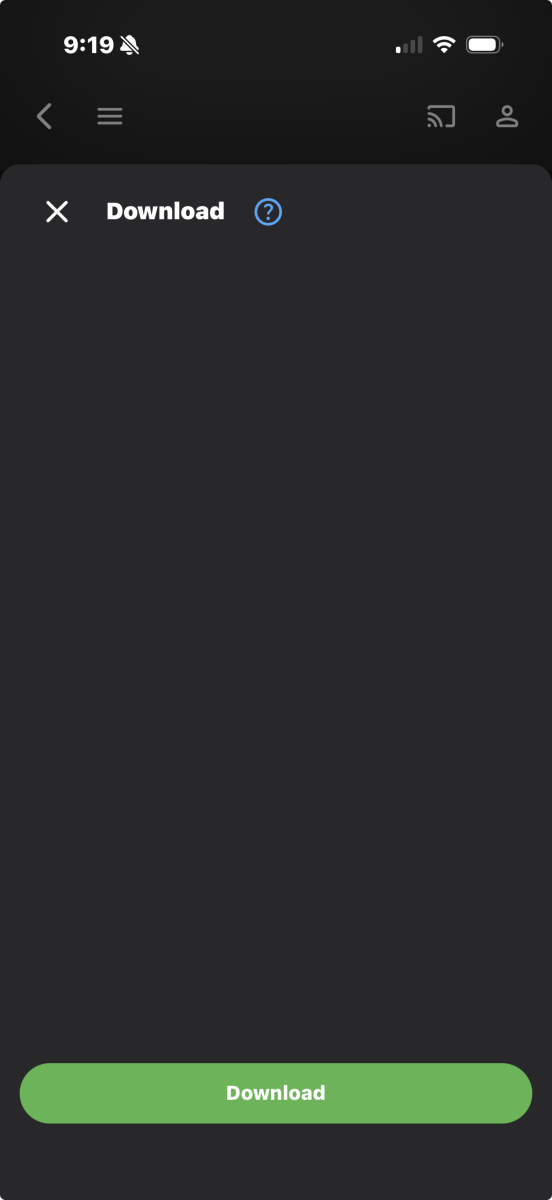
Not to pile on, but I can't download anything either. On the Emby server (win server 2012) I select the media I want to download, go to download to..., select the device, it goes through the conversion and I can see it in the devices > downloads > ready to transfer. On my phone (iOS, Emby v2.2.56) I do to downloads and nothing is there. No Items Found. If I go to the iOS settings > downloads > manage downloads, there's nothing there either. I can't figure out how to trigger the transfer/push or download to my phone.
-
Featurettes, Extras Always Top Level with Two (or more) versions of a Show
millerajm replied to millerajm's topic in General/Windows
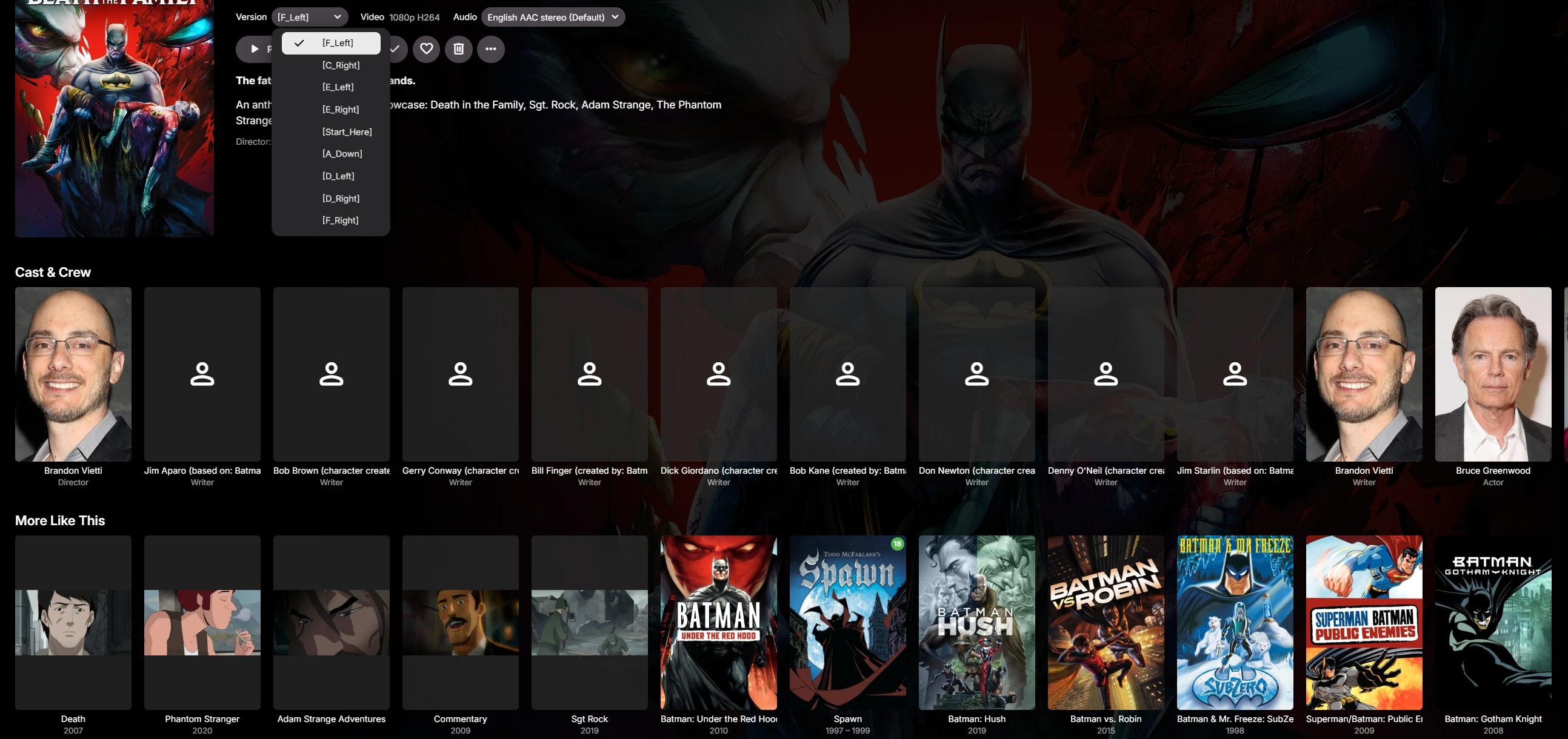
Adding parts one by one and rescanning, I was able to get to 8. When I added the 9th and rescanned, it split the extras again. Edit: I now also tried removing one "version", and rescanned, and the extras are no longer seen as movies. Adding the version again, they go back to being movies, so it is changing on only a "Scan Library Files". I will try to lock all the metadata of the extras, and then add the versions and see if that can get me where I want to be. Hopefully this is helpful info, it worked when I first added this movie in '23, so I'm fairly certain this is a newer feature, probably intended to treat folders full of movies in a smarter way, but that's a little problematic when it interprets correctly structured folders incorrectly.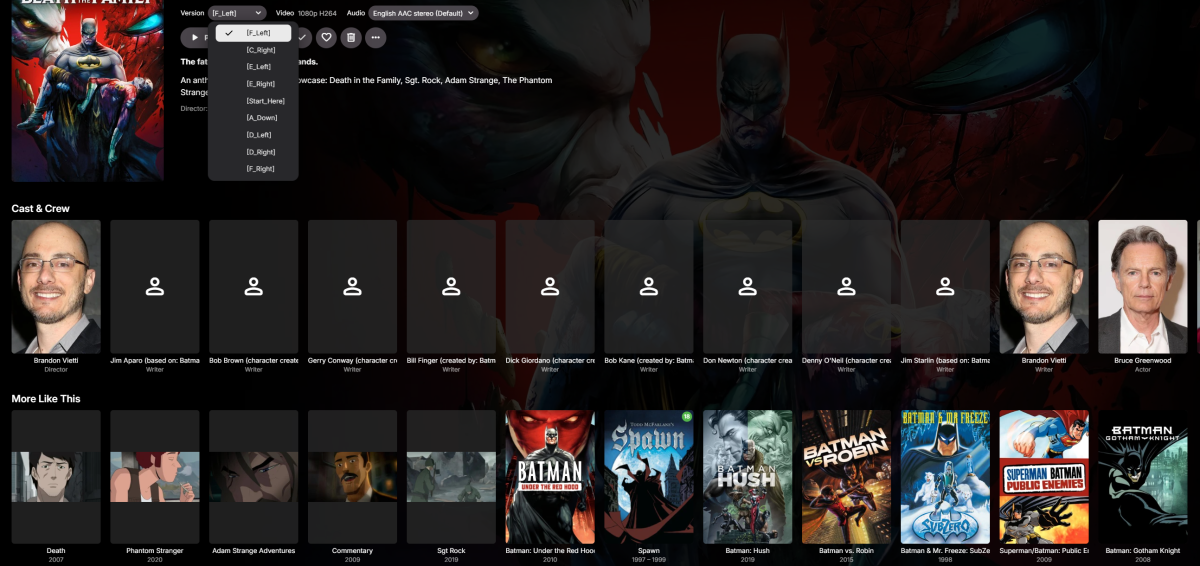
-
Featurettes, Extras Always Top Level with Two (or more) versions of a Show
millerajm replied to millerajm's topic in General/Windows
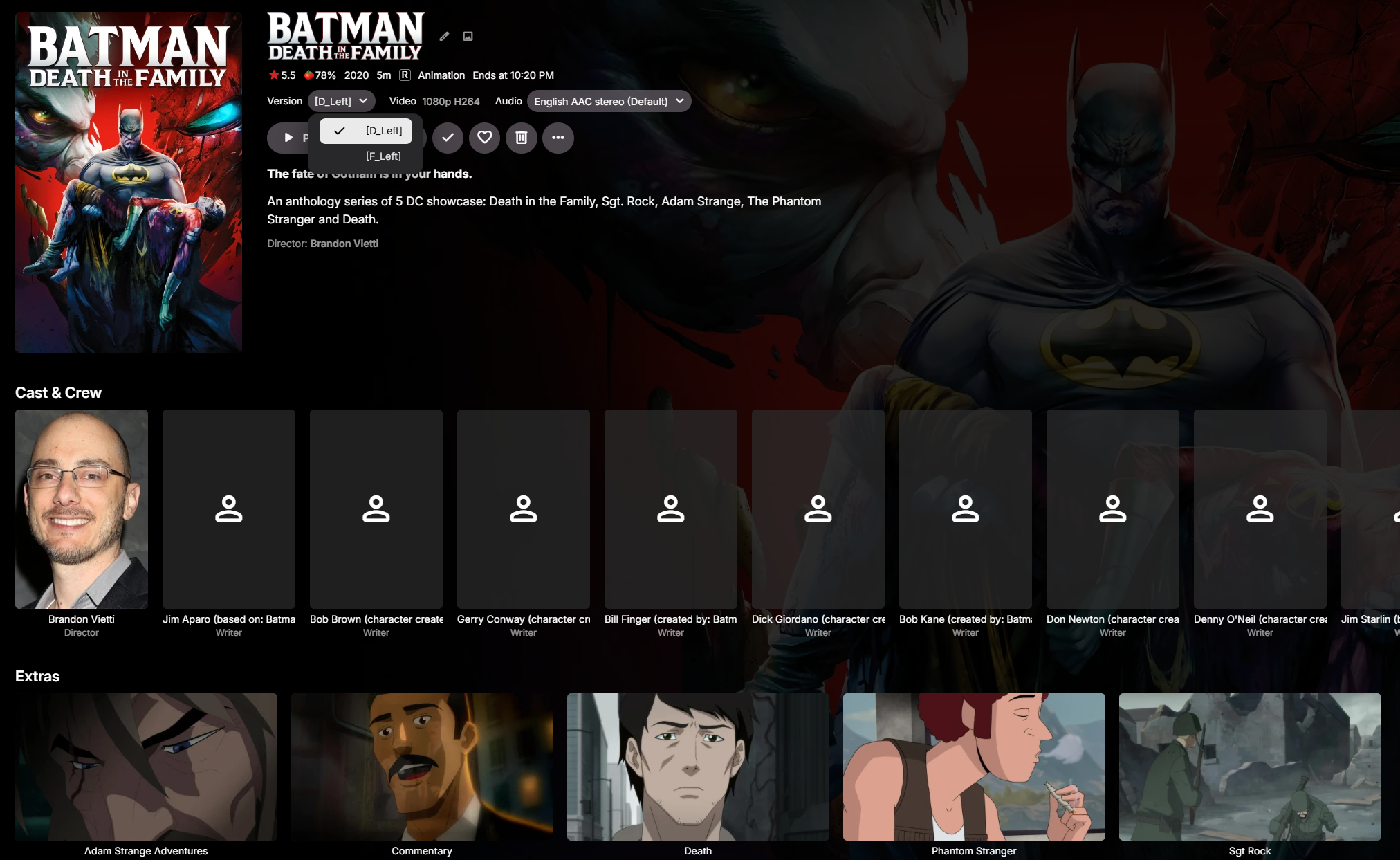
Okay, I tried it with the brackets still, but only put two versions, and it seems to be identifying everything as I would like, extras are shown as extras, as shown below. I think my suspicion is correct, that when you get over some number of versions, it is changing its logic to assume you're being silly and not following the suggested formatting, and it begins looking for many movies within the folder. I will add some versions and keep rescanning and see if I can get them all in without the extras being caught as their own movies.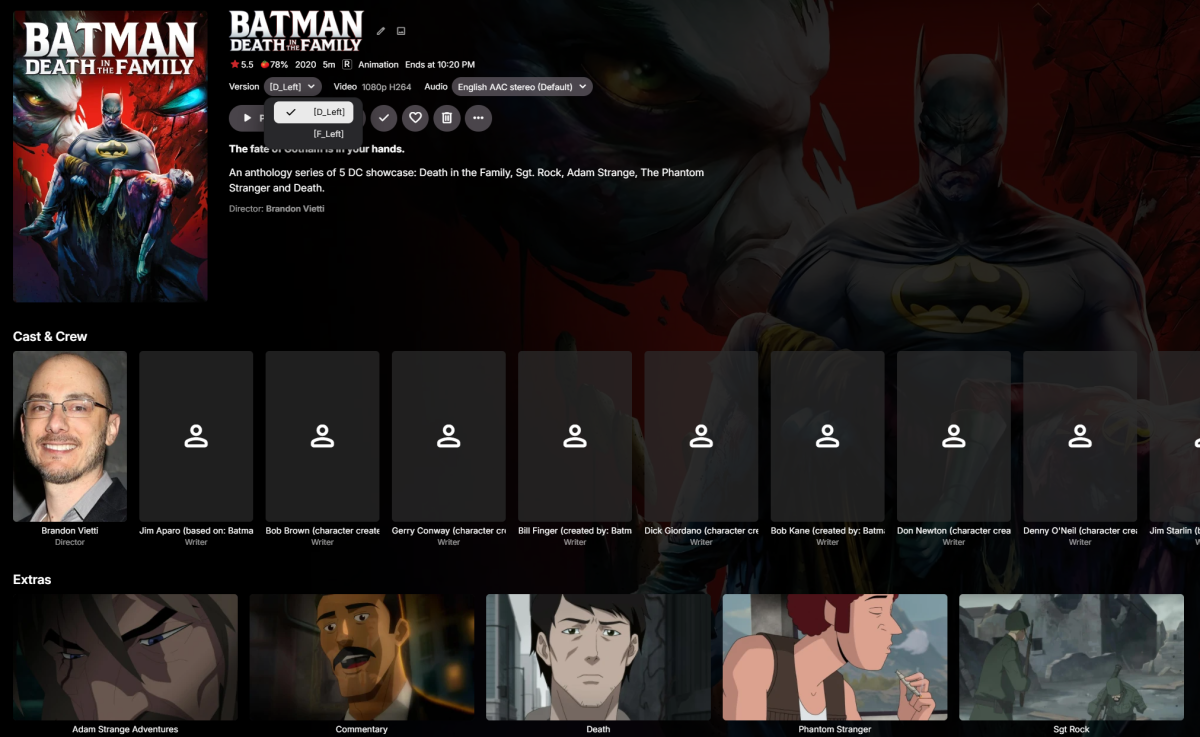
-
Featurettes, Extras Always Top Level with Two (or more) versions of a Show
millerajm replied to millerajm's topic in General/Windows
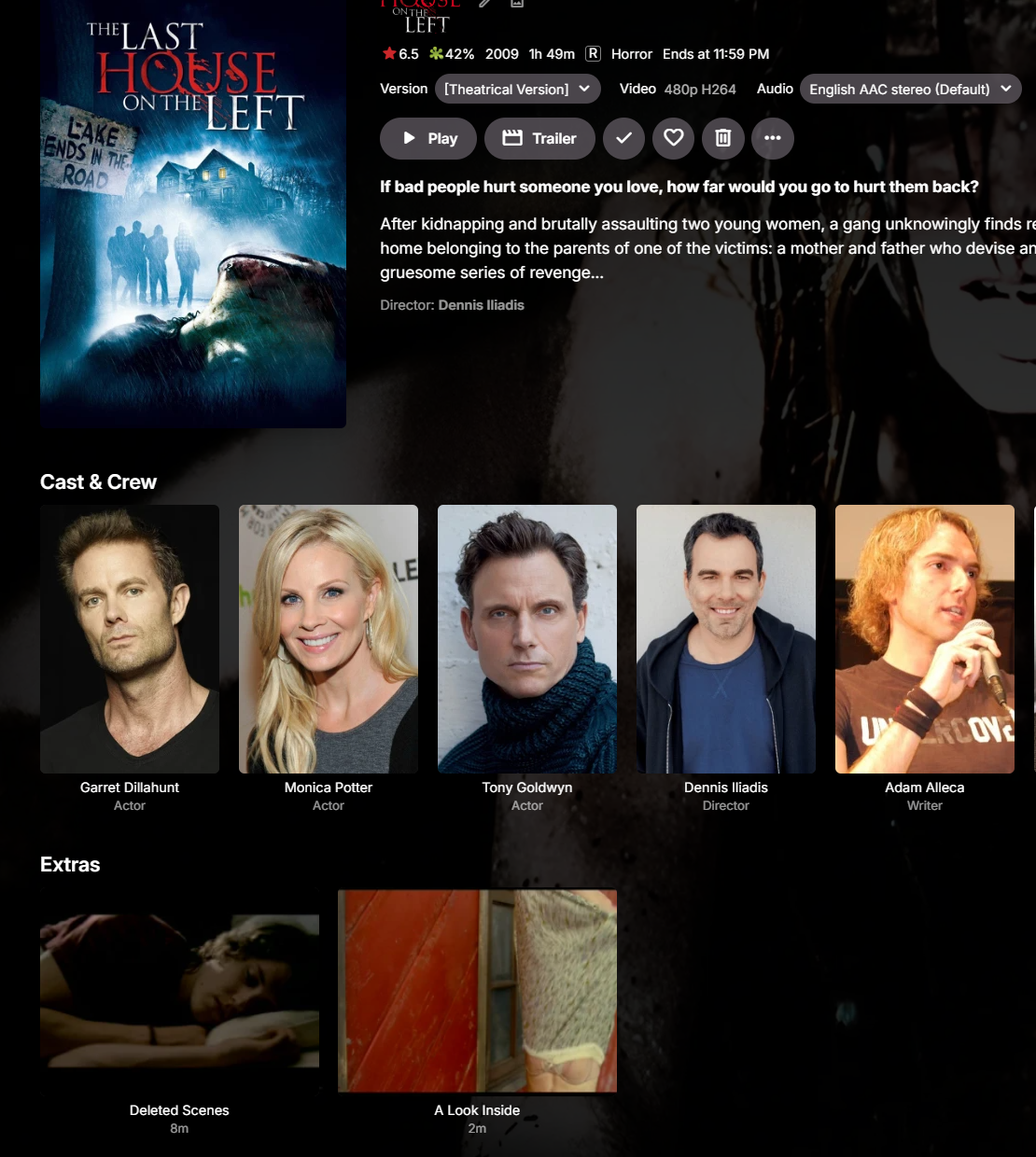
I will try that now and report back. I have brackets on all my other multiversion movies with no issue, see this example showing the brackets around the version name, and still the extras are treated correctly: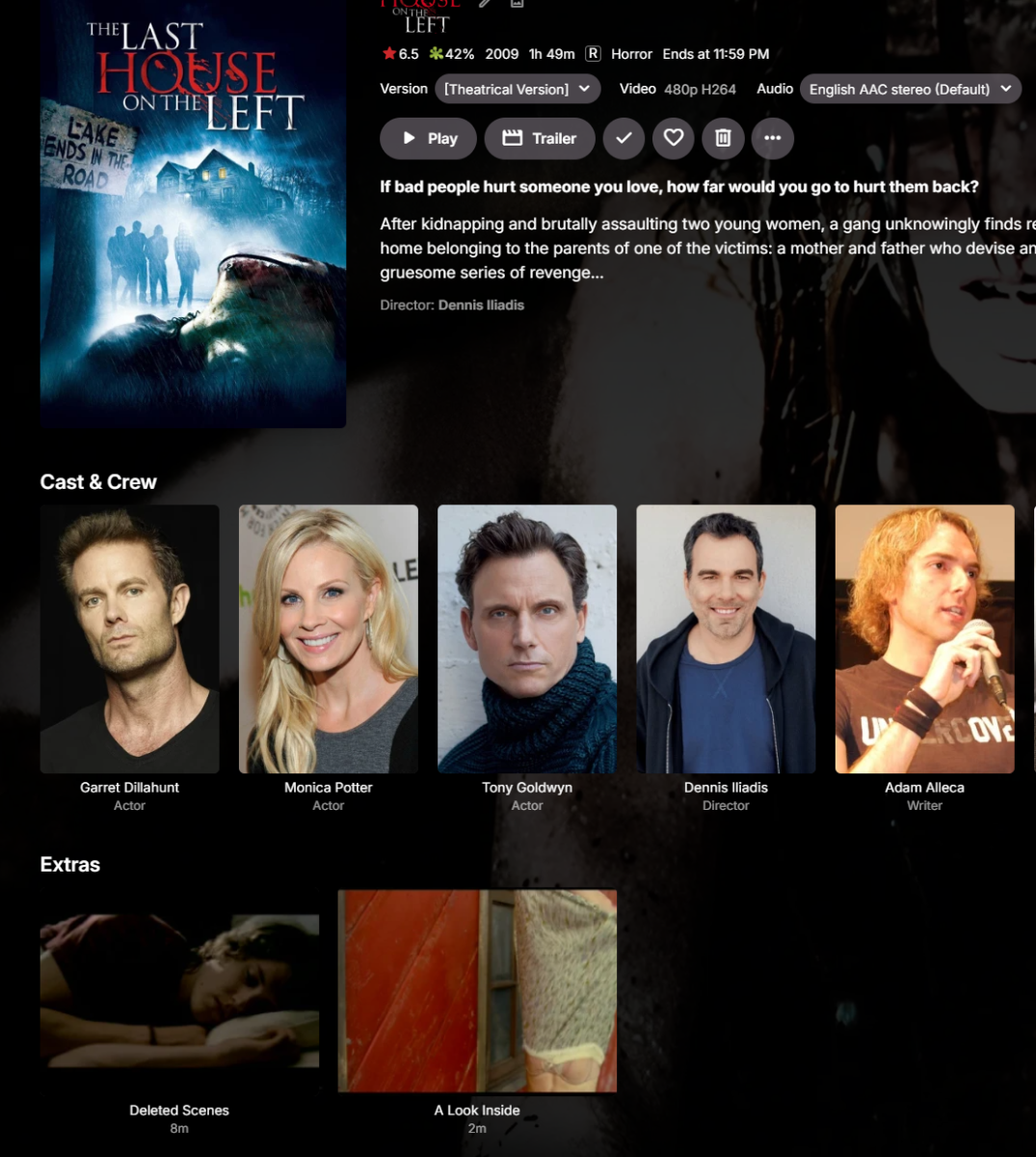
-
Featurettes, Extras Always Top Level with Two (or more) versions of a Show
Luke replied to millerajm's topic in General/Windows
I wonder if the brackets are causing an issue. Can you test by whipping up a second folder that doesn’t have the brackets?