Search
The Search feature allows you to search all libraries, Live TV sources and channels using a search pattern. The search would be for any metadata. A minimum of two search characters is required to start a search.
Search Patterns
Search patterns are not case sensitive and words / character sequences can be in any order
Search for any of the specified words:
word1 word2 word3Search for all the specified words
"word1 word2 word3"Search for character sequence(s) / partial word(s). This will be similar to the above two but with partial words.
Examples
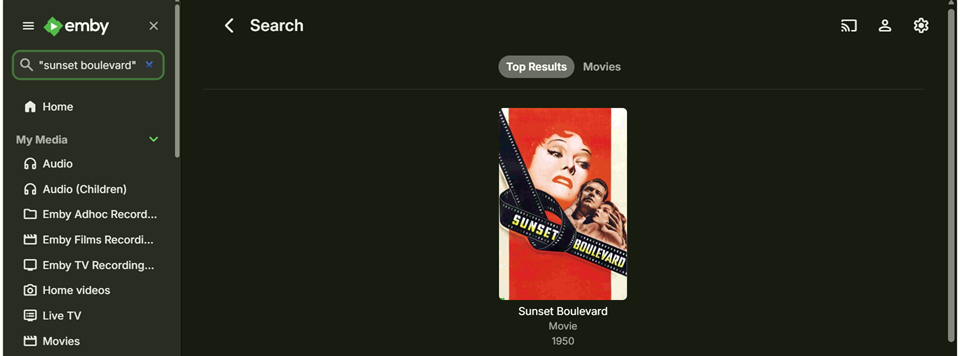
Search for the Sunset Boulevard movie
The search can be entered as "Sunset Boulevard" or "Boulevard Sunset". This would pick search results where both words: sunset and boulevard are present.
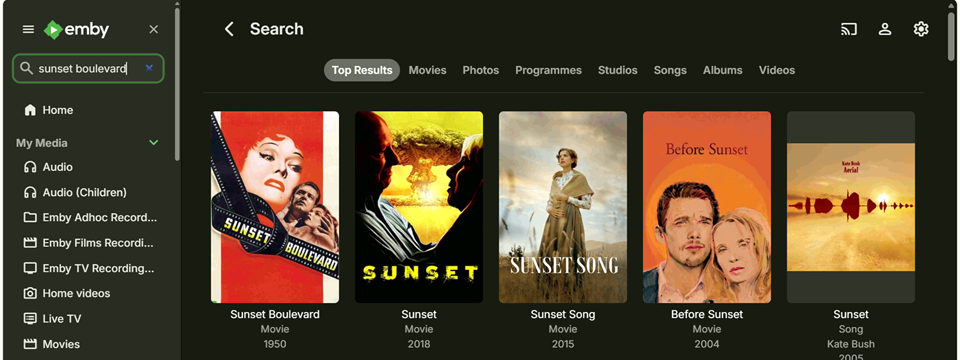
If the quotes are omitted, the search would pick items where either sunset or boulevard is present.
Exclusions from the Global Search
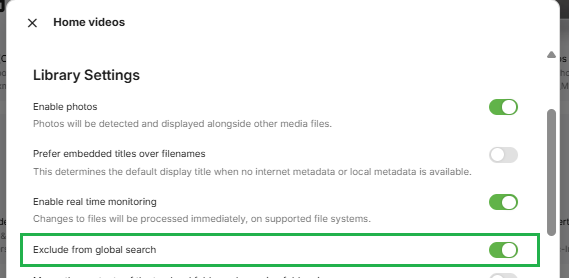
Libraries may be excluded from the global search by selecting that option in the settings for the specific library.
Note
This exclusion is only for global searches and does not apply to specific library searches that are available on some Emby client apps.
Specific Library search
Some Emby Apps, specifically Emby for FireTV, Emby for Android TV and Emby for Roku, offer either a global search when the search is initiated from the Emby Home Screen or a search limited to a specific library when initiated when viewing a library.