Emby Blog
6/5/2017
Emby for Chromecast Receives Major Update
We've updated our Chromecast app with new features and improvements. Here are the highlights.
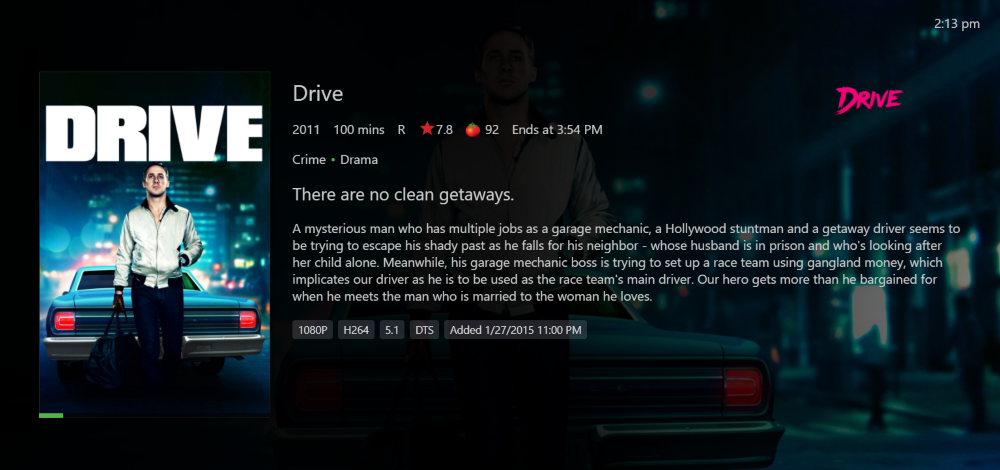
Consistent Detail Screen
The detail screen now matches our other apps more closely, with added media information, taglines, and more.
Playback Improvements
Our automatic quality feature has improved. Additionally Chromecast will now enjoy more aggressive direct play with the ability to automatically switch to transcoding if there is a problem when direct playing.
Subtitle Improvements
The app can now handle more text-based subtitle formats without the need for server transcoding. Say goodbye to the pain on your server from subtitle burn in.
Music Improvements
You'll now enjoy a nice audio fade out when stopping music, like many of our other apps. Additionally music playback still start quicker than ever before.
Photo Improvements
Just tap a photo from the sending app and it will start a slideshow on Chromecast (Requires soon to be released Android and iOS updates).
Remote Control Improvements
Remote control i is now much more responsive. This requires the latest version of Emby Server, which is currently 3.2.19.
How to Get The Update
To receive the update, simply power cycle your Chromecast device and restart the casting app.
Check out our Chromecast Wiki
Learn more about the app on our wiki at: https://github.com/MediaBrowser/Wiki/wiki/Chromecast